AI Search Visibility in Prospecting Reports
The AI Search Visibility audit helps you understand whether AI assistants can find, understand, and interact with a prospect's business online. This article explains what the audit measures, how to review its scores and findings, and how to share the results with prospects.
TABLE OF CONTENTS
- What is AI Search Visibility Report?
- What Does the AI Search Visibility Audit Check?
- How to View and Share the AI Search Visibility Audit
- Related Articles
What is AI Search Visibility Report?
AI Search Visibility is a section in Marketing Audit Reports that evaluates how easily AI tools such as ChatGPT, Claude, Perplexity, and Gemini can access and understand a business's online information.
The audit provides:
An overall score out of 100 showing the business's AI search readiness.
Individual scores across four areas of AI visibility.
Top issues highlighting problems that may limit AI access or understanding.
Prioritized recommendations to help you identify what needs improvement first.
You can use these findings to identify gaps in a prospect's online presence and recommend improvements to their website, business listings, and customer interactions.
What Does the AI Search Visibility Audit Check?
The audit evaluates four key areas, each with its own score and detailed findings.
1. Local Presence
Checks whether AI tools can find consistent, reliable business information across Google Business Profile, online directories, and reviews.
This includes business name, address, phone number, listing accuracy, and review activity. Businesses without a website can still receive credit for their local presence.
2. Crawler Access
Checks whether AI crawlers associated with ChatGPT, Claude, Perplexity, and Gemini can access the business's website.
The audit reviews robots.txt rules to identify crawlers that are allowed or blocked.
3. AI Readability
Evaluates how easily AI can read and understand the website's content.
Checks include structured data (schema markup), business information, JavaScript-dependent content, llms.txt, and preview metadata.
4. AI Agent Readiness
Checks whether AI assistants can identify and use website elements needed to complete customer actions, such as:
Finding a phone number
Starting a phone call
Submitting an enquiry
Booking an appointment
The audit examines buttons, links, forms, and page structure to identify possible obstacles.
Understanding your results: Each area includes a score, check statuses, and explanations of the findings. Review Top issues and the prioritized recommendations to identify the improvements that may have the greatest impact.
Note: The AI Search Visibility score evaluates a business's readiness for AI discovery and interaction. It does not guarantee that an AI assistant will recommend the business.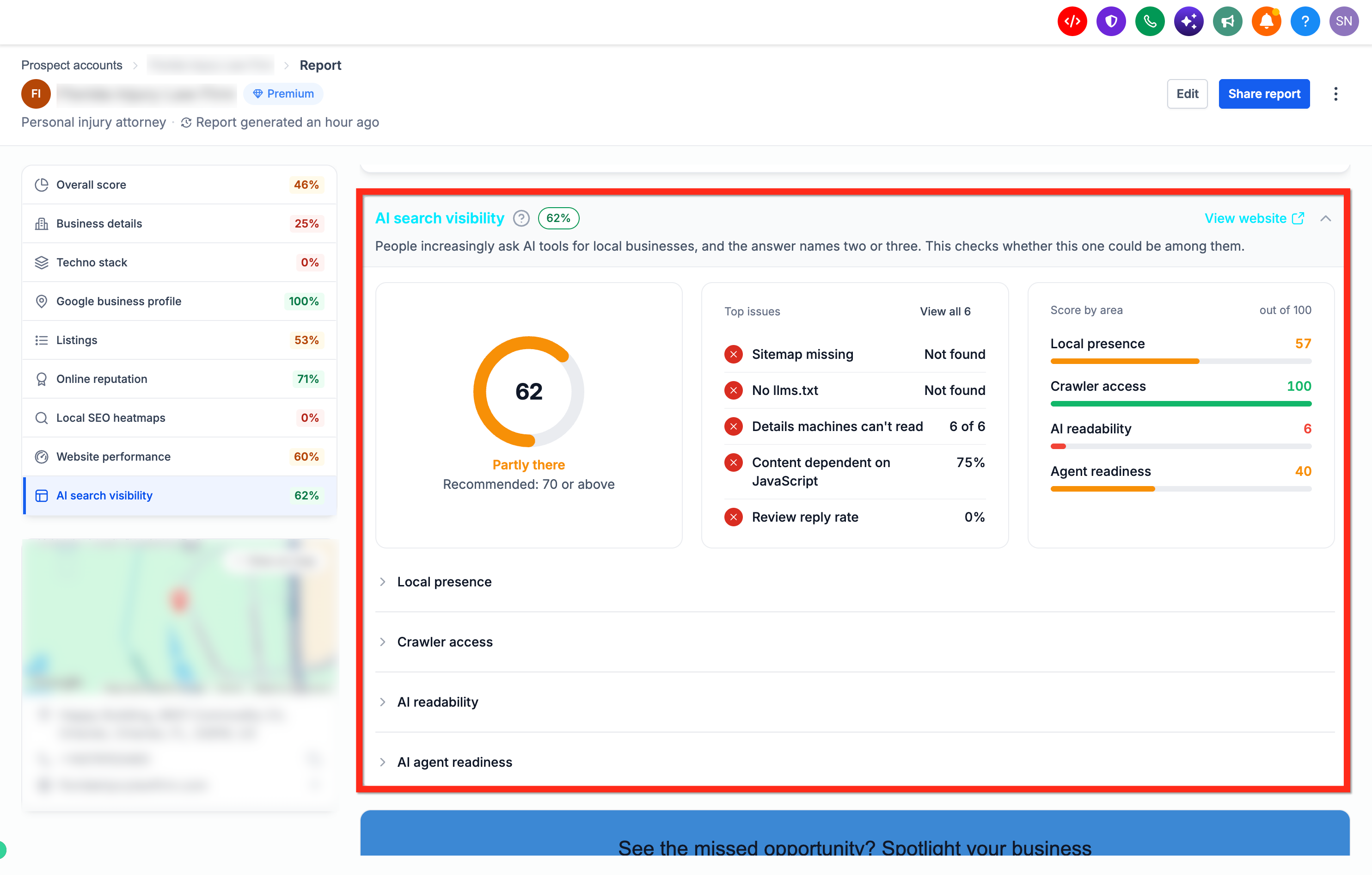
How to View and Share the AI Search Visibility Audit
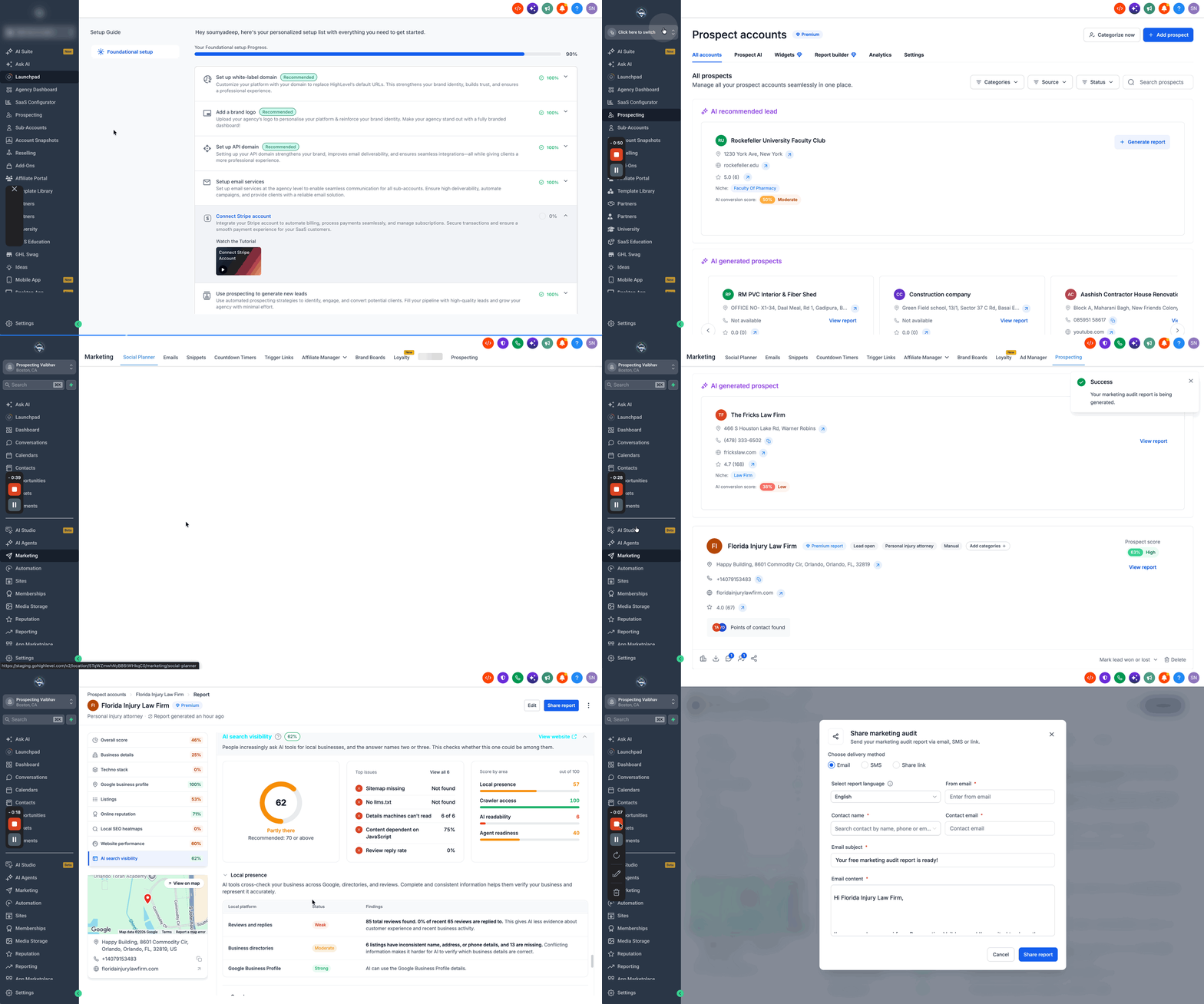
Open Agency View > Prospecting or, within a sub-account, go to Marketing > Prospecting.
Search for a business and add it as a prospect. Keep Run marketing audit report selected to generate its Marketing Audit Report. You can also open an existing prospect's report.
Open the Marketing Audit Report and select AI Search Visibility from the left sidebar.
Review the overall score, Top issues, and the four scored areas. Expand each area to view individual checks and findings.
Review the prioritized recommendations to identify which issues should be addressed first.
Click Share Report to share the findings with your prospect through email, SMS, or a shareable link.