
Ask AI & AI Studio - Separate Usage Rebilling for Agency & Sub-Account Users
Agencies often work inside client sub-accounts to build, configure, or manage AI-powered experiences. Chat To Clients CRM can distinguish AI activity performed by an agency user from activity performed by a sub-account user, giving agencies more control over which usage is re-billed to the client. The Re-bill usage from sub-account users only setting is available for supported AI Studio and Ask AI usage.
TABLE OF CONTENTS
- What is Rebill Usage From Sub-Account Users Only?
- What Happens When the Setting Is On or Off?
- How to Set Up Separate Usage Rebilling for Agency & Sub-Account Users
- How Agency User AI Usage Is Covered When a Location Has a $50 Plan
- Related Articles
What is Rebill Usage From Sub-Account Users Only?
AI usage does not have to be attributed solely based on the sub-account where the activity occurred. Chat To Clients CRM can identify the user who actually performed the AI action, allowing agencies to separate their team's usage from usage generated by the client's users.
When Rebill usage from sub-account users only is enabled, AI usage generated by agency users is excluded from the sub-account's rebilled usage. Usage generated by sub-account users continues to follow the sub-account's configured usage-based reselling settings.
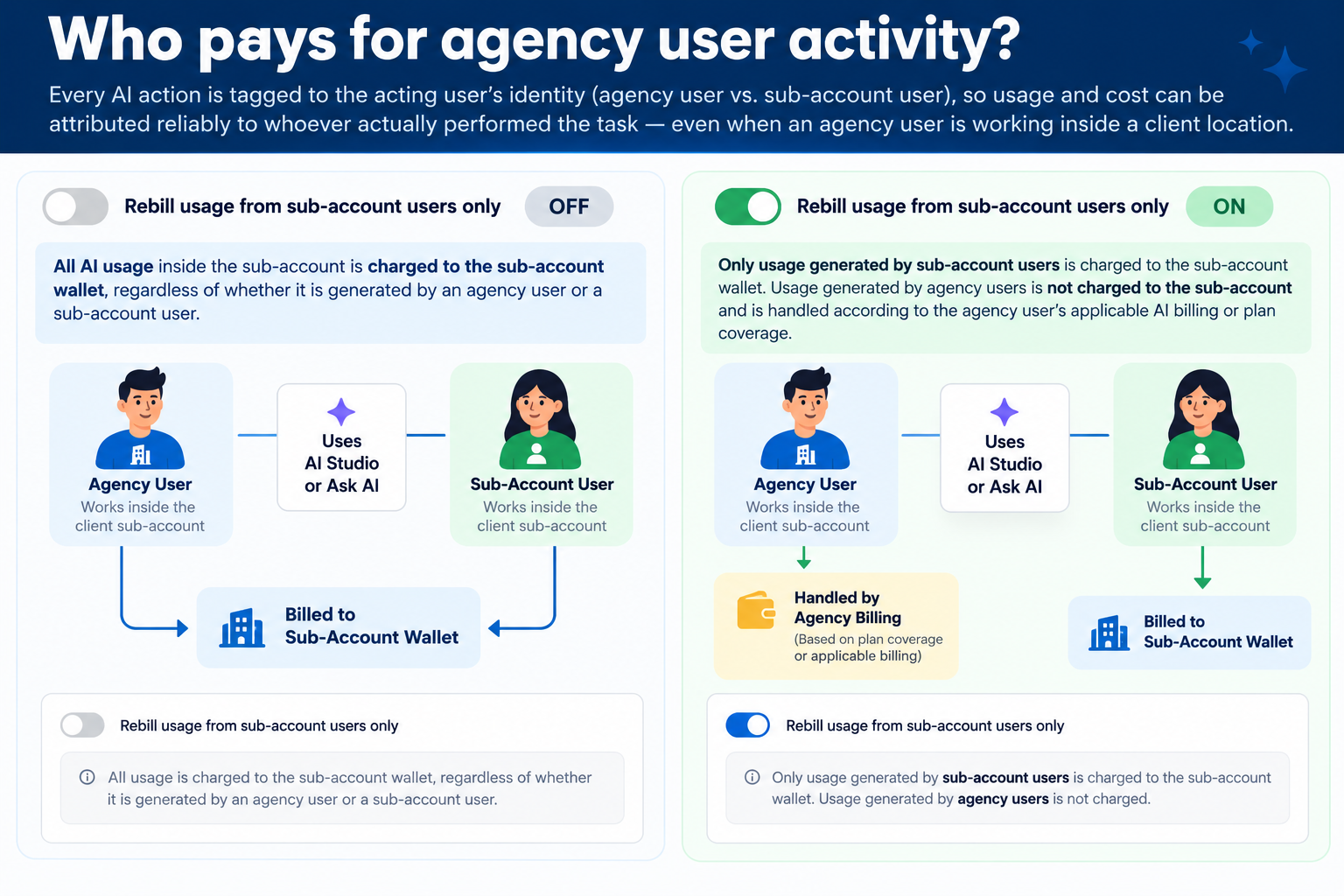
What Happens When the Setting Is On or Off?
Understanding the two states makes it easier to choose the billing behavior that matches how your agency works with clients.
| Setting | Sub-Account User Activity | Agency User Activity |
|---|---|---|
| OFF | Eligible usage can be rebilled to the sub-account. | Eligible usage performed inside the sub-account can also be included in the sub-account's rebilled usage. |
| ON | Eligible usage continues to be rebilled to the sub-account. | Usage is excluded from the sub-account's rebilled usage and handled according to the agency user's applicable AI billing or plan coverage. |
How to Set Up Separate Usage Rebilling for Agency & Sub-Account Users
Configuring the setting at the sub-account level helps ensure that client rebilling reflects the users whose activity you intend to charge to that client.
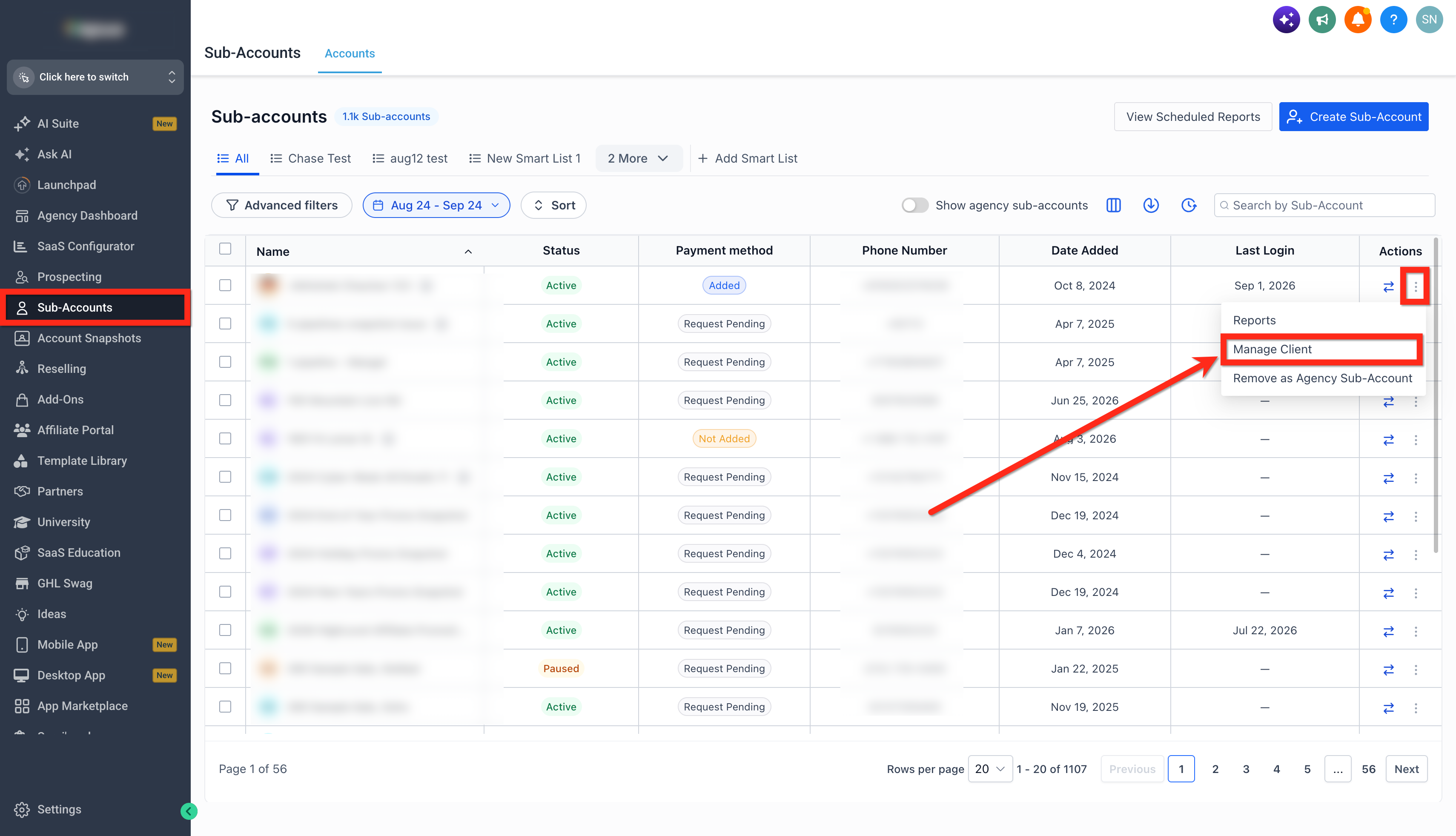
- From Agency View, go to Sub-Accounts.
- Locate the sub-account you want to configure > click on the three dots under action > Manage Client.
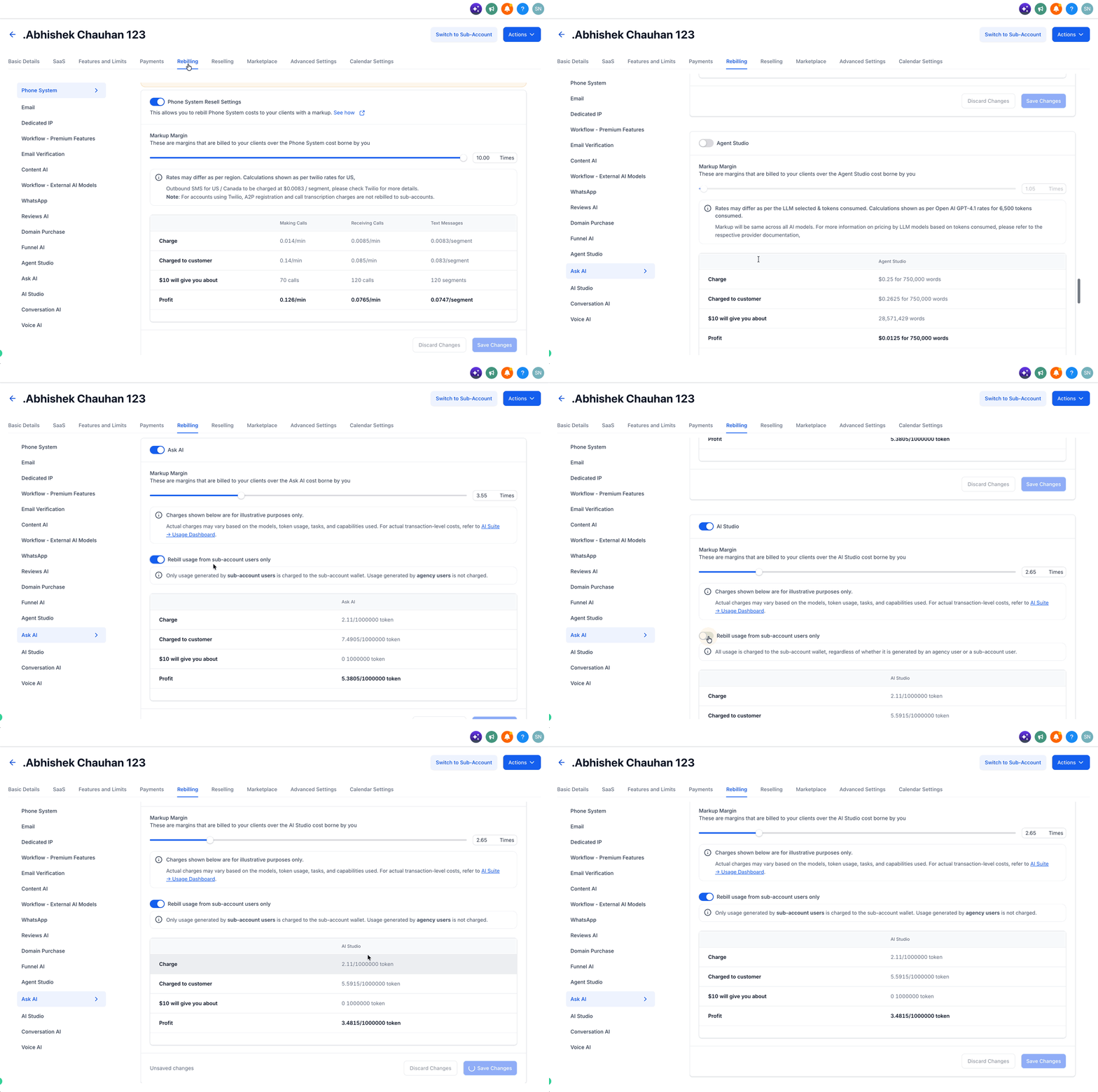
- Go to Rebilling.
- Go to AI Studio or Ask AI, depending on the AI product you want to configure.
- Locate Rebill usage from sub-account users only.
- Choose the appropriate setting:
- Leave the toggle OFF when agency-user and sub-account-user activity should both be included in the client's applicable rebilled usage.
- Turn the toggle ON when only usage generated by sub-account users should be rebilled to the client.
- Leave the toggle OFF when agency-user and sub-account-user activity should both be included in the client's applicable rebilled usage.
- Click Save changes.
How Agency User AI Usage Is Covered When a Location Has a $50 Plan
When an agency user uses AI Studio or Ask AI inside a location, Chat To Clients CRM checks for available AI plan coverage in a specific order. The agency user’s own plan is checked first, then the location’s plan, and the Agency Wallet is used only when neither plan is available.
For agency-user activity, the billing priority works like this:
- The agency user has a $20 plan
The AI usage is covered by the agency user’s $20 plan. Even if the location has a $50 plan, the agency user’s own plan takes priority. - The agency user does not have a $20 plan, but the location has a $50 plan
The AI usage is covered by the location’s $50 plan. - Neither the agency user’s $20 plan nor the location’s $50 plan is available
The AI usage is charged to the Agency Wallet.
Billing Priority
Agency User $20 Plan → Location $50 Plan → Agency Wallet