
Workflow Maps: Get started with guided onboarding and Resources
Workflow Maps in Chat To Clients CRM offers guided onboarding and a built-in Resources hub to help you explore workflows and their connections. Learn how to navigate the map, discover features through interactive guidance, and find walkthroughs for common tasks like tracing contacts, reviewing errors, and checking asset usage.
What is Guided Onboarding and Resources in Workflow Maps?
Guided onboarding helps you get familiar with Workflow Maps through an introductory tour and contextual tips as you explore. The Resources hub provides searchable guides, walkthroughs, and quick references whenever you need assistance.
Key Benefits of Guided Onboarding and Resources
Faster Learning: Get familiar with map controls, workflow connections, and 2D/3D views through guided onboarding.
Task-Based Guidance: Find walkthroughs for tracing contacts, reviewing workflow errors, and checking asset usage.
On-Demand Help: Search Resources and revisit learning materials whenever you need guidance.
Guided Onboarding in Workflow Maps
Guided onboarding introduces the map's visual layout, navigation controls, and available features. Contextual prompts also help you discover useful tools as you interact with workflows and connected assets.
First-Visit Introduction: Learn the basics of Workflow Maps and choose between 2D and 3D views.
Contextual Tips: Receive relevant guidance as you navigate workflows, folders, and assets.
Guided Tour: Use the Start guided tour option to explore available features and controls.
Note: Editing-related guidance appears based on your permissions.
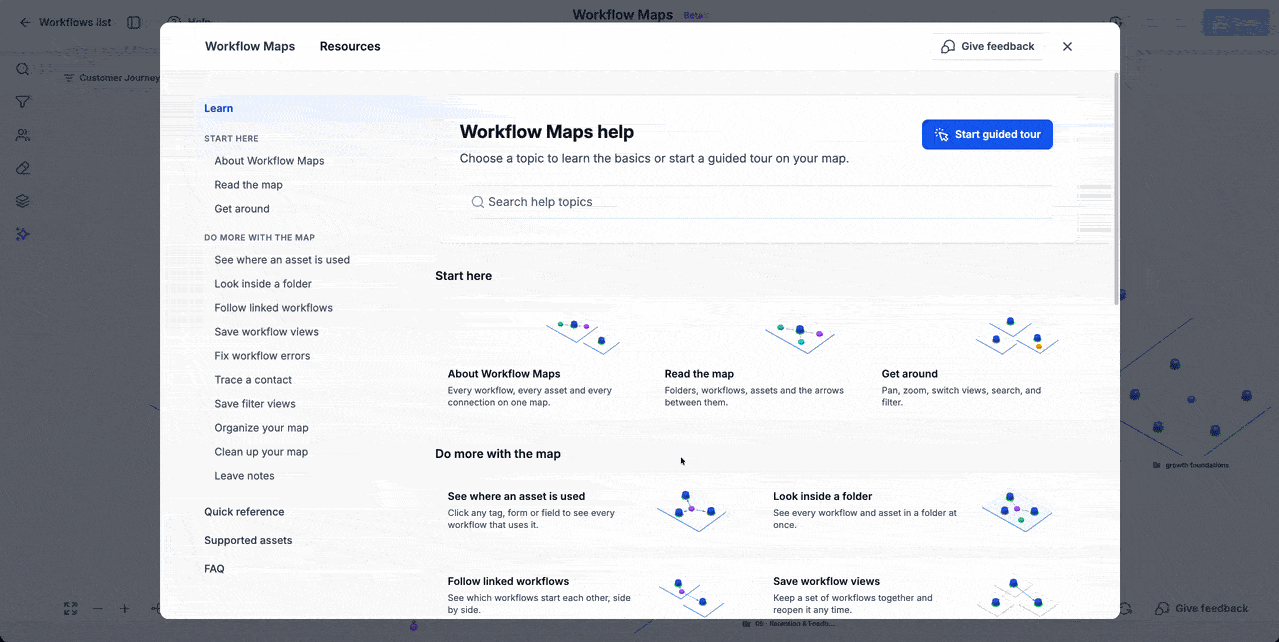
Resources Hub in Workflow Maps
The Resources hub provides a central location for learning how to use Workflow Maps. Browse topics or search for guidance based on the task you want to complete.
Available resources include:
Start here: Learn how to read the map, understand connections, and navigate.
Do more with the map: Find walkthroughs for tracing contacts, reviewing errors, inspecting folders, checking asset usage, and organizing the map.
Quick reference, Supported assets, and FAQ: Access additional information and answers to common questions.
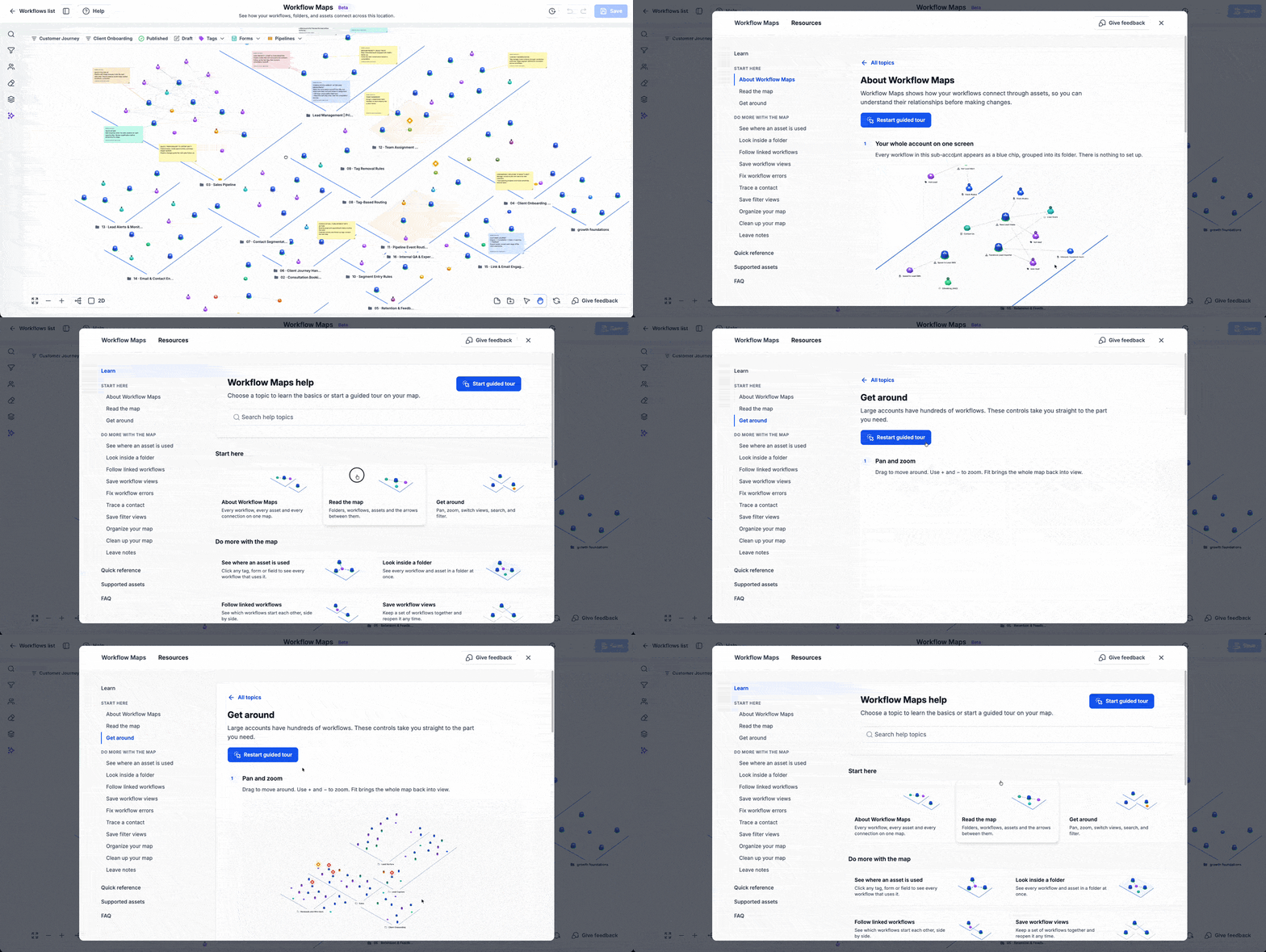
Tip: You can return to Resources through Help whenever you need to revisit a topic.
Frequently Asked Questions
Q: Can I access guided onboarding after my first visit?
A: Yes. Click Help in Workflow Maps to revisit Resources or use Start guided tour to access the guided experience.
Q: Is Resources search the same as Workflow Maps search?
A: No. Resources search helps you find guides and walkthroughs, while Workflow Maps search helps you locate workflows and assets.
Q: Can all users access editing-related walkthroughs?
A: Editing-related guidance depends on your permissions. Some actions may not be available to every user.