
Publisher Listing Force Sync (Yext & Uberall)
Force Sync lets you manually prioritize stuck or delayed business listing updates across supported publishers. Use it when standard syncing takes too long or appears stalled. This article explains availability, use cases, setup steps, and best practices for Chat To Clients CRM’s Listings with Yext and Uberall. Ideal for agencies managing time-sensitive updates across many locations.
TABLE OF CONTENTS
- What is Publisher Listing Force Sync?
- Key Benefits of Publisher Listing Force Sync
- Availability & Requirements
- Entity-Level Force Sync
- Publisher-Level Force Sync (Yext only)
- Limitations & Expectations
- How To Setup & Use Force Sync
- Observing Status & Audit Logs
- Troubleshooting
- Frequently Asked Questions
- Related Articles
What is Publisher Listing Force Sync?
Force Sync is an escalation tool inside Chat To Clients CRM Listings that instructs the listings engine to prioritize publishing your latest location data to connected directories. Rather than waiting for a routine sync cycle, Force Sync flags the entity (and in some cases, a specific publisher) for expedited processing. While it improves priority, final timing still depends on the publisher’s systems and policies.
Key Benefits of Publisher Listing Force Sync
Understanding the value of Force Sync helps you decide when to use it to serve clients faster. These benefits focus on reducing turnaround times, increasing control, and improving client confidence during delays.
Faster processing: Prioritizes pending updates that would otherwise take longer through normal cycles.
Greater control: Lets authorized users escalate urgent changes on demand.
Reduced delays: Helps move stuck or slow updates through publisher queues.
Client confidence: Demonstrates proactive management and transparency when timelines matter.
Availability & Requirements
Knowing where Force Sync is offered—and what’s required to see the option—prevents confusion and saves time during troubleshooting.
Engines & Scope
Yext: Available at Entity level (all publishers) and Publisher level (single publisher at the entity).
Uberall: Available at Entity level only (all publishers).
Prerequisites
Active Chat To Clients CRM Listings with either Yext or Uberall connected.
An entity/location with valid, required profile fields (e.g., business name, address/phone, hours as applicable).
Sufficient user permissions to manage Listings and trigger Force Sync (admin or a role with Listings write access).
Notes & Expectations
Force Sync prioritizes updates but does not guarantee exact publish times.
Some publisher or policy issues (e.g., suspensions, missing required fields) may prevent successful publishing even after Force Sync.
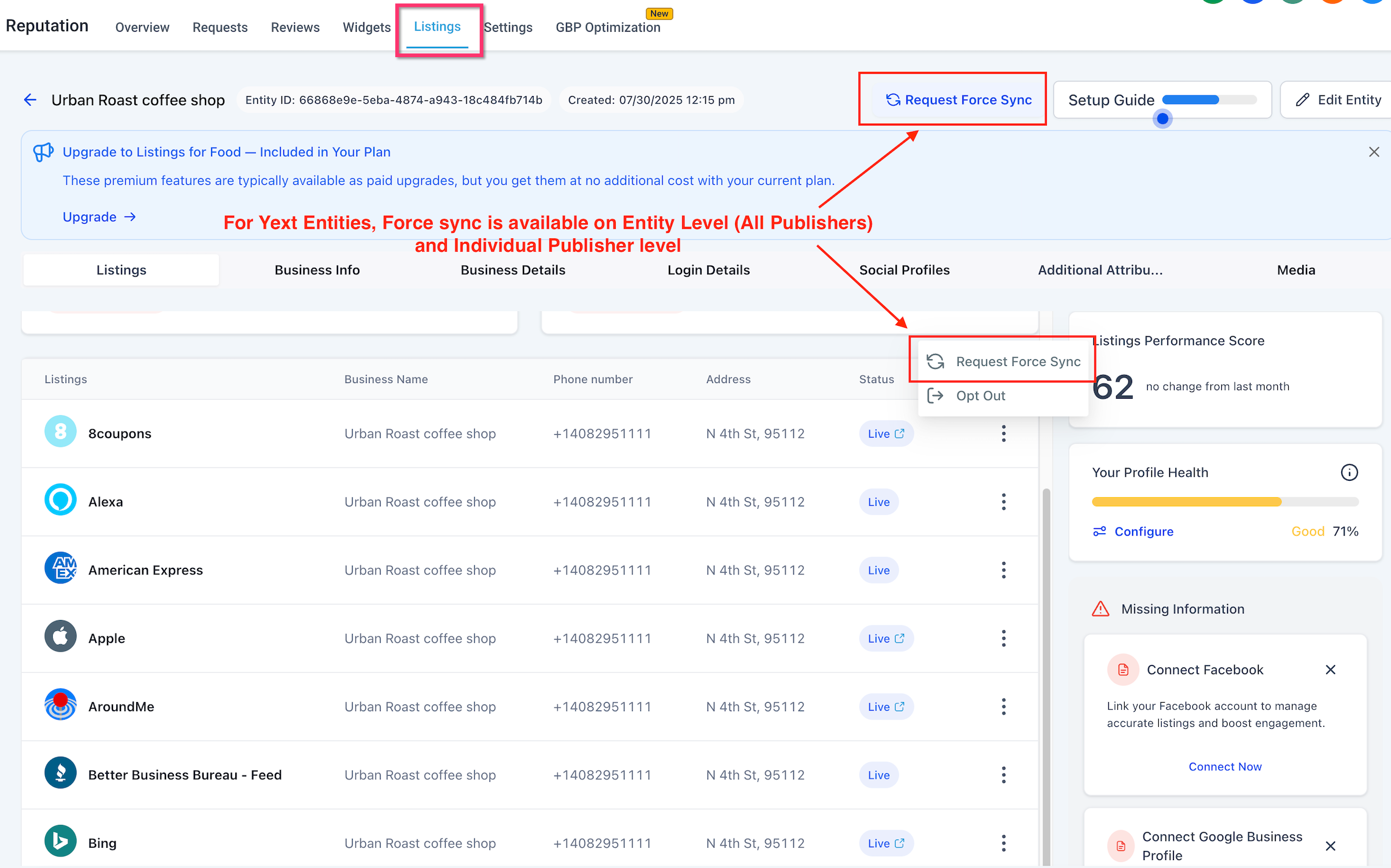
Entity-Level Force Sync
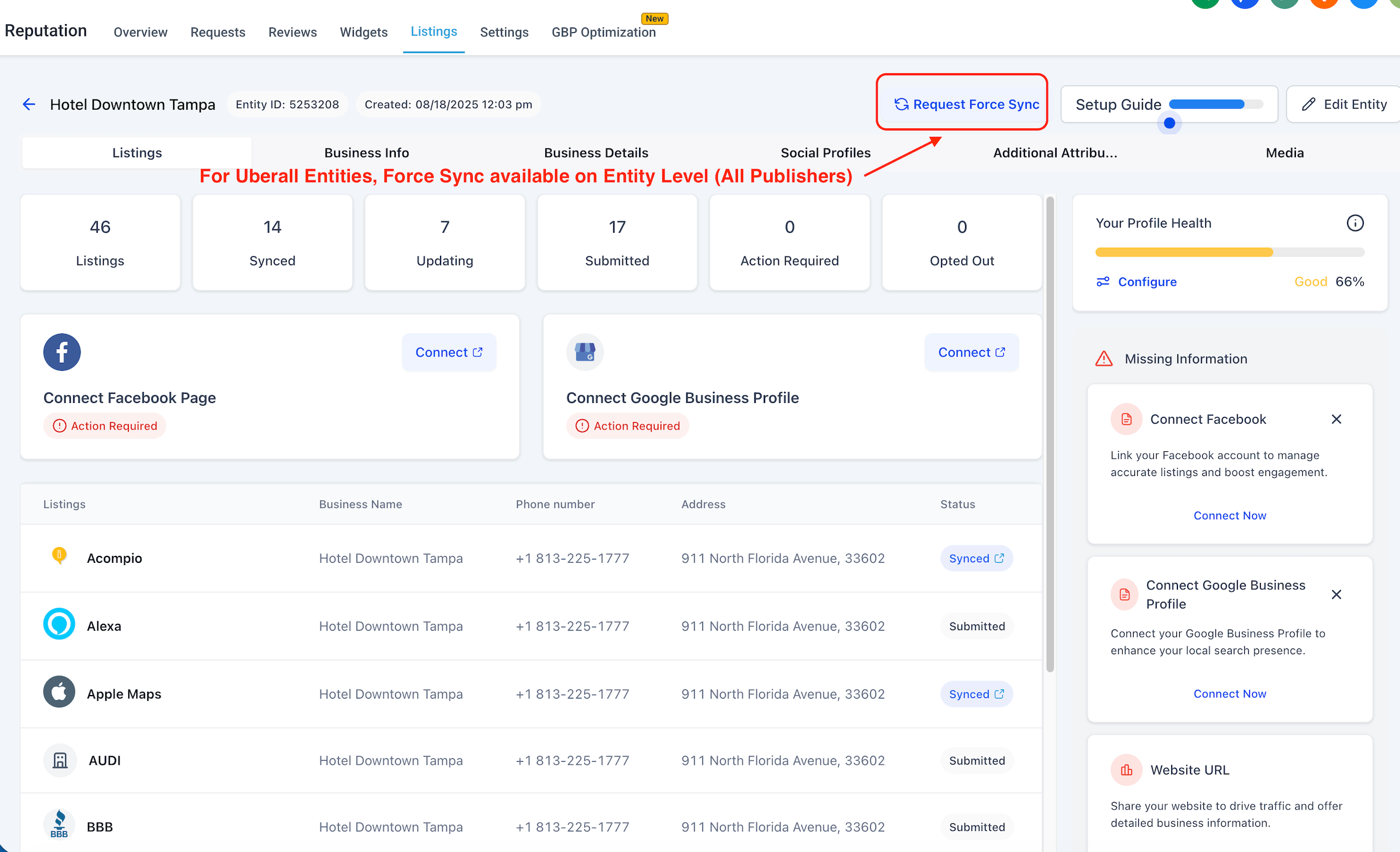
Entity-level Force Sync is best when multiple publisher profiles for the same location need to be re-prioritized together—useful after broad data changes like hours, categories, or descriptions.
Applies to all connected publishers for the selected entity.
Supported in Yext and Uberall.
Ideal for urgent, multi-publisher updates (e.g., holiday hours, address corrections).
Publisher-Level Force Sync (Yext only)
When only a single directory is lagging behind, a publisher-level Force Sync targets that specific channel to minimize unnecessary pushes.
Available only with Yext at the Publisher level.
Use when one publisher (e.g., Bing, Apple Maps) is out of sync while others are up to date.
Keeps the scope minimal and targeted.
Limitations & Expectations
Force Sync improves priority but can’t override publisher rules or missing data. Understanding these limits helps set accurate timelines with clients.
No guarantee of immediate publishing; final timing depends on the publisher’s queue and review processes.
Does not resolve policy issues (e.g., Google Business Profile suspensions, duplicates, or restricted categories).
May not bypass required fields; incomplete NAP, categories, or mandatory attributes can block publishing.
Concurrent operations: If a sync is already running or a publisher is under maintenance, the update may queue until the system is available.
Bulk/multi-entity: Force Sync is initiated from the entity level; bulk actions may be limited by your plan and UI controls.
How To Setup & Use Force Sync
A clear, repeatable process ensures you use Force Sync effectively and document results, especially when collaborating across teams.
Go to Listings and select the entity (location) that requires escalation.
Choose your sync scope:
Entity Level: Prioritize sync for all connected publishers.
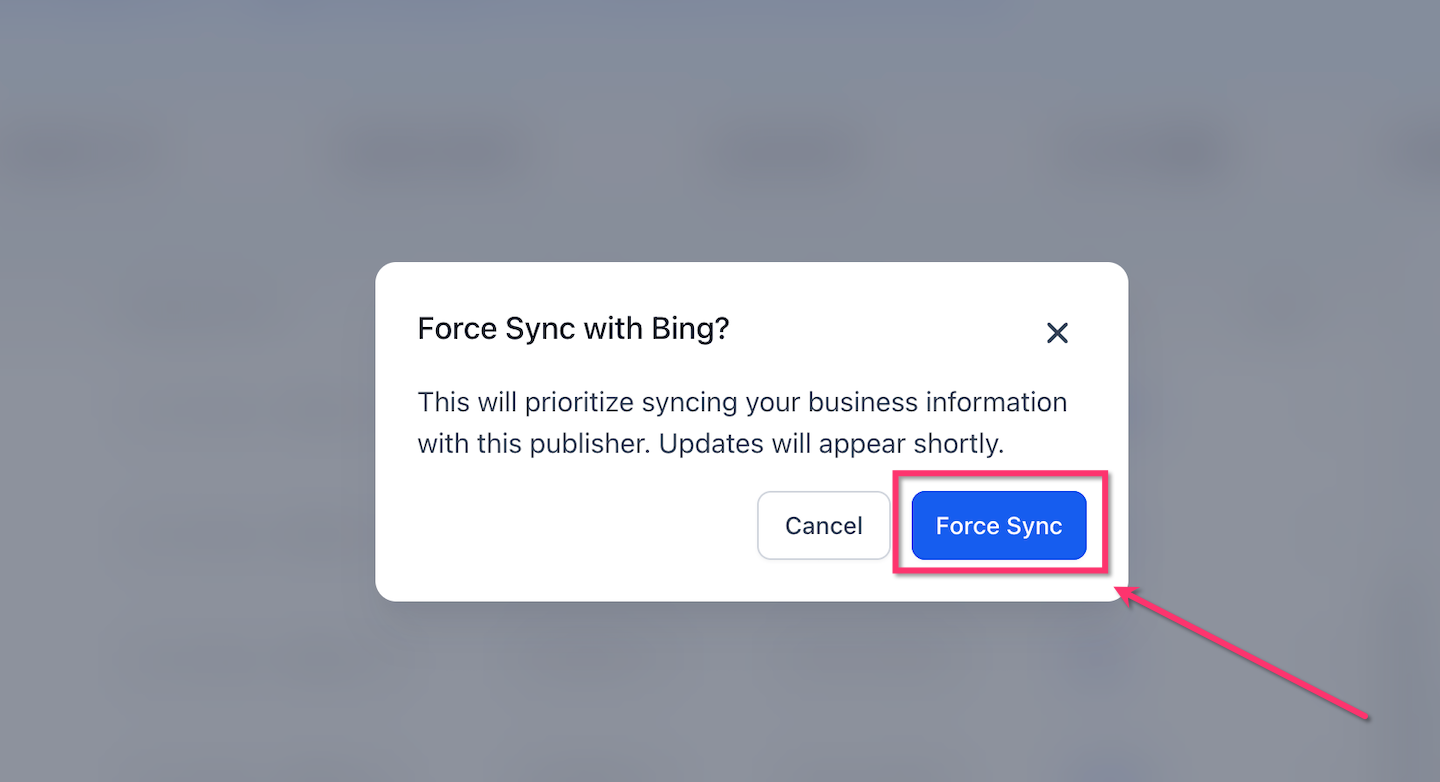
Publisher Level (Yext only): Prioritize sync for a single publisher from the publisher list.
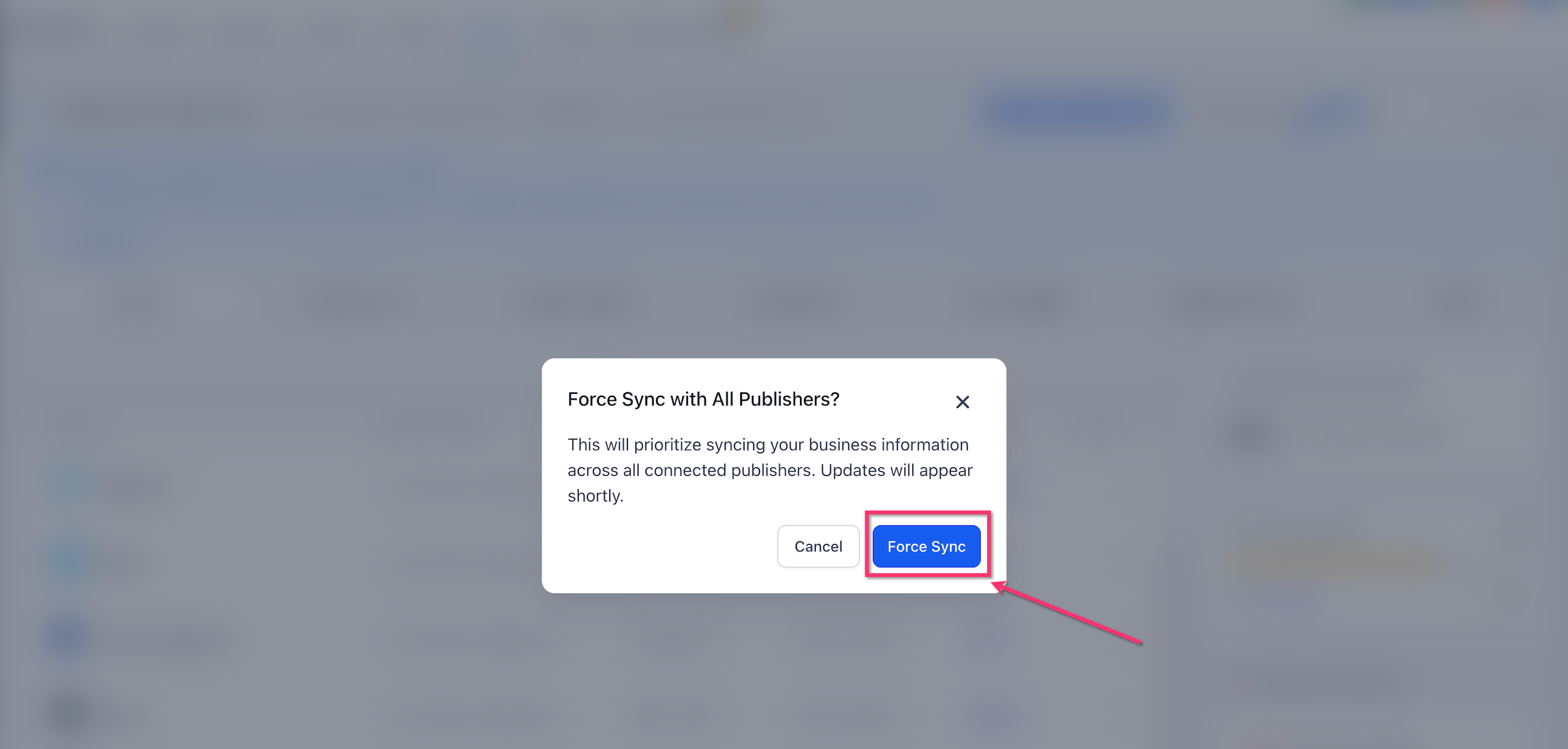
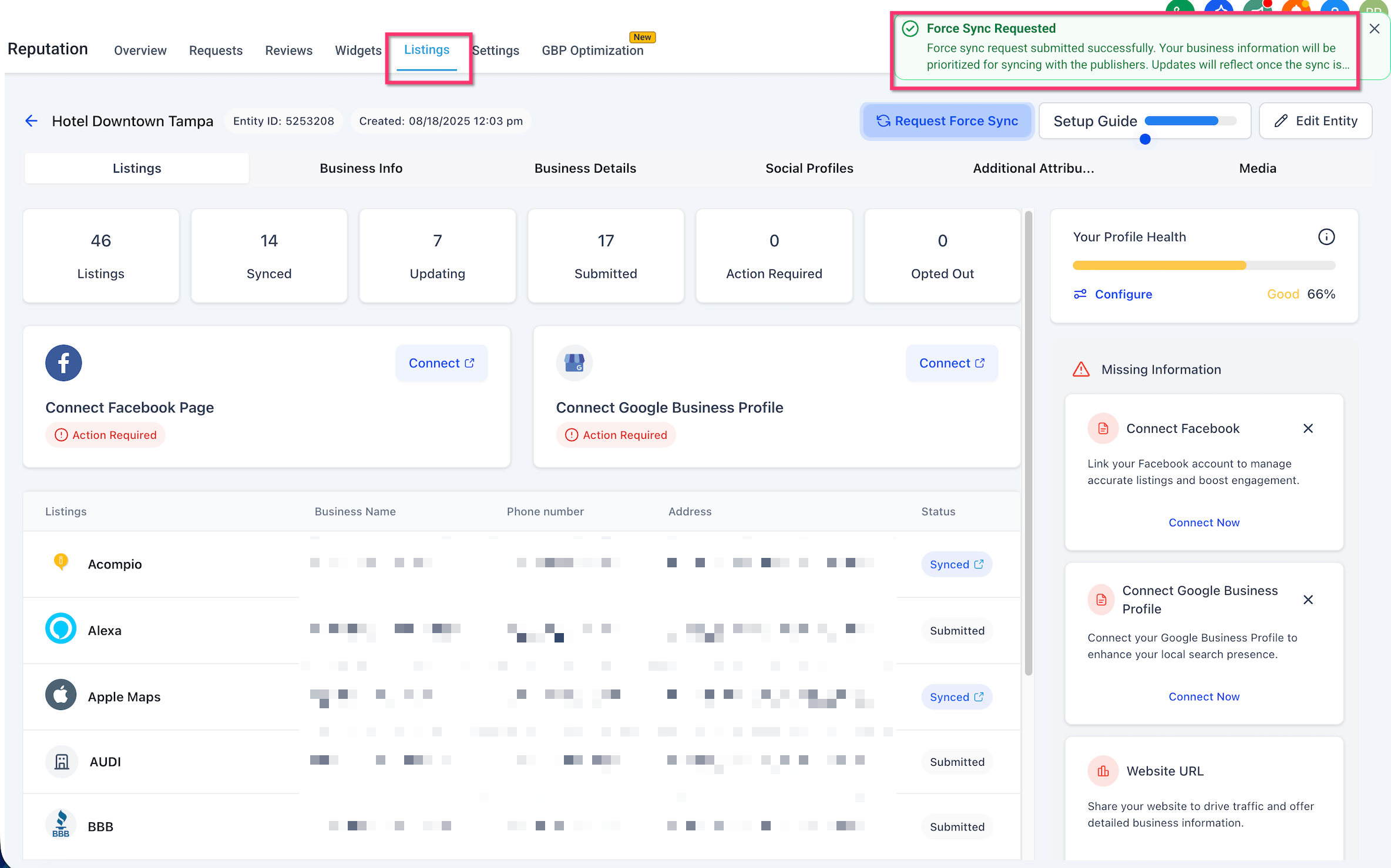
Click Request Force Sync.
Review the confirmation details and click Confirm.
Look for the success notification confirming the request was queued.
Monitor status updates and review Entity History/Audit Logs to verify activity and payload outcomes.
Observing Status & Audit Logs
Verifying what was pushed and when helps you communicate status to clients and decide next steps if publishing still lags.
Check Entity History or Audit Logs for Force Sync entries tied to the entity and (when applicable) the specific publisher.
Use timestamps to correlate Force Sync with subsequent publisher status changes.
If a publisher returns an error or remains unchanged for an extended period, proceed to Troubleshooting.
Troubleshooting
When Force Sync doesn’t move the needle, systematic checks identify whether the blocker is data completeness, a publisher policy, or connectivity.
Verify required data: Business name, address, phone, categories, hours, and other mandatory fields.
Check for publisher policy issues: Suspensions, duplicates, or restricted categories must be resolved in the publisher’s system.
Resolve pending suggestions: If using Listings Suggestions, accept/reject relevant changes to prevent reversion or conflicts.
Reconnect or re-auth relevant publishers (e.g., GBP/Facebook) if tokens have expired.
Review entity history/audit logs for recent errors and next steps.
Escalate via engine docs (Yext/Uberall) or contact support if publisher errors persist after multiple attempts.
Frequently Asked Questions
Q: Does Force Sync publish instantly?
No. It prioritizes your updates, but actual publish times depend on the publisher’s queue and review processes.
Q: Can Force Sync fix a suspended Google Business Profile?
No. Policy or suspension issues must be resolved directly with the publisher. Use Force Sync after the account is in good standing.
Q: I only see entity-level Force Sync. Where is publisher-level?
Publisher-level Force Sync is available with Yext only. Uberall supports entity-level Force Sync.
Q: Do I need special permissions to use Force Sync?
Yes. Users must have Listings management permissions. Ask an admin to grant the appropriate role if you don’t see the option.
Q: Will Force Sync re-push photos, attributes, and categories?
Force Sync re-prioritizes the entity/publisher sync. Actual payload behavior can vary by publisher; ensure required fields and media comply with publisher guidelines.
Q: Can I undo a Force Sync?
No. You can update the data and request another sync, but the Force Sync action itself cannot be undone.
Q: How often can I use Force Sync?
Use it when updates are delayed or stuck. If repeated attempts fail, review Troubleshooting and publisher policy issues before trying again.
Q: Where do I confirm what happened after I clicked Force Sync?
Review Entity History and Audit Logs for time-stamped records, then check the publisher status on the entity’s Listings view.