
Snapshot Notification Preferences
Snapshot Notification Preferences is a High-Level feature that empowers Agency Admins with enhanced control over email notifications for snapshot pushes. This feature streamlines communication by ensuring the right team members receive timely updates on snapshot outcomes while reducing manual checks.
TABLE OF CONTENTS
- What are Snapshot Notification Preferences?
- Key Benefits and Features of Snapshot Notification Preferences
- How To Set Up Snapshot Notification Preferences
- Frequently Asked Questions
- Related Articles
What are Snapshot Notification Preferences?
Snapshot Notification Preferences is a high-level enhancement that enables comprehensive control over email notifications associated with snapshot deployments. By leveraging this feature, Agency Admins can determine if the initiating user and up to five other Admins receive an email notification after a snapshot push is completed. This targeted approach ensures that critical updates, including details on completed and failed sub-accounts as well as a direct link to the push history, reach the team members who need them most.
IMPORTANT:
1. You must be an Agency Admin to make any changes to these settings.
2. This feature works per snapshot, so you can customize preferences for each one.
3. Notifications will only be sent when a push completes, not when it starts or fails midway.
Key Benefits and Features of Snapshot Notification Preferences
Snapshot Notification Preferences delivers several key benefits designed to improve operational efficiency and team collaboration:
- Enhanced Communication: Critical updates are sent immediately to designated team members, ensuring that everyone remains informed.
- Streamlined Operations: Eliminates the need for routine manual checks by automating the notification process.
- Faster Problem Resolution: Provides a direct link to push details so any issues can be quickly identified and addressed.
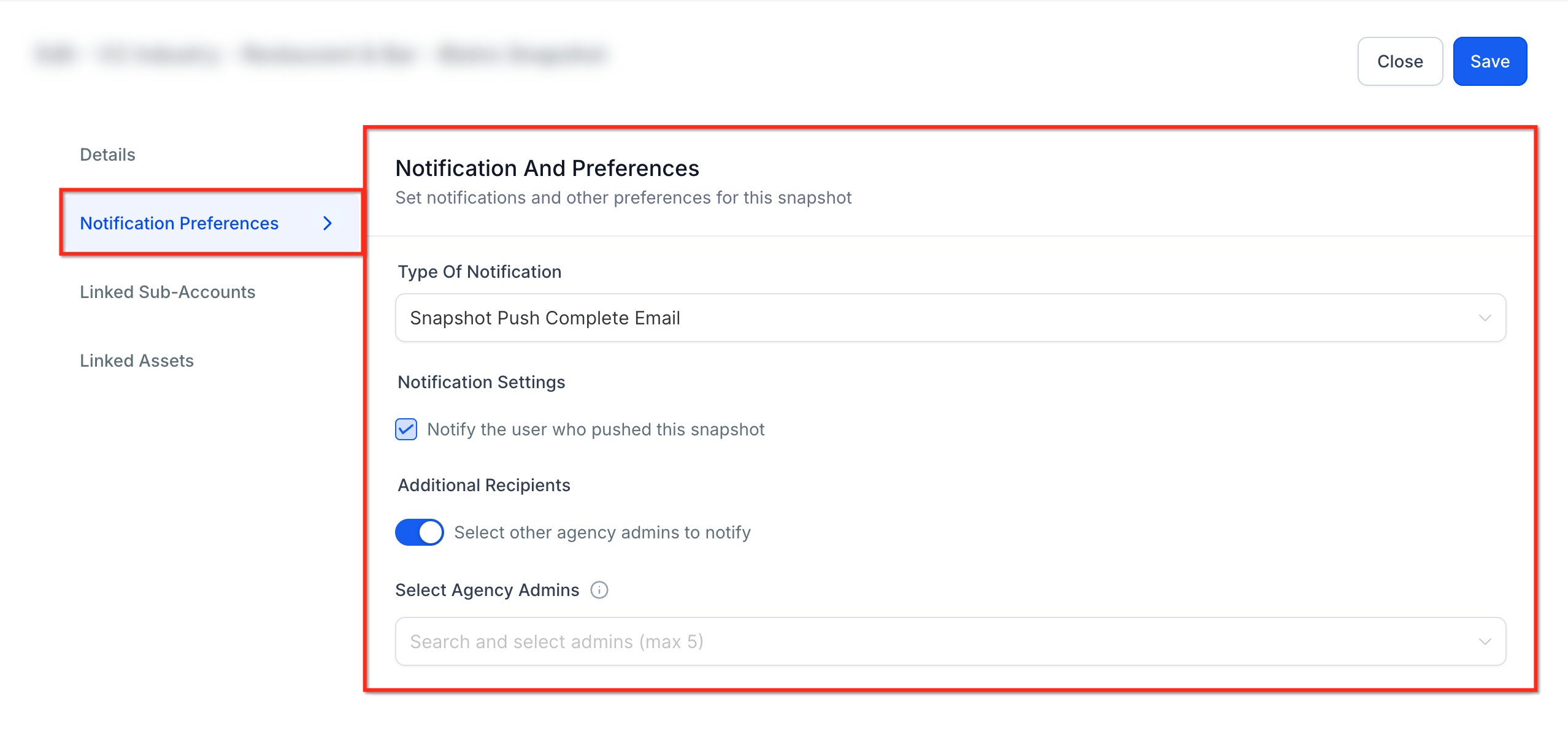
- Push Notification: Push Notification settings allow Agency Admins to decide whether the user initiating the snapshot push should receive an email confirmation once the process is complete. This setting ensures that those directly involved in the snapshot push are promptly informed of the outcome, promoting accountability and transparency.
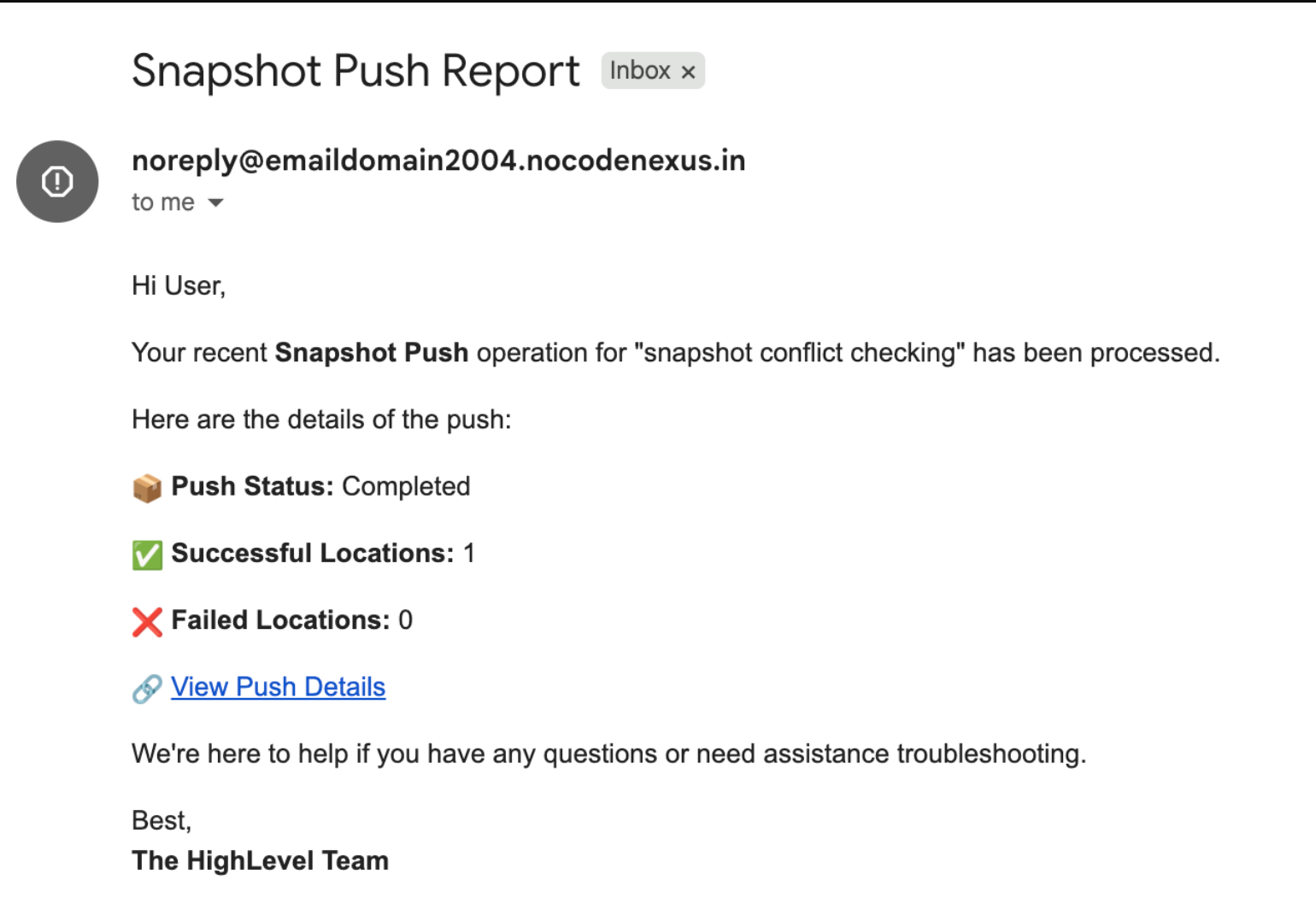
- Email Content: The notification emails are designed to convey essential information at a glance. Each email includes the count of successfully completed sub-accounts and the number of sub-accounts that experienced failures. A direct link to the full push history for detailed insights. This comprehensive information enables Admins to rapidly assess the state of the deployment process.
- Admin Control: With Admin Control, any Agency Admin can fine-tune the notification preferences. This functionality embraces flexibility by allowing configuration of, whether the snapshot initiator receives an email notification. Up to five additional Agency Admins who should receive snapshot push email notifications. Agency Admins retain full control, while Agency Users can view these settings without editing permissions, ensuring configuration integrity.
- User View Only: To maintain administrative oversight, Agency Users are granted view-only access to snapshot notification settings. This means that while they can monitor the configuration, only Agency Admins hold the authority to make any changes. This separation helps preserve the accuracy and security of the notification setup.
How To Set Up Snapshot Notification Preferences
Setting up Snapshot Notification Preferences is a straightforward process that ensures your team receives the timely updates you need:
Step 1: Navigate to Snapshots
In the agency view, navigate to Snapshots → My Snapshots and select the three dots icon next to the snapshot whose notification settings you wish to adjust.
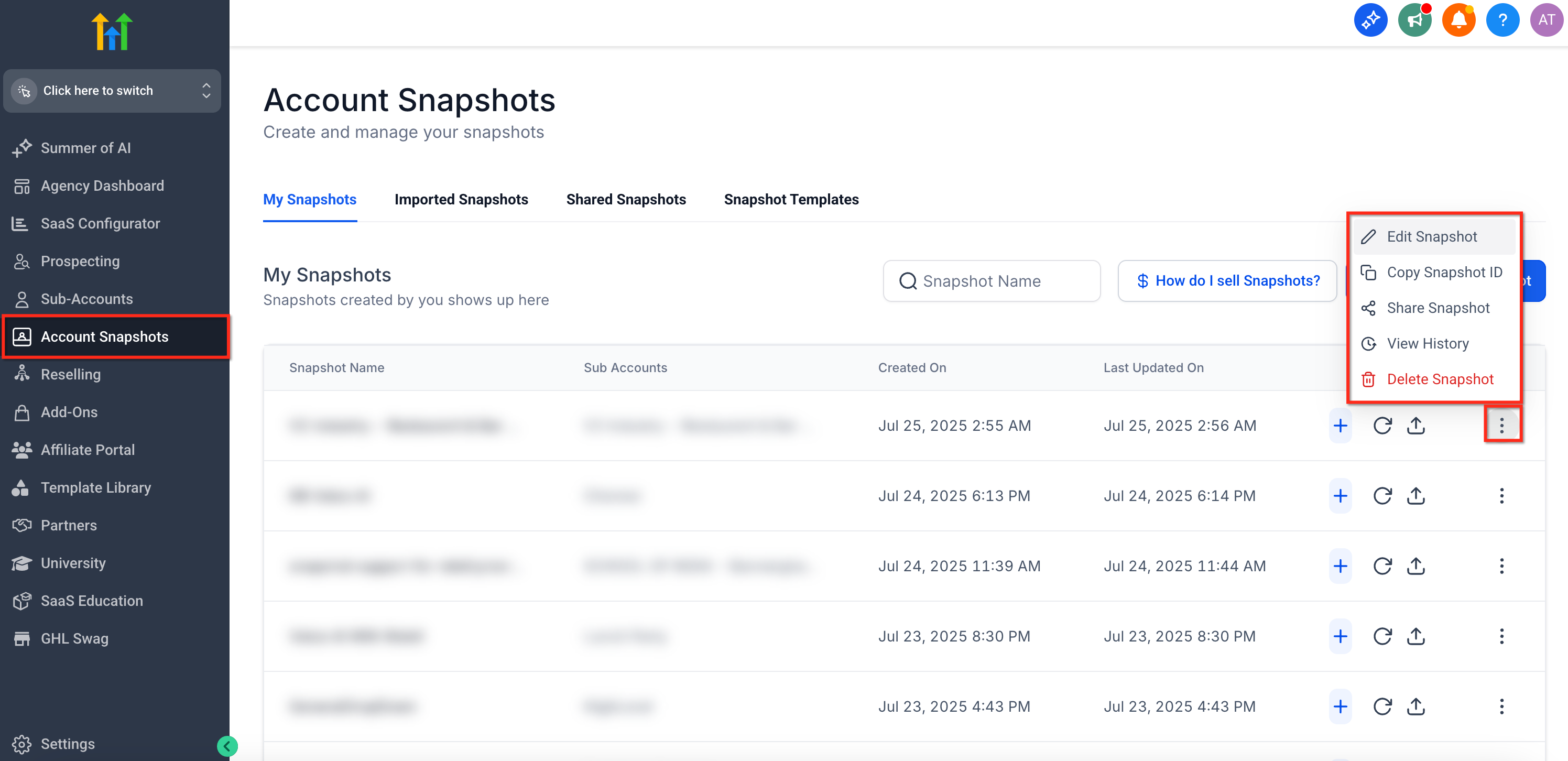
Step 2: Click on Edit Snapshots
Once you choose your desired snapshot, open the Notification Preference tab to configure who should receive snapshot push notifications and review the set email content.
The Snapshot Push Report would look something like-
Frequently Asked Questions
Q: Who can configure Snapshot Notification Preferences?
Only Agency Admins can modify the notification settings, while Agency Users are limited to view-only access.
Q: What details are included in the snapshot notification email?
The email outlines the number of completed and failed sub-accounts and includes a direct link to view the full push history.
Q: Can I add additional recipients for snapshot notifications?
Yes, Agency Admins can add up to five extra Admins to receive email notifications for snapshot pushes.
Q: How do I access the Snapshot Notification Preferences settings?
Access the settings by navigating to My Snapshots, clicking on the three dots for the desired snapshot, selecting Snapshot Settings (formerly Edit Snapshots), and then opening the Notification Preference tab.
Q: What if I don’t want to receive notifications even if I initiated the snapshot push?
As an Agency Admin, you can opt out of receiving the notification email, ensuring you receive updates only when they align with your preferences.