
Which Payment Gateways Are Supported for Affiliate Manager Product Sales?
To enhance your experience, our platform supports the integration of four major payment gateways for product sales and transactions:
- Stripe
- NMI
- Authorize.net
- Paypal
These gateways ensure seamless management of payments for products sold through your funnels or websites. Follow the steps below to integrate the payment gateway of your choice and get started.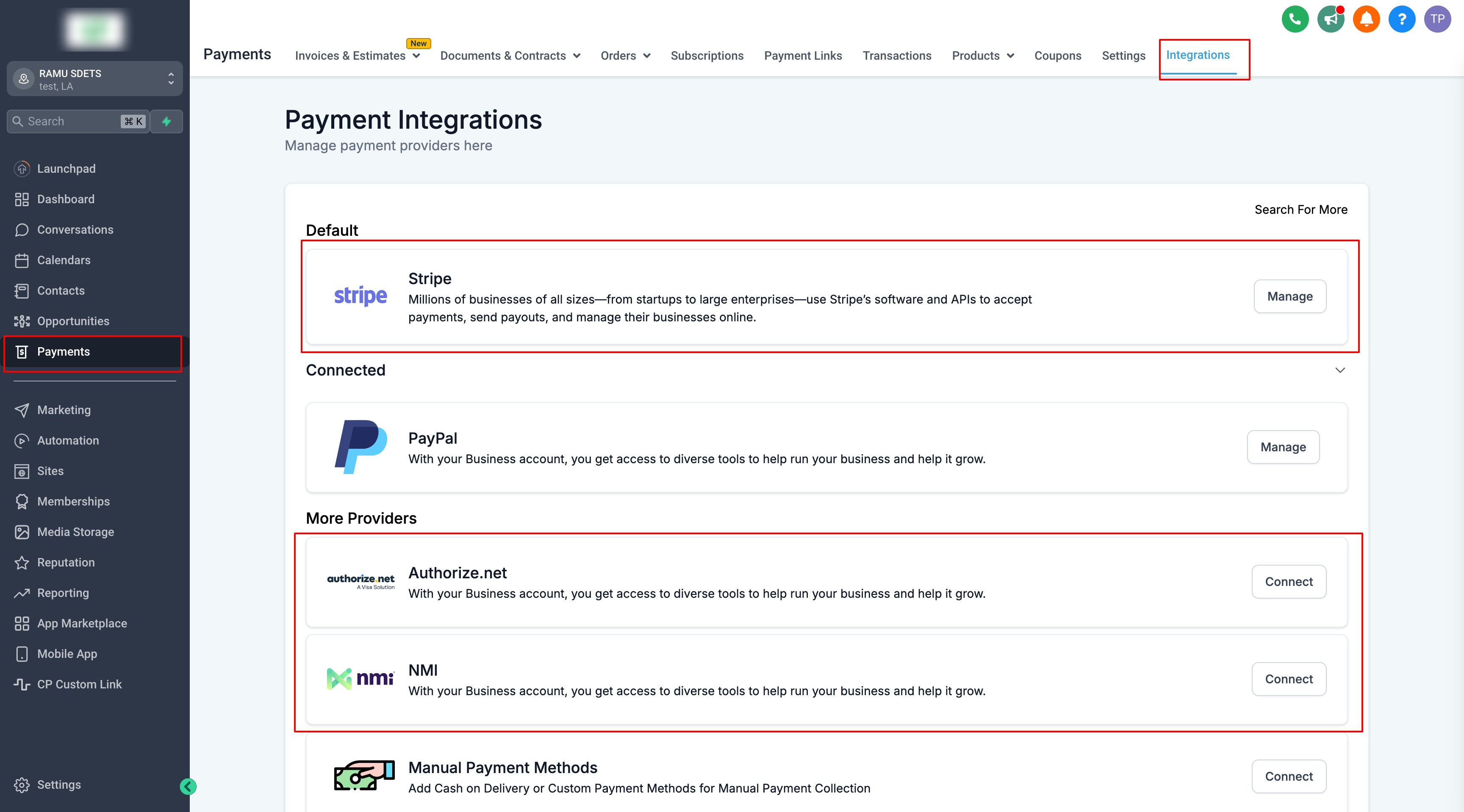
How to Integrate Payment Gateways
Step 1: Navigate to Integrations
Go to Payments → Integrations.
Step 2: Select and Integrate Your Preferred Gateway
Connect the payment provider required for your checkout flow from Payments → Integrations. Available providers depend on the Chat To Clients CRM product area where the payment is collected.
Note: Affiliate Manager attribution support may differ from general payment-provider availability.
Step 3: Configure the Payment Provider for the Sales Channel
After connecting the provider, configure which provider should be used for the relevant sales channel. Channel-level payment-provider settings can override the global default provider.
What’s Next? List Your Products
After configuring your payment provider, add the products you want to sell to the appropriate Funnel, Website, Form, Survey, Calendar, Store, or other supported sales experience. If the products are part of an Affiliate Manager campaign, also verify the campaign’s source, products, tracking, and commission settings. Learn how to set up products in your funnels or websites.
What's Next:
- How to pay your Affiliates
- How to Set Up and Pay Affiliates Using PayPal Auto Payouts
- FAQs for Affiliate Payouts
- How to add/link Affiliate's Paypal Account for Payouts