How to Set Up and Pay Affiliates Using PayPal Auto Payouts
How to Set Up and Pay Affiliates Using PayPal Auto Payouts
This guide will help you configure PayPal Payouts API with Chat To Clients CRM for paying your affiliates directly from the platform. Currently, PayPal is the only supported payment method for Auto Payouts, and this article will walk you through the setup process and how to pay affiliates.
Requirements:
- A PayPal Business Account
- Payouts must be enabled on your PayPal account. Follow the steps below to enable it.
1. Setting Up PayPal for Auto Payouts
Before you can start paying affiliates, you need to configure PayPal Payouts for seamless integration with Chat To Clients CRM.
Step 1: Access PayPal Developers Page
- Go to the PayPal Developers page.
- Log in to the developer dashboard by clicking the "Log into dashboard" link at the top-right corner.
Step 2: Enable Payouts
- In the dashboard, click on My Account from the top-right corner.
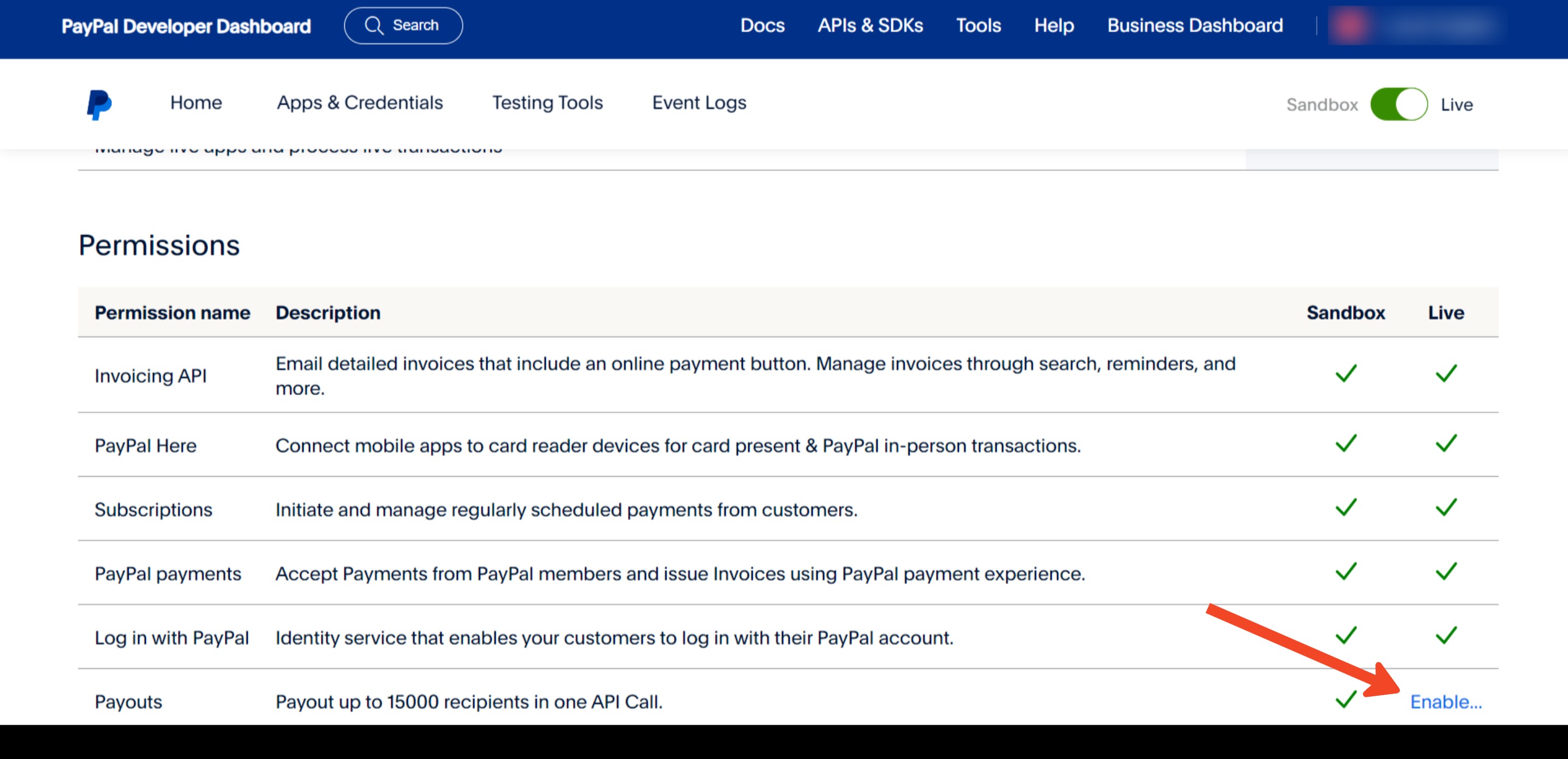
- Scroll down to the Permissions table and check if "Payouts" has a green checkmark under the Live column.
- If not, click Enable and follow the prompts. You may need to contact PayPal to enable the Payouts API.
Step 3: Create App on PayPal
- In the left-hand menu, click on Apps and Credentials.
- Click Live, then proceed to Create App.
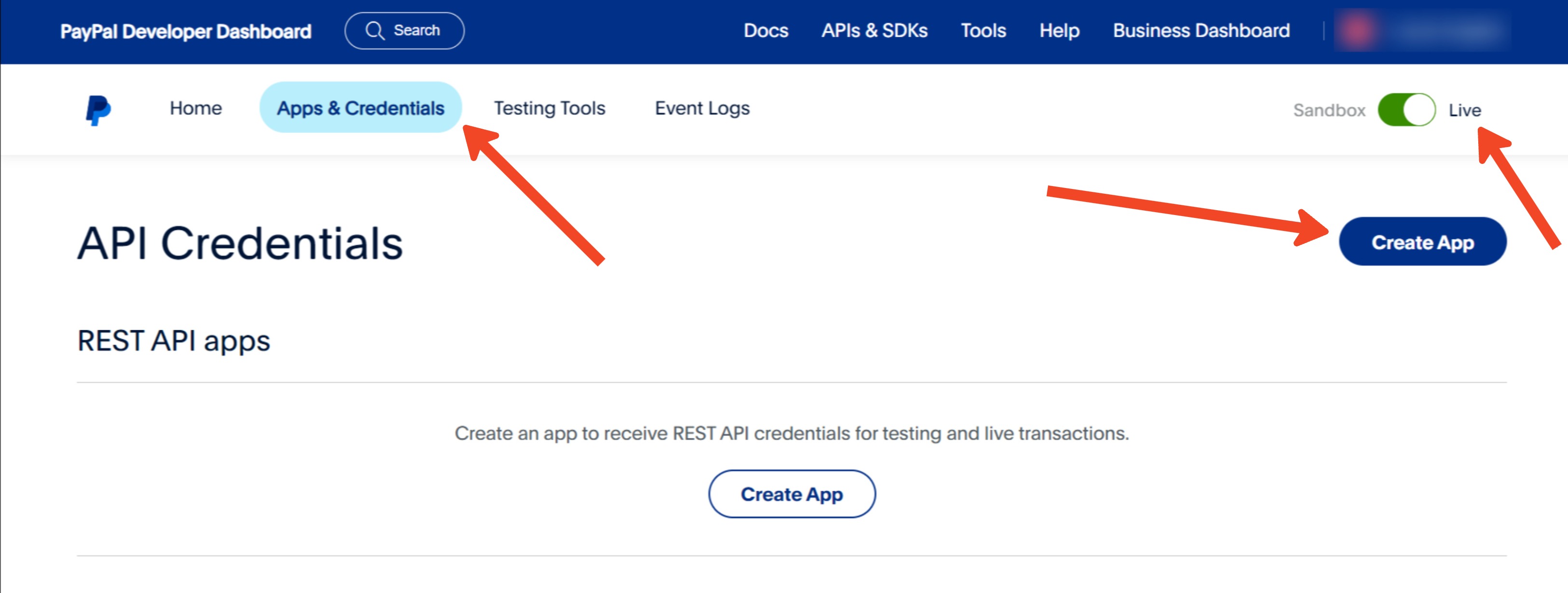
- Enter "Chat To Clients CRM Payouts" as the app name and click Create App.
- If you already have an app created, you can skip this step.
Please note: If you see "Live/Sandbox" at the top-right after creating the app, ensure "Live" is selected.
Step 4: Obtain App Details
- After creating the app, you'll be provided with the Client ID and Secret Key.
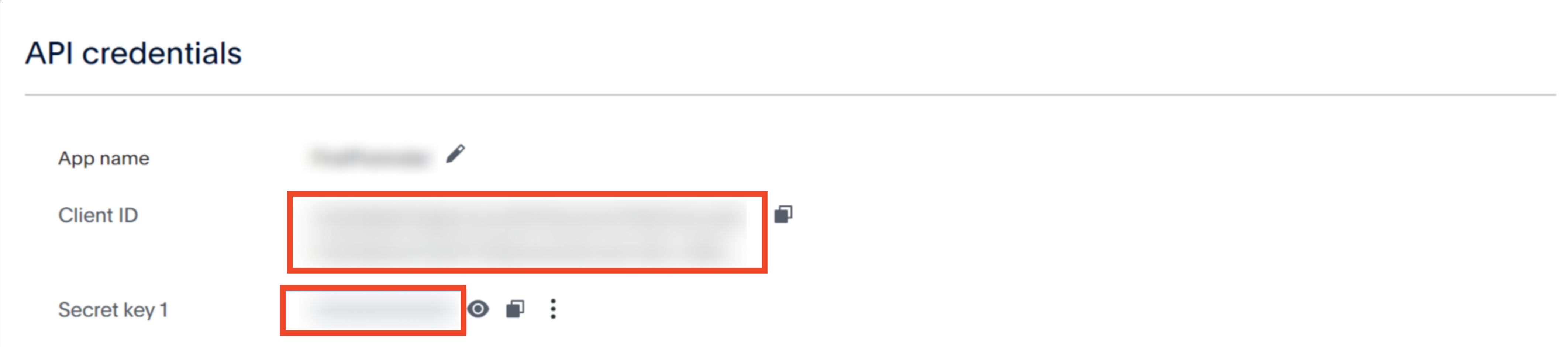
- Keep these details handy as they will be required to connect Chat To Clients CRM with PayPal.
Step 5: Connect Chat To Clients CRM and PayPal
- Navigate to the Payment Integration page in Chat To Clients CRM.
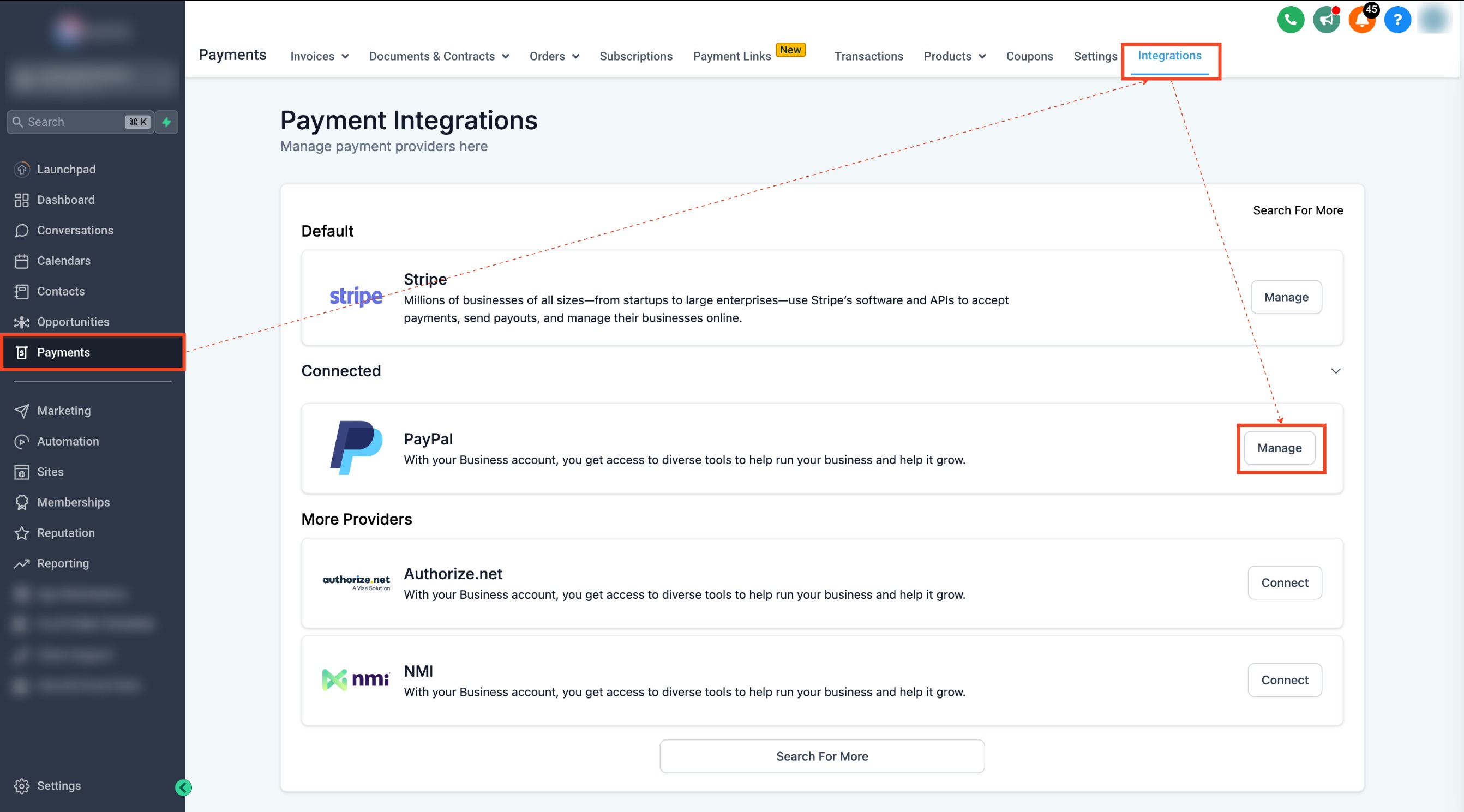
- Scroll down to PayPal and click Manage.
- Enter your Live Client ID and Secret Key from Step 4.
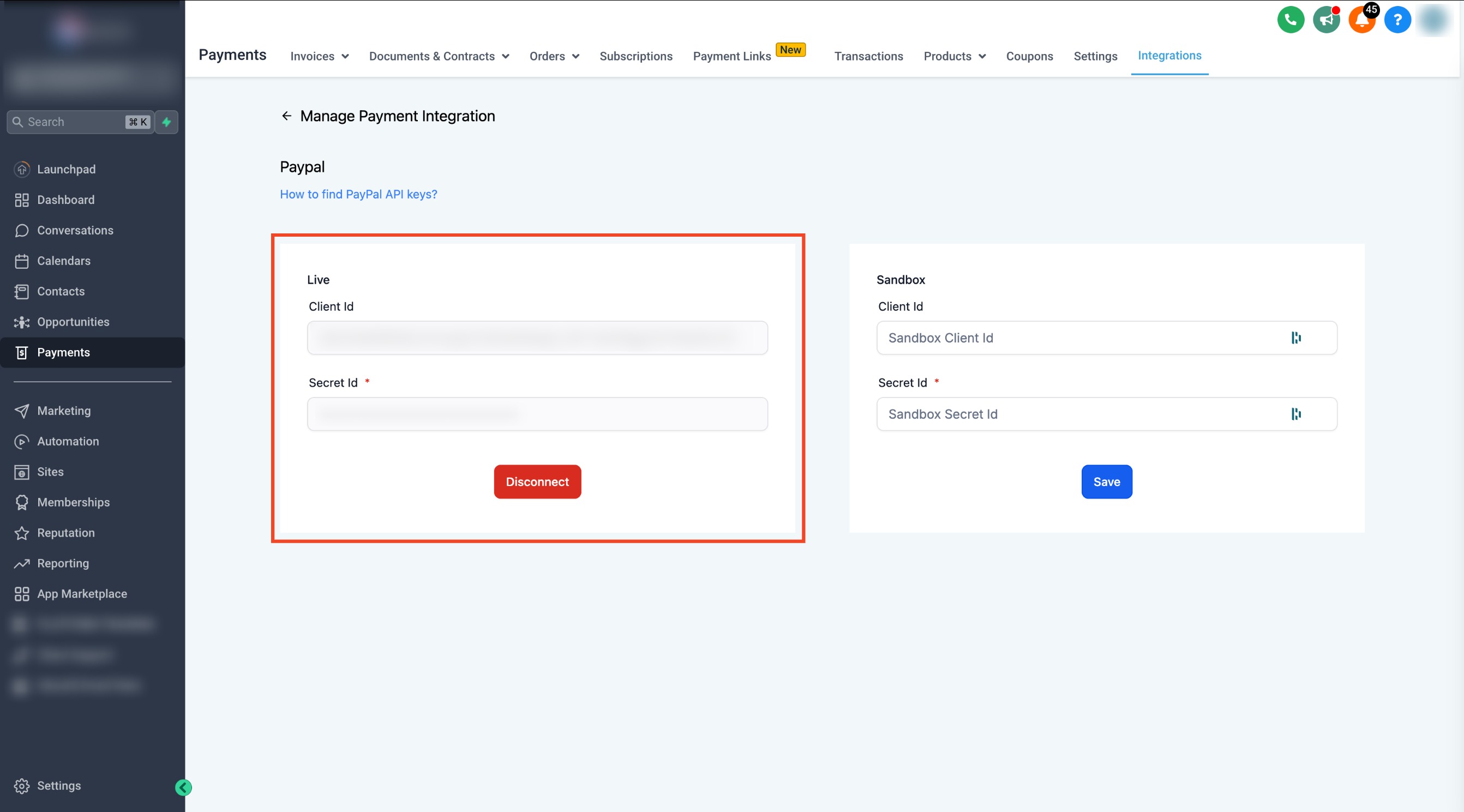
- If testing in the sandbox, repeat the process with sandbox credentials, ensuring "Sandbox" is selected on PayPal's Apps and Credentials page.
2. Using PayPal for Affiliate Payouts
Once PayPal is configured, you can now pay your affiliates using Chat To Clients CRM’s Auto Payouts feature.
Step 1: Navigate to the Payouts Page
- In the Chat To Clients CRM Affiliate Manager, go to the Payouts page.
Step 2: View Approved Payouts
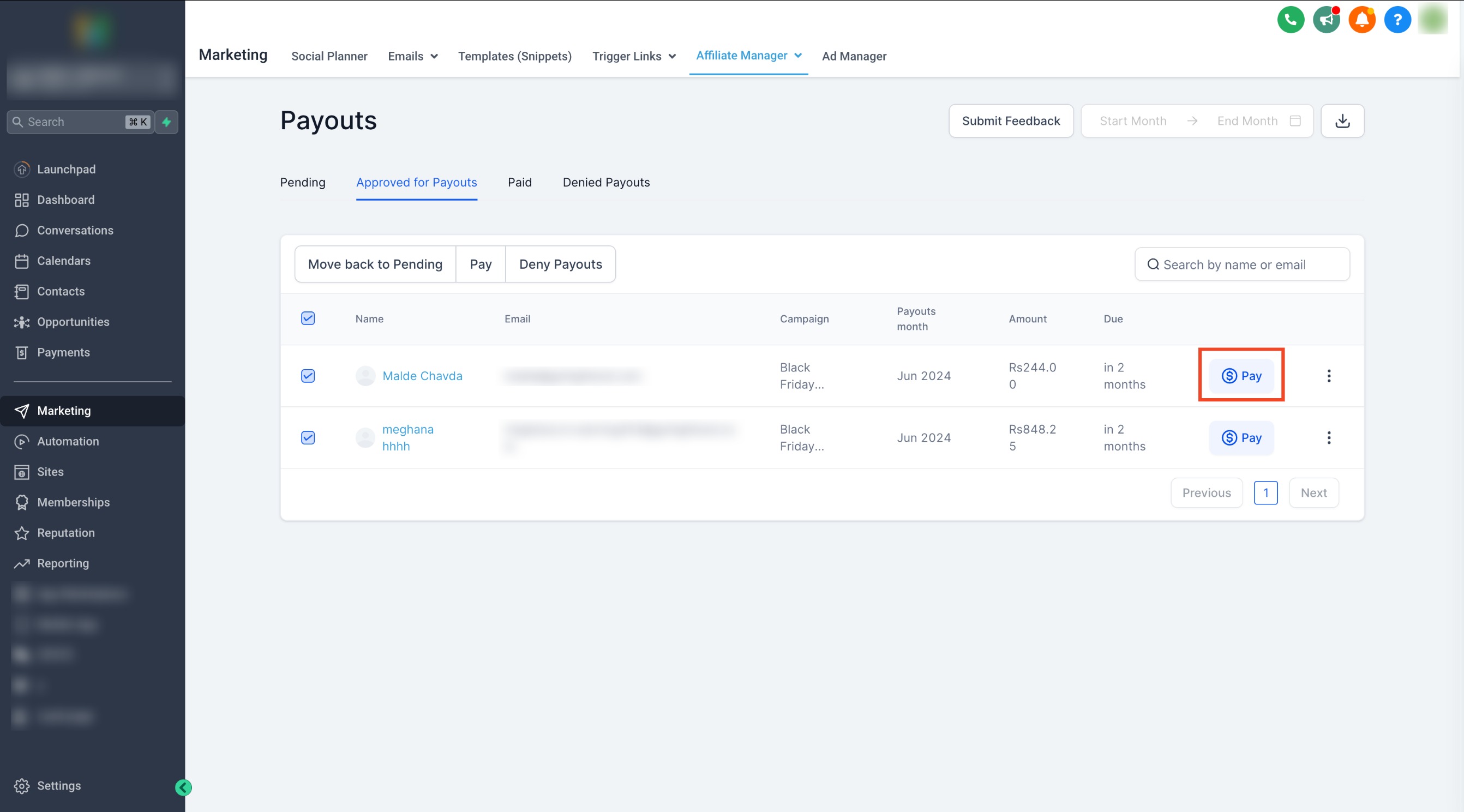
- Switch to the Approved for Payouts tab to see the list of approved payments awaiting disbursement.
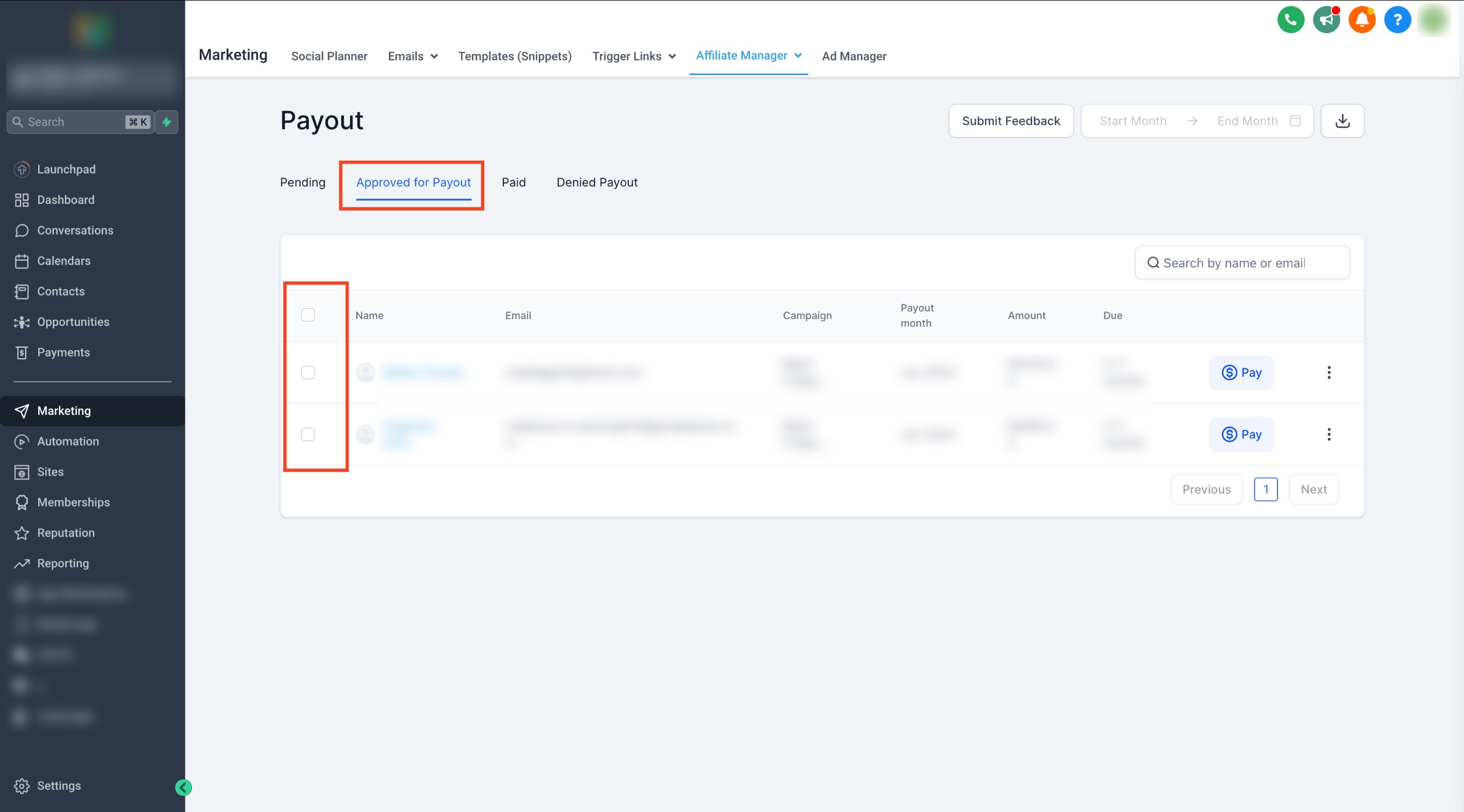
Step 3: Select Affiliates for Payouts
- Check the box next to the payouts or affiliate names you wish to pay.
Step 4: Initiate Payout
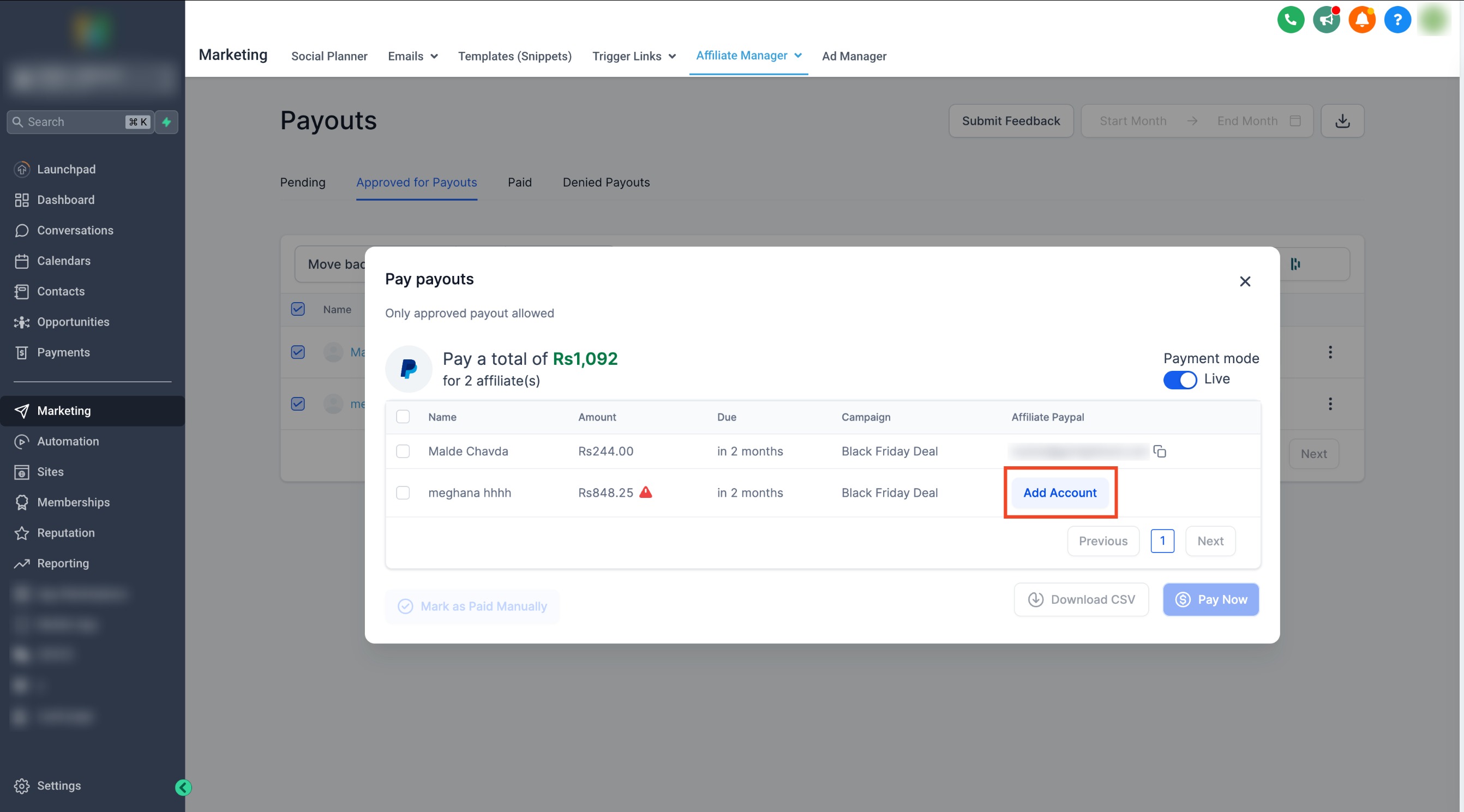
- Once affiliates are selected, click the Pay button to pay multiple affiliates together.
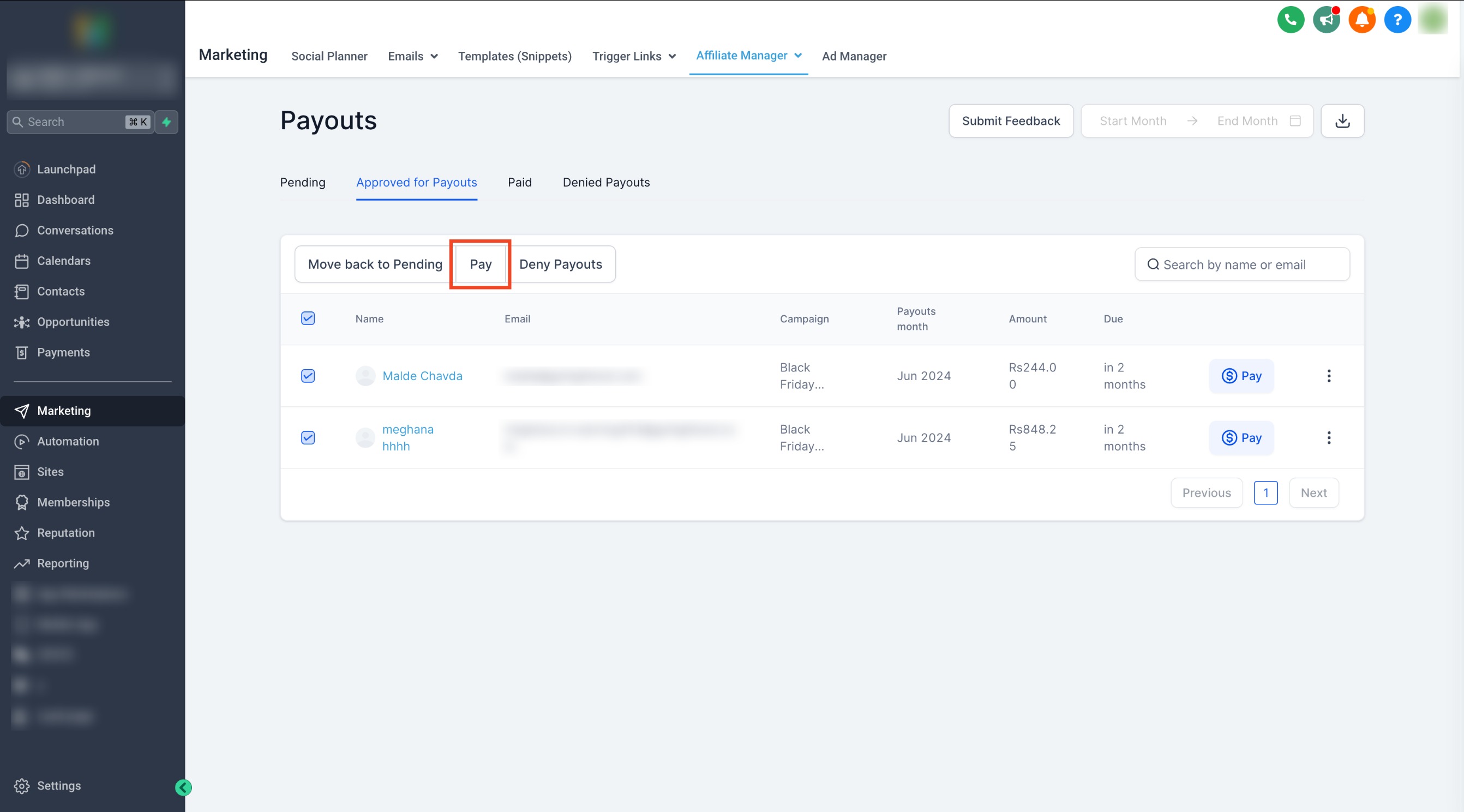
- Alternatively, click the blue Pay icon next to an affiliate’s name to pay them individually.
Step 5: Review and Confirm
- Review the selected payouts and confirm the details.
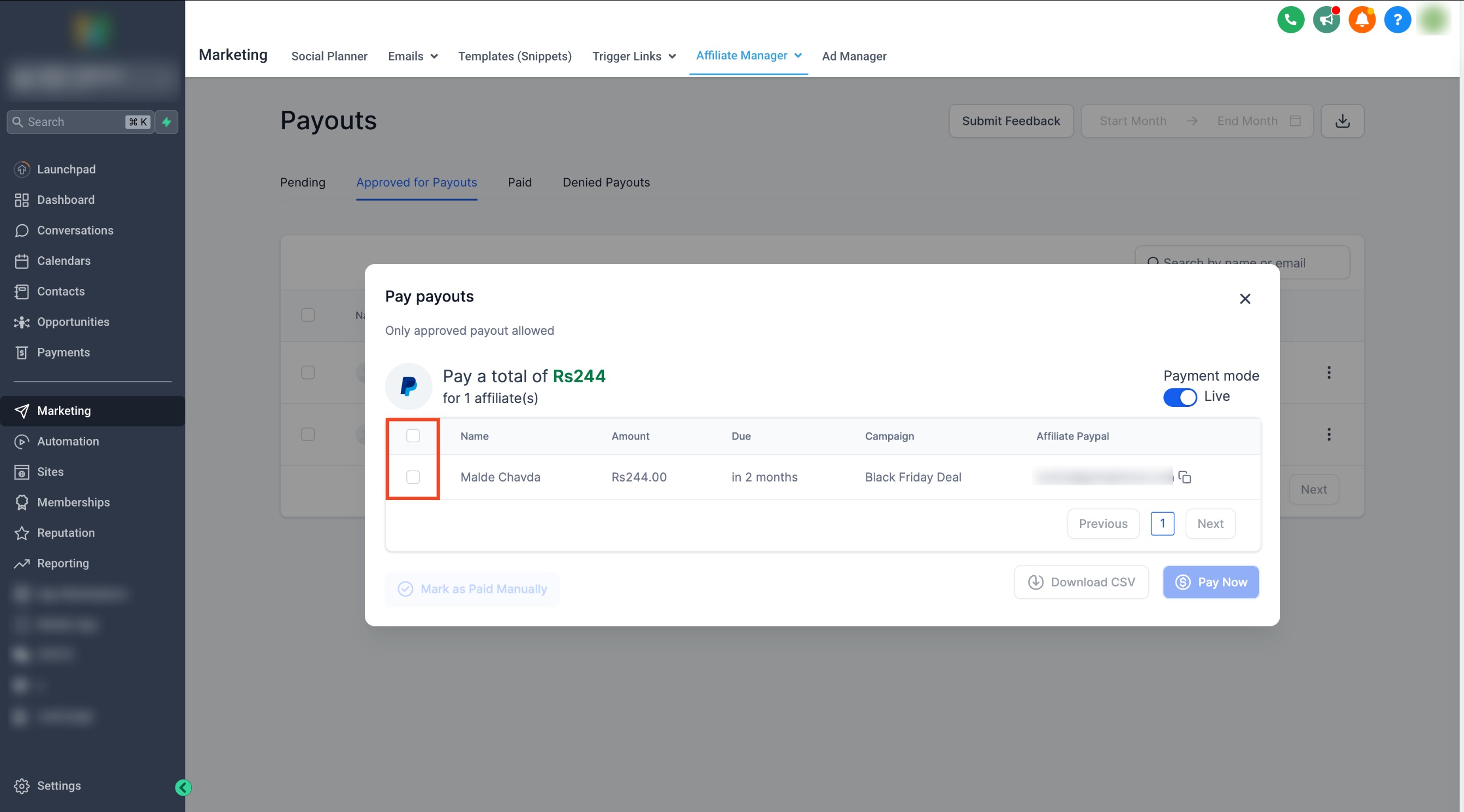
- Click Pay Now to initiate the transfer.
Important:
If your PayPal Business account is not linked, an error message will prompt you to link the account.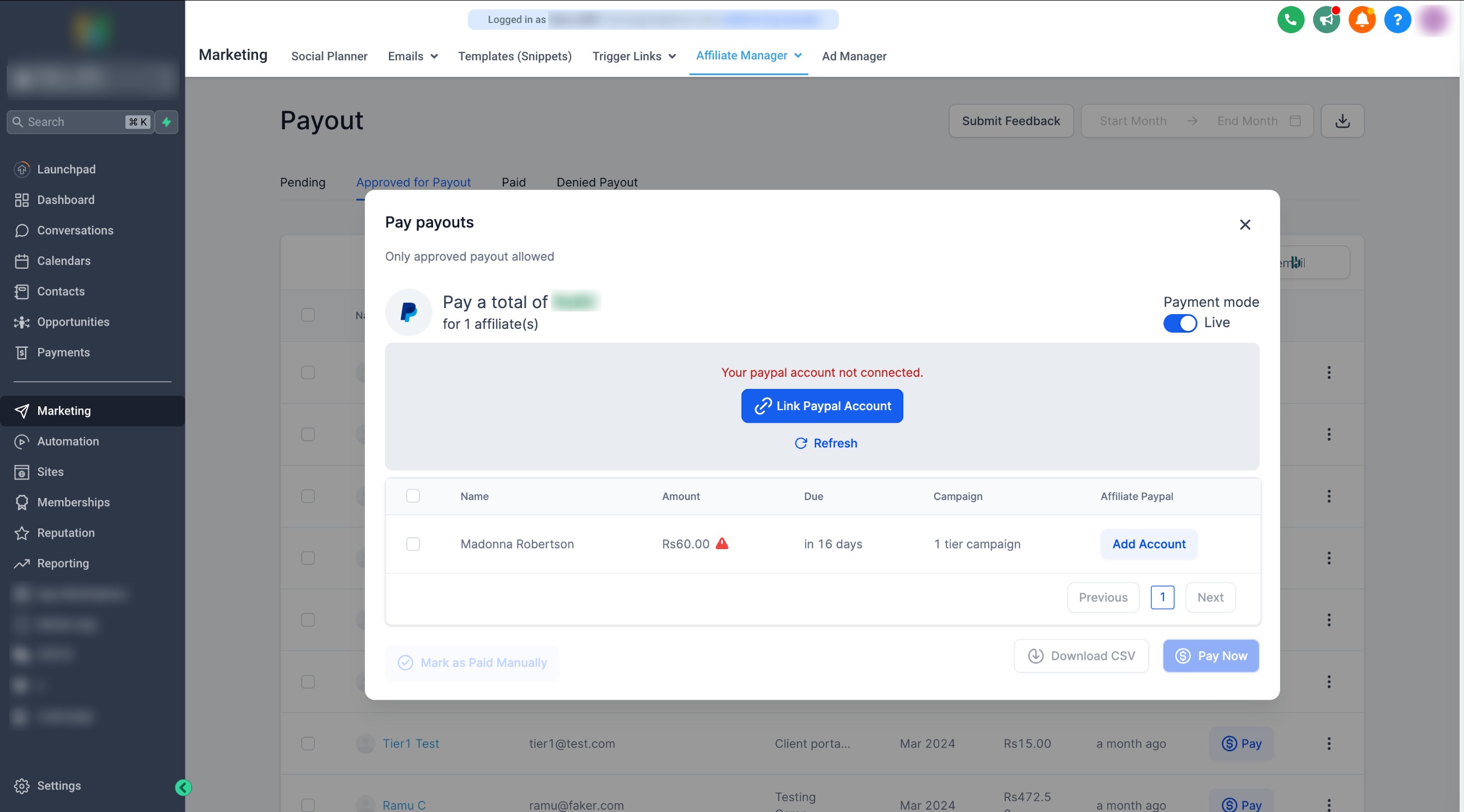
What happens after a payout?
- After clicking Pay Now, successful payouts will appear under the Paid tab.
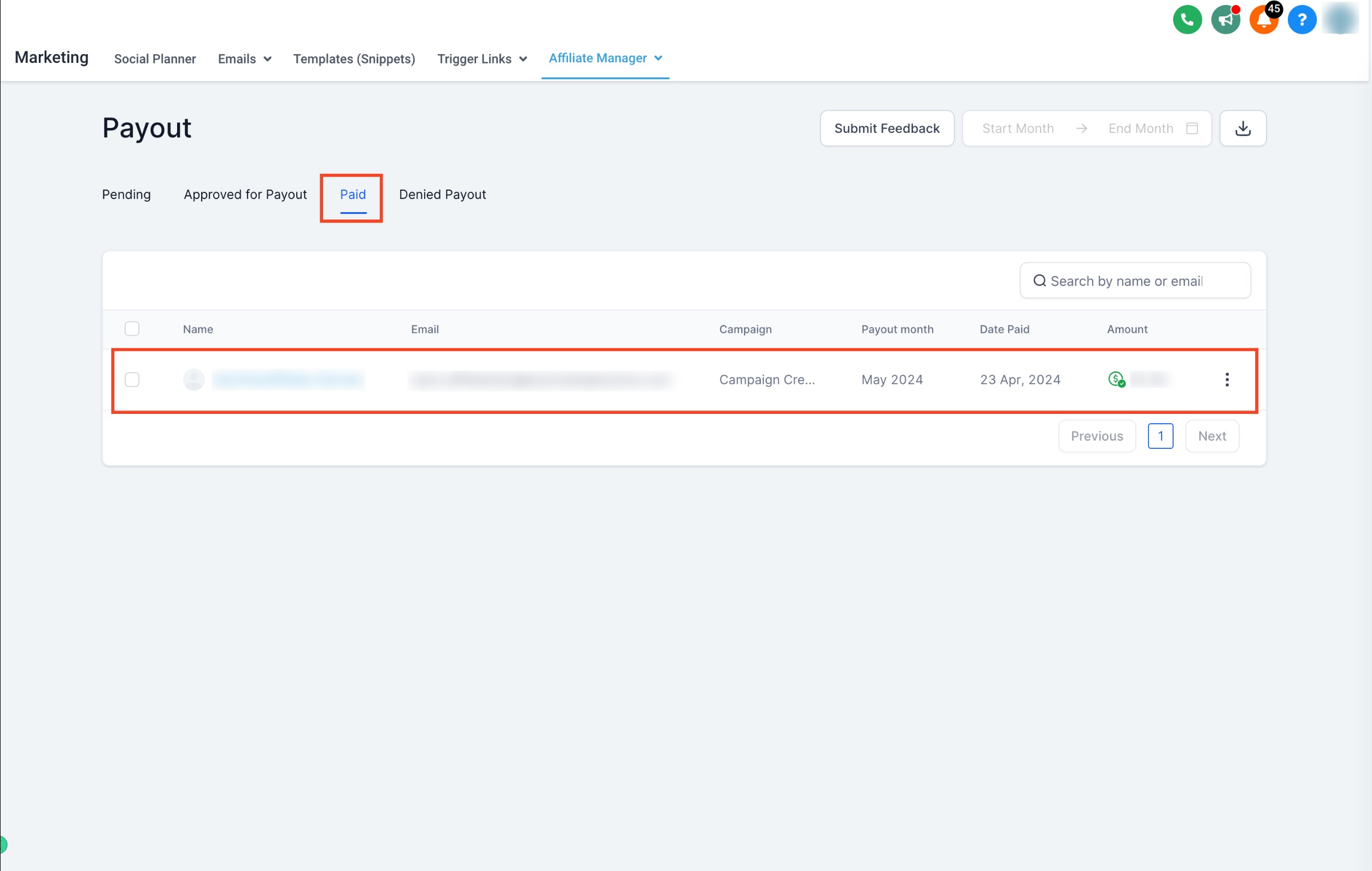
- PayPal may take some time to process payments, during which the status might show as "Pending." Refresh the page to check updates.
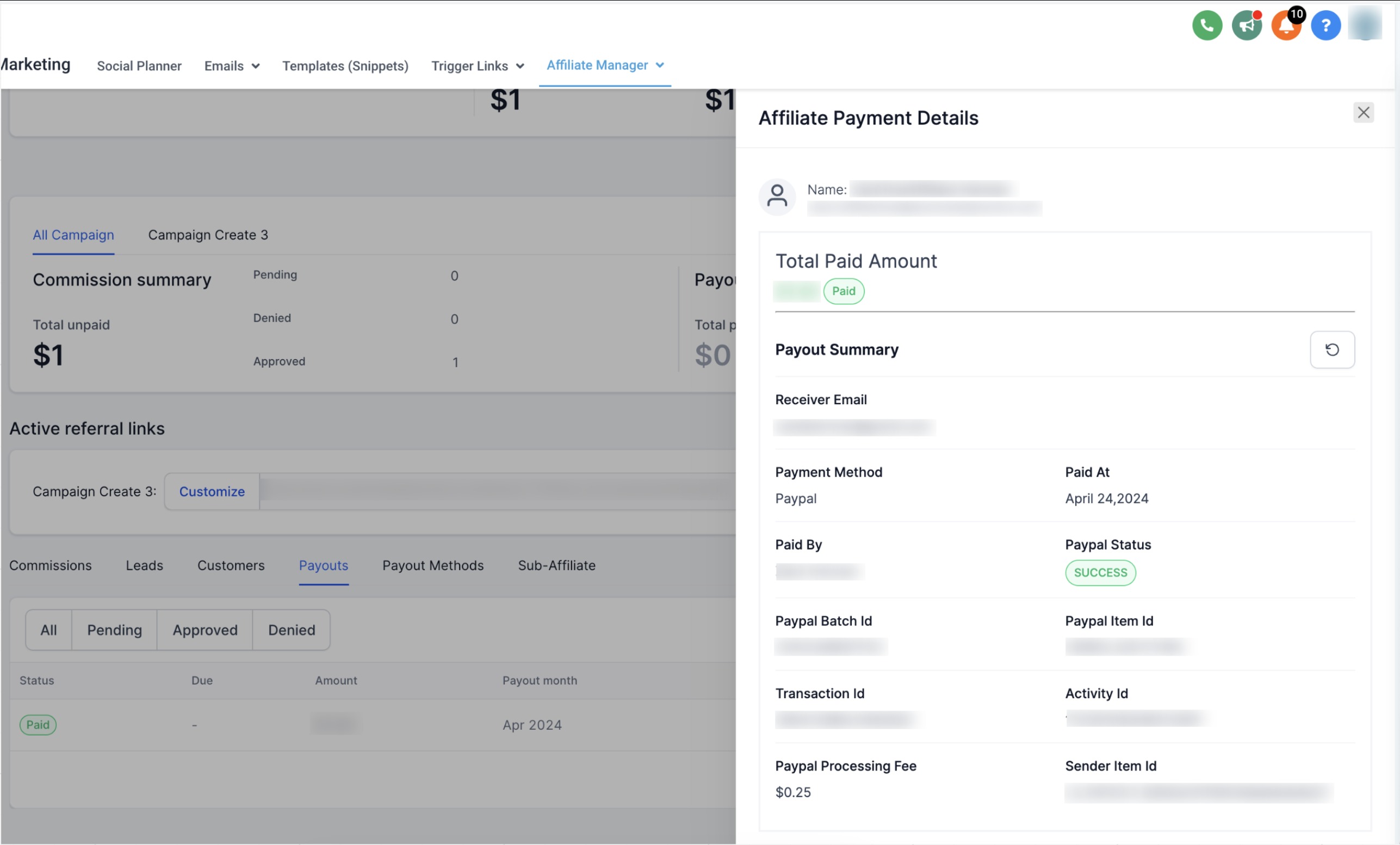
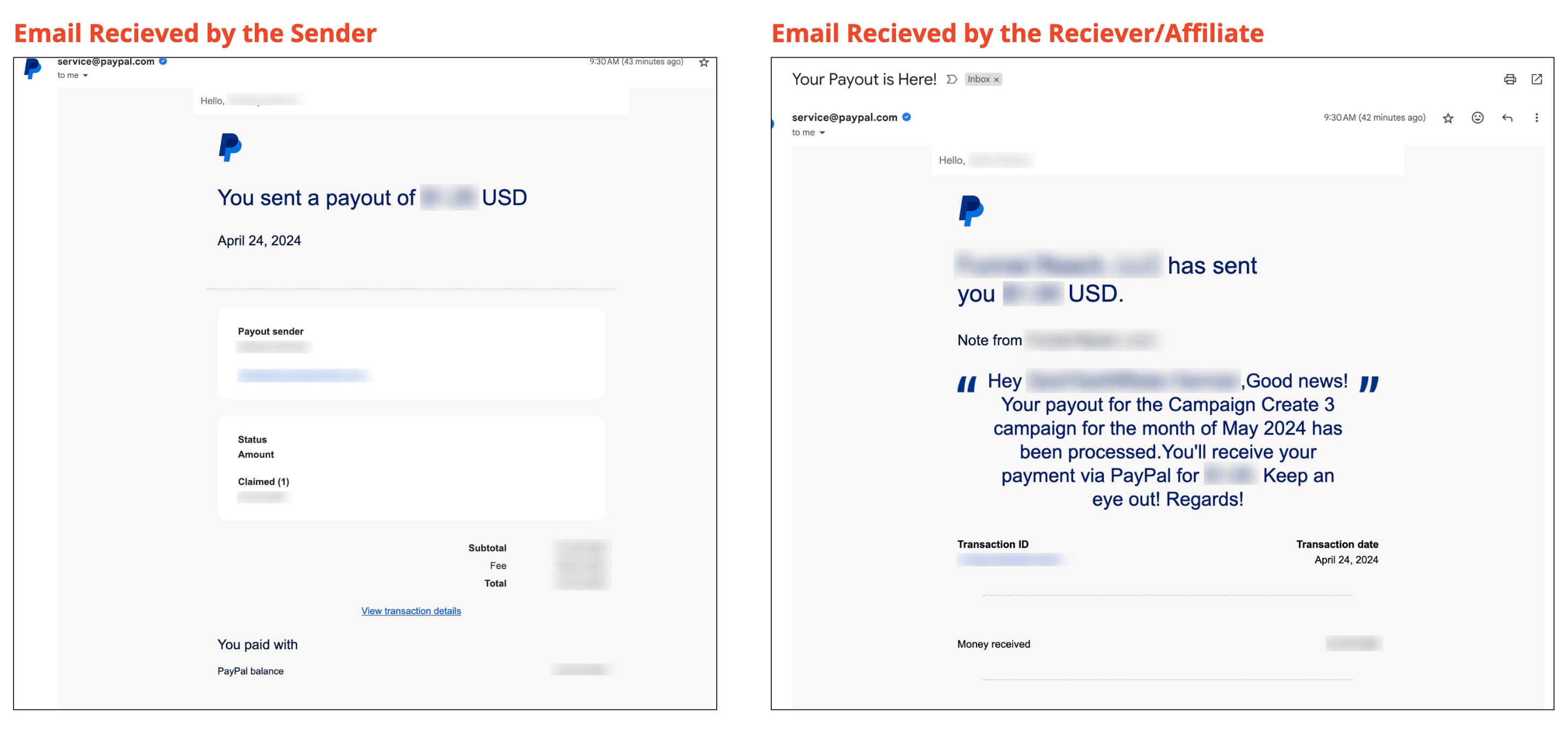
- After a successful payout, both the admin (sender) and the affiliate (receiver) will receive a confirmation email.
3. How to Add an Affiliate’s PayPal Account for Payouts
Before paying affiliates, ensure their PayPal details are linked. To learn how to add or link an affiliate’s PayPal account, click here.