
How to add/link a new payout method for Affiliates
Both Admins and Affiliates can easily add PayPal or Bank as a payout method. Follow the steps below:
TABLE OF CONTENTS
Important Note: Configuring Payout Methods for Affiliates
You can now control which payout methods (PayPal, Bank Transfer) are available to your affiliates.
How to Set It Up:
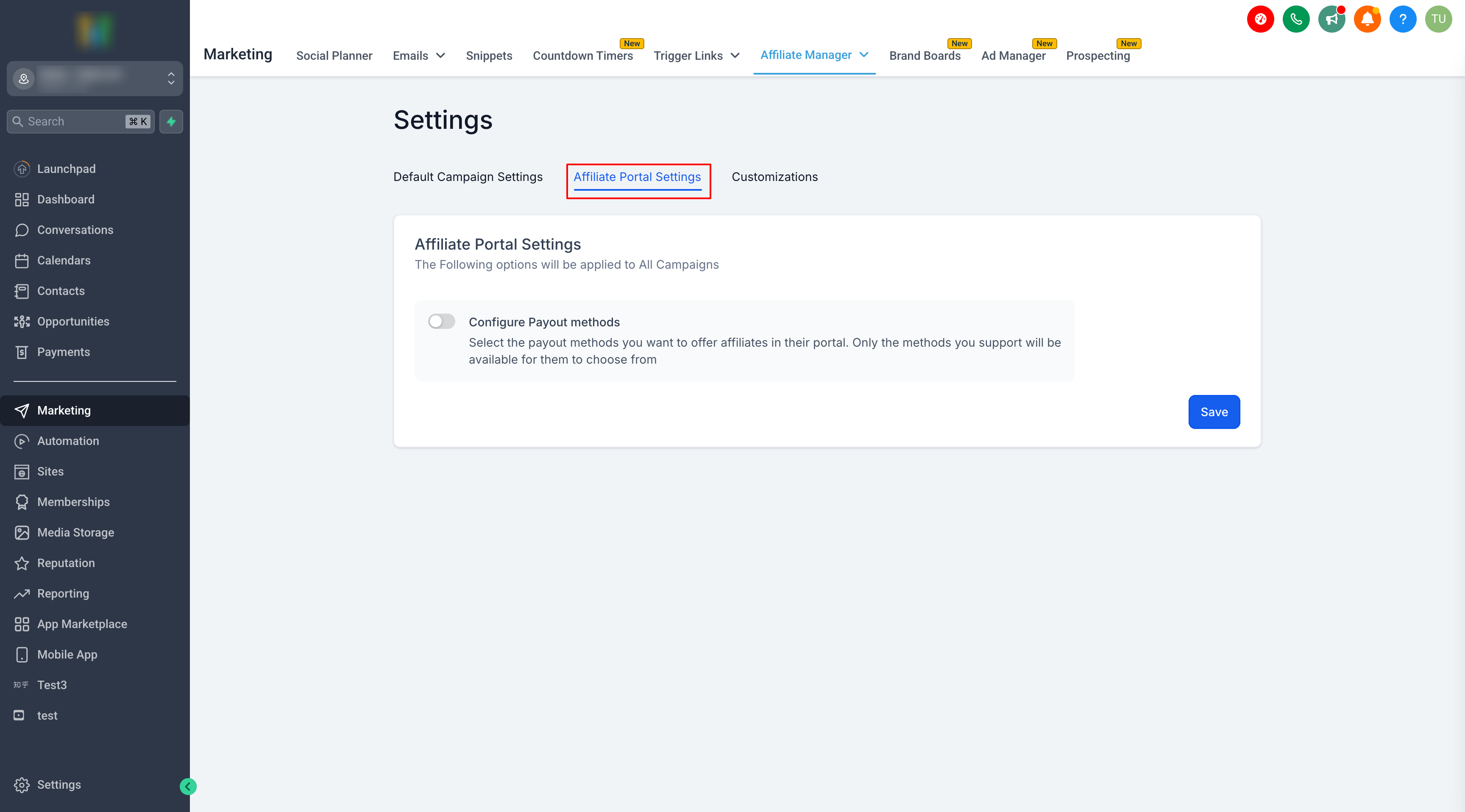
1. Go to Affiliate Manager → Settings
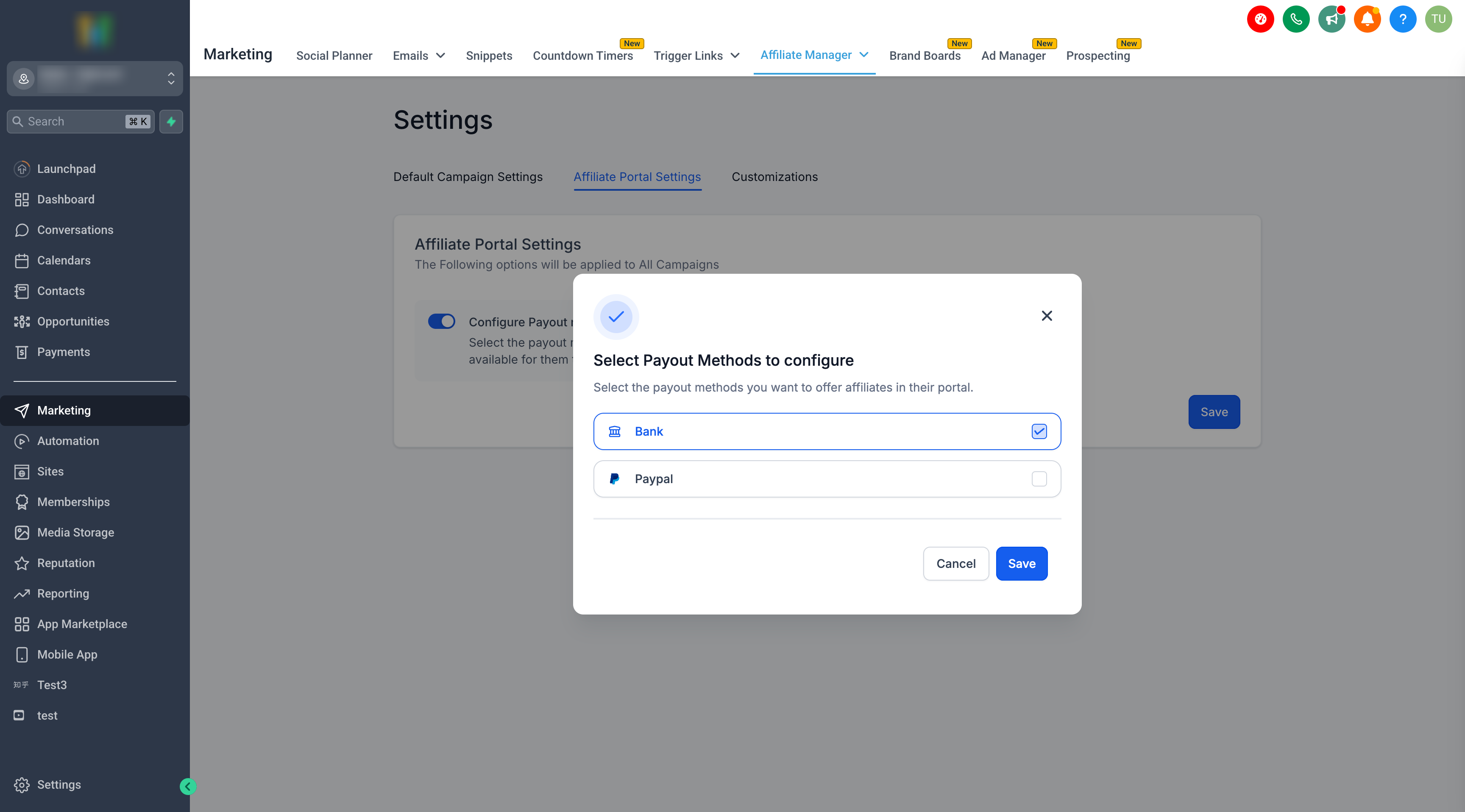
2. Click Affiliate Portal Settings → Configure Payout Methods
3. Select the payout methods you want to enable
4. Save your changes
Affiliates will only see the options you’ve enabled, ensuring a smoother and more streamlined payout process.
For Admins
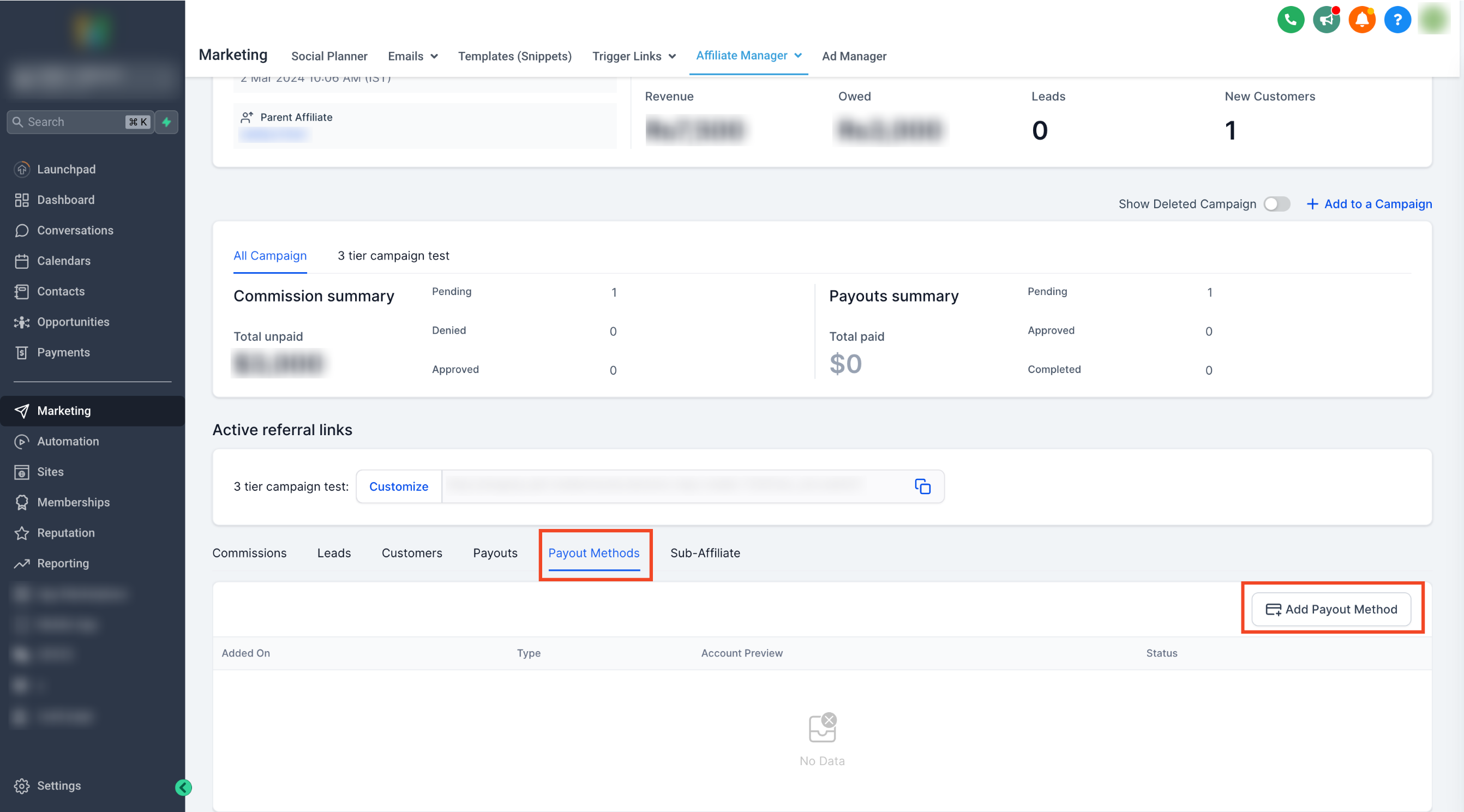
Step 1: Go to Affiliate's Profile Page
- Access the Affiliate's profile page in the Affiliate Manager.
Step 2: Navigate to Payout Method Tab
- Scroll down and switch to the "Payout Methods" tab.
Step 3: Add Payout Method
- Click on "Add Payout Method."
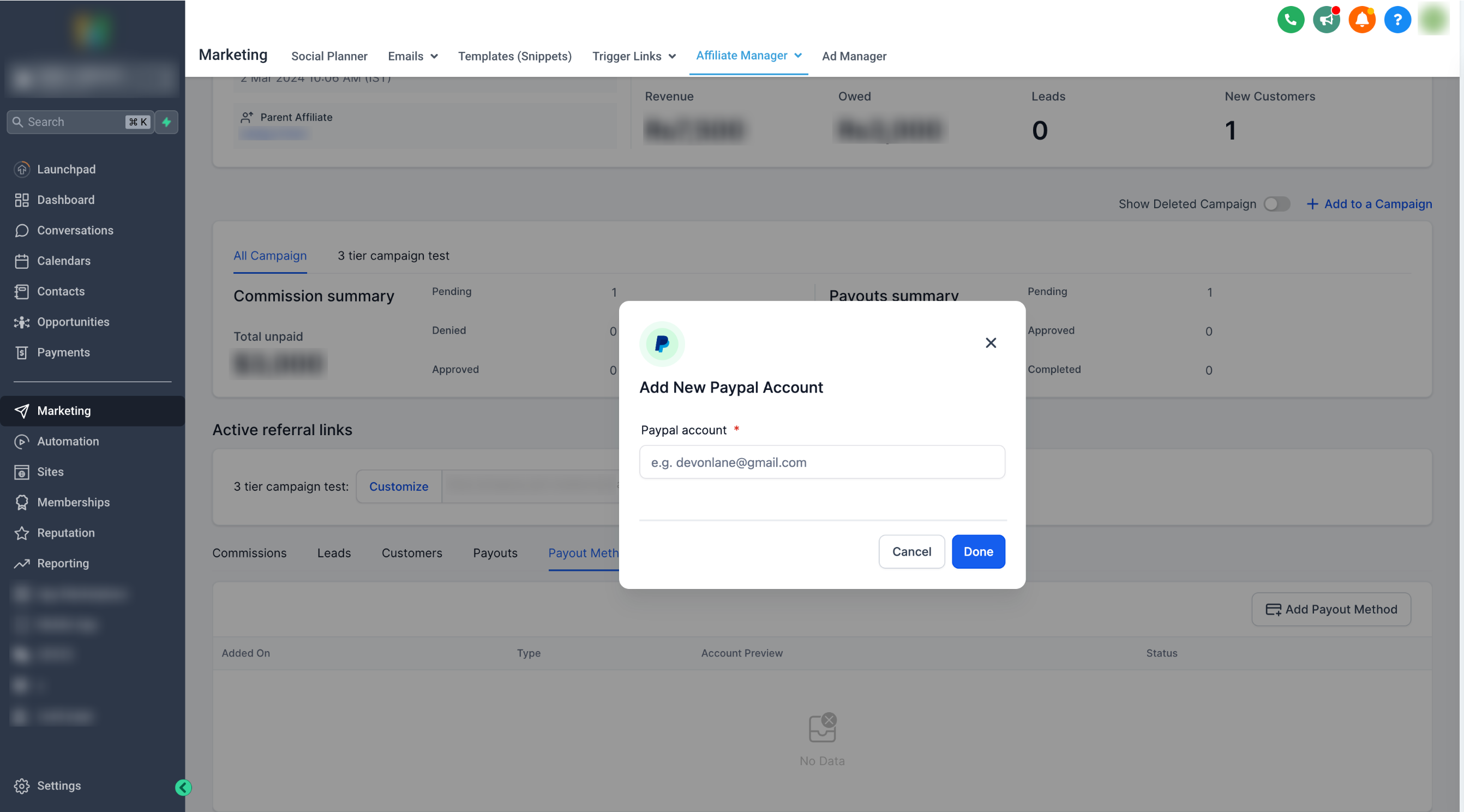
Step 4: Choose the payout method and add the required fields
- For PayPal : Enter the affiliate's valid PayPal email ID.
- For Banks: Select the country and fill the required details
Step 5: Click Done
- Once entered, click on "Done" to save the payout method.
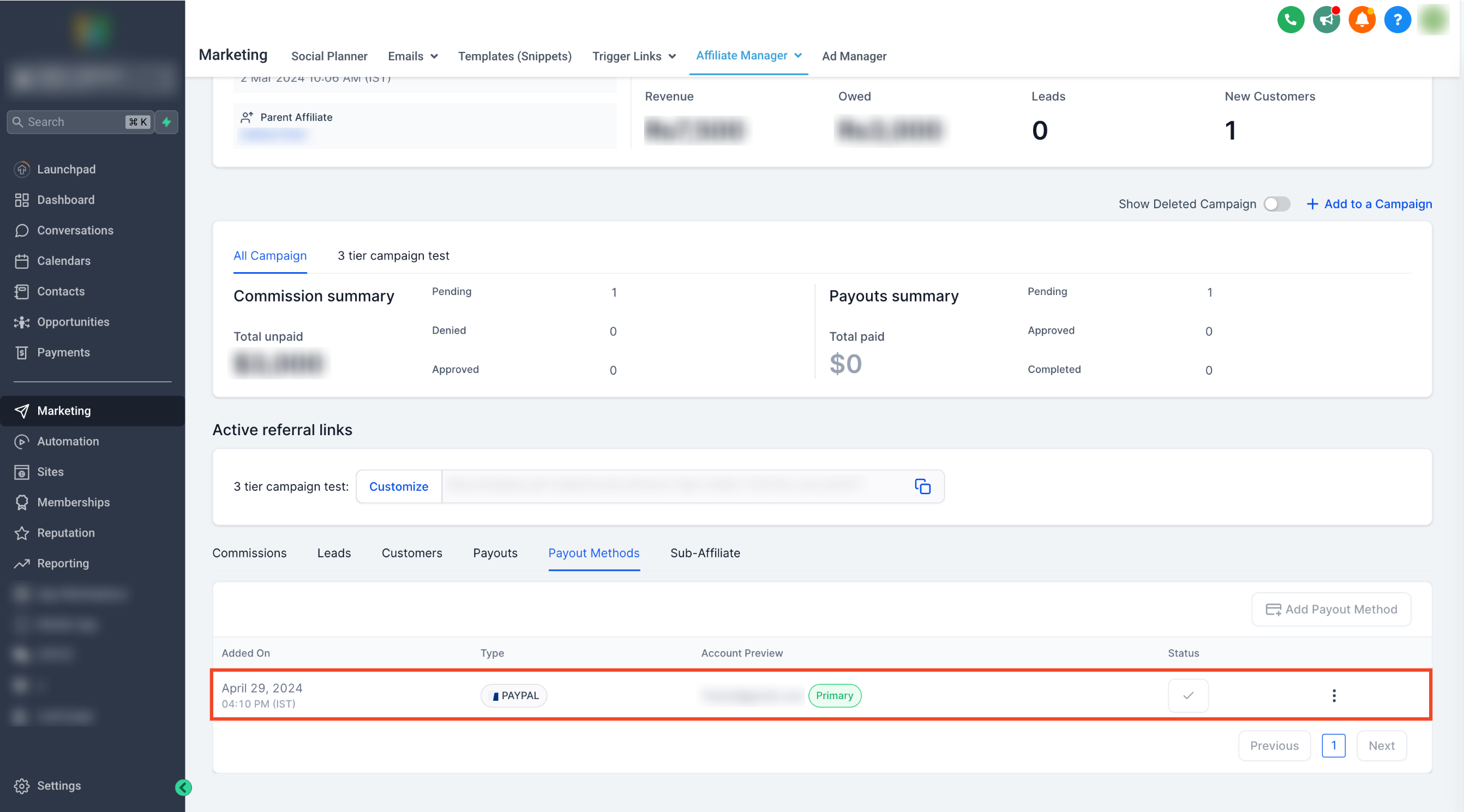
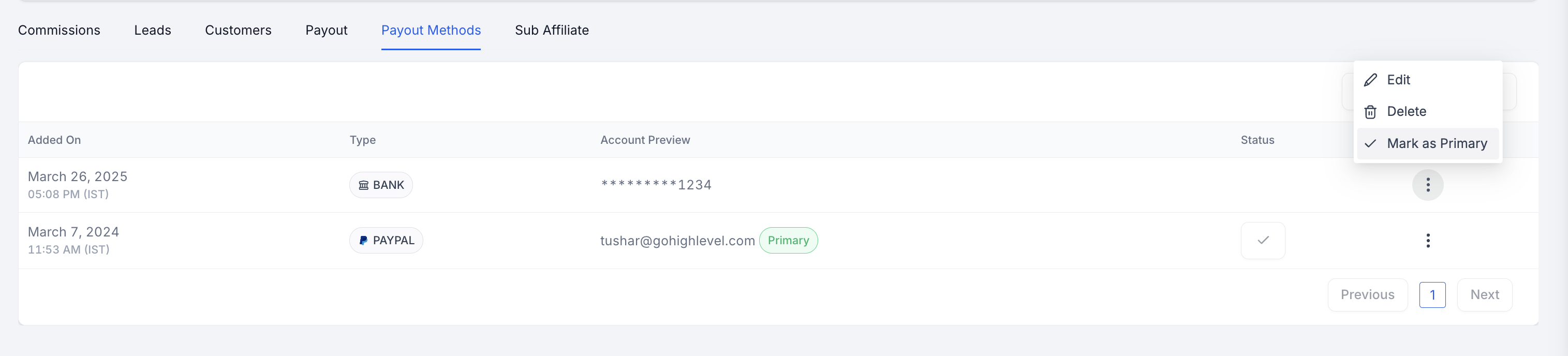
- You can add multiple payout methods for an Affiliate and select one as a primary payout method.
For Affiliates
Step 1: Access Affiliate Portal
- Affiliates can log in to their portal using the magic link provided.
Step 2: Navigate to Commissions Tab
- Switch to the "Payout Methods" tab within the portal.
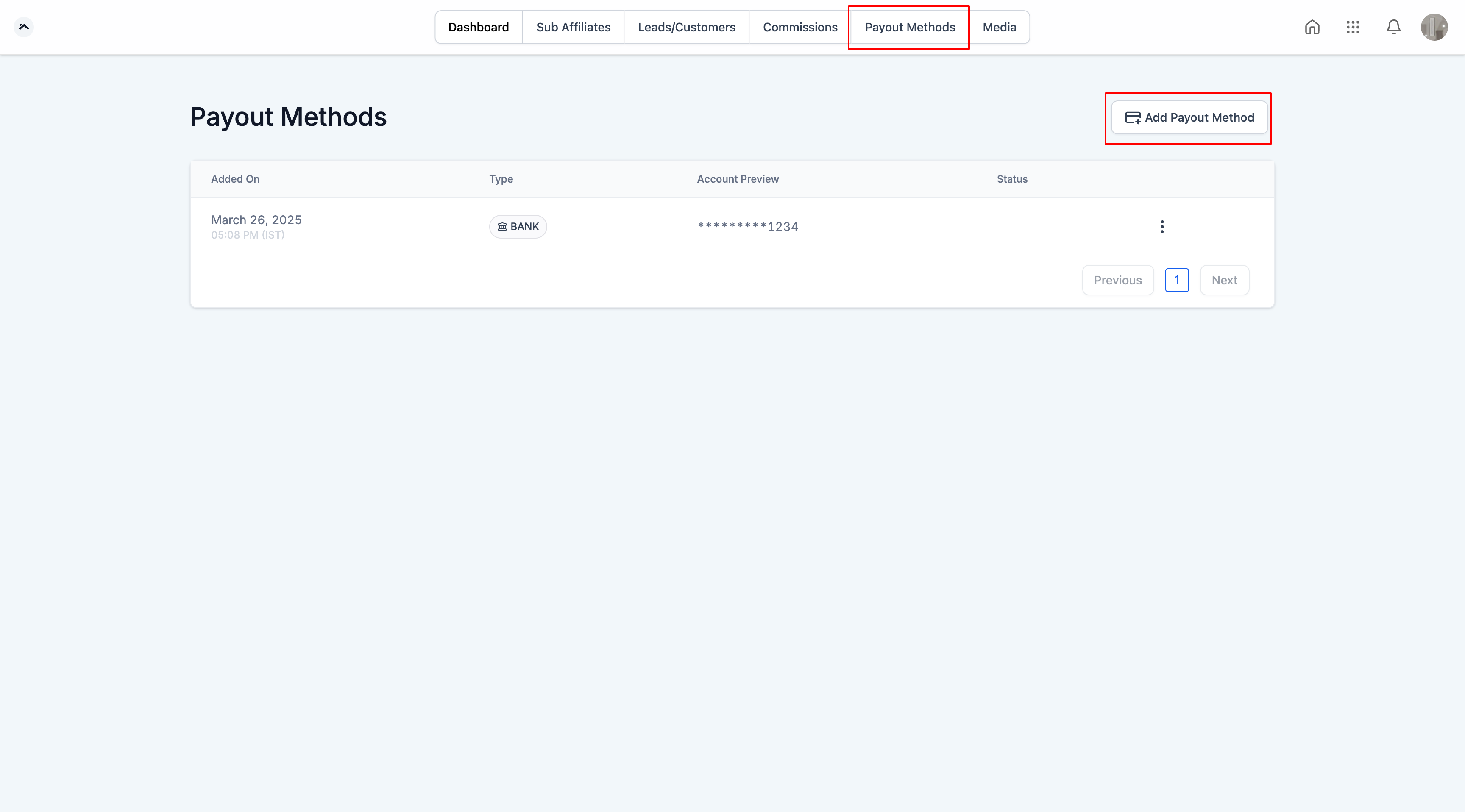
Step 3: Add Payout Method
- Click on "Add Payout Method."
Step 4: Choose the payout method and add the required fields
- For paypal : Enter valid PayPal email ID.
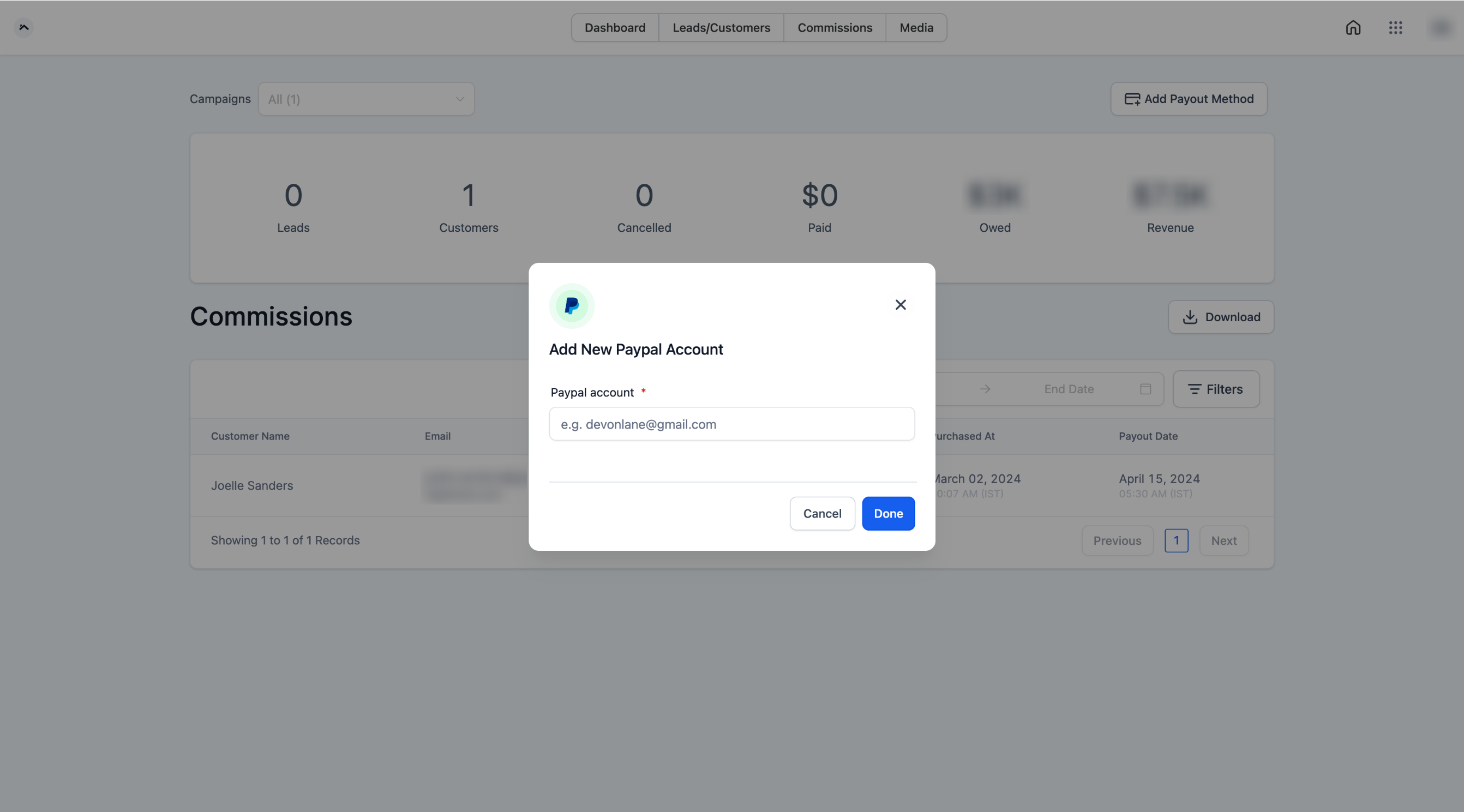
- For Banks: Select the country and fill the required details
Step 5: Click Done
- Once entered, click on "Done" to save the payout methods.
Please Note: Currently, PayPal APIs do not support account validation, so please exercise caution and ensure that valid PayPal email IDs are added for the affiliates.