
What is Chat To Clients Email?
Chat To Clients Email is the "engine" that powers email inside the platform. It eliminates the need to sign up for Mailgun, Sendgrid, or any other third-party provider — email sending and receiving works out of the box on every sub-account with minimal setup.
What is Chat To Clients Email?
Chat To Clients Email acts as a fully hosted email service provider built directly into the platform. It delivers industry-leading deliverability, error monitoring, and compliance — so your emails are far more likely to land in the inbox. It's also considerably less expensive than comparable third-party email service providers on the market.
Why Was This Feature Built?
Chat To Clients Email was built to help agencies skip the complexity of setting up and managing third-party email providers like Mailgun or Sendgrid. Previously, every new agency had to integrate with an external provider just to send or receive emails — adding setup time, cost, and failure points.
Chat To Clients Email is designed to work out of the box with minimal configuration needed from either the agency or sub-account. The goal was simple: an email service that just works.
Errors & Sending Limits
When you schedule an email send, the platform may show an inline error if the scheduled send would exceed your current sending limits.
Do not rely on static thresholds listed in other articles. Limits vary by ramp-up stage and configuration. Use this article as the authoritative reference for current limits and ramp-up behavior.
Chat To Clients Email Pricing
This rate applies across all plans. Transactions are billed at the agency level and can be viewed at:
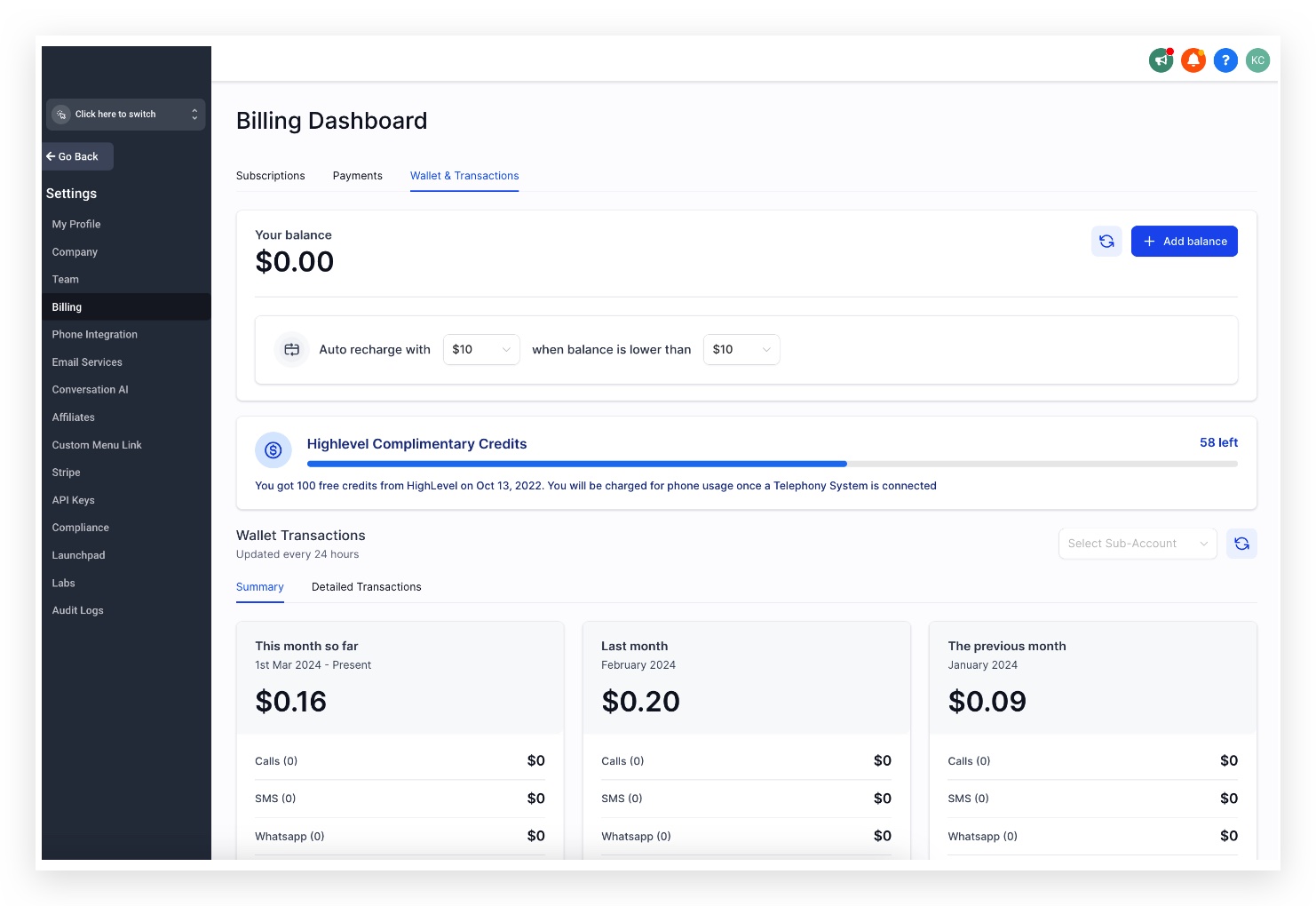
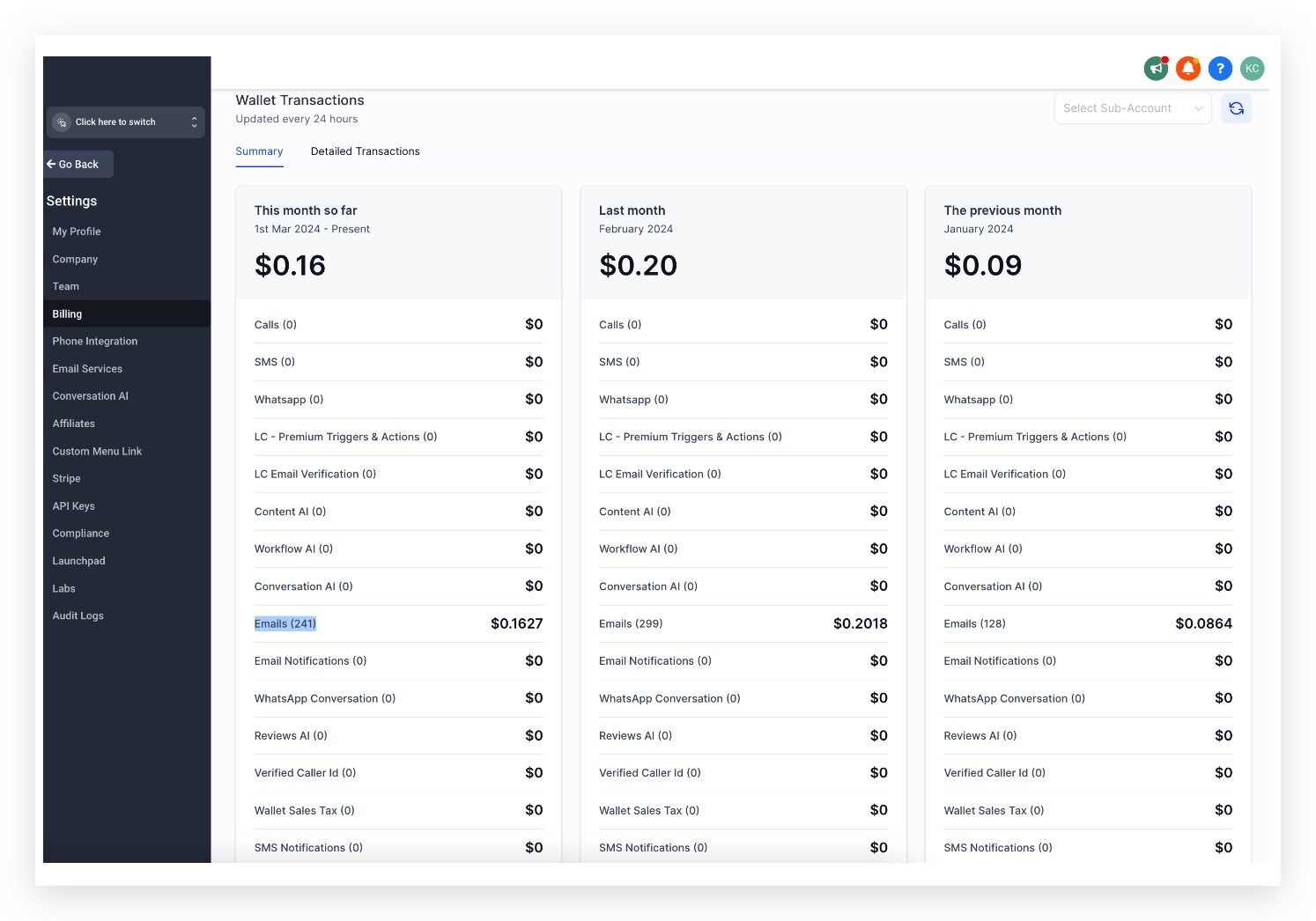
Email verification can be enabled to help ensure you are only sending to valid addresses. Verification events are billed separately at $2.50 per 1,000 checks.
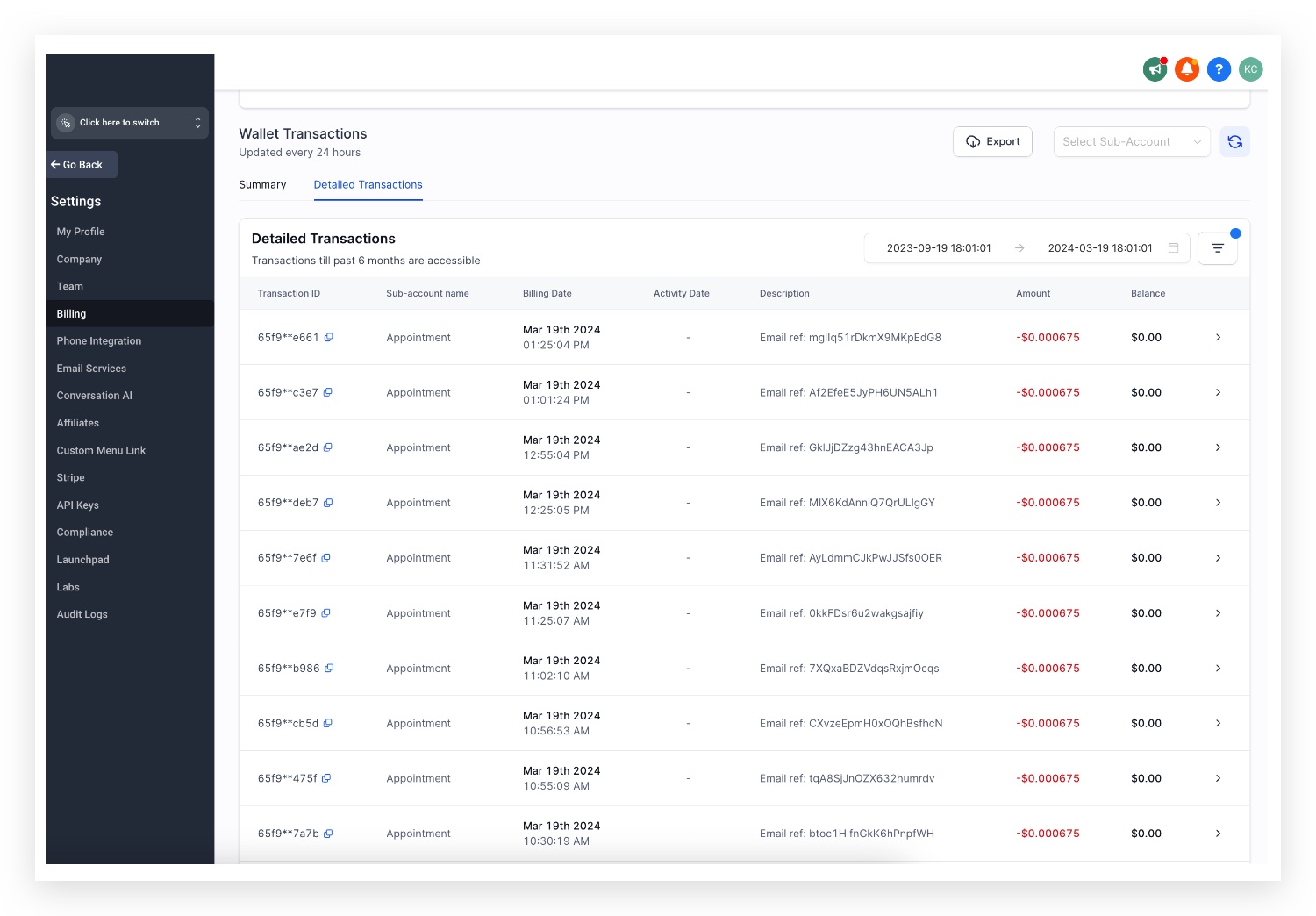
Forwarded emails are billed the same way as outgoing emails. At the agency level, each forwarded email incurs a charge. If re-billing is enabled for a sub-account, the sub-account will be charged for each forwarded email.
In Detailed Transactions, you'll find:
Billing Source Type — the type of service generating the charge
Billing Trigger ID — the unique identifier for the forwarded email event
Ramp-Up Model
Every new sub-account on Chat To Clients Email follows a Ramp-Up Model — daily sending limits increase gradually over the first seven days to build a healthy sending reputation and avoid spam filters.
Starting on day 8, the limit depends on whether you are using a shared IP or a dedicated IP for sending.
| Day | Daily Email Limit |
|---|---|
| Day 1 | 250 |
| Day 2 | 500 |
| Day 3 | 1,000 |
| Day 4 | 2,500 |
| Day 5 | 5,000 |
| Day 6 | 7,500 |
| Day 7 | 10,000 |
| Day 8 & Ongoing | Shared domain:25,000/ day Dedicated domain: 550,000/day. |
The daily counter resets every day at midnight 00:00:01 AM UTC. If the limit is reached before the reset, the account is locked for the remainder of that period.
It's important to validate sub-account activity and confirm it is not a spam account before increasing limits.
Extend Sending Limit
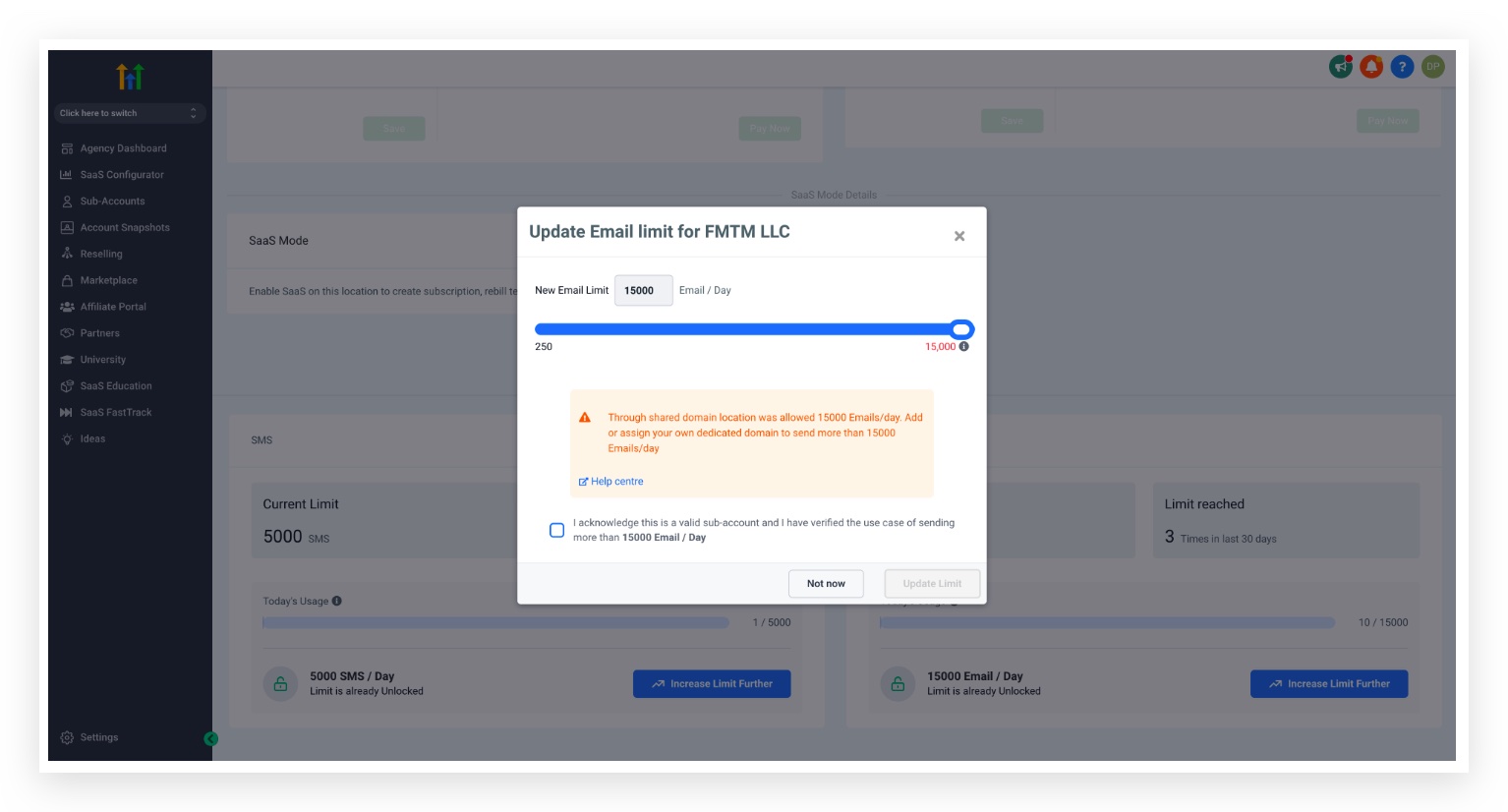
To adjust a sub-account's sending limit, navigate to the sub-account detail page:
The limit for shared IP email sending ranges from 250 to 25,000. To go beyond this, you must set up a Dedicated Sending Domain for the sub-account.
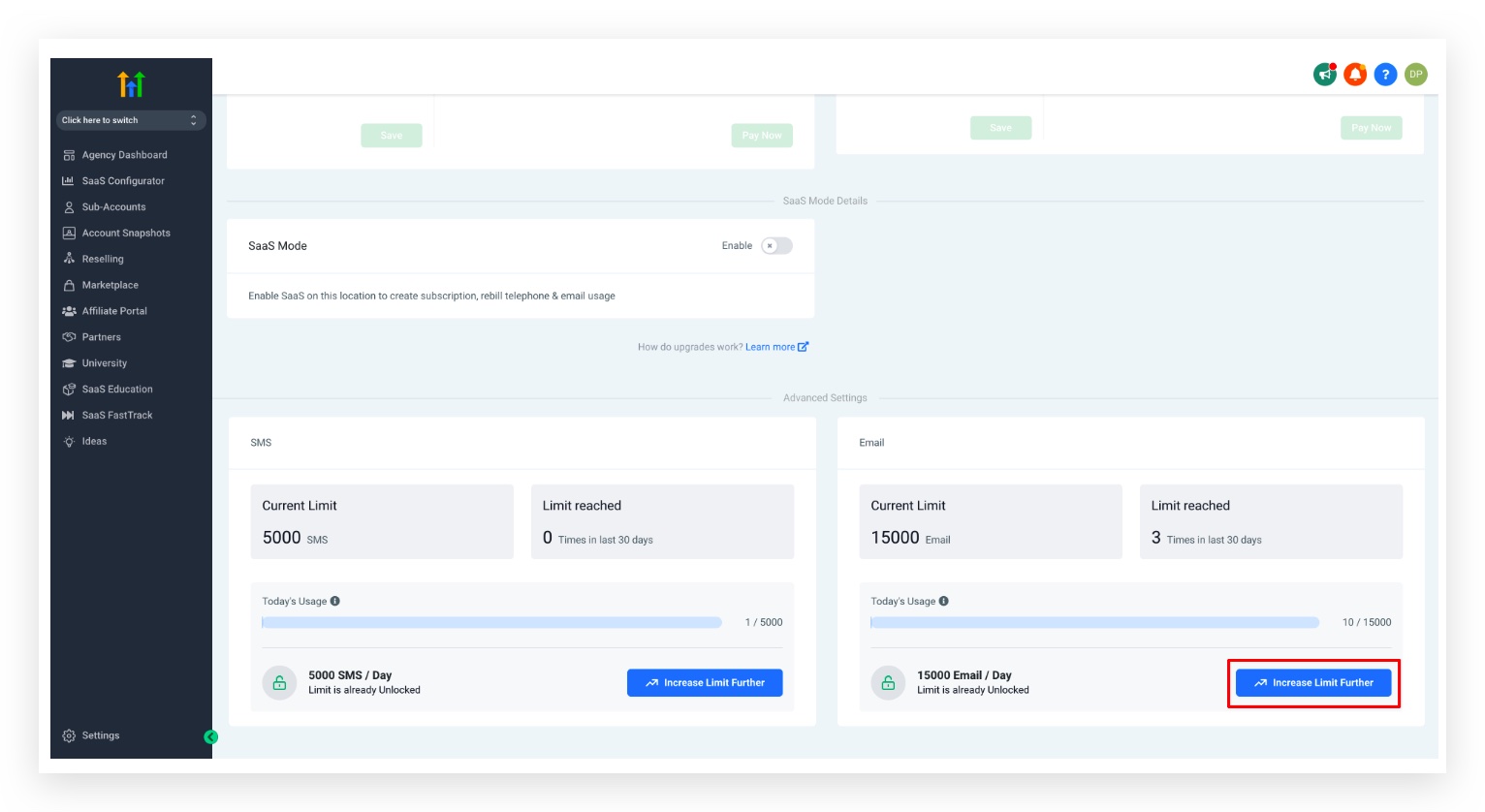
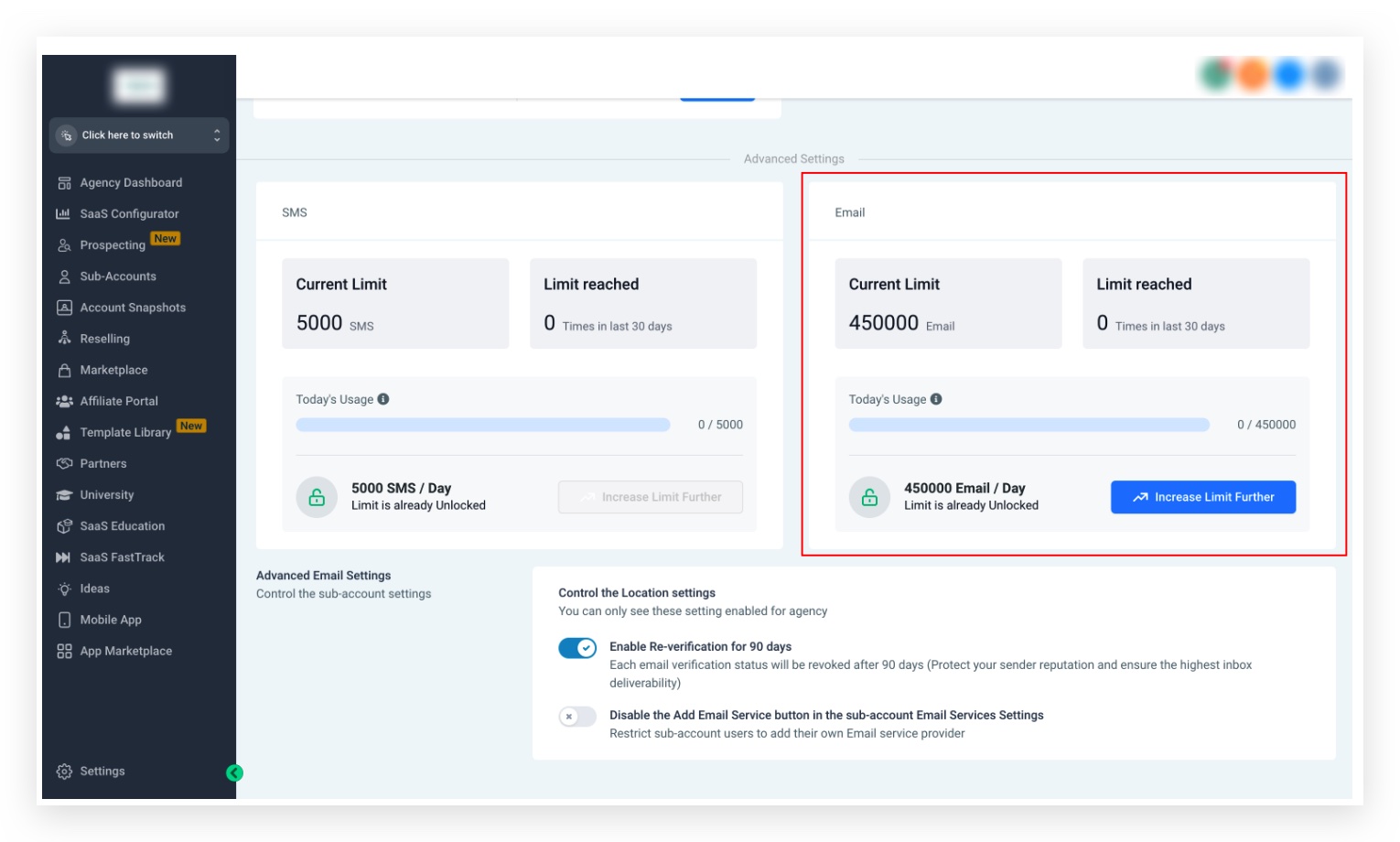
The limit for dedicated IP email sending ranges from 250 to 550,000. To increase beyond 450,000, please contact the support team.
Chat To Clients Email eliminates one of the two major hurdles to getting started with the platform — meaning new affiliates are more likely to find success quickly and stick around.