
How to Find Group Calendar ID in Chat To Clients CRM
A Group Calendar ID is the unique identifier associated with a specific Group Calendar in Chat To Clients CRM. You may need this identifier when an integration, API configuration, or other technical setup specifically requests the ID of a Group Calendar. This article explains how to locate the Group Calendar ID using the Permanent Link or, alternatively, the calendar's Embed Code.
TABLE OF CONTENTS
- What is a Group Calendar ID in Chat To Clients CRM?
- Key Benefits of Knowing Your Group Calendar ID
- When You May Need a Group Calendar ID
- How to Find the Group Calendar ID
- Alternative: Find the Group Calendar ID from the Embed Code
- Frequently Asked Questions
- Related Articles
What is a Group Calendar ID in Chat To Clients CRM?
A Group Calendar combines multiple individual calendars into one booking experience. The Group Calendar ID identifies the group itself and is different from the IDs associated with the individual calendars inside that group.
Important: If an integration or technical configuration asks for a "Calendar ID," confirm whether it requires an individual Calendar ID or a Group Calendar ID before entering the value.
Key Benefits of Knowing Your Group Calendar ID
Knowing where to find the Group Calendar ID can make it easier to complete technical configurations that reference a specific calendar group. Because Group Calendars and individual calendars have different identifiers, locating the correct value also helps prevent configuration errors.
Accurate Identification: Use the identifier associated with the specific Group Calendar required by your technical setup.
Integration Configuration: Provide the Group Calendar ID when a supported third-party integration explicitly requests it.
Technical Flexibility: Access the identifier when an API or other custom implementation specifically requires a Group Calendar ID.
Reduced Configuration Errors: Distinguish the Group Calendar identifier from IDs belonging to individual calendars.
When You May Need a Group Calendar ID
Most day-to-day calendar configuration in Chat To Clients CRM does not require you to manually copy a Group Calendar ID. The
identifier becomes relevant when a particular integration or technical implementation explicitly asks you to provide it.
You may need a Group Calendar ID when:
A third-party integration specifically requests the identifier for a Group Calendar.
An API or custom technical configuration requires the Group Calendar ID.
Technical implementation instructions explicitly ask you to provide the identifier associated with a calendar group.
Note: Standard Chat To Clients CRM workflow filters can allow you to select a Calendar Group directly. You generally do not need to manually find and paste the Group Calendar ID simply to filter a workflow by a Calendar Group.
How to Find the Group Calendar ID
The Permanent Link provides the simplest way to locate the Group Calendar ID using the Group Calendar sharing options. The ID appears as the final value in the Permanent Link, allowing you to copy it without working through the Embed Code.
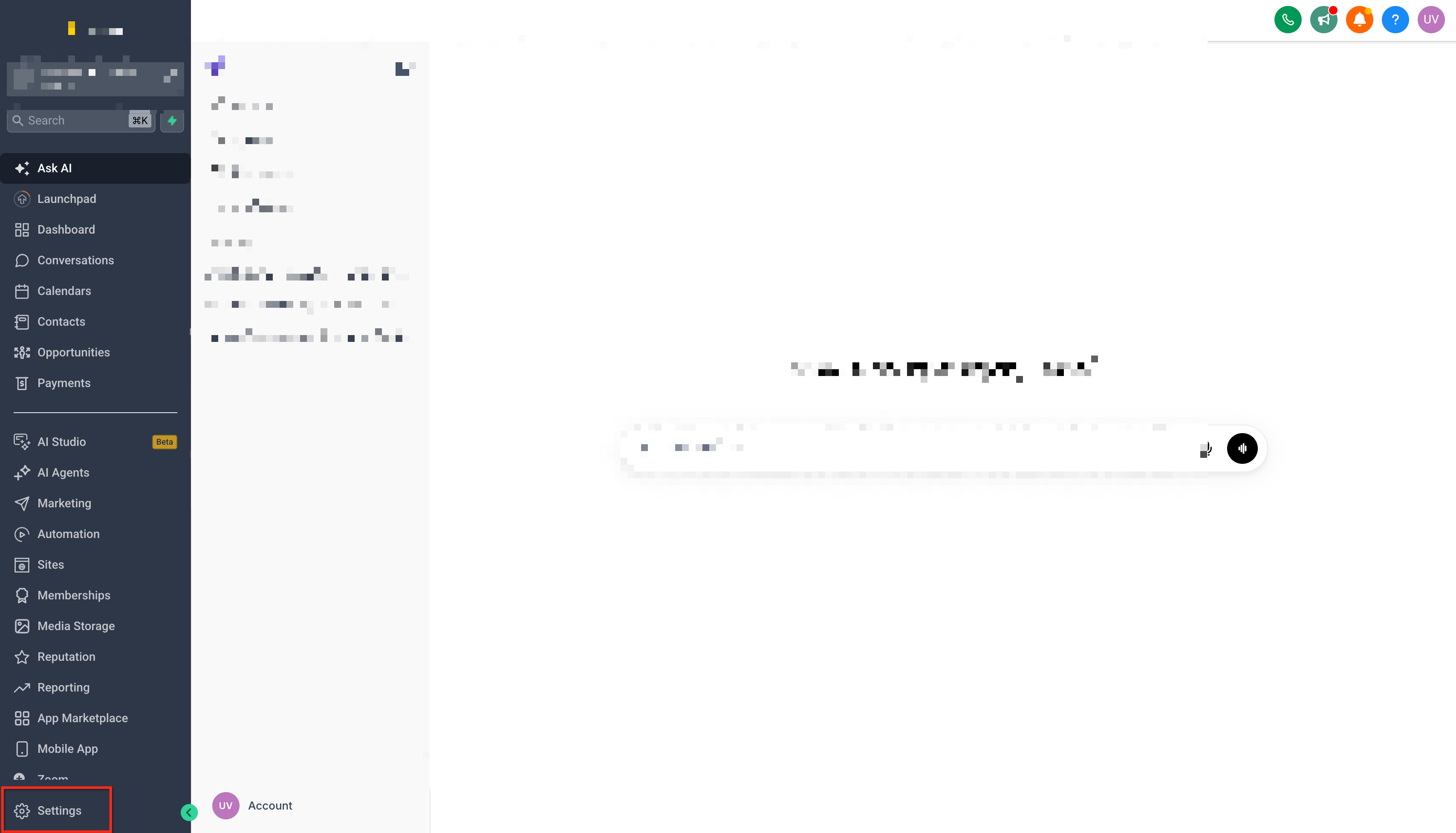
In your Chat To Clients CRM sub-account, go to Settings.
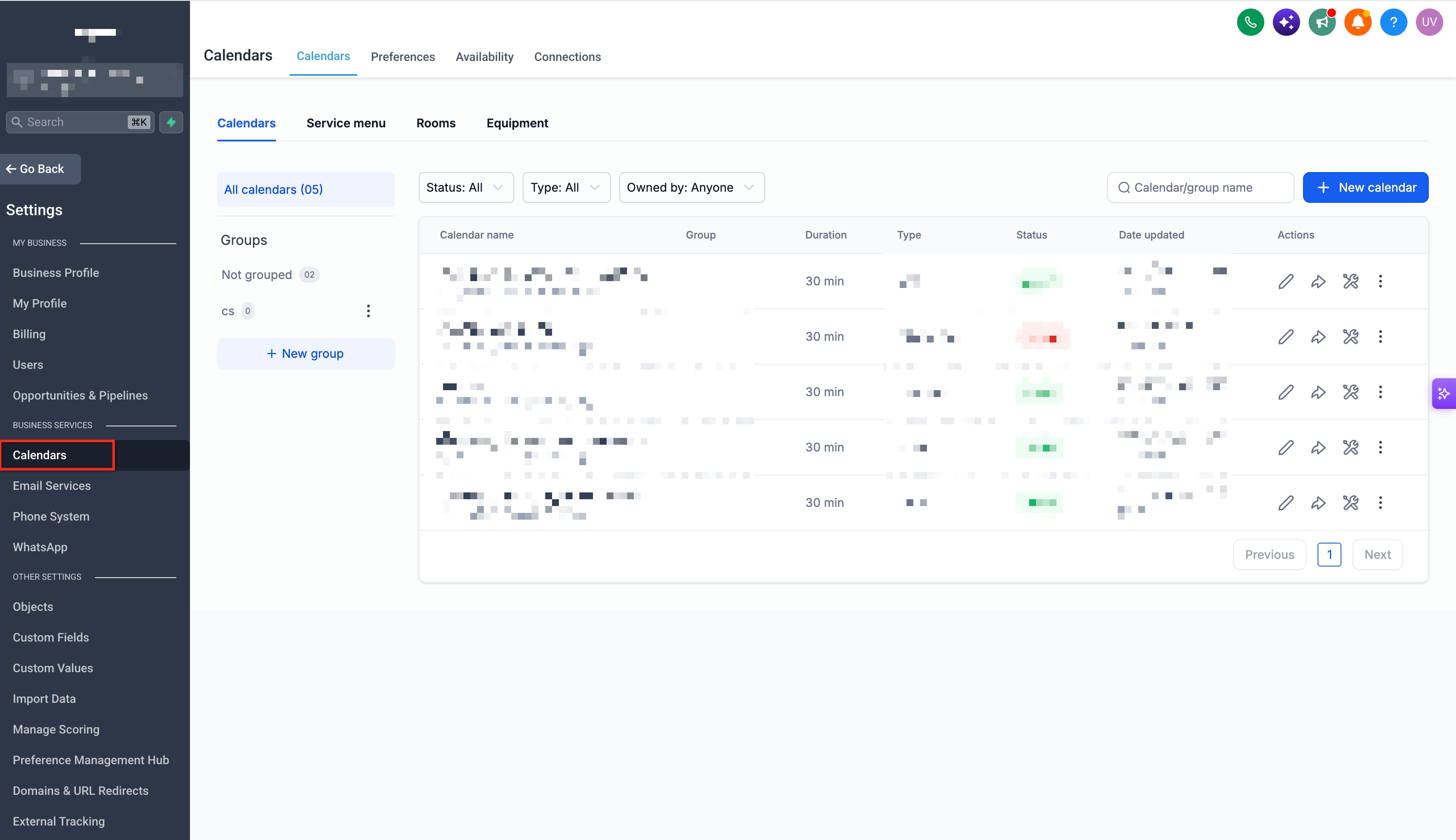
Navigate to Calendars and open the Groups area.
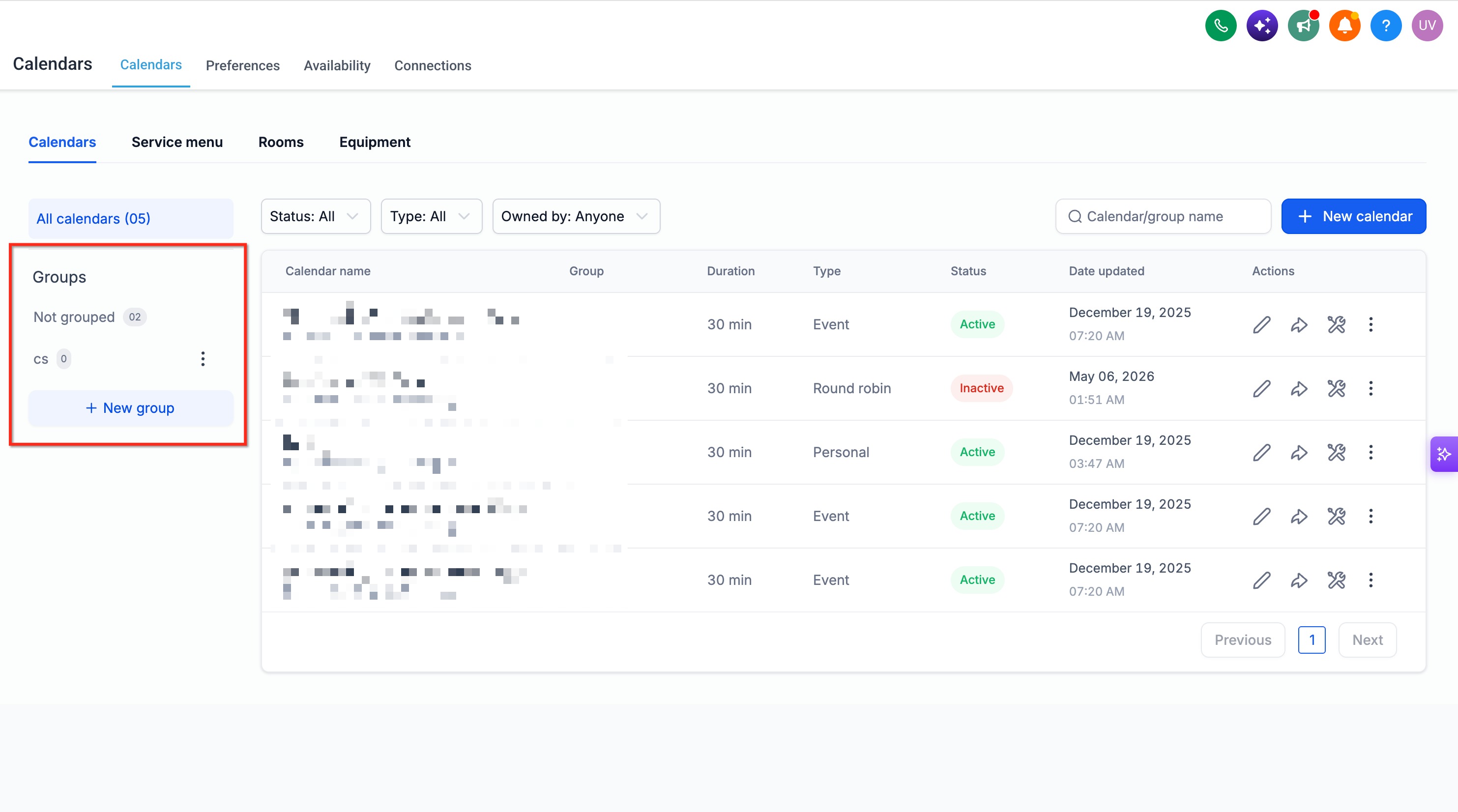
Locate the Group Calendar whose ID you need.
Open the sharing options for that Group Calendar.
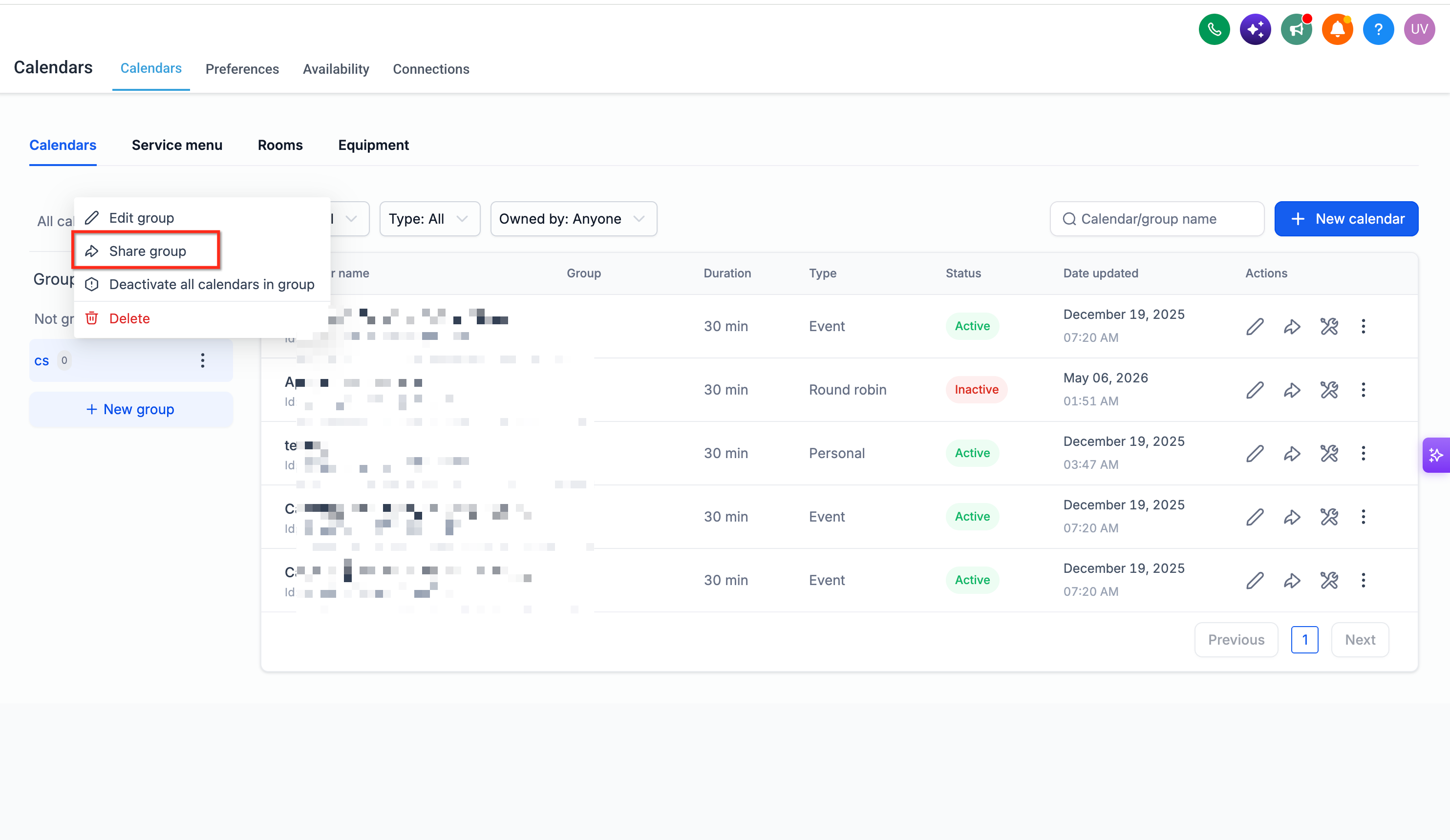
Select Scheduling Link from the sharing options.
Locate the Permanent Link for the Group Calendar.
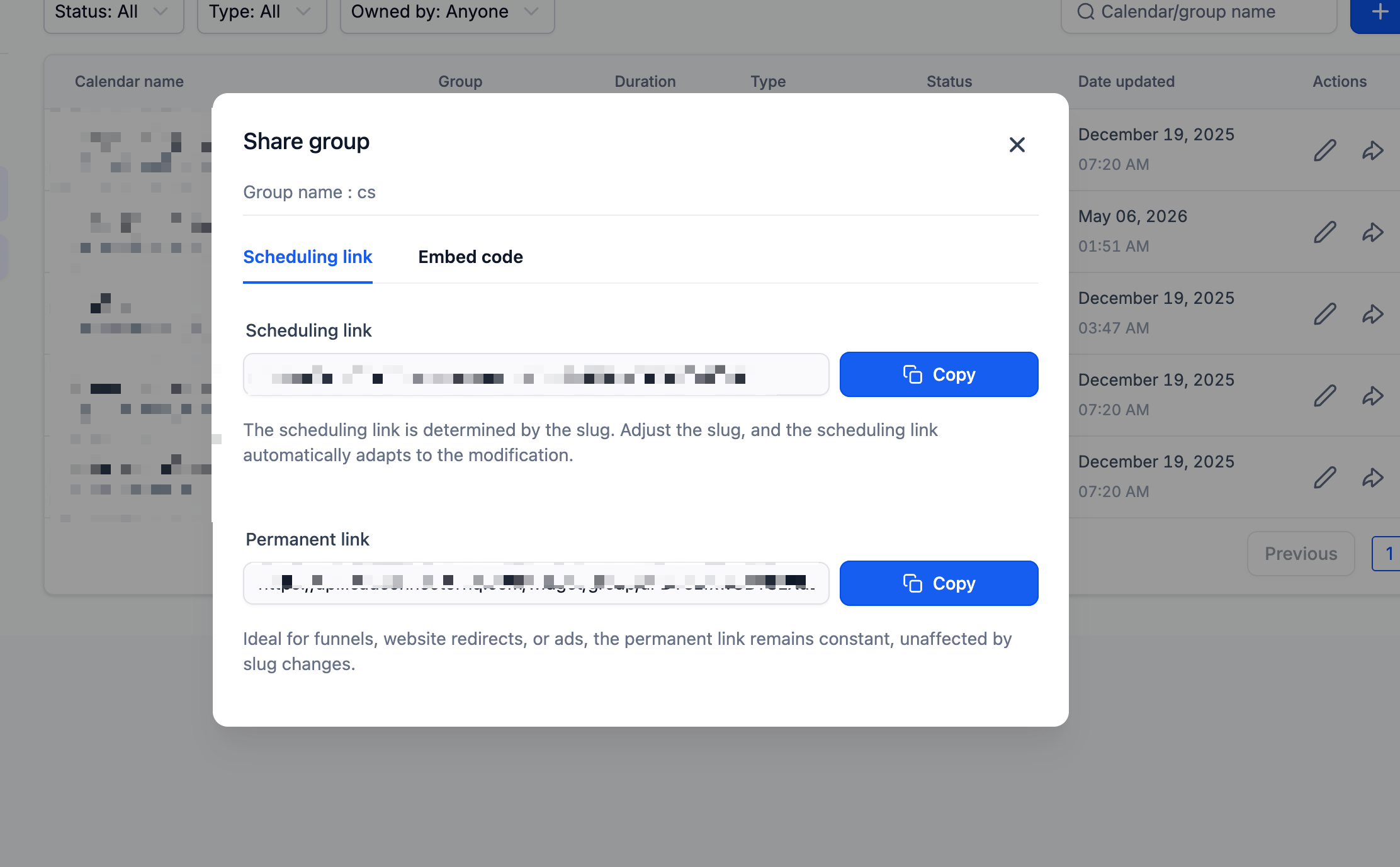
Look at the final value that appears after the last
/in the Permanent Link.
Copy that final value and paste it into the integration or technical configuration that specifically requires your Group Calendar ID.
Important: Copy only the identifier. Do not copy the complete Permanent Link when the field specifically requests the Group Calendar ID.
Alternative: Find the Group Calendar ID from the Embed Code
The Group Calendar's Embed Code provides an alternative way to locate the identifier when you cannot or do not want to use the Permanent Link. Because the embed value can contain additional characters, make sure you copy only the portion that represents the Group Calendar ID.
Go to Settings > Calendars > Groups.
Locate the applicable Group Calendar and open its sharing options.
Select Embed Code.
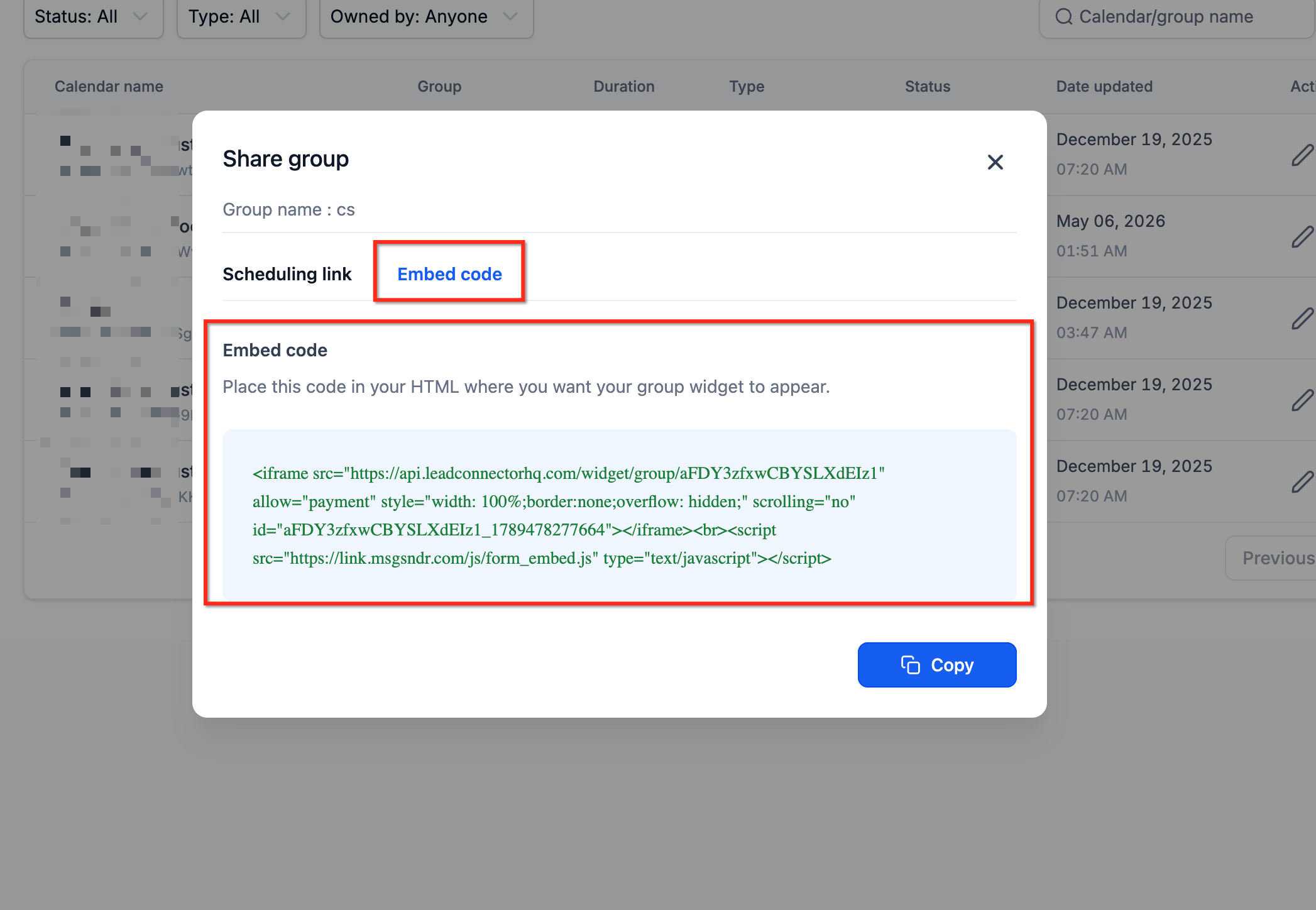
Tip: Use the Permanent Link method when possible because it provides a simpler way to identify the value. The Embed Code method is useful as an alternative.
Frequently Asked Questions
Q: Is a Group Calendar ID the same as an individual Calendar ID?
No. A Group Calendar represents a group containing multiple calendars, while each individual calendar has its own identifier. If an integration or technical configuration requests an ID, confirm which type of calendar identifier it requires.
Q: Do I need a Group Calendar ID to configure a Chat To Clients CRM workflow?
Not for standard Calendar Group filtering. Chat To Clients CRM workflow filters can allow you to select a Calendar Group directly from the available options rather than manually entering its ID. A Group Calendar ID may still be relevant if a separate custom or technical configuration explicitly requires it.
Q: Can I use the same Group Calendar ID in multiple integrations?
The ID identifies the same Group Calendar, but whether it can be used in a particular integration depends on what that integration's field expects. Confirm that each integration specifically requires a Group Calendar ID before using it.
Q: Does renaming a Group Calendar change its Group Calendar ID?
Renaming the Group Calendar does not change the underlying Group Calendar ID. If an external configuration references the ID rather than the calendar's display name, the identifier remains associated with that group.
Q: Which method should I use to find the Group Calendar ID?
Use the Permanent Link method when possible because the ID can be identified as the final value after the last /. The Embed Code method provides an alternative way to locate the same identifier.
Q: What should I do if an integration asks for a "Calendar ID"?
Check the integration's documentation to determine whether it expects an individual Calendar ID or a Group Calendar ID. Do not assume the two identifiers are interchangeable.