How to use Affiliate Portal
The new affiliate portal allows you to become an affiliate, look at your affiliate reports & manage your payouts. Let's get started!
*Note: If you're not logged into your Chat To Clients CRM account, you can access your Affiliate Portal at to log into your Affiliate Portal at https://affiliate.Chat To Clients CRM.com/login*
Please Note
These features are visible only to Agency Admins. Covered in this article:
New to the Chat To Clients CRM Affiliate Program?
How do I know if I am already an affiliate or not?
Where can I find my affiliate link?
Pro Plan Affiliate Link
Can I change my link?
Can I have custom tracking with my link?
I am an existing affiliate. Where do I see my Reports?
How can I identify the people I have referred?
How do I get paid?
Understanding Payouts
Can I recruit more affiliates under my account?
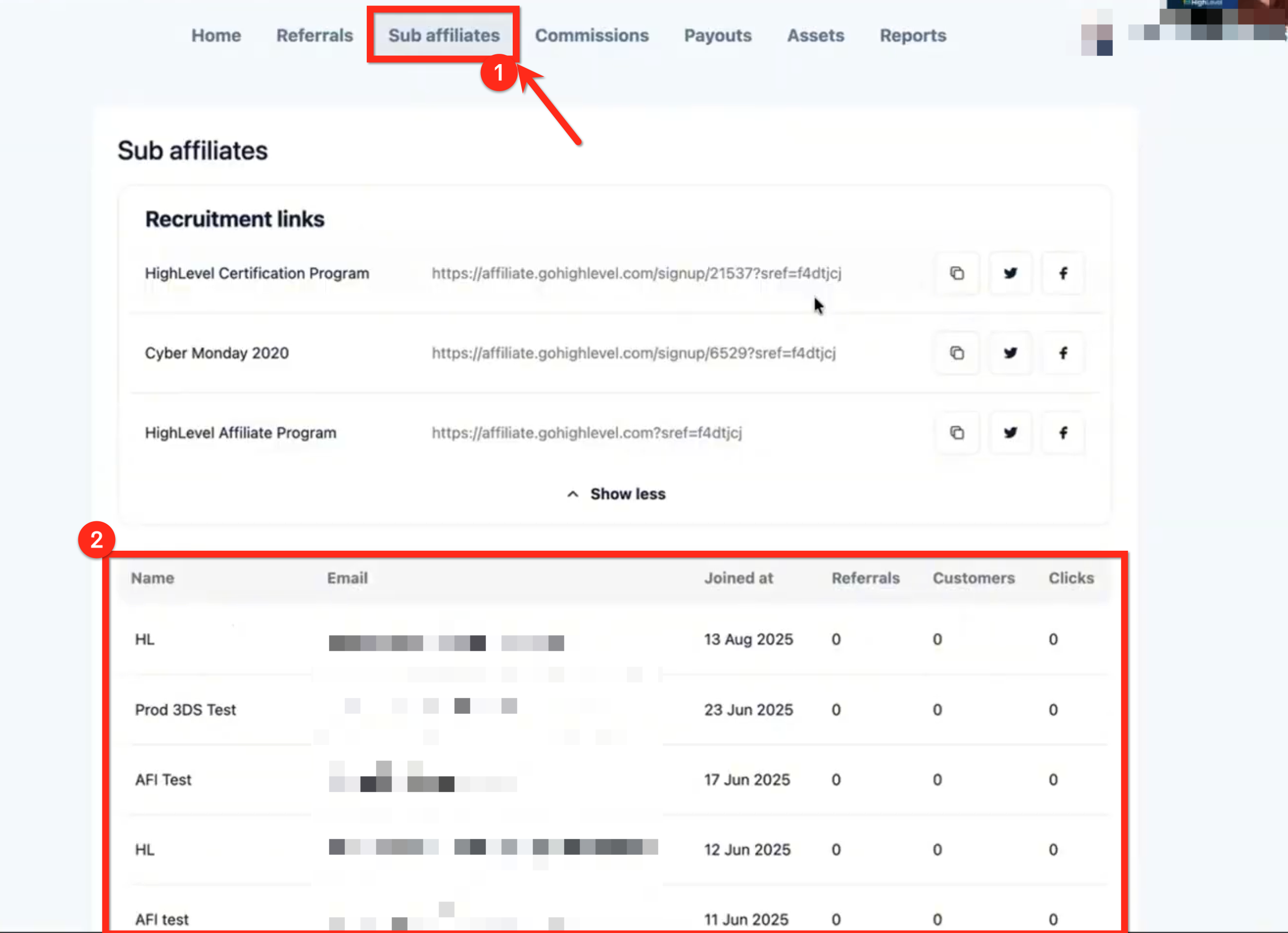
Where do I see my Sub-Affiliates?
Everything will be updated very soon to reflect the latest version. In the meantime, if anything feels unclear, reach out to your Affiliate Manager with any questions.
New to the Chat To Clients CRM Affiliate Program?
Our Affiliate program pays 40% monthly-recurring commission on customers you refer to the software, and
we’ve got a ton of ready-to-use assets and resources to help you get started on your Affiliate journey.
To get started, this guide will take you through getting set up inside the Affiliate Portal.
How do I know if I am already an affiliate or not?
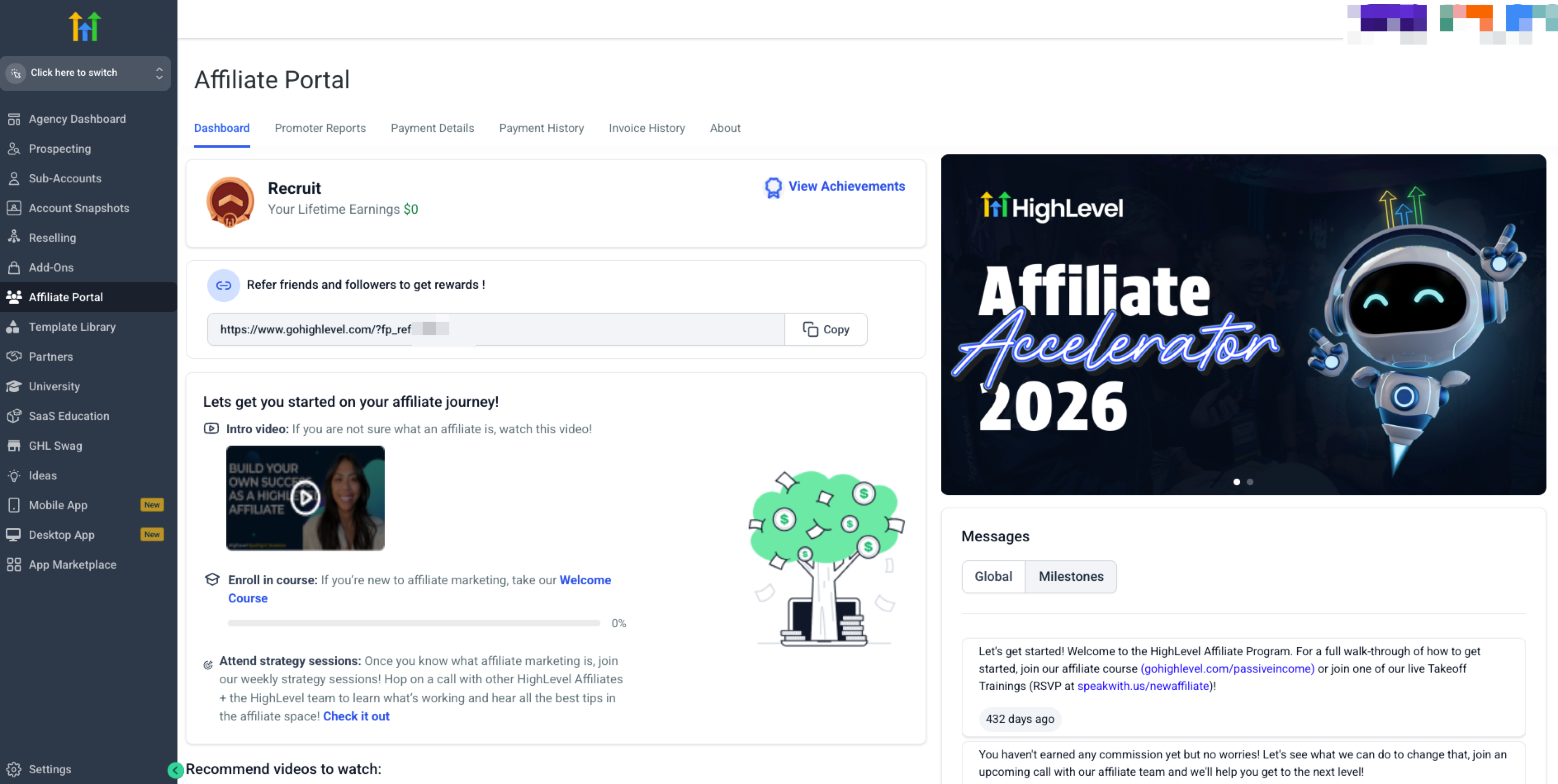
Chat To Clients CRM agency accounts are automatically given a unique affiliate link (promoter referral code) when they sign up for Chat To Clients CRM. To access you link and start promoting Chat To Clients CRM, navigate to your Affiliate Portal and complete the quick onboarding steps.
Your Affiliate Portal is your hub for…
- Accessing your unique referral links
- Tracking performance & progress
- Accessing your commission payouts.
…and a lot more. It’s your central hub for managing and growing your affiliate efforts.
To access the Affiliate Portal, make sure you're in Agency View.
In the left-hand menu, click Affiliate Portal.
The first time you open the portal, you'll be asked to review a few required resources before moving forward:
The Affiliate Policy, so you can review the terms of the program.
A compliance video, which walks through best practices for promoting Chat To Clients CRM.
Branding guidelines, which explain how to reference Chat To Clients CRM and use brand assets correctly.
A content guide, which gives you direction on how to approach affiliate-related content.
Congratulations! You’re now able to promote Chat To Clients CRM as an Affiliate
With your access to the portal, you’re now able to view…
Your status and overall progress.
Sign-ups under your unique referral link
Resources to help you start scaling your Affiliate game
Where can I find my affiliate link?
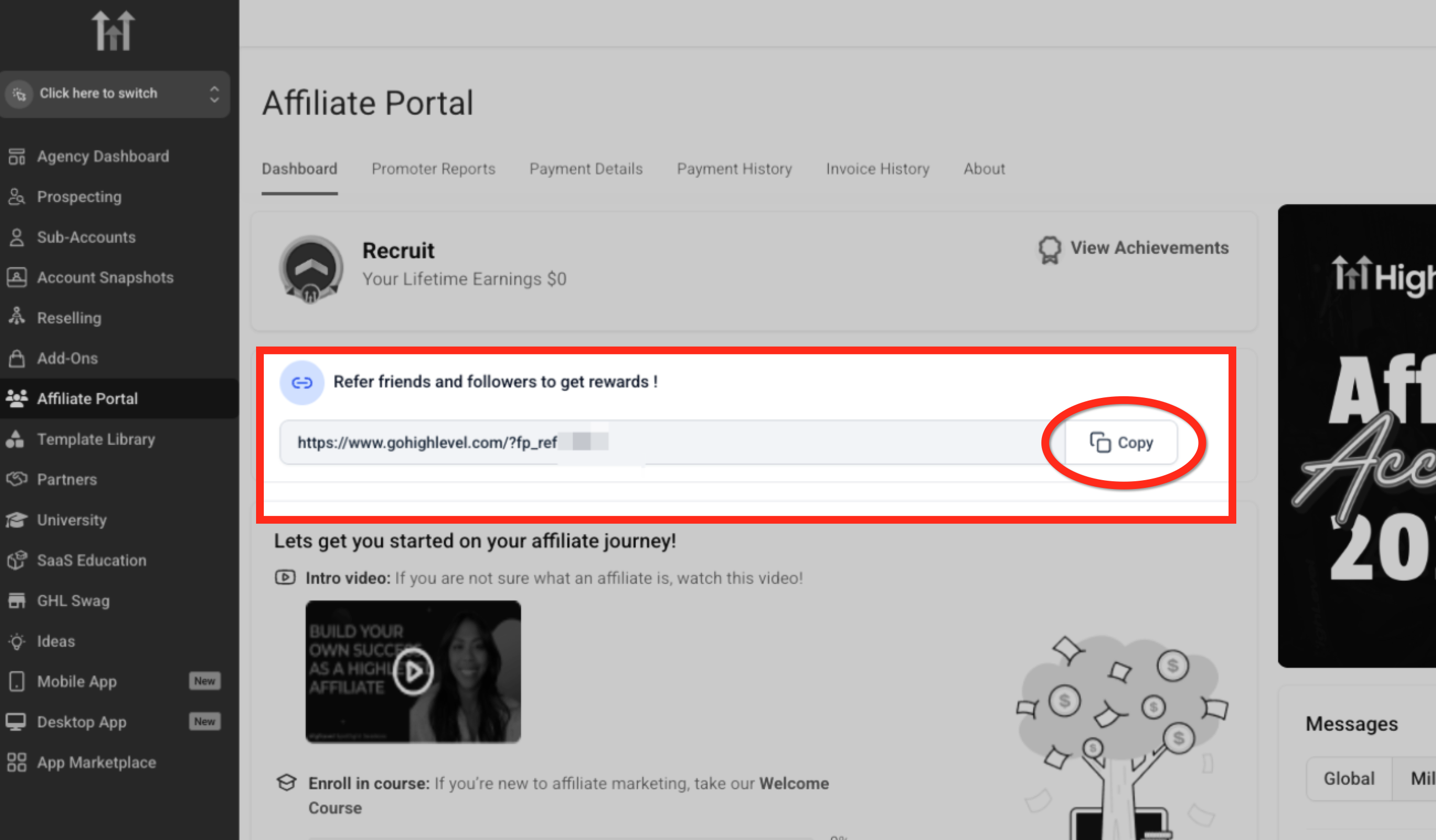
You can find your main Affiliate link (promoter referral code) by going to Affiliate Portal -> Dashboard
Where can I find my Pro Plan Affiliate Link, and links to promote other products?
First, select a campaign from inside your Affiliate Dashboard.
*Note: You might already be inside a campaign. Click "All Campaigns" if you aren't seeing the other campaigns listed.
Choose the campaign titled "Chat To Clients CRM Affiliate Program."
You will not need a unique link for each campaign. You can use the "Chat To Clients CRM Affiliate Program" campaign
Can I customize my link and change my referral code?
Yes. If you would like to change the referral token on the end of your link click the customize link button!
- This is recommended to make your unique link is easily recognizable for your audience.
In the Affiliate Portal, from inside the Chat To Clients CRM Affiliates Program campaign..
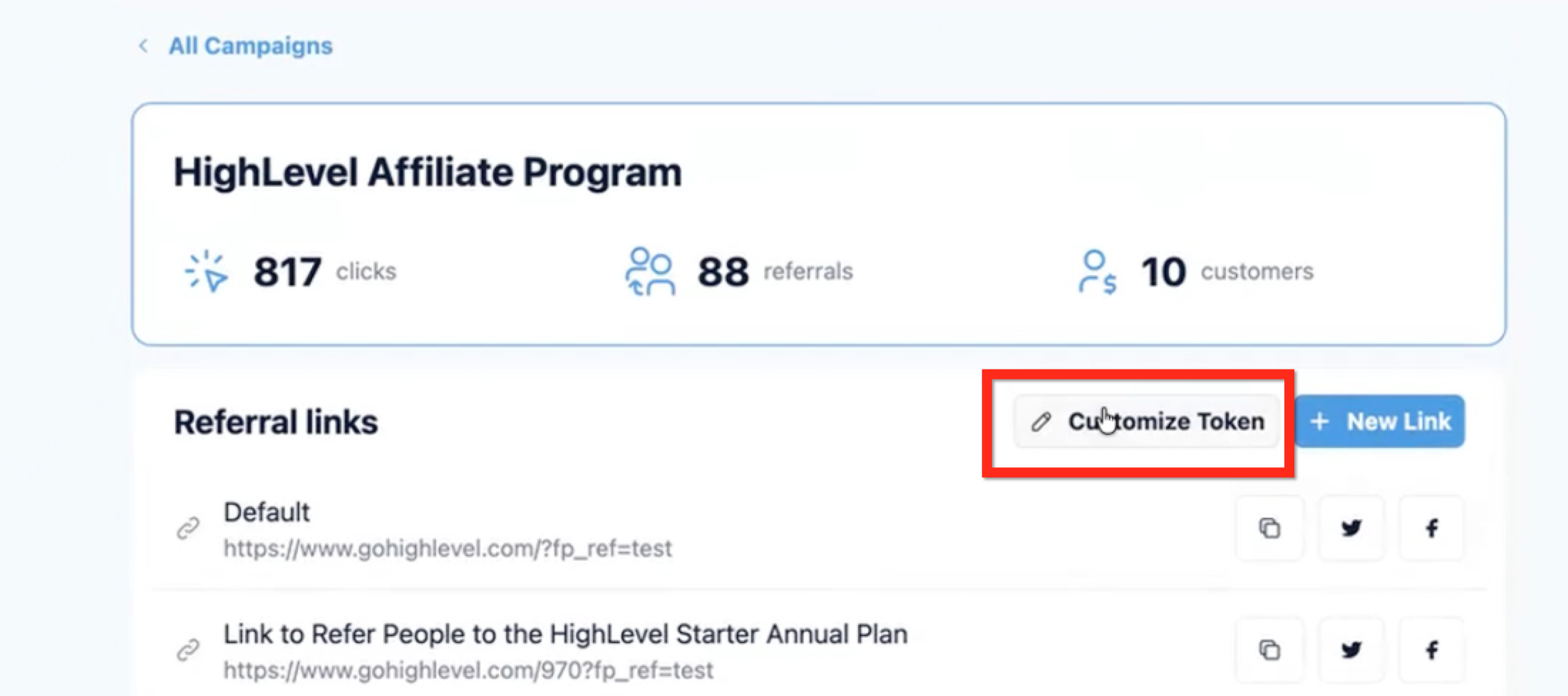
- Click on "Customize Token"
- Customize your referral ID to something easy and recognizable.
- Warning: if you've already promoted your old link prior to making this change, that link will no longer work. We recommend you do this at the beginning of your Affiliate Journey!
Can I have custom tracking with my link?
Yes! You can have one Promoter ID but create multiple link variations to be able to track which links brought in clicks and referrals. To do so, you can create a SubID
This allows you to create links for different channels that you are promoting your affiliate link on and allows you track conversions better.
I am an existing affiliate. Where do I see my Reports?
How can I identify the people I have referred?
You can go to Affiliate Portal -> Referrals to see a list of the recent sign-ups that happened via your affiliate links. Further, you can see the trial, customer, paying -vs- cancelled breakdown of your leads.
Check out this help doc for more info about the Referrals tab here!
Successful affiliates use this information to create communities & groups (like slack channels, facebook groups, etc.) of all their agency referral clients to mentor them and keep them successful for a long time. Since Chat To Clients CRM pays a recurring revenue it has a direct impact on your payouts.
Also, be sure to enable notifications to receive an email when new referrals arrive or change status. Learn how here!
How do I get paid?
You can set your payout preferences by going to Affiliate Portal -> Payment Details
We are now using a platform called “Tipalti” to help us with our affiliate payments! Affiliates can request different payment methods, get tax forms organized, and more while using Tipalti. (Learn more about Tipalti)
Go to payment details to get started and set up your account information to start receiving payouts through Tipalti.
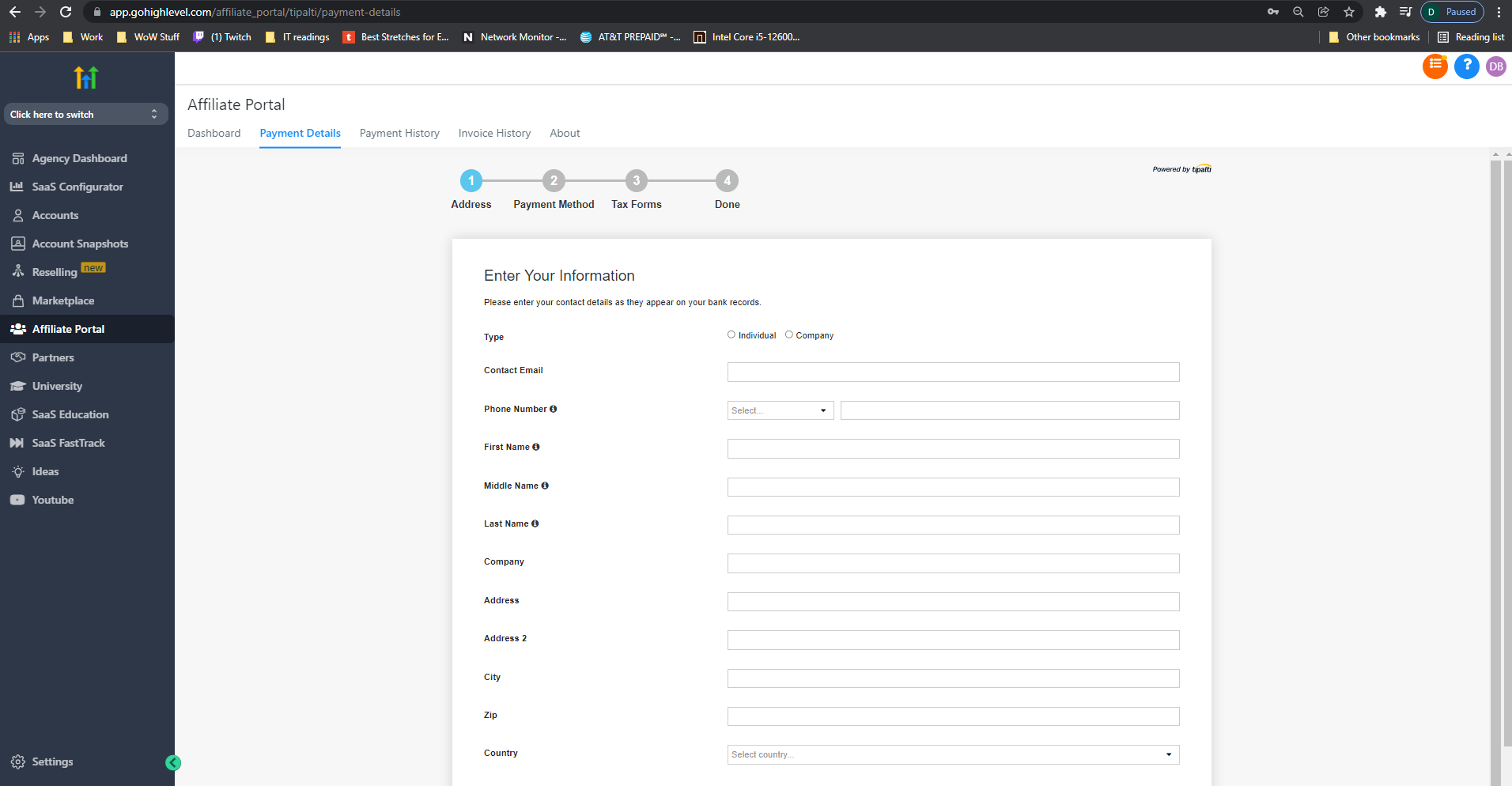
Currently, affiliates cannot be paid unless they use Tipalti.
Note: These details are viewable with anyone with agency admin permissions. If you do not want other agency users to see this information swap them to an agency user role.
Agency Settings > Agency Team management(Team)> Edit user > User roles
Tipalti Perks:
Tipalti helps us manage payments, provides additional payment methods, and helps us stay compliant with all required paperwork for the affiliate relationship.
New Payment Methods:
- For US-based affiliates: Direct Deposit, PayPal, or Debit Card
- For International affiliates: ACH Transfers, PayPal, or Debit Card
A quick onboarding experience:
- The account can be set up in minutes
- The registration process allows the affiliate to choose and set up a preferred payment method
- In-app ability to complete required tax forms
A “one-stop-shop” for payments:
- Instant access to payment status and history
- Ability to make changes to the payment method
Understanding Payouts
We approve and send all payments on the 15th of each month for all commissions earned the previous month. So, for example, if 3 people signed up through your affiliate link and paid for their $297 subscription on any date between Sept 1st and Sept 30th, you would receive 3 x $118 ($297 x 40% x 3) on October 15th.
Note: Each new signup starts with a 14-trial, but commissions are tracked based on the date they actually become a paid customer (not a trial signup).
Sometimes there may be a 24-48 hour delay for the arrival of funds into depending on your payment method.
Can I receive credit when if my referrals become Affiliates themselves?
Yes! You can add more affiliates under your affiliate account (sub-affiliates) to get a secondary commission from the sales made by your affiliates. Chat To Clients CRM supports level 1 commissions (40% per month recurring) and level 2 commissions (5% per month recurring).
NOTE: All of your active Chat To Clients CRM affiliates are already added as sub-affiliates to your account. Only use this feature for users who want to log into their Affiliate Dashboard without logging into Chat To Clients CRM agency.
You can read more about this here - https://crm.chattoclients.io
Where do I see my Sub-Affiliates?
You can go to Affiliate Portal -> Sub-Affiliates to see your sub-affiliates and level 2 commissions
Your Sub-affiliate tab is where you can check how well your affiliate customers are also promoting HL.
You will also get a 5% commission from customers they refer to Chat To Clients CRM!