
Import Products / Price From Stripe
Which pricing plans can be imported?
- Applicable for Recurring / Subscription plans only. One-Time prices cannot be imported, these need to be created in the system directly.
- To import a plan/price from Stripe, it must be in Live mode (not Test mode).
- "Metered" prices can not be imported when importing a recurring plan/price.
- Stripe plans/prices that have already been imported into Chat To Clients CRM will not show as options when using the "Import From Stripe" function, as they have already been imported.
What are we doing while importing price from Stripe?
- Import stripe product (which is linked with price) & create in Chat To Clients CRM if it doesn't already exist.
- Create price under that product.
- We will also create same product and price in Stripe TEST Mode and PayPal (if integration is connected).
There will be 3 types of pricing plans in your Stripe account.
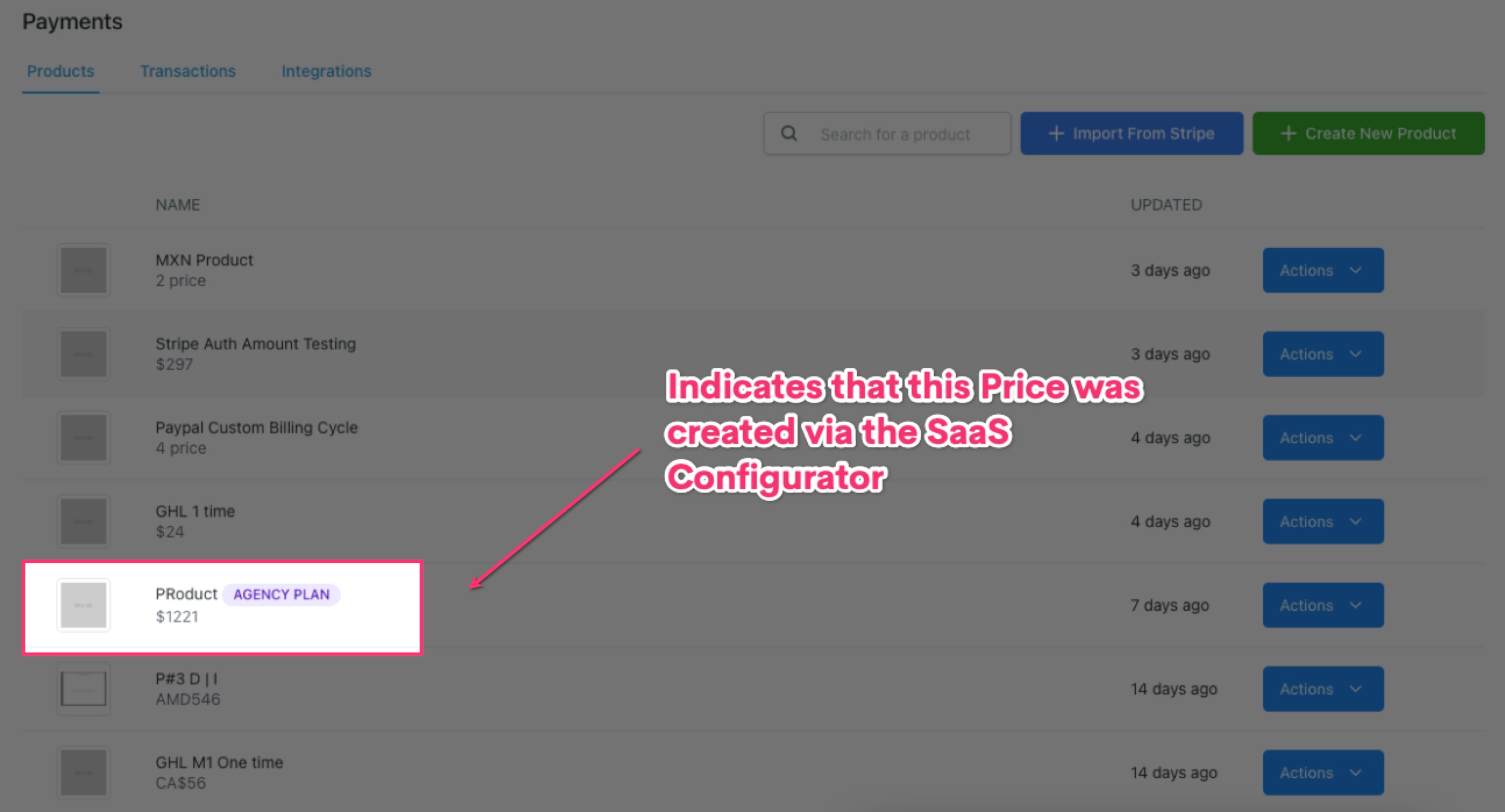
1. Price which was created from the Agency level via the SaaS configurator:
- Prices created via the SaaS Configurator will have an "Agency Plan" tag with the product and price name in product listing and product details page.
- Prices created with the SaaS Configurator cannot be edited in Chat To Clients CRM Payments
- If you update a price directly in Stripe, the change will not be reflected in the Chat To Clients CRM Product/price.
- If you need to change the price of a product created via the SaaS Configurator, edit the price in Stripe and then use the "Import From Stripe" button to import the new price, which will create a new Chat To Clients CRM Product with an "Agency Plan" tag, which you can then go select in your Funnel or Website page settings.
2. Prices which were created by creating a product in Chat To Clients CRM:
- When a product is created in Chat To Clients CRM, a corresponding plan/price will be created in Stripe.
- Any edits to Chat To Clients CRM product pricing will automatically sync to Stripe by creating a new pricing on Stripe. This is due to limitation on Stripe's APIs to edit the existing prices.
- Any edits to Stripe pricing will not auto-sync to Chat To Clients CRM. Changed pricing in Stripe would need to imported into Chat To Clients CRM as a new product.
3. Prices which were created by you directly in Stripe:
- If you've created plans/prices in Stripe, you can use the "Import From Stripe" button to import them into Chat To Clients CRM as Chat To Clients CRM Products.
- If you need to edit an imported product's price, make the edit in Chat To Clients CRM and the change will sync to Stripe by creating a new pricing on Stripe.
- If you edit an imported plan/price in Stripe, the change will not be reflected in the Chat To Clients CRM product - you'd need to import the changed plan/price as a new Chat To Clients CRM Product.