
How To Calculate Email Cost in Your SMTP Provider
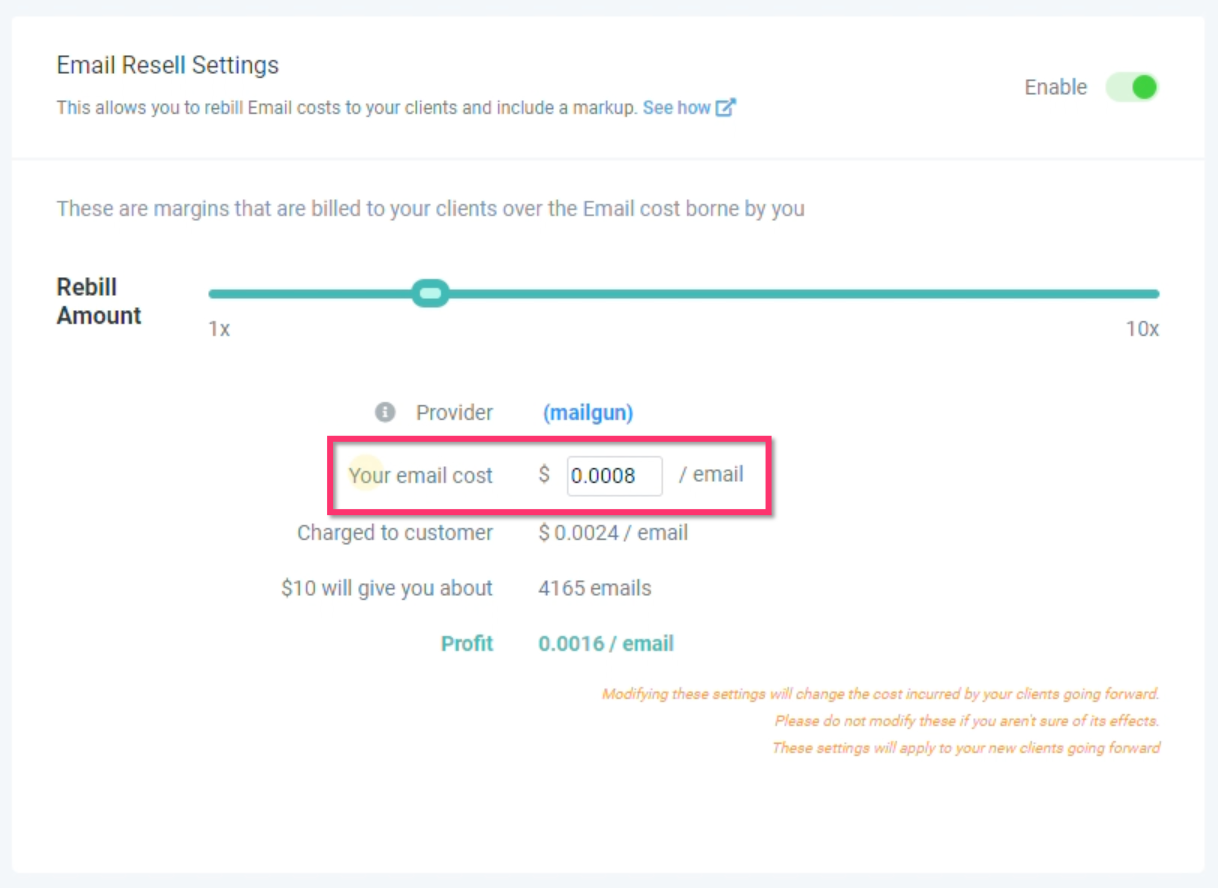
To Figure Out Your Email Cost:
- Log into your SMTP provider, navigate to the Plan or Billing section and look for a description of how many emails are included in your plan.
- Once know the amount of emails in your plan, divide that by the cost of your plan and the result will be your email cost.
For example, the $35/month Mailgun plan includes 50,000 emails so 35/50000= email cost of $0.0007.
Email Provider You Should Use
Picking the right provider depends on whether you want an “out-of-the-box” setup or you’re using an existing SMTP tool.
Chat To Clients Email: Best if you want to avoid Mailgun setup and have email sending/receiving work inside Chat To Clients CRM once enabled.
Mailgun: Common choice for bulk email sending in Chat To Clients CRM, especially for agencies managing multiple locations/domains.
SMTP (Other Providers): Works, but Chat To Clients CRM recommends Mailgun or Chat To Clients Email for better email statistics tracking (opens/clicks).
If you have Chat To Clients Email enabled: You do not need Mailgun—Chat To Clients Email is designed to eliminate the need to sign up for Mailgun or another third-party email provider.

If you do NOT have Chat To Clients Email enabled: You will need to connect an email provider such as Mailgun (commonly used for bulk sending) or another supported SMTP provider.