
SaaS User Level Permissions Vs Sub-Account Level Permissions
Sub-accounts generated through SaaS Mode (meaning the account was created by someone signing up to a Stripe Subscription that was created by the SaaS Configurator in your Agency Account) are governed by a set of Sub-Account Level permissions that are determined by the feature set of each of the plans in the SaaS Configurator. (This is located in the Agency View > SaaS Configurator > Plans & Pricing tab > Edit Details button)
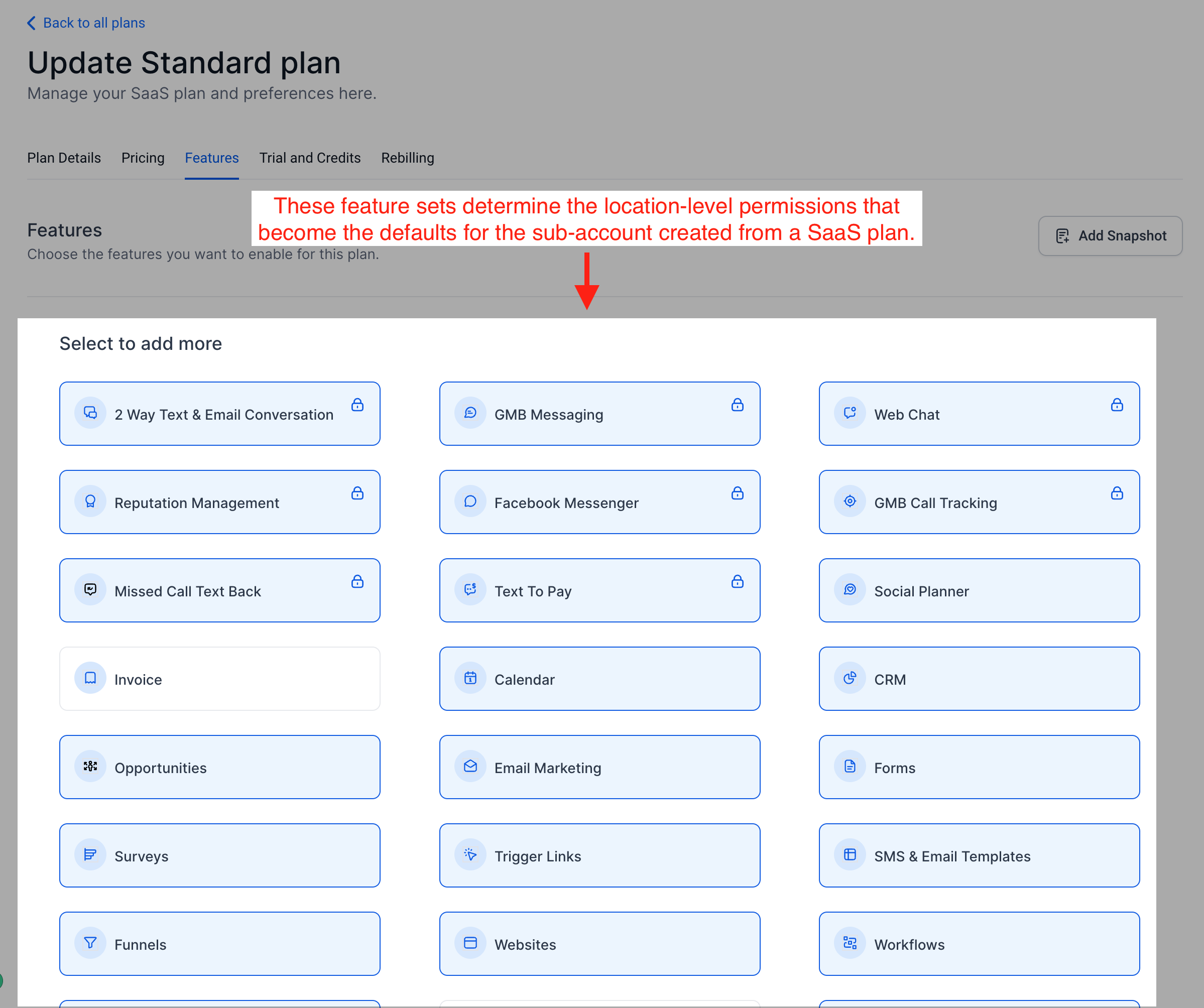
When the system generates the User account for the person who signed up for a SaaS Mode plan, their User Permissions are determined by the Sub-Account Level permissions.
A User cannot have more permissions than the Sub-Account Level permissions allow.
Adjusting Sub-Account Level Permissions
To adjust Sub-Account level permissions:
- From Agency View, select Sub-Accounts in the left menu, then search for the sub-account whose permissions you want to change.
- Click the three dots (⋮) next to the sub-account, then select Manage Client.
- Select Features and Limits, then select Features.
- Enable or disable the supported features you want the sub-account to access.
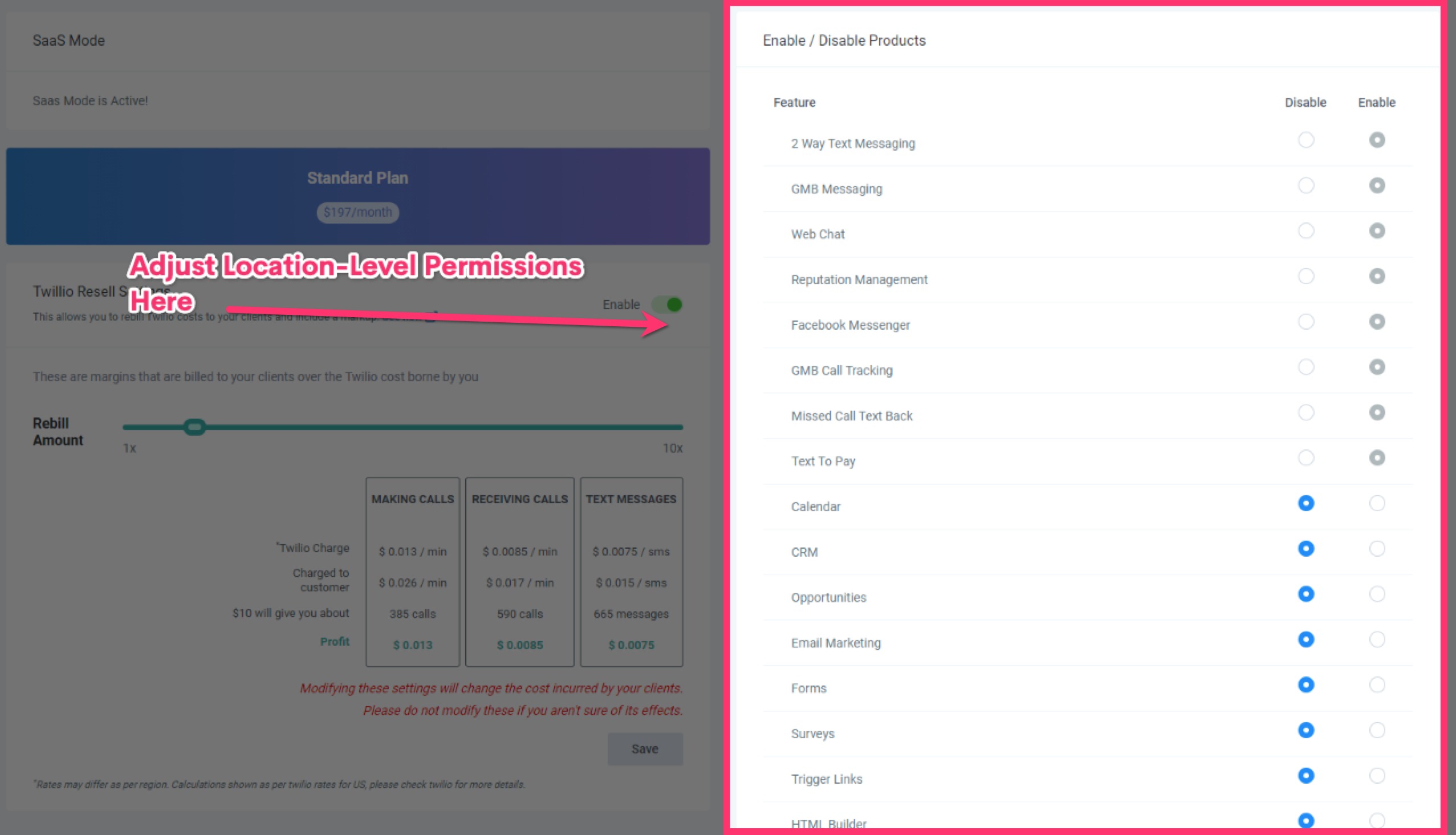
Feature Permissions control which features are available to the entire sub-account. Individual user permissions can further restrict what a specific user can access. To adjust a user's permissions, open the sub-account, then go to Settings → My Staff → Edit (pencil icon) → Roles and Permissions. A user cannot access a feature that is unavailable at the sub-account level.