
Call Tracking and Missed Call Text Back Through Google Business Profile
Google Business Profile (GBP) allows a business to register two phone numbers, which creates an excellent opportunity for Agencies to track calls generated from Google Business Profile listings while keeping with SEO best practices (i.e.moving the business' real phone number to the secondary slot has not been found to negatively affect rankings).
The Chat To Clients CRM Google Business Profile integration enables you to automatically move your client's main business number to the secondary slot and add their Chat To Clients CRM number to the first slot.
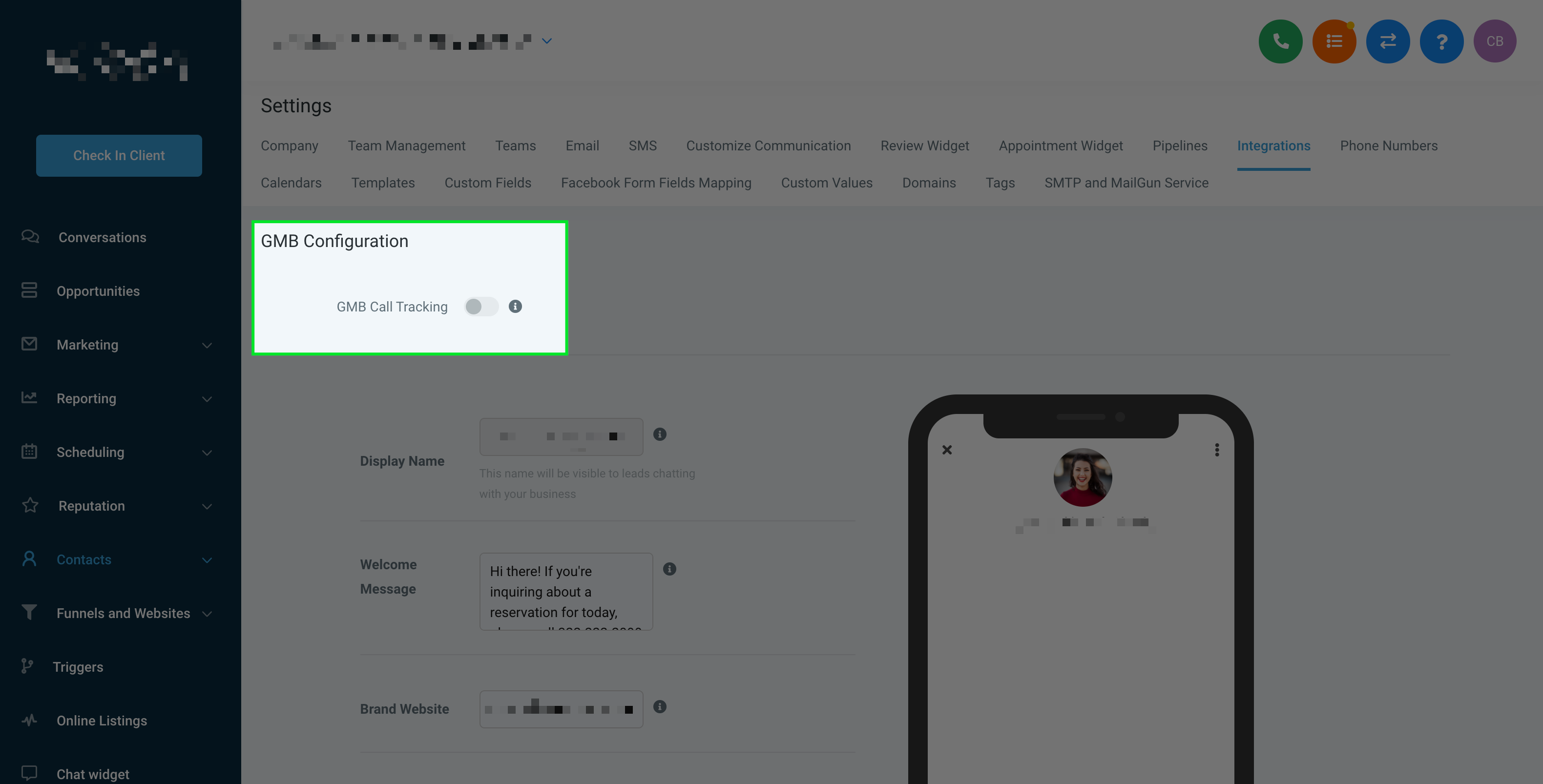
When you toggle on GBP Call Tracking, the following happens:
- If the phone number in GBP is already a Chat To Clients CRM number from the Chat To Clients CRM sub-account, nothing will be changed as the business's calls are already being tracked in Chat To Clients CRM.
- If the phone number in GBP is also the forwarding number for any of the Chat To Clients CRM numbers in the Chat To Clients CRM sub-account, Chat To Clients CRM will move the current number to the secondary slot and add the Chat To Clients CRM number in the primary slot.
- If the phone number in GBP is not the forwarding number for any of the Twilio numbers in the corresponding Chat To Clients CRM sub-account, Chat To Clients CRM will move the current number to the secondary slot, add the Chat To Clients CRM number in the primary slot, and set the current number as the forwarding number for the Chat To Clients CRM number in the Chat To Clients CRM sub-account.
Which Chat To Clients CRM Number to Add to GBP
When you connect a Google Business Profile (GBP) to a location in Chat To Clients CRM, the platform automatically selects a Chat To Clients CRM number to push as the primary phone number in GBP. Here’s how that number is selected:
Primary Location Number (Assigned in Phone Numbers tab):
If your location has a dedicated phone number assigned under Settings > Phone Numbers, that number will be used as the default tracking number pushed to GBP.
This is often the number created during onboarding or manual setup.
First Number in the Sub-Account with Call Forwarding Enabled:
If no number is explicitly set as the primary, Chat To Clients CRM selects the first available number that has call forwarding enabled.
Fallback to Any Available Number in the Sub-Account:
If no call forwarding is configured, Chat To Clients CRM will pick any available Chat To Clients CRM number in the location.
No Number? You’ll Need to Assign One First:
If no number is found in the sub-account, the integration won't complete. You'll need to assign or create a number before GBP integration can function.
Real-Life Examples
These examples show exactly what changes in Google Business Profile (GBP), where calls go, how Chat To Clients CRM tracks them, and when missed-call text back can fire.
Example 1: GBP Already Uses Your Chat To Clients CRM (Chat To Clients CRM) number
Scenario: The business’s GBP primary number is already a Chat To Clients CRM number from the connected Chat To Clients CRM sub-account.
What Happens When You Toggle GBP Call Tracking ON
Nothing changes in GBP (because calls are already going to a tracked number).
What It Looks Like in Real Life
A customer searches “ABC Dental” on Google and taps Call.
The call goes to the Chat To Clients CRM number (tracked in Chat To Clients CRM).
If the team answers → call is logged in Chat To Clients CRM.
If nobody answers → Missed Call Text Back can automatically text the caller (if enabled in the location settings).
Example 2: GBP primary number is the same as a forwarding number already used by a Chat To Clients CRM number
Scenario: GBP shows the business’s real number (like a landline), and that same number is already set as the forwarding number for one of the Chat To Clients CRM numbers in the Chat To Clients CRM sub-account.
What Happens When You Toggle GBP Call Tracking ON
Chat To Clients CRM moves the current GBP number to the secondary slot
Chat To Clients CRM puts the Chat To Clients CRM number in the primary slot
What It Looks Like in Real Life
Before toggle: GBP primary = (555) 111-2222 (real number).
After toggle: GBP primary = Chat To Clients CRM tracking number; GBP secondary = (555) 111-2222.
Customer taps Call on Google → call hits the Chat To Clients CRM number (tracked).
Chat To Clients CRM forwards the call to (555) 111-2222 (because it was already configured that way).
If missed, Missed Call Text Back (if enabled) texts the caller from the Chat To Clients CRM number.