Embedding Chat To Clients CRM Calendars using HTML Code
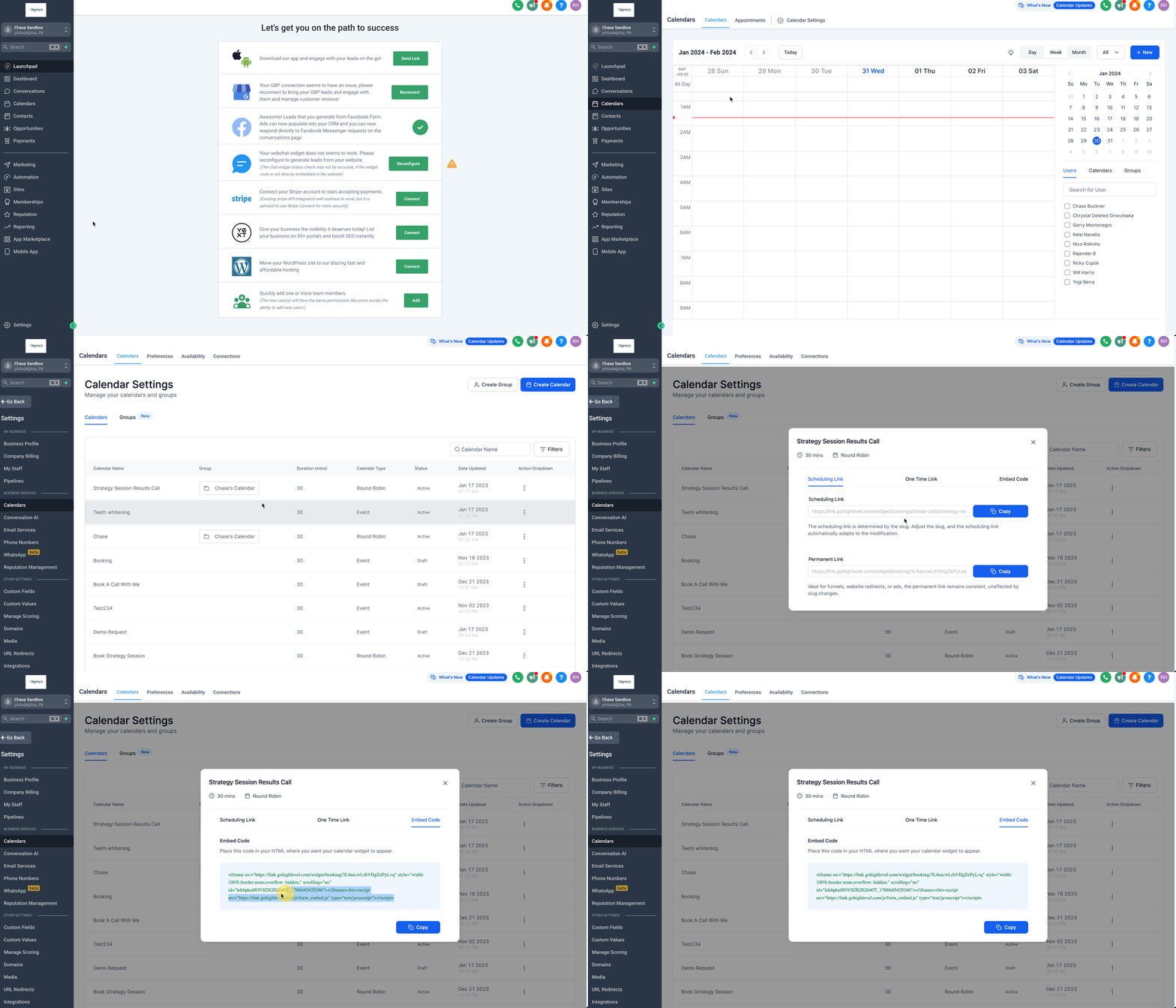
- Go to "Calendars" > "Calendar Settings"
- For the specific calendar you'd like to embed, click the "three dots" icon and select "Share"
- In the pop-up modal, select the "Embed Code" tab
- Click "Copy"
- Past the embed code in a custom code element on another website as desired.
Note: If you are looking to embed a Chat To Clients CRM Calendar in a funnel or website page in Chat To Clients CRM, you can use the Calendar element in the page builder. This element will allow you to choose the calendar you'd like to display and automatically insert it without the need for adding an embed code manually.
Last updated Tue, 17 Mar, 2026 at 7:34 AM
