
How to View Multiple Call Recordings and Transcripts on Mobile
Chat To Clients CRM's mobile app lets you access individual recordings associated with a single call. This is especially useful for transferred or multi-leg calls that produce multiple recordings. You can play each recording separately and view its associated transcript in Conversations when one is available.
TABLE OF CONTENTS
- What Are Multiple Call Recordings on Mobile?
- Key Benefits
- How to Access Multiple Call Recordings on Mobile
- How to View Individual Call Transcripts
- Frequently Asked Questions
What Are Multiple Call Recordings on Mobile?
Some calls generate more than one recording, particularly when a call is transferred or involves multiple stages. The Chat To Clients CRM mobile app displays all recordings associated with a call instead of displaying only the first recording. You can review these recordings in Recents, Contact Call Details, and Conversations.
Key Benefits
Complete Call History: Access all recordings associated with a call, including recordings created after a transfer.
Individual Playback: Play each recording separately to review different portions of the call.
Recording Position Indicator: See which recording is selected using an indicator such as "1 of 3."
Individual Transcripts: View a separate transcript for each recording in Conversations when available.
How to Access Multiple Call Recordings on Mobile
Open the Chat To Clients CRM mobile app.
Navigate to one of these locations:
Recents: Find the call in your recent call history.
Contact Call Details: Open the call details associated with a contact.
Conversations: Open the conversation containing the recorded call.
Find a call containing multiple recordings.
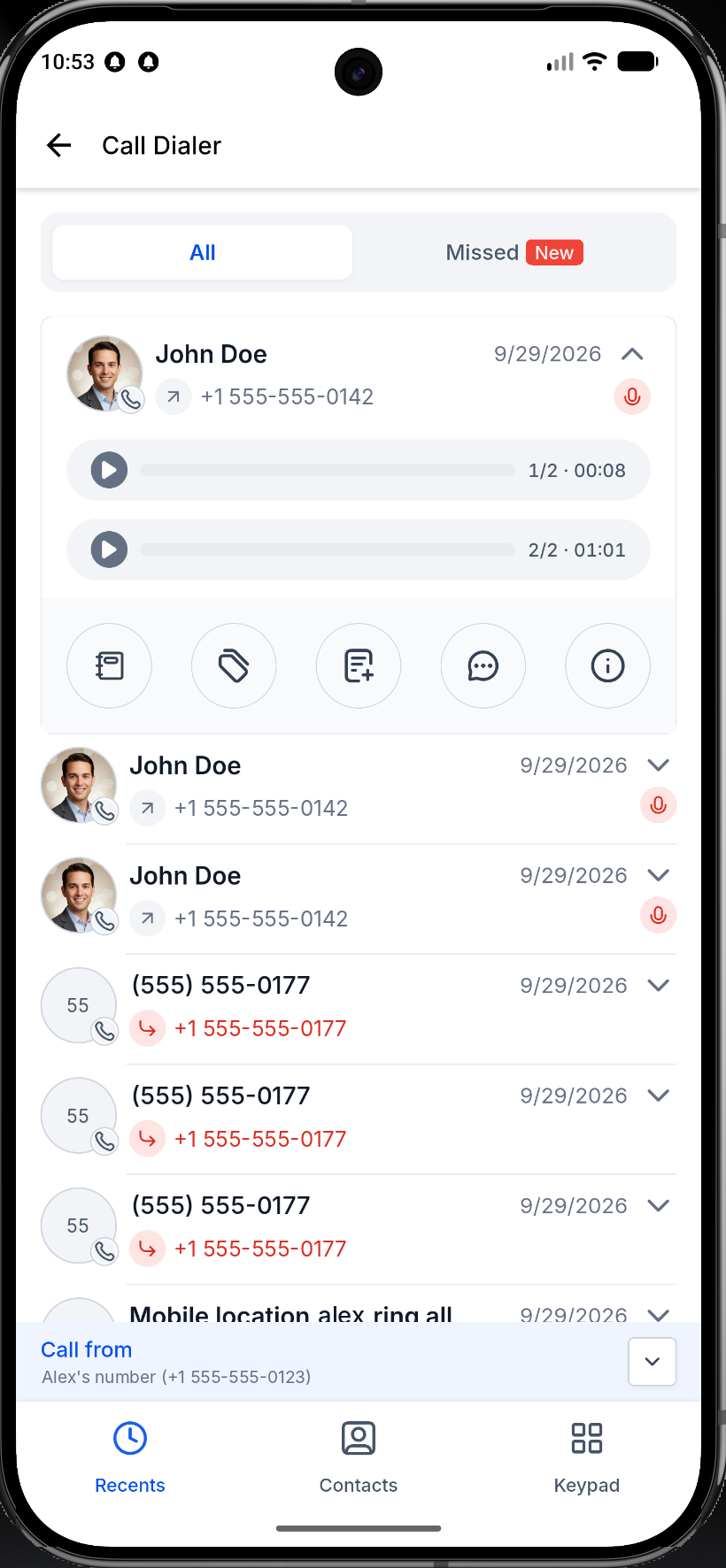
Select the recording you want to review.
Play the recording.
When a call has multiple recordings, the app displays a position indicator, such as "1 of 3," to identify the selected recording.
How to View Individual Call Transcripts
In Conversations, each recording has its own associated transcript when the backend provides one.
Open Conversations in the mobile app.
Find the conversation containing the recorded call.
Open the call and select the recording you want to review.
View the transcript associated with that recording, if available.
Note: A transcript appears only when one is available for the selected recording.
Frequently Asked Questions
Can I access recordings created after a call transfer?
Yes. The mobile app displays all recordings associated with the call, including recordings from subsequent call legs.
Where can I access multiple recordings?
You can access them through Recents, Contact Call Details, and Conversations.
Does each recording have its own transcript?
Each recording can have an individual transcript in Conversations, provided one is available from the backend.
What does "1 of 3" mean?
It indicates that the selected recording is the first of three recordings associated with the call.
What happens if a call has only one recording?
The recording appears as it did before this enhancement.