
Trace a contact through workflows
Search for a contact, review its workflow history, and open the step or execution you need to investigate.
TABLE OF CONTENTS
- What contact tracing shows
- Steps for finding a contact
- Read the workflow history
- Open the step or execution
- Frequently Asked Questions
What contact tracing shows
Contact tracing helps you investigate questions such as why someone received a message or where they are waiting in an automation.
The history shows the workflows the contact went through, when those events occurred, and whether the workflow finished, is waiting, or encountered an error.
Contact history covers the last 60 days.
Steps for finding a contact
- Open Automation → Workflows → Workflow Maps.
- Open Contacts in the map’s left rail.
- Search by the contact’s name, email, or phone.
- Select the contact to review its history.
Read the workflow history
Use the Workflows and Timeline tabs to inspect the contact’s history.
Each row identifies the workflow, the time, and the execution status. Follow the sequence to understand which workflows the contact entered and where it finished, waited, or encountered an error.
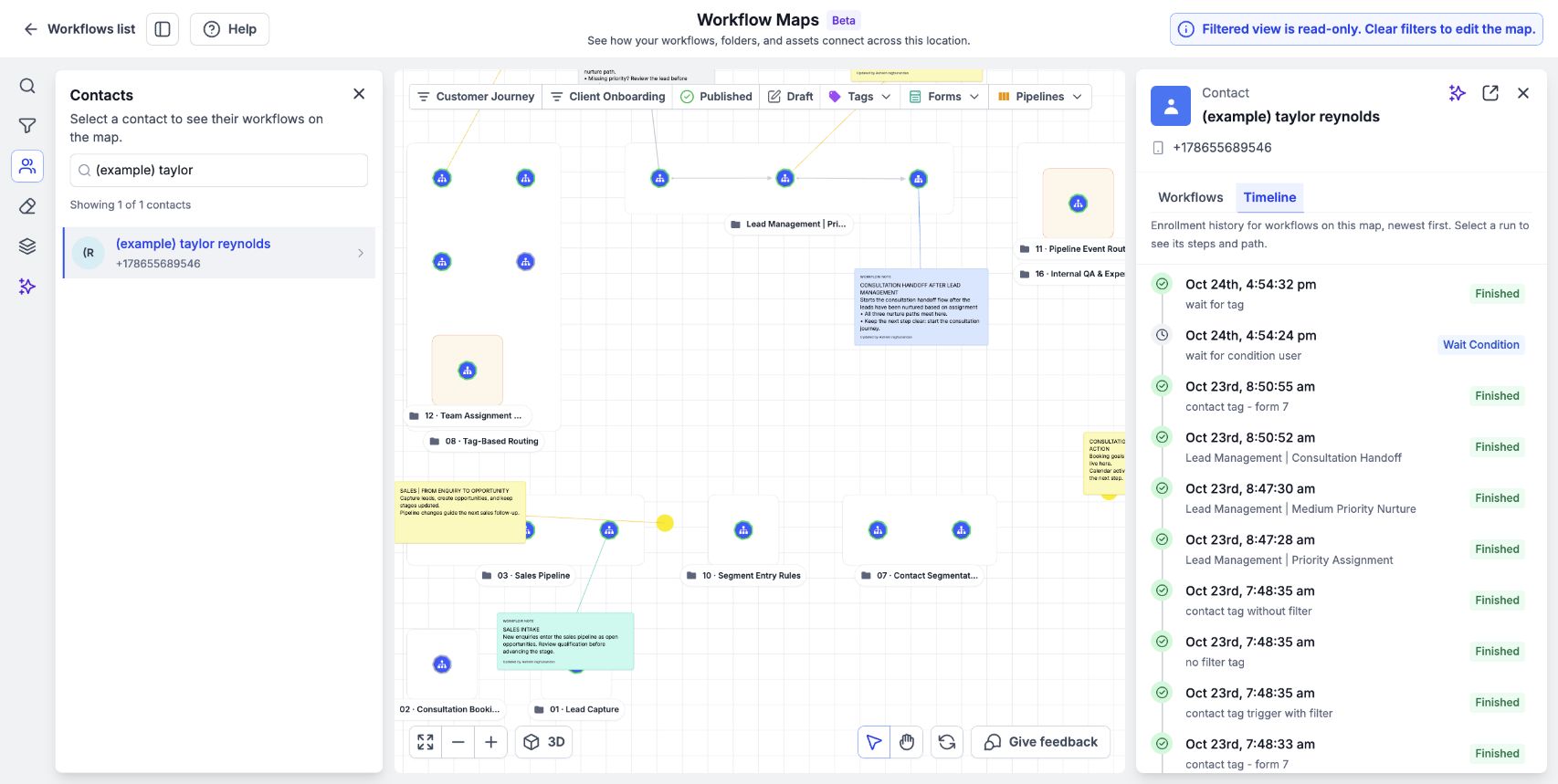
The Timeline tab shows the sample contact’s workflow history and execution statuses in order.
Open the step or execution
- Click a workflow in the contact’s history to see the step the contact reached.
- Click a step to open the workflow at that exact execution.
- Inspect the execution details to investigate the behavior you are checking.
For example, if a contact asks about an unexpected email, locate the relevant workflow and inspect the execution rather than relying only on the map’s configured connections.
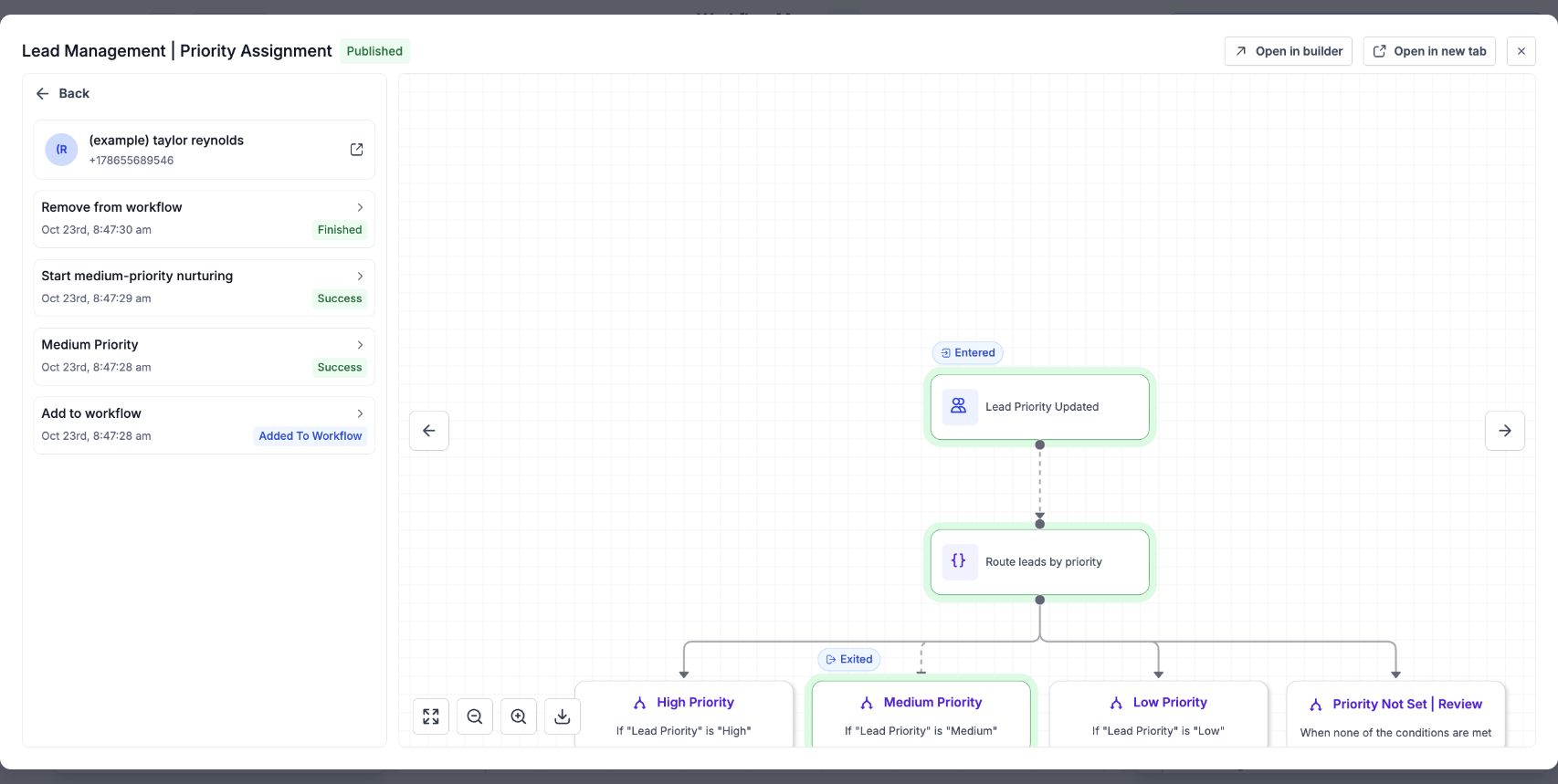
Select an execution to inspect the contact’s completed steps and highlighted path in the workflow preview.
Frequently Asked Questions
Q: How far back can I trace a contact?
Contact history covers the last 60 days.
Q: Can I search using an email address or phone number?
Yes. Search supports name, email, and phone.
Q: Can I see where the contact is waiting?
History identifies waiting workflows. Click the workflow to see the step the contact reached.
Q: How do I open the exact execution?
Click the relevant step in the contact’s workflow history.