
How to Use Ask AI Computer in Chat To Clients CRM
Ask AI Computer gives Ask AI its own private cloud computer to browse websites, run commands, and work with files. Instead of only answering questions, Ask AI can perform multi-step tasks while you watch its progress. You can take control of the desktop whenever needed and hand it back to the assistant. This guide introduces Ask AI Computer, its key capabilities, and how to get started in Chat To Clients CRM.
Table of Contents
What is Ask AI Computer?
Ask AI Computer is a private cloud-based computer that allows Chat To Clients CRM's Ask AI assistant to interact with websites, use desktop tools, and complete tasks on your behalf.
Each user receives a cloud machine with a separate desktop for every sub-account they work in. The computer includes a Chrome browser, terminal, and file manager for working with websites, commands, and documents.
You can describe what you want to accomplish in the dedicated Computer chat. Ask AI then performs the necessary actions, displays its progress, and returns the results in your conversation.
Unlike the AI Browser Control extension, Ask AI Computer operates on its own cloud desktop rather than controlling a browser session on your device.
Key Benefits of Ask AI Computer
Ask AI Computer combines conversational assistance with real desktop interactions. It helps you complete tasks involving websites, files, and computer tools while keeping you informed and in control.
Complete tasks through conversation: Describe what you need in plain language, and Ask AI carries out the task using its computer.
Work directly with websites: Ask AI can open pages, navigate websites, and interact with online tools, including services without direct integrations.
Watch tasks in real time: Follow the assistant's progress through the conversation and live computer preview.
Take control whenever needed: Switch from AI control to manual interaction, then hand the computer back to continue.
Work with files and documents: Use the computer's file manager, browser, and terminal to process information and generate downloadable files.
Sign in securely: Private sign-in forms and encrypted Secure Store logins help keep credentials out of chat conversations.
Maintain separate workspaces: Each user's machine has separate desktops for their sub-accounts.
Prerequisites and Limitations
Ask AI Computer requires an eligible Chat To Clients CRM sub-account and operates within defined storage, security, and access limits. Review these requirements before starting a task.
Availability: Ask AI Computer is available within sub-accounts with Ask AI Level Up.
Access controls: Agencies can manage Computer availability at the agency, sub-account, and individual user levels. Agency admins retain access.
File size: Individual uploaded or downloaded files can be up to 25 MB.
Storage: Each user has 15 GB of storage across all sub-accounts.
Network access: Computer can access the public internet but cannot access private networks or internal cloud services.
Approvals: Sensitive actions and tool installations may require your approval before Computer proceeds.
How To Setup Ask AI Computer
Getting started with Ask AI Computer begins in the Ask AI workspace. You can open the dedicated Computer chat, turn on the cloud computer, and describe the task you want it to perform.
Step 1: Open Ask AI Computer
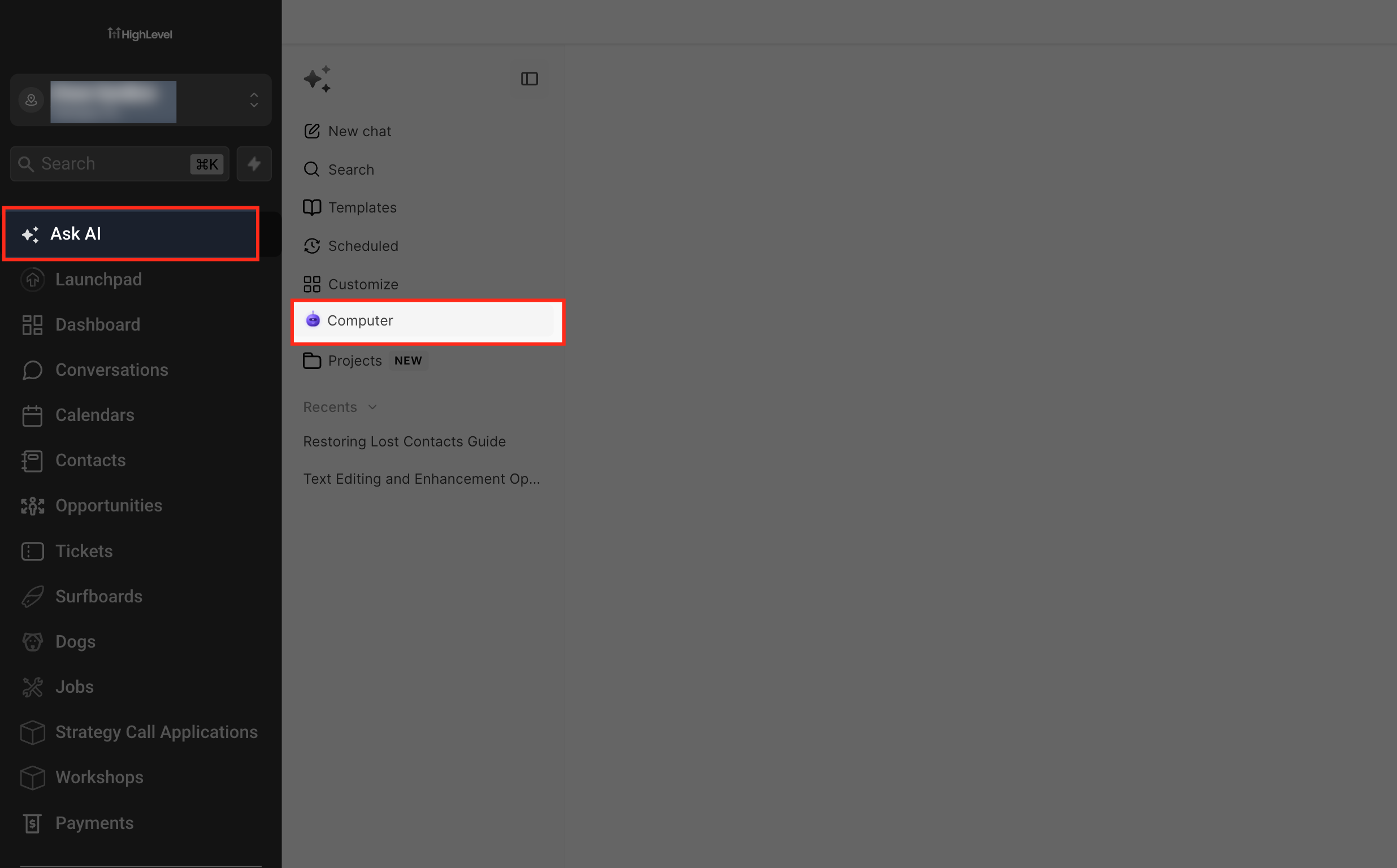
From the Sub-Account view, select Ask AI in the left navigation menu.
In the Ask AI sidebar, select Computer.
Step 2: Turn On the Computer
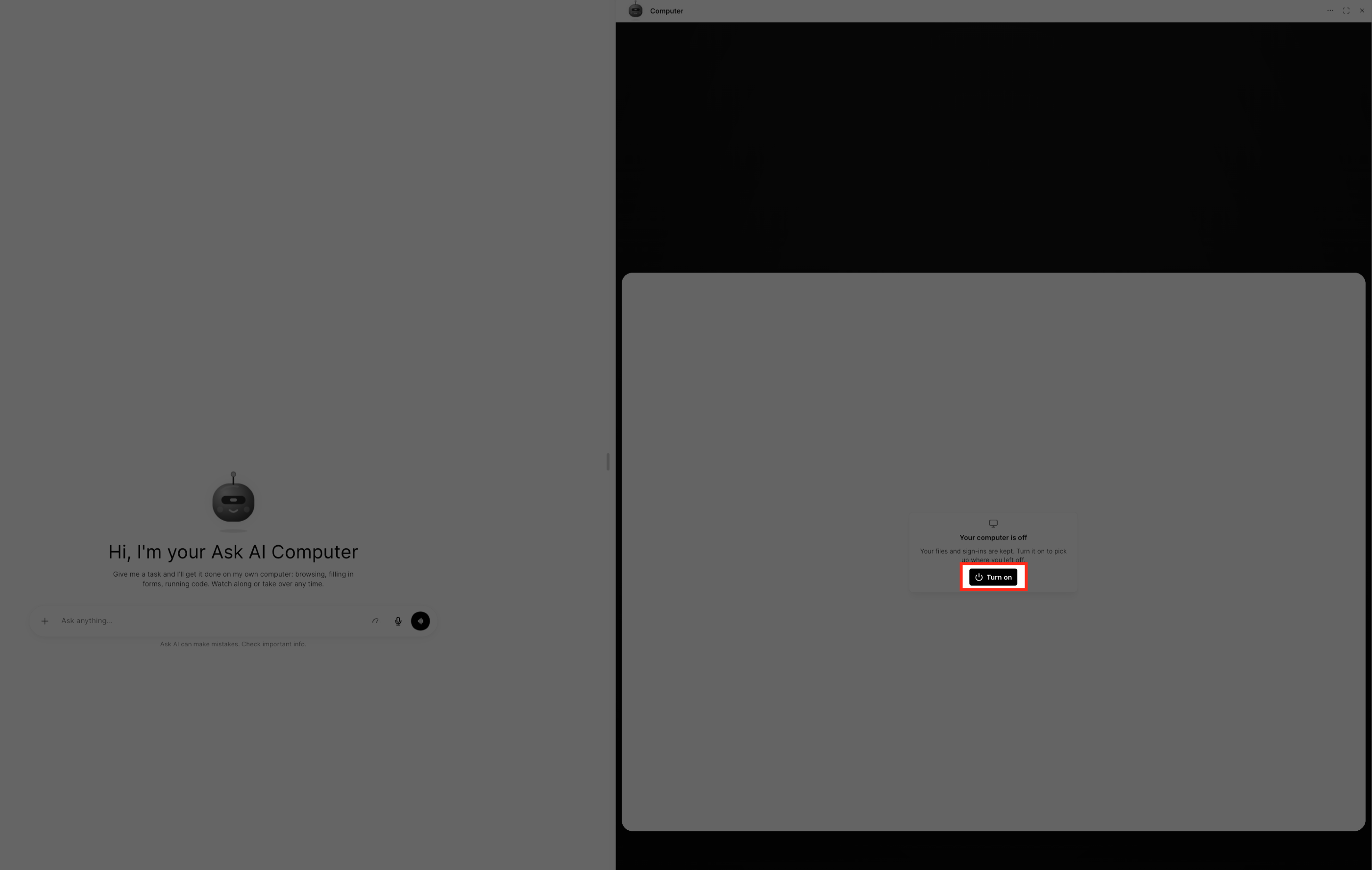
The Computer chat opens with the desktop preview.
If the preview displays Your computer is off, click Turn on to start the computer.
Step 3: Enter Your Task
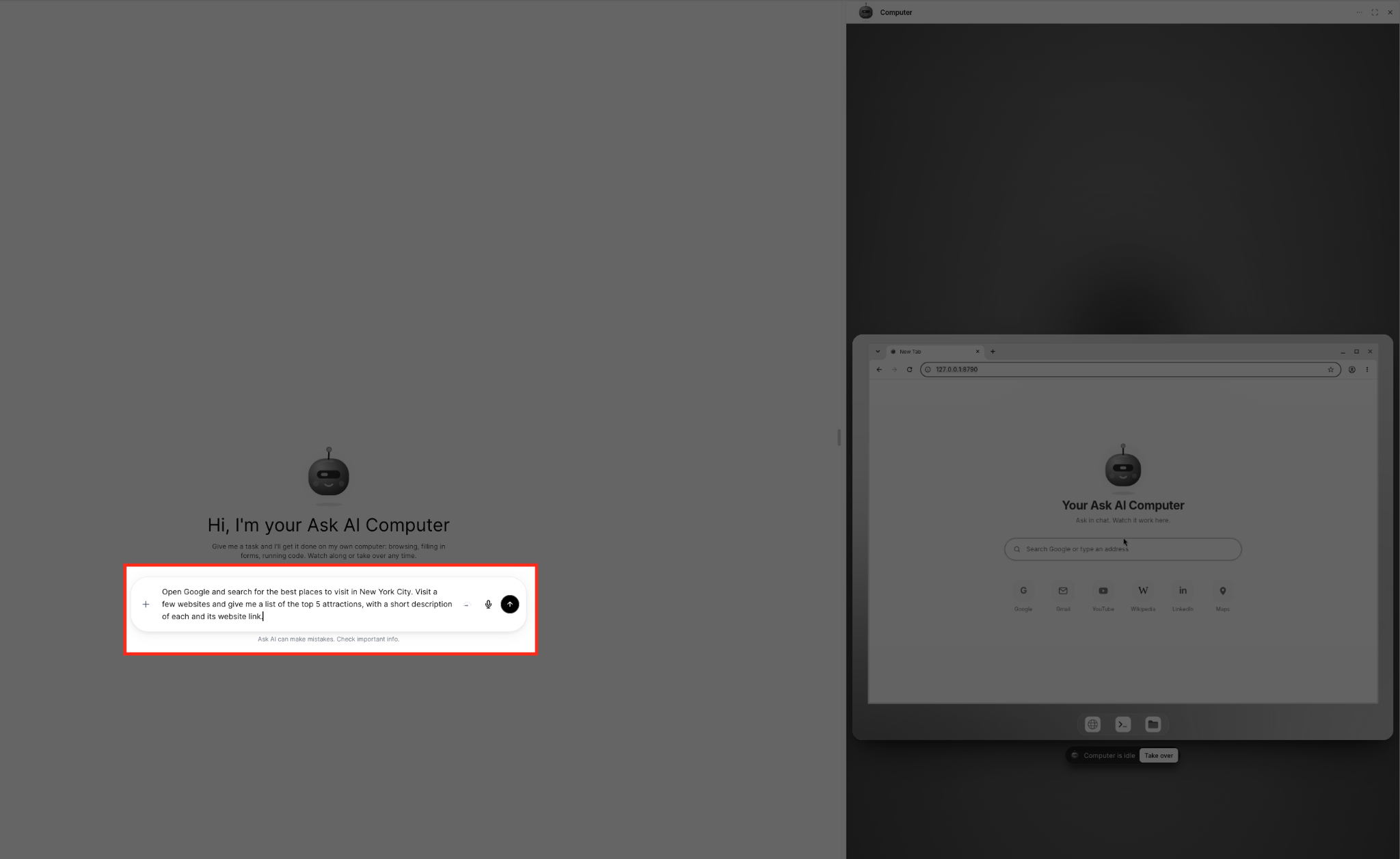
In the Computer chat, click the Ask anything input field.
Describe what you want Ask AI Computer to do.
Click the send arrow to submit the task.
Open Google and search for the best places to visit in New York City. Visit a few websites and give me a list of the top five attractions with a short description and website link for each.
Step 4: Watch the Computer Work
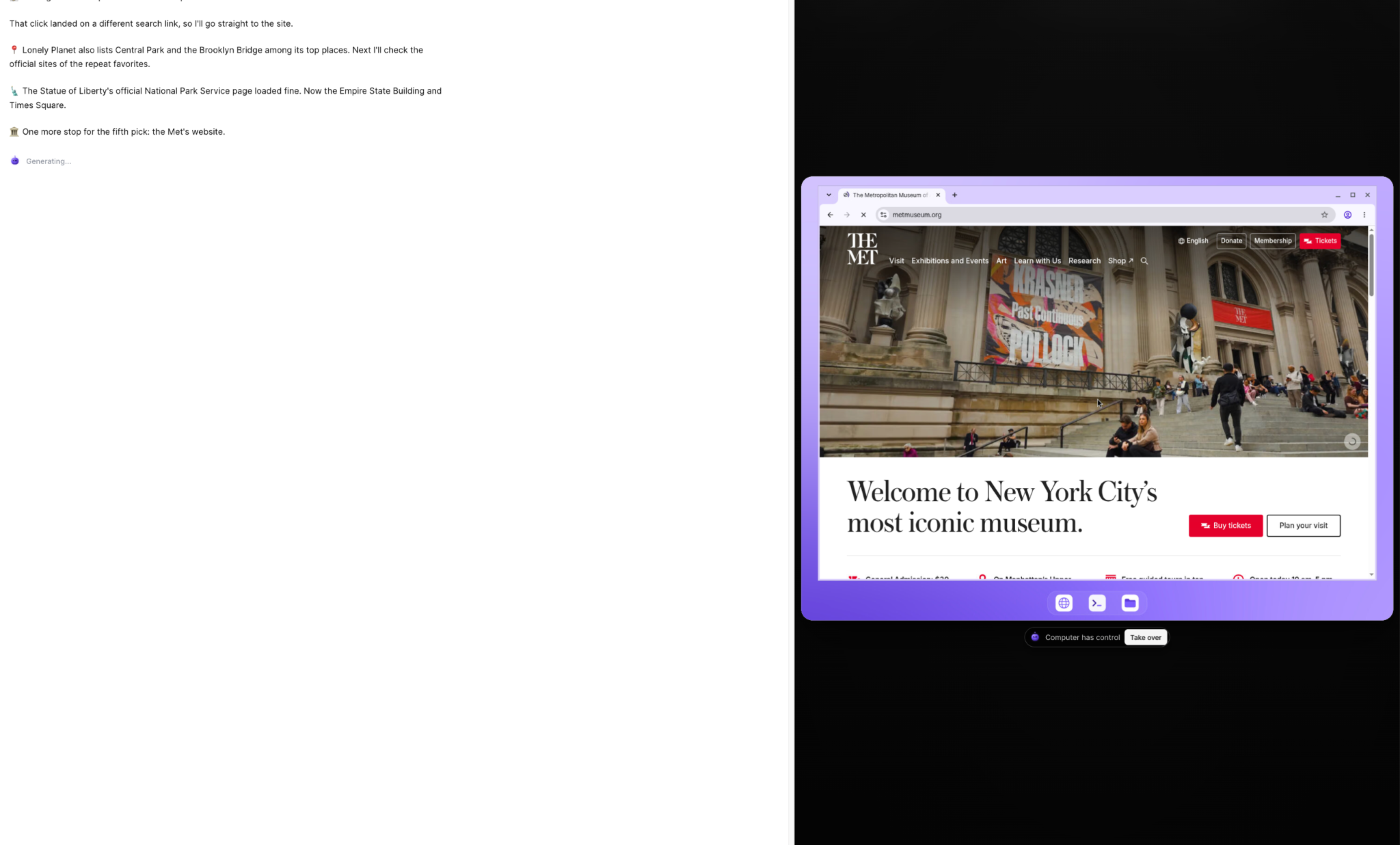
Ask AI Computer begins working on the task.
Follow its progress in the conversation while watching the browser operate in the live preview.
When the task finishes, review the response and any links or files provided.
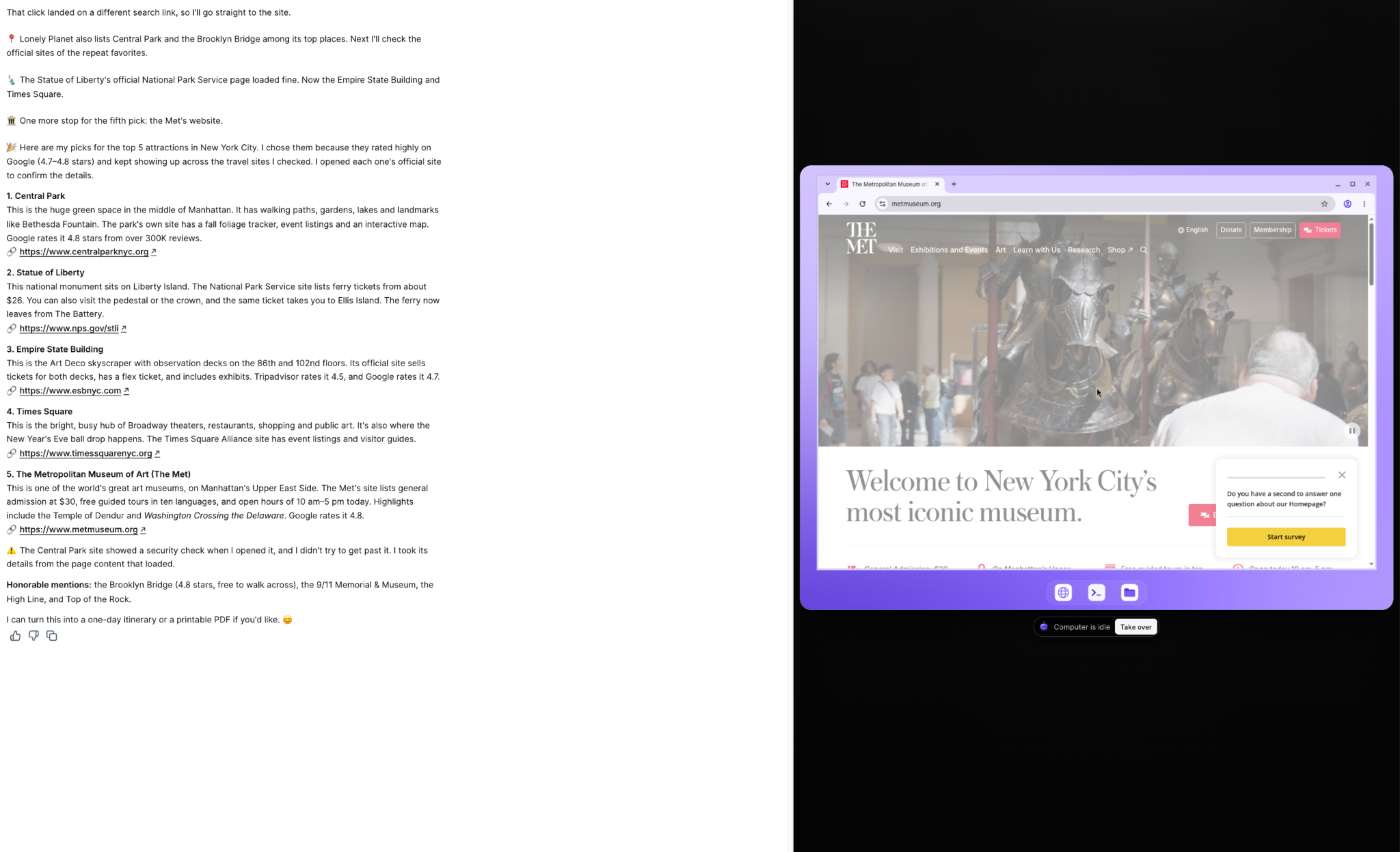
How Ask AI Computer Works
Ask AI Computer uses its cloud desktop to carry out tasks based on your instructions. Its live preview, desktop tools, and control options let you follow its activity and interact with the computer when necessary.
Live Computer Preview
The computer preview displays the desktop while Ask AI works. You can watch websites open, observe browser activity, and see the computer interact with available tools.
The control status helps you understand who is operating the computer:
Computer has control: Ask AI is controlling the desktop.
You're in control: You have taken control of the desktop.
Computer is idle: The computer is not actively performing a task.
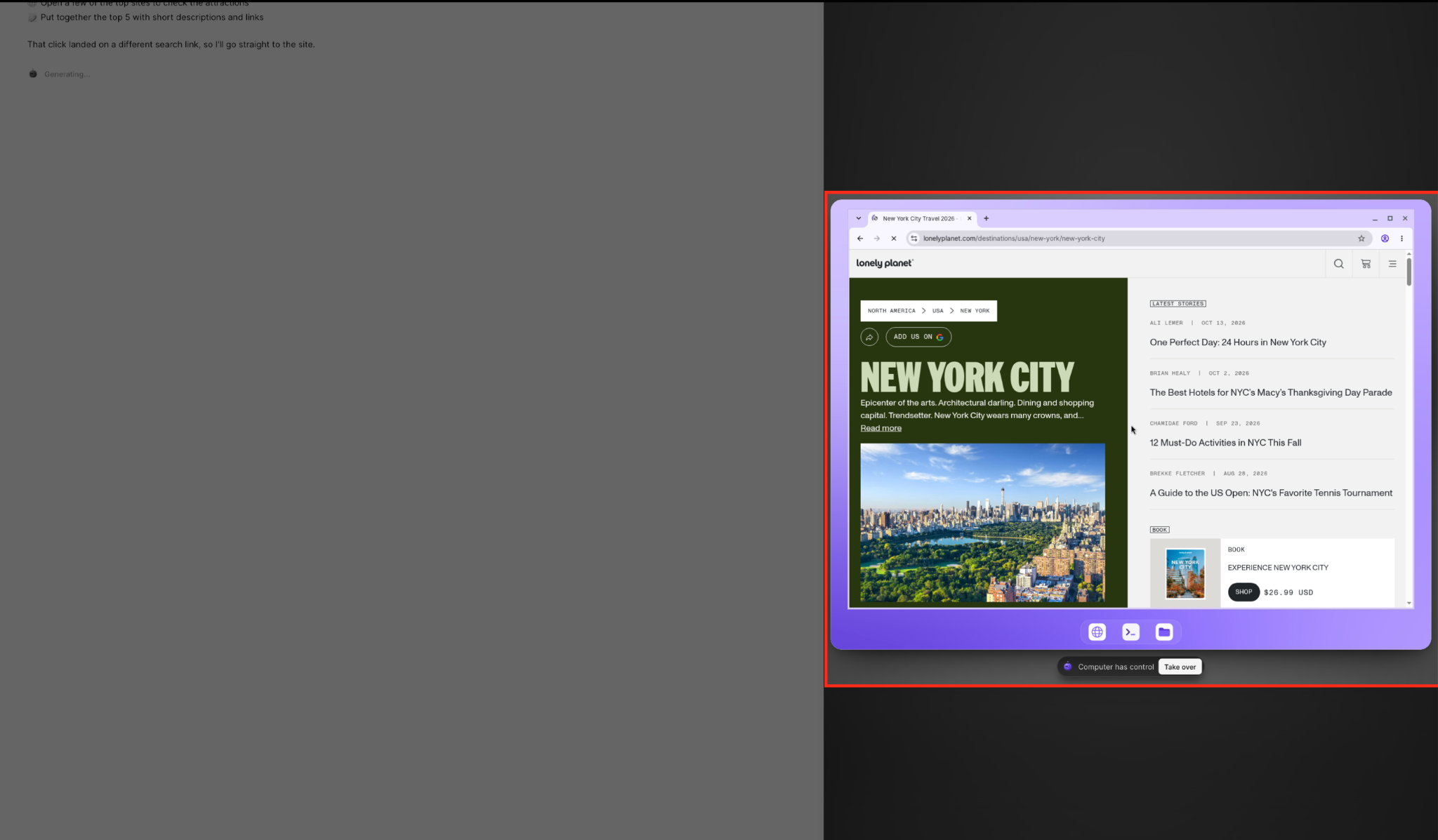
Take Over and Hand Back Control
You can interact with the computer directly when you want to perform an action yourself.
From the Sub-Account view, select Ask AI in the left navigation menu.
Select Computer in the Ask AI sidebar.
In the live computer preview, click Take over.
The status changes to You're in control.
Use the browser or other desktop tools as needed.
Click Hand back to return control to Ask AI.
Ask AI can continue working from where you left off after control is returned.
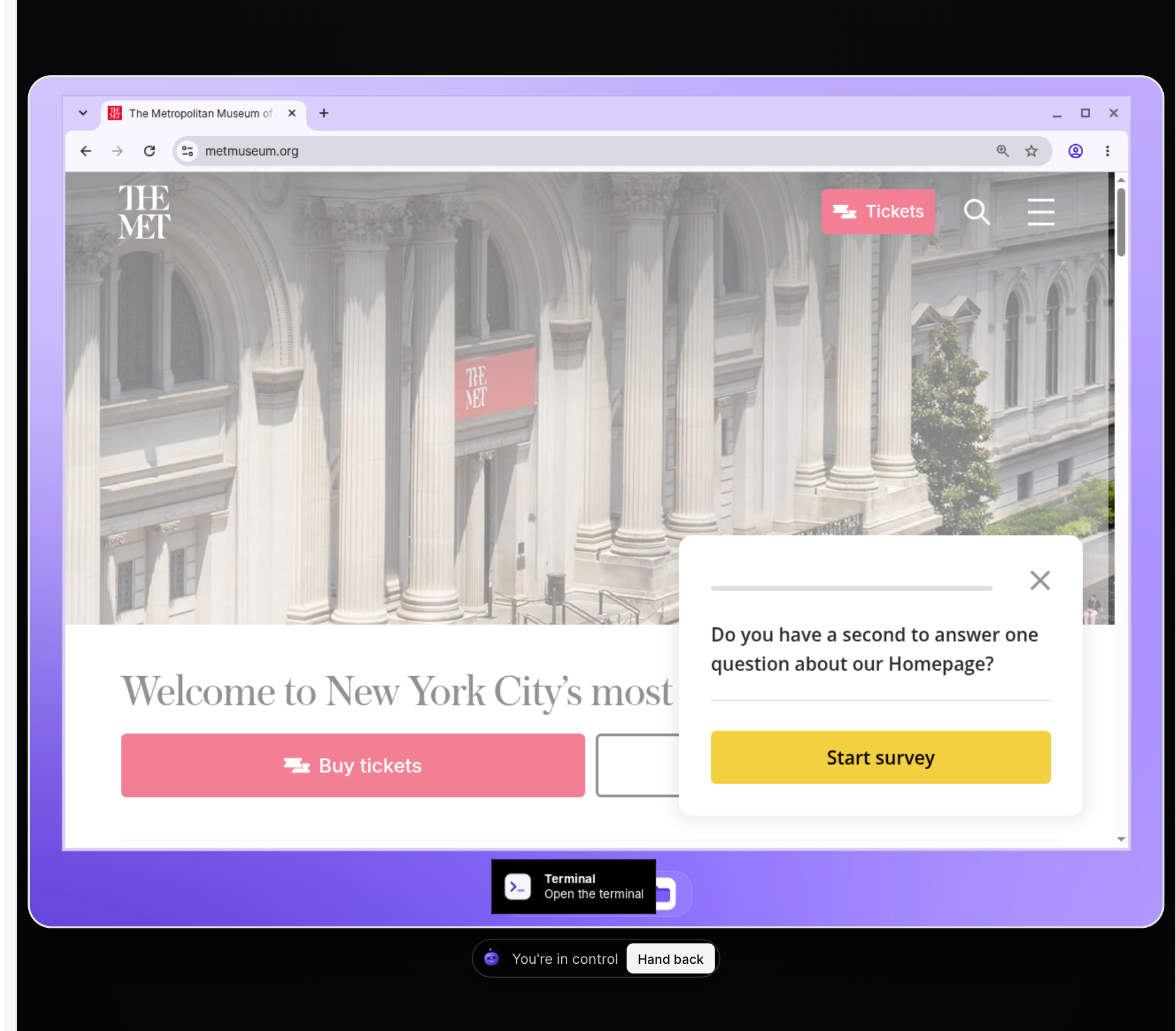
Browser, Terminal, and Files
The computer desktop includes three tools accessible from the toolbar at the bottom of the preview:
Browser: Open and interact with websites using Chrome.
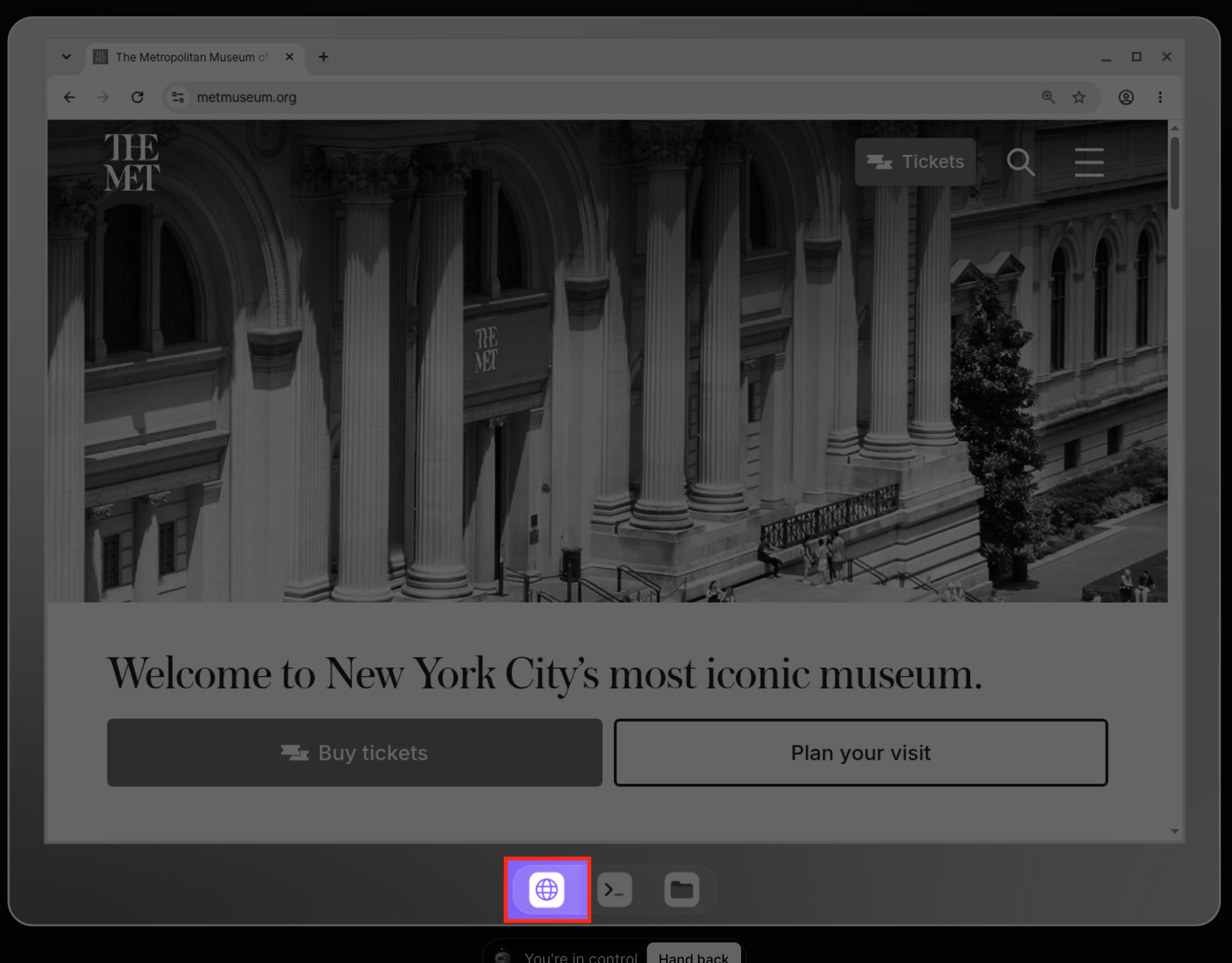
Terminal: Execute commands and work with scripts or command-line tools.
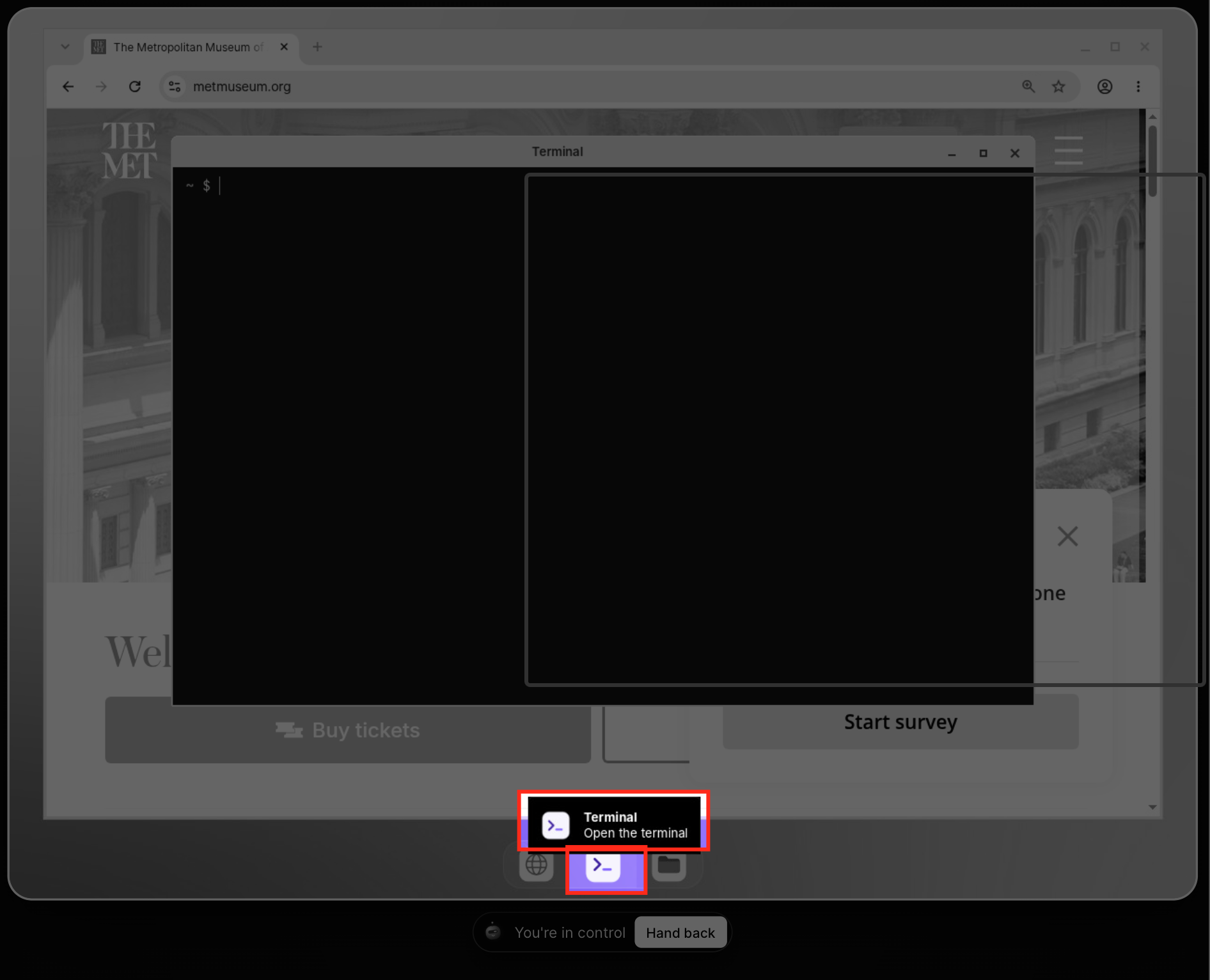
Files: Access the file manager, including the Downloads, uploads, and workspace folders.
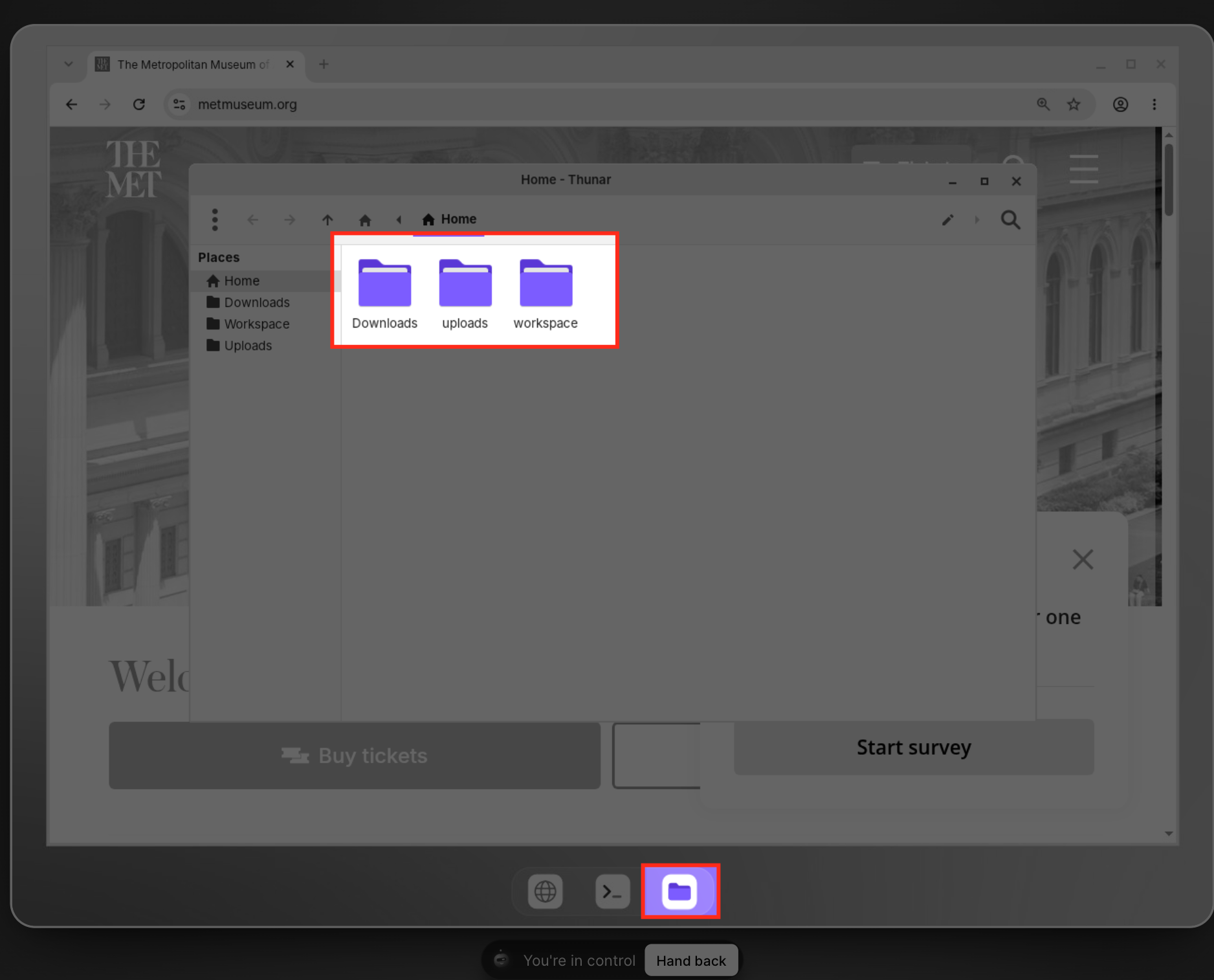
These tools allow Computer to carry out tasks that involve more than browsing websites.
Frequently Asked Questions
Q: What happens when Ask AI Computer is inactive?
Computer sleeps after 15 minutes of inactivity and wakes when needed.
Q: Can Ask AI Computer open PDFs and local files?
Yes. Computer can open PDF documents and local files in its browser.
Q: Can I install additional tools on Ask AI Computer?
Yes. Computer supports Python packages, Node tools, and command-line utilities. Each installation requires your approval, and installed tools remain available for future tasks.
Q: What if a website requires a one-time verification code?
You can take over the computer, enter the verification code directly on the website, and hand control back so Ask AI can continue.