
AI Receptionist and Google Organic Booking in Field Services
Field Services includes two connections that help you win and answer customers outside your booking page: an AI receptionist that answers questions about your services, prices and service areas and takes requests from customers, and Google organic booking that lets customers find and book you from Google. This article explains both.
Note: Field Services is currently in private beta and is available to selected accounts. Both features are still being expanded.
In this article
- AI receptionist
- How to create an AI receptionist
- Google organic booking
- Frequently asked questions
- Related articles
AI receptionist
The AI receptionist is an AI agent that answers questions from your customers about your services, prices and service areas, and takes requests from them, so new work is captured even when your team is busy. In the private beta it handles chat, including SMS, web chat and social messages.
How to create an AI receptionist
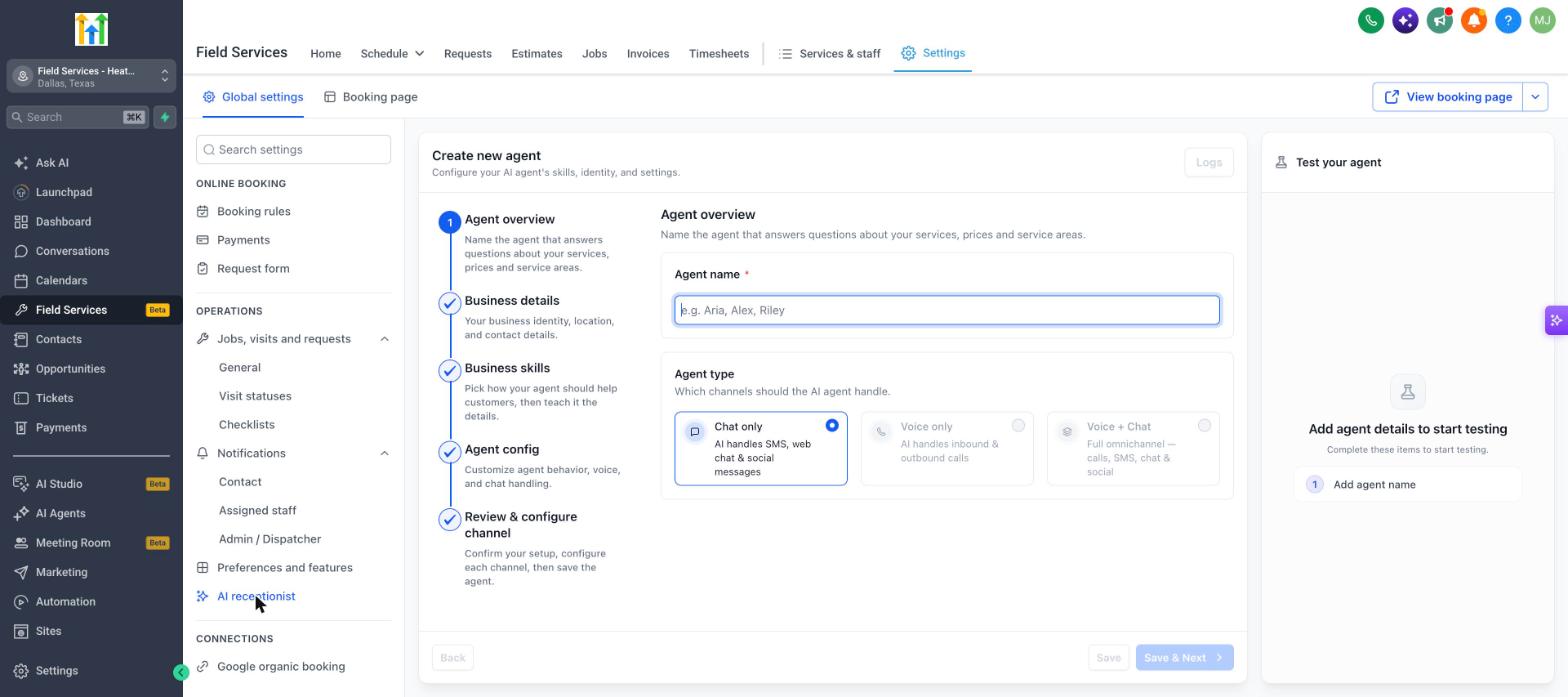
- Go to Field Services > Field Services Settings > Global settings.
- Under Operations, click AI receptionist.
- Follow the five steps in Create new agent.
- Click Save & Next to move through the steps.
| Step | What you do |
|---|---|
| Agent overview | Give the agent a name, such as Aria or Riley, and choose the Agent type. Chat only is available now. Voice only and Voice + Chat are not yet available. |
| Business details | Add your business identity, location and contact details. |
| Business skills | Pick how the agent should help customers, then teach it the details. |
| Agent config | Customize the agent's behavior, voice and chat handling. |
| Review & configure channel | Confirm your setup, set up each channel, then save the agent. |
Use the Test your agent panel on the right to try the agent before you turn it on. Click Logs to review past conversations.
Google organic booking
Google organic booking lets customers book you directly from your Google Business Profile.
- Go to Field Services > Field Services Settings > Global settings.
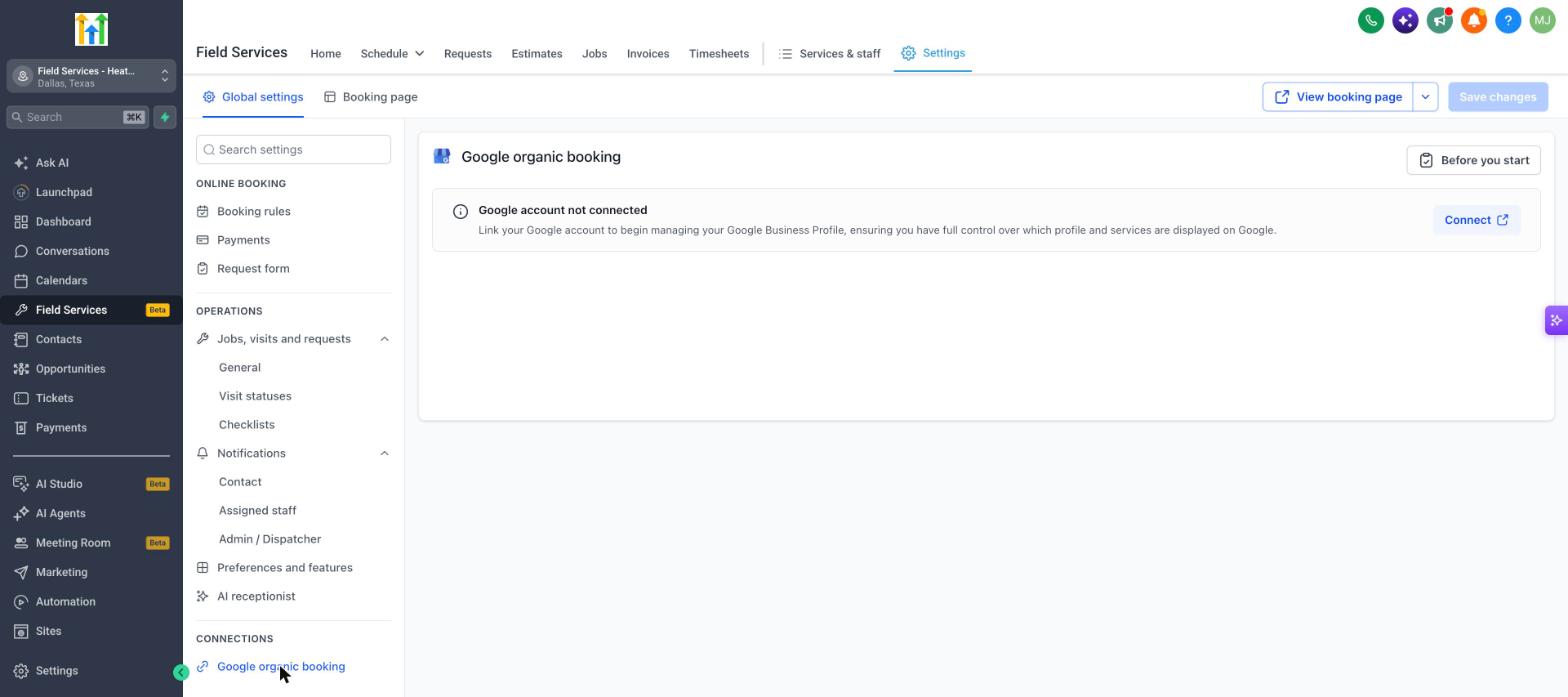
- Under Connections, click Google organic booking.
- Click Before you start to see what you need.
- Click Connect and sign in with the Google account that manages your Google Business Profile.
- Choose the profile and the services to show on Google.
Until you connect, the page shows Google account not connected.
Frequently asked questions
Can the AI receptionist take requests, not just answer questions?
Yes. Besides answering questions, it can take requests from customers in chat so your team can follow up.
Does the AI receptionist take calls?
Not yet. Voice agents are planned. Today it answers chat messages.
Do I need a Google Business Profile?
Yes. Google organic booking works with a Google Business Profile that you own or manage.
Will customers who book from Google use my booking rules?
Bookings follow your service areas, services and staff availability.