
Field Services Settings: Jobs, Visits and Preferences
Operations settings shape how your team works day to day: how requests, jobs and visits are named, how visit times are shown to customers, the labels you use for visit statuses, your checklists, your notifications, and which features are turned on. This article gives an overview of these settings and links to the detailed articles.
Note: Field Services is currently in private beta and is available to selected accounts. Features and screens may change as we improve them.
In this article
- Where to find operations settings
- General: titles, arrival window and archive reasons
- Visit statuses, checklists and notifications
- Preferences and features
- Frequently asked questions
- Related articles
Where to find operations settings
- Go to Field Services > Field Services Settings.
- Stay on the Global settings tab.
- Under Operations, open Jobs, visits and requests, Notifications or Preferences and features.
General: titles, arrival window and archive reasons
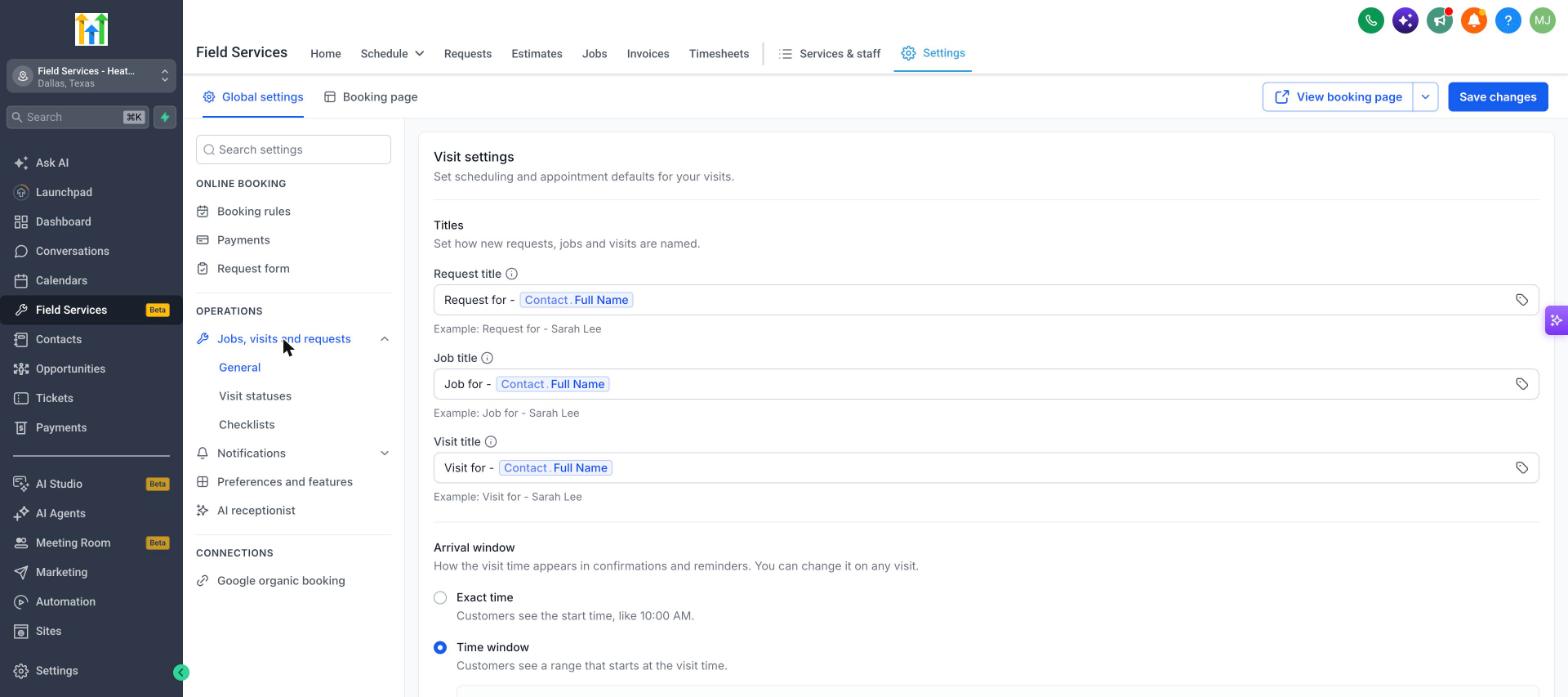
Open Jobs, visits and requests > General.
Titles
Set how new requests, jobs and visits are named. Each of Request title, Job title and Visit title can mix your own text with merge fields. By default each one uses the Contact's full name, for example Sarah Lee. Click the tag icon to insert a merge field.
Arrival window
Choose how the visit time appears in confirmations and reminders. You can change it on any visit.
| Option | What customers see |
|---|---|
| Exact time | The start time, like 10:00 AM. |
| Time window | A range that starts at the visit time. |
Request archive reasons
Define the reasons your staff can pick when they archive a request without converting it. Click Add reason to add one. You can have up to 8 reasons.
Visit statuses, checklists and notifications
These settings have their own articles:
| Setting | What it does | Learn more |
|---|---|---|
| Visit statuses | Manage the labels for each visit state. | Visit Statuses in Field Services |
| Checklists | Build reusable checklists for your staff. | Checklists, Notes and Forms in Field Services |
| Notifications | Turn on messages for Contacts, assigned staff and admins or dispatchers. | Notifications in Field Services |
Preferences and features
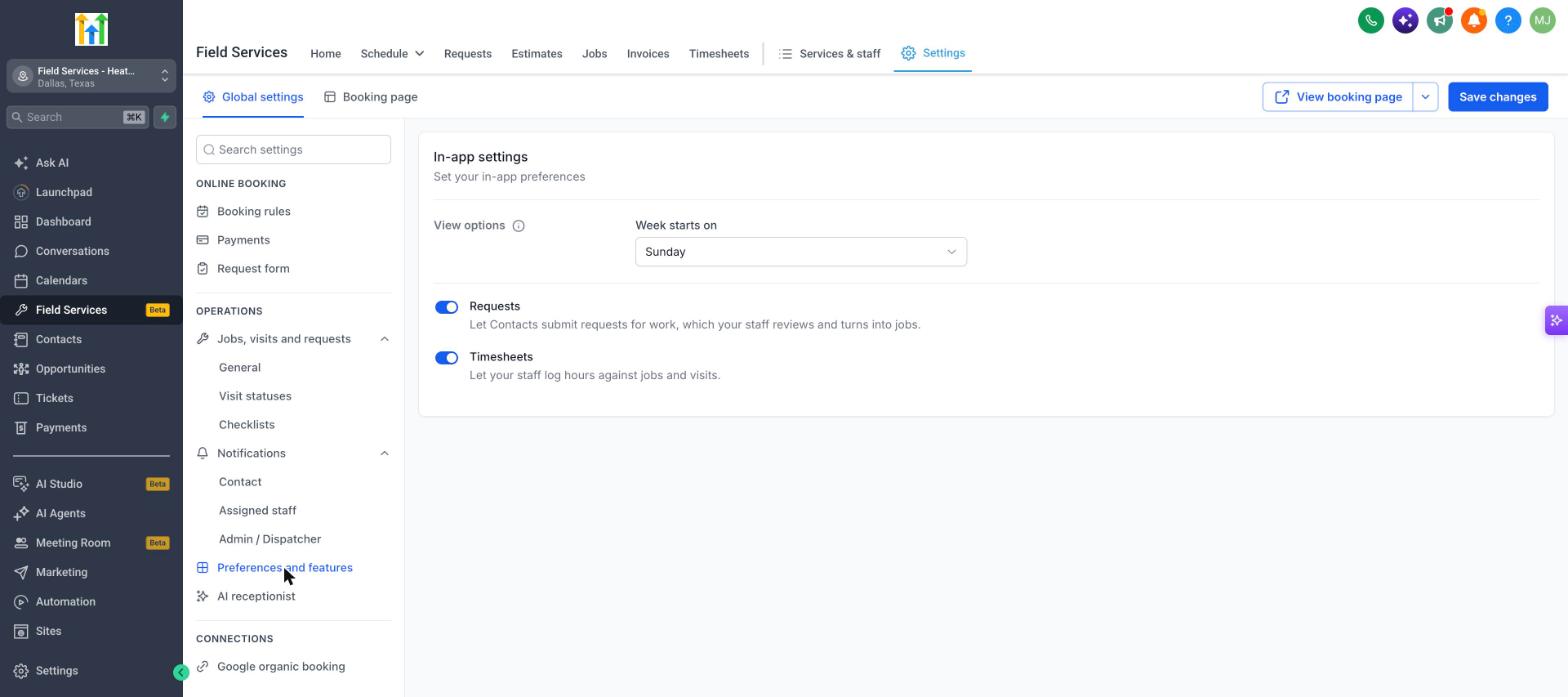
Open Preferences and features to set your in-app preferences.
| Setting | What it does |
|---|---|
| Week starts on | Choose the first day of the week for the calendar and other weekly views. The default is Sunday. |
| Requests | Let Contacts submit requests for work, which your staff reviews and turns into jobs. See Requests in Field Services. |
| Timesheets | Let your staff log hours against jobs and visits. See Timesheets in Field Services. |
Click Save changes to keep your settings.
Frequently asked questions
Can I change the default titles later?
Yes. Changing a title format affects new requests, jobs and visits. Existing ones keep their titles.
Where is the setting for customer-facing booking times?
In Online booking > Booking rules. See Field Services Settings: Online Booking.