
Visit Statuses in Field Services
Visit statuses keep everyone on the same page about where each visit stands. Field Services groups them into six fixed states, and you can create your own labels inside each state to match the way your team talks.
Note: Field Services is currently in private beta and is available to selected accounts. Features and screens may change as we improve them.
In this article
- What are visit statuses?
- The six visit states
- How to change a visit's status
- How to manage status labels
- How visit statuses affect jobs
- Frequently asked questions
- Related articles
What are visit statuses?
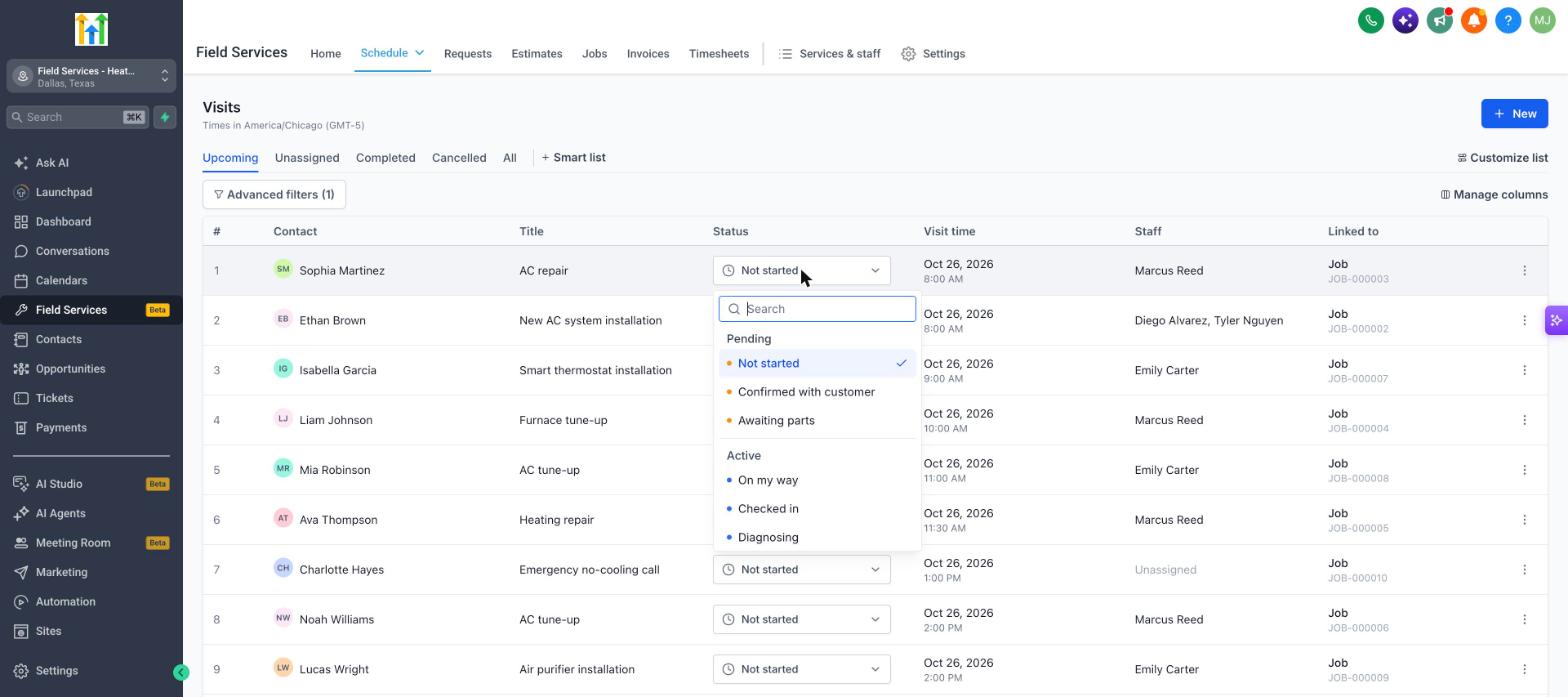
Every visit has a status label, such as Not started, On my way, Checked in or Completed. Each label belongs to one of six states. The state is what Field Services and other tools use for reporting and logic. The label is the name your team sees.
The six visit states
The states are fixed and cannot be changed.
| State | Meaning | Default labels |
|---|---|---|
| Pending | Booked, not started yet. | Not started |
| Active | Staff are on the way or working. | On my way, Checked in |
| Completed | The work is finished. | Completed |
| No show | The customer was not there. | No show |
| Cancelled | The visit will not happen. | Cancelled |
| Invalid | Created by mistake. Left out of reports. | Invalid |
How to change a visit's status
- Open the visit from the calendar, the visits list or a job.
- Use the Status dropdown at the bottom of the visit panel, or the Status column in the visits list.
- Select the new status. The list is grouped by state.
How to manage status labels
- Go to Field Services > Field Services Settings > Global settings.
- Under Operations, open Jobs, visits and requests and click Visit statuses.
- Click a state to expand it and see its labels.
- Click New status to add a label to that state, or drag the handle next to a label to reorder it.
- Click Save changes.
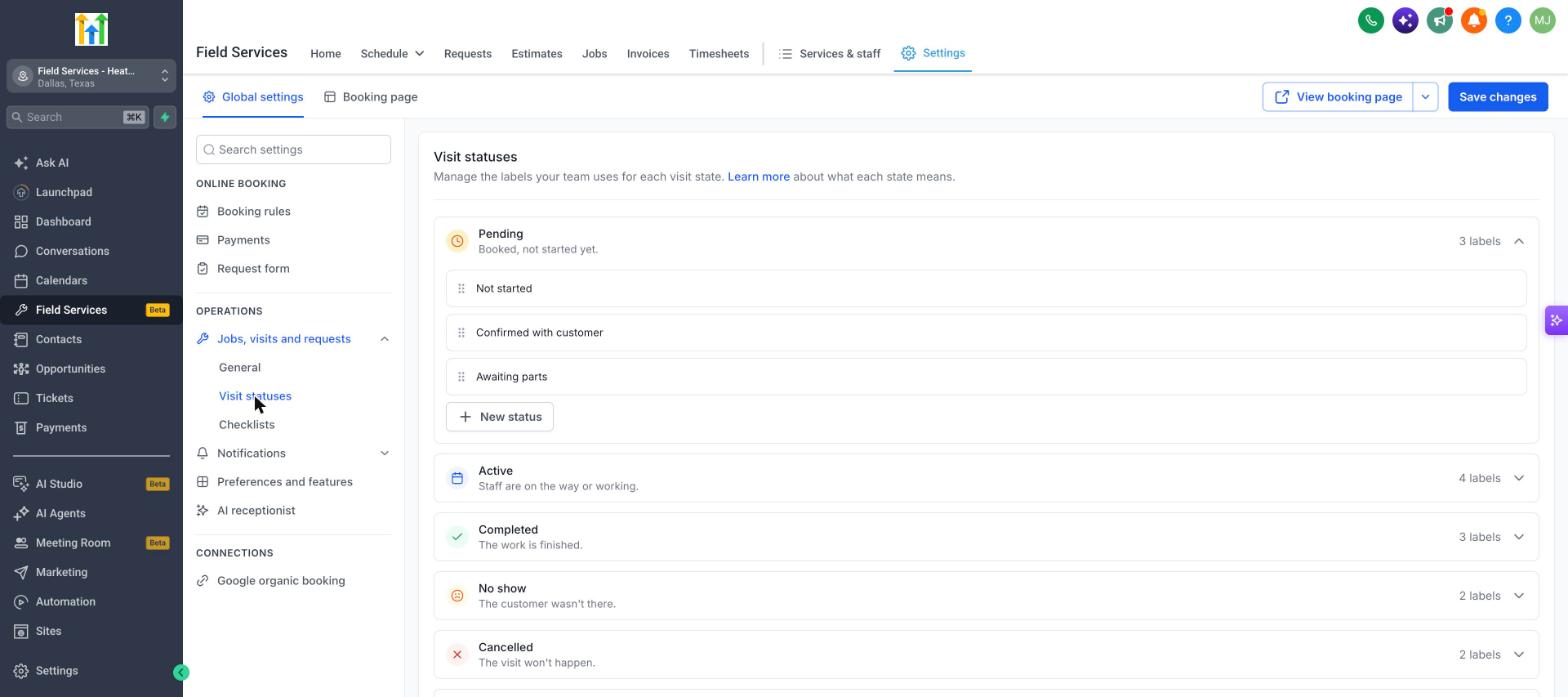
For example, a plumbing company might add the labels Technician assigned, On the way, Job started and Work completed under Pending and Active.
How visit statuses affect jobs
A job's status is worked out from its visits. For example:
- A job with no scheduled visits is Unscheduled.
- A job with a scheduled visit is Scheduled.
- A job with a visit in progress is In progress.
Your custom labels roll up to their state, so you can rename labels without changing how jobs behave. Visits set to Invalid are left out of reports. See Jobs in Field Services.
Frequently asked questions
Can I change the six states?
No. The states are fixed. You can add, rename and reorder labels inside each state.
Do custom labels show to customers?
Status labels are for your team. Customers receive the notifications you set up, for example Staff en route and Visit completed. See Notifications in Field Services.
What happens if I mark a visit completed while a timer is running?
If Timesheets is turned on, you are warned that a timer is still running so you can stop it. See Timesheets in Field Services.