
How to Set Up API Call Actions in Chat To Clients CRM Conversation AI
API Call actions let Chat To Clients CRM Conversation AI agents retrieve real-time information from external systems during customer conversations. Connect order management systems, inventory databases, booking platforms, or custom applications to provide accurate, personalized responses without manual lookups.
TABLE OF CONTENTS
- What is API Call for Conversation AI?
- Key Benefits of API Call for Conversation AI
- API Call Trigger Conditions
- HTTP Request Configuration and Dynamic Variables
- Authentication and Credential Security
- Output Fields and Post-Action Prompts
- Testing and Monitoring API Calls
- Managing API Call Actions Through the Public API
- How to Set Up API Call for Conversation AI
- Frequently Asked Questions
- Related Articles
What is API Call for Conversation AI?
API Call allows Conversation AI agents to send requests to external HTTPS endpoints and use the returned information in their replies. When a customer request meets a configured trigger condition, the agent retrieves relevant data from the connected system. For example, an agent can look up an order number provided by a customer and respond with the latest order status.
Key Benefits of API Call for Conversation AI
API Call helps agents provide timely, relevant information by connecting conversations to external business systems.
Real-Time Information: Retrieve current order statuses, inventory, booking details, and other business data.
Automated Lookups: Reduce manual work by retrieving information during conversations.
Dynamic Parameters: Populate API requests using information collected from customers.
Secure Authentication: Store authentication credentials with write-only protection.
Custom Responses: Control which API results the agent uses and how it communicates them.
Testing and Monitoring: Test requests and review API Call activity in conversations and dashboard reporting.
API Call Trigger Conditions
Trigger conditions tell the agent when to execute an API Call. Clear instructions help ensure the action runs for relevant customer requests.
Example Trigger Condition:
"Use this action when a customer asks about an existing order and provides an order number. Retrieve the latest order status using the provided number."
For best results, specify when the action should run and what information is required.
HTTP Request Configuration and Dynamic Variables
API Call actions support configurable HTTPS endpoints, headers, query parameters, and request body templates. Dynamic {{variable}} placeholders allow the agent to populate requests using conversation information.
Example Request Body:
{
  "order_id": "{{order_id}}",
  "email": "{{customer_email}}"
}
For example, when a customer asks about order 12345, the agent can extract that value for the configured {{order_id}} parameter. Configure parameters according to the connected API's requirements.
Authentication and Credential Security
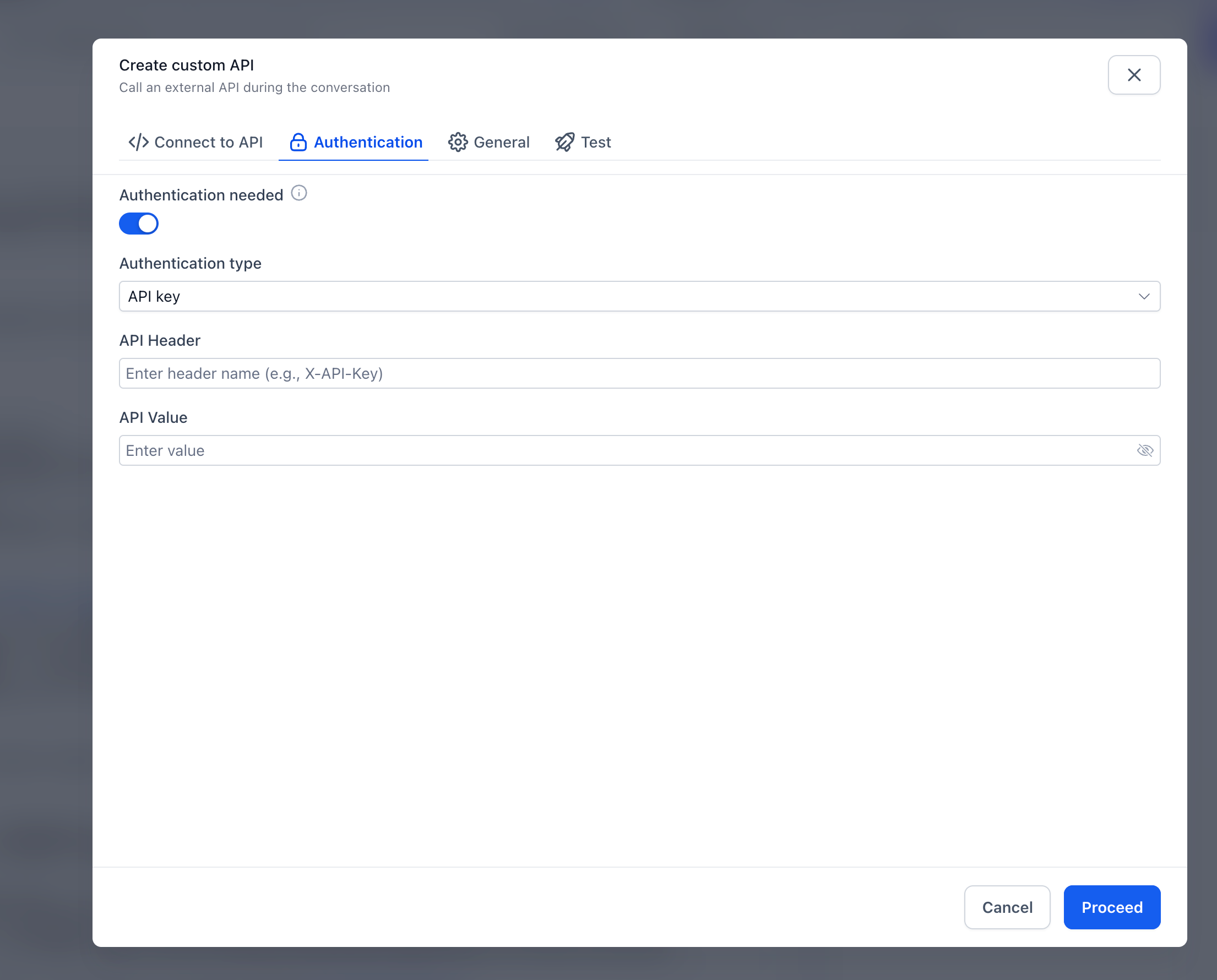
Authentication protects connections between Conversation AI and external systems. Each API Call action stores its authentication configuration separately, and secrets are write-only. Once saved, authentication secrets cannot be viewed again. Use credentials with appropriate permissions and avoid including sensitive information in prompts or unnecessary response fields.
Output Fields and Post-Action Prompts
Output fields determine which parts of an API response the agent can use. Post-action prompts guide how the agent communicates that information to customers. For example, an order-status API might return:
{
  "status": "Shipped",
  "estimated_delivery": "October 25, 2026"
}
Select the relevant output fields and configure a post-action prompt such as:
"Provide a friendly order update using the returned status and estimated delivery date. Do not invent missing information."
Example Response: "Your order has shipped! The estimated delivery date is October 25."
Testing and Monitoring API Calls
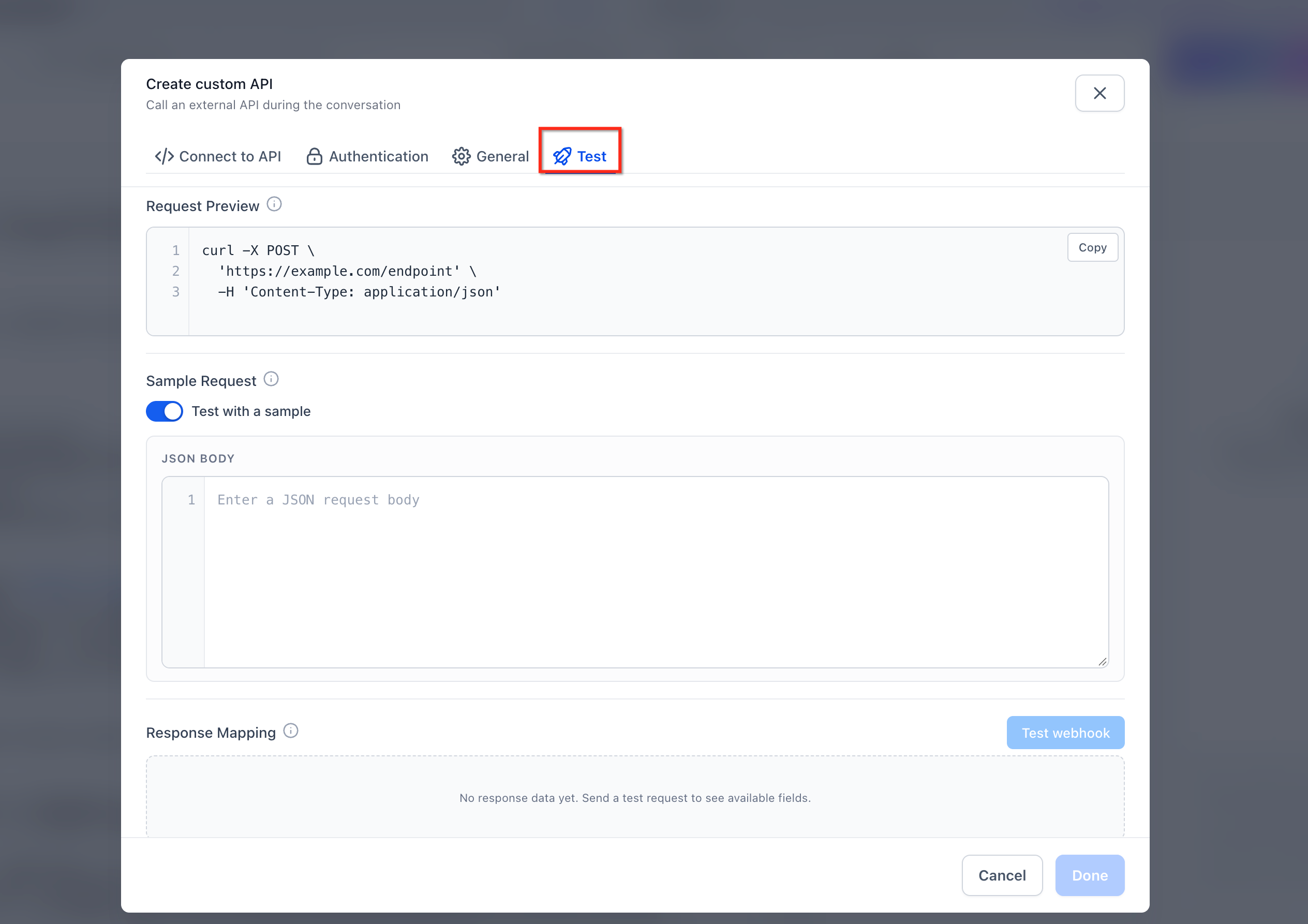
Testing helps confirm that your API configuration returns useful information before the agent handles live requests. The Test tab lets you execute a request and save a sample response, which is included in the agent's prompt context to help it understand the expected data structure.
API Call actions support a configurable timeout of up to 60 seconds. API Call activity is visible through:
Conversation action pills
AI Response Info drawer
API Calls card on the AI Employees dashboard
Managing API Call Actions Through the Public API
The Conversation AI Public API allows developers to create and update API Call actions programmatically. This helps teams manage agent configurations through their own systems.
Create: Include a trigger condition and HTTP configuration.
Update: Send only the fields that need to change.
For additional guidance, see Conversation AI Public API.
How to Set Up API Call for Conversation AI
Proper setup ensures the agent knows when to request external information, what data to send, and how to use the response.
Open Conversation AI: Navigate to AI Agents → Conversation AI and open your agent in Agent Builder.
Add an Action: Go to Actions → API Call.
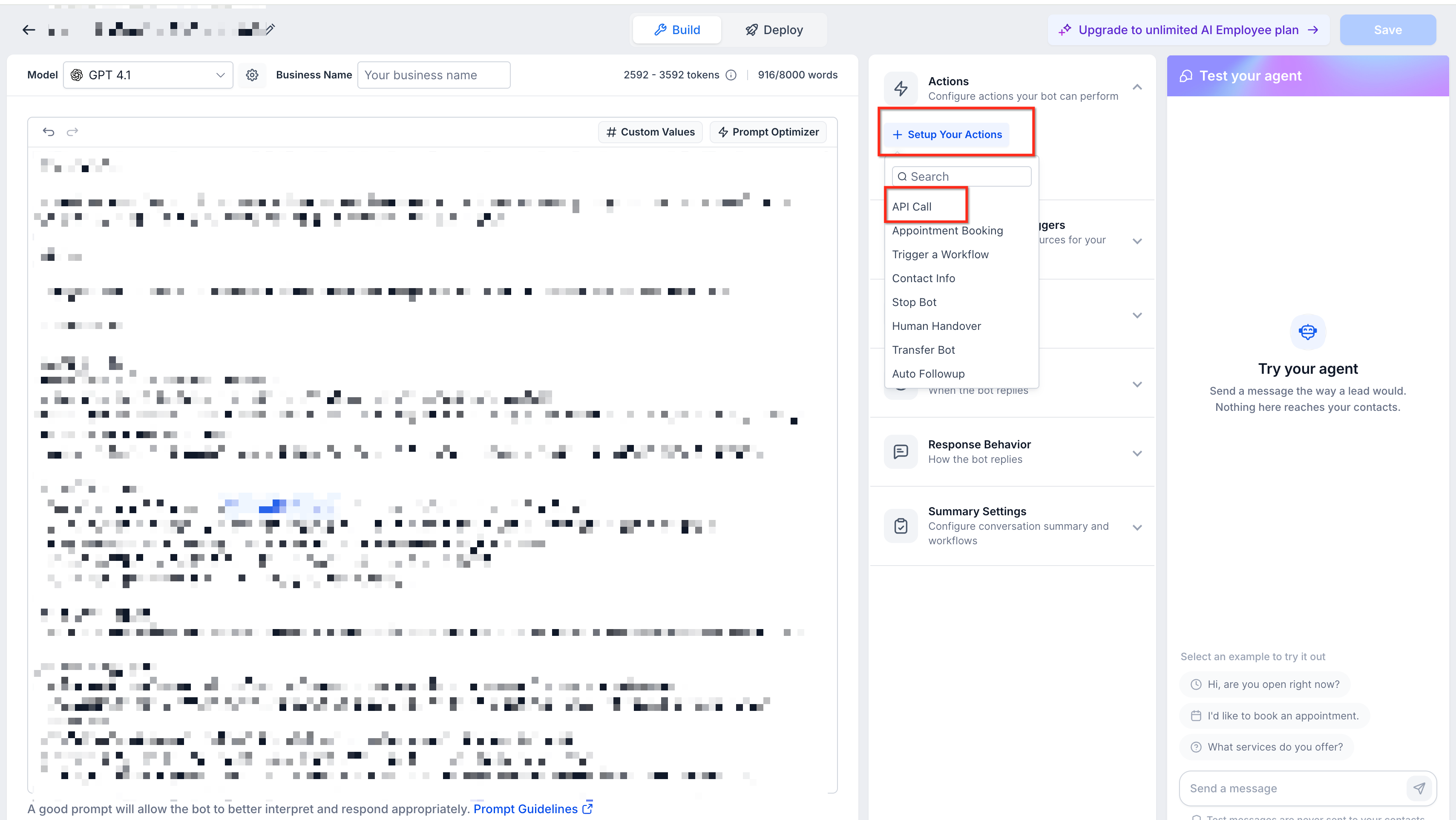
Set the Trigger Condition: Describe when the agent should execute the action.
Configure the HTTP Request: Enter the HTTPS endpoint and configure the required headers, query parameters, and body template.
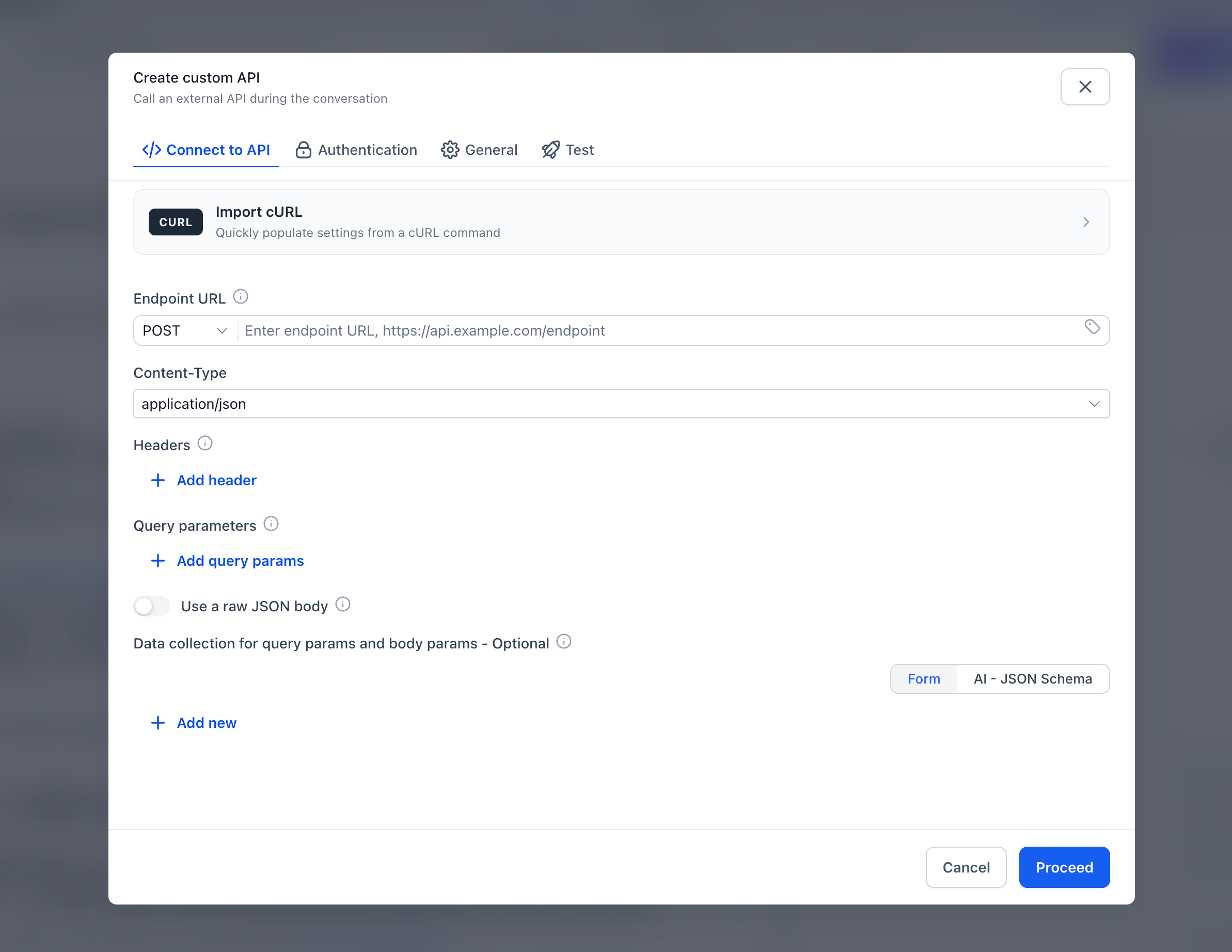
Define Parameters: Add the information the agent should collect and reference it using
{{variable}}placeholders.Set Authentication: Configure the credentials required by the external API. Saved secrets are write-only.
Select Output Fields: Choose the information the agent needs from the API response.
Add a Post-Action Prompt: Explain how the agent should communicate the returned information.
Configure the Timeout: Set an appropriate timeout, up to 60 seconds.
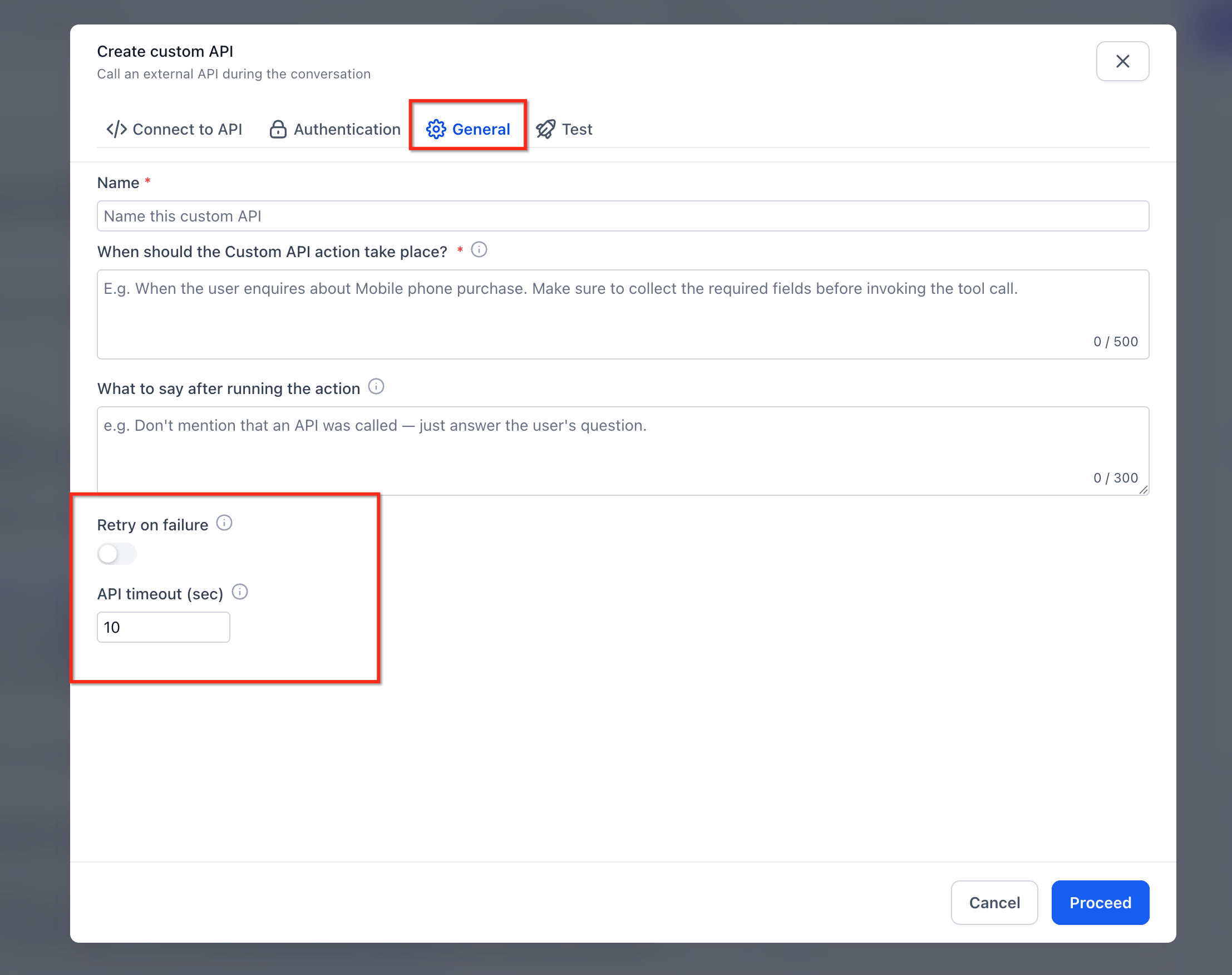
Test and Save: Use the Test tab to check the request, review and save a sample response, and save the action. Test the agent in a conversation before using it with customers.
Frequently Asked Questions
Q: Can I connect Conversation AI to my own backend?
Yes. API Call actions can connect to custom systems that provide compatible HTTPS endpoints.
Q: Can API requests use customer information?
Yes. Dynamic variables allow the agent to populate request parameters using information from the conversation.
Q: Can I view authentication credentials after saving them?
No. Authentication secrets are write-only and cannot be viewed again after saving.
Q: What happens if an API request takes too long?
API Call actions support timeouts of up to 60 seconds. Test timeout behavior before deploying the action.
Q: How does the agent know which API response fields to use?
You can configure output fields and provide post-action instructions to guide how returned information is used.
Q: Where can I monitor API Call activity?
API Call executions appear in conversation action pills, AI Response Info, and the API Calls card on the AI Employees dashboard.
Q: Can I manage API Call actions programmatically?
Yes. The Conversation AI Public API supports creating and updating API Call actions.