
How to Check Email Campaigns for Spam Before Sending
The Pre-Send Spam Check helps you identify potential spam risks before sending an email campaign. It analyzes your email content and sender configuration, highlights potential deliverability issues, and provides recommendations to help improve your chances of reaching recipients' inboxes.
TABLE OF CONTENTS
- What Is the Pre-Send Spam Check?
- How to Check Your Email for Spam Risks
- Understanding Your Spam Check Results
- Related Articles
What Is the Pre-Send Spam Check?
Pre-Send Spam Check is a built-in email analysis tool that helps you spot and address potential spam-related issues before launching your campaign.
It evaluates three key areas:
Content: Checks your email content for potential spam triggers, risky wording, and other deliverability concerns.
Sender setup: Identifies potential issues with your sender configuration.
Trust & reputation: Highlights factors that may affect how email providers evaluate your messages.
After running the check, you'll see the number of recommended improvements, risk levels such as High risk or Medium risk, and suggestions for addressing flagged issues.
You can make changes and run the check again before sending.
How to Check Your Email for Spam Risks
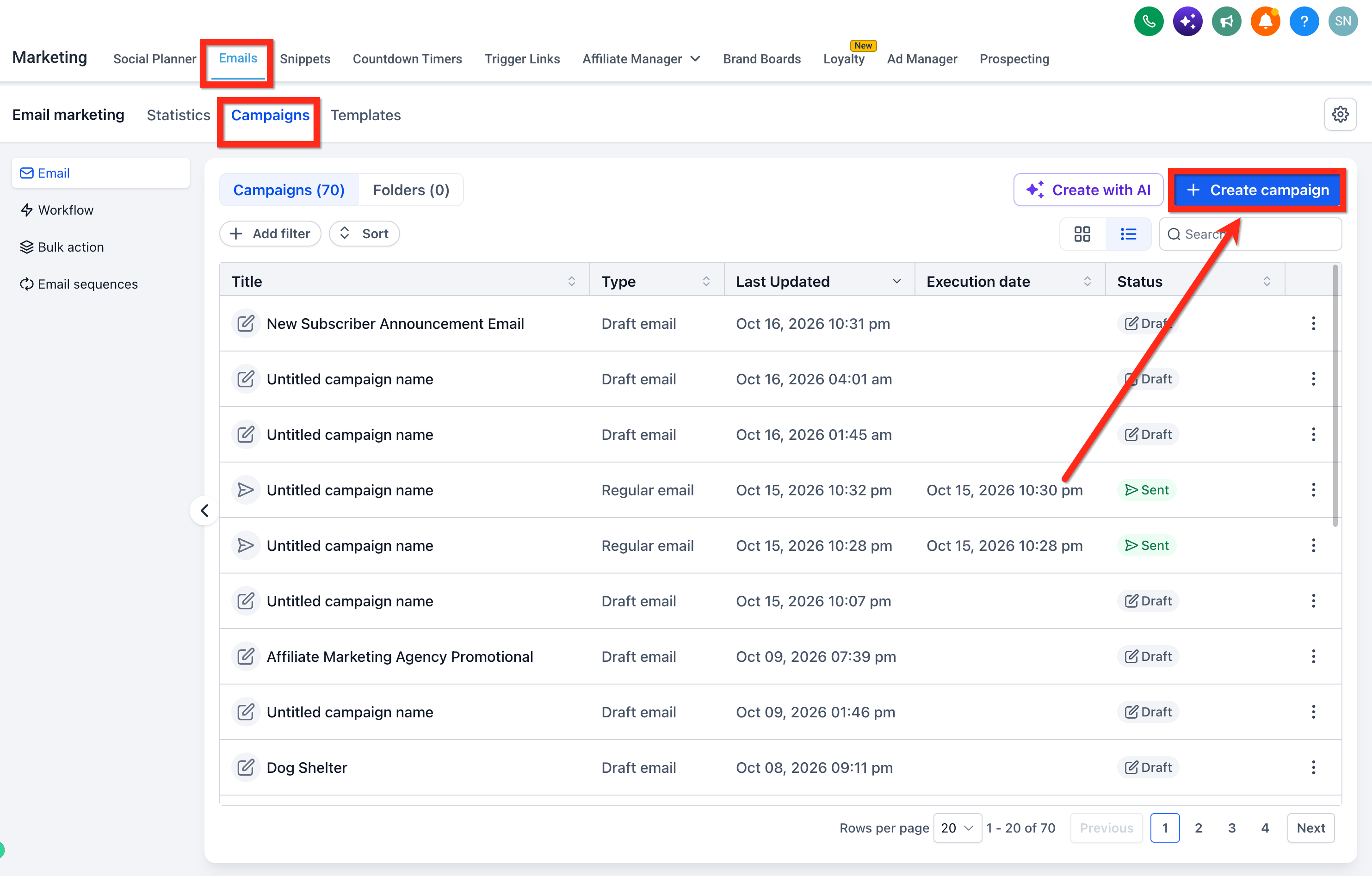
Go to Marketing > Emails > Campaigns and create or open an email campaign.
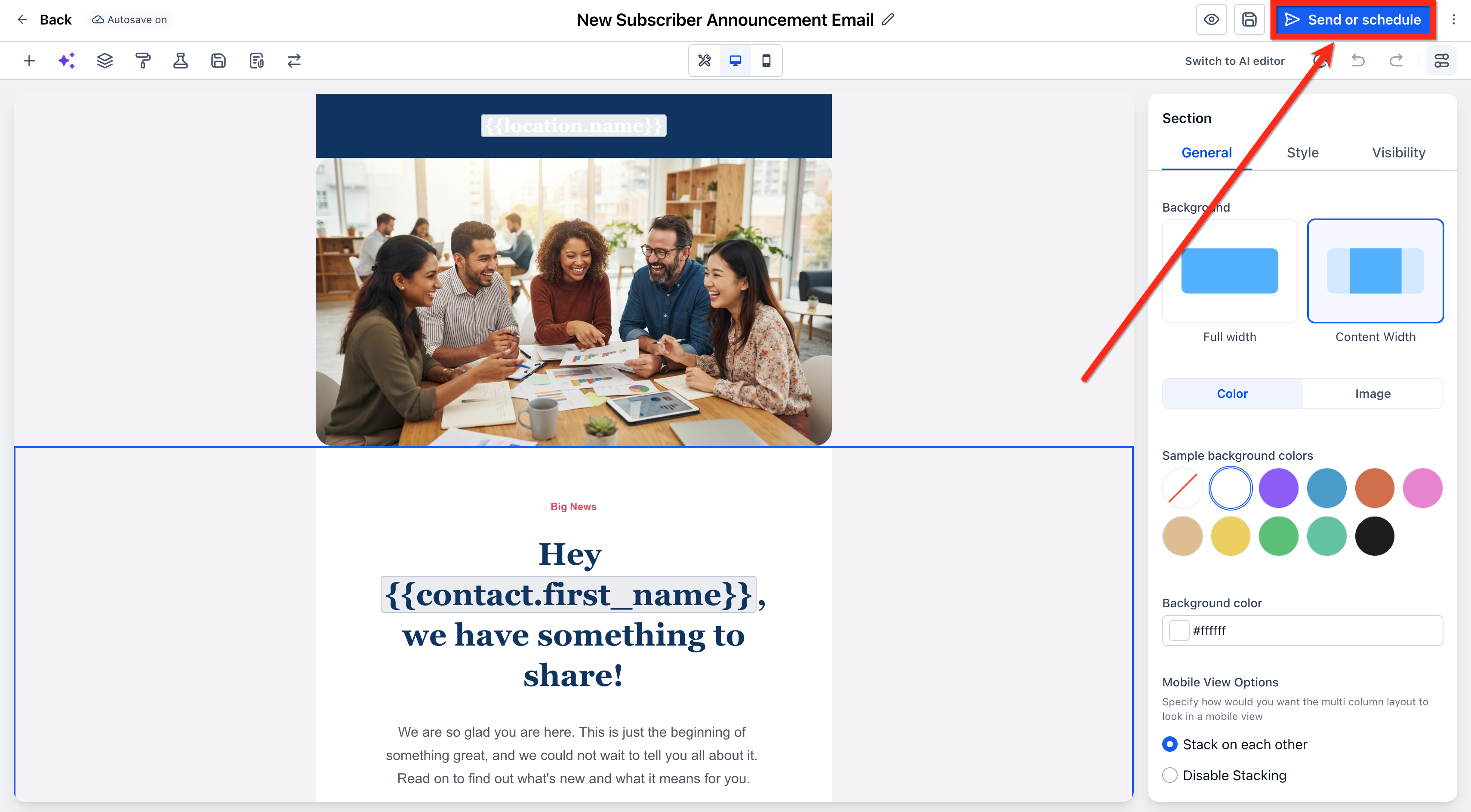
Prepare your email and open Send or Schedule.
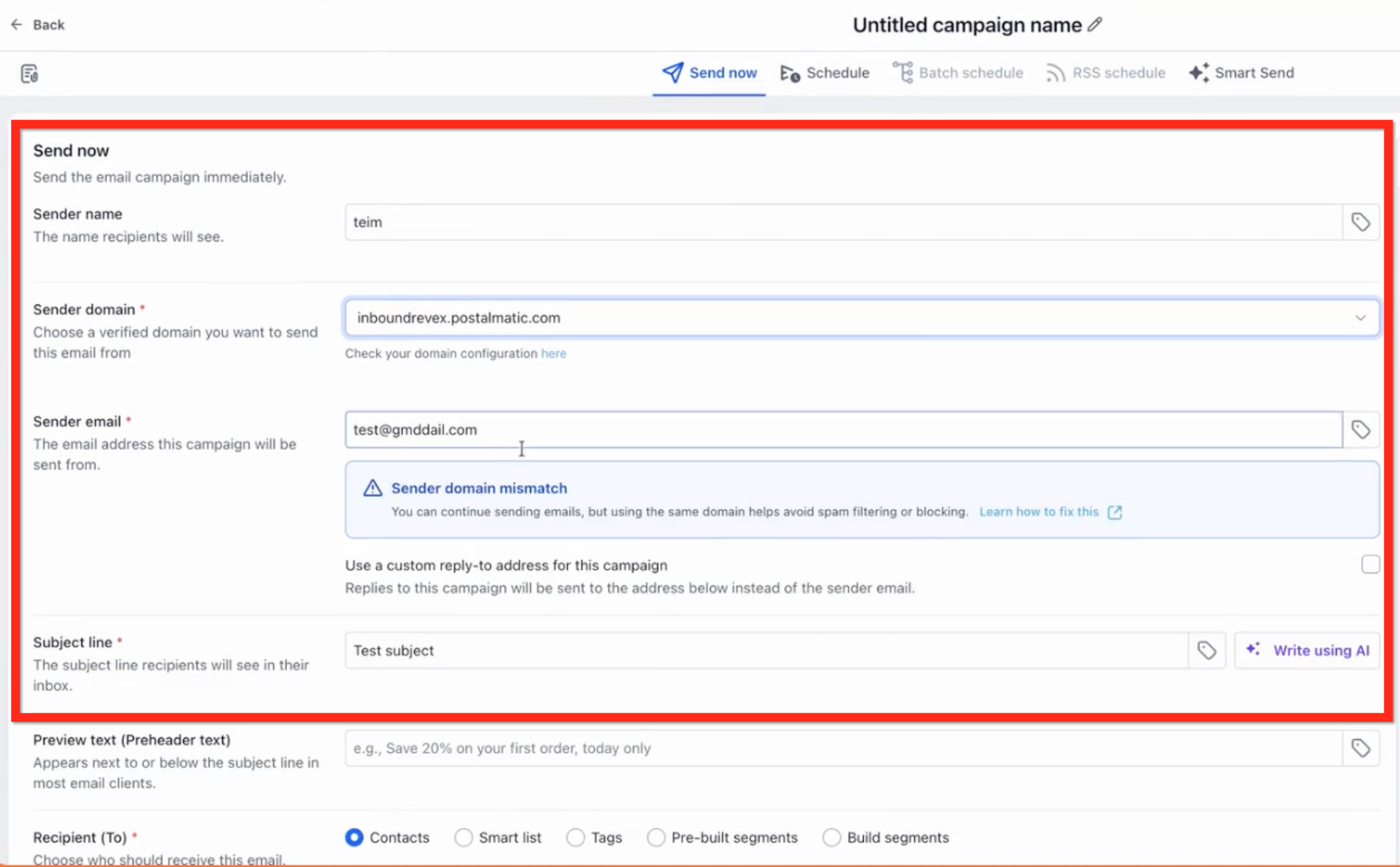
Enter the necessary details like sender name, domain, sender email and subject line.
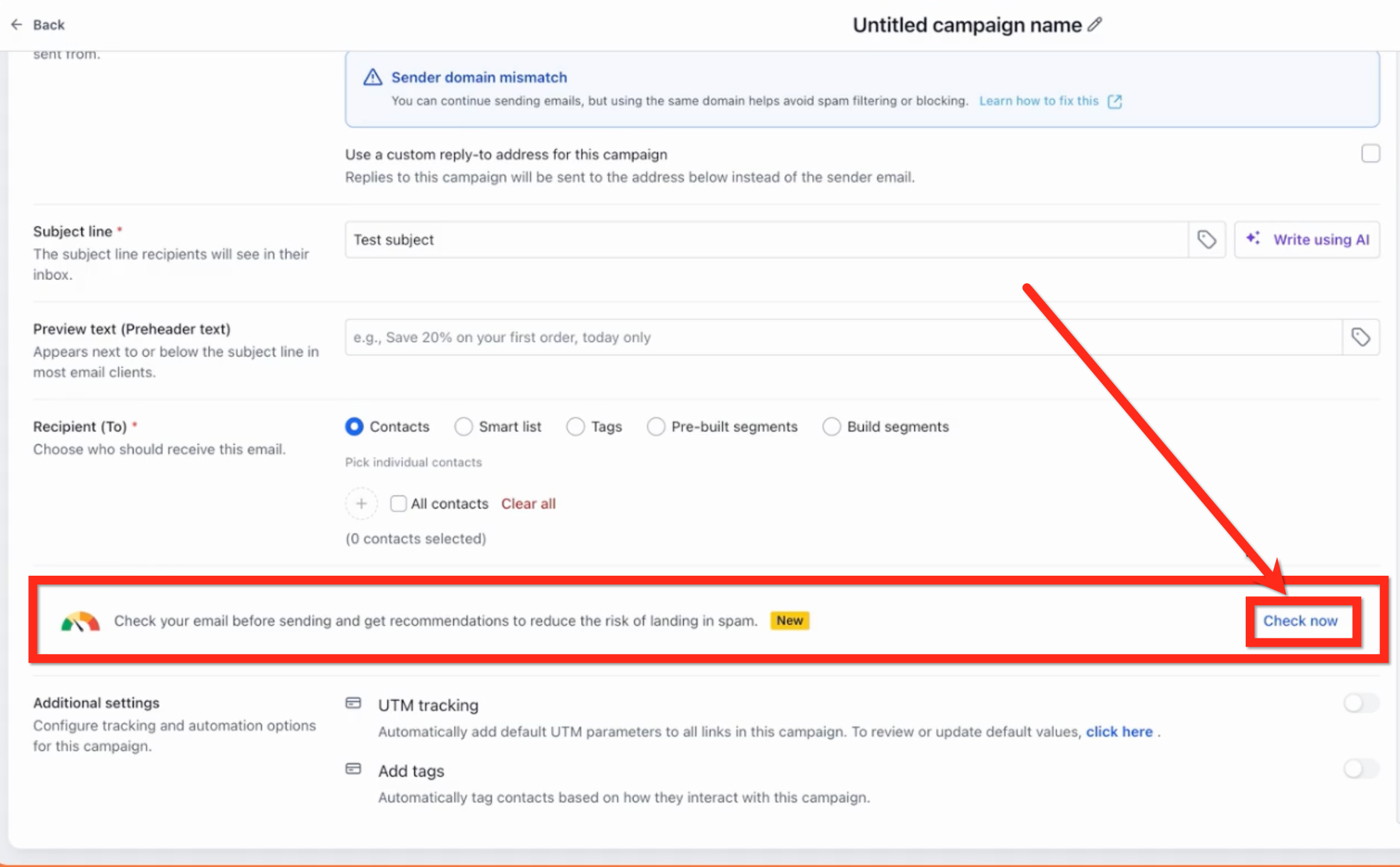
Scroll below Recipient (To) and click Check now.
Review the results.
Follow the recommendations to address flagged issues, then click Check again to review your changes.
Once you're satisfied with the results, continue with Review and Send.
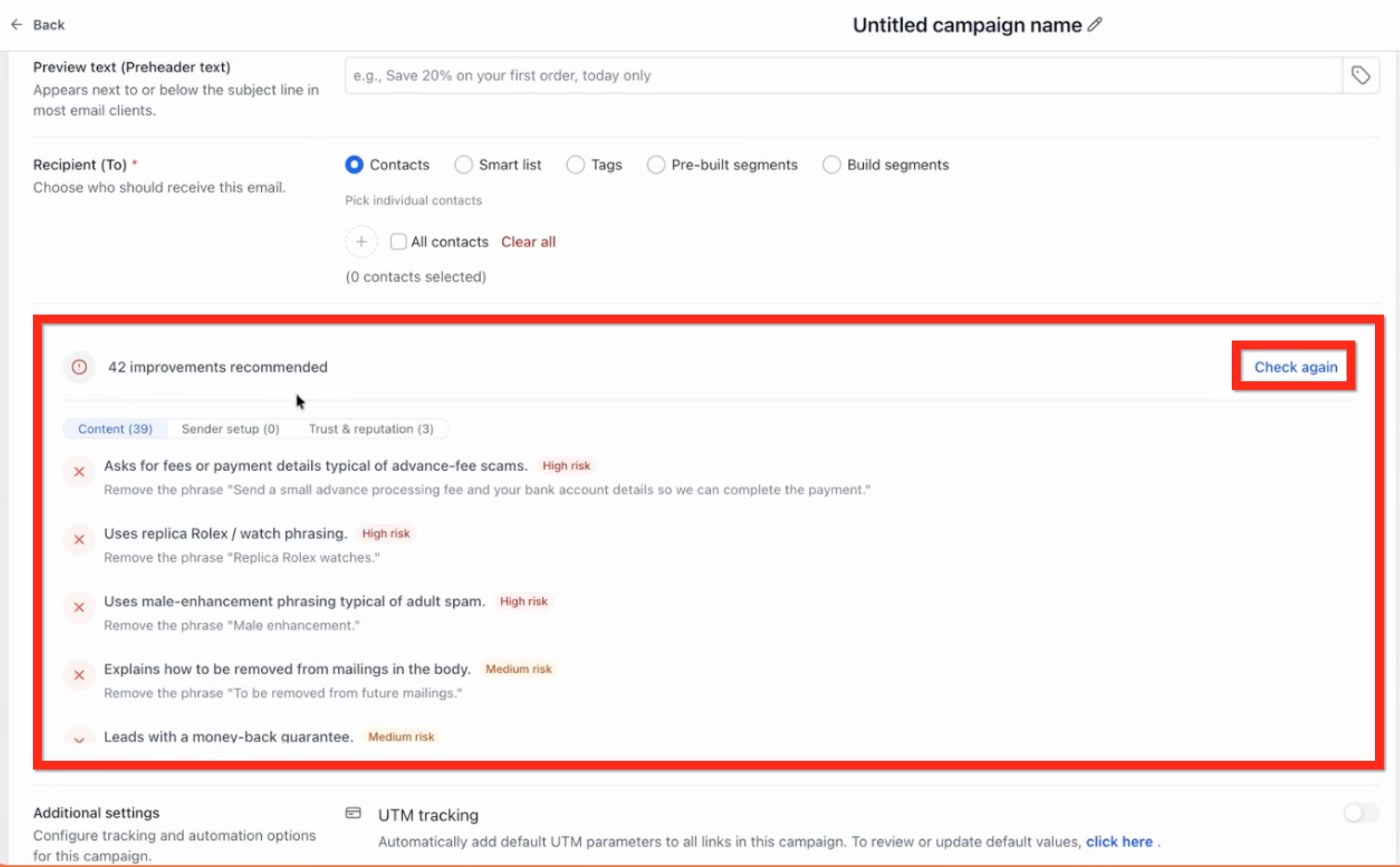
Understanding Your Spam Check Results
The results show how many improvements are recommended across the three categories.
High risk: An issue that deserves priority attention before sending.
Medium risk: A potential concern worth reviewing and improving.
No improvements needed: No issues were identified in the selected category.
Each flagged issue includes guidance to help you understand what may need to change.
Important: A category with no recommended improvements does not necessarily mean your entire email is free of potential spam risks. Review all three categories before sending.