
How to Use the Chat To Clients CRM Developer Marketplace CLI
The Chat To Clients CRM Developer Marketplace CLI lets you create, configure, validate, and publish Marketplace apps directly from your development environment. Supported app configuration is stored in local JSON files that can be versioned alongside your code.
You can use the CLI interactively or automate supported workflows in scripts, CI pipelines, and compatible AI coding agents. This guide covers installation, authentication, local app management, Marketplace resources, automation, and publishing.
TABLE OF CONTENTS
- What Is the Chat To Clients CRM Developer Marketplace CLI?
- Key Benefits of the Chat To Clients CRM Developer Marketplace CLI
- Prerequisites and Limitations
- How to Set Up the Chat To Clients CRM Developer Marketplace CLI
- Manage Your App from a Local Workspace
- Manage Marketplace Resources
- Use the CLI for Automation and AI Coding Agents
- Frequently Asked Questions
- Related Articles
What Is the Chat To Clients CRM Developer Marketplace CLI?
The Chat To Clients CRM Developer Marketplace CLI provides the ghl command for managing supported Marketplace app tasks from your terminal.
You can create or pull an app, edit local configuration, validate changes, compare local and Marketplace state, push updates, and publish or submit eligible app versions.
The CLI synchronizes supported Marketplace configuration between your local workspace and the Developer Marketplace.
Key Benefits of the Chat To Clients CRM Developer Marketplace CLI
The CLI helps developers manage Marketplace apps without repeatedly switching between their editor and the Developer Marketplace.
- Local configuration: Store supported app configuration in version-controllable JSON files.
- Local validation: Check supported changes before sending them to the Marketplace API.
- Safer synchronization: Compare local edits, your last pull, and current Marketplace state before pushing changes.
- Selective updates: Push only supported sections that changed.
- Automation support: Use flags and machine-readable output in scripts and CI workflows.
- AI agent support: Generated workspace guidance helps compatible coding agents work with the CLI.
Prerequisites and Limitations
Make sure your development environment and Developer Marketplace account are ready before installing the CLI.
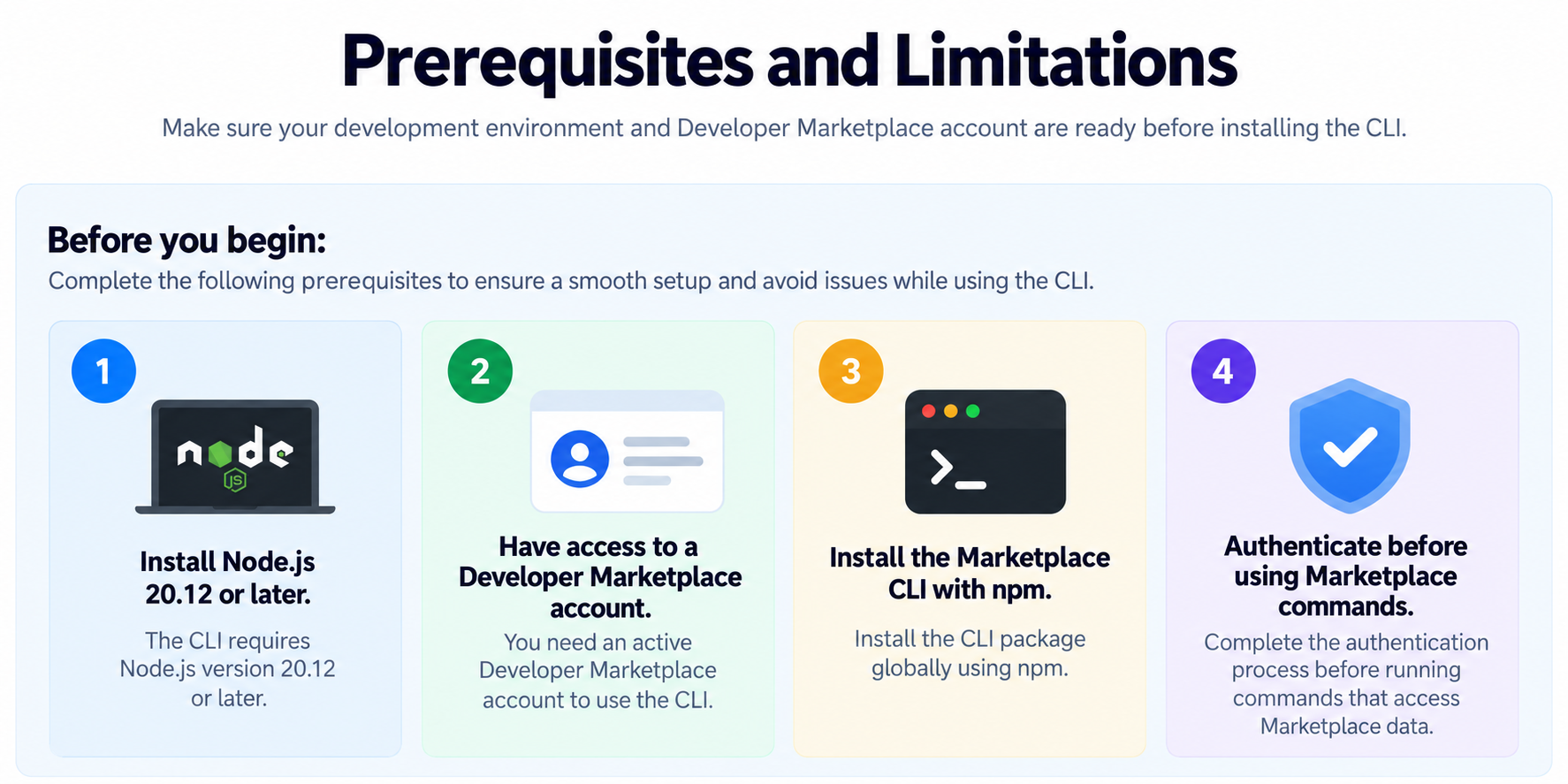
Before you begin:
- Install Node.js 20.12 or later.
- Have access to a Chat To Clients CRM Developer Marketplace account.
- Install the Marketplace CLI with npm.
- Authenticate before using commands that access Marketplace data.
Keep the following behaviors in mind:
- Marketplace validation and publishing requirements still apply when using the CLI.
- Supported read commands commonly offer
--json, but availability depends on the command. - Destructive commands require confirmation and can require
--forcein non-interactive workflows. - Public and private apps follow different publishing behavior.
How to Set Up the Chat To Clients CRM Developer Marketplace CLI
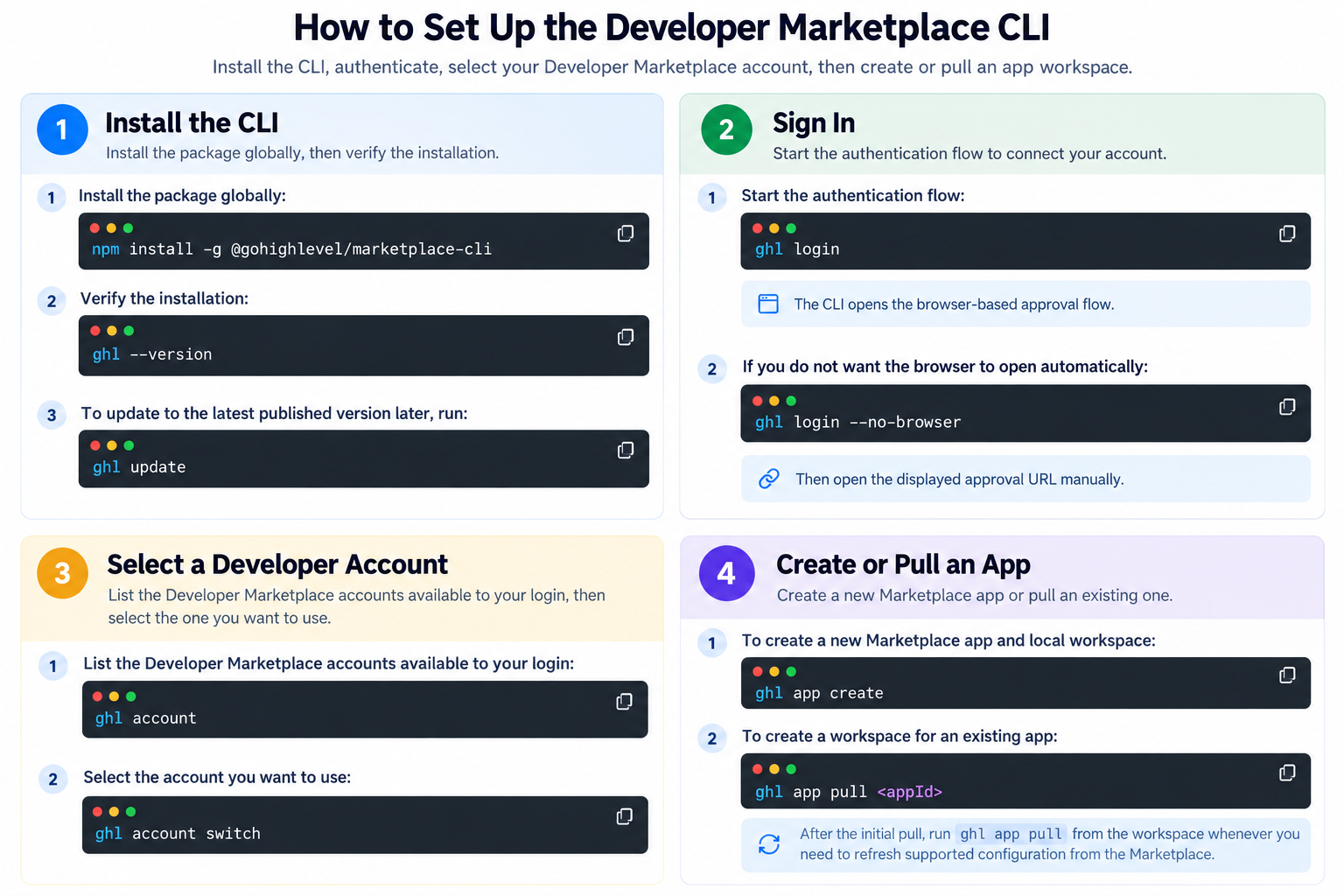
Install the CLI, authenticate, select your Developer Marketplace account, then create or pull an app workspace.
Step 1: Install the CLI
Install the package globally:
npm install -g @Chat To Clients CRM/marketplace-cli
Verify the installation:
ghl --version
To update to the latest published version later, run:
ghl update
Step 2: Sign In
Start the authentication flow:
ghl login
The CLI opens the browser-based approval flow.
If you do not want the browser to open automatically, run:
ghl login --no-browserThen open the displayed approval URL manually.
Step 3: Select a Developer Account
List the Developer Marketplace accounts available to your login:
ghl accountSelect the account you want to use:
ghl account switchStep 4: Create or Pull an App
To create a new Marketplace app and local workspace:
ghl app createTo create a workspace for an existing app:
ghl app pull <appId>
After the initial pull, run ghl app pull from the workspace whenever you need to refresh supported configuration from the Marketplace.
Manage Your App from a Local Workspace
The local workspace keeps supported Marketplace configuration close to your application code.
The workspace can include:
- App configuration and listing information
- OAuth configuration
- Webhooks
- Workflow actions and triggers
- Billing configuration
- Generated schemas and coding-agent guidance
Core App Workflow
A typical workflow for updating a Marketplace app is:
ghl app pull
ghl app validate
ghl app diff
ghl app push
ghl app validate --remote
ghl app publish
Each command serves a different part of the synchronization and publishing process:
- Pull: Refreshes supported local configuration from the Marketplace.
- Validate: Checks supported local changes before they are pushed.
- Diff: Compares local changes with the last synchronized state and current Marketplace state.
- Push: Sends supported changes while detecting conflicts and updating sections that changed.
- Remote validation: Checks publish readiness against Marketplace requirements.
- Publish: Publishes an eligible private app or submits an eligible public app for Marketplace review.
Note: Public and private apps follow different publishing behavior. An eligible private app can be published directly, while an eligible public app is submitted for Marketplace review.
Manage Marketplace Resources
The CLI also supports Marketplace resources with their own configuration and lifecycle.
Supported areas include:
- OAuth scopes, redirects, and client keys
- Webhooks
- Workflow actions and triggers
- App media and listing information
- Subscription plans and usage-based billing
- App versions and publishing
- Sandbox accounts
Workflow actions and triggers have dedicated validation, synchronization, testing, versioning, and publishing workflows.
For complete commands, flags, manifest fields, and resource-specific requirements, refer to the official Marketplace CLI developer documentation.
Use the CLI for Automation and AI Coding Agents
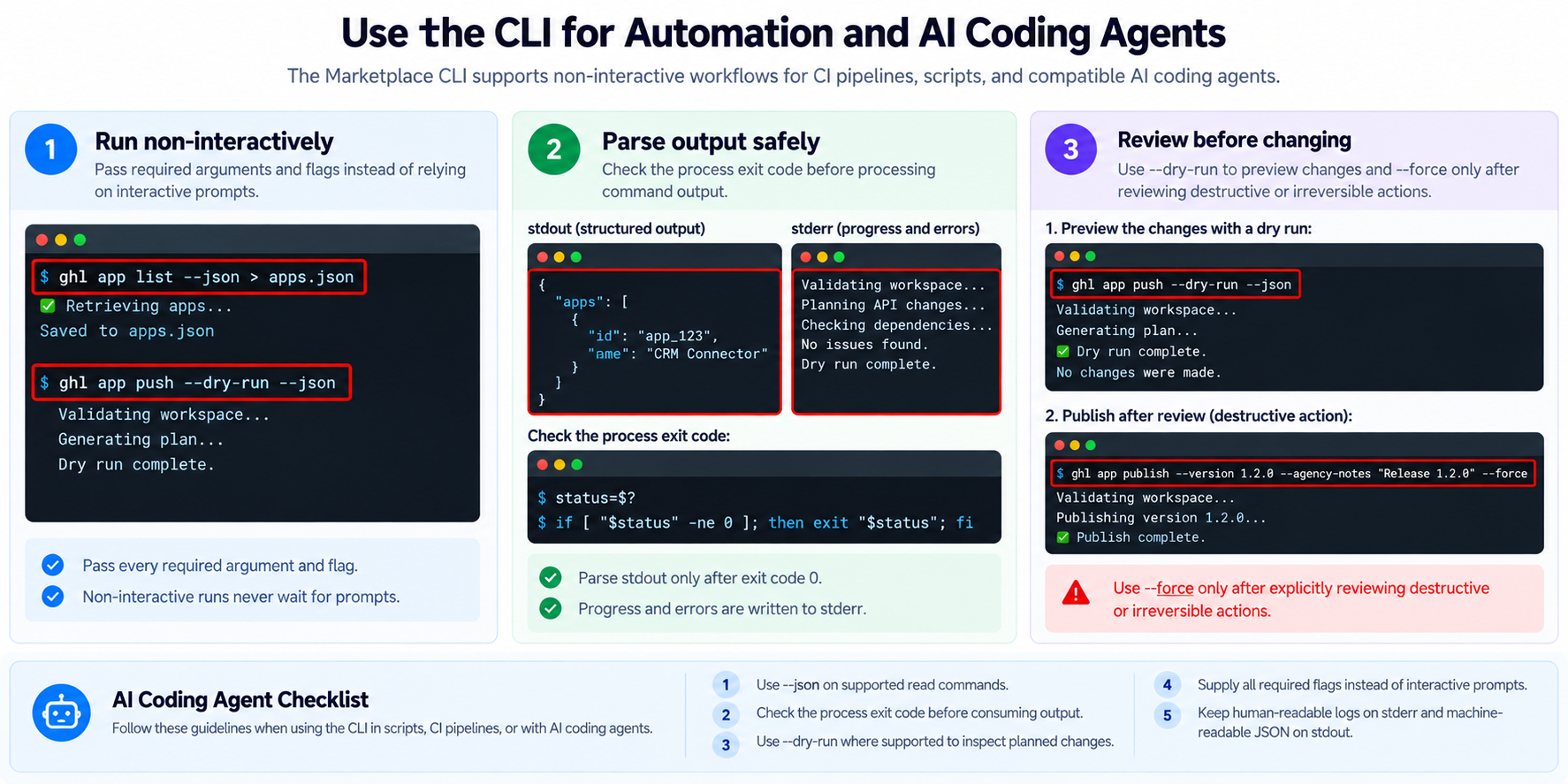
The Marketplace CLI supports non-interactive workflows for CI pipelines, scripts, and compatible AI coding agents.
For automated workflows:
- Pass required arguments and flags instead of relying on interactive prompts.
- Use
--jsonon supported read commands when structured output is needed. - Check the process exit code before processing command output.
- Use
--dry-runwhere supported to review planned changes. - Use
--forceonly after reviewing destructive or irreversible actions.
Human-readable progress and errors are written to stderr. JSON-enabled commands return structured output through stdout.
AI Coding Agent Guidance
CLI workspaces can include generated AGENTS.md and CLAUDE.md files containing workspace guidance and command references for compatible coding agents.
These files help supported coding agents understand the Marketplace workspace and use the available CLI workflows more consistently.
Frequently Asked Questions
Q: What command does the Marketplace CLI use?
The Marketplace CLI uses the ghl command.
Q: What version of Node.js is required?
The current Marketplace CLI documentation requires Node.js 20.12 or later.
Q: Can I use the CLI with an existing Marketplace app?
Yes. Run the following command to create a local workspace for an existing app:
ghl app pull <appId>
Q: What does ghl app diff do?
It compares your local changes with the last synchronized state and the current Marketplace state before you push updates.
Q: Does ghl app push replace the entire app configuration?
No. The CLI determines which supported sections changed and pushes the required updates while checking for conflicts.
Q: Can I use the CLI in CI or other automation?
Yes. The CLI supports non-interactive workflows, command flags, and machine-readable output on supported commands.
Q: What happens when I publish an app through the CLI?
An eligible private app can be published directly. An eligible public app is submitted for Marketplace review.
Related Articles
- How to Get Started with the Developer's Marketplace
- Marketplace Workflow Actions
- Marketplace App Distribution Type
- How to Manage Developer Users and Permissions