
Customize the Product Detail Page Layouts
Chat To Clients CRM now gives you more control over Product Details Pages with individual elements you can arrange and style separately.
TABLE OF CONTENTS
- Customize the Product Detail Page Layouts
- Switch an Existing Store to the New Layout
- Update a Saved Store Template
- Related Articles
Customize the Product Detail Page Layouts
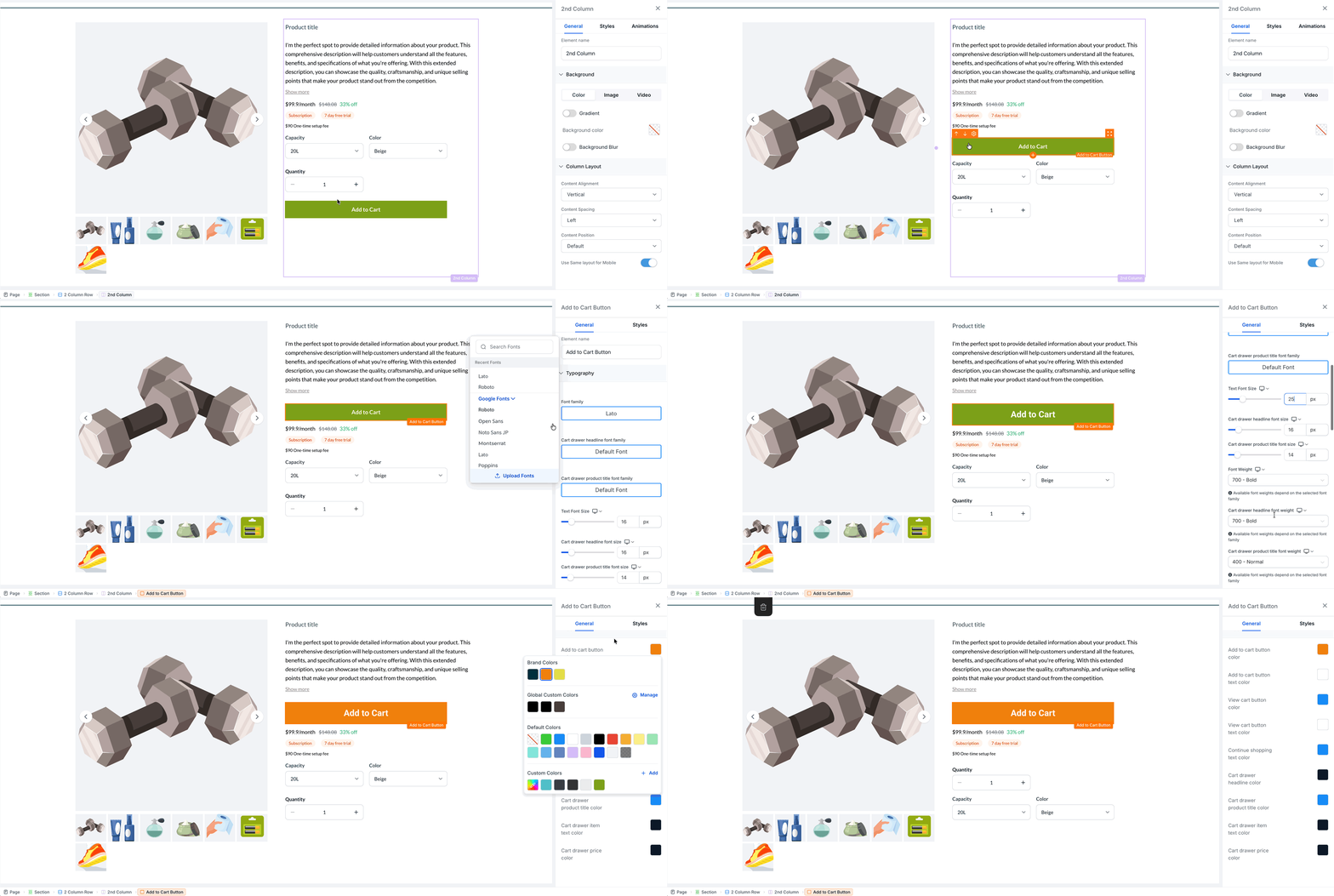
The Product Detail Page in Chat To Clients CRM can be built using separate product elements instead of one fixed block. This lets you control where each part of the product information appears on the page and how each element is styled.
You can move elements such as product images, title, reviews, price, variants, quantity, Add to Cart, Buy Now, description, related products, and reviews into the layout that works best for your store. For example, you can place the title above the product image, move reviews higher on the page, or position product details side by side.
Each element also has its own settings, so you can customize typography, colors, spacing, alignment, backgrounds, borders, corner radius, shadows, and device visibility independently.
Existing stores can continue using the classic Product Detail layout until you choose to upgrade. When you switch to the independent-element layout, Chat To Clients CRM carries over your existing styling where supported.
Switch an Existing Store to the New Layout
The upgrade is one-way. You cannot switch back from the upgrade control. If needed, you can restore an older saved version of the page using Version History.
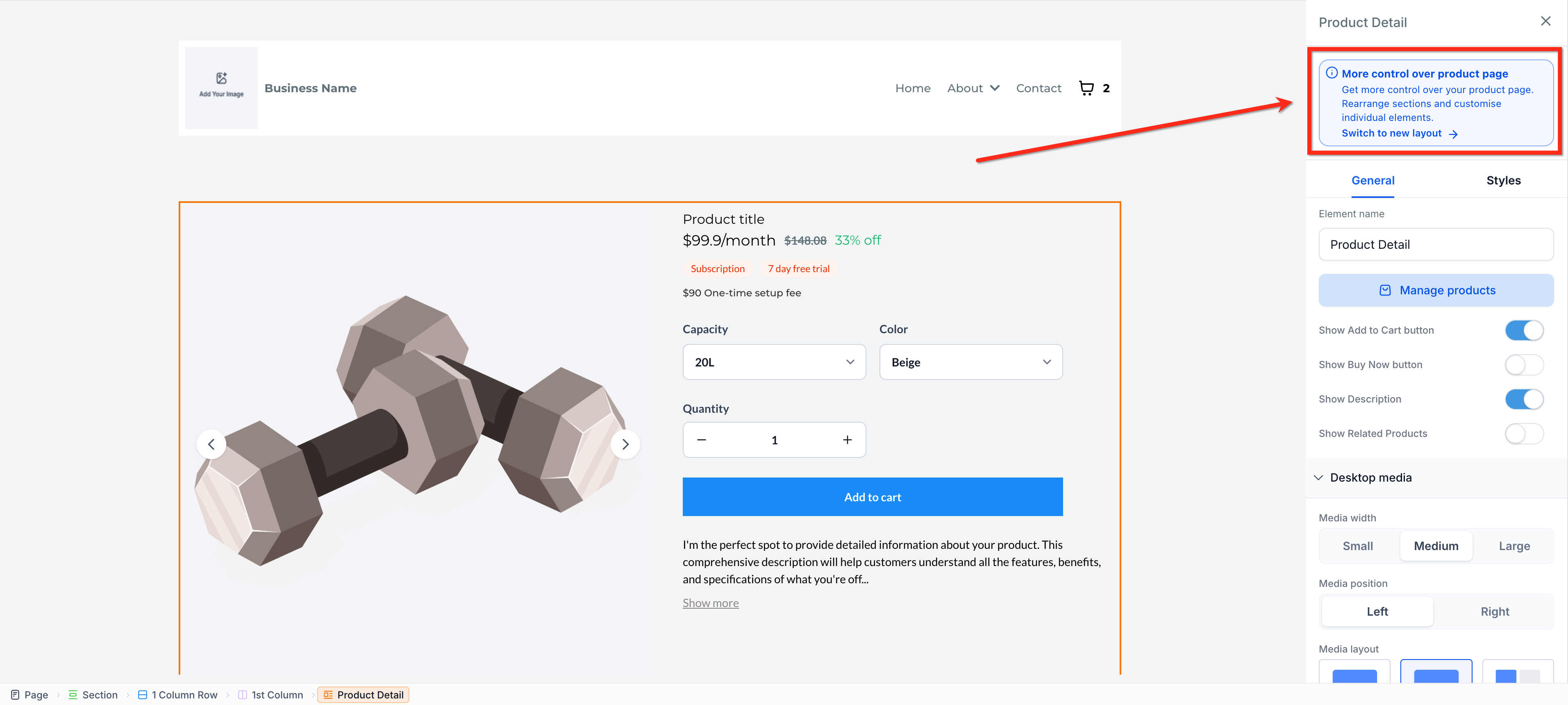
- Open your store’s Product Details Page in the builder.
- Select the Product Detail element.
- In the right panel, click Switch to new layout.
Custom CSS classes from the classic layout are not carried over during the upgrade. You can add custom classes to the individual elements after switching layouts.
Update a Saved Store Template
If you want new stores created from a saved template to use the new layout, first upgrade the Product Details Page in the store the template was created from.
After upgrading that page, refresh the saved template from the template library so it includes the updated layout.
New stores created from the refreshed template will use the new Product Details Page layout. Existing stores created from that template are not updated automatically and must be upgraded separately.