
Meta Campaign Budget Optimizer in Ad Manager
Meta Campaign Budget Optimizer gives you more flexibility in deciding where and how you want to manage your Meta campaign budget.
You can choose to:
- Set one budget for the entire campaign, or
- Manage budgets separately for each ad set.
If you choose to manage budgets at the ad set level, you can also allow Meta to shift up to 20% of the budget between eligible ad sets based on performance.
TABLE OF CONTENTS
- What is Meta Campaign Budget Optimiser?
- How to choose your budget setup
- Using Campaign budget
- Using Ad set budget
- Sharing budget between ad sets
- Daily and Lifetime budgets
- Choosing a Bid strategy
- Changing your budget setup after publishing
- Frequently Asked Questions
What is Meta Campaign Budget Optimizer?
When creating or editing a Meta campaign, you can choose between two budget setups:
Campaign budget
Choose Campaign budget when you want to set one budget for the entire campaign.
Meta distributes this budget across your ad sets.
With Campaign budget, you can configure:
- Daily or Lifetime budget
- Campaign budget amount
- Bid strategy
Ad set budget
Choose Ad set budget when you want to control the budget separately for each ad set.
Instead of setting one amount for the entire campaign, you can define the budget individually inside each ad set.
How to choose your budget setup
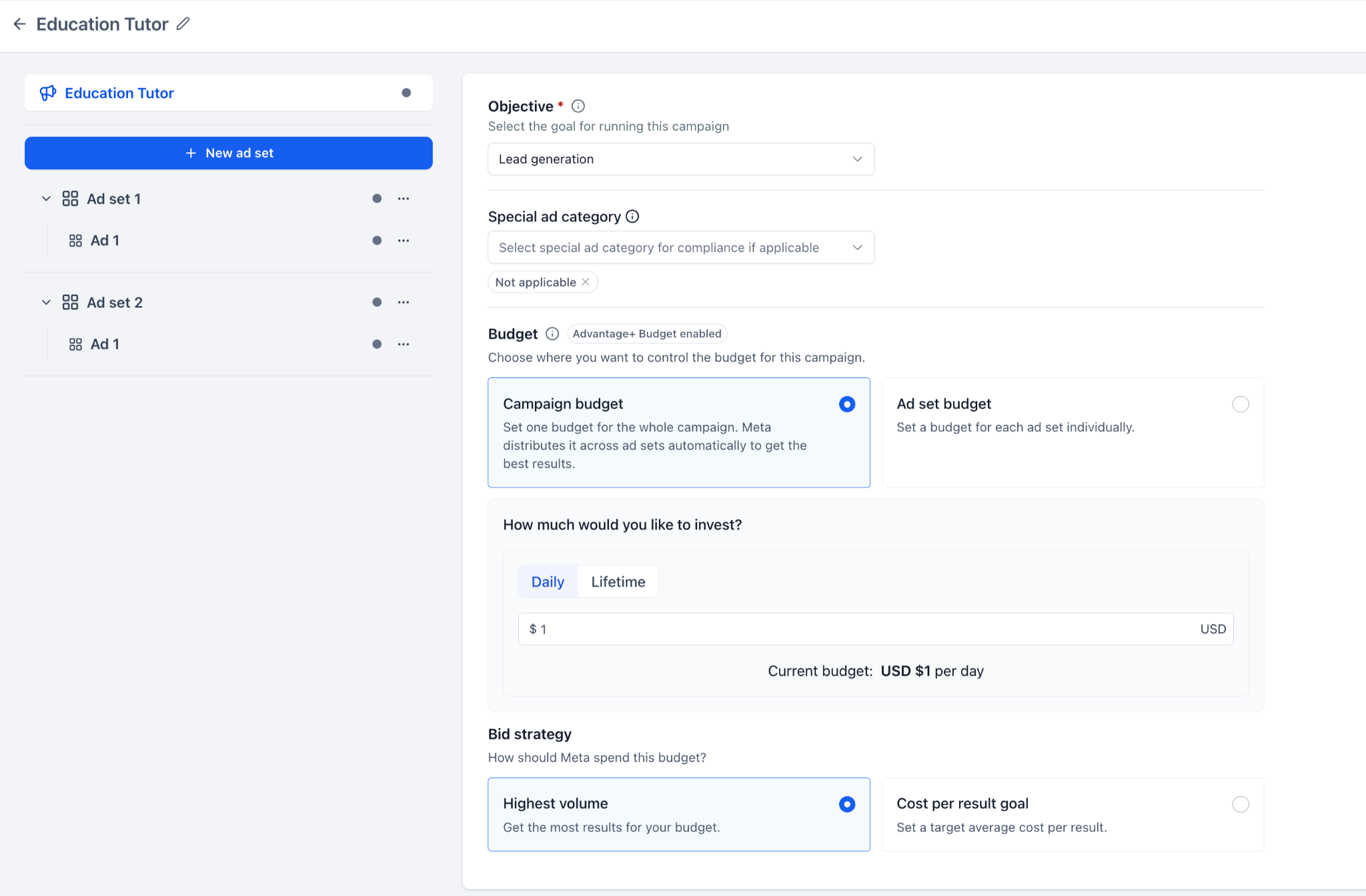
In the campaign-level Budget section:
- Select Campaign budget or Ad set budget.
- If you select Campaign budget, configure the budget directly at the campaign level.
- If you select Ad set budget, open each ad set and configure its budget individually.
This lets you decide whether you want Meta to manage budget distribution across the campaign or whether you want more granular control over each ad set.
Using Campaign budget
Select Campaign budget when you want to define one budget for your entire campaign.
You can choose between:
Daily budget
Use a Daily budget when you want to define how much you want to spend per day.
For example:
USD $10 per day
Lifetime budget
Use a Lifetime budget when you want to define the total amount available for the campaign over its scheduled duration.
Meta then distributes your campaign budget across the ad sets.
Using Ad set budget
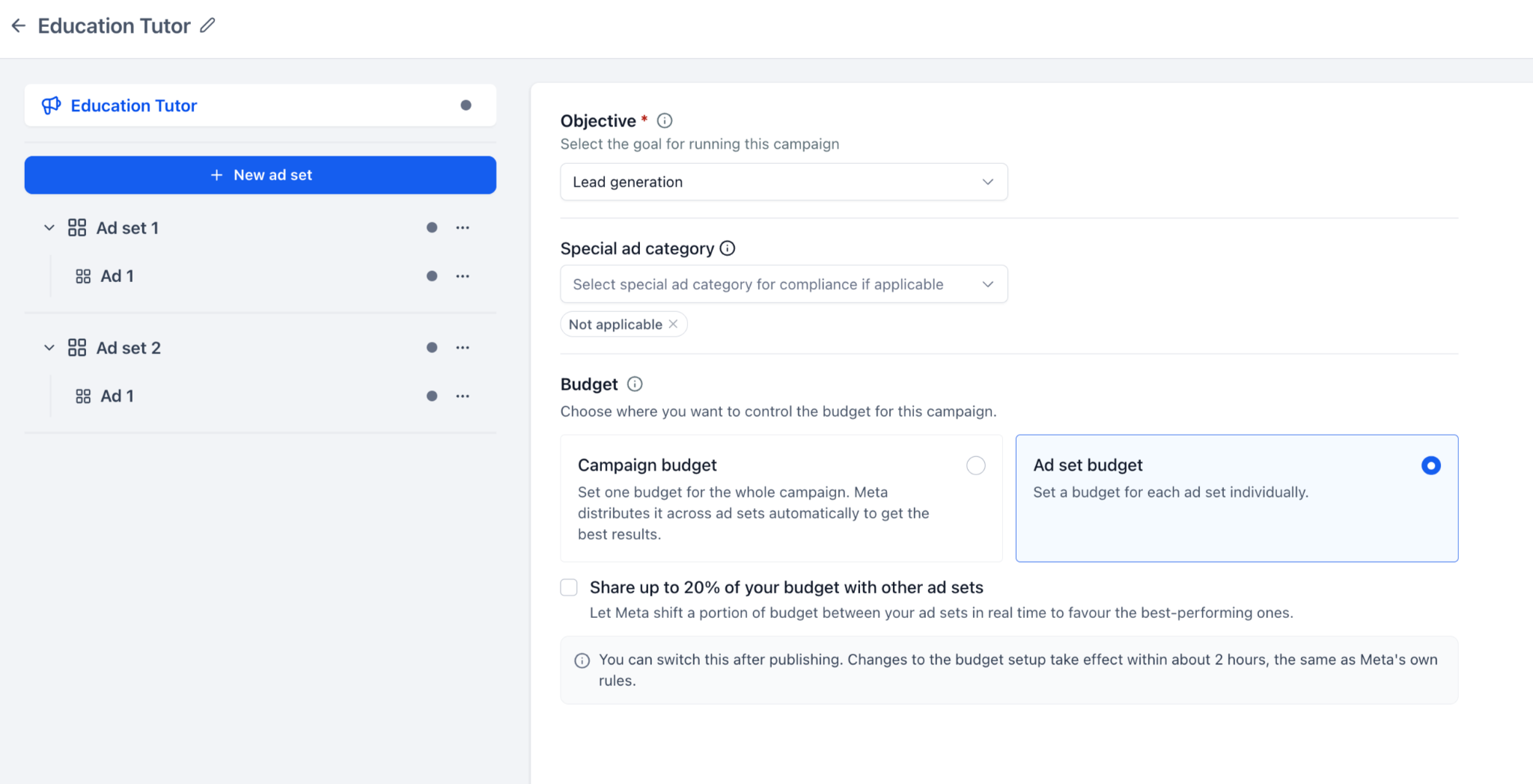
Select Ad set budget when you want to control the budget for each ad set individually.
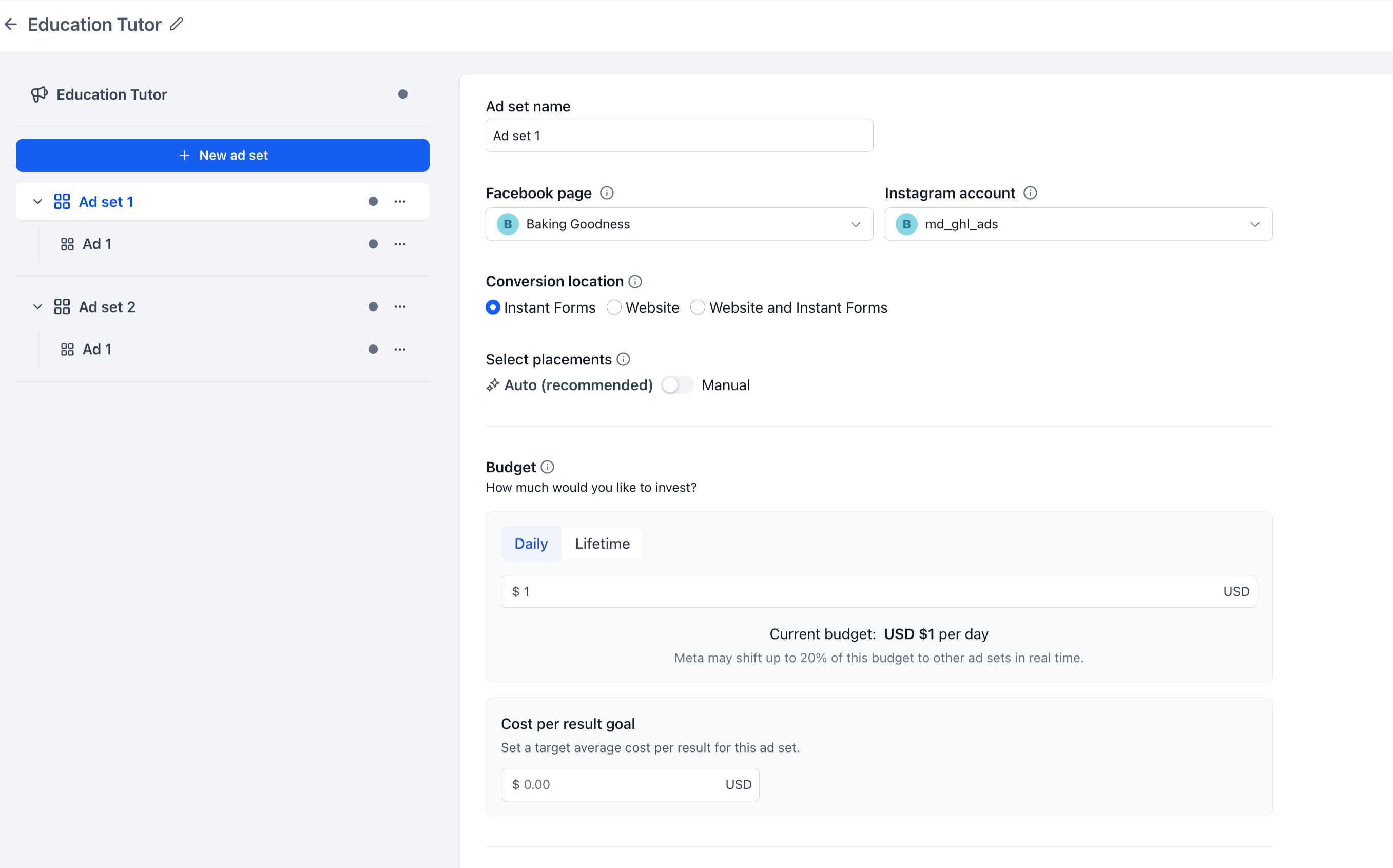
To configure an ad set budget:
- Select Ad set budget in the campaign-level Budget section.
- Open the ad set you want to configure.
- Go to the Budget section.
- Select Daily or Lifetime.
- Enter the budget for that ad set.
- Configure the applicable schedule.
- Enter a Cost per result goal if it applies to your selected setup.
You can repeat this for each ad set in your campaign and assign different budgets where required.
Sharing budget between ad sets
When you use Ad set budget, you can enable:
Share up to 20% of your budget with other ad sets
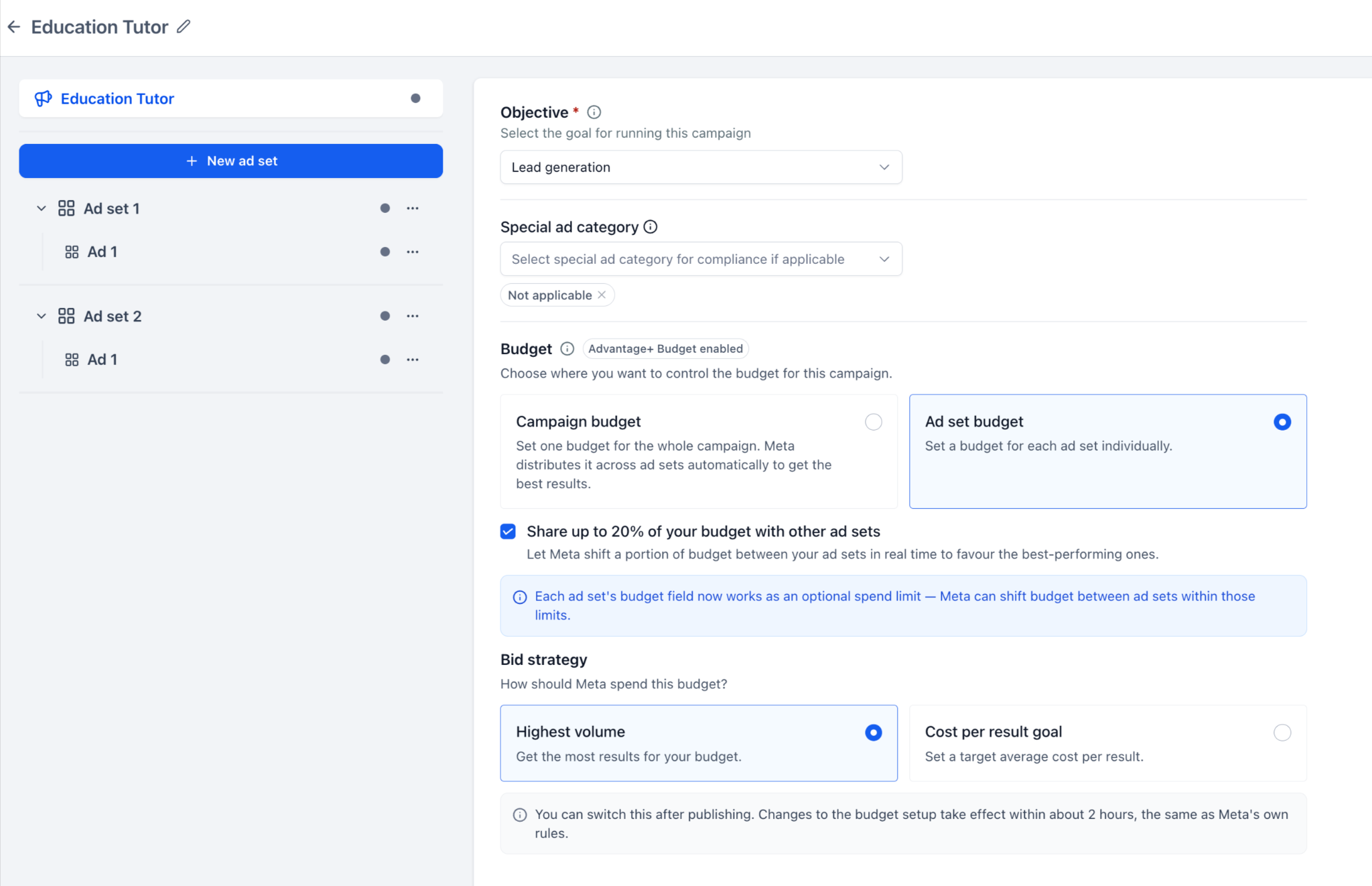
When enabled, Meta can shift up to 20% of an ad set's budget to or from other eligible ad sets based on performance.
You still define the budget for every ad set individually. Budget sharing simply gives Meta the flexibility to redistribute a portion of those budgets between eligible ad sets.
You can also see when budget sharing is enabled from within the individual ad set's Budget section.
Note: Budget sharing is available when you use Ad set budget.
Daily and Lifetime budgets
You can choose between a Daily and Lifetime budget based on how you want to manage your spend.
Daily budget
Use a Daily budget when you want to define how much can be spent each day.
Lifetime budget
Use a Lifetime budget when you want to define the total budget available over the selected schedule.
When you use a Lifetime budget at the ad set level, configure the applicable start and end schedule for that ad set.
If you switch between Daily and Lifetime while the default budget value is unchanged, the default amount can update based on the selected budget duration.
If you have already entered your own budget amount, your value is not automatically overwritten when you change the budget type or schedule.
Choosing a Bid strategy
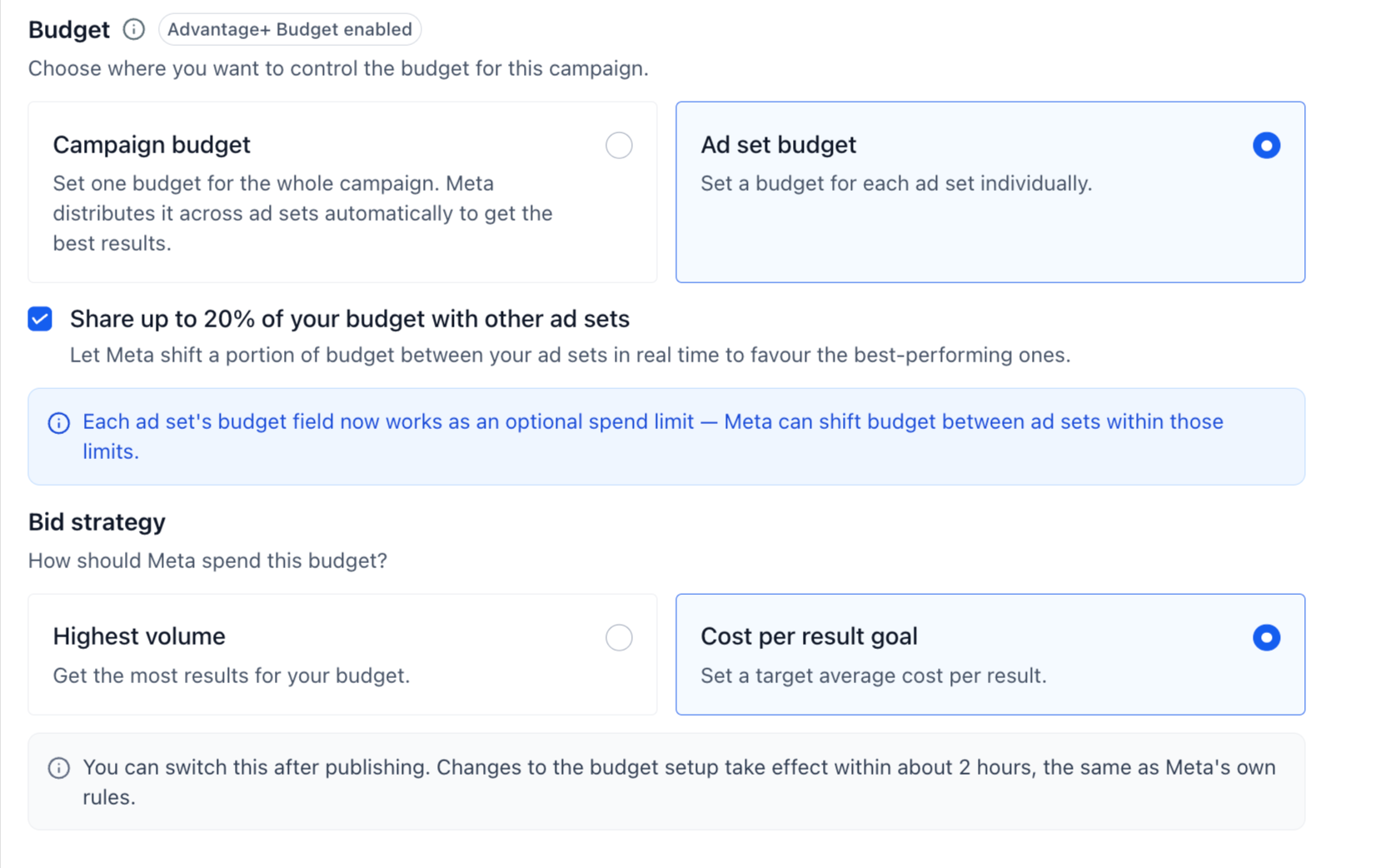
You can select the applicable Meta bid strategy from the Budget section.
Highest volume
Choose Highest volume when you want Meta to use your available budget to get the most results possible.
Cost per result goal
Choose Cost per result goal when you want to provide a target average cost per result.
When the target amount applies at the ad set level, enter it inside the respective ad set.
Changing your budget setup after publishing
You can make supported budget setup changes after your Meta campaign has been published.
For example, you can move between supported Campaign budget and Ad set budget configurations.
If you switch to Ad set budget, you need to provide the required budget for the applicable ad sets.
Meta may temporarily restrict additional budget setup changes after you make a change. When this happens, the restriction can remain in place for approximately two hours.
Note: Post-publish budget changes remain subject to Meta's eligibility and editing rules.
Frequently Asked Questions
- Can I set a different budget for each ad set?
- Yes. Select Ad set budget and configure the budget individually for each ad set.
- Can Meta automatically distribute my campaign budget?
- Yes. When you use Campaign budget, Meta distributes the campaign-level budget across your ad sets.
- Can Meta move budget between my ad sets?
- Yes. When you use Ad set budget and enable Share up to 20% of your budget with other ad sets, Meta can redistribute up to 20% of an ad set's budget between eligible ad sets.
- Does budget sharing remove the individual budgets I set?
- No. You still define a budget for each ad set. Budget sharing only allows Meta to shift a portion of those budgets between eligible ad sets.
- Can I use both Daily and Lifetime budgets?
- Yes. You can choose between Daily and Lifetime budgets in the applicable budget setup.
- Where do I configure the schedule for an ad set?
- Configure the applicable schedule inside the individual ad set.
- Where do I enter the Cost per result goal?
- When the selected configuration requires a Cost per result goal at the ad set level, enter it inside the respective ad set.
- Can I change from Campaign budget to Ad set budget after publishing?
- Yes. Supported budget setup changes can be made after publishing. When switching to Ad set budget, make sure you provide the required budget information for the applicable ad sets.
- Why can't I change the budget setup again immediately?
- After a budget setup change, Meta may temporarily restrict additional changes for approximately two hours. This restriction is applied by Meta to subsequent budget setup changes.