
Service Area Businesses in Prospecting: Search, Audit, and Generate Heatmaps
Service Area Business support in Chat To Clients CRM helps you find, add, and audit businesses that do not operate from a public storefront. This expands Prospecting to include more real-world local businesses, such as home service providers and consultants, while keeping audit scoring accurate for their business type. You can also generate Marketing Audit Reports and Local SEO Heatmaps for these businesses without relying on older workaround-heavy processes.
TABLE OF CONTENTS
- What is Service Area Business (SAB) Support in Prospecting?
- Key Benefits of Service Area Business (SAB) Support
- Search and Discover Service Area Businesses
- Add and Audit Service Area Business Prospects
- Google Business Profile Scoring for Service Area Businesses
- Local SEO Heatmaps for Service Area Businesses
- How To Setup Service Area Business (SAB) Prospecting
- Frequently Asked Questions
- Related Articles
What is Service Area Business (SAB) Support in Prospecting?
Service Area Business support allows Chat To Clients CRM to include businesses that serve customers in a region without displaying a public business address. This matters because many local businesses operate from service areas instead of storefronts, and they still need accurate prospecting, reporting, and local SEO analysis. With this update, Prospecting supports these businesses across the full workflow, from discovery to audit reporting and heatmap generation.
A Service Area Business, or SAB, is a business that serves customers at their location or across a service region rather than at a public storefront. In Chat To Clients CRM, SAB support means these businesses can now be surfaced in Prospecting search results, added as prospects, audited through Marketing Audit Reports, and analyzed with Local SEO Heatmaps.
Key Benefits of Service Area Business (SAB) Support
Supporting Service Area Businesses makes Prospecting more useful for agencies and teams that work with real local service markets. It also improves reporting accuracy by adjusting expectations based on business type rather than forcing storefront-based requirements onto every business.
Broader prospecting reach: Discover service-based businesses that may not have appeared in older storefront-focused search experiences.
Accurate Google Business Profile scoring: Businesses without a storefront are not incorrectly penalized for lacking a public address.
Full audit support: Generate complete Marketing Audit Reports for SABs just like other eligible prospects.
Heatmap access for service businesses: Create Local SEO Heatmaps for service-area businesses to evaluate local search visibility.
Better fit for local agencies: Prospect more relevant business types, including providers that serve customers across a city or region.
Search and Discover Service Area Businesses
Finding Service Area Businesses directly in Prospecting helps reduce missed opportunities and makes it easier to prospect in industries where many businesses do not have storefronts. This is especially valuable for users targeting local service markets instead of retail-style locations.
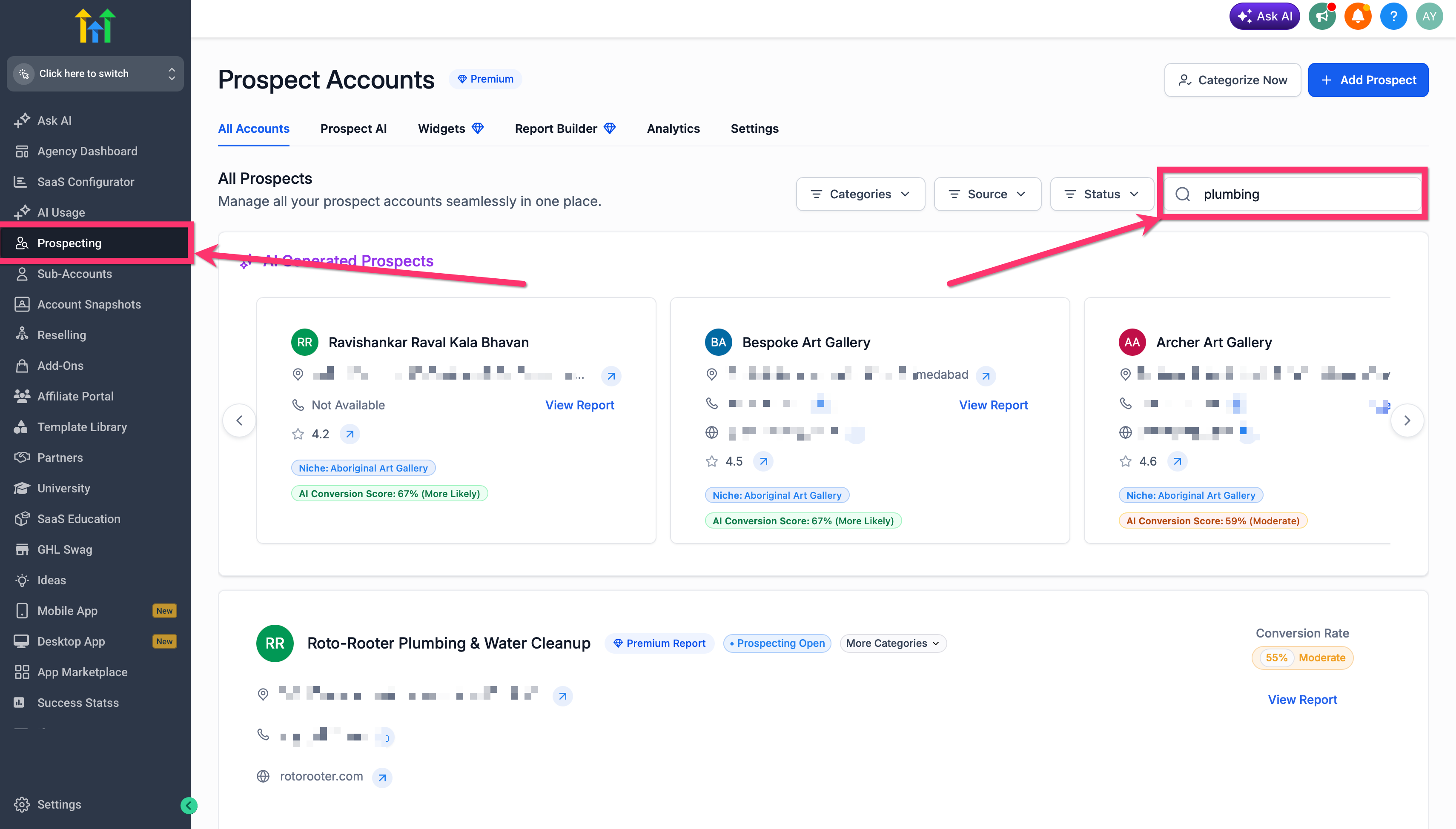
You can now search for Service Area Businesses directly in the Prospecting Tool. These businesses appear in search results as part of the normal prospecting experience, so there is no separate workflow required just to discover them.
Search for prospects using your normal business category and location terms.
Review the search results as you normally would.
Include service-based businesses in your prospect list when they match your targeting criteria.
Add and Audit Service Area Business Prospects
Being able to add and audit SABs without a visible storefront address removes a major barrier for service-based businesses. This allows you to evaluate more prospects using the same audit-driven sales workflow used for other local businesses.
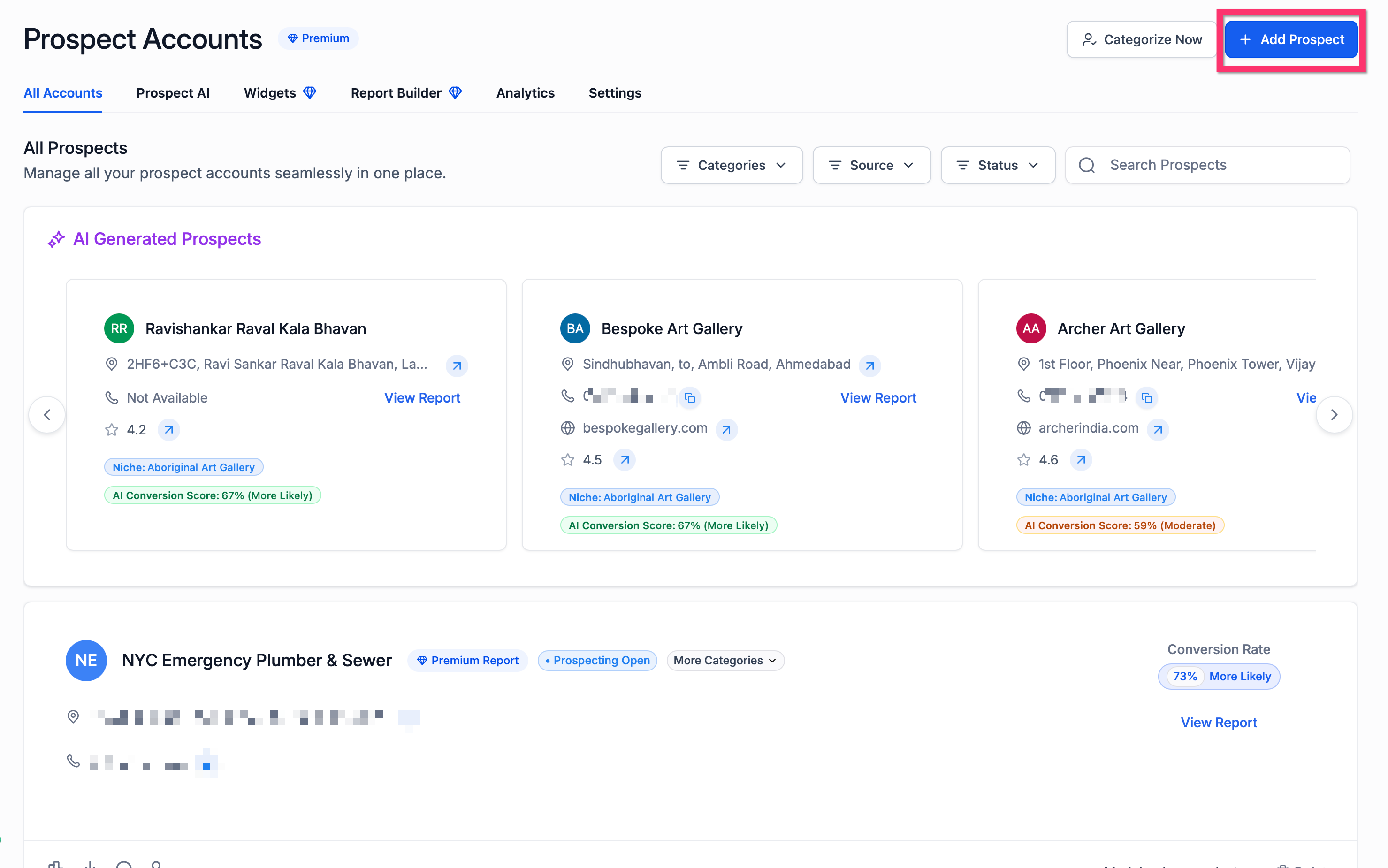
Service Area Business prospects can now be added and audited in Chat To Clients CRM even when they do not display a public business address. Once added, you can generate a full Marketing Audit Report for the prospect.
Open the Prospecting Tool and locate the business you want to review.
Add the business as a prospect.
Generate a Marketing Audit Report for that prospect.
Review the report sections to evaluate the prospect’s digital presence, listings, reputation, SEO, and website performance.
Google Business Profile Scoring for Service Area Businesses
Accurate scoring matters because service-area businesses should not be measured against storefront-only requirements. Chat To Clients CRM adjusts the audit experience to reflect the business type, helping users avoid misleading score interpretations.
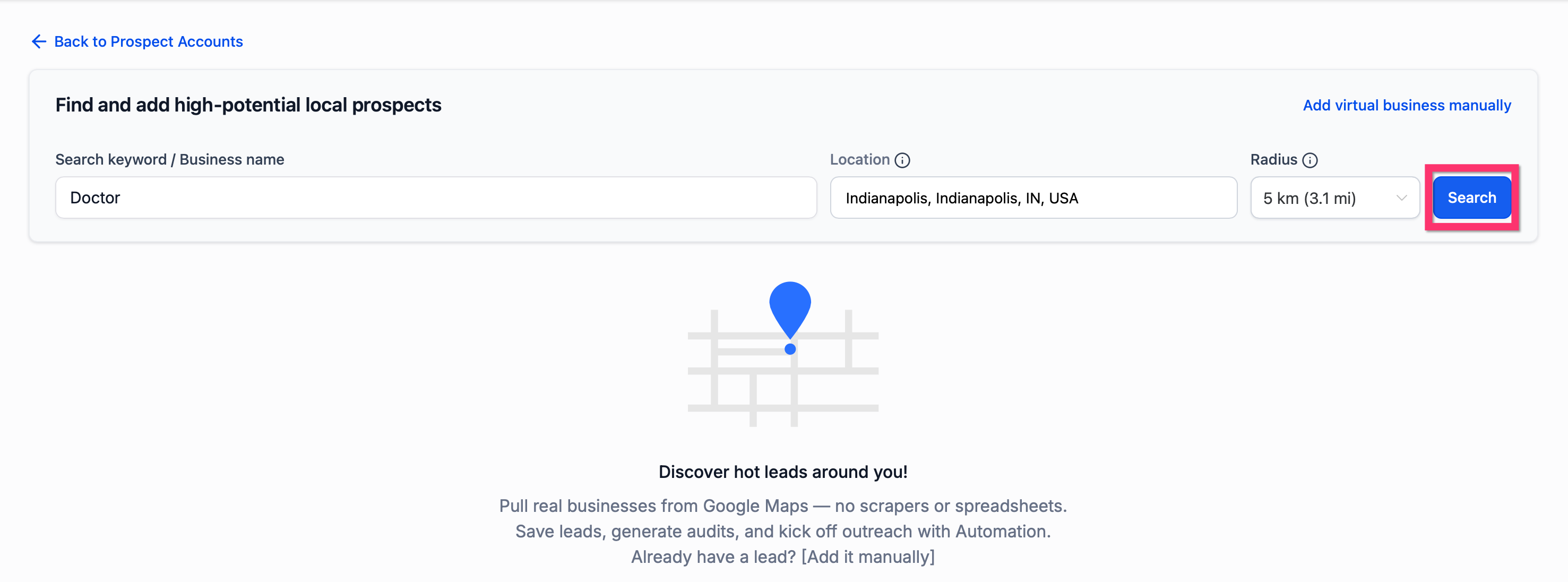
For Service Area Businesses, the business address field is excluded from Google Business Profile evaluation when a storefront address does not apply. Instead of showing a misleading pass or fail indicator, the report displays a neutral status to show that the field is not relevant for that business type.
What to expect in the Marketing Audit Report:
The Business Address field may display: Not applicable (service-based business)
The report does not use misleading red or green address indicators for SABs
Scoring is adjusted based on business type
Recommended note for the article:
Scores are adjusted based on business type. Businesses without a storefront are not evaluated on Business Address.
Local SEO Heatmaps for Service Area Businesses
Heatmap support gives agencies a more complete local SEO view for service-based businesses that compete across neighborhoods or service areas rather than from a single storefront. This makes the feature more practical for real local service campaigns.
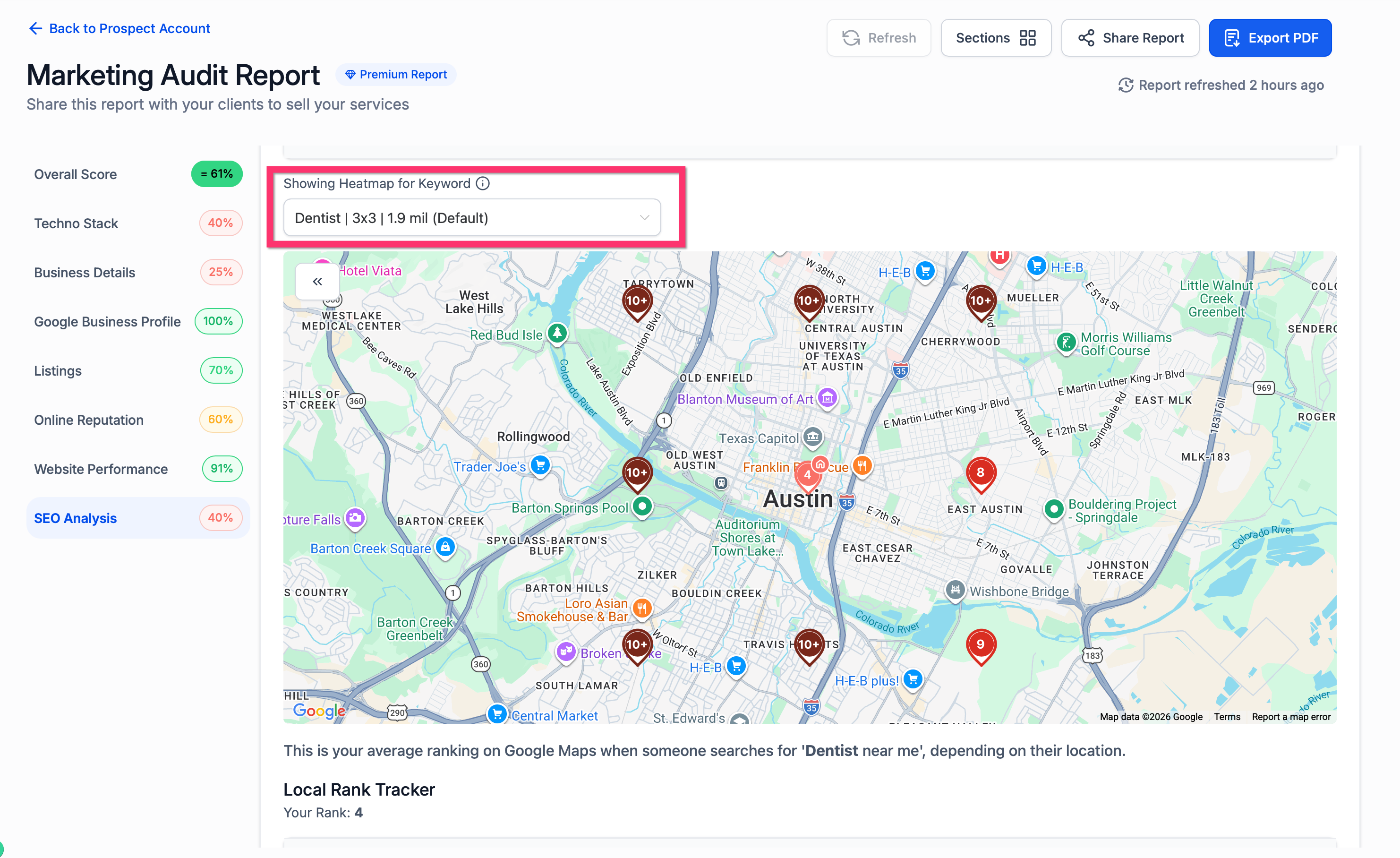
You can now generate Local SEO Heatmaps for Service Area Businesses in Chat To Clients CRM. Previous restrictions that blocked heatmap generation for some service-based businesses have been removed, allowing these businesses to move through the same broader prospecting workflow.
Open the prospect you want to analyze.
Start the Local SEO Heatmap workflow.
Configure the heatmap settings based on the prospect’s service area and target market.
Generate the heatmap and review ranking visibility across the selected area.
How To Setup Service Area Business (SAB) Prospecting
Proper setup helps ensure that service-based businesses move smoothly through the full Prospecting workflow. Following the correct process makes it easier to search for eligible businesses, generate accurate reports, and understand business-type-specific scoring.
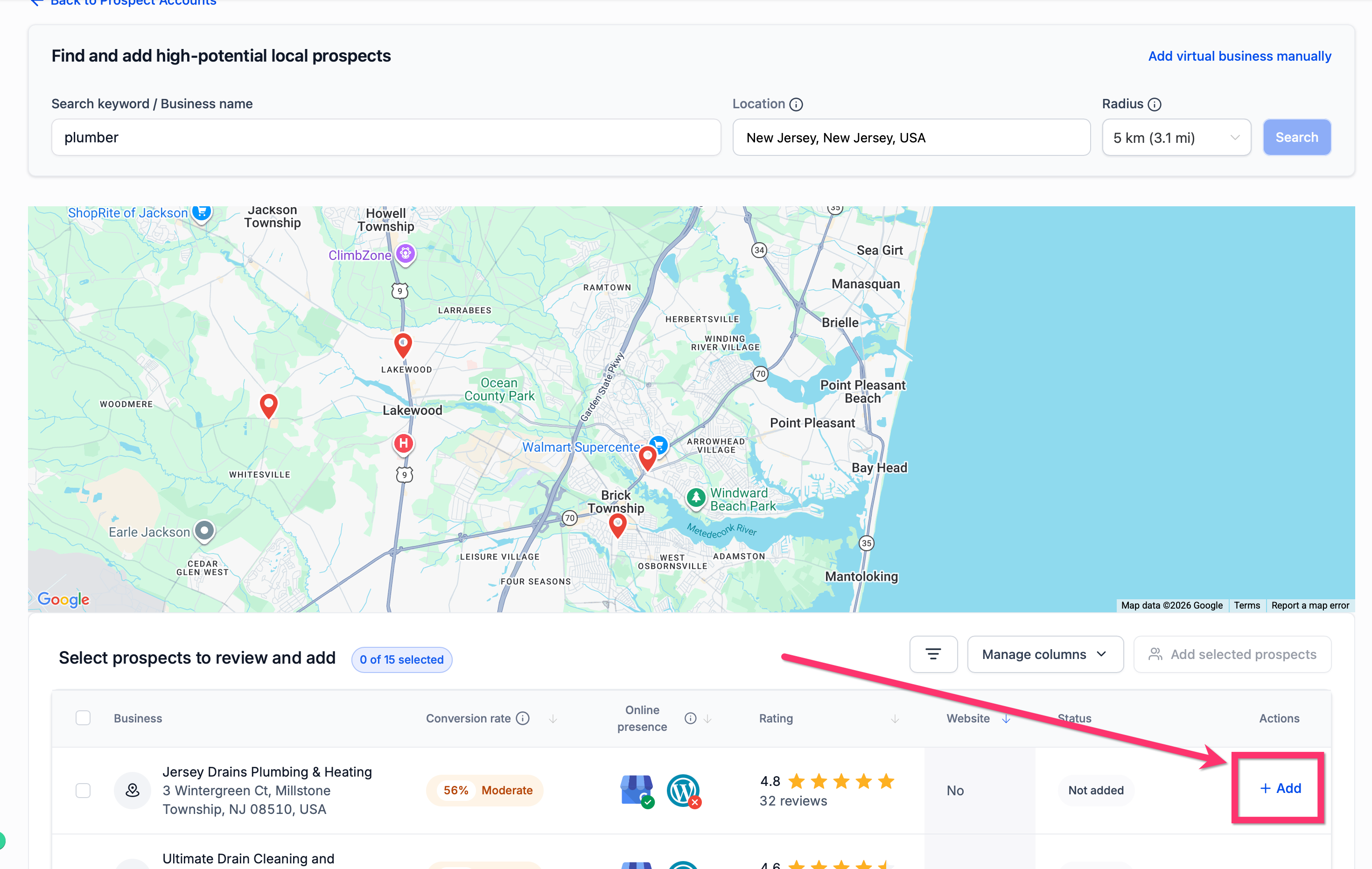
Go to Reporting and open the Prospecting Tool.
Enter your target keyword and location to search for local businesses.
Review the search results and select a Service Area Business that matches your targeting criteria.
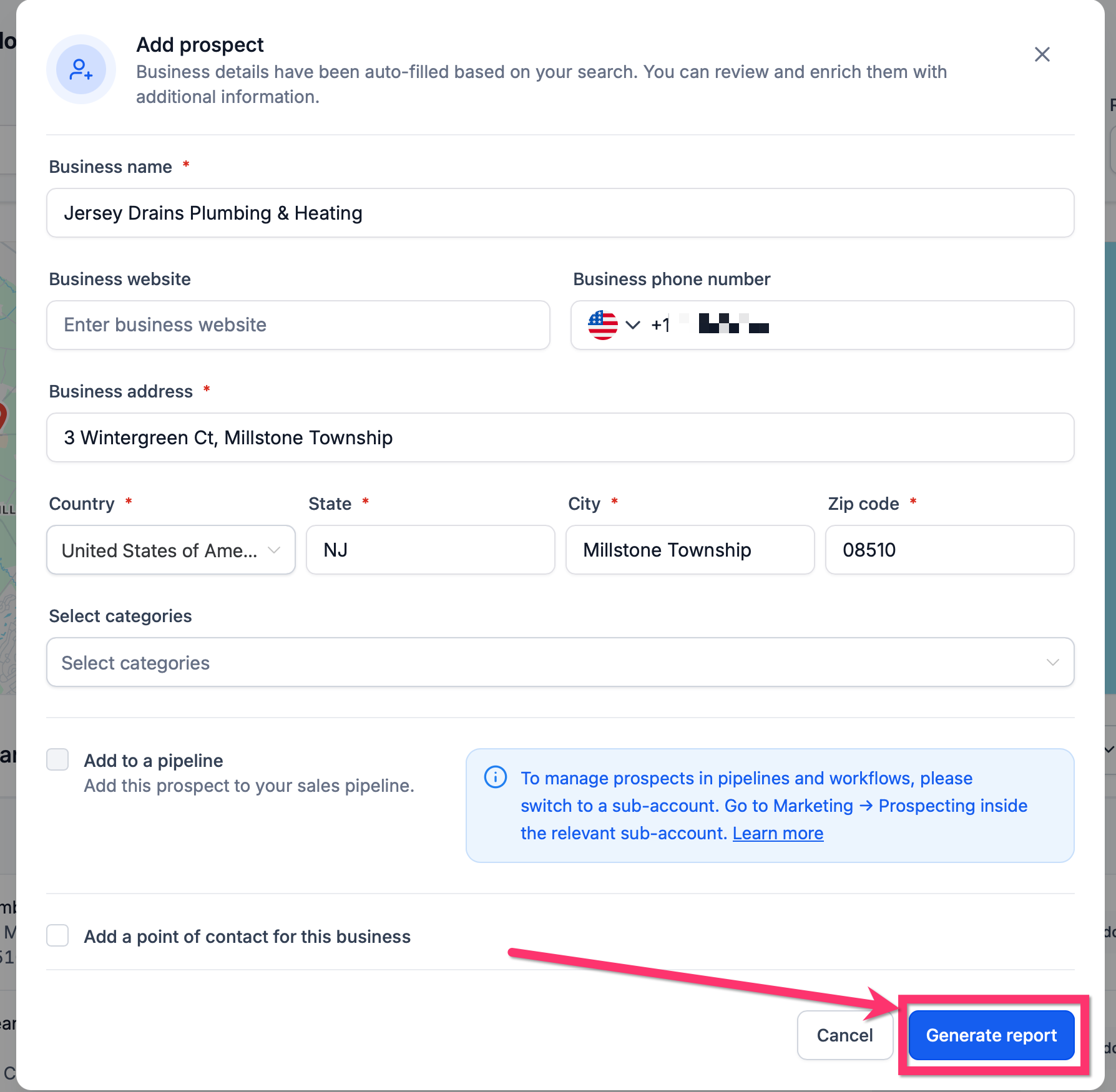
Add the business as a prospect.
Generate a Marketing Audit Report for the prospect.
Review the Google Business Profile section and confirm whether the Business Address field displays Not applicable (service-based business) when relevant.
Generate a Local SEO Heatmap if you want to analyze local ranking visibility for the prospect.
Share the report with the prospect or use it in your sales process.
Frequently Asked Questions
Q: What is a Service Area Business in Chat To Clients CRM?
A: A Service Area Business is a business that serves customers in a region or at the customer’s location rather than from a public storefront.
Q: Can I search for Service Area Businesses directly in Prospecting?
A: Yes. Service Area Businesses can now appear directly in Prospecting search results as part of the normal search experience.
Q: Can I generate a Marketing Audit Report for an SAB?
A: Yes. Chat To Clients CRM supports full Marketing Audit Reports for Service Area Businesses.
Q: Will a missing public address lower the Google Business Profile score for an SAB?
A: No. Businesses without a storefront are not evaluated on the Business Address field in the same way storefront businesses are.
Q: Why does the report say “Not applicable (service-based business)” for Business Address?
A: That message appears when the business is treated as a service-based business and a storefront address should not be used as a scoring requirement.
Q: Can I generate a Local SEO Heatmap for an SAB?
A: Yes. Local SEO Heatmaps are now supported for Service Area Businesses.
Q: Do I need a separate workflow to find service-based businesses?
A: No. Service Area Businesses are included in the standard Prospecting experience.
Q: What types of businesses may benefit from this update?
A: Common examples include businesses that serve customers across an area without relying on a walk-in storefront, such as home service providers, field service businesses, and consultants.
Related Articles
How to Generate Leads Using the Chat To Clients CRM Prospecting Tool
How to Use SEO Heatmaps in Chat To Clients CRM’s Prospecting Tool
How to find Business Maps URL for your Virtual Businesses to Generate Accurate Reports