
New Agency-Level Control for Email SMTP Services
We've introduced a new agency-level setting that gives you centralized control over Email Services across all your sub-accounts. This update improves governance, simplifies management, and makes email configuration easier to find and oversee from one place.
What's New
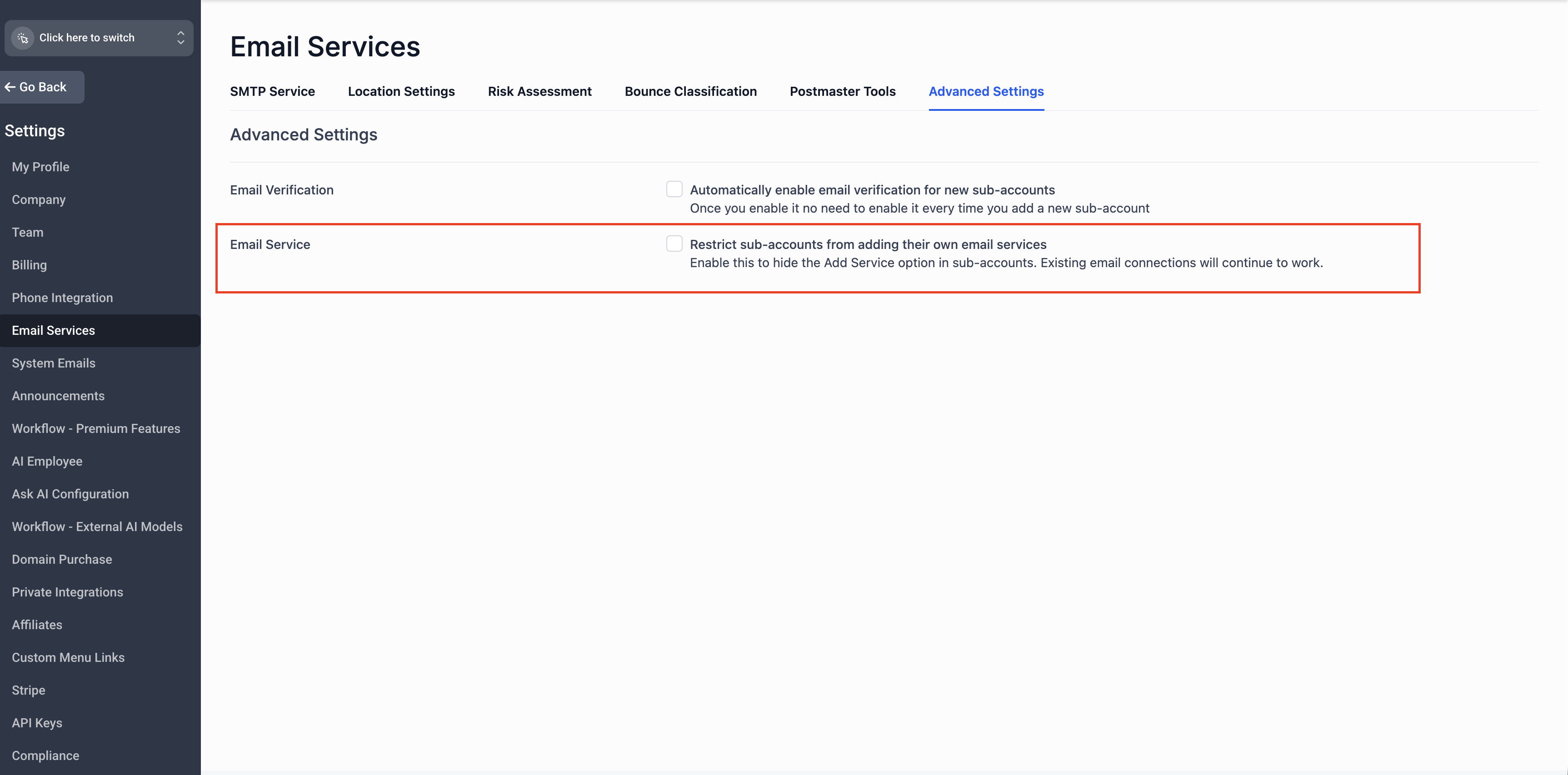
A new toggle has been added under:
Agency View → Settings → Email Services → Advanced Settings
This toggle controls whether the "Add Email Service" button is visible and available within sub-accounts. Agencies can now enable or disable access to Email Services for sub-accounts directly from this centralized setting — no need to manage it account by account.
How It Works
- The Email Services control toggle is enabled by default
- The "Add Services" button will be hidden in sub-accounts
- Sub-account access to Email Services is governed entirely by the agency-level setting
- The Email Services control toggle is disabled by default
- The "Add Services" button remains visible in sub-accounts, preserving your current workflow
- No disruption to any sub-accounts already using Email Services
No action is required for existing sub-accounts that are already set up with Email Services. Their configurations will continue to work as expected.
Managing Email Services for a Specific Sub-Account
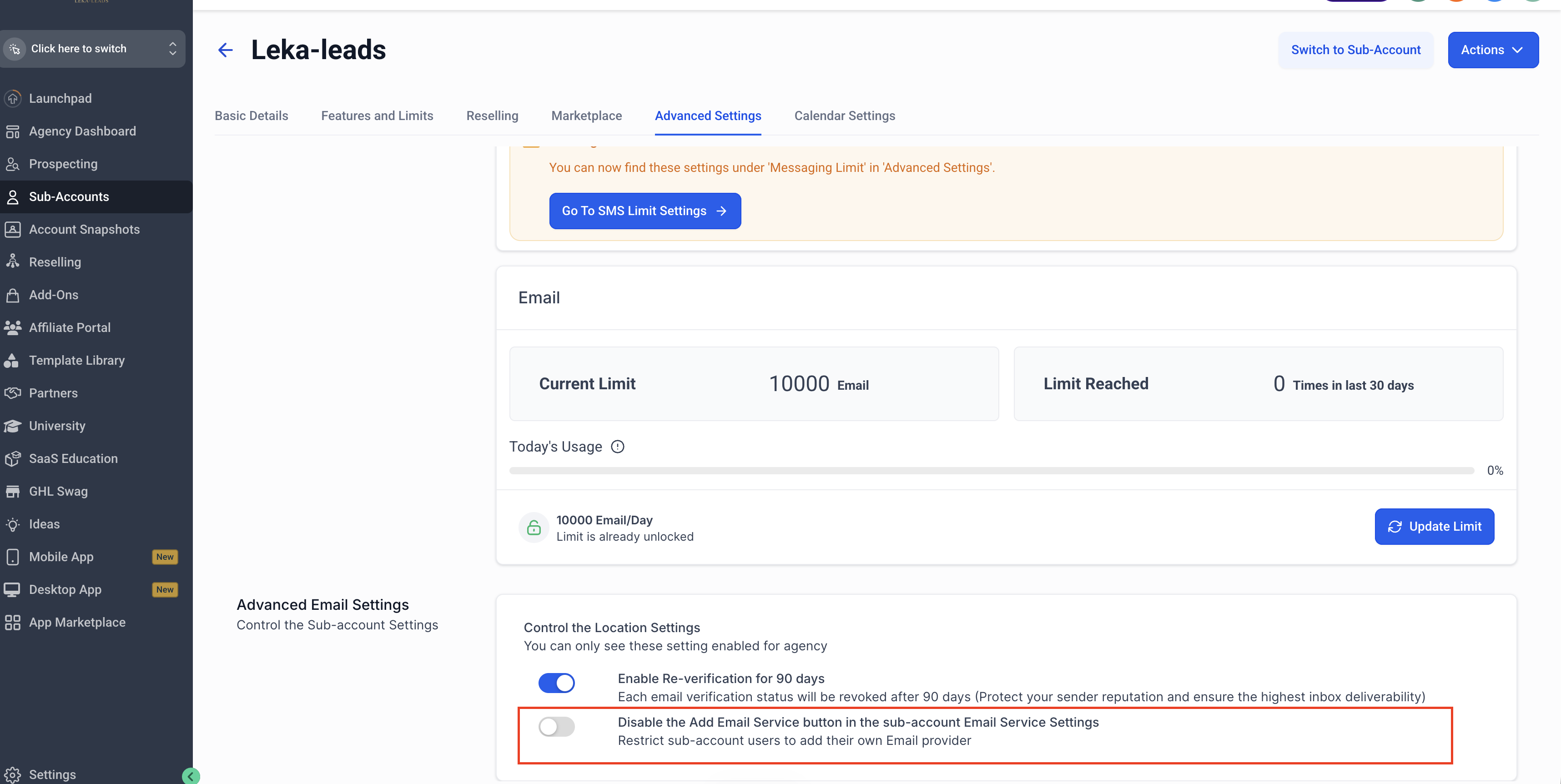
If you want to enable or disable the "Add Email Service" button for an individual sub-account rather than applying the setting globally, you can do so at the sub-account level:
Go to Agency View → Sub-Accounts.
Select the sub-account you want to configure.
Navigate to Advanced Settings and find the option to disable the "Add Email Service" button in the sub-account's Email Service settings.
Toggle the setting on or off based on your preference for that sub-account.
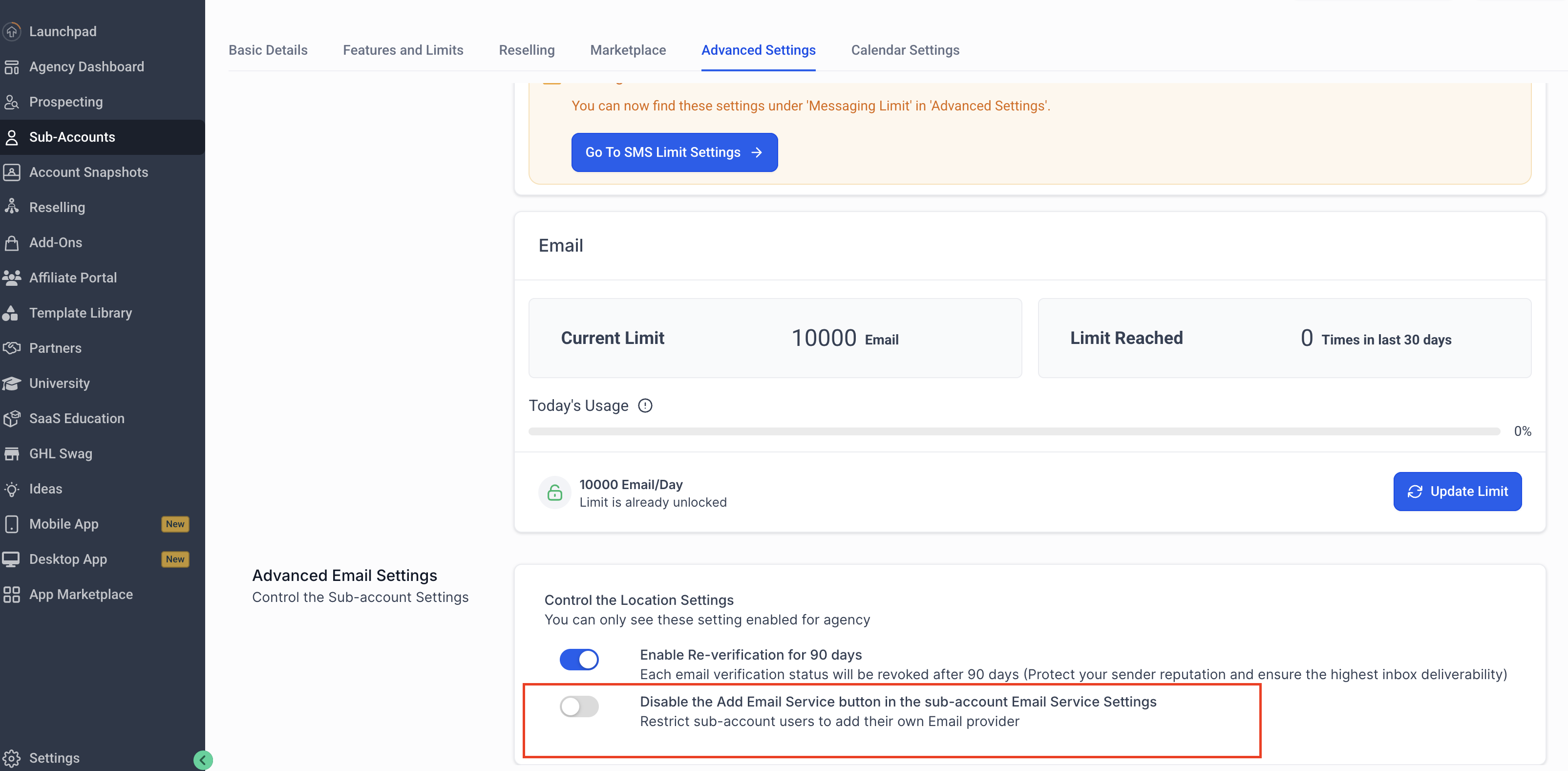
This allows you to fine-tune access for specific sub-accounts, overriding the global agency-level setting where needed.