
How to Use Brand Voice and Brand Kit in Agent Studio Flow Builder
Maintain consistent branding across AI-generated content by applying Brand Voice and Brand Kit (Design Kit) directly within Agent Studio's Flow Builder. These settings help your AI agents generate text, images, videos, and audio that reflect your business’s messaging and visual identity.
TABLE OF CONTENTS
What are Brand Voice & Brand Kit?
Use Brand Voice and Design Kit in Agent Studio to create AI-generated content that matches your brand's tone, style, and visual identity.
Brand Voice: Maintains consistent tone, language, and messaging across AI-generated content.
Design Kit (Brand Kit): Applies your brand's visual identity, including colors, fonts, and logos, to supported AI-generated content.
Updates to your Brand Board, such as new messaging, logos, colors, or fonts, are automatically applied to future AI generations.
Important: This article applies to Flow Agents in Agent Studio. Managed Agents use a different interface and do not follow the Generative AI node setup described here.
Before You Begin
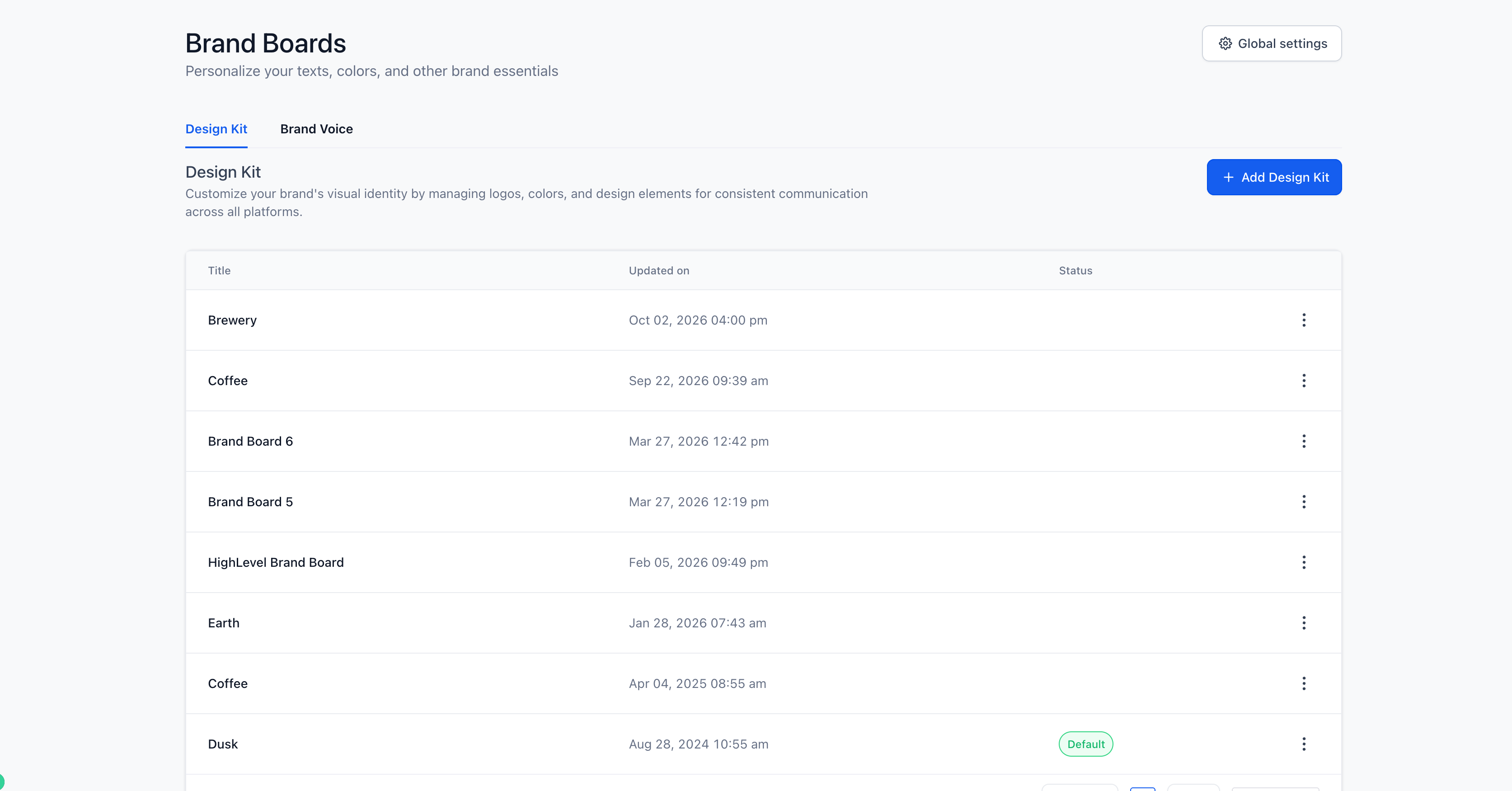
Create a Brand Voice or Design Kit under Marketing → Brand Boards.
If you haven't created one yet, follow these guides:
You only need to create the branding assets you plan to use.
How to Apply Brand Voice and Design Kit in Agent Studio
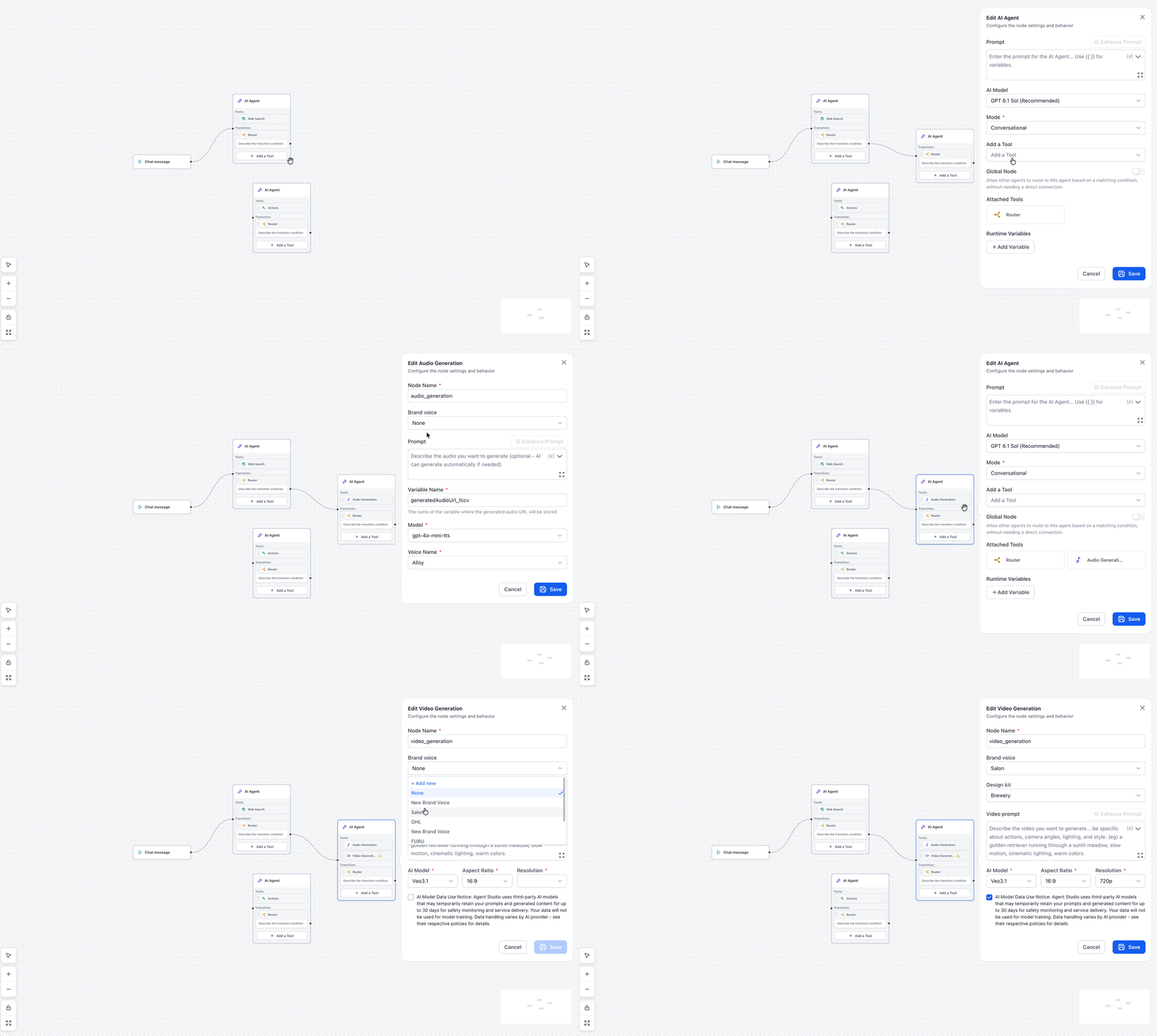
Navigate to AI Agents → Agent Studio.
Open an existing Flow Agent or create a new agent using Flow Builder.
In Flow Builder, click Add a processing node.
Under Generative AI, select Text Generation, Audio Generation, Image Generation, or Video Generation.
In the node settings, select your preferred Brand Voice from the dropdown. You can also select None or + Add new to create a Brand Voice.
If you're using Image Generation or Video Generation, select a Design Kit to apply your brand's visual styling.
Complete the remaining node settings and click Save.
Test your agent to confirm the generated content follows your selected branding.
Your selected Brand Voice and Design Kit will be applied when the configured Generative AI node runs.
Supported Generative AI Tools
| Generative AI Tool | Brand Voice | Design Kit |
|---|---|---|
| Text Generation | ✓ | — |
| Audio Generation | ✓ | — |
| Image Generation | ✓ | ✓ |
| Video Generation | ✓ | ✓ |
Tip: Each Generative AI node can use its own branding settings, allowing you to work with different brand kits within the same agent flow.
Frequently Asked Questions
Q: Can I use Brand Voice with Managed Agents?
No. this article covers Brand Voice configuration through Generative AI nodes in Flow Builder. Managed Agents use a different setup interface.
Q: Can I create a Brand Voice directly in Agent Studio?
Yes. Select + Add new from the Brand Voice dropdown in a supported Generative AI node.
Q: Can I generate content without a Brand Voice?
Yes. Select None from the Brand Voice dropdown.
Q: Can I use different Brand Voices in the same agent?
Yes. Each supported Generative AI node can have its own Brand Voice configuration.