
Listings – Duplicate Suppression Management
Duplicate Suppression in Chat To Clients CRM Listings helps you find and eliminate duplicate online listings across directories like Google, Bing, Apple Maps, and more. This guide explains how detection works, what each status means, and how to suppress or dismiss duplicates from your Listings dashboard.
Note: This feature is only supported for Yext entities. Uberall entities are not supported.
TABLE OF CONTENTS
- What is Duplicate Suppression Management in Listings?
- Key Benefits of Duplicate Suppression
- Duplicate Detection Logic
- Statuses & Review Lifecycle
- How To Use Duplicate Suppression in Listings
- Frequently Asked Questions
- Related Articles
What is Duplicate Suppression Management in Listings?
Duplicate Suppression identifies online listings that appear to represent the same business as your authoritative listing and routes them through a directory‑review workflow to hide/remove the duplicates. Suppressing duplicates concentrates ranking signals on your primary listing and ensures customers see accurate, consistent information. Removing duplicates protects brand consistency, improves local SEO, and prevents customers from seeing conflicting information.
Key Benefits of Duplicate Suppression
Stronger local SEO: consolidates authority to your primary, correct listing.
Cleaner customer journey: removes confusing, outdated, or conflicting listings.
Brand consistency: keeps name, address, phone, and hours consistent across sites.
Operational efficiency: centralizes detection and actions in one dashboard—no more manual outreach to publishers.
Status transparency: track submissions through Possible Duplicate → Processing Suppression → Suppressed → Unable to Suppress.
Duplicate Detection Logic
Knowing how duplicates are identified helps you confidently decide whether to suppress or keep a listing marked as “Not a Duplicate.”
Chat To Clients CRM runs automated monthly scans against major directories to flag potential duplicates of your authoritative listing.
Flags are based on similarity of business name, address, phone (NAP), and other identifiers on publisher pages.
Multi‑location brands should confirm a candidate isn’t a separate location (e.g., another franchise nearby or a previous address) before suppressing.
If a listing is misidentified, you can Mark as Not a Duplicate to keep it off the list.
Statuses & Review Lifecycle
Statuses indicate where each candidate listing is in the suppression workflow and what to do next.
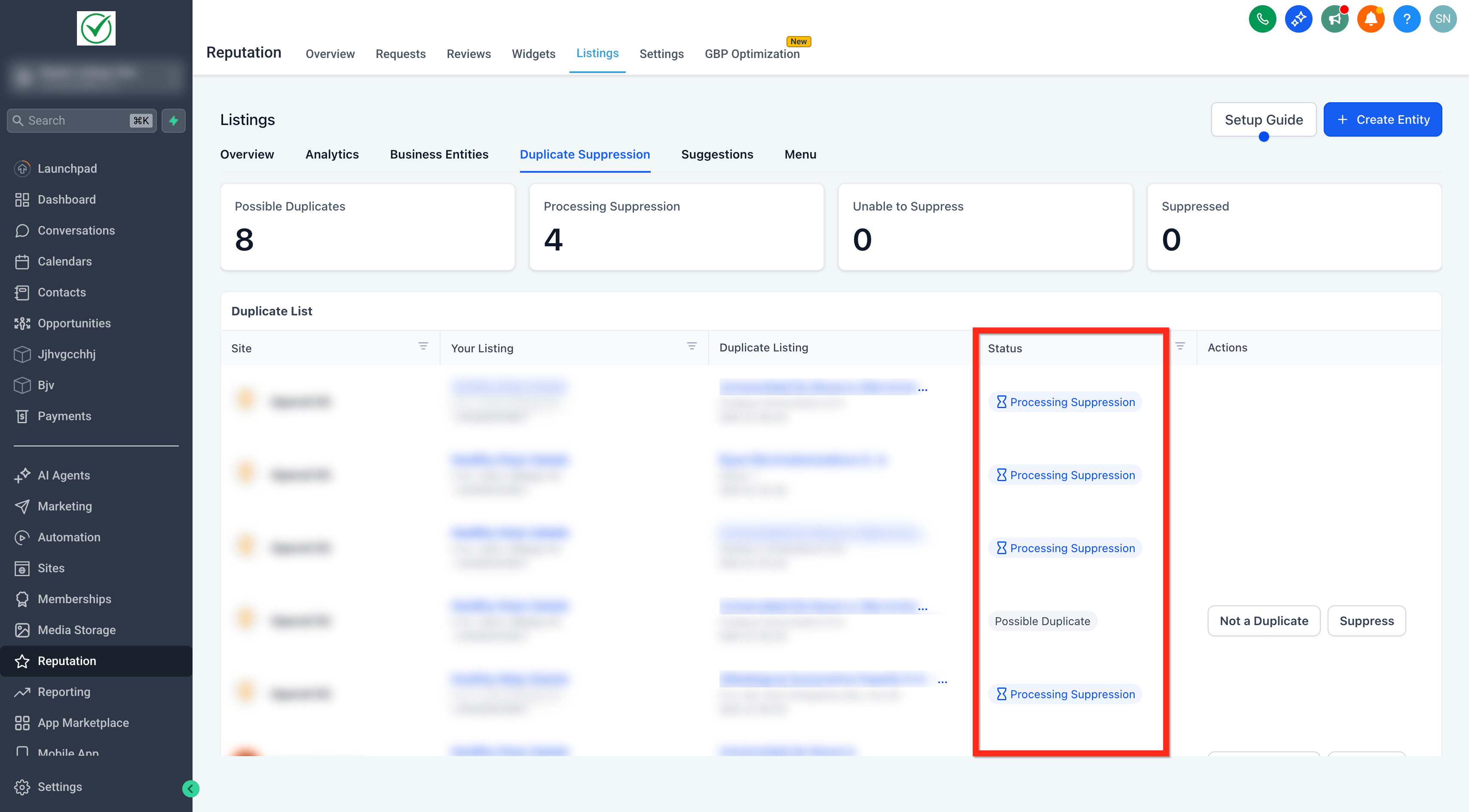
Possible Duplicate: The item is flagged by detection and awaiting your action.
Processing Suppression: You requested suppression. The directory publisher is reviewing your request (many complete within ~24 hours; some may take a week or longer).
Suppressed: The listing has been removed from publisher search results. In many cases the old URL redirects to your correct listing; some publishers may show updated content or return an error instead.
Unable to Suppress: The publisher declined the request or doesn’t support suppression for this case.
How To Use Duplicate Suppression in Listings
Accurate setup and careful review ensure you remove only true duplicates while preserving legitimate listings.
Open the Sub‑Account and navigate to Reputation → Listings.
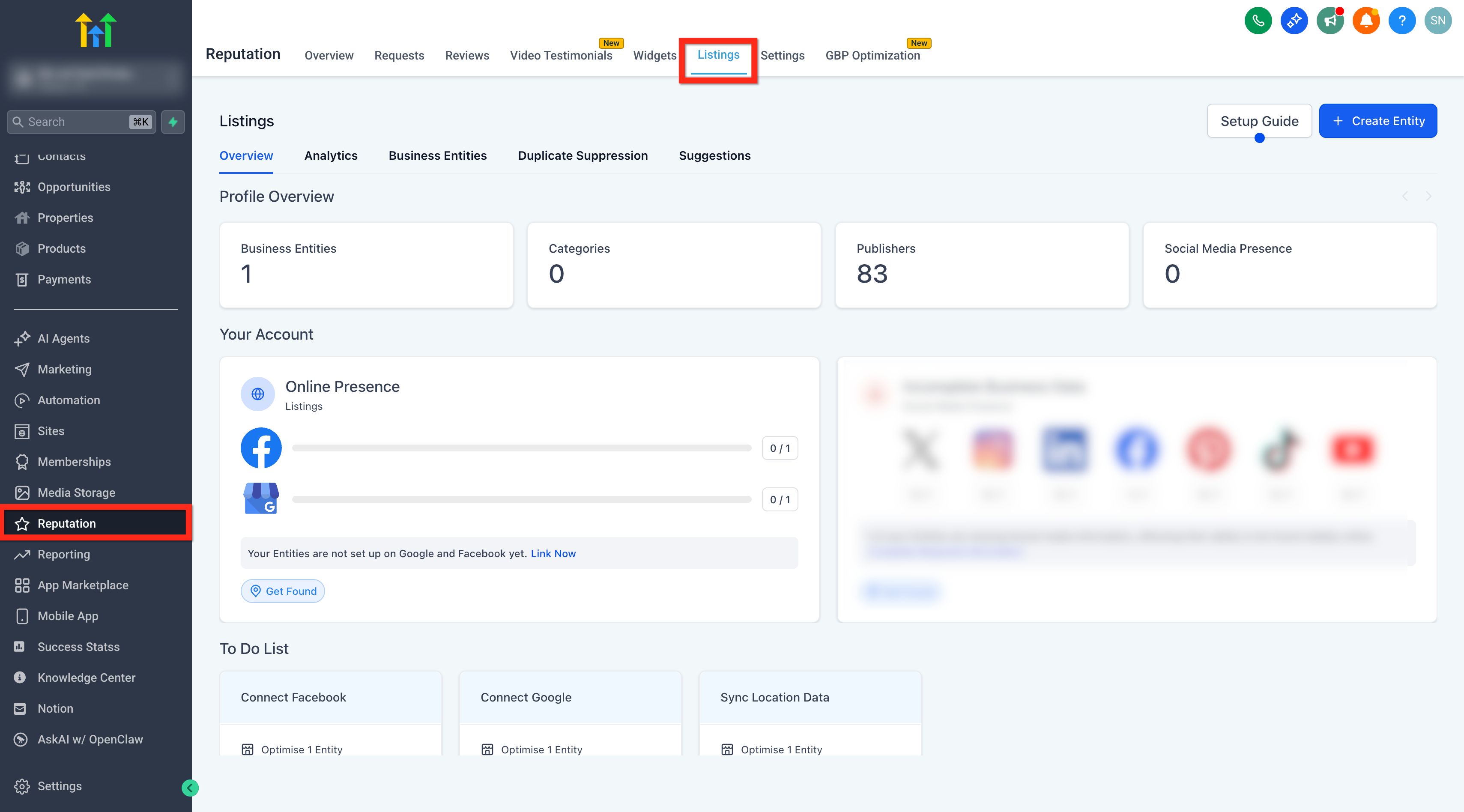
Click the Duplicate Suppression tab.
Note: This tab is only visible if the sub-account has any Yext entity present and active.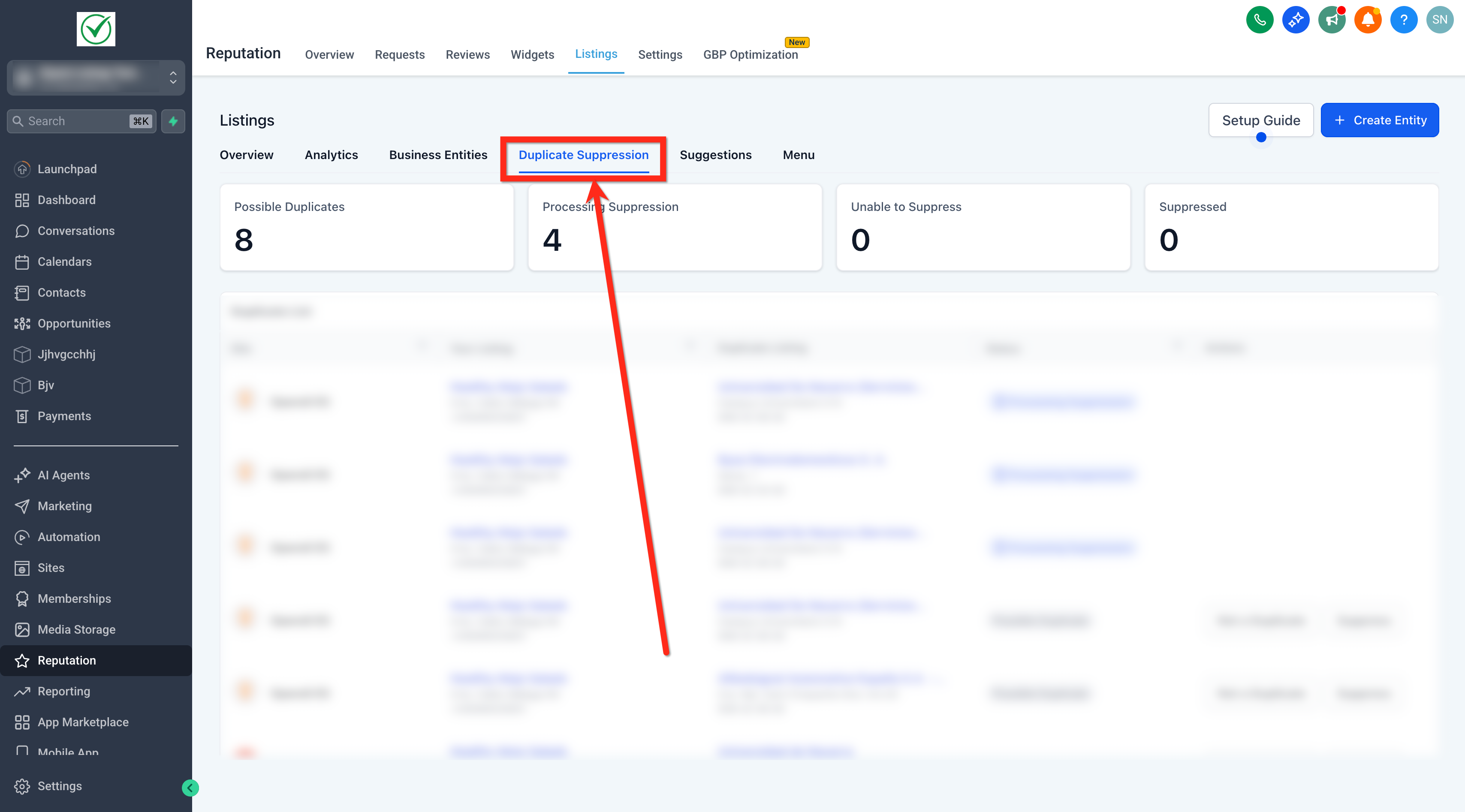
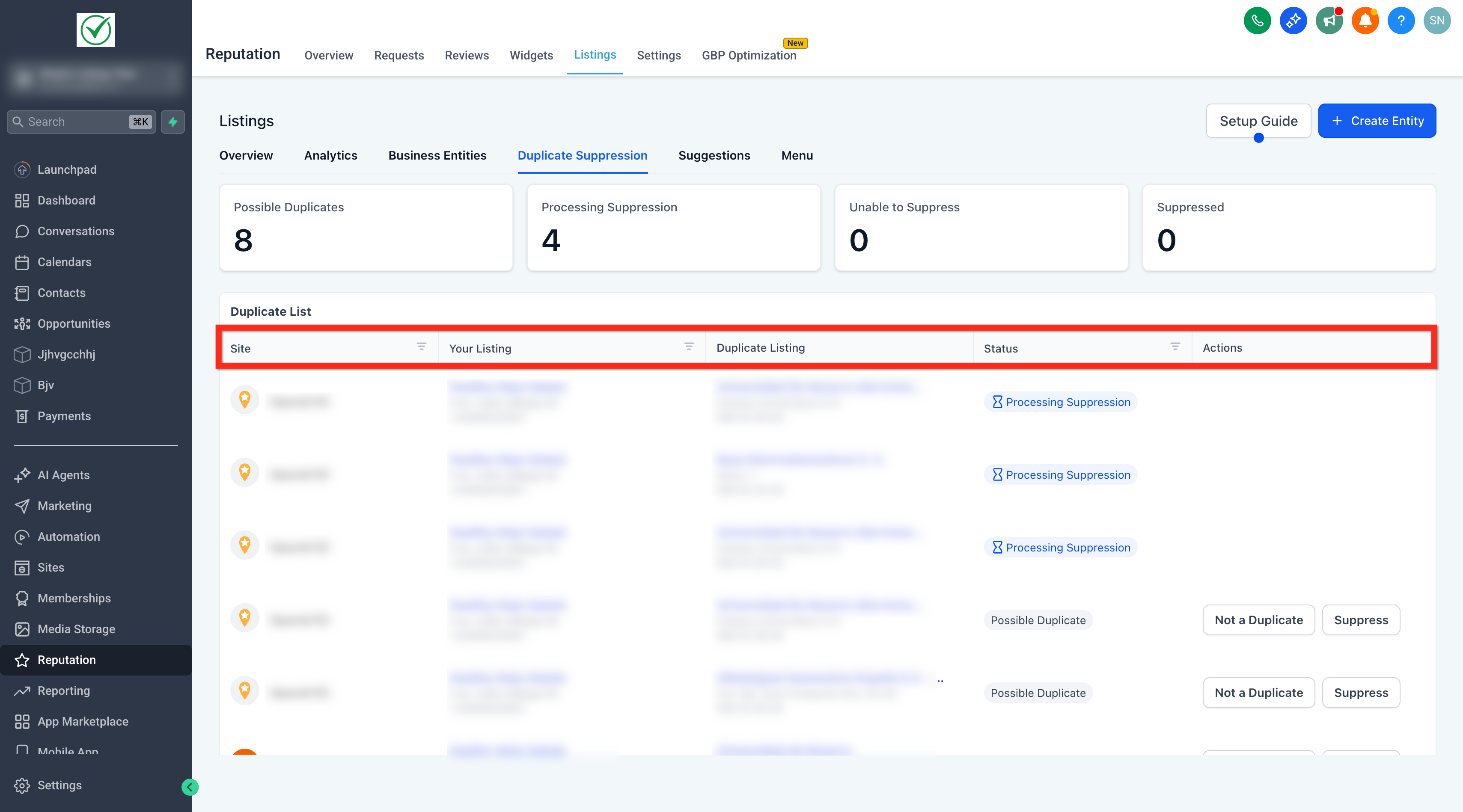
Review the grid: Site, Your Listing, Duplicate Listing, Status and Action.
To remove a confirmed duplicate, click Suppress and then Confirm.
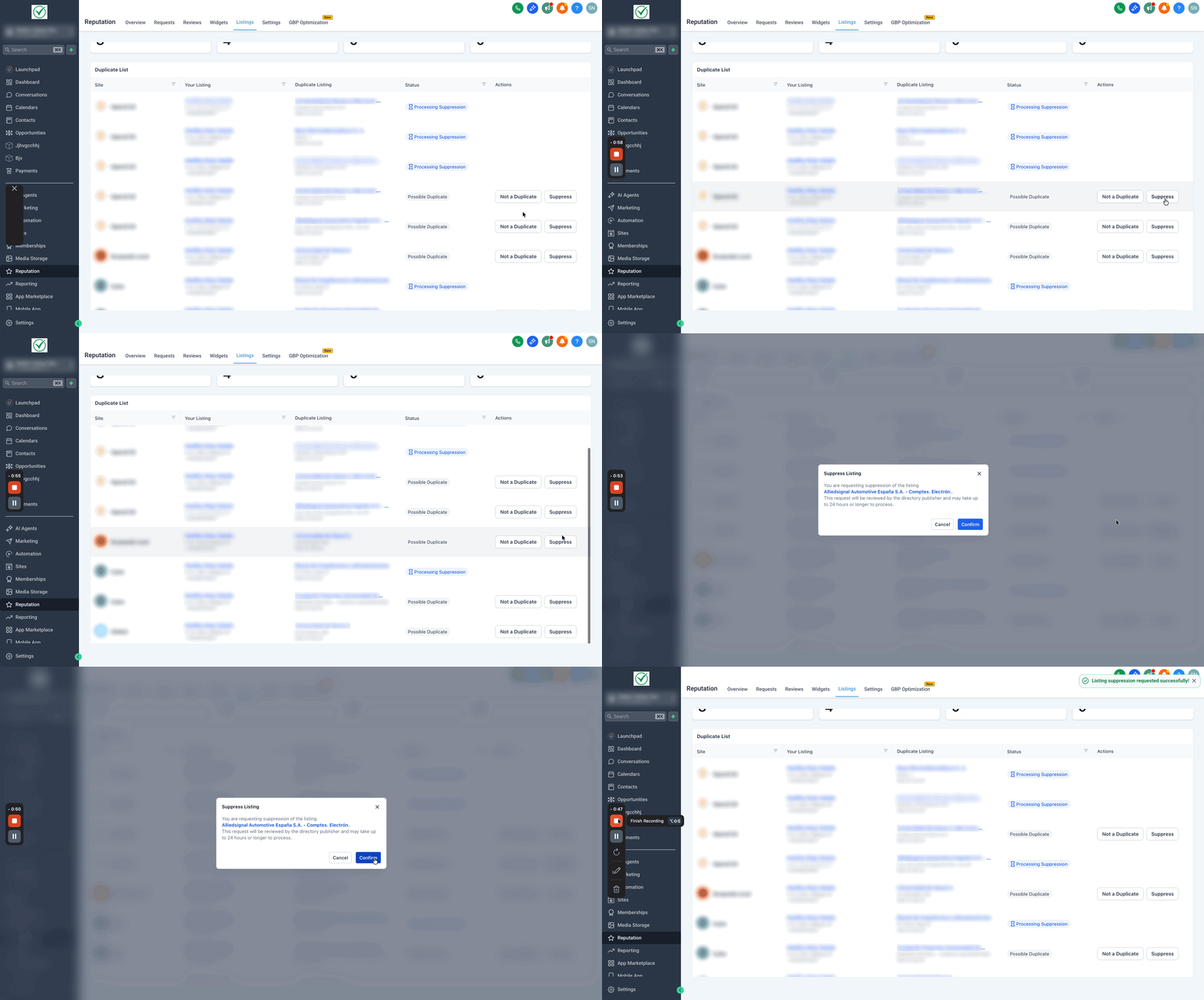
To dismiss a false positive, click Not a Duplicate and then Confirm.
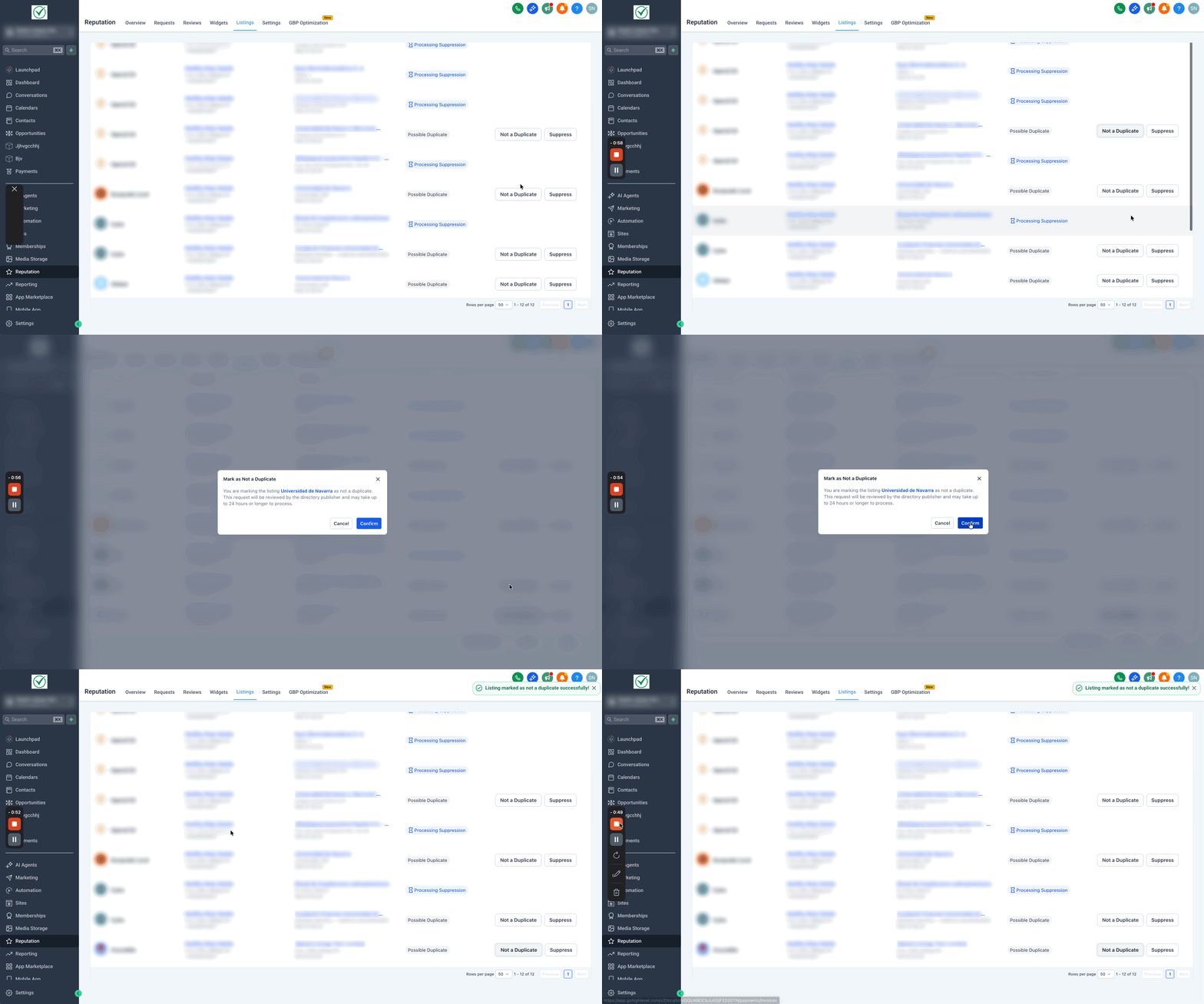
Monitor the Status chips to track progress: Processing Suppression, Suppressed, or Unable to Suppress.
Revisit monthly after scans refresh to address any new candidates.
Frequently Asked Questions
Q: Why is this tab not available in my account?
Q: What counts as a duplicate listing?
A listing that appears to represent the same business as your authoritative listing based on NAP and other matching signals on the publisher site.
Q: How long does suppression take?
Many publishers complete review within ~24 hours; some may take a week or longer depending on policies and evidence needs.
Q: Will the duplicate URL always redirect?
No. Many publishers redirect; others remove the page or display updated content or an error.
Q: What if the publisher declines my request (Unable to Suppress)?
Verify the candidate, gather evidence, and contact support. Some publishers require additional proof or do not support suppression for certain cases.
Q: Does suppression affect my Google Business Profile?
Yes—reducing duplicates can help concentrate ranking signals, but changes are subject to Google’s policies and review timelines.
Q: How often are duplicates refreshed?
Automated scans run monthly. Check the tab regularly to address new findings.