
Avoid Call Loops When Routing Calls to Internal Phone Numbers
This article explains why call loops occur, where Chat To Clients CRM displays warnings, and how to configure call routing to help prevent failed or disconnected calls.
TABLE OF CONTENTS
- How Call Loops Can Occur?
- Why This Matters
- Warning Behavior
- Warning Message
- Where You’ll See This Warning
- Recommended Best Practices
How Call Loops Can Occur?
Chat To Clients CRM gives you the flexibility to use your Chat To Clients CRM (Chat To Clients CRM) phone number across different parts of your account, including as your business phone number and in advanced call routing setups. This allows experienced users to design custom call flows that fit their specific use cases.
That said, certain configurations, such as using a Chat To Clients CRM phone number as a call forwarding destination, can unintentionally create call loops if not set up correctly. These loops may cause some calls to fail or disconnect.
To help you stay informed without limiting your flexibility, Chat To Clients CRM now displays a warning message in places where using a Chat To Clients CRM phone number could potentially lead to call issues. This way, you can proceed confidently while understanding the possible impact of your setup.
Why This Matters
A call loop occurs when a call is repeatedly routed back into the same phone system instead of reaching its intended destination. Understanding this behavior helps you avoid routing configurations that may interrupt inbound calls.
A call loop may result in:
- Calls failing to connect
- Calls disconnecting unexpectedly
- Inbound calls not reaching the intended recipient
Advanced routing configurations can still use Chat To Clients CRM phone numbers when appropriate, but the call flow must be configured carefully to prevent calls from being routed back to the same number.
Warning Behavior
Chat To Clients CRM uses an informational warning rather than blocking the configuration entirely. This allows you to continue using advanced routing setups while making you aware of the potential risk before saving your changes.
Warning Message
The warning displayed when a potential call-loop configuration is detected states:
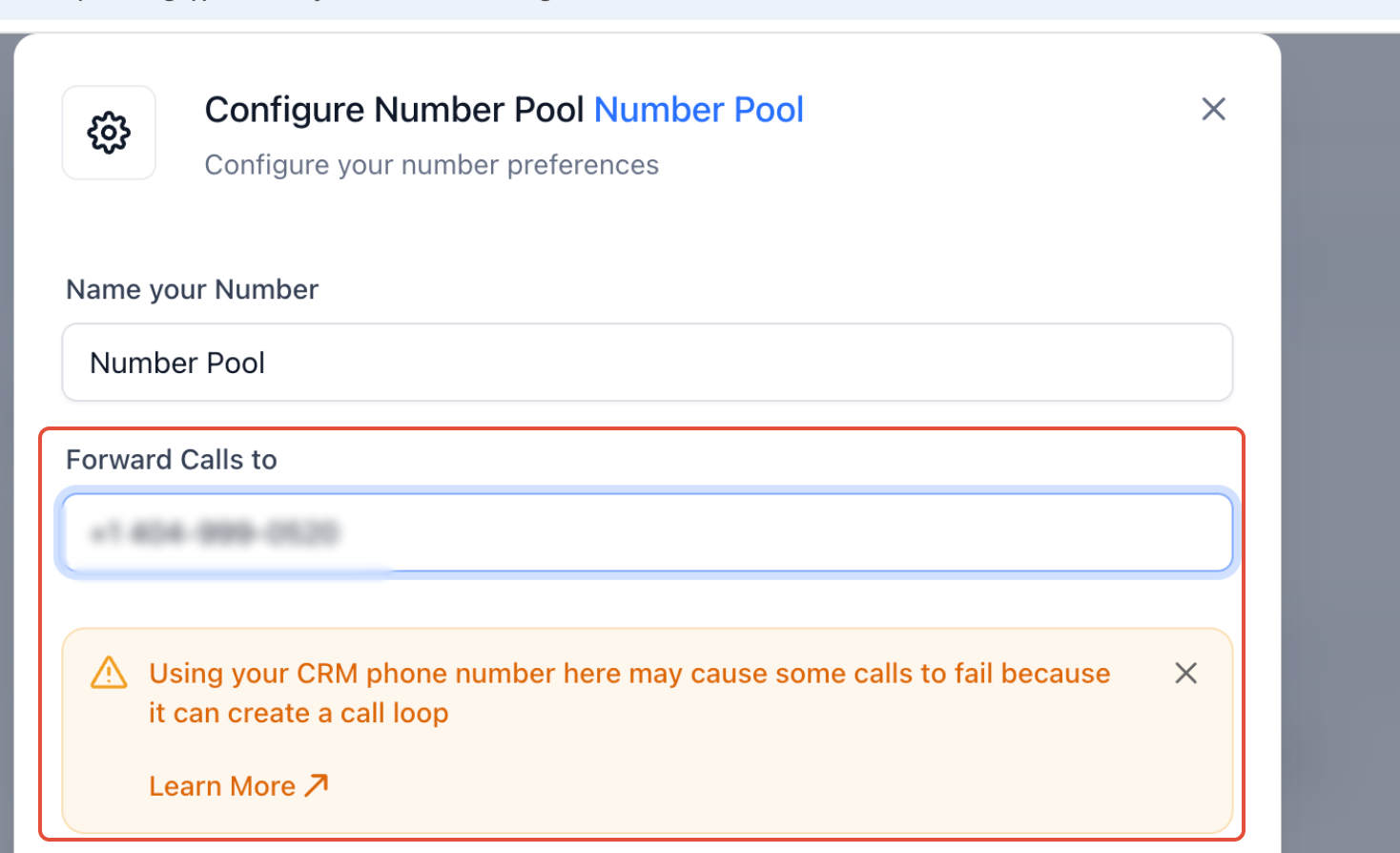
Using your CRM phone number here may cause some calls to fail because it can create a call loop. Learn more
Note: The warning is informational only and does not prevent you from saving your settings.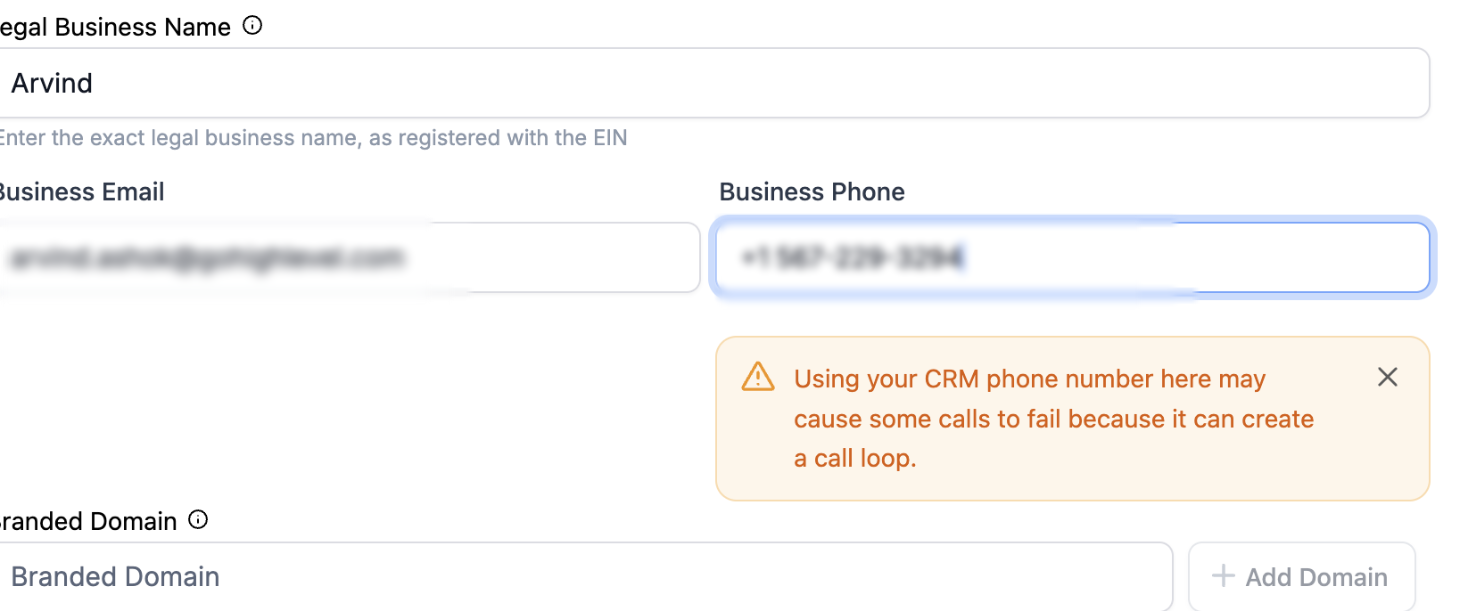
Where You’ll See This Warning
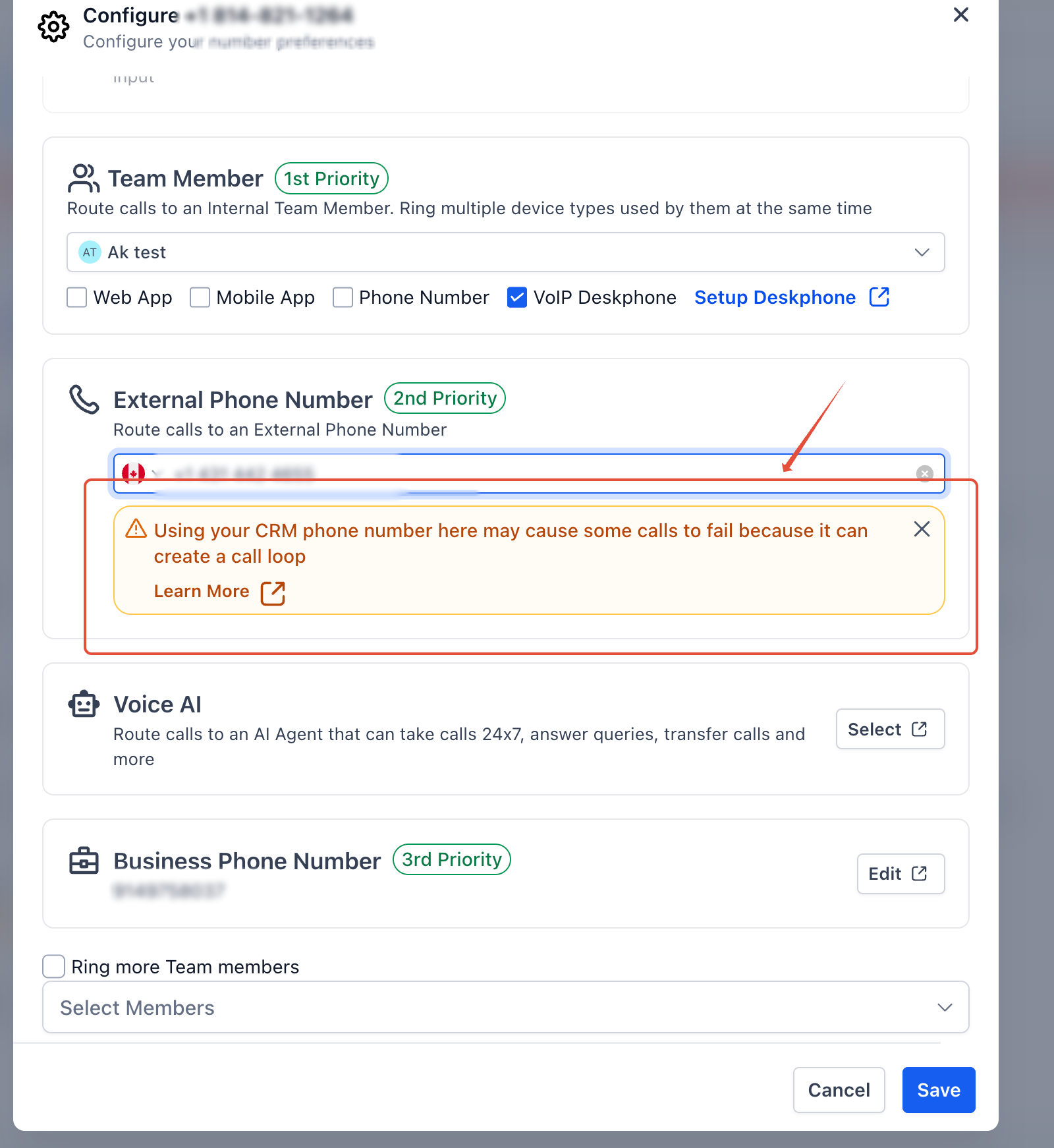
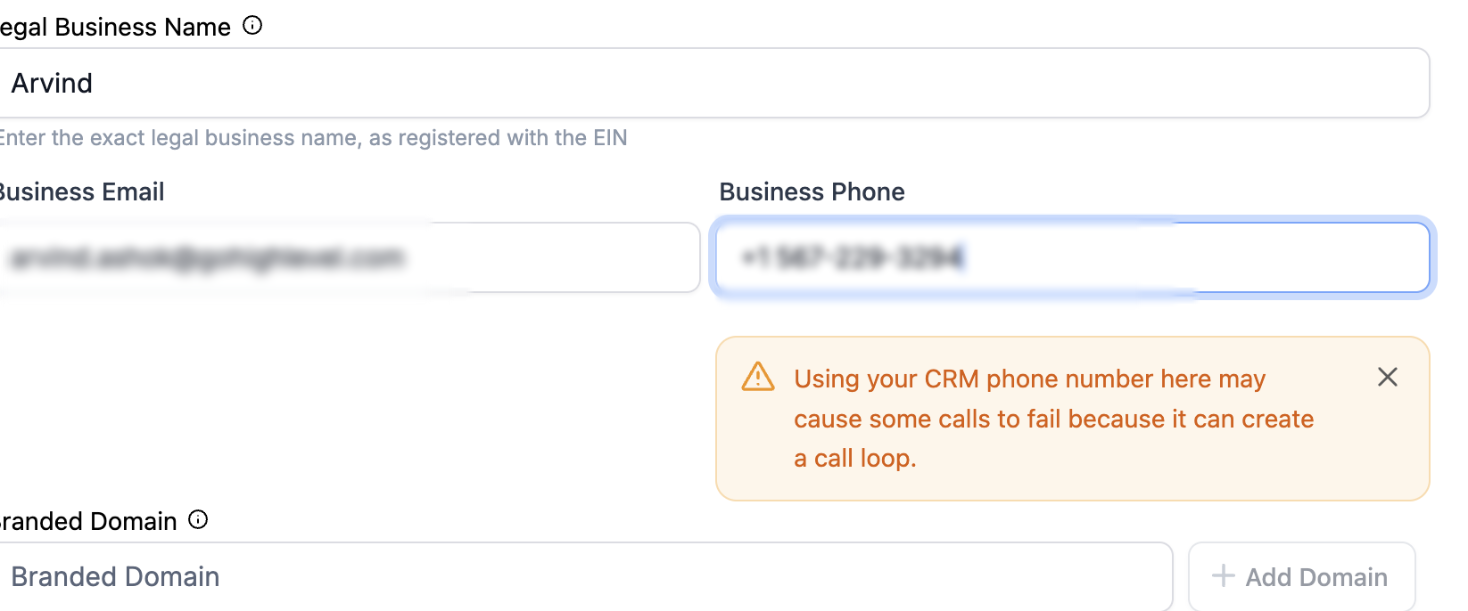
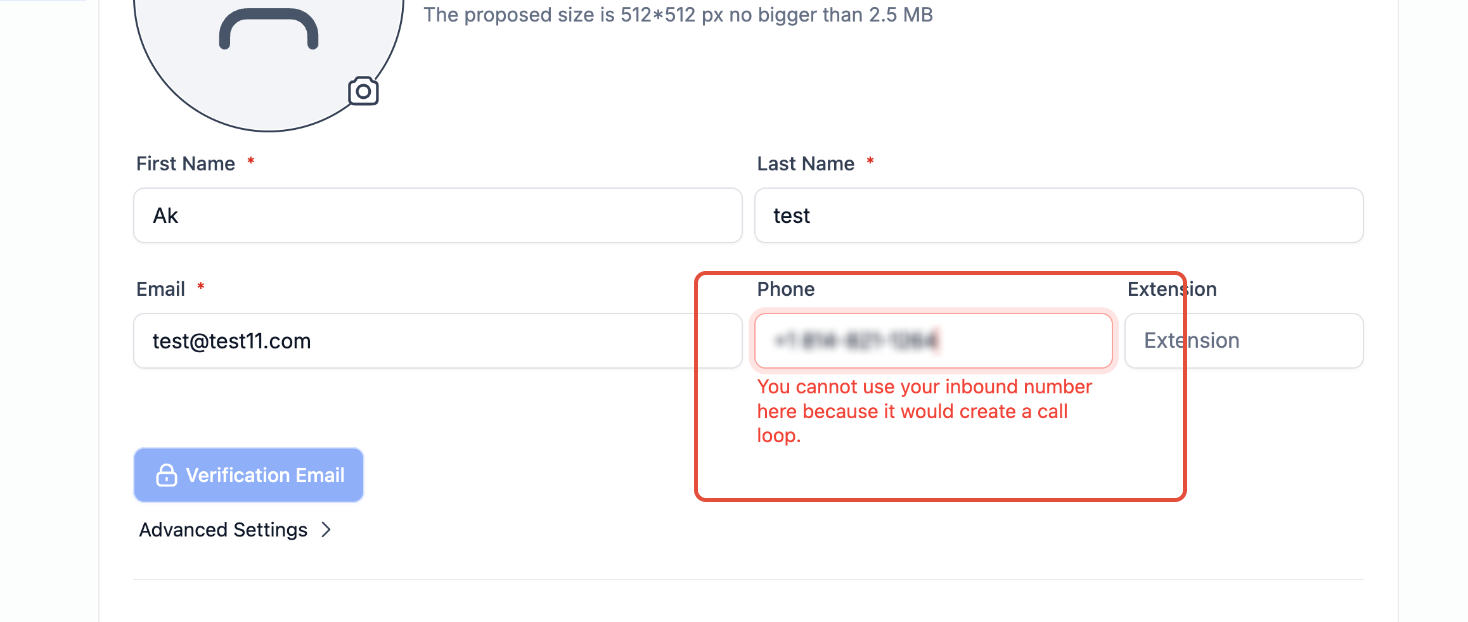
The warning appears when you attempt to use a Chat To Clients CRM phone number in the following areas:
Phone Number Settings (Call Forwarding)
Business Profile (Business Phone Number)
Staff Profile (User Phone Number)
Number Pool
Recommended Best Practices
To avoid call issues:
Use an external phone number (mobile, landline, or VoIP) for call forwarding whenever possible.
If you choose to use a Chat To Clients CRM phone number:
Ensure your call flow does not route calls back to the same number
Test your setup thoroughly after saving changes
Monitor call logs for failed or dropped calls