
Prospecting Tool - AI Recommendations for New Agencies
Prospect AI Recommendations for New Agencies jump-starts your first outreach by delivering a one-time list of local, high-fit leads based on your business niche and location. This article explains eligibility, how recommendations are delivered, and the steps to turn early momentum into ongoing automated lead discovery with Prospect AI.
TABLE OF CONTENTS
- What is Prospect AI Recommendations for New Agencies?
- Key Benefits of Prospect AI Recommendations for New Agencies
- Eligibility & Cool-Down Period
- One-Time Recommendations
- How To Use AI Recommended Prospects
- Next Steps
- Frequently Asked Questions
- Related Articles
What is Prospect AI Recommendations for New Agencies?
Prospect AI Recommendations for New Agencies is a one-time assist for brand-new agencies that haven’t started prospecting yet. Using your agency’s niche, location, and postal code, Chat To Clients CRM surfaces a handful of nearby businesses so you can quickly generate Marketing Audit Reports, reach out, and enable Prospect AI for continuous discovery.
Key Benefits of Prospect AI Recommendations for New Agencies
Accelerates activation: Removes the “where do I start?” barrier by placing actionable leads in your hands.
Shows value early: Demonstrates how Prospecting works using leads tightly matched to your niche and service area.
Supports retention: Reduces churn risk in the first 30 days by prompting meaningful first actions.
Sets up future use: Increases the likelihood you’ll enable Prospect AI for ongoing, automated lead discovery.
Eligibility & Cool-Down Period
Eligibility rules ensure recommendations are timely and relevant. The cool-down gives you space to explore the platform independently before we step in to help.
Who qualifies: Agencies that are 15–30 days old on the platform and have not yet generated any prospects.
Why a cool-down: The first 15 days are left open for natural exploration. After that, eligible agencies receive a one-time assist so you’re not left wondering how to begin.
One-time policy: Each eligible agency receives one set of recommendations. No repeats or refreshes will be sent.
One-Time Recommendations
The recommendations you receive are curated to your agency’s setup so your first actions feel obvious and impactful.
Contextual to your agency: Uses your niche + location + postal code to surface nearby leads.
Channel: Recommendations are delivered via email to agency admins.
Local and relevant: Prioritizes businesses in your service area rather than generic or random leads.
Action-ready: Each lead is suitable for generating a Marketing Audit Report and starting outreach.
How To Use AI Recommended Prospects
Following these steps ensures you capture early momentum and establish ongoing prospecting habits with Prospect AI.
Step 1: Go to Prospecting
Login to your Agency account.
Click on Prospecting.
You will see a list of 3 Leads under All Prospect with the tag AI Recommended Lead.
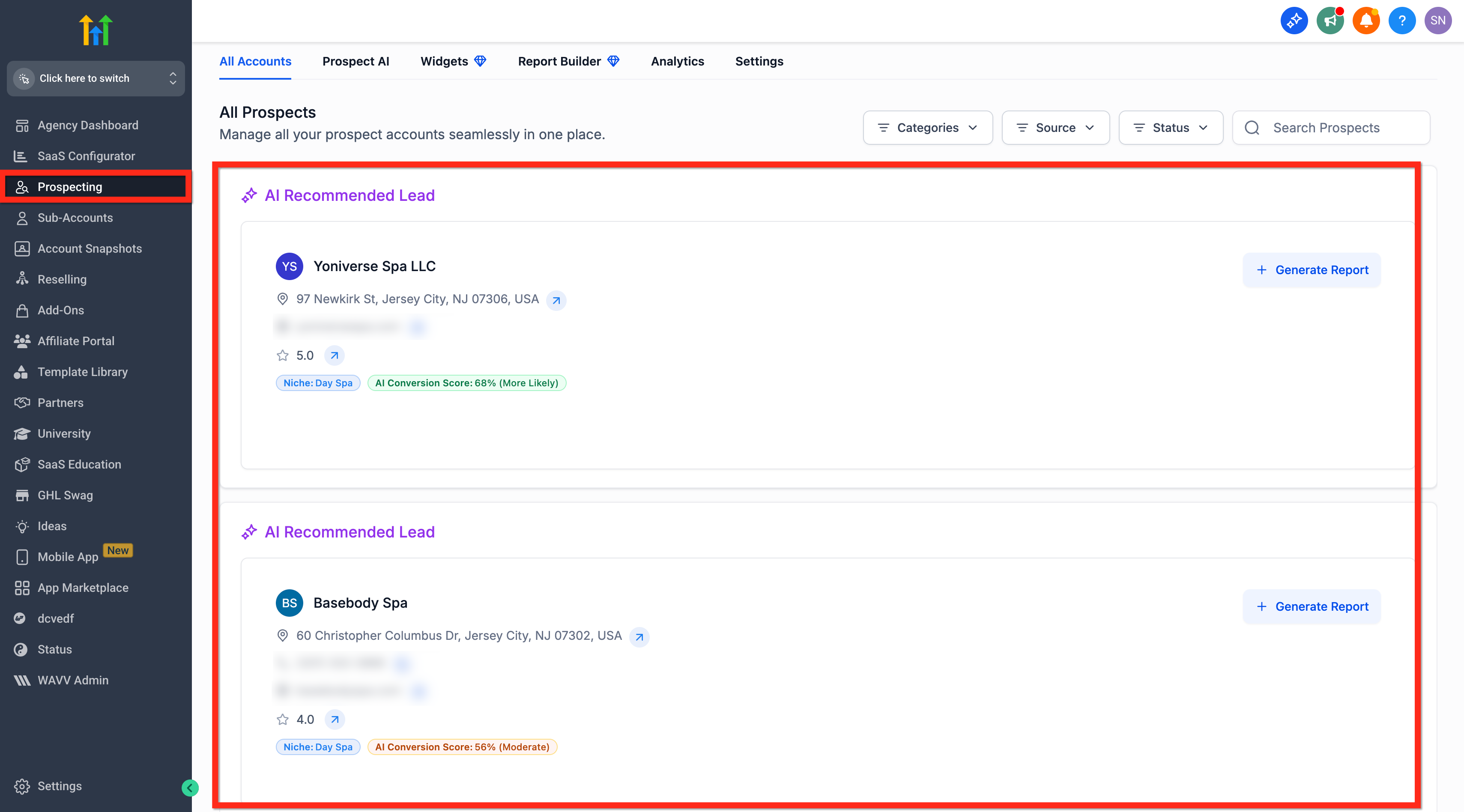
Review the list of recommended local leads.
Generate Marketing Audit Report and reach out to the leads.
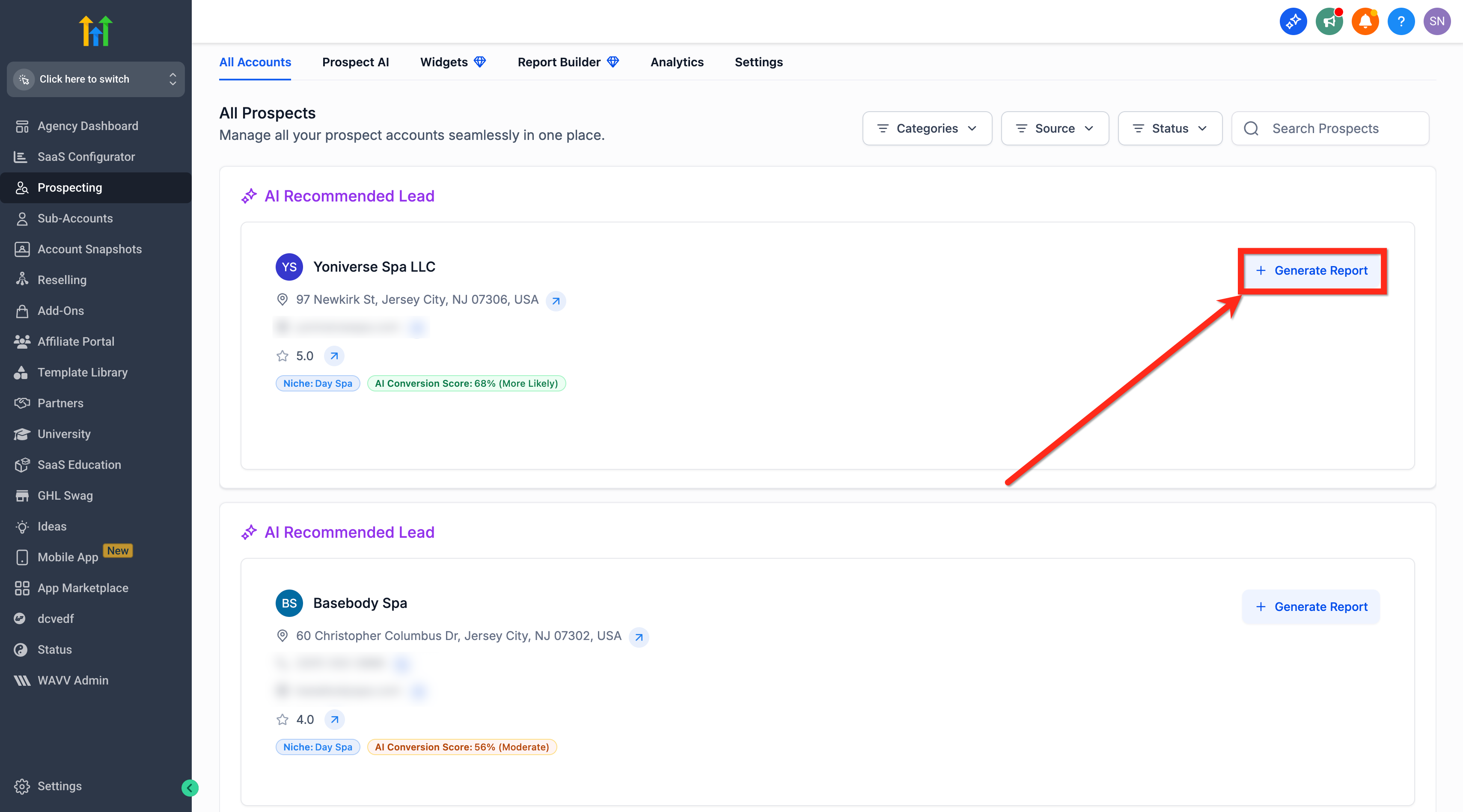
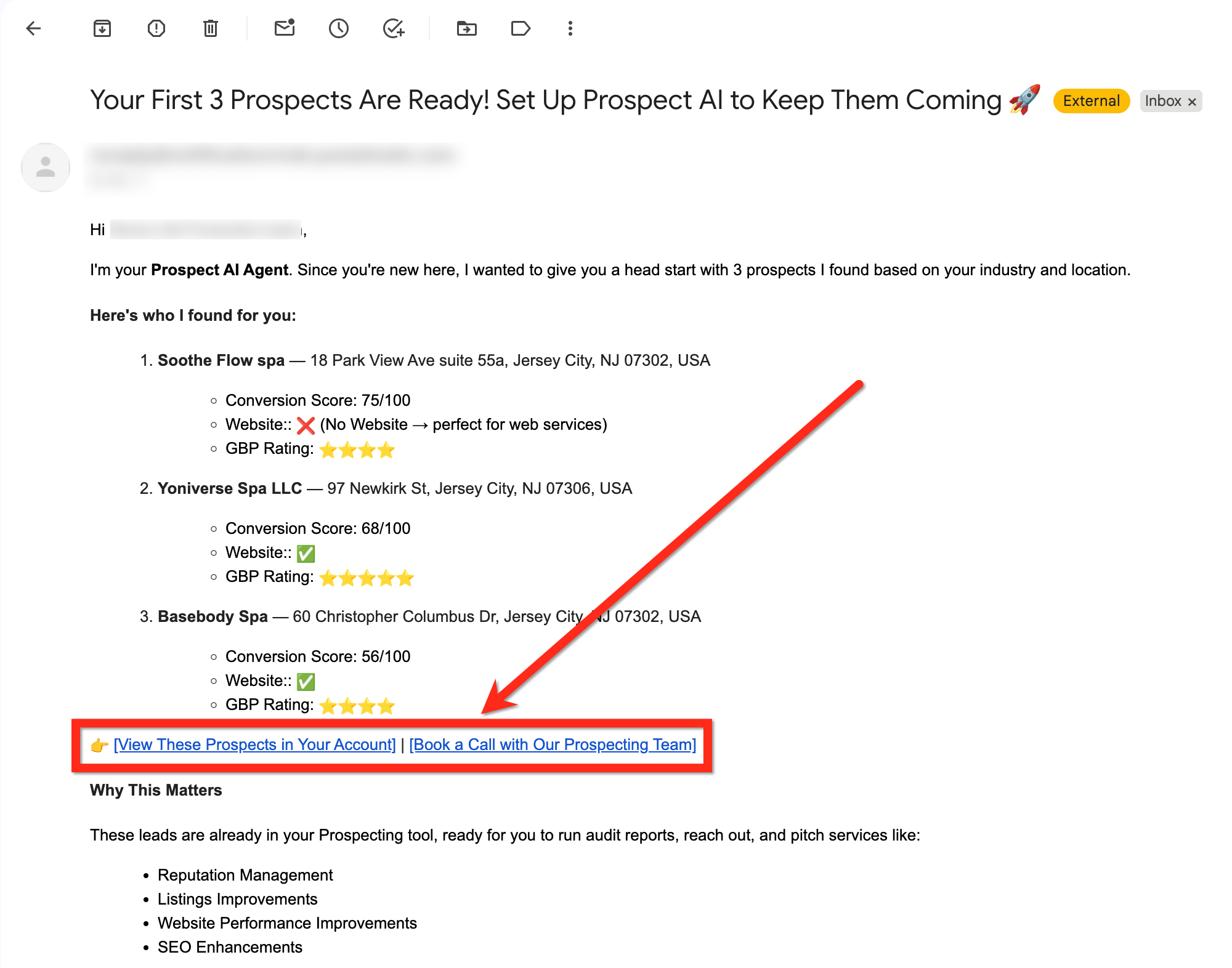
You will also receive an Email with the list of prospects.
You can view the prospects in your account directly from the mail and book a call with Chat To Clients CRM's Prospecting Team for guidance.
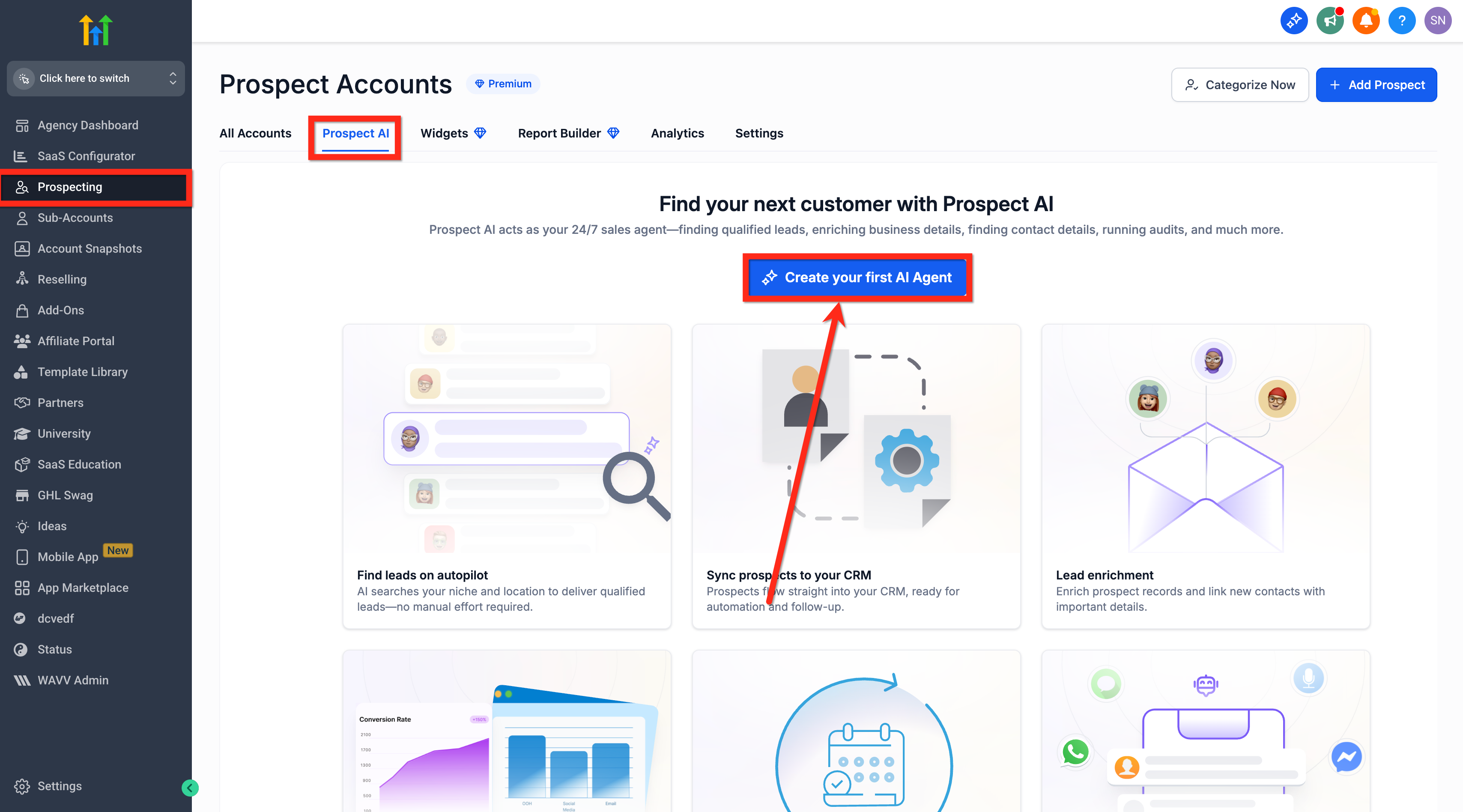
Step 2: Enable Prospect AI for Ongoing Discovery
Navigate to your Prospecting > Prospect AI from your agency account.
Click on Create Your First AI Agent.
Add Agent Name, Agent Specialty (Optional).
Choose or Add Niches.
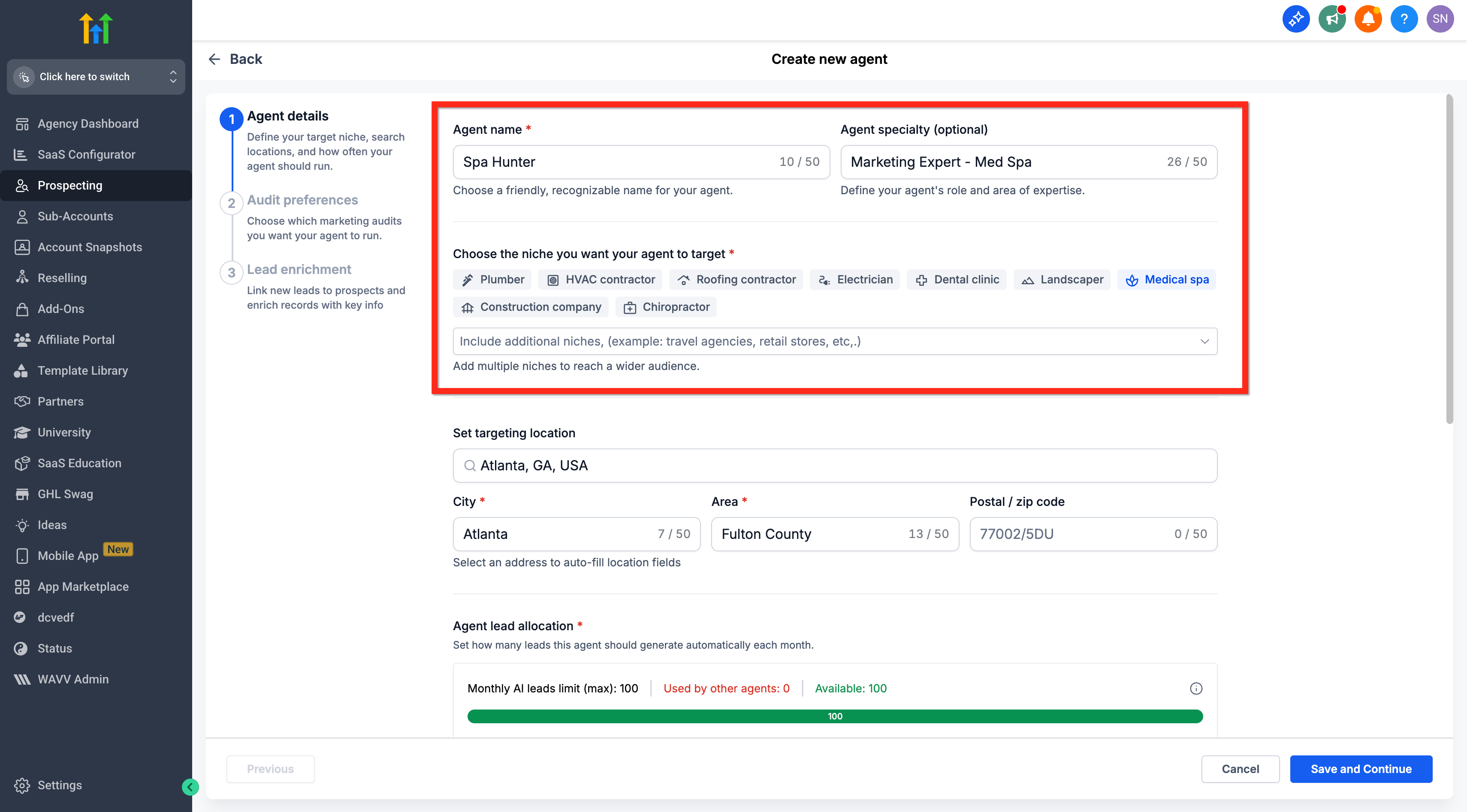
Set Targeting Location, Agent Lead Allocation and Lead Generation Schedule(Weekly/Monthly).
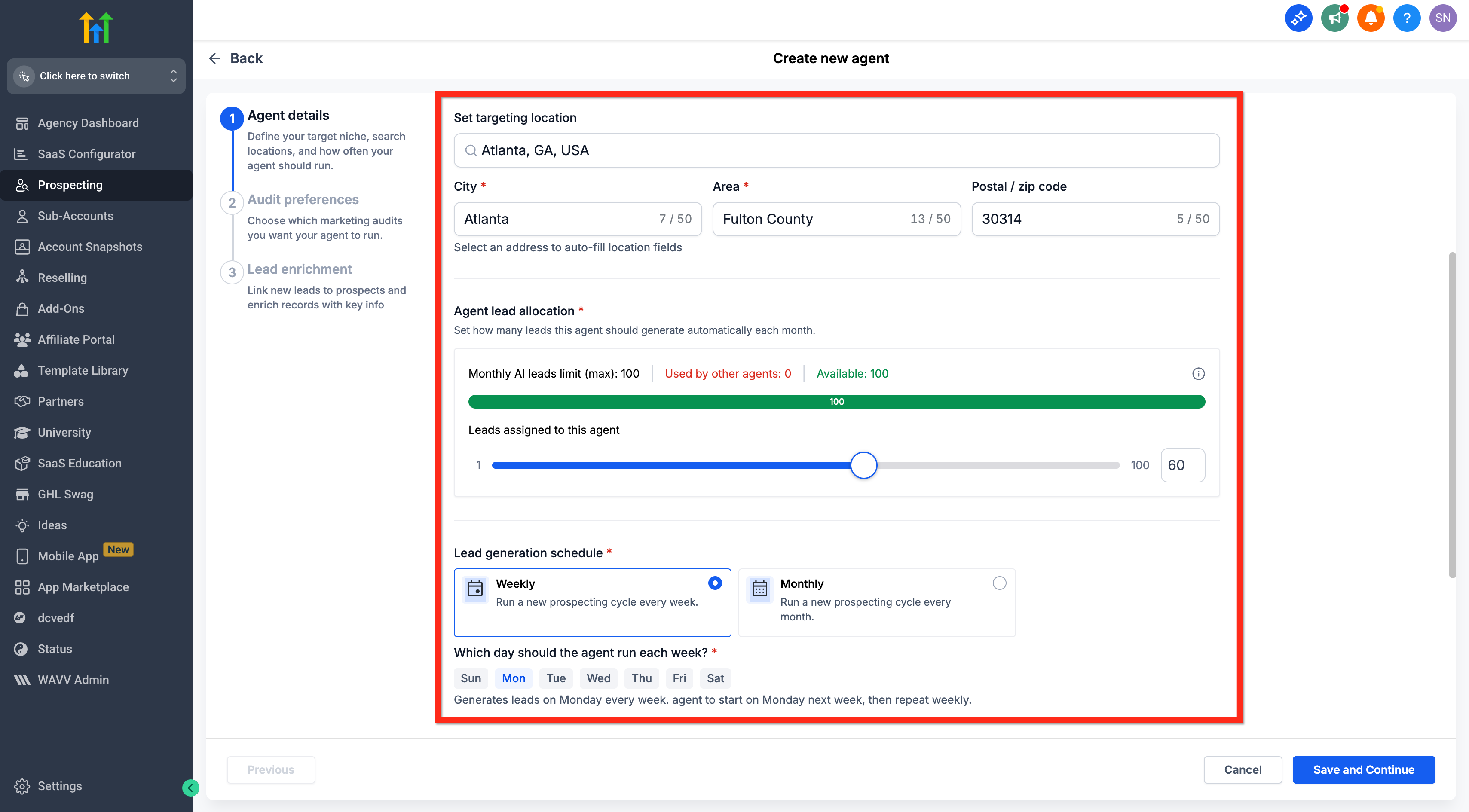
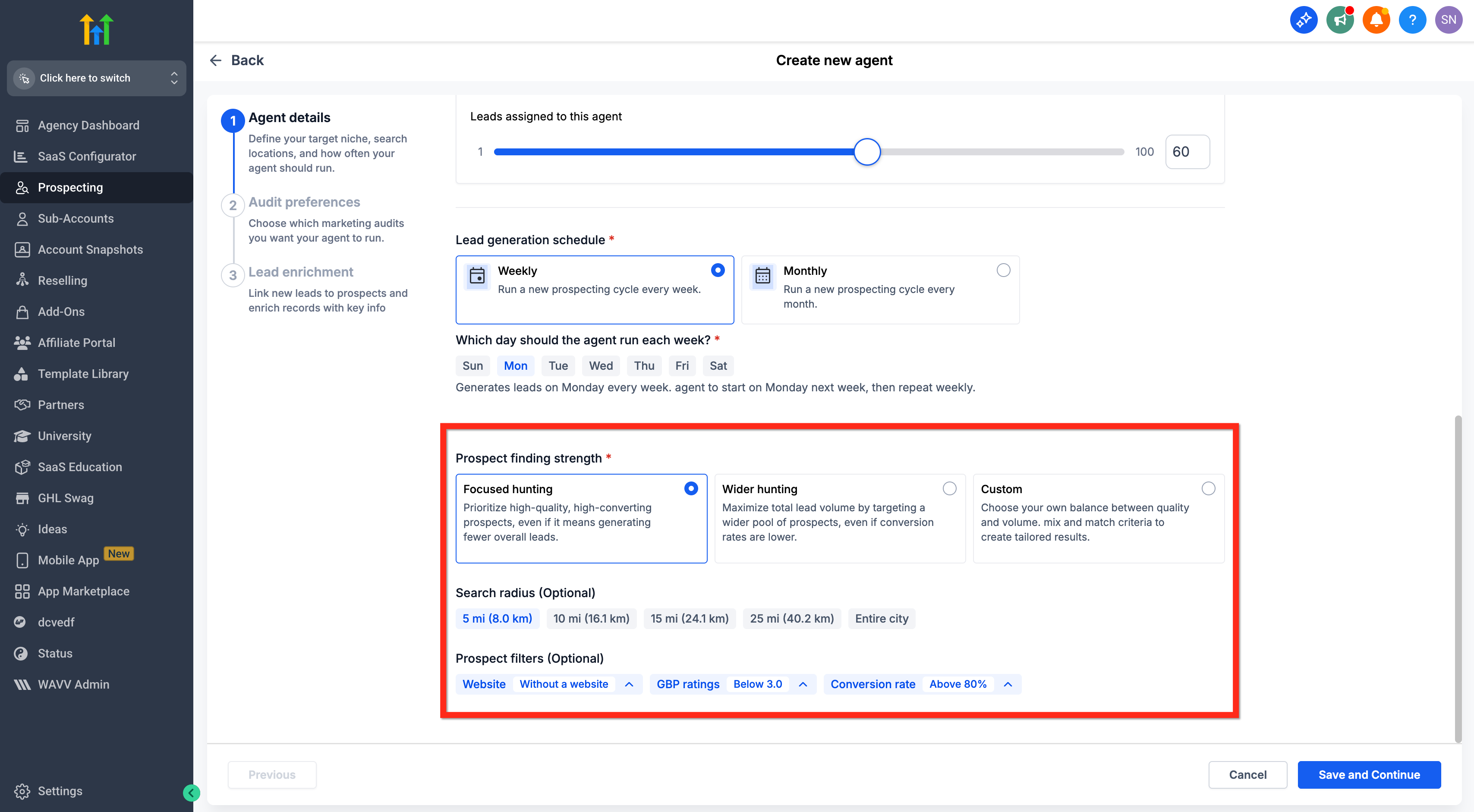
Set Prospect Finding Strength:
Focused Hunting: Prioritizes high-quality, high-converting prospects, even if it means generating fewer overall leads.
Wider Hunting: Maximizes total lead volume by targeting a wider pool of prospects, even if conversion rates are lower.
Custom: Choose your own balance between quality and volume, mix and match criteria to create tailored results.
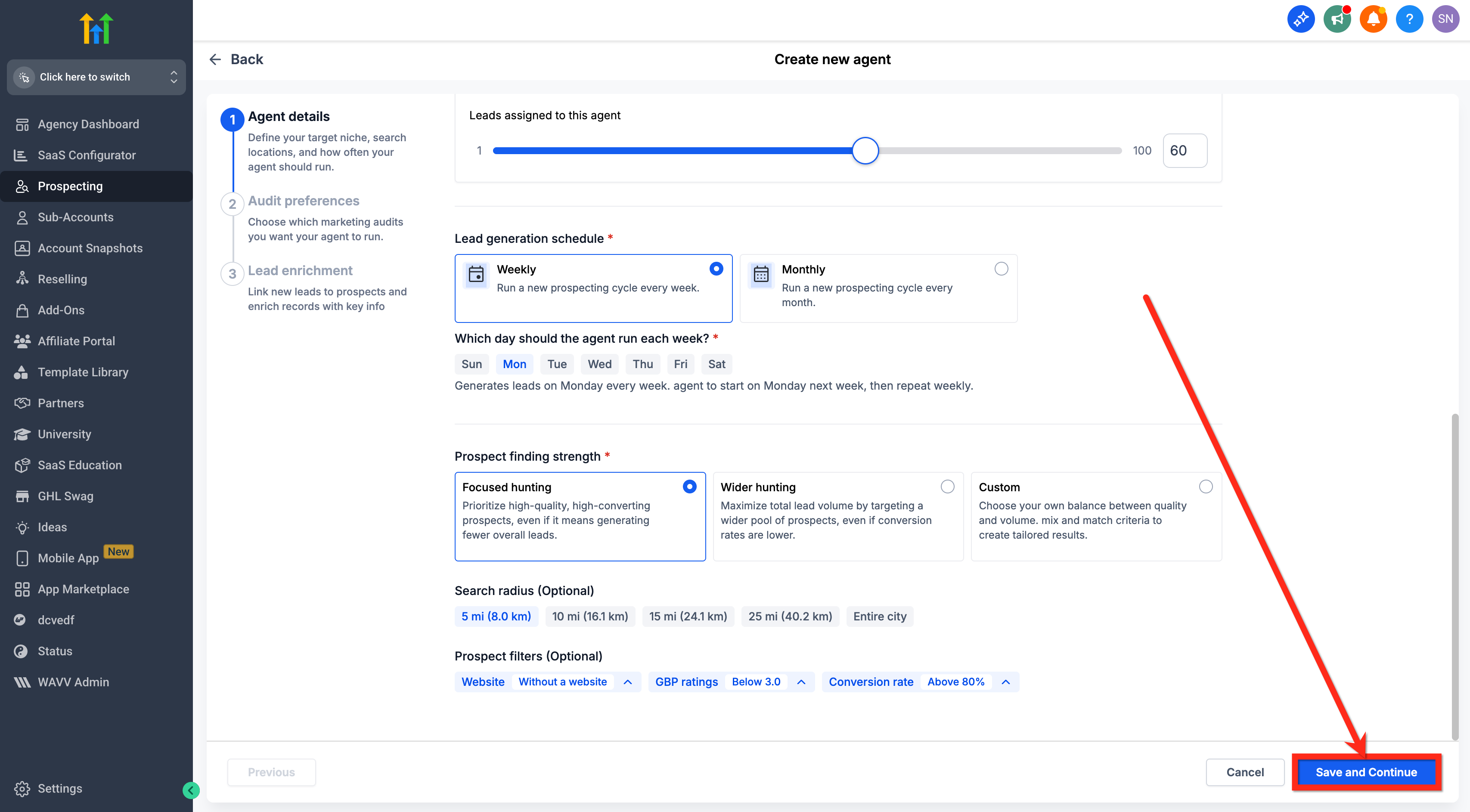
Click Save and Continue.
Choose Audit Preferences.
Click Save and Continue.
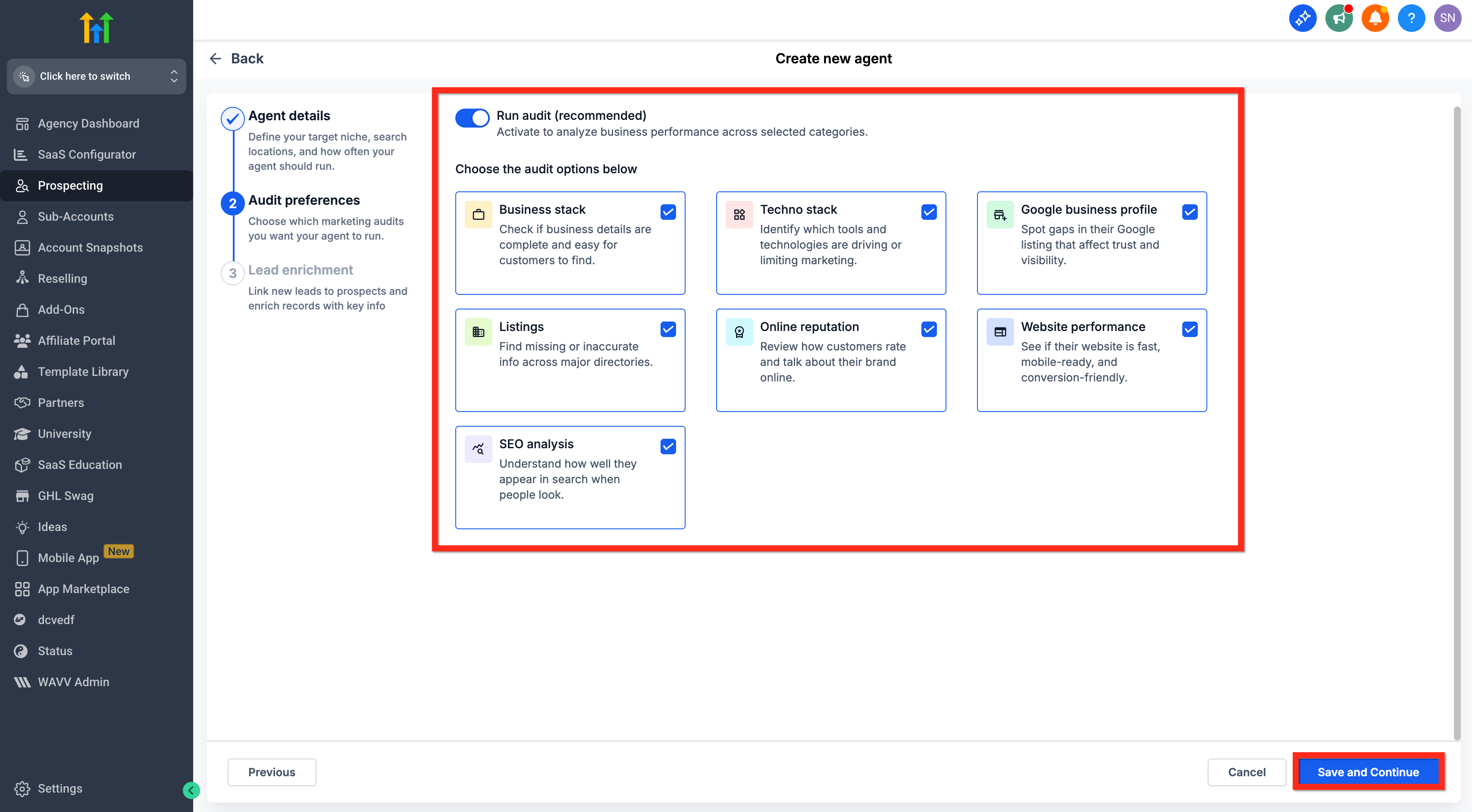
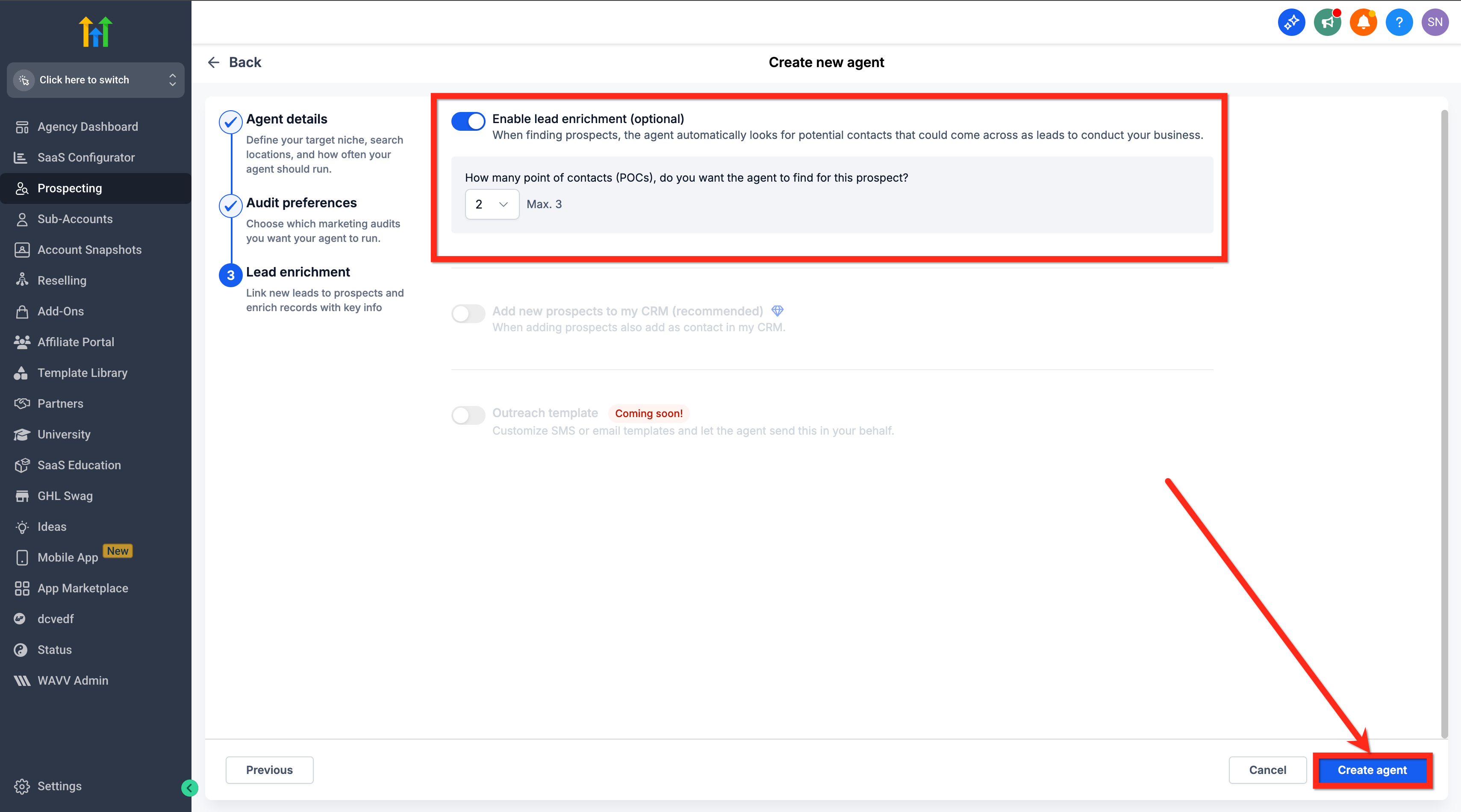
Enable Lead Enrichment (Optional): When finding prospects, the agent automatically looks for potential contacts that could come across as leads to conduct your business.
- Choose "How many point of contacts (POCs), do you want the agent to find for this prospect?" (Max 3)
- Click on Create Agent.
Next Steps
Generate a Marketing Audit Report for any recommended lead you want to pursue.
Reach out using your preferred outreach channel (email, phone, social, or a Chat To Clients CRM workflow).
Enable Prospect AI to keep new, contextual leads flowing automatically each week.
Frequently Asked Questions
Q: Can I receive more than one set of recommendations?
No, this is a one-time set of leads for each eligible new agency.
Q: Do these leads appear in my Prospecting Dashboard or CRM automatically?
Recommendations are delivered via email.
Q: Who receives the email?
Agency admins receive the recommendations email. Ensure your admin email is correct and monitored.
Q: What geographic areas are covered?
Recommendations are localized to your service area using your location and postal code. Coverage may vary by region and data availability.