
TikTok DMs and Comment Automations
Automate TikTok direct messages (DMs) and comment replies using Chat To Clients CRM Workflows. Connect an eligible TikTok Business account, configure automated responses, and manage customer interactions from Chat To Clients CRM.
This guide explains how to set up TikTok DM and comment automations.
TABLE OF CONTENTS
- What are TikTok DM & Comment Automations?
- Key Benefits of TikTok DM & Comment Automations
- TikTok Account Requirements
- Integrating your TikTok Account
- Conversations Inbox for TikTok
- TikTok Automation Triggers and Actions
- TikTok DM Automation
- TikTok Comment Automation
- How to Setup Trigger: TikTok Comment(s) on Reel
- How to Setup Action: Reply in Comments
- How to Set Up Trigger: Customer Replied
- How To Set Up Action: TikTok Interactive Messenger
- Important Considerations
- Frequently Asked Questions
- Related Articles
What are TikTok DM & Comment Automations?
TikTok DM and Comment Automations allow you to respond automatically to incoming TikTok messages and post comments using Chat To Clients CRM Workflows. You can configure triggers, keyword filters, and reply actions to manage engagement without manually responding to every interaction.
Key Benefits of TikTok DM & Comment Automations
TikTok automations help you manage conversations, respond faster, and organize customer engagement within Chat To Clients CRM.
- Unified Inbox: Manage TikTok conversations alongside SMS, Email, WhatsApp, and more in Chat To Clients CRM Conversations. No tab switching.
- Faster Response Times: Use workflows to send instant, 24/7 answers that keep prospects engaged.
Automation-Driven Efficiency: Use triggers and actions to auto‑reply, route leads, and hand off to agents without manual effort.
Conversion Focus: Turn TikTok engagement into CRM contacts and nurture sequences you can track and report on.
Scale for Teams: Ideal for agencies and multi‑location brands handling high message volumes with shared inboxes and rules.
- Real-time notifications: Real-time notifications for TikTok direct messages and comments so teams can respond faster from Conversations.
TikTok Account Requirements
TikTok messaging automations require an eligible account and supported integration permissions. Checking these requirements before setup helps prevent connection and workflow issues.
TikTok Messaging and Comment Automations currently require a US-registered TikTok Business account.
The feature is unavailable in the European Economic Area (EEA), Switzerland, and the United Kingdom.
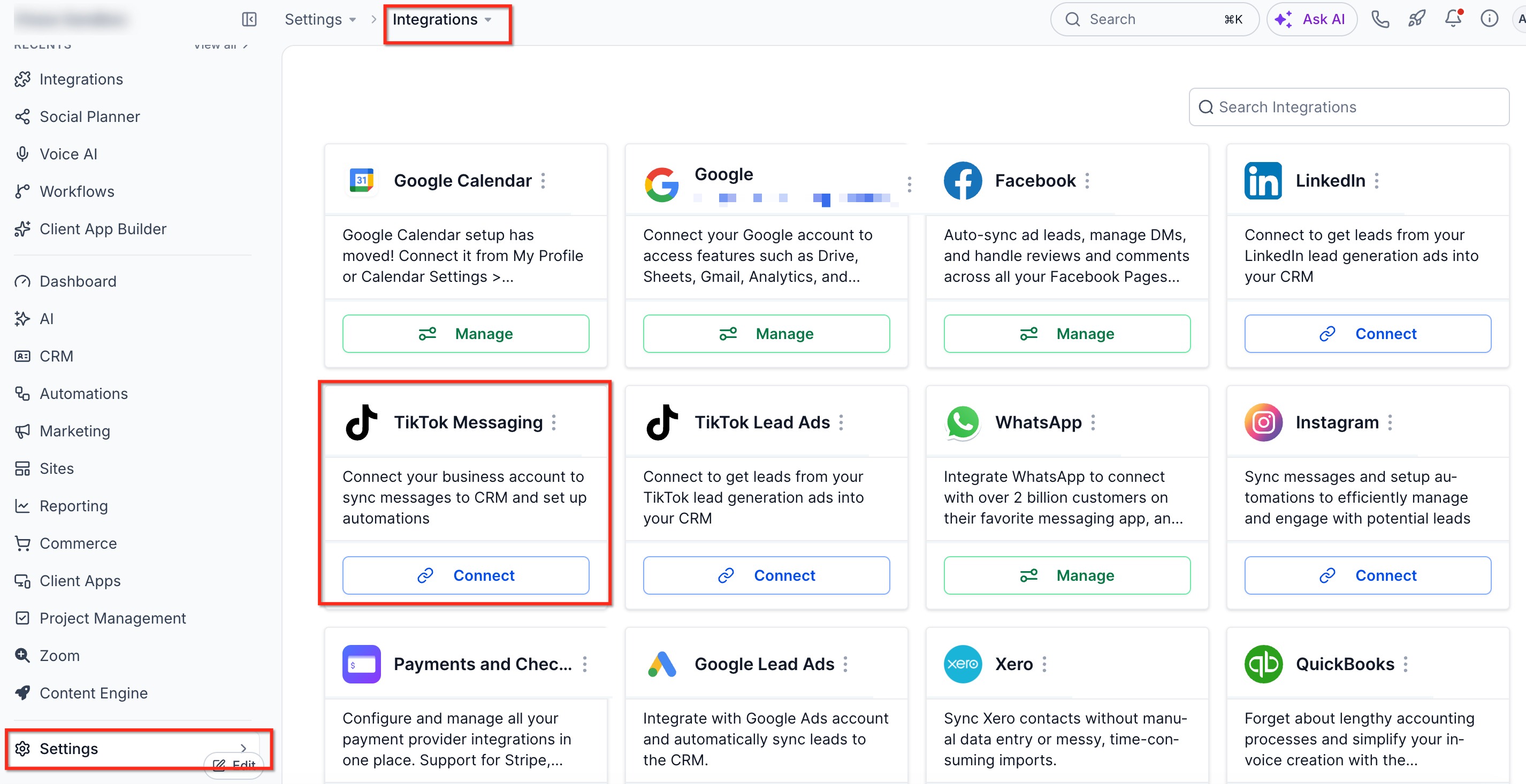
Your TikTok account must be connected through Chat To Clients CRM Settings → Integrations → TikTok.
For more information, see Integrate TikTok Messaging.
Integrating your TikTok Account
Before proceeding, make sure your TikTok accounts are integrated with your Sub-Account.
From your Sub-Account dashboard, go Settings > Integrations > TikTok card.
Conversations Inbox for TikTok
Incoming DMs and comments sync to the inbox just like any other channel, making it easy to:
- See profile photos, usernames, and message history in one thread.
- Reply manually with text, emojis, media, or saved snippets.
- Use quick-action buttons to add notes, tags, or tasks.
Delivery failure visibility (TikTok)

If a TikTok message fails to deliver, Conversations provides clearer feedback so you can identify failed sends and take corrective action.
TikTok Automation Triggers and Actions
Chat To Clients CRM provides dedicated workflow components for automating TikTok messages and comments.
| Component | Purpose |
|---|---|
| TikTok – Comment(s) on a Post | Triggers a workflow when a matching comment is received. |
| Customer Replied | Triggers a workflow when an incoming TikTok DM matches the selected conditions. |
| Reply in Comments | Posts an automated public reply to a comment. |
| TikTok Interactive Messenger | Sends an automated TikTok message in a supported conversation. |
TikTok DM Automation
Automate conversational follow-ups when someone sends you a private message.
- The “Customer Replied” trigger paired with the “Reply Channel = TikTok” filter ensures the workflow fires only for TikTok DMs.
- Use the TikTok Interactive Messages action to send rich-button replies similar to WhatsApp Interactive Messages.
TikTok Comment Automation
Turn comment sections into lead magnets by:
- Triggering “TikTok Comment(s) on a Reel” for any or specific posts.
- Using the “Reply in Comments” action to answer publicly, like the comment, or tag the user.
- Following up with a DM or assigning the contact to a rep.
How to Setup Trigger: TikTok Comment(s) on Reel
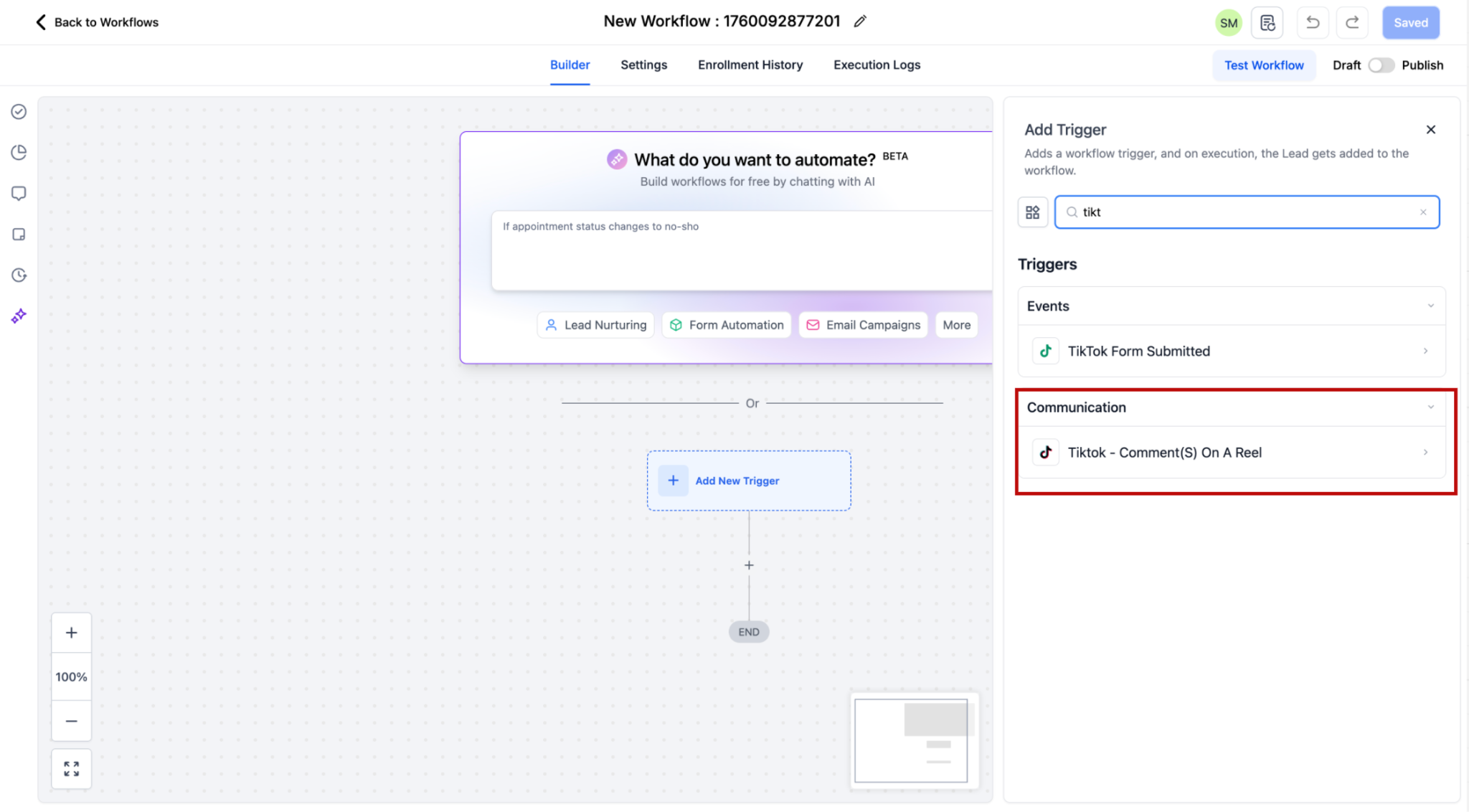
Step 1: Add Trigger
Within the Workflow builder, click + Add New Trigger. Select the TikTok - Comment(s) on a Post trigger.
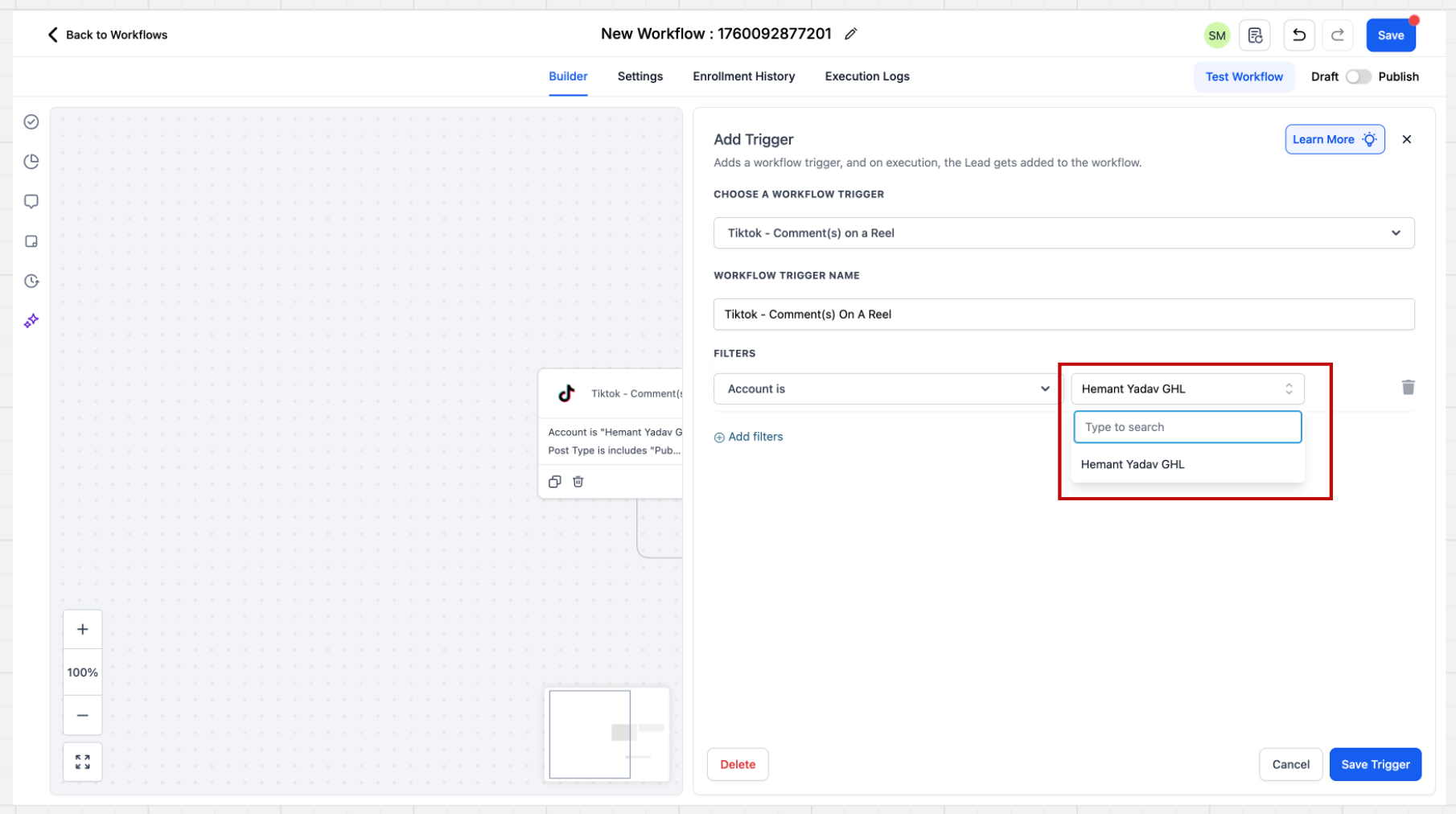
Step 2: Select Account
After clicking on the trigger the sidebar will open. There are multiple filters present here. The first step is to select the Account.
If a specific account is not selected in the filter, the system will automatically consider all accounts that are integrated at the location level. The automation will then execute across all these connected accounts.
Step 3: Select Post Type
After selecting the Page you have to select the Post Type. Post type can be "Published" or "Custom"
- Published Post: 'Published Posts' tab fetches all posts on your business page - basis this selection, all the posts from your account comes as a dropdown.
- Custom Post: Custom Post tab allows you to define the post you want to consider by providing an URL
Post Selection Behavior: If a specific post is not selected, the system will automatically include all posts associated with the connected TikTok account.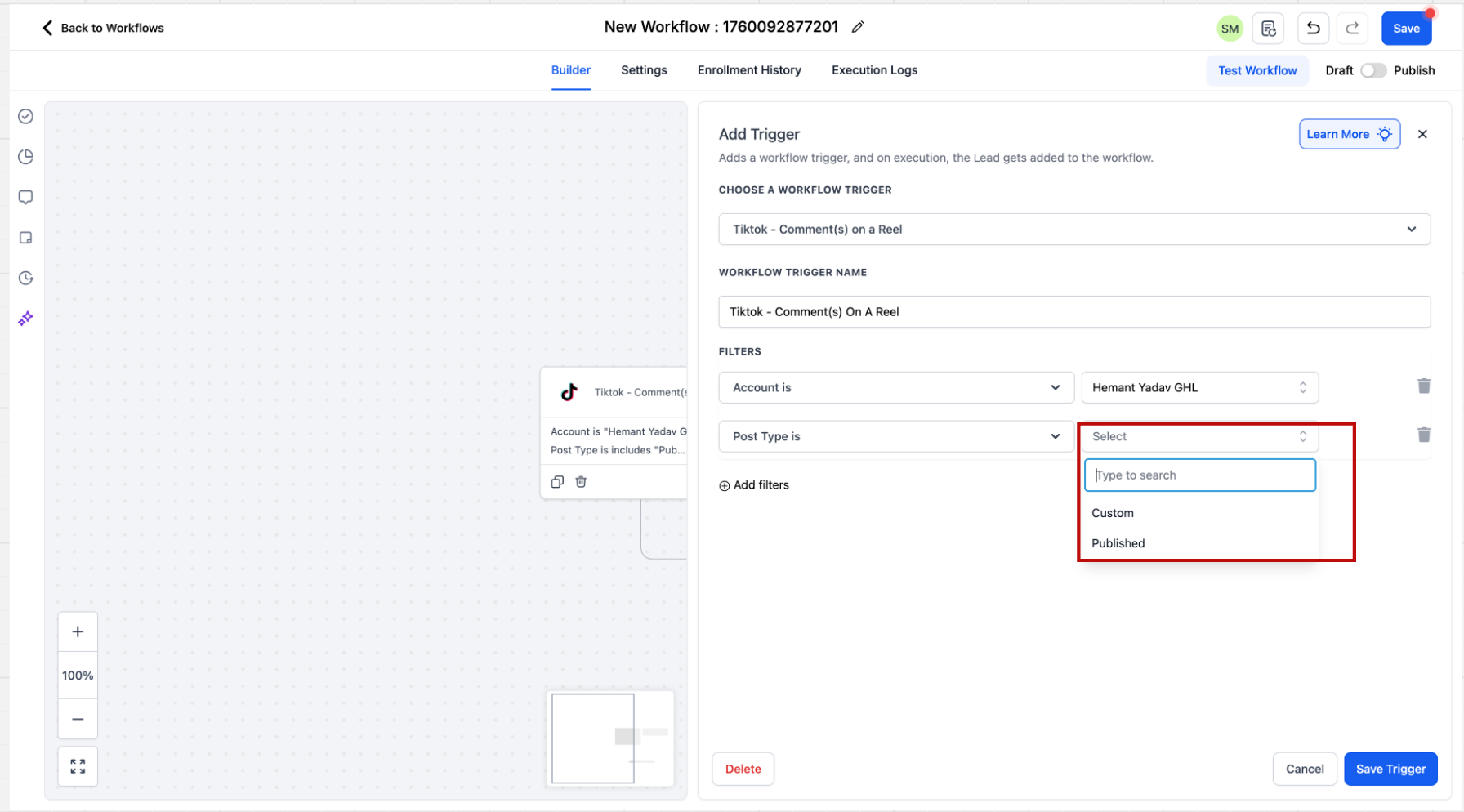
Step 4: Select Post or URL
Select the post or provide the URL of the post you would like to run the automation on.
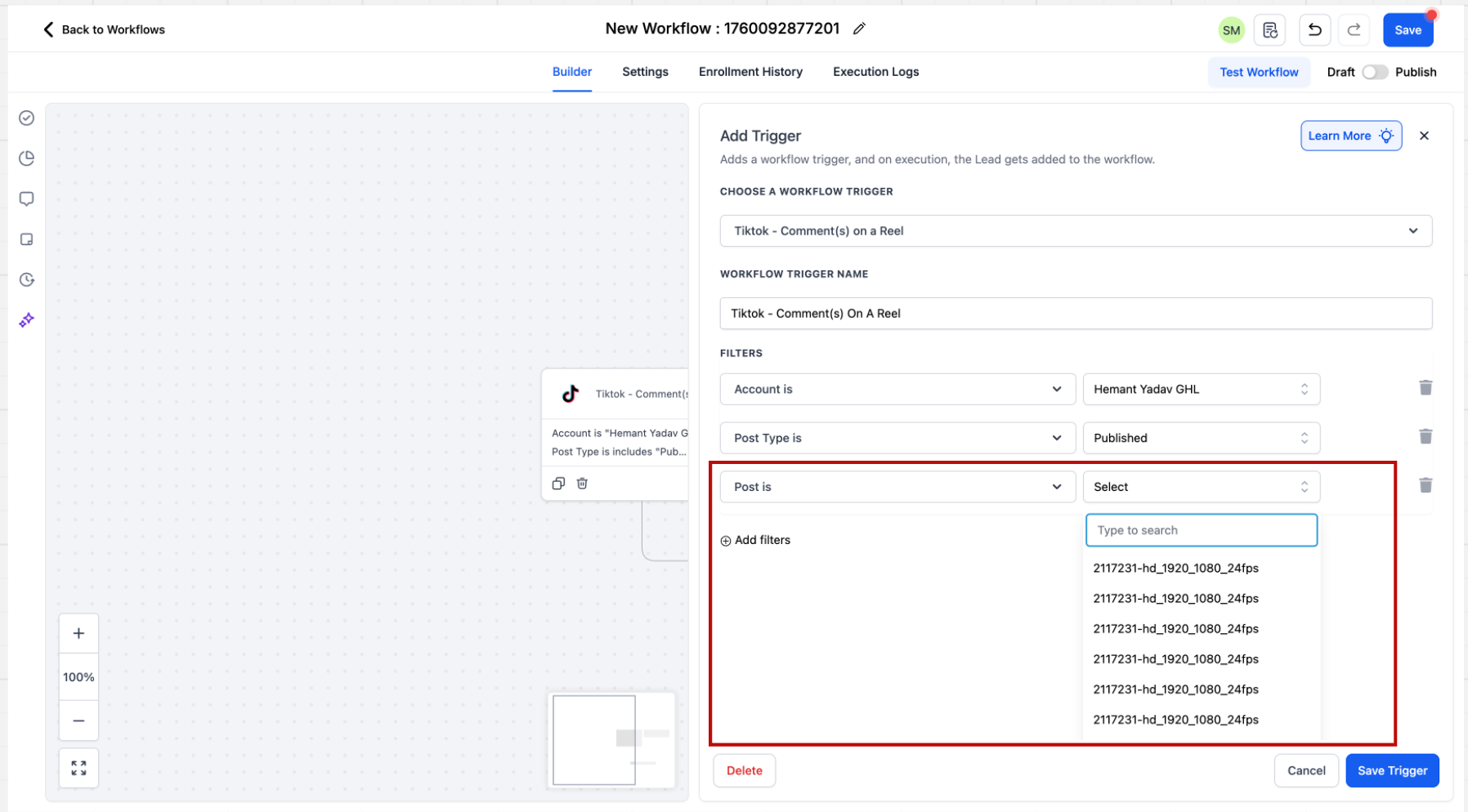
Step 5: Specify Match Phrase
After selecting the post you have to enter what are you looking for in the comment. You can select from 2 options "Contains Phrase" and "Exact Match". Below are some examples to understand these 2 dropdown better.
- Exact Match - Price
Inbound message - Price
Result - Pass - Exact Match - Share the Price
Inbound message - Share the Price
Result - Pass
- Exact Match - Share the Price
Inbound message - Please share the Price
Result - Fail - Contains Exact Phrase - I bought from you
Inbound message - I bought from you
Result - Pass - Contains Exact Phrase - I bought from you
Inbound message - I bought from you yesterday
Result - Pass - Contains Exact Phrase - I bought from you
Inbound message - I bought one from you
Result - Fail
When a contact is coming through the trigger, it will be saved as a contact and First Name and Last Name of the contact will be stored.How to Setup Action: Reply in Comments
Step 1: Go to Actions
Add the “Reply in Comments” action to the workflow
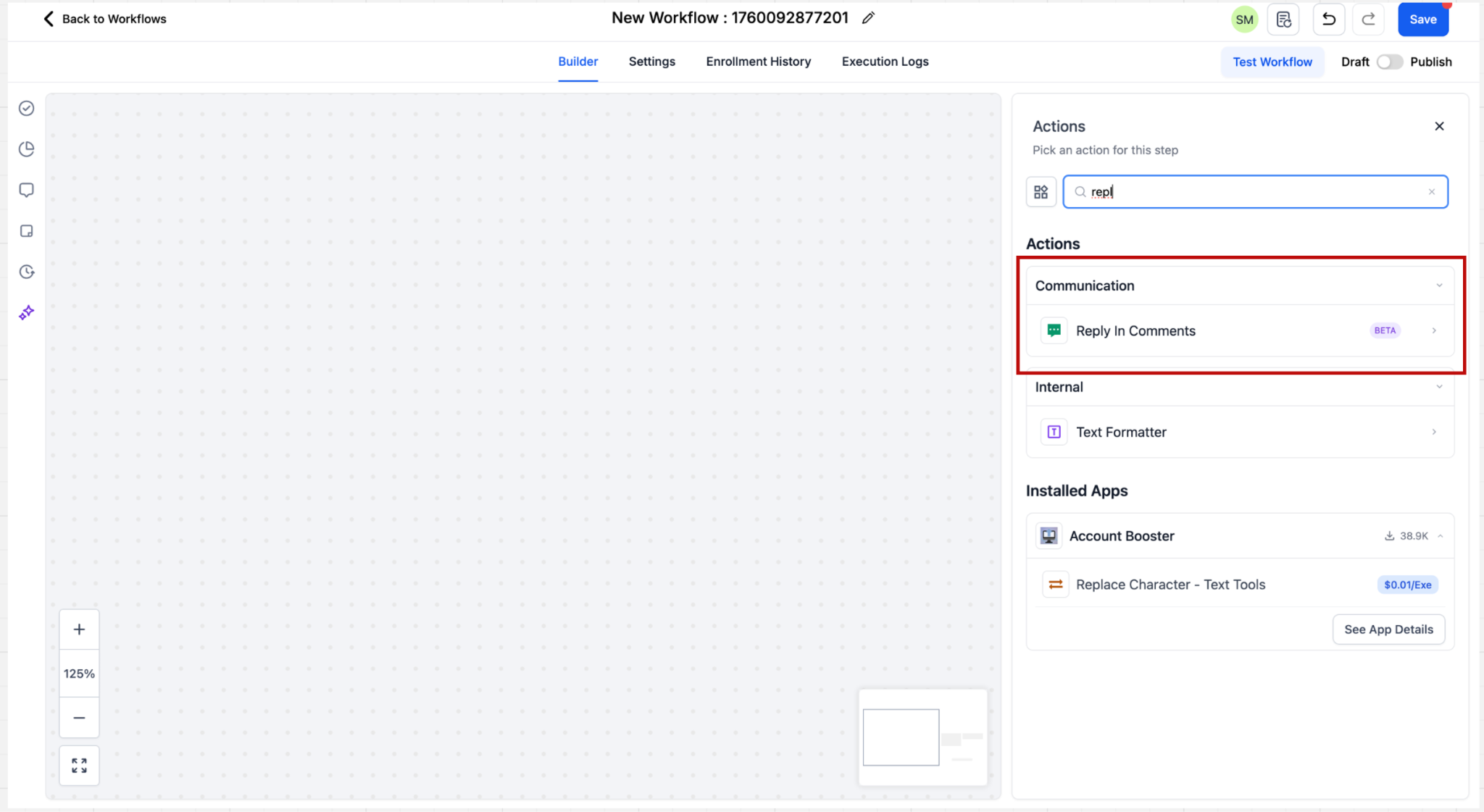
Step 2: Configure Reply Comments
Users can configure up to 10 reply comments, which will be randomly selected during execution.
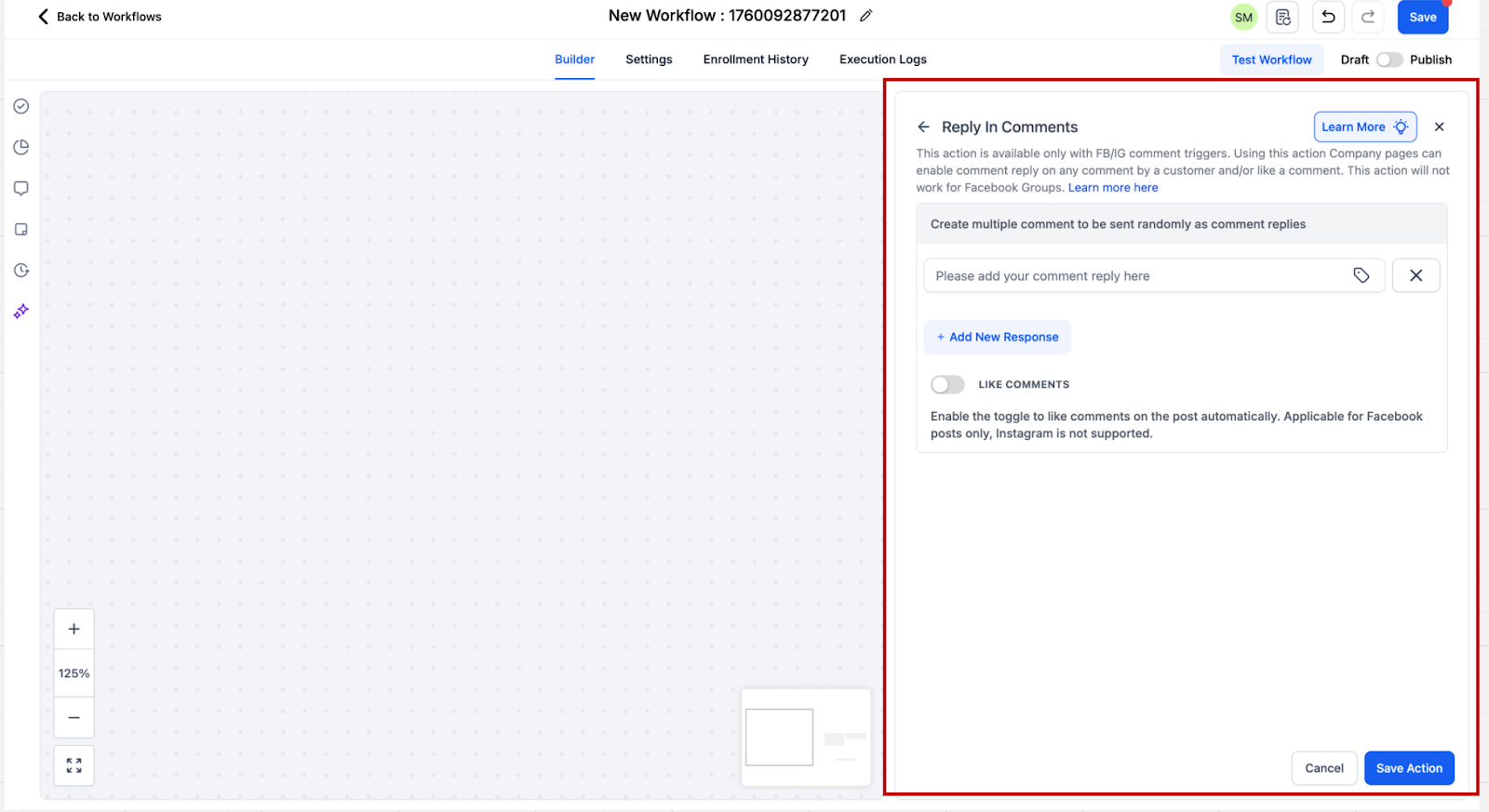
How to Set Up Trigger: Customer Replied
When creating a workflow click on "Add Trigger". The trigger related to DM automation “Customer replied” is present in the Events category. You can directly search for the trigger or scroll down to the category.
Step 1: Add Trigger
Go to triggers and select from the available triggers based on your use case. Here you should select Customer replied trigger
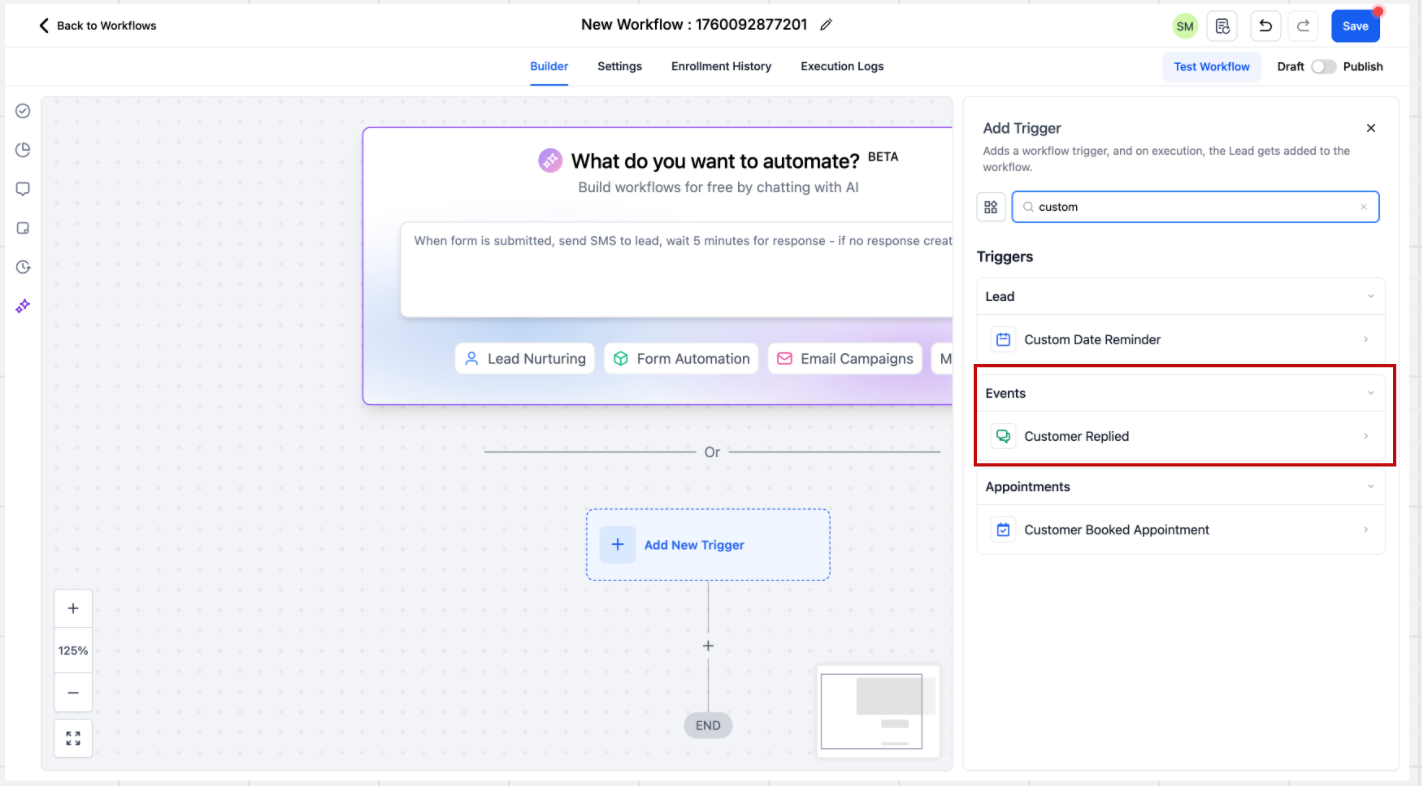
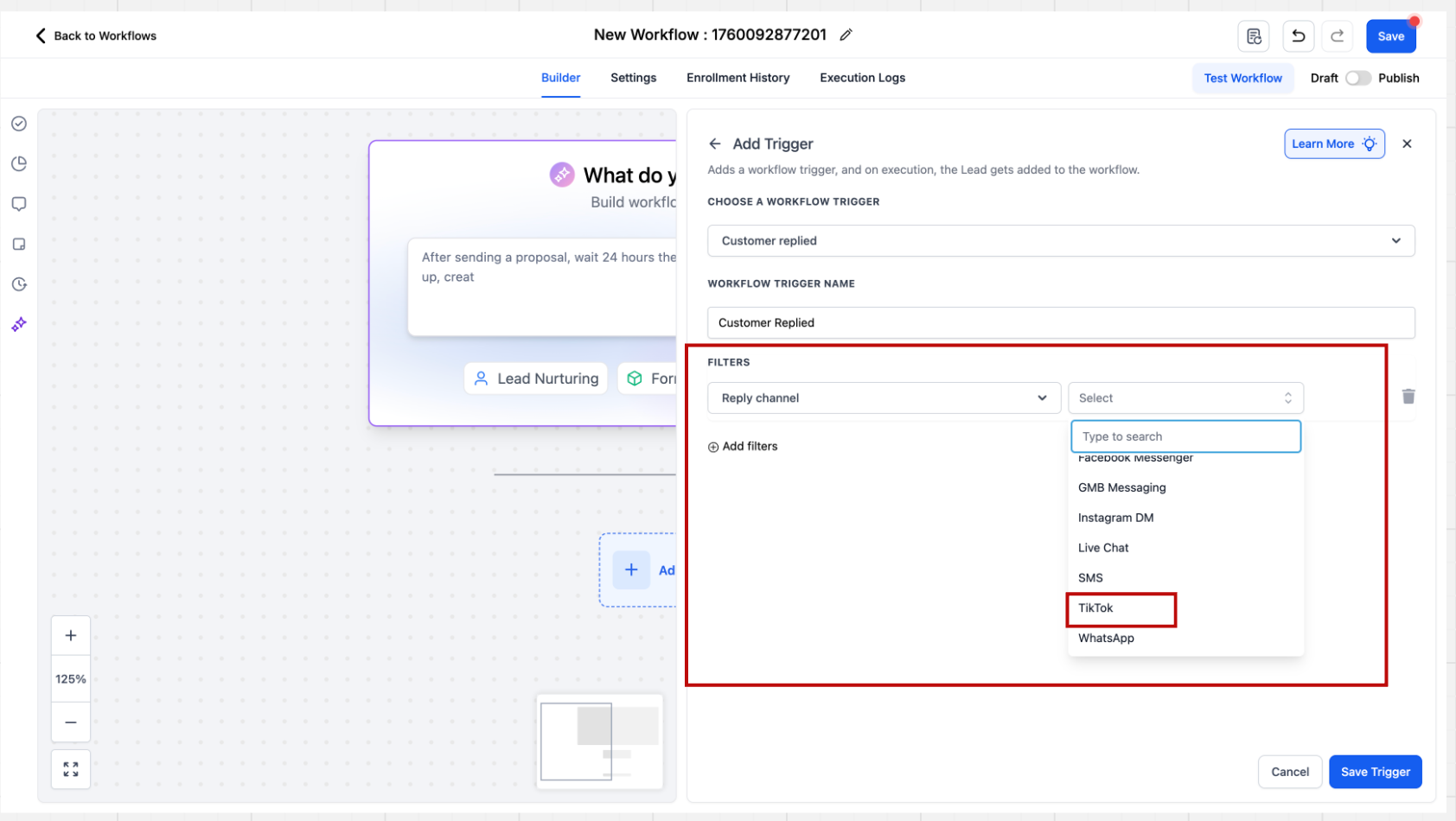
Step 2: Add Reply Channel
After clicking on the trigger the sidebar will open. There are multiple filters present here. The first step is to select the “Reply channel” filter where filter value = TikTok
Step 3: Configure Automation Rules
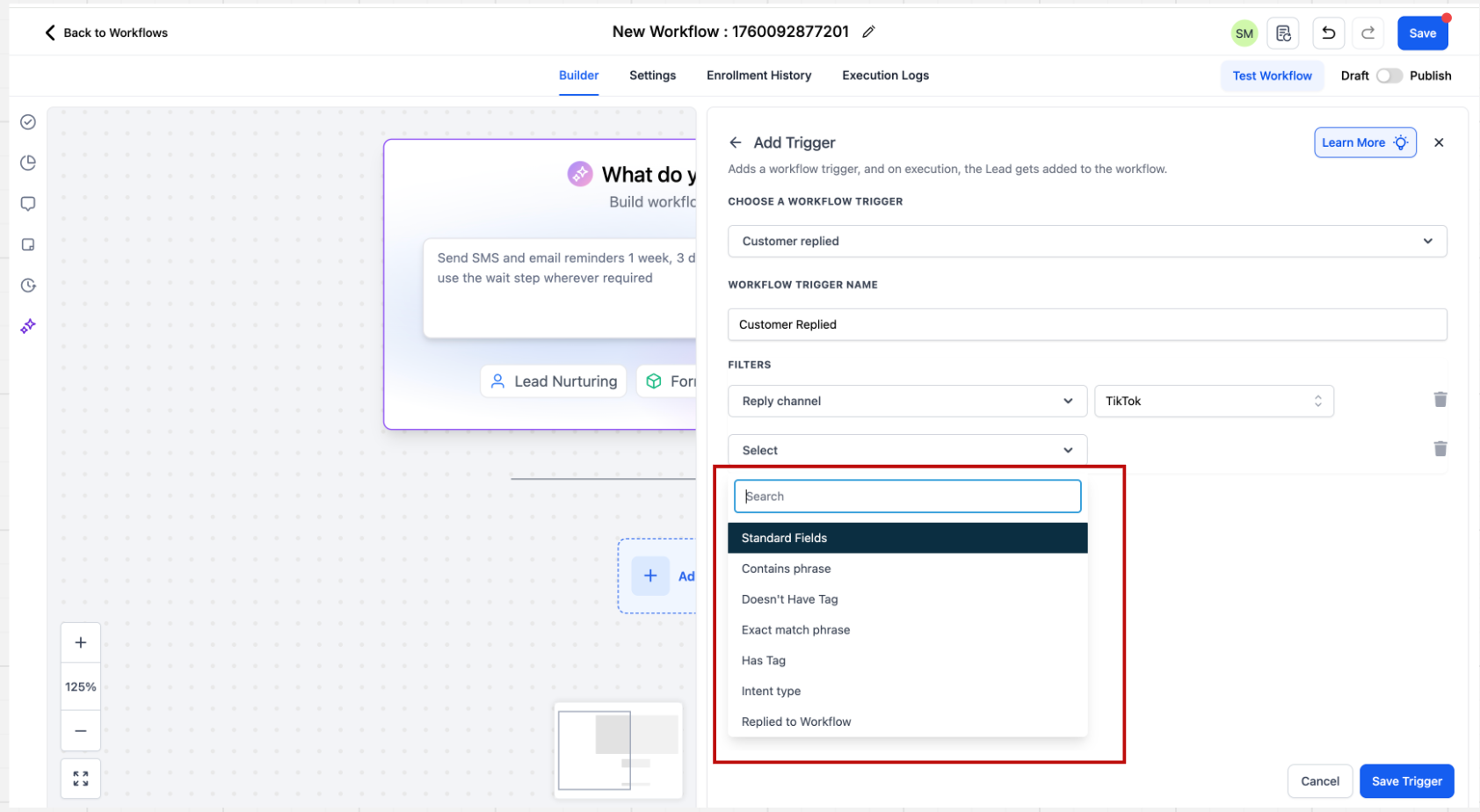
Users can configure automation rules for direct messages by setting specific matching conditions, such as ‘Contains Phrase’ or ‘Exact Match Phrase.’ Based on these configurations, you can define the trigger for the automation.
How To Set Up Action: TikTok Interactive Messenger
Step 1: Add Action
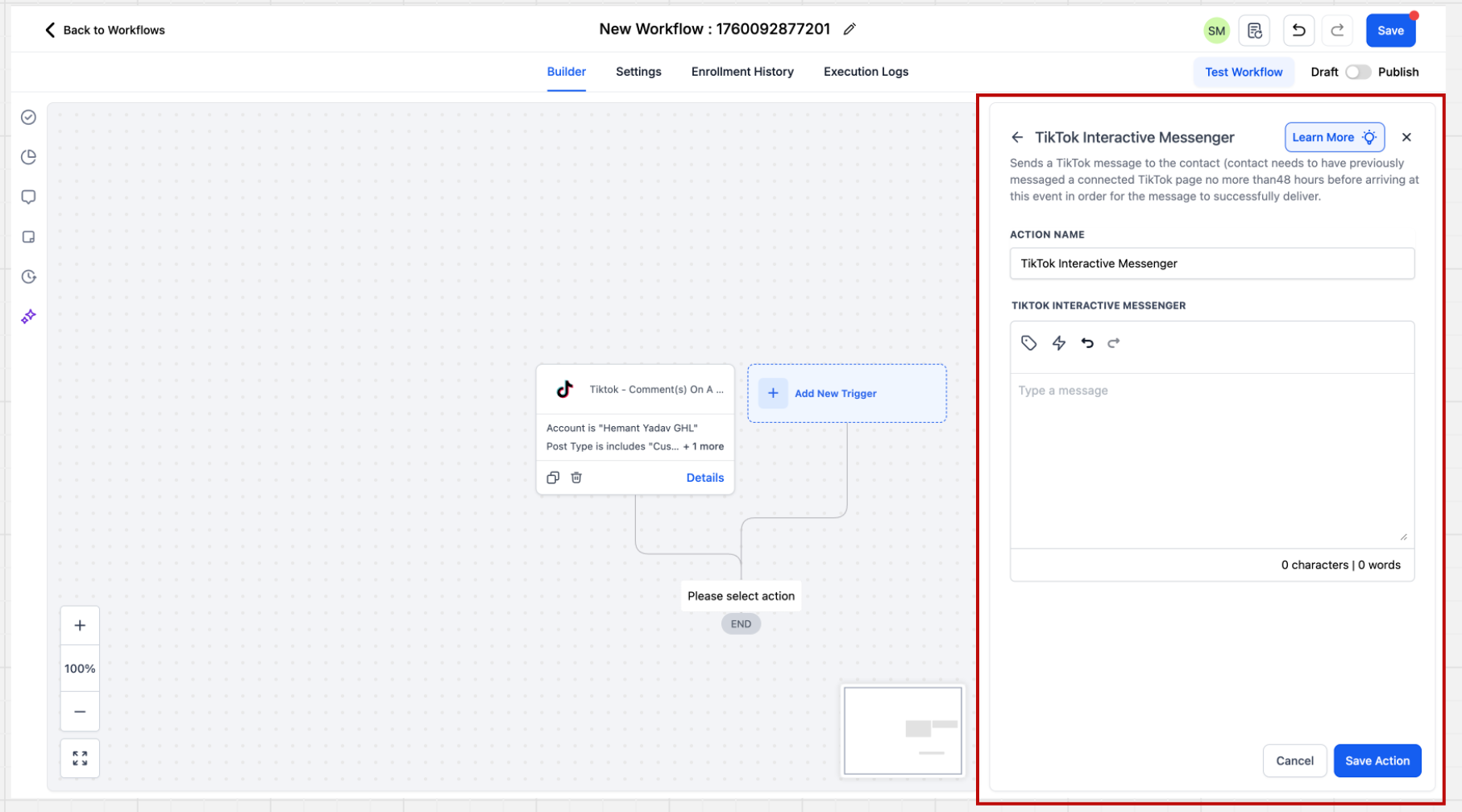
Within the Workflow builder, click + Add New Action. Select the Tiktok Interactive Messenger action.
Step 2: Provide Message
The TikTok Interactive Messenger is fairly straightforward. Here you have to provide the message you want to send to the inbound trigger defined and save the action.
Important Points to Noted:
- The TikTok Interactive Messenger action, unlike FB & IG does not support a “Reply Type” field where users could have defined values “Reply as DM”, “Reply to Comment via DM”. It will be enabled as soon as TikTok APIs starts supporting it.
- The TikTok Interactive Messenger action, unlike FB & IG, does not support Templates. It will be enabled incrementally
- The TikTok Interactive Messenger action does not support Attachments, Buttons, Quick Replies. It will be enabled as soon as TikTok APIs start supporting it.
Important Considerations
TikTok's API restrictions determine which messaging features are available in Chat To Clients CRM. Understanding these limitations helps you configure supported automations.
Message Types: TikTok Interactive Messenger supports text replies but not attachments, buttons, templates, or quick replies.
Reply Types: The action does not support the Facebook/Instagram-style Reply Type selector.
Comment Filters: Automations can target specific posts, connected accounts, or matching keywords.
Account Selection: Leaving the account filter empty can include all eligible TikTok accounts connected to the sub-account.
Feature Differences: Workflow-based comment automation is separate from manual Comment Management in Social Planner and AI-powered conversations.
Frequently Asked Questions
Q: Can I use TikTok automations with a Personal account?
No. Chat To Clients CRM's documented TikTok Messaging and Comment Automations integration requires an eligible US-registered TikTok Business account.
Q: Can I trigger comment automations for all TikTok posts?
Yes. Leaving the specific post filter empty allows the workflow to monitor comments across posts associated with the selected TikTok account.
Q: Can I send automated DMs when someone comments on my TikTok post?
The TikTok Interactive Messenger action does not currently support the dedicated Reply to Comment via DM option available for certain other social platforms.
Q: Can I configure multiple automatic replies to TikTok comments?
Yes. The Reply in Comments action supports up to 10 reply variations, selected randomly during execution.
Q: Why isn't my TikTok automation triggering?
Verify that your TikTok account is eligible and connected, the workflow is published, and the trigger's account, post, and keyword filters match the incoming interaction.