
Custom Object and Company Based Workflow Actions & Triggers
Chat To Clients CRM’s custom object and company based workflow actions and triggers let you automate across Contacts, Companies, and Custom Objects. Use these tools to enroll or remove related records in other workflows and to find the exact record you need from webhook data or field filters.
TABLE OF CONTENTS
What are the Custom Object and Company Based Workflow Actions & Triggers?
Chat To Clients CRM Workflows support actions that understand relationships between records (associations). Instead of automating only the record that triggered the workflow, you can target associated Contacts, Companies, or Custom Objects and precisely find records using IDs, external IDs, or field criteria. This enables data‑aware, relationship‑driven automation.
For more information on each workflow action, check out these articles!
- Workflow Action – Add Associated Records to Workflow
- Workflow Action – Remove Associated Records from Workflow
- Workflow Action – Find Object Record / Find Company
Key Benefits of Custom Object and Company Based Workflow Actions & Triggers
Deeper Automation: Build flows that act across Contacts, Companies, and Custom Objects without manual steps.
Relationship Targeting: Filter by Association Label to reach the exact related records you intend.
Precision Record Lookup: Use Find to match via Record ID, External ID, or field filters, including dynamic inbound webhook values.
Branching Logic: Split behavior on Record Found vs Record Not Found and choose Earliest / Latest / All when multiple matches exist.
Operational Control: Add or remove associated records from other workflows to start/stop communications or processes at the perfect moment.
Add Associated Records to Workflow
Use this action when the current record should trigger enrollment of related records—Contacts, Companies, or Custom Objects—into another workflow. Filtering by Association Label makes the targeting precise.
With this action, you can:
Select the associated Object Type (Contact, Company, or a Custom Object).
Filter recipients by Association Label (e.g., Buyer, Account Owner, Assigned Dealer).
Choose the target workflow those associated records should be added to.
Example: When a Car (Custom Object) is updated to Ready for Sale, automatically add all its associated Dealers to the “Dealer Notification Workflow.”
To learn more, see: Add Associated Records to Workflow.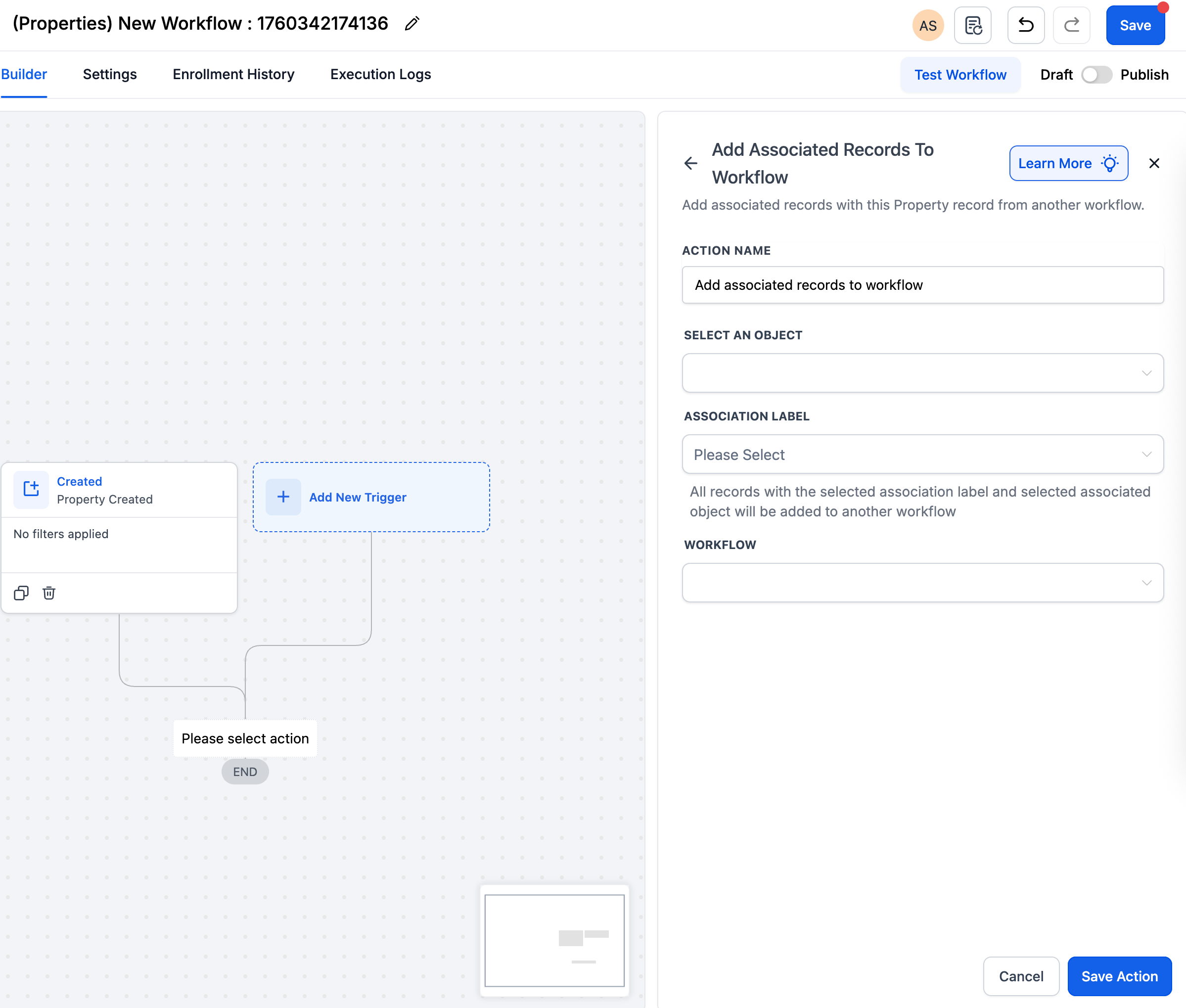
Remove Associated Records from Workflow
Use this action to automatically unenroll associated records from a different workflow when conditions change (e.g., Sold/Closed). This keeps contacts and other records out of sequences they no longer need.
With this action, you can:
Target Contacts, Companies, or Custom Objects via associations.
Filter by a specific Association Label to remove only the intended relationships.
Specify the workflow to remove them from.
Example: When a Property record is marked Sold, remove its associated Buyers from the “Active Listings Workflow” to stop further notifications.
To learn more, see: Remove Associated Records from Workflow.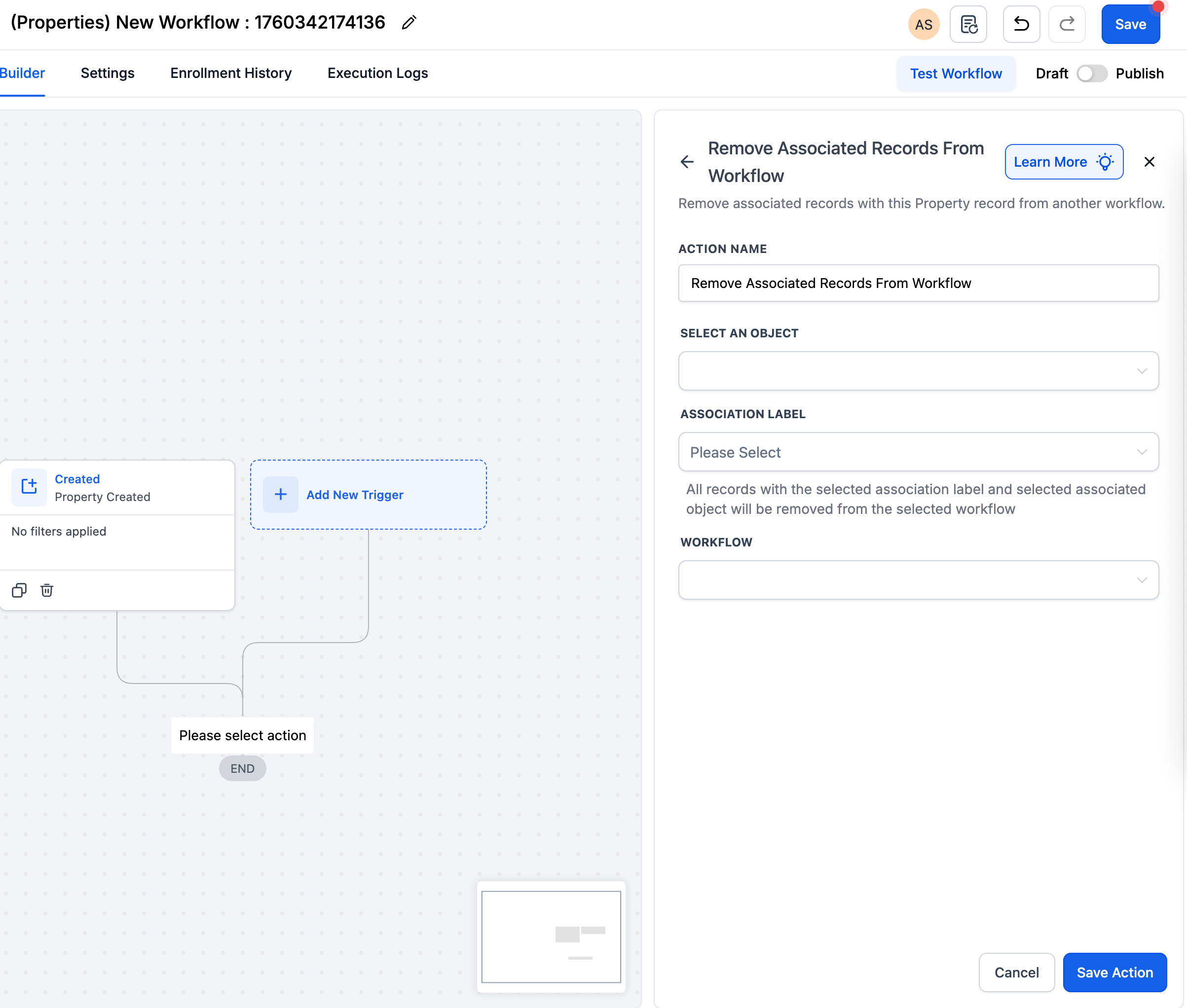
Find Object Record / Find Company
Use Find to locate an existing record using Record ID, External ID, or field filters. You can pass dynamic values from an Inbound Webhook. Choose how to handle multiple matches and branch on Record Found vs Record Not Found.
With this action, you can:
Match via Record ID, External ID or Field-Based Filters.
- Support dynamic values from inbound webhook triggers (e.g {{inboundWebhookRequest.body.subscription_ref}}).
- Choose how to handle multiple matches — Earliest, Latest, or All.
- Branch logic automatically for Record Found vs Record Not Found scenarios.
Example: When a webhook posts { "companyDomain": "acme.com" }, find the matching Company record and enroll it in a workflow.
To learn more, see: Find Object Record / Find Company.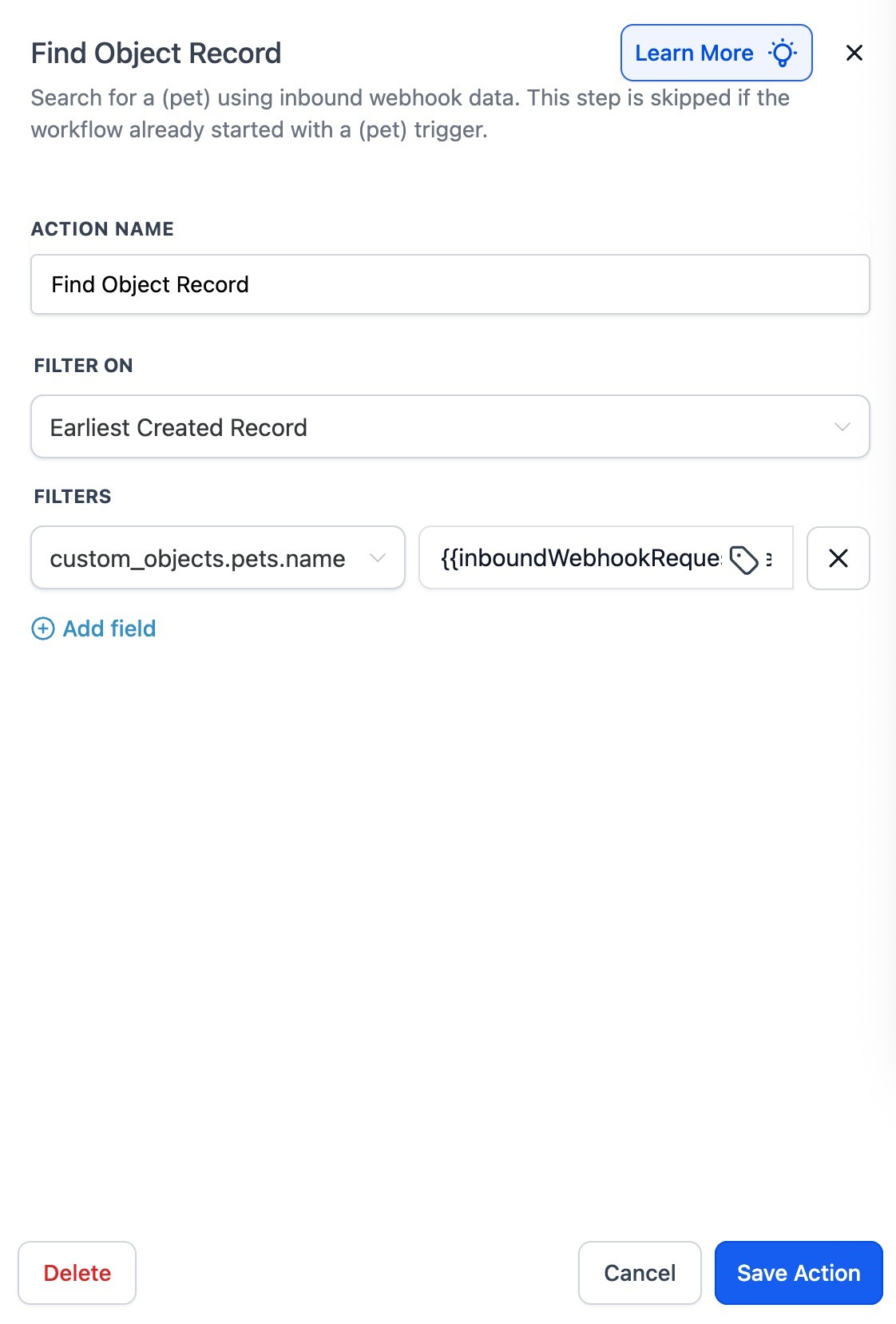
Frequently Asked Questions
Q: What’s the difference between “Add to Workflow” and “Add Associated Records to Workflow”?
The Add to Workflow enrolls the current record type. Add Associated Records to Workflow enrolls other records that are linked to the current record via associations and filtered by a selected label.
Q: Can I target more than one Association Label at a time?
Use one label per action. If you need multiple labels, add another Add/Remove Associated Records action for each label you want to include.
Q: How do Earliest / Latest / All affect the Find result?
Earliest or Latest proceed with a single best match. All applies the downstream path to each matching record.