
Affiliate Manager: Import FirstPromoter Campaigns, Affiliates & Commissions
Welcome! This guide shows how to migrate your FirstPromoter programs into Chat To Clients CRM Affiliate Manager using the new guided import. You’ll bring over campaigns, affiliates, and historical commissions—without CSVs—so you can manage everything in one place with accurate reporting.
TABLE OF CONTENTS
- What is the FirstPromoter Guided Import?
- Key Benefits of FirstPromoter Import
- How To Setup FirstPromoter Import
- Frequently Asked Questions
- Related Articles
What is the FirstPromoter Guided Import?
The guided import is an API-based workflow that connects your FirstPromoter workspace to Chat To Clients CRM. After a quick credential check, you select which campaigns to bring over and review any contact conflicts before importing. This ensures clean data, preserved history, and a faster transition compared to manual exports.
Connect your FirstPromoter account with Account ID and API Key
Select campaigns and import preferences
Review/resolve email conflicts, then import
Key Benefits of FirstPromoter Import
Understanding the value helps you decide when to use the importer and how it improves ongoing affiliate operations and reporting.
- Fast setup: Three-step, no-code wizard to connect, select, and import.
- Historical continuity: Preserves past referrals and commissions for accurate trend and payout visibility.
- Clean contacts: Smart duplicate-email detection with merge/skip options prevents messy records.
- Control over payouts: Choose to include Pending Commissions and set Payout Terms so imported items respect your payment cadence.
- Unified analytics: Campaigns and affiliates appear in Affiliate Manager dashboards alongside your other performance metrics.
How To Setup FirstPromoter Import
Follow these clear, repeatable steps to run the importer end-to-end with the fewest errors.
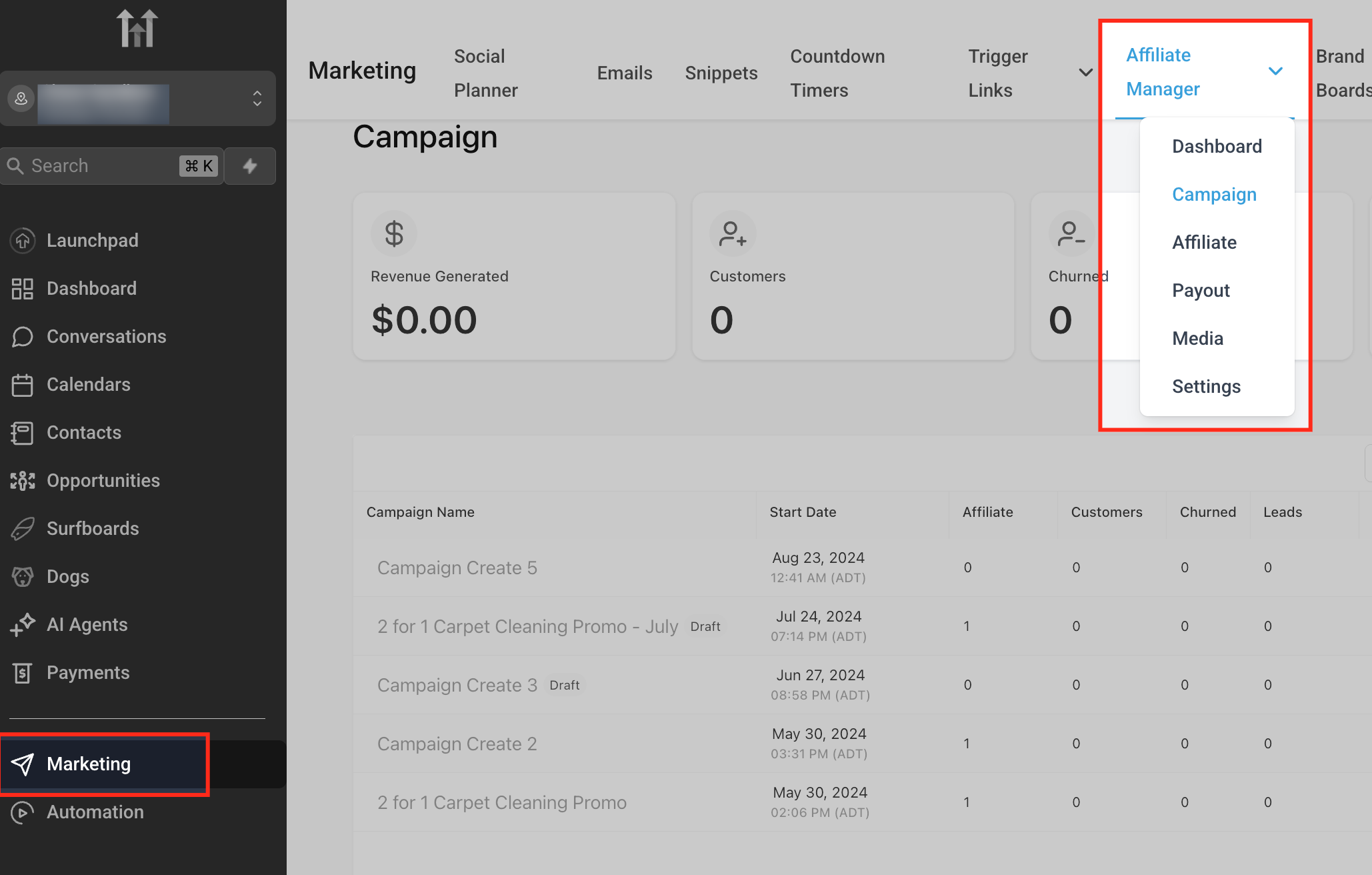
Open the Import Wizard
Marketing → Affiliate Manager → Campaigns → Import.
Connect Account screen with Account ID & API Key fields and a blue help box titled “Where to find your API credentials.”Connect Account screen with Account ID & API Key fields and a blue help box titled “Where to find your API credentials.”

Alt text: A form titled “Connect to FirstPromoter” with Account ID and API Key inputs, plus a tip card listing: Log in to FirstPromoter → Settings → API & Webhooks → generate key with read permissions.
Connect FirstPromoter
Paste your Account ID and API Key → Connect & Fetch.
Where to find credentials in FirstPromoter: Settings → API & Webhooks → copy Account ID and generate an API Key with read permissions for affiliates and campaigns.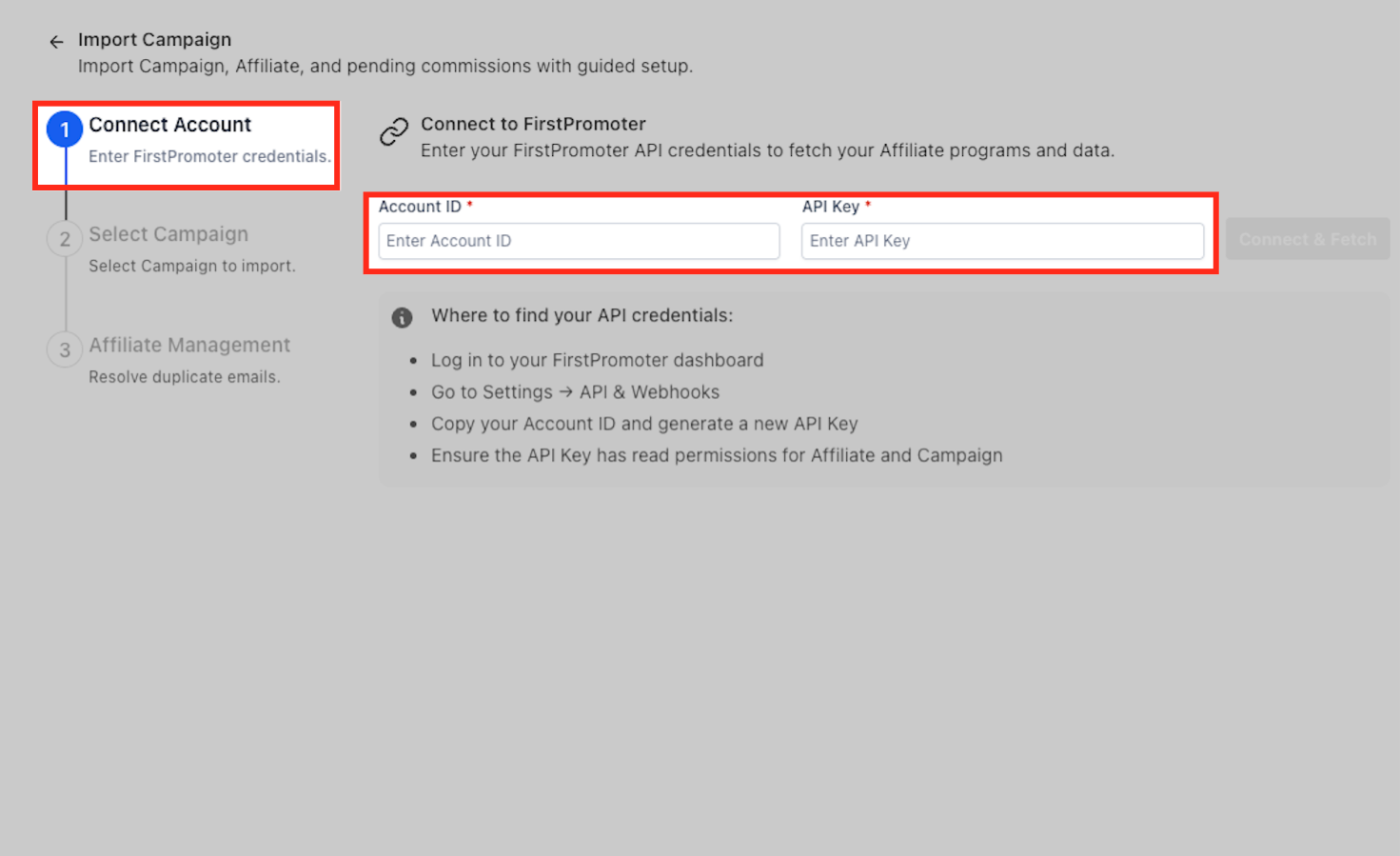
Select Campaigns
Tick the campaigns you want to migrate. Review status, commission rules, affiliate count, and cookie life. Choose exactly which programs to migrate and preview key details (status, commission type, affiliate count, cookie life) to avoid importing the wrong items.
- Use search and checkboxes to select campaigns.
- Review columns such as Status, Affiliate, Commissions, and Cookie life.
- Note: If FirstPromoter shows payments processed via Stripe, that reflects your original FirstPromoter setup.
Campaign selection table showing Campaign, Status, Affiliate, Commissions, Cookie life columns. Alt text: A data grid titled “Select Campaign to Import,” with rows of campaigns and a left-side wizard showing steps 1–3.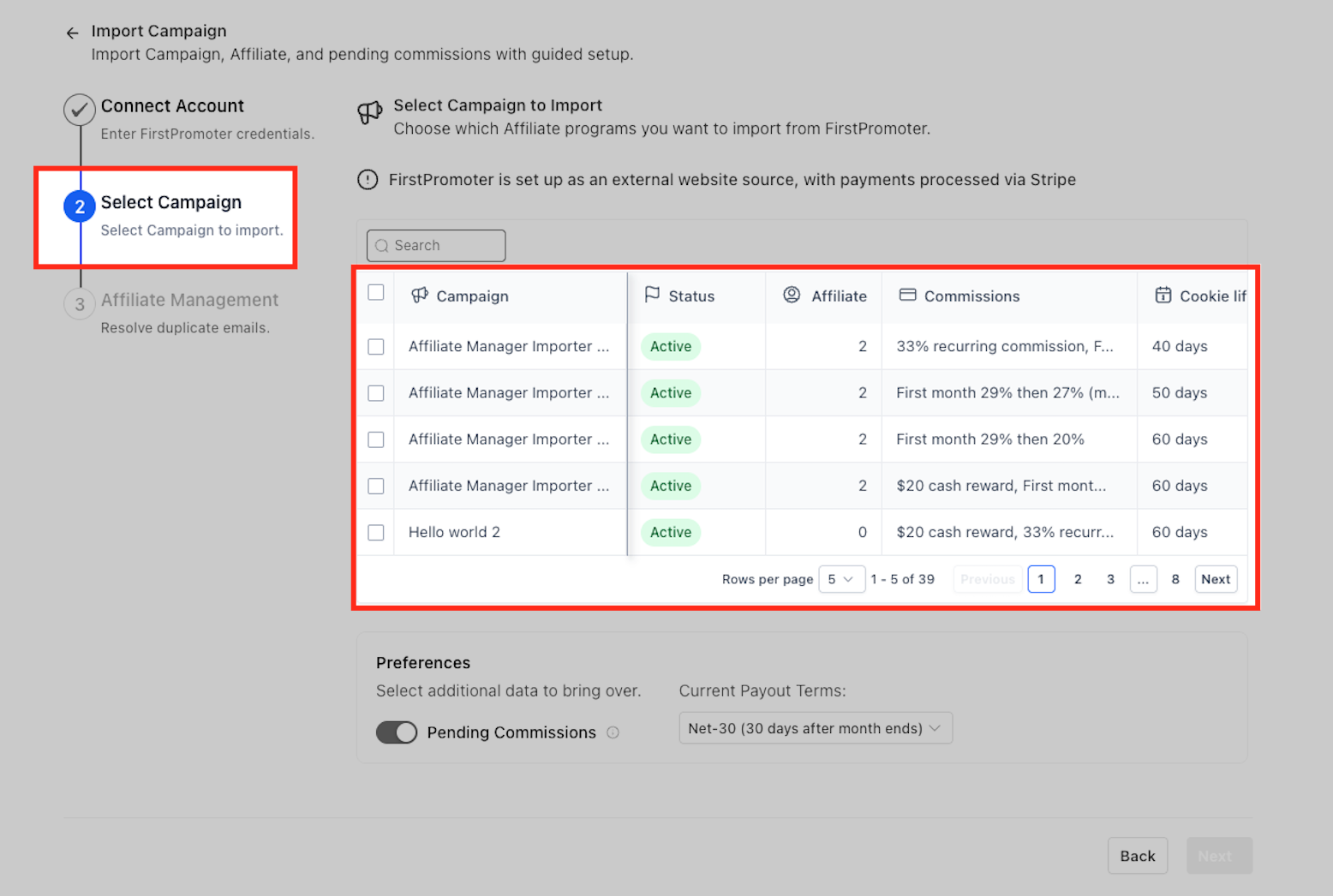
Set Preferences
Turn on Pending Commissions if needed and confirm Payout Terms. Fine-tune what gets imported and how payouts will be scheduled so your finance workflow remains consistent after migration.
Pending Commissions (toggle): Include unpaid commissions from FirstPromoter if you want them tracked immediately in Chat To Clients CRM.
Current Payout Terms (dropdown, e.g., Net-30 (30 days after month ends)): Determines when imported commissions become due inside Affiliate Manager.
Preferences card beneath the campaign list with a Pending Commissions toggle and a Payout Terms dropdown.
Alt text: A panel labeled “Preferences” with a blue toggle for Pending Commissions and a dropdown currently set to “Net-30 (30 days after month ends).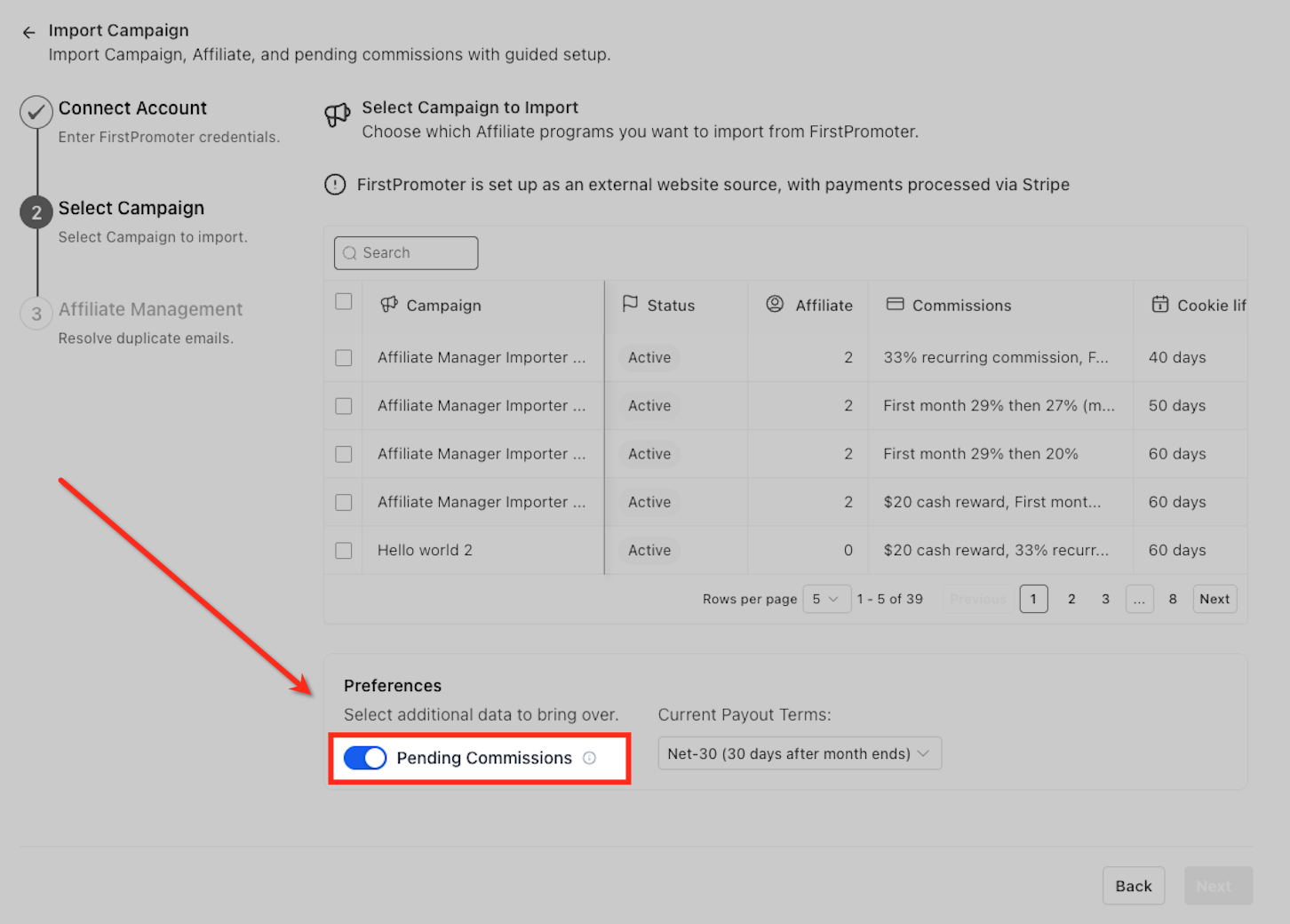
Review Affiliates
On Affiliate Management, resolve any Conflicts by choosing Merge or Skip. New affiliates are created as contacts automatically. If an email already exists, you’ll resolve the conflict to maintain a single, clean CRM profile.
- Tabs show Total, New, and Conflicts.
- For conflicts, compare Affiliate Name, Status, Email, and Join Date.
- Actions typically include Merge (retain the existing contact and attach affiliate data) or Skip (do not import this affiliate now).
Affiliate Management list with tabs and a green banner “All conflicts have been resolved.” Alt text: A table of affiliates with action icons per row and a status badge showing conflicts resolved.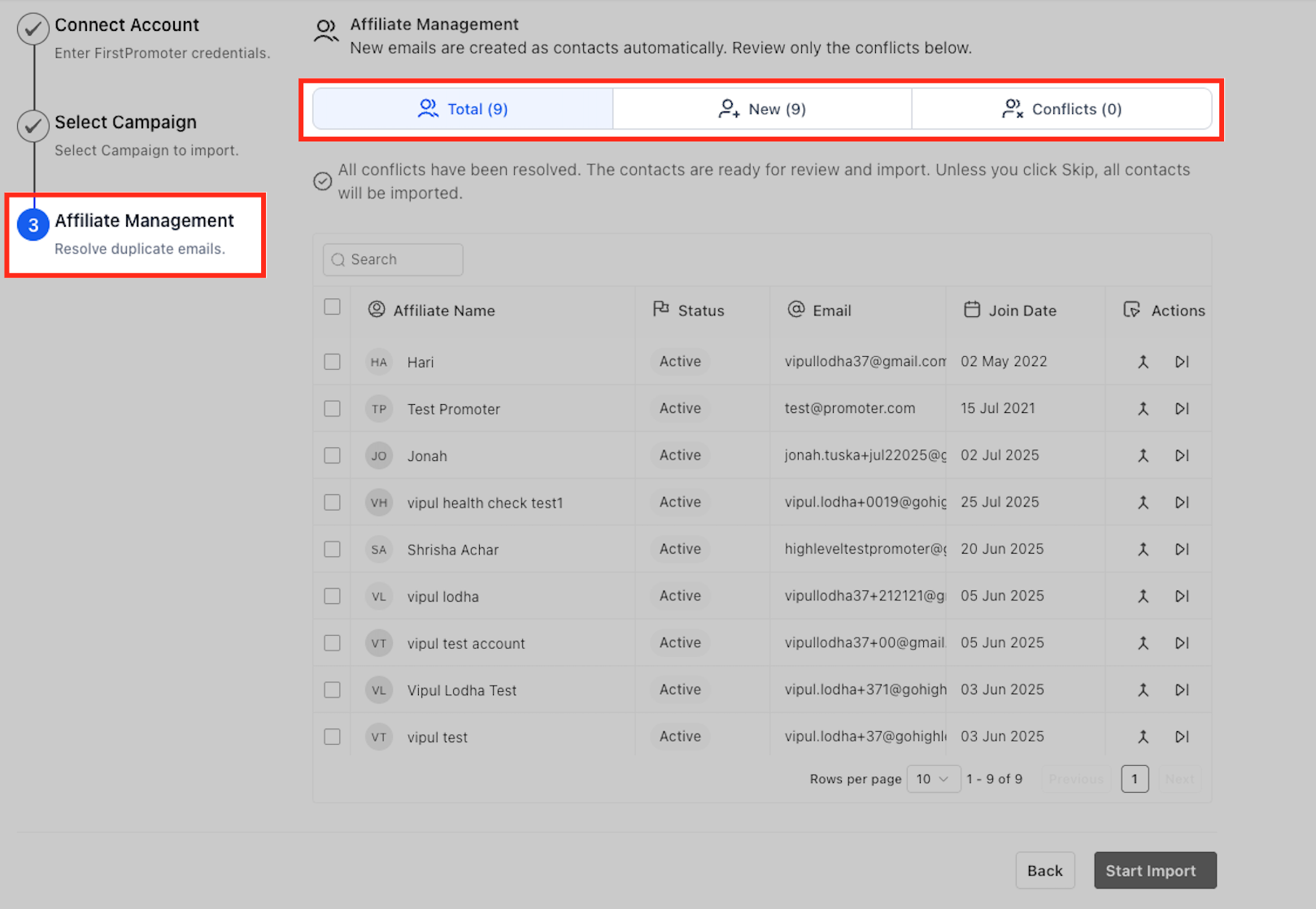
Start Import
Click Start Import. Keep the page open or navigate away—processing continues. After you start the import, you’ll see a brief summary so you know what was queued and what to do next to begin tracking.
Summary cards display Campaigns, Total Affiliates, and Historical Referrals queued for import.
When complete, you can safely leave the page—Chat To Clients CRM will notify you.
Import Started screen with three summary cards and a “Next steps” callout box. Alt text: A confirmation view showing 1 Campaign, 7 Affiliates, and 56 Historical Referrals, plus a highlighted list of next-step reminders.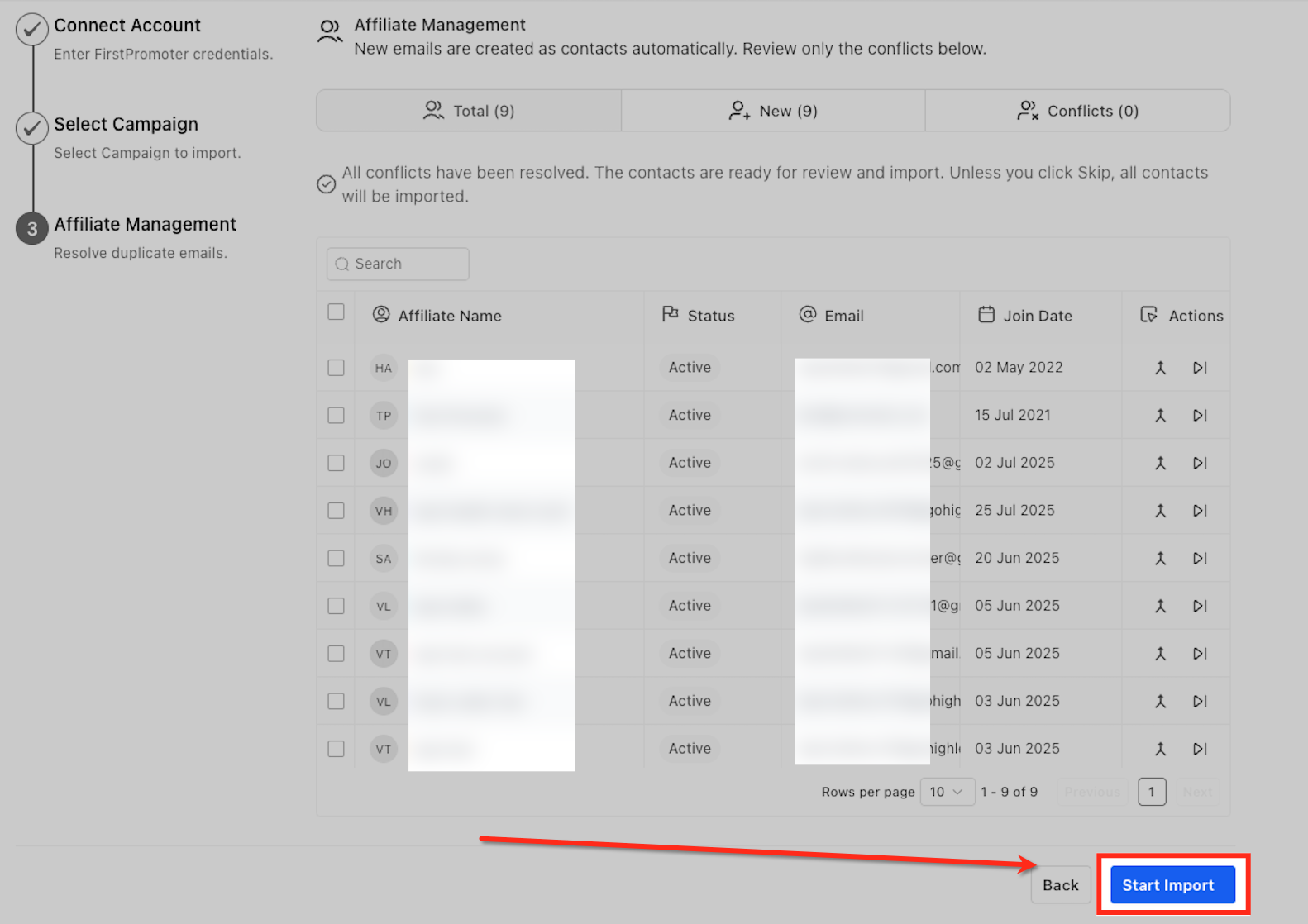
Frequently Asked Questions
Q: Do I still need CSV exports from FirstPromoter?
No. The API-based wizard replaces manual CSV transfers for supported data.
Q: What happens to commission statuses during import?
Each commission keeps its original status (e.g., Pending/Approved). Payout timing follows the Payout Terms you set in Preferences.
Q: Can I include unpaid earnings?
Yes. Toggle Pending Commissions to bring over unpaid items so they appear in Affiliate Manager’s payout workflow.
Q: Will the importer create duplicate contacts?
No. Duplicate emails are flagged for review. Use Merge to keep a single contact record with affiliate data attached or Skip to exclude that entry.
Q: Can I run the import more than once?
Yes. You can re-run the wizard to import additional campaigns or affiliates; previously imported items are not duplicated.
Q: Are product-based commissions supported?
Not during the import itself. After the import, configure product-based commission rules directly in Affiliate Manager.
Q: Where do I add the tracking scripts after import?
Open the imported campaign, use the campaign list ⋯ menu to locate tracking scripts, and add them before activating the campaign.