
Unified Payment Options Across All SaaS Locations
Unified Payment Options brings seamless, flexible billing to every SaaS location in Chat To Clients CRM. Whether you manage multiple sub-accounts or one location, you can now choose to pay with a saved card, wallet credits, or (for agencies) the agency card. No more version-specific quirks!
TABLE OF CONTENTS
Overview of Unified Payment Options
Unified Payment Options standardizes and enhances payment choices across SaaS V1 and V2 so both agency and location users see a consistent, role‑based checkout with wallet and card support at every SaaS location. Unified Payment Options aligns the payment flow across versions. All SaaS locations will now support wallet and card-based payments, ensuring consistency and flexibility
Agency users have access to Pay using Card, Pay using Wallet, and Pay using Agency Card.
Location users have access to Pay using Card and Pay using Wallet.
Key Benefits of Unified Payment Options
- Aligned Experience: Checkout flows are consistent across SaaS V1 and V2.
- Clear Role Visibility: Agency and location users see only the options intended for them.
- Wallet Availability: Wallet payments are enabled across all SaaS locations.
- Removed Inconsistencies: Prior differences between V1 and V2 payment methods were resolved for a smoother experience.
Payment Methods Overview
A quick look at how each payment option:
- Pay using Card: Charges the primary card stored under Settings → Billing.
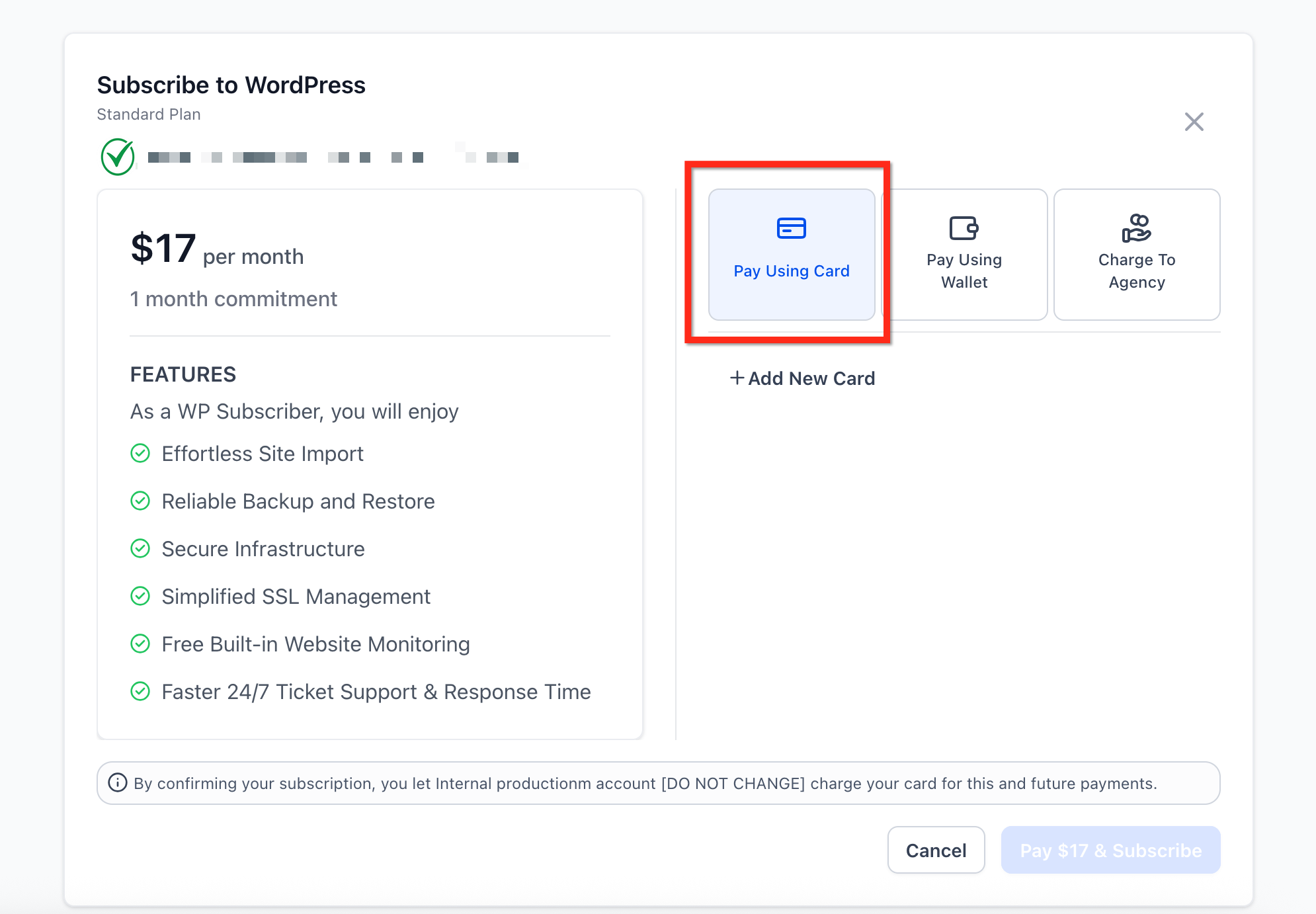
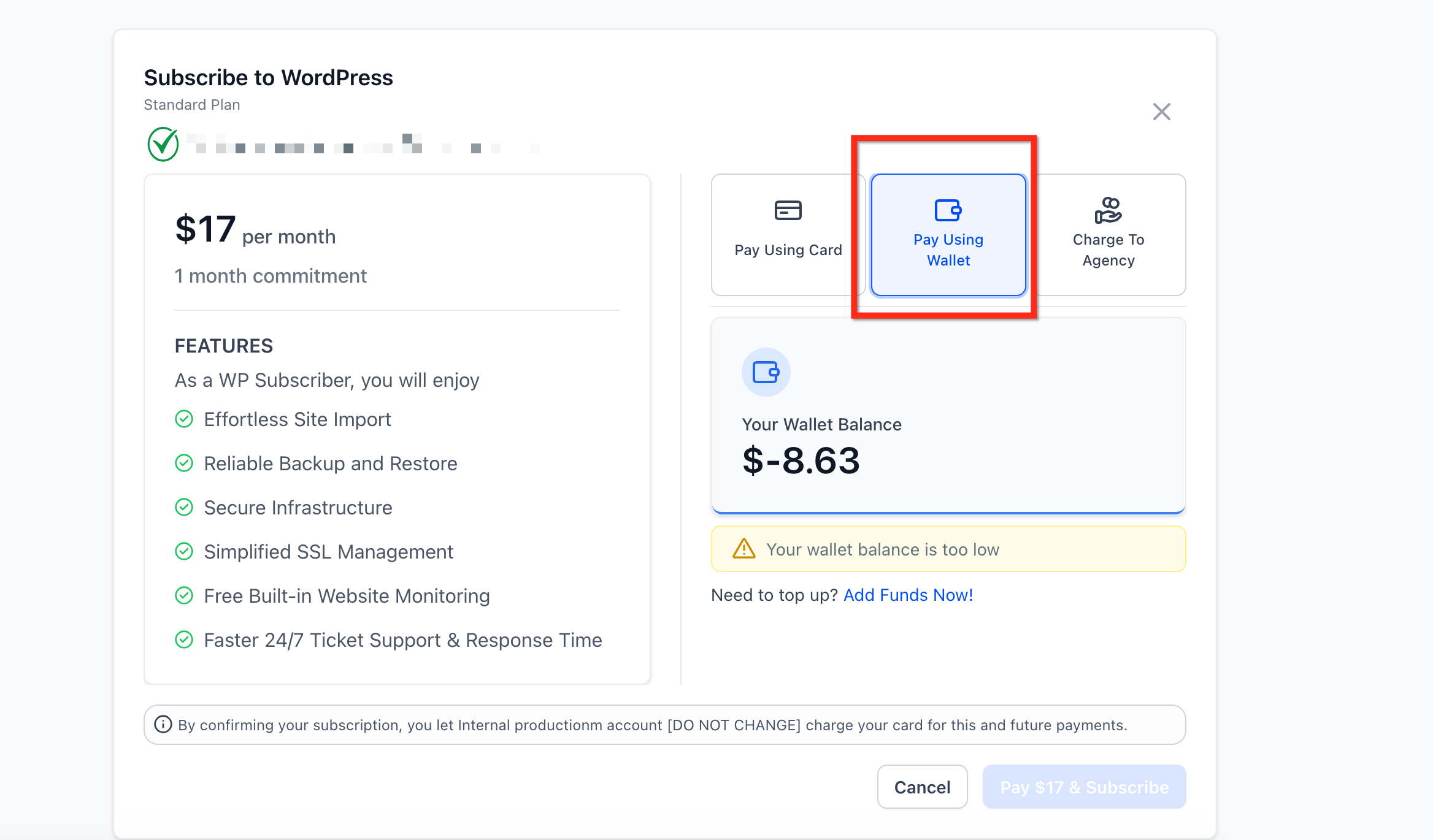
- Pay using Wallet: Deducts from pre-loaded credits; auto-reload triggers when the balance falls below your threshold.
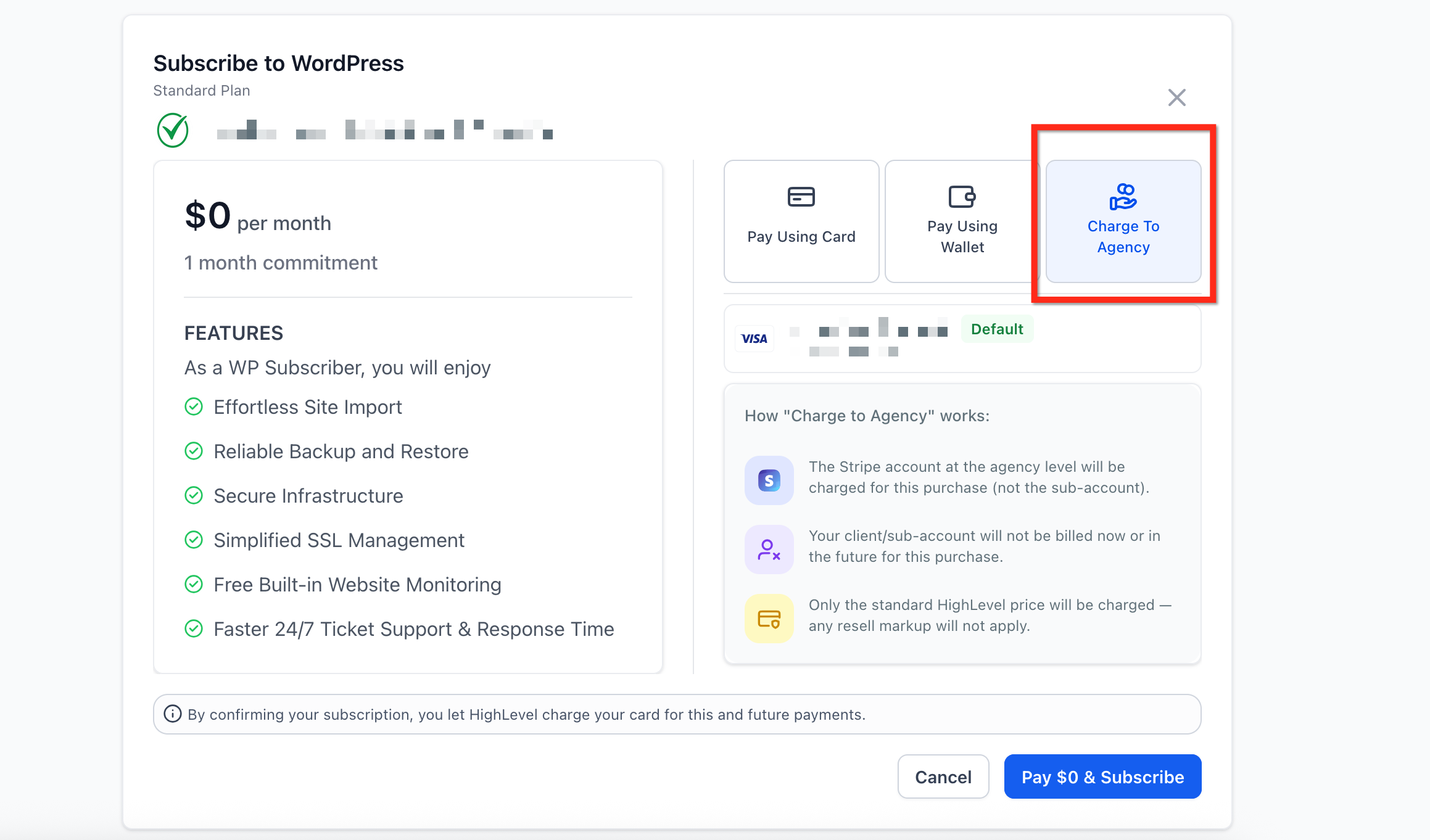
- Pay using Agency Card: Only visible to agency-level users; Chat To Clients CRM bills the agency’s card on file.
Frequently Asked Questions
Q: Can my client accidentally use the Agency Card?
No. Location users never see the Agency Card button; they only see their own wallet and card options.
Q: How do I adjust my wallet’s auto-reload threshold?
Go to Settings → Billing → Wallets & Transactions → Auto-Recharge.
Q: Is the Agency Card charge ever shown to my client?
No. Charges routed to the Agency Card do not appear on location invoices.
Q: Do I need to migrate anything to see the new checkout?
No. Payment flows are aligned across SaaS V1 and V2 automatically.