
Workflow Action – Remove Associated Records from Workflow
TABLE OF CONTENTS
Overview
The Remove Associated Records from Workflow action is available in all workflow types — Contact-based, Company-based, and Custom Object-based workflows. It automatically removes records that are associated to the trigger record (via a selected object + label) from another workflow. This ensures clean unenrollment of related contacts, companies, or custom object records when conditions change.
This action is different from the existing Remove from Workflow action which only removes the current record (e.g., a contact) from a workflow. Remove Associated Records from Workflow instead allows you to unenroll associated records (Contacts, Companies, or Custom Objects) based on an association label.
Action Name
Remove Associated Records From Workflow
Action Description
This action enables workflow users to:
Select an object type
Choose an association label to target which associated records should be removed.
Pick the workflow the associated records will be removed from.
This action is possible only after creating custom objects (or using contacts/companies) in the sub-account and ensuring that an association label exists between the trigger record and the records to be removed. This includes contact-to-contact and company-to-contact associations.
Action Details
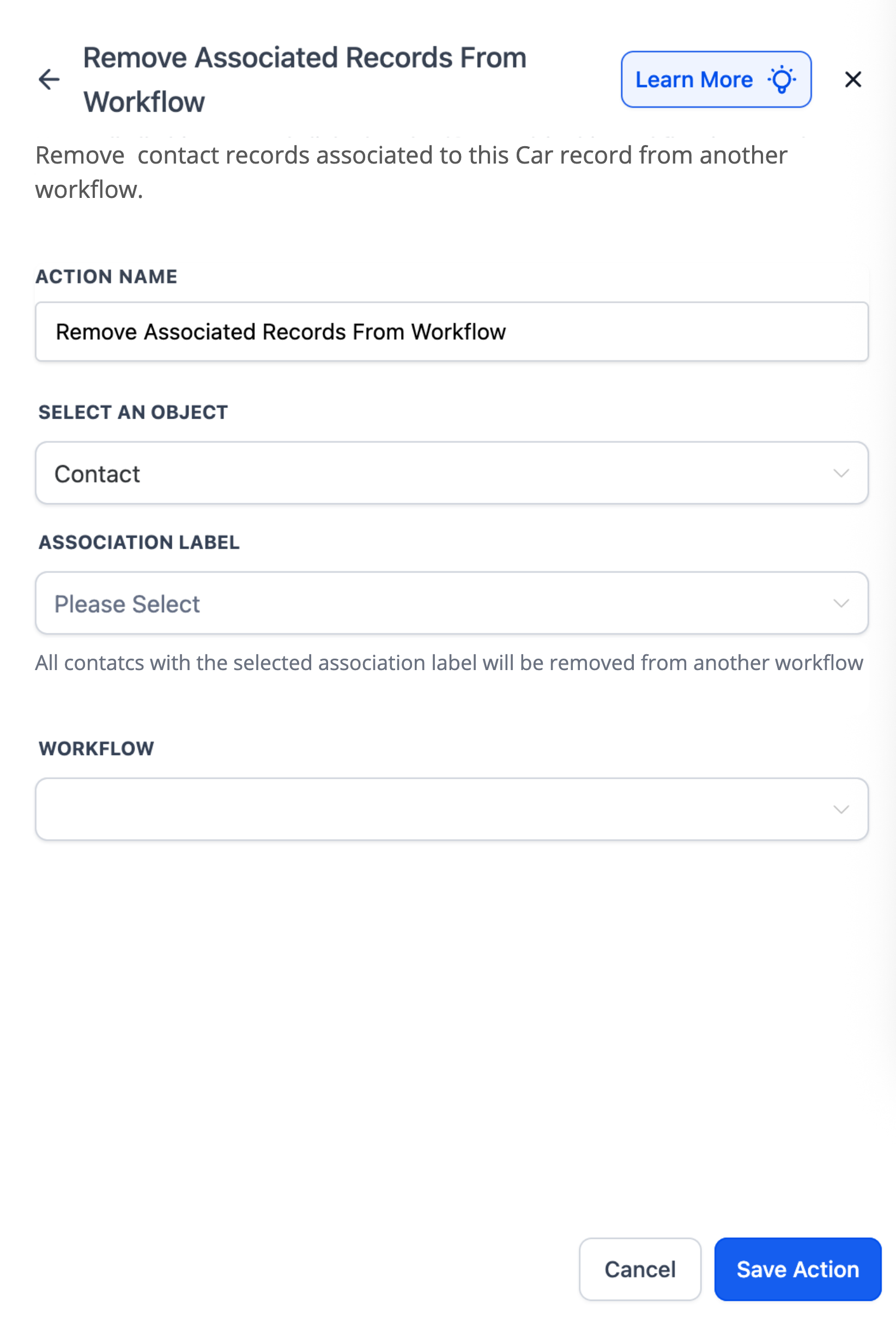
Select an object: Choose the type of associated records to remove (e.g., Contacts, Dealers, Properties).
Association Label (required): Determines which associated records qualify for removal. (does not apply on company - contact associations)
Workflow: Select the target workflow the associated records will be removed from.
Edge cases & notes:
At least one matching association (by label) must exist; otherwise, no records are removed.
Removals are immediate; if you need to re-enroll later, use Add Associated Records to Workflow action or a separate automation.
Examples
Example 1: Car ↔ Dealer (Custom Object Workflow)
When a Car record’s status changes to Sold, remove its associated Dealers (label: Assigned Dealer) from the Dealer Notification Workflow so they stop receiving updates.
Setup
Object → Dealer
Association Label → Assigned Dealer
Workflow → Dealer Notification Workflow
How It Works
Car status becomes Sold (workflow trigger).
Action finds Dealers associated to the Car via Assigned Dealer.
Those Dealers are removed from the Dealer Notification Workflow.
Example 2: Contact ↔ Contact (Parent–Child, Contact Workflow)
When a Student Contact graduates, remove all Parent Contacts (label: Parent-Child) from the Semester Start Notification workflow.
Setup
Object → Contact (Parent)
Association Label → Parent-Child
Workflow → Semester Start Notification
How It Works
Student record triggers the workflow on Graduated.
Action finds Parents associated via Parent-Child.
Those Parents are removed from the Semester Start Notification workflow.
Example 3: Company ↔ Contact (Company Workflow)
When a Company record’s status changes to Inactive, remove all Contacts from the Active Clients Communication Workflow.
Setup
Object → Contact
Workflow → Active Clients Communication Workflow
How It Works
Company record is updated to Inactive.
Those Contacts are removed from the Active Clients Communication Workflow.