
Bubble Style for Radio & Checkbox Elements
Give your Chat To Clients CRM forms, surveys, and quizzes a fresh, modern feel with the new Bubble Style for radio buttons and checkboxes. This update lets you toggle between classic and rounded-bubble choices in seconds—no coding required.
TABLE OF CONTENTS
What is Bubble Style for Radio & Checkbox Elements?
Bubble Style is an eye-catching, rounded design option you can apply to any radio button or checkbox field inside Chat To Clients CRM’s Form, Survey, and Quiz builders. When enabled, it swaps the default square or circular markers for larger, pill-shaped “bubbles,” improving legibility and encouraging interaction.
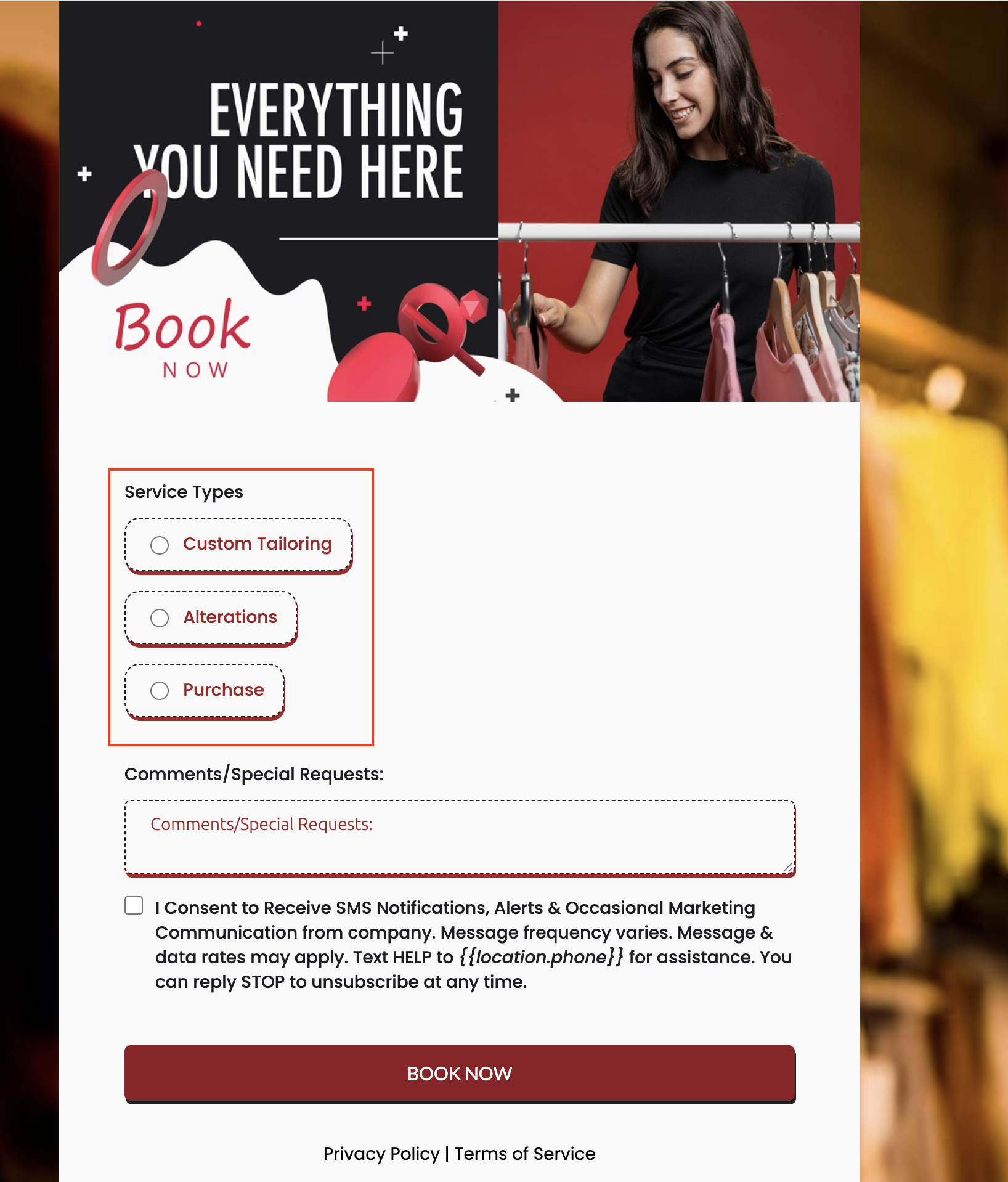
Key Benefits of Bubble Style
- Fresh Bubble Design: A sleek, rounded option for radio and checkbox fields.
- Simple Toggle: Easily switch between Standard and Bubble from the builder’s Options tab.
- User-Friendly: Bubble style improves visibility and makes choices feel more interactive.
- Responsive by Default: Works seamlessly across desktop and mobile devices.
Responsive Behavior
Bubble Style is 100 % responsive by default. The bubbles resize fluidly, ensuring precise tap targets on phones, tablets, and large screens without additional CSS tweaks.
Tip: Pair Bubble Style with the Spread to Column feature to perfectly align multi-choice answers across devices.
Compatibility & Limitations
• Works in Forms, Surveys, and Quizzes embedded in Funnels, Websites, or external pages via embed code.
• Visual-only: it does not change submission data, conditional logic, or workflow triggers.
• No migration required—existing assets retain their current styling unless you manually enable Bubble.
How To Setup Bubble Style
Apply Bubble Style in under 30 seconds:
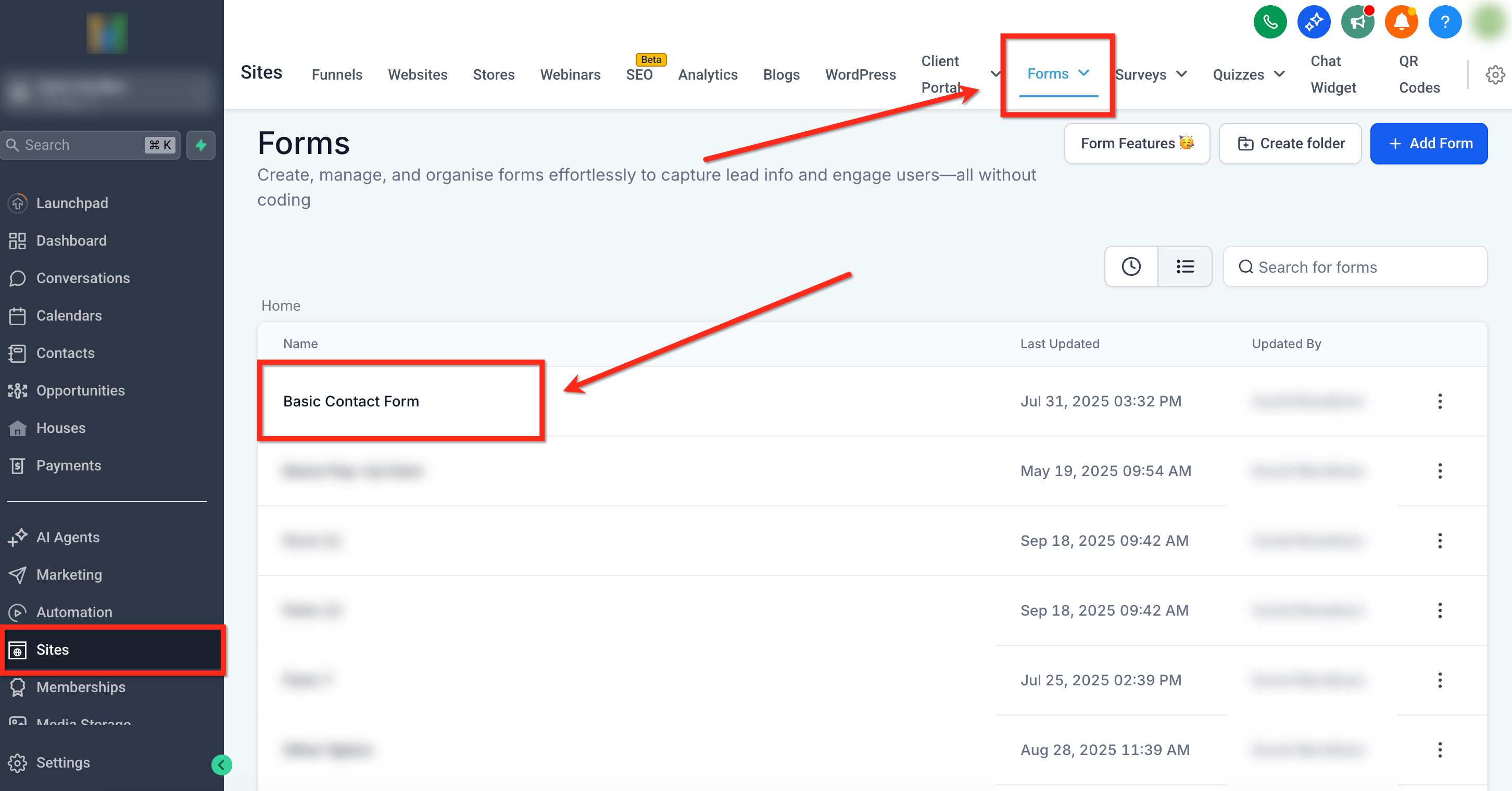
- Navigate to Sites → Forms (or Surveys / Quizzes) and click Edit on your asset.
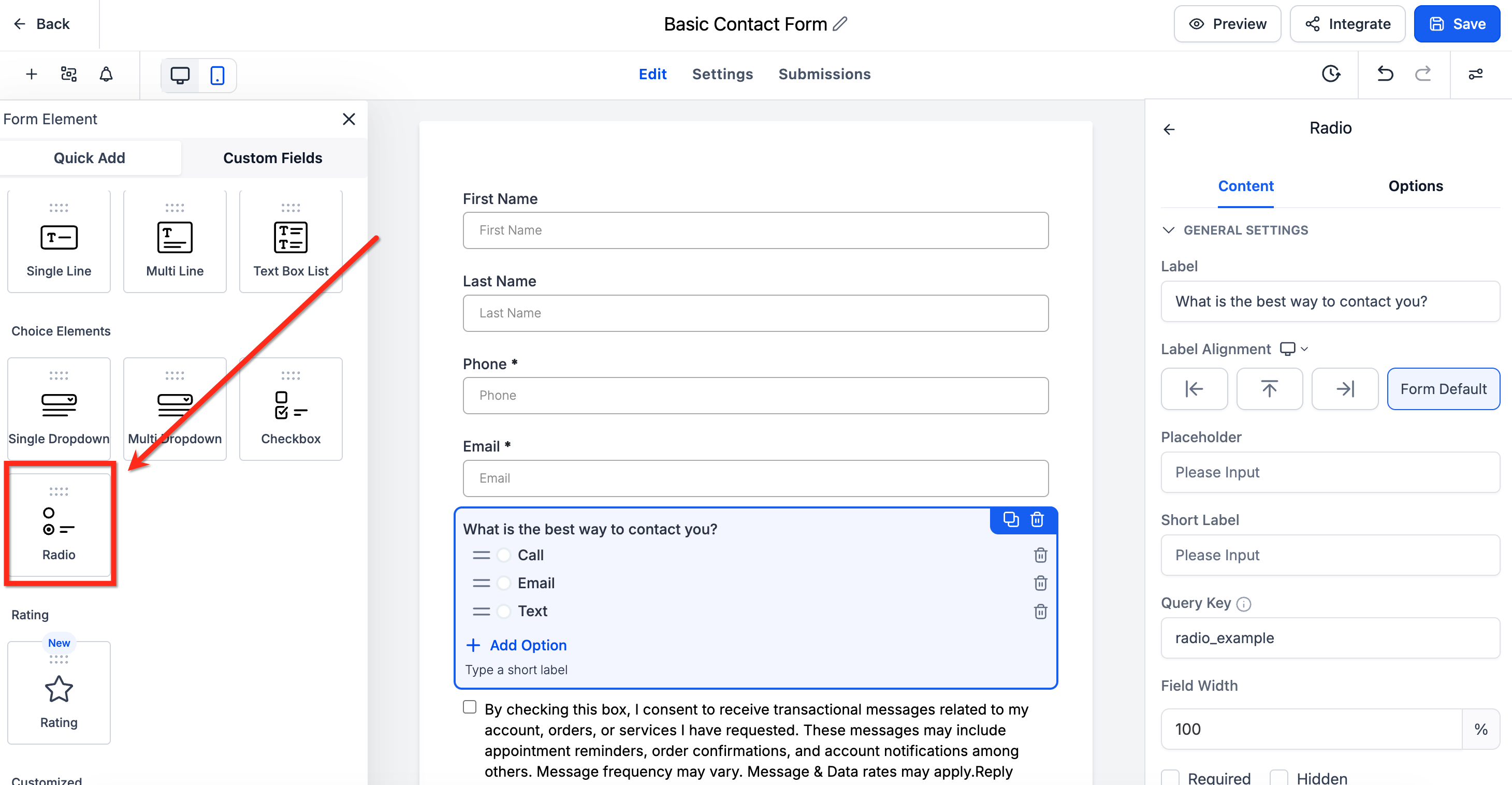
- Drag a Radio or Checkbox field onto the canvas, or click an existing one.
- In the right sidebar, select Options.
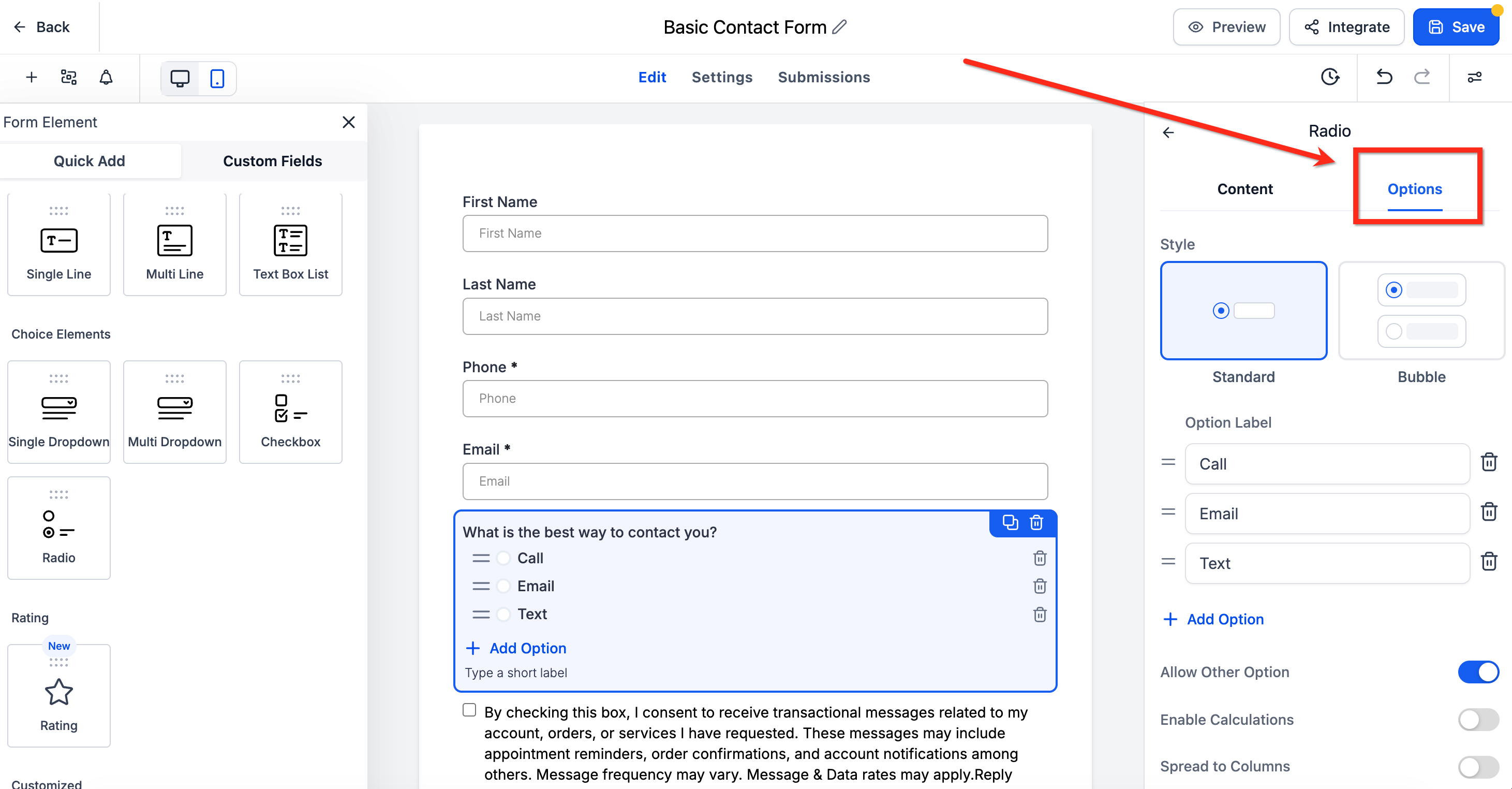
- Under “Style,” choose Bubble.
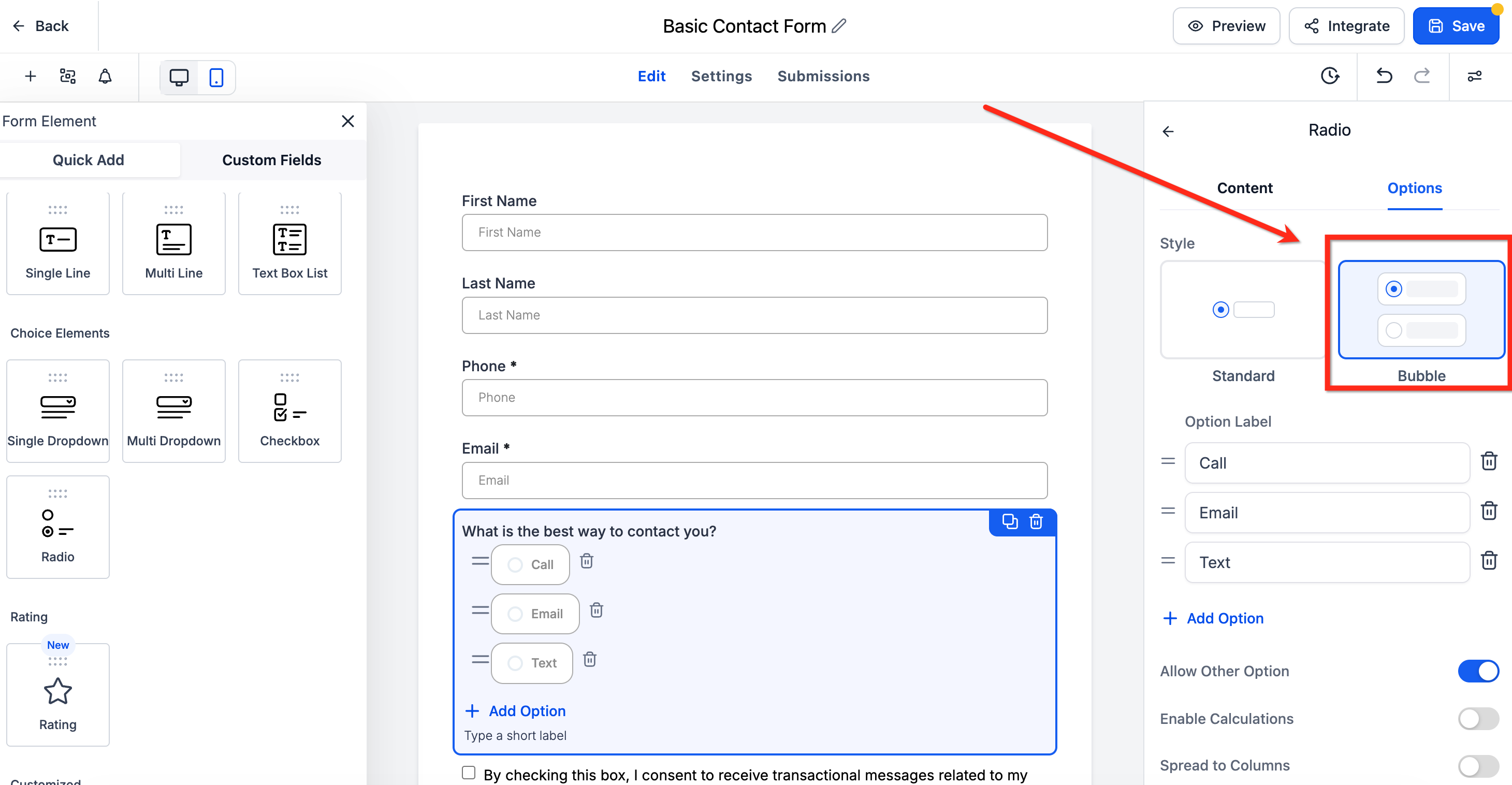
- Click Save, then Preview or Embed as usual. Your updated bubbles are live!
Frequently Asked Questions
Q: Does Bubble Style slow down page load times?
No. It uses lightweight CSS, adding virtually zero overhead.
Q: Can I enable Bubble Style for only one option in a multi-choice list?
Bubble applies to the entire element; all choices in that Radio or Checkbox field will share the same styling.
Q: Will workflows triggered by form submissions continue to work?
Yes. Bubble styling is purely visual and does not affect data capture or workflow triggers.