
Bulk Eject Sub-Accounts
The Bulk Eject feature allows agency owners to transfer multiple sub-accounts into new Chat To Clients CRM agency accounts in a single, streamlined process. This saves time, reduces manual work, and ensures that agencies can continue earning affiliate commissions on subscriptions tied to those accounts. Whether scaling operations, offboarding clients, or helping incubate new agencies, Bulk Eject makes the process efficient and transparent.
TABLE OF CONTENTS
Benefits of Bulk Eject
Scalability & Efficiency: Eject multiple sub-accounts at once, minimizing manual effort and reducing errors.
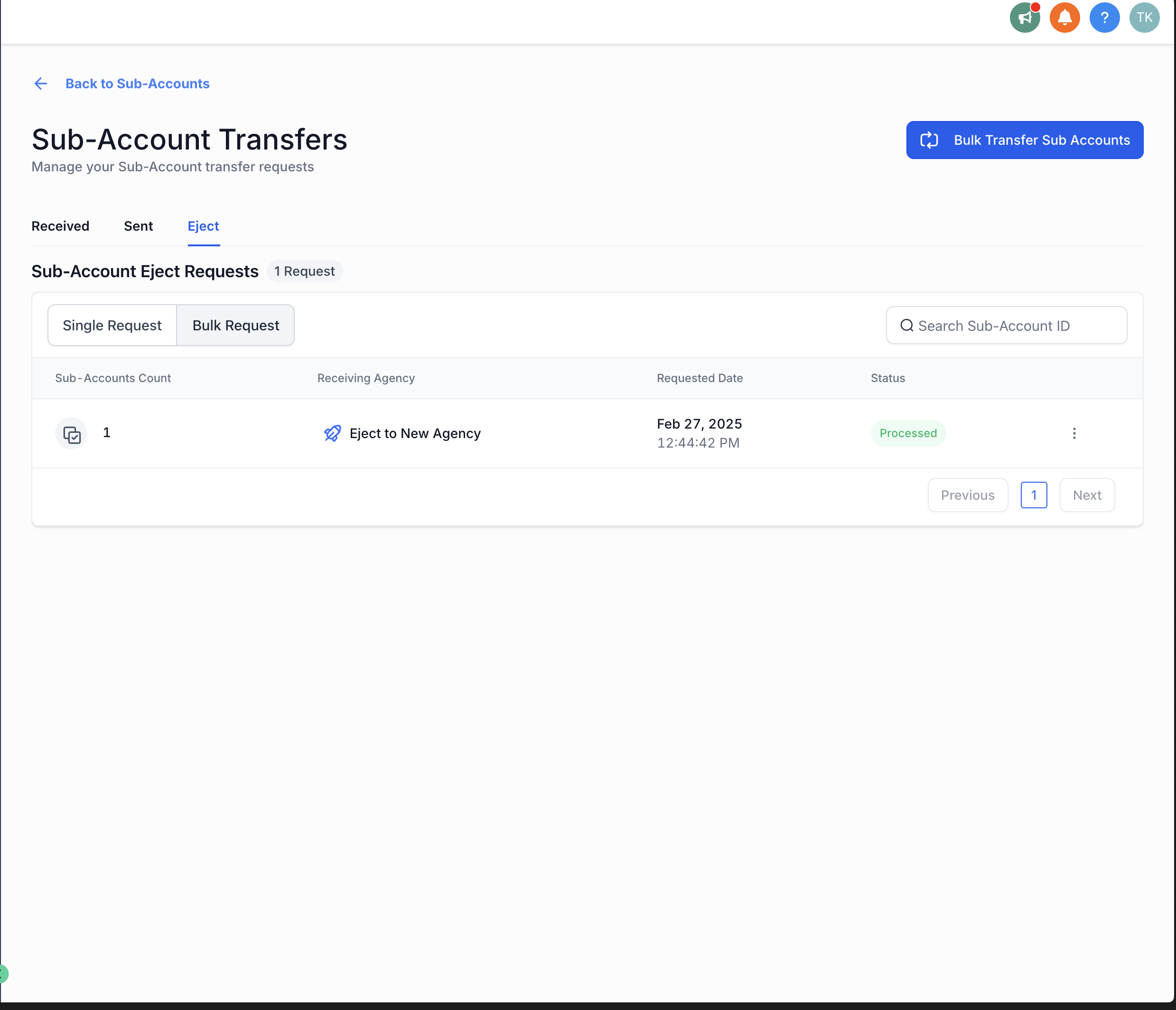
Enhanced Tracking: A dedicated tracking screen provides real-time visibility into the ejection process.
CSV File Support: Upload a CSV file with Location ID and Nominee Mapping for large-scale transfers.
Who Can Benefit
Bulk Eject is especially helpful for:
Agency owners streamlining operations by transferring multiple sub-accounts to new agencies.
Agencies winding down operations and converting sub-accounts into independent agency accounts.
Small business owners looking to become agency owners or SaaSpreneurs.
Affiliates operating under an incubation model, helping train and transition new agency owners while earning commissions.
Larger agencies that want to focus on high-value clients and transfer others into separate agencies in bulk.
How It Works
Step 1: Initiate the Bulk Transfer
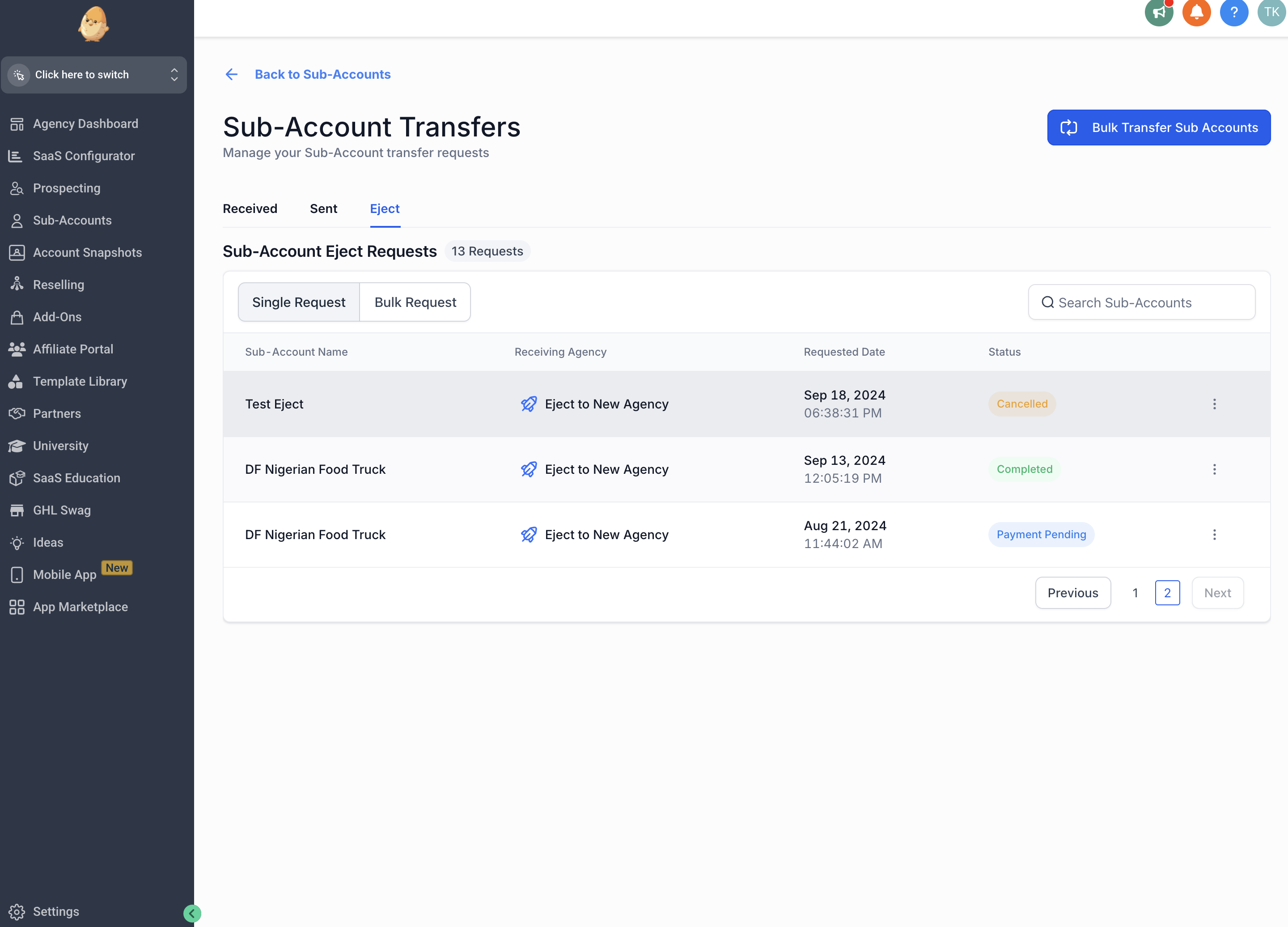
Go to the Transfer Locations page.
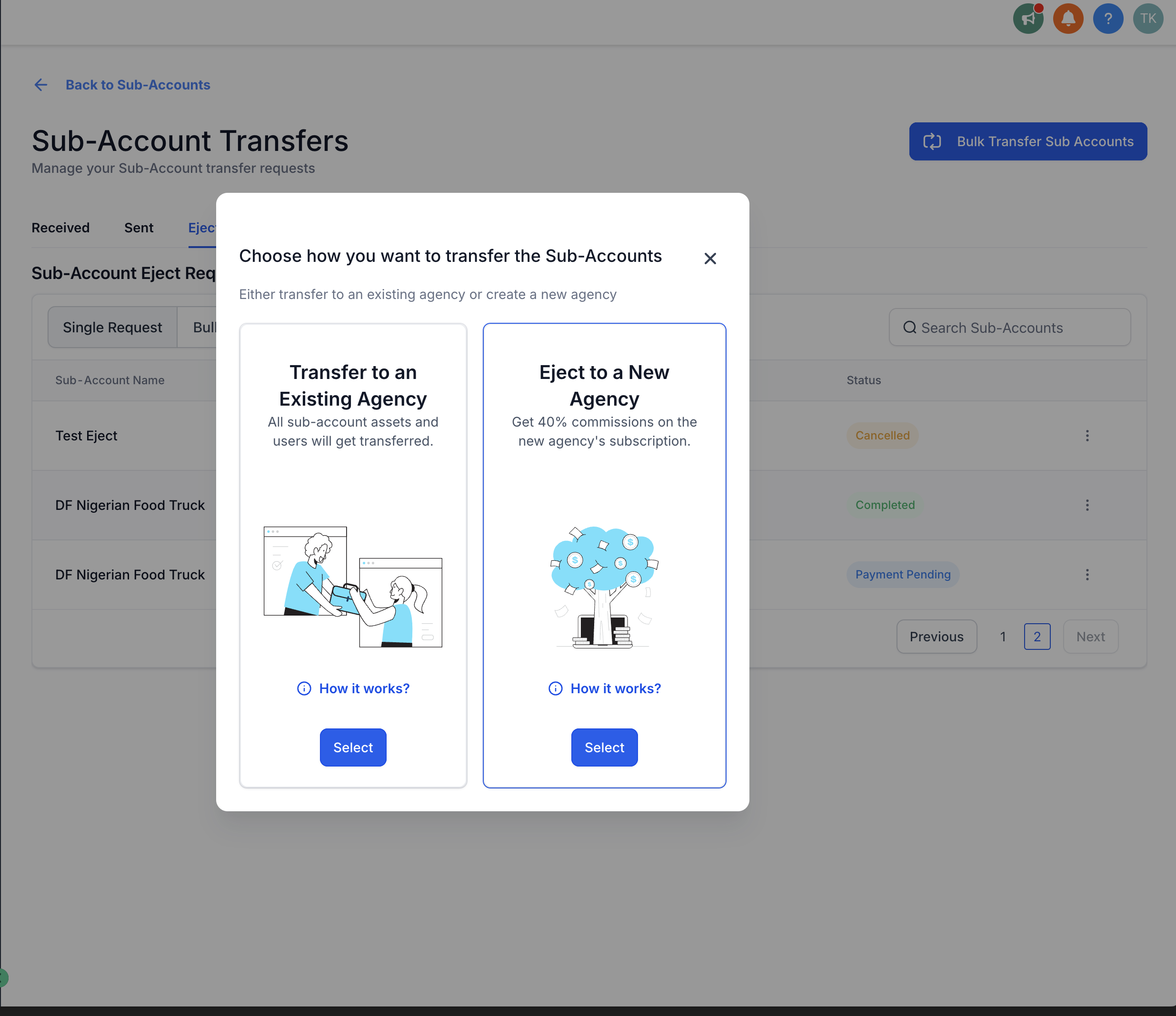
Click Bulk Transfer Sub Accounts > Eject to a New Agency.
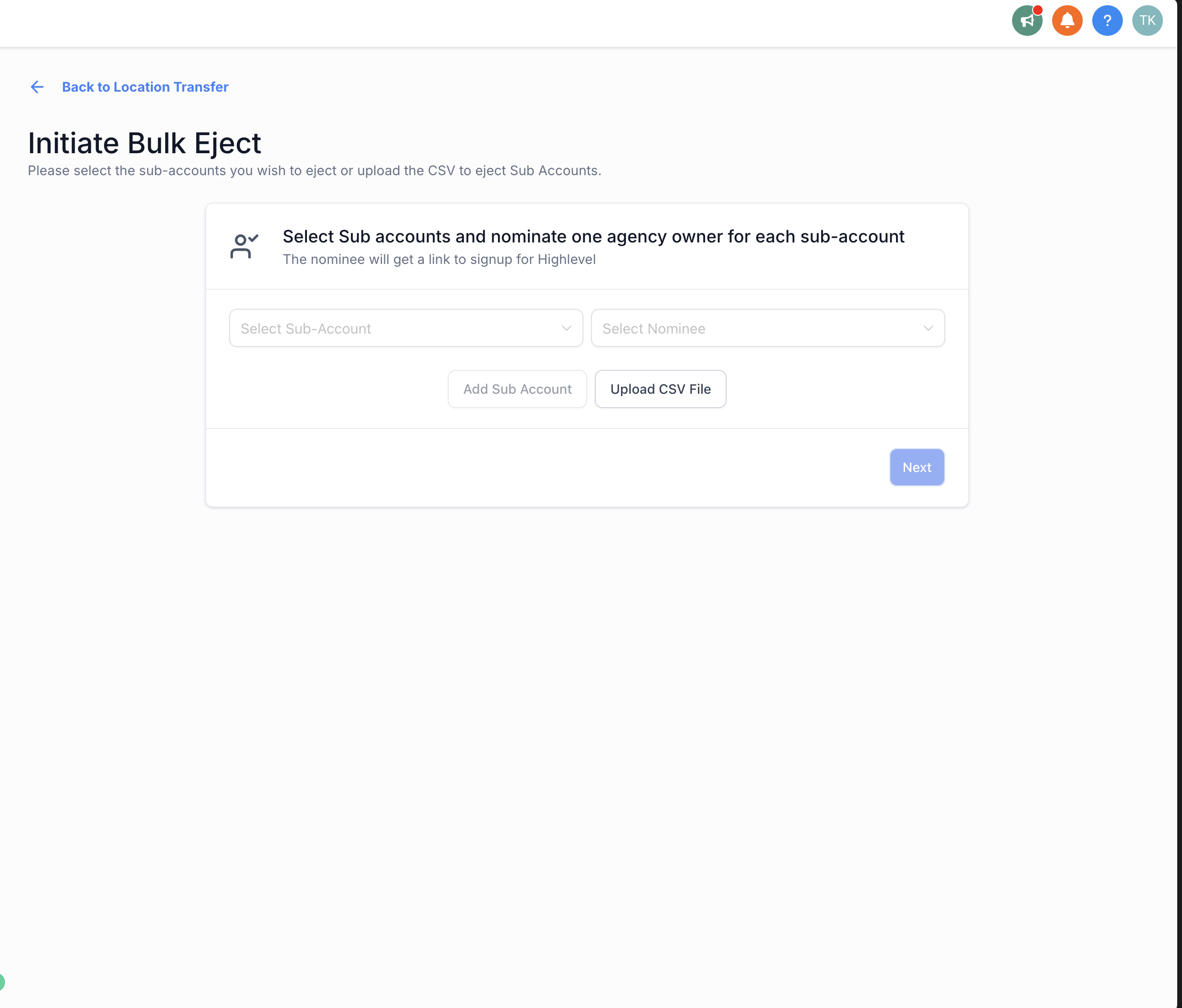
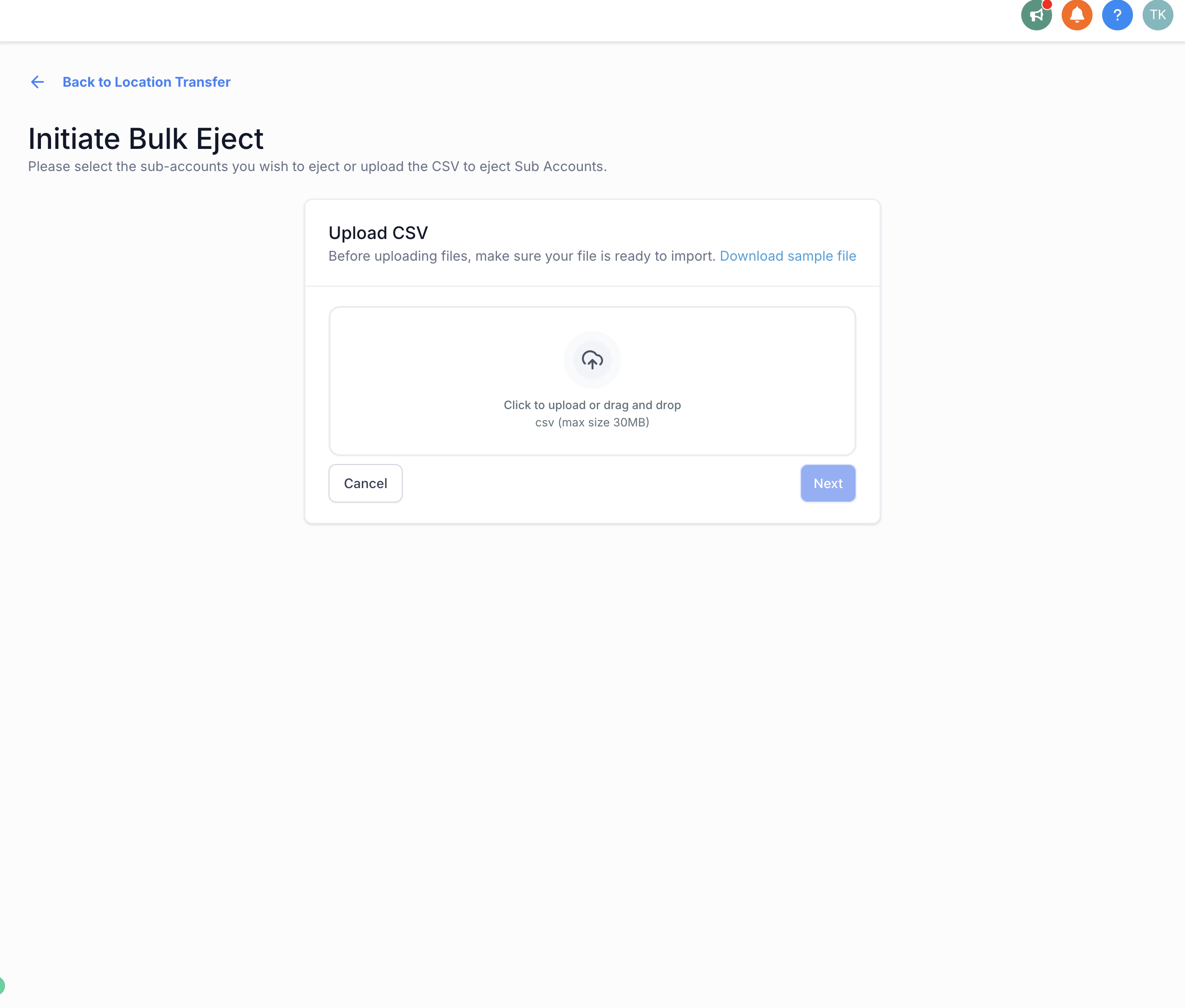
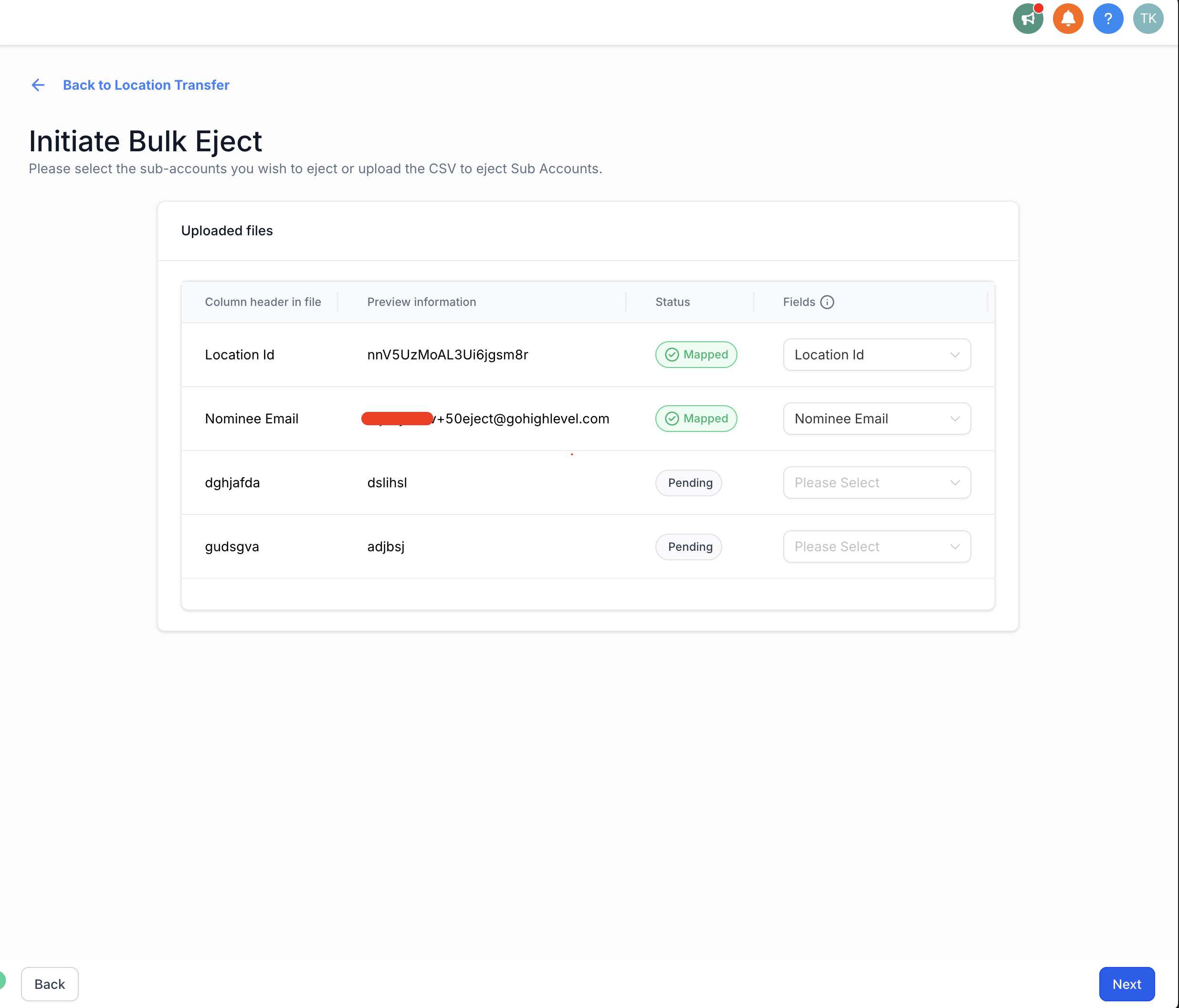
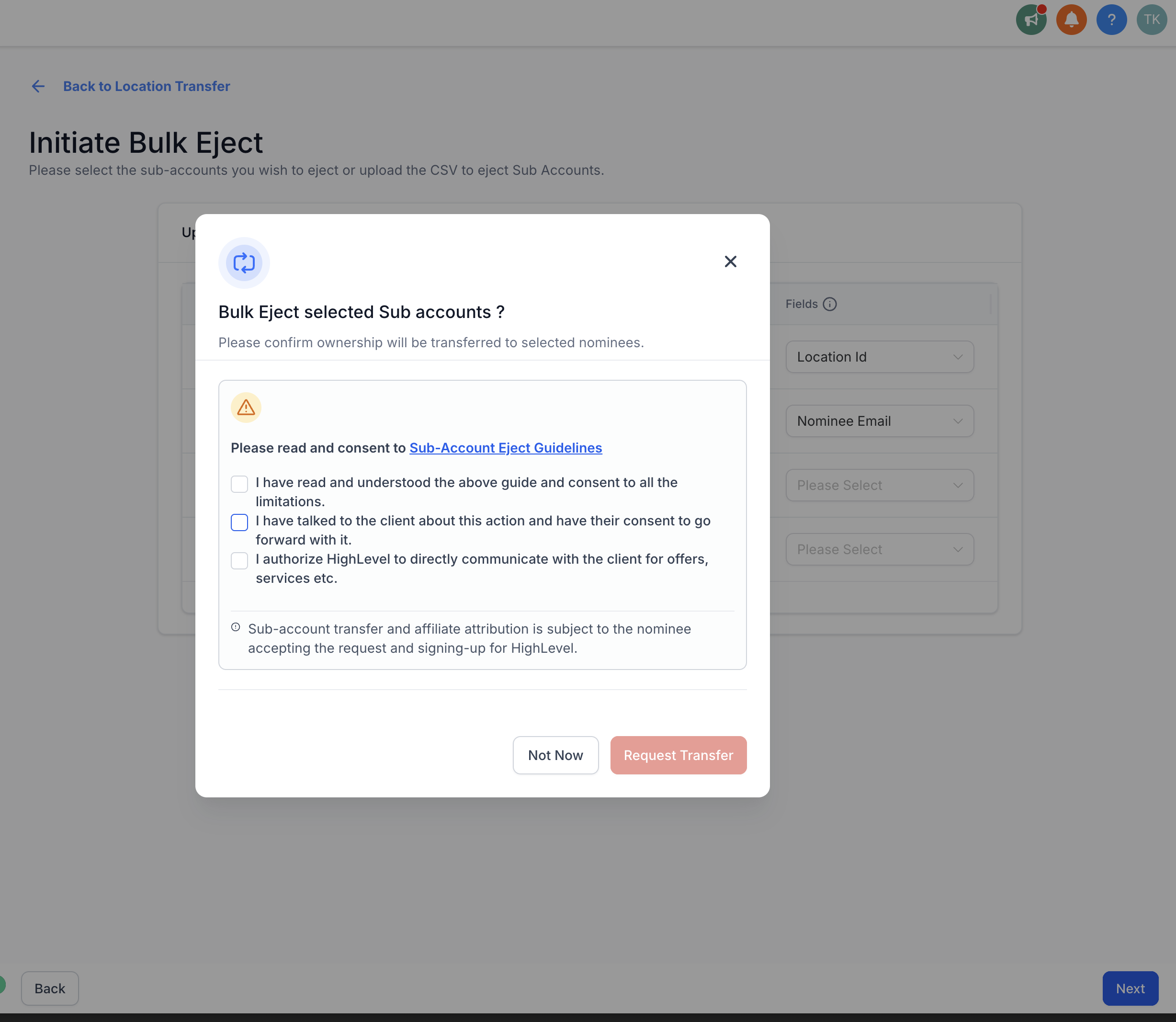
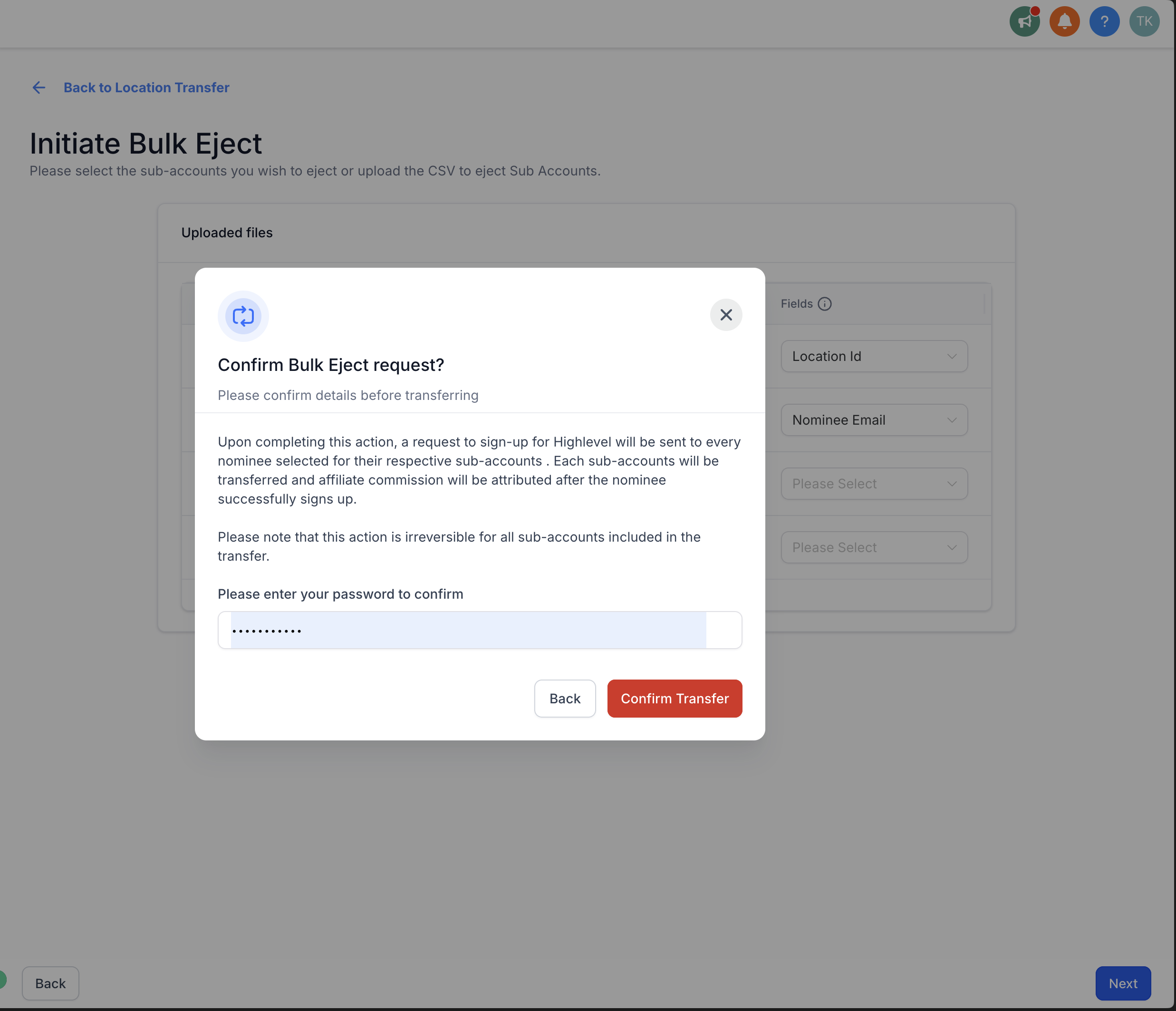
Select multiple sub-accounts manually, or upload a CSV file with location details for bulk transfer.
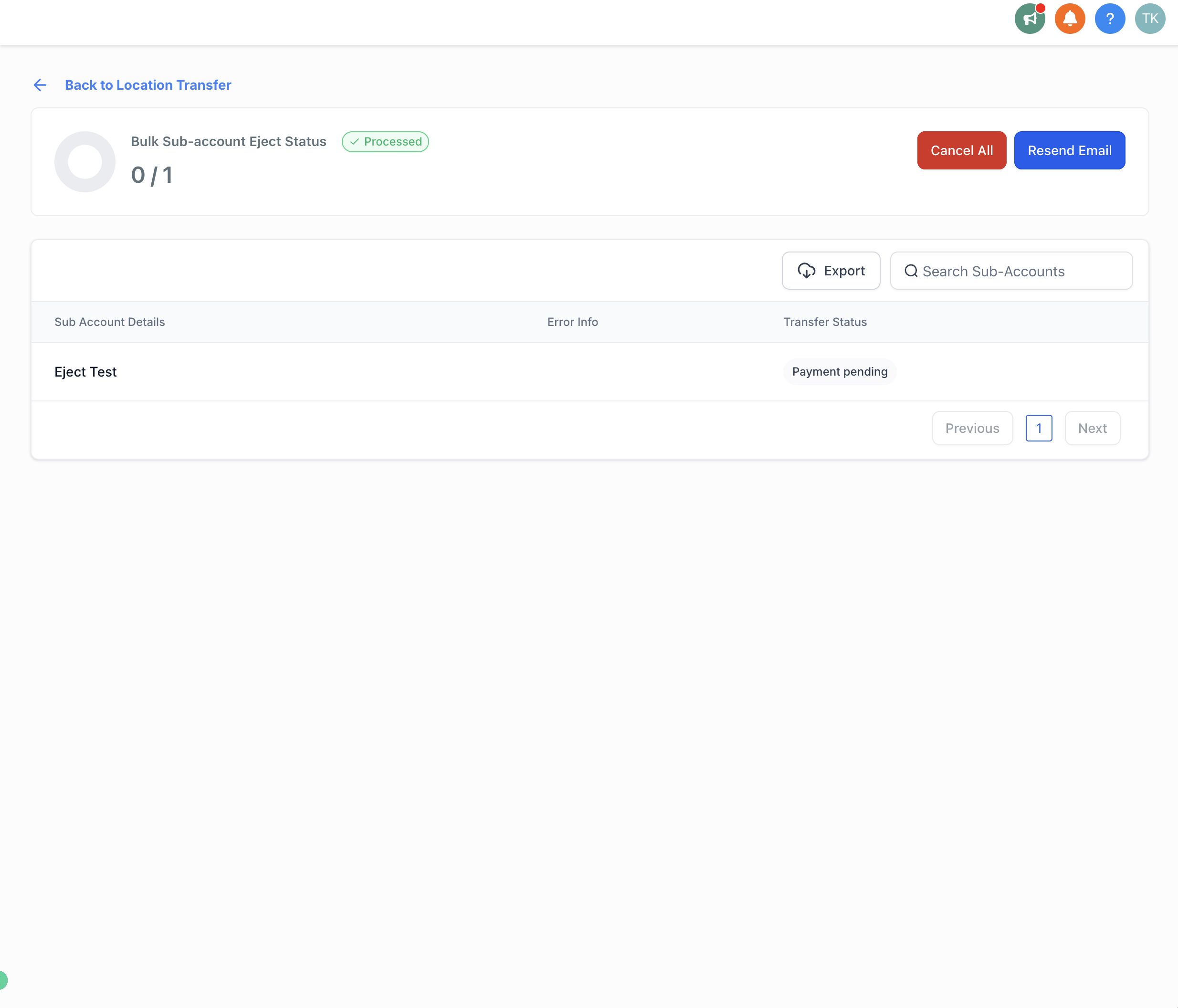
Step 2: Nominee Accepts the Request
Each nominee will receive an email invitation from the releasing agency.
The nominee must accept the request and will be redirected to the Chat To Clients CRM app.
Step 3: Nominee Creates Their Agency
After logging in, nominees will provide basic details for their new agency (agency name, phone number, billing address, etc.).
Once completed, the new agency inherits the original sub-account, including assets and users.
Affiliate Commissions
The releasing agency automatically becomes the affiliate for each new agency created.
Commissions are recurring and tied to the subscriptions of the new agencies.
Notes
Only agency owners can access and perform bulk eject actions.
Sub-accounts can be transferred either by manual selection or CSV upload.
FAQs
Q: Who can use the Bulk Eject feature?
Only agency owners have access to Bulk Eject.
Q: Do I lose my affiliate commissions after ejecting accounts?
No. You automatically become the affiliate for each new agency created and continue earning recurring commissions.
Q: Can I eject just one sub-account, or does it have to be multiple?
You can eject a single sub-account, multiple selected accounts, or upload a CSV for bulk transfers.
Q: What happens to the sub-account’s assets and users after ejection?
All assets and users remain intact and are inherited by the newly created agency.
Q: How do nominees set up their new agency?
Nominees receive an email invitation, log in to Chat To Clients CRM, and enter basic details to complete agency setup.
Q: Can staff members access Bulk Eject?
No. This feature is available only to agency owners.