
How to Submit In-App Translation Feedback
This feature lets Agency Admins flag incorrect or unclear translations directly from the Chat To Clients CRM interface, no external tickets needed. This guide explains what the feature does, who can use it, where it appears, and how to submit high-quality feedback with screenshots so that your team can keep localization accurate across everyday workflows.
TABLE OF CONTENTS
- What is the Translation Feedback Feature?
- Key Benefits of Translation Feedback Feature
- How to Use the Translation Feedback Feature
- Frequently Asked Questions
- Related Articles
What is the Translation Feedback Feature?
Report Translation Feedback is a built-in feature that surfaces a report icon in the top bar so eligible users can submit translation issues without leaving the current page. Submissions help the product team quickly identify strings that need review, improving accuracy and consistency across the platform.
Note: The feature is not visible when the platform language is set to English.
Submit feedback from the page where you see the issue.
Attach a screenshot to highlight the exact string.
Your report is routed for review; you’ll be notified when it’s fixed.
Key Benefits of Translation Feedback Feature
Understanding the benefits helps you decide when to use the in-app report versus opening a general support ticket.
Real-time capture: Report issues in the moment, from the exact screen you’re using.
Lower effort: Avoid external tickets for routine translation fixes.
Higher quality: Add screenshots so reviewers can pinpoint the exact string.
Faster iteration: Centralized reports streamline localization improvements.
How to Use the Translation Feedback Feature
Follow these steps to submit actionable translation feedback directly from the UI.
- Confirm you’re logged in as Agency Owner/Admin and your language is not English.
- Open the page where the translation issue appears.
- Click the Report Translation Issue icon (top bar).
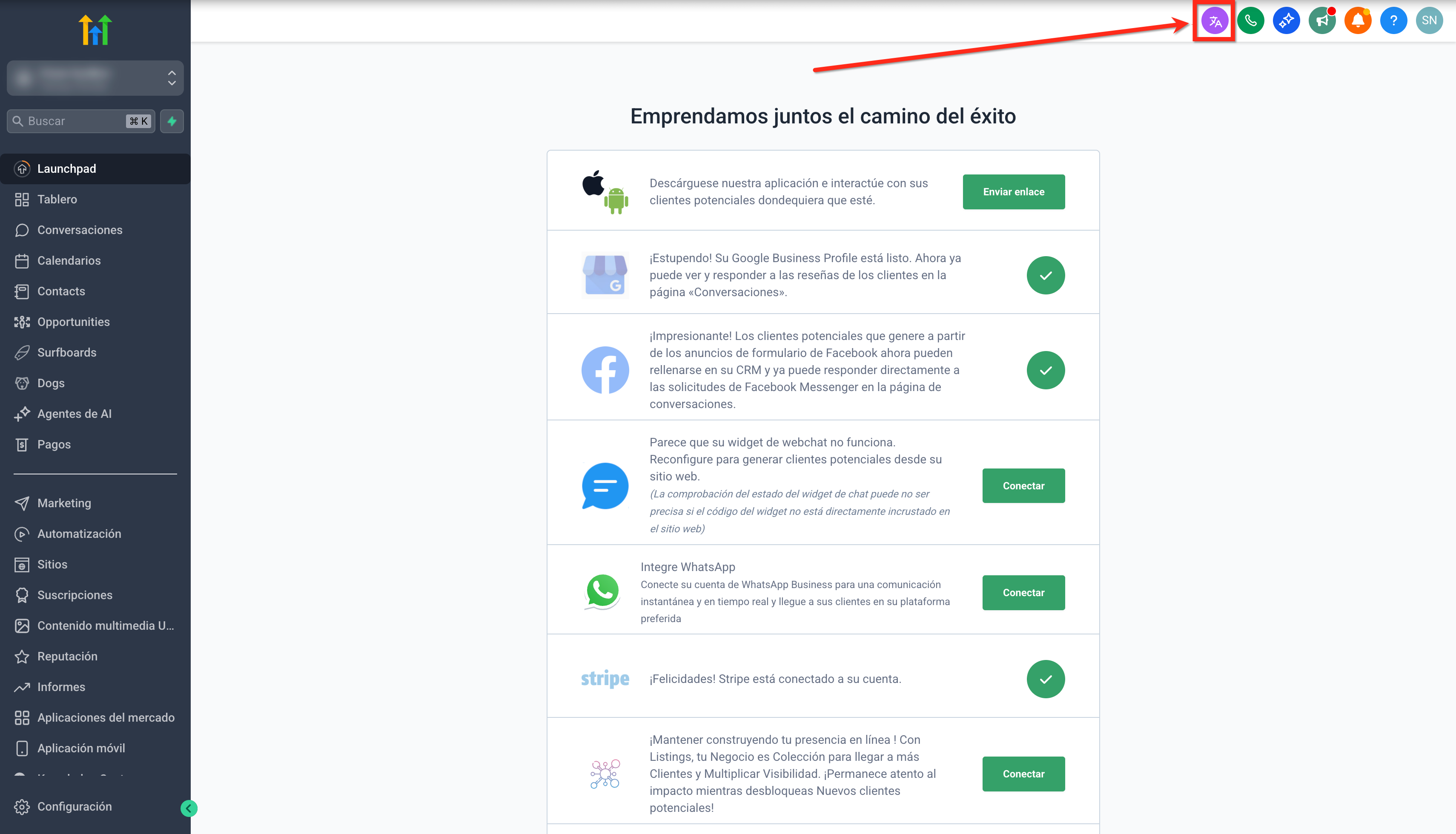
- The content of the panel will appear in the selected platform language.
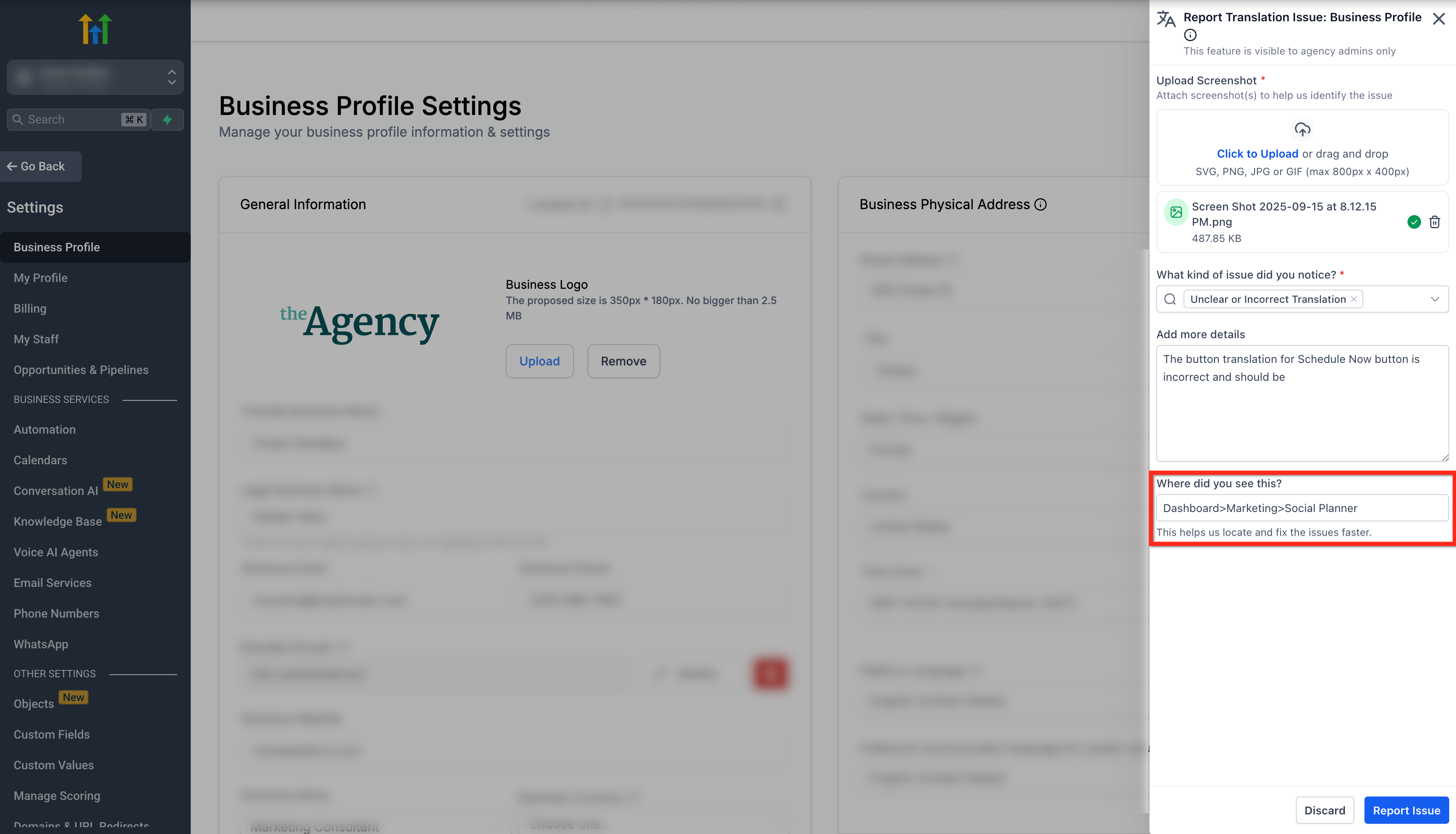
- Attach a screenshot (mandatory) that clearly shows the problematic area and its location.
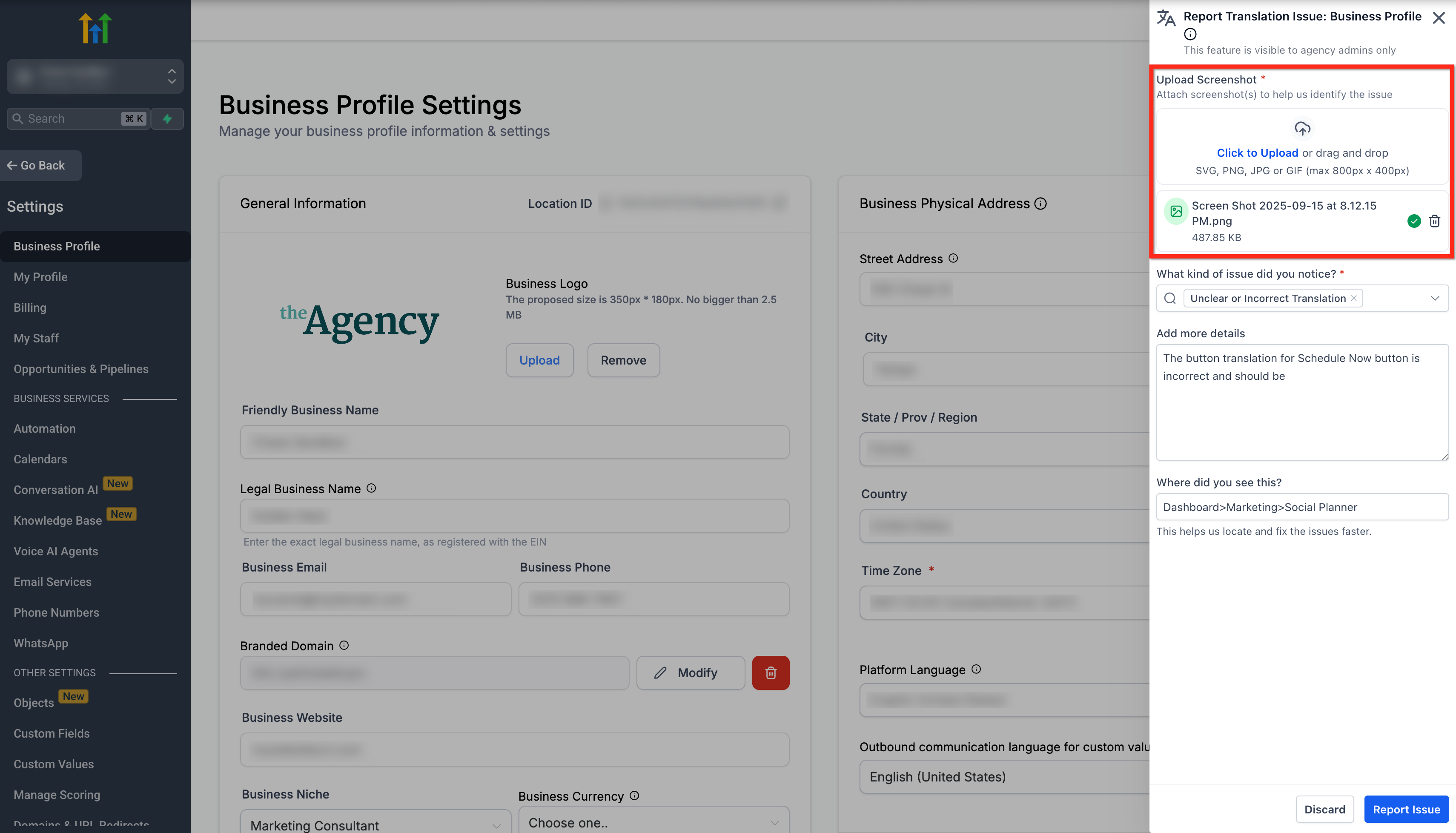
- Select the issue type (e.g., incorrect translation, grammar, incorrect formatting).
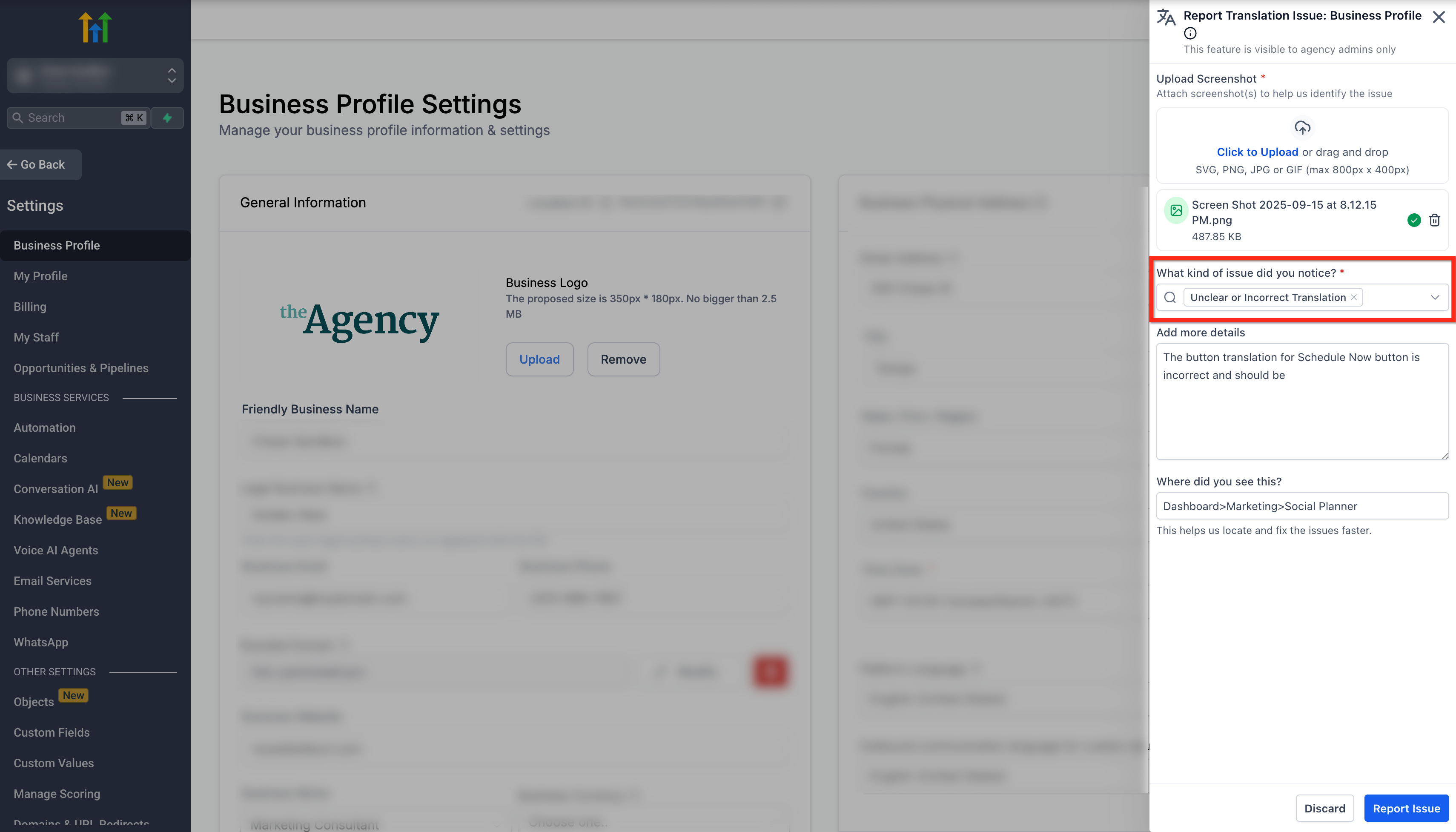
- Add a brief description.
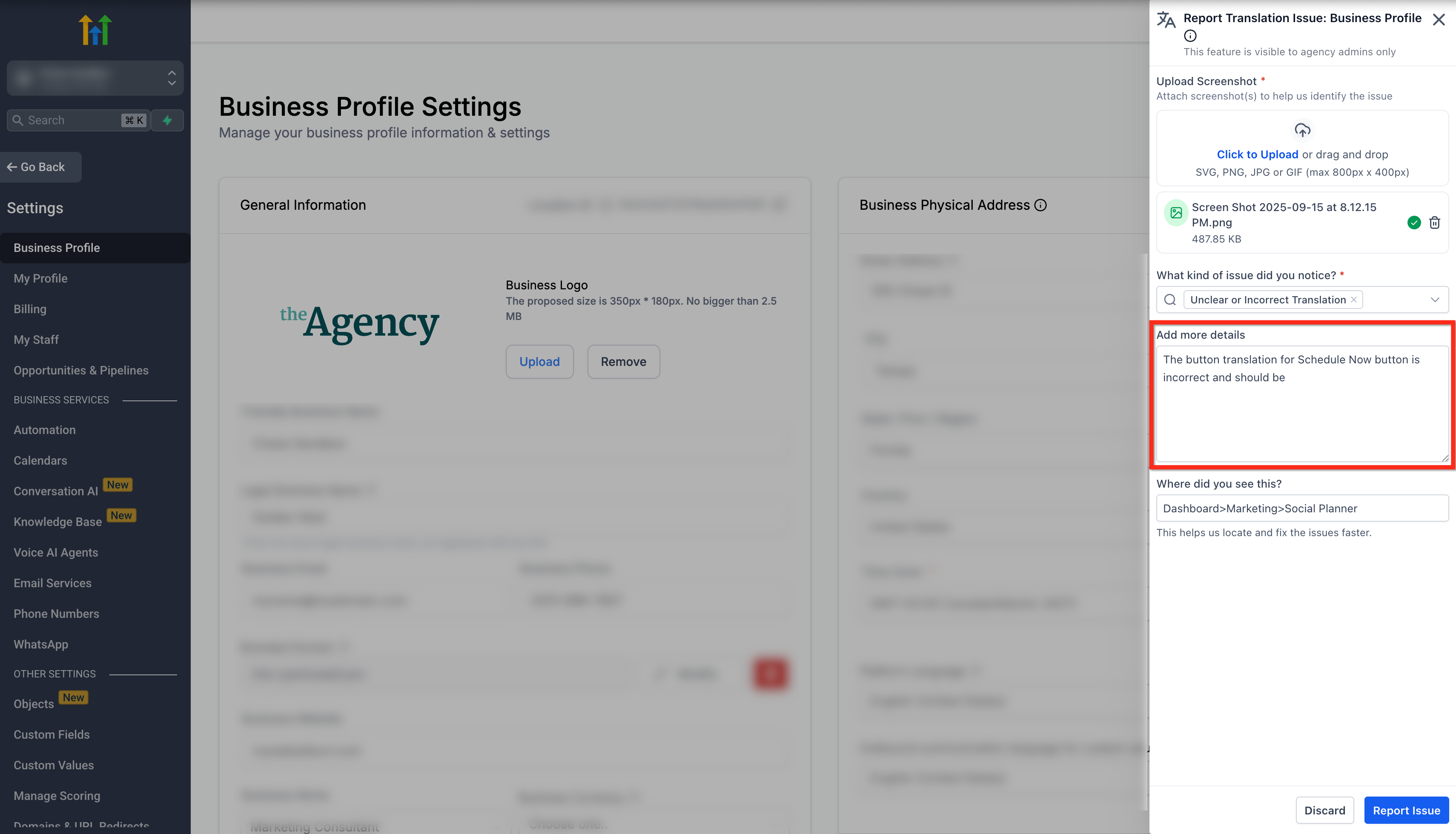
- Under Where Did You See This? section, add the path, e.g. Dashboard>Funnel>Step Builder.
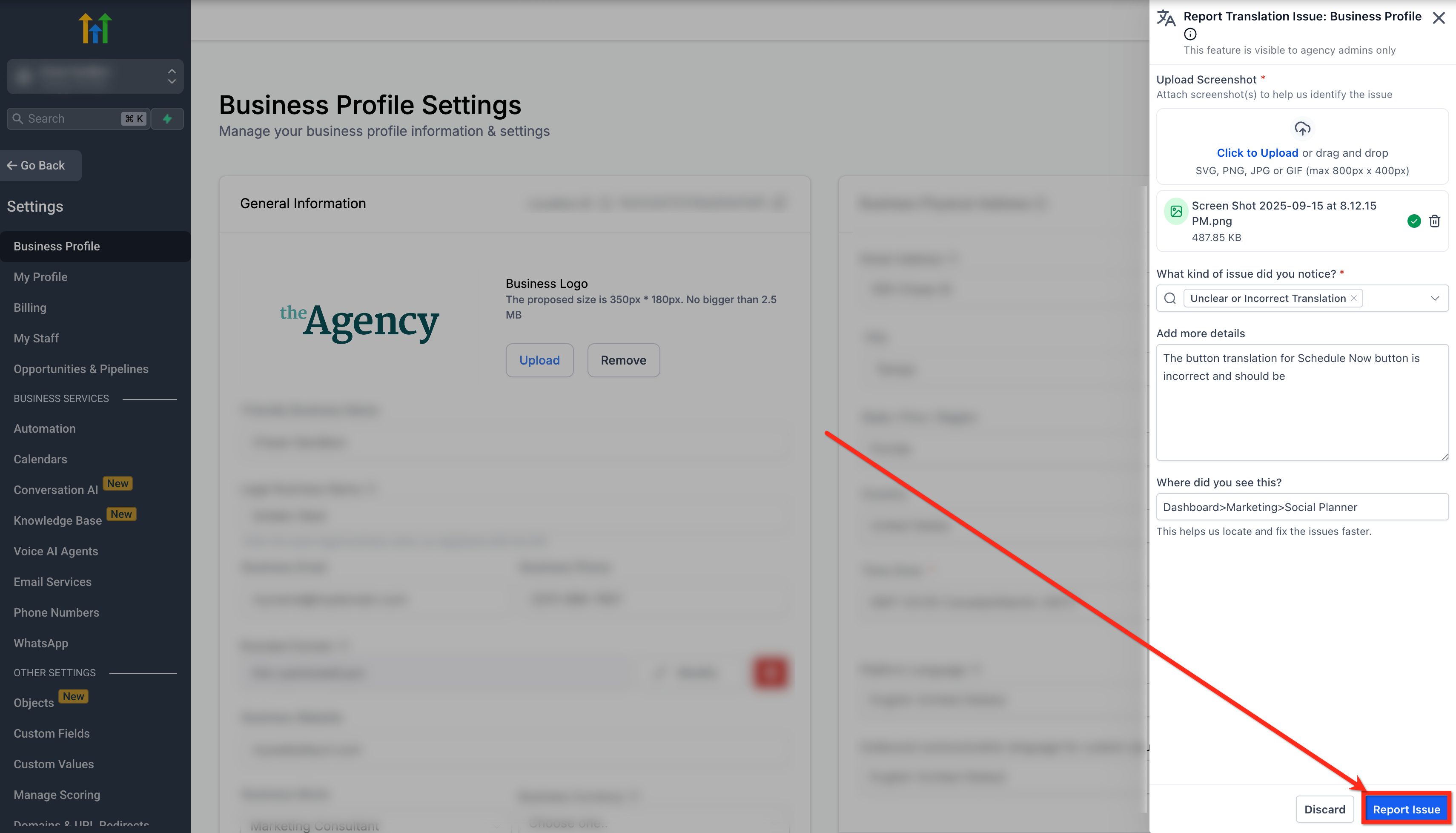
- Click the Report Issue button.
- You’ll be informed when the issue is resolved.
Frequently Asked Questions
Q: Who can access the Report Translation Feedback feature?
Agency Owner and Agency Admin roles.
Q: I can’t see the icon, why?
The feature is hidden for English language settings and only appears for Agency Owner/Admin roles.
Q: What should I include in my report?
A short description, the correct wording, and a screenshot showing the issue in context.
Q: How will I know when it’s fixed?
You’ll be informed when the reported translation is resolved.