
Media Library – Mobile App
Managing media across conversations, contracts, social planning, and other business operations often becomes challenging when files are scattered across devices or apps. The Media Library in the Chat To Clients CRM mobile app provides a centralized, organized hub for all your media assets. Whether you’re working with images, videos, or PDFs, the Media Library makes it easy to upload, organize, and access your files seamlessly—all from one place.
TABLE OF CONTENTS
Key Benefits
- Centralized Media Management – Store images, videos, PDFs, and other file types in one unified location.
- Enhanced Organization – Create folders and manage media without switching between external apps or mixing personal and business files.
- Cross-Module Integration – Use your media directly in features like Social Planner and Conversations for smooth, streamlined workflows.
- Time-Saving Efficiency – Search and filter options make finding specific files quick and effortless.
- Seamless Upload Experience – Upload directly from your gallery, files app, or camera in just a few taps.
Step-by-Step Guide
- Access the Media Library
- Open the Chat To Clients CRM mobile app.
- Tap the hamburger menu (☰) in the top-left corner.
- Select Media Library from the menu.
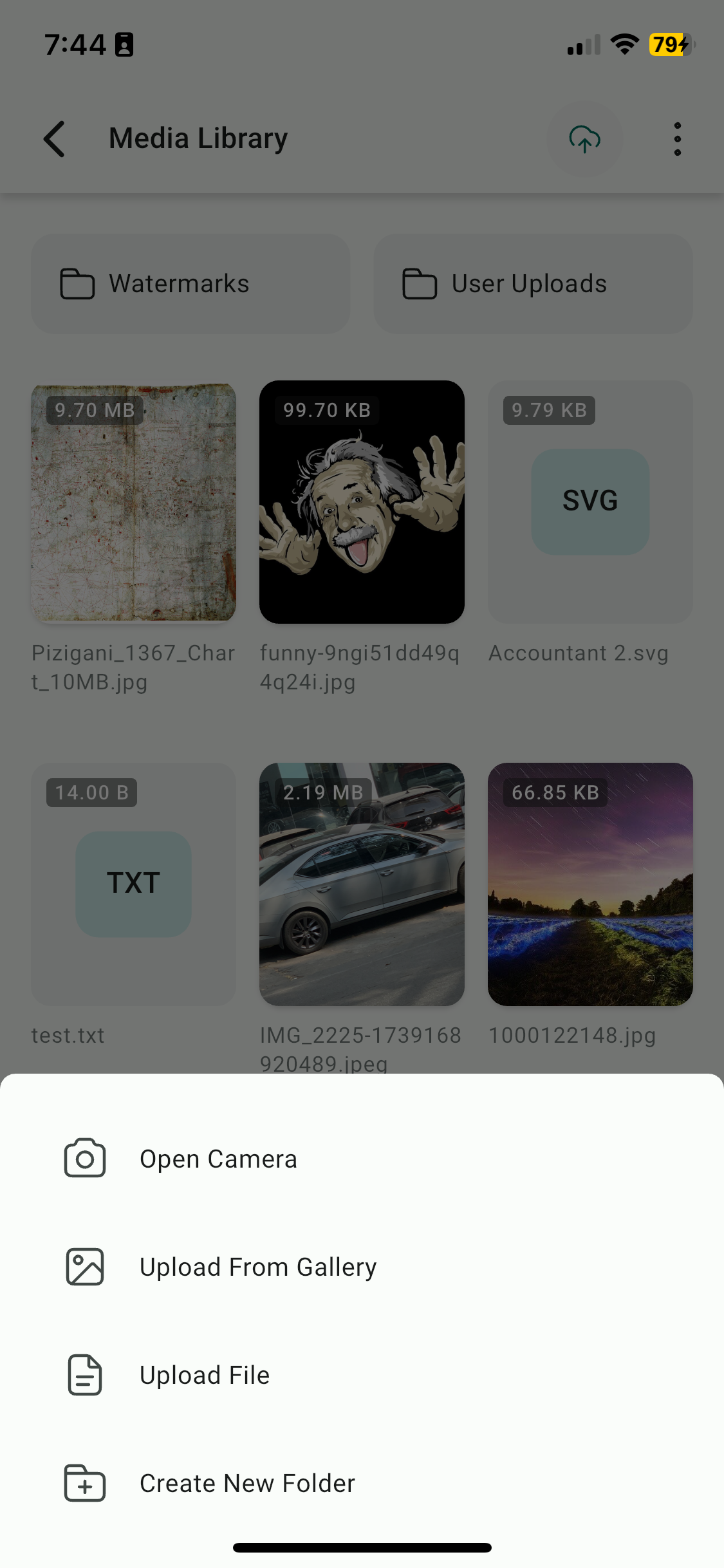
- Upload Media
- Tap the Upload button (+).
- Choose your upload source:
- Gallery – Select existing photos or videos.
- Camera – Capture and upload instantly.
- Files App – Upload from saved files (e.g., PDFs)
- Organize Your Media
- Tap New Folder to create a folder.
- Drag and drop (or move) files into folders to keep everything tidy.
- Search & Sort
- Use the Search Bar to quickly locate specific media.
- Apply Sort Options by name, size, or most recent.
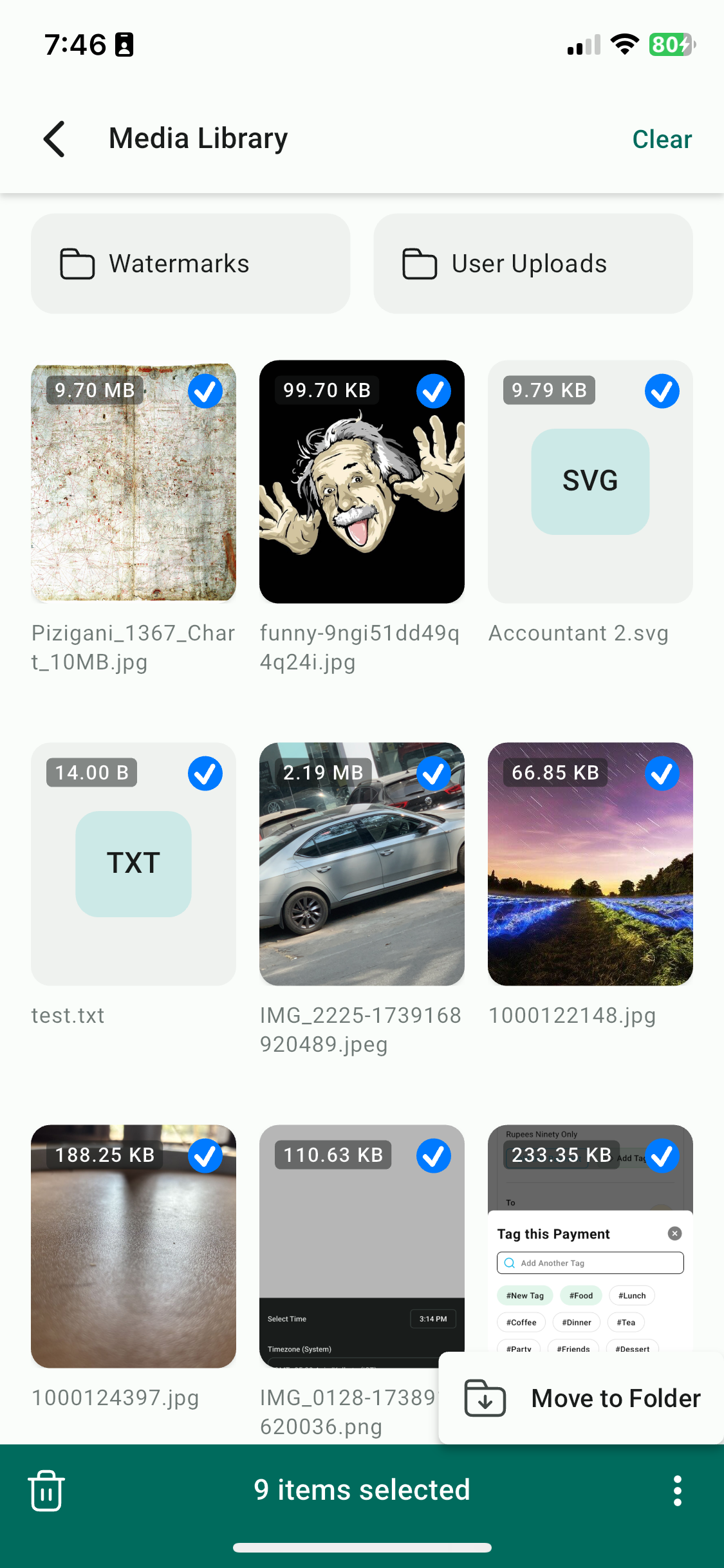
- Manage Multiple Files
- Tap and hold a file to enable multi-select mode.
- Select multiple files.
- Perform bulk actions such as Delete or Move to Folder.
- Track Upload Progress
- Open the Upload Manager (accessible from the top-right icon).
- Monitor current uploads or review completed ones.
FAQs
Q: What types of files can I upload?
You can upload images, videos, PDFs, and other common file types supported by the mobile app.
Q: Can I use my media in other features?
Yes. The Media Library integrates with key features like Social Planner and Conversations, so you can easily insert media where you need it.
Q: How do I keep my media organized?
You can create folders, rename files, and use search and sort functions to manage your media efficiently.
Q: Can I upload media directly from my camera?
Yes. You can capture new photos or videos with your device’s camera and upload them directly to the Media Library.
Q: How do I check if my uploads are complete?
Use the Upload Manager to view the progress of ongoing uploads or confirm completed ones.