
How to view all "Chart of Accounts" in Xero Integration?
If you are unable to view your Chart of Accounts in your CRM after connecting with Xero, follow the steps below to enable it.
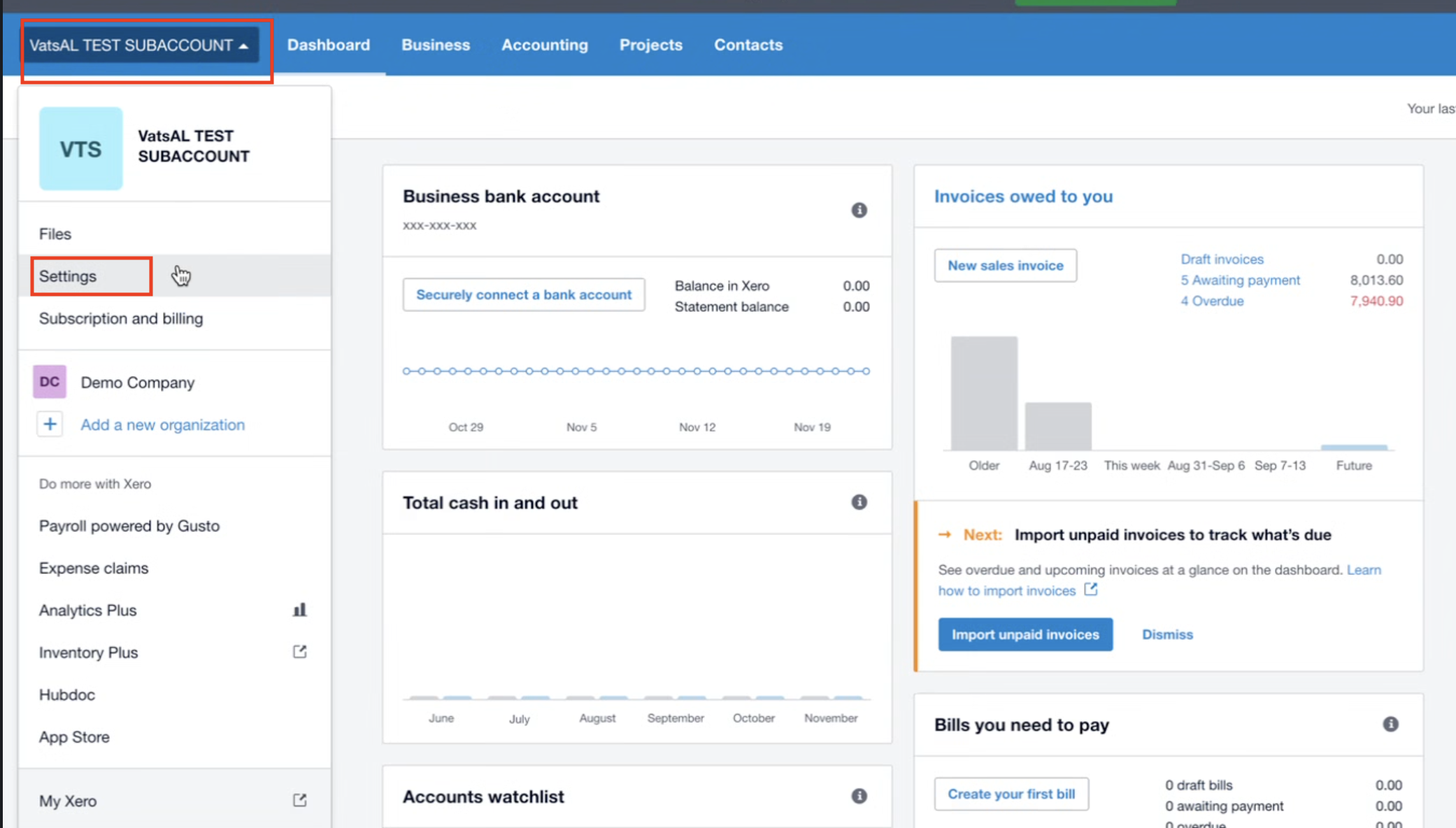
Step 1: Go to Settings in Xero
From your Xero dashboard, select your organization.
Click Settings from the dropdown menu.
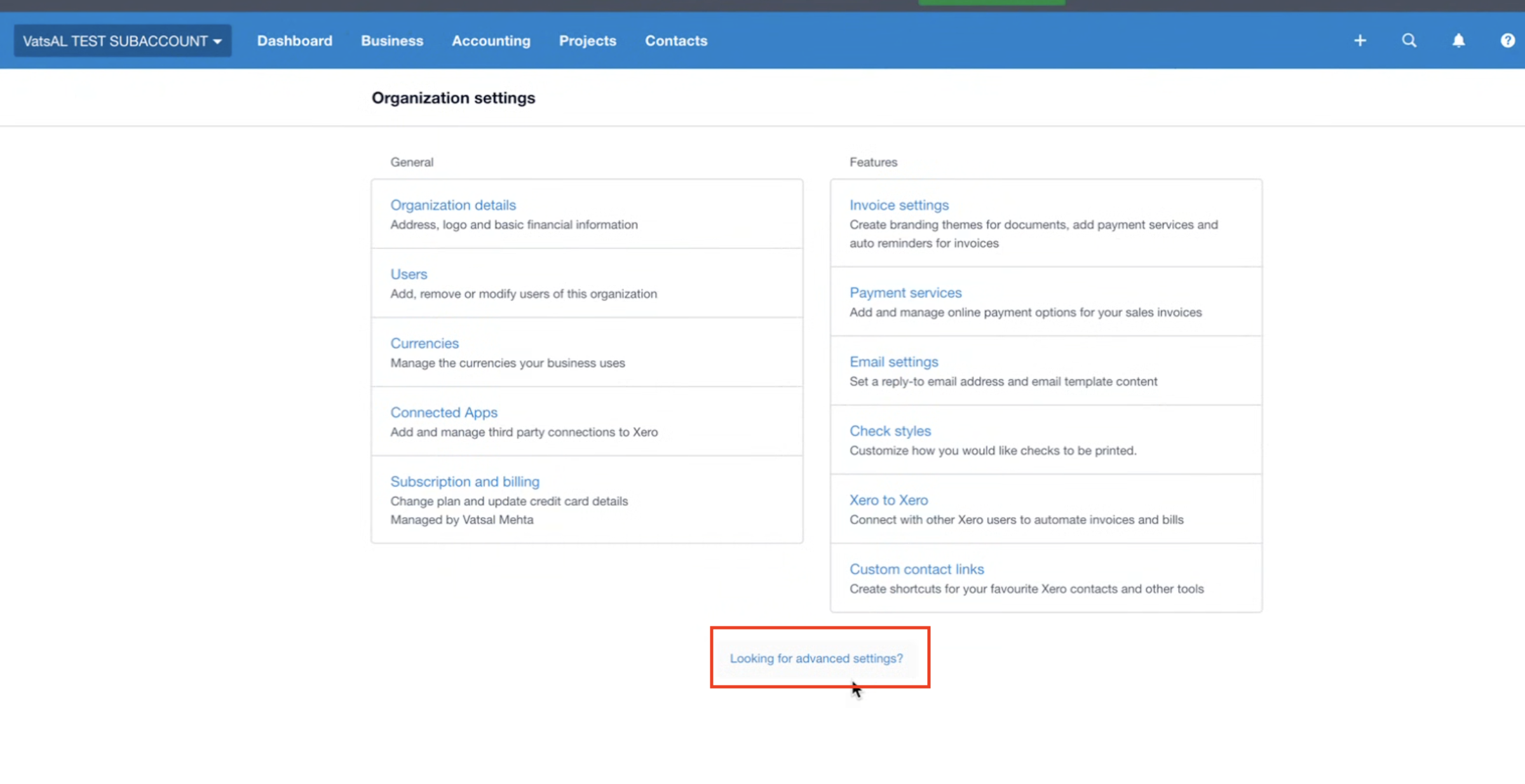
Step 2: Open Advanced Settings
In Organization settings, scroll down and click Looking for advanced settings?
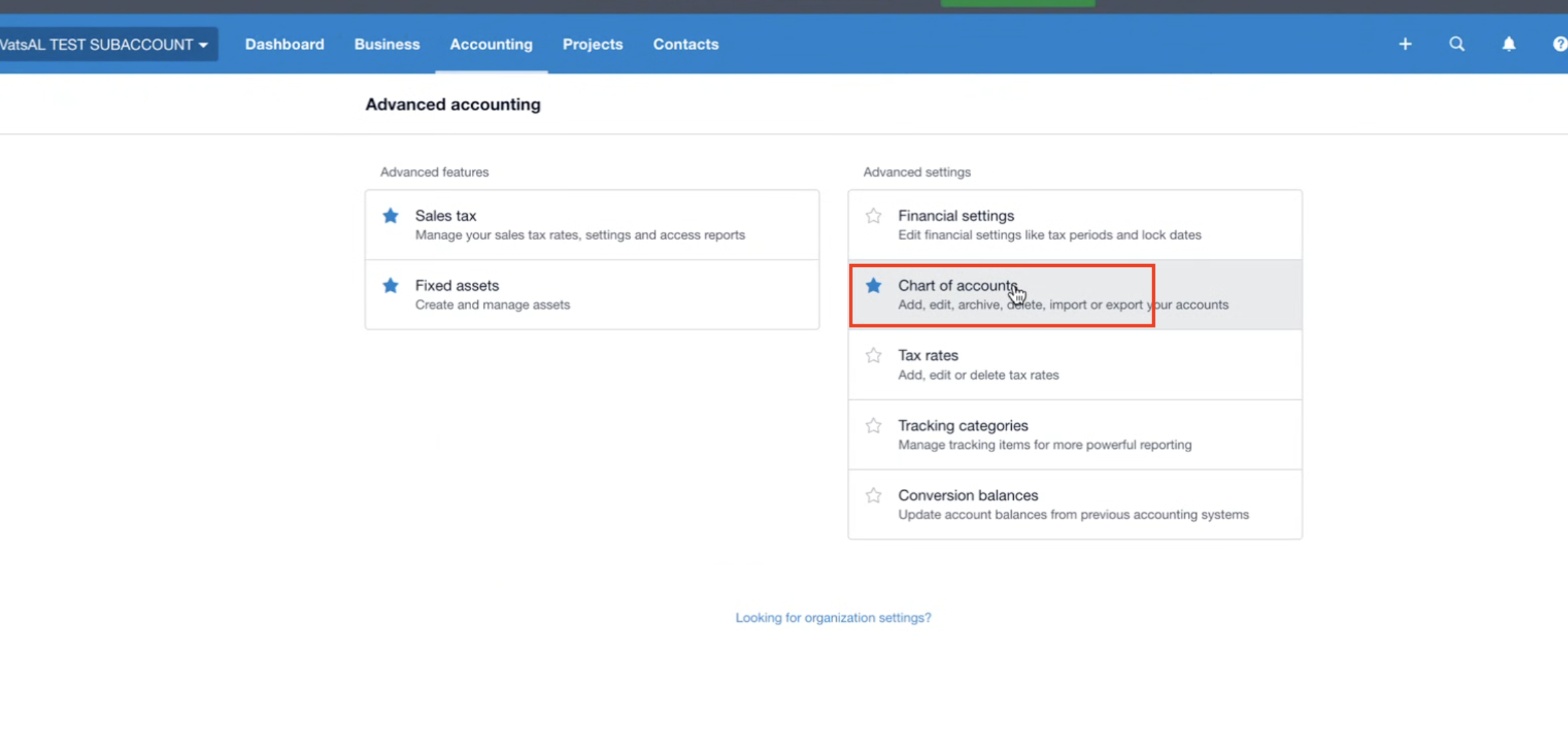
Step 3: Access Chart of Accounts
Under Advanced Accounting, click Chart of accounts.
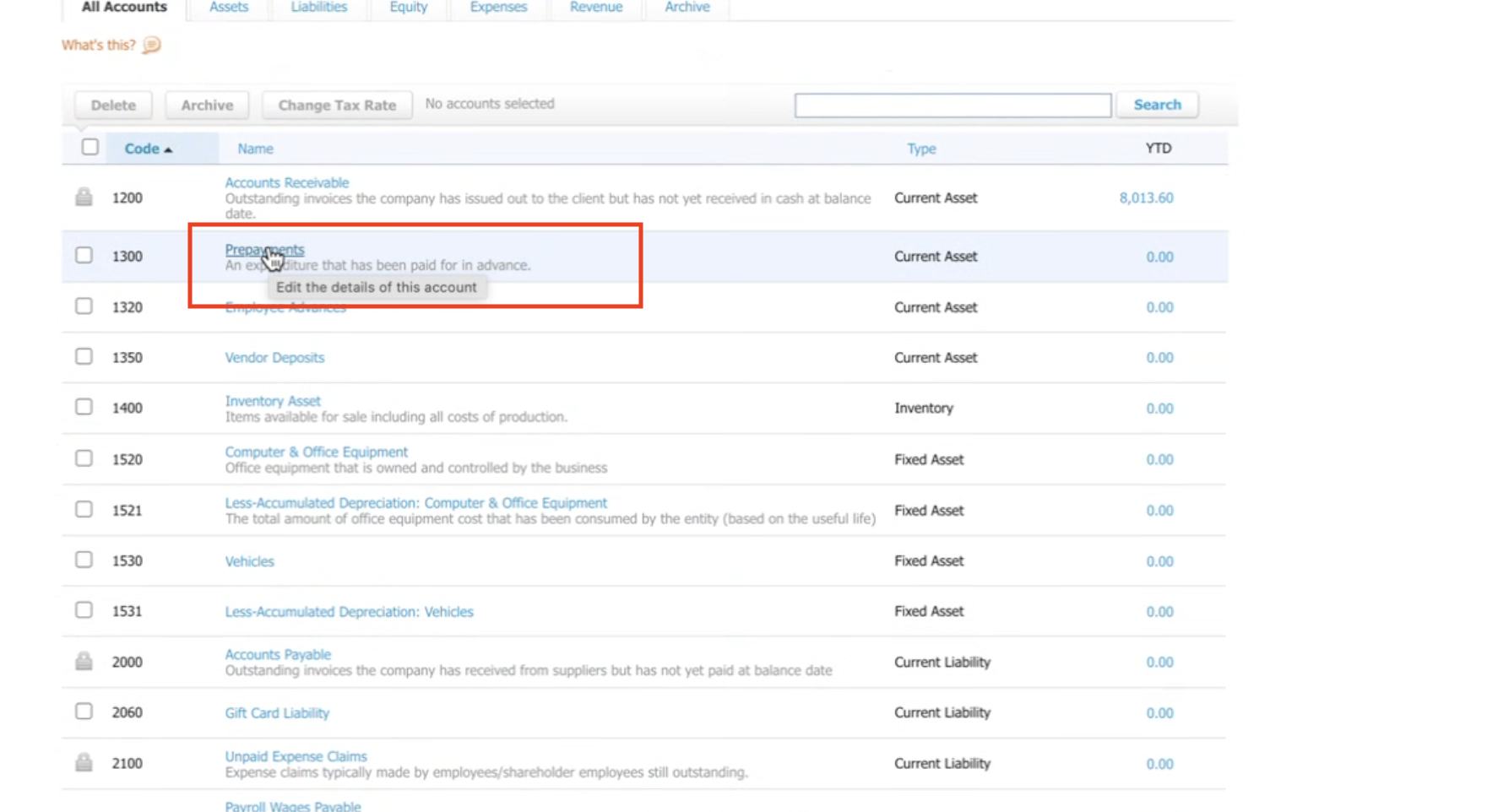
Step 4: Select the Relevant Account
From the list of accounts, choose the account you want to connect (e.g., Prepayments).
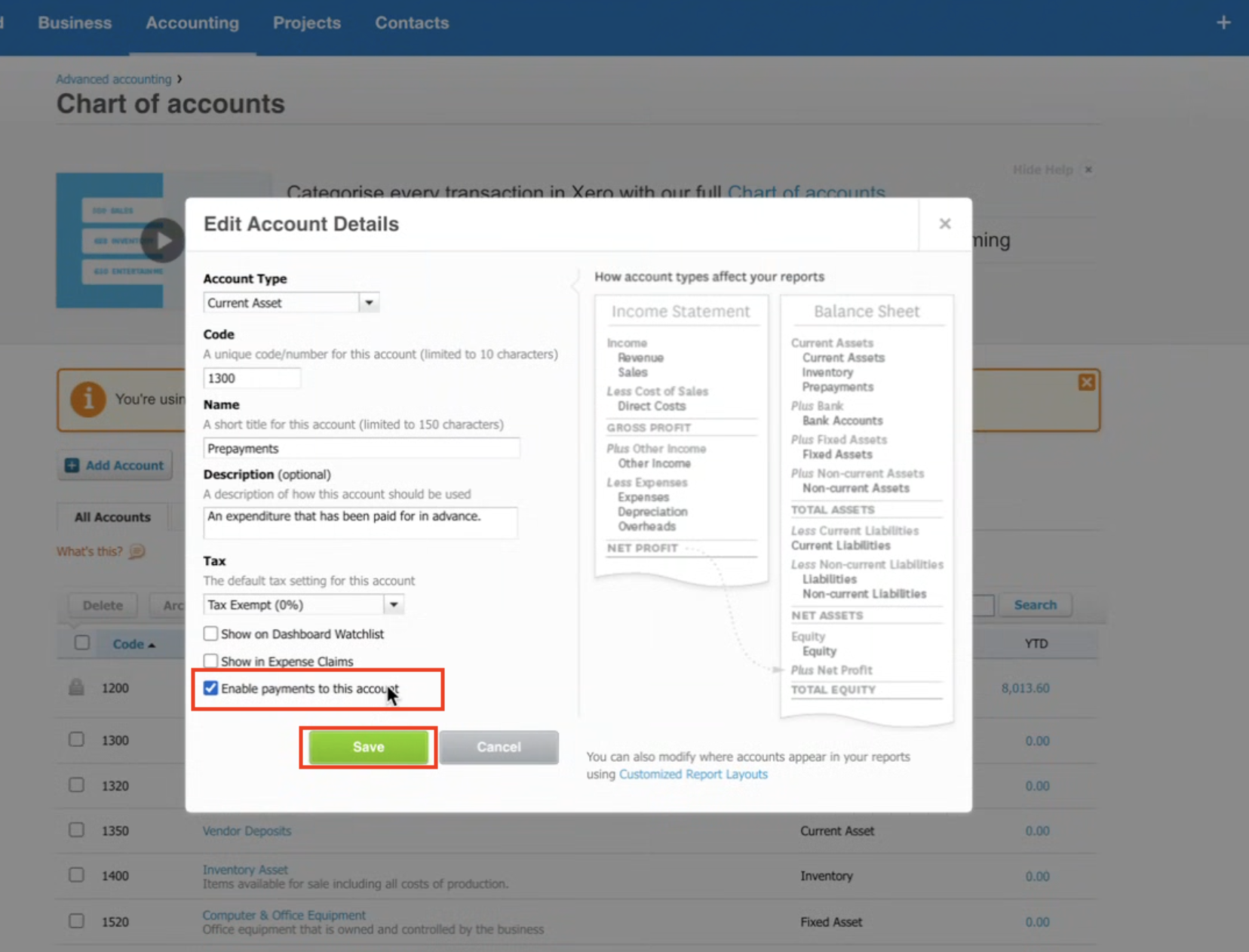
Click to Edit the details of this account.
Step 5: Enable Payments for the Account
In the edit popup:
Tick ✅ Enable payments to this account.
Click Save.
Step 6: Connect in CRM
Go back to your CRM Xero integration.
Under Connected Account, select the account you just enabled (e.g., Prepayments).
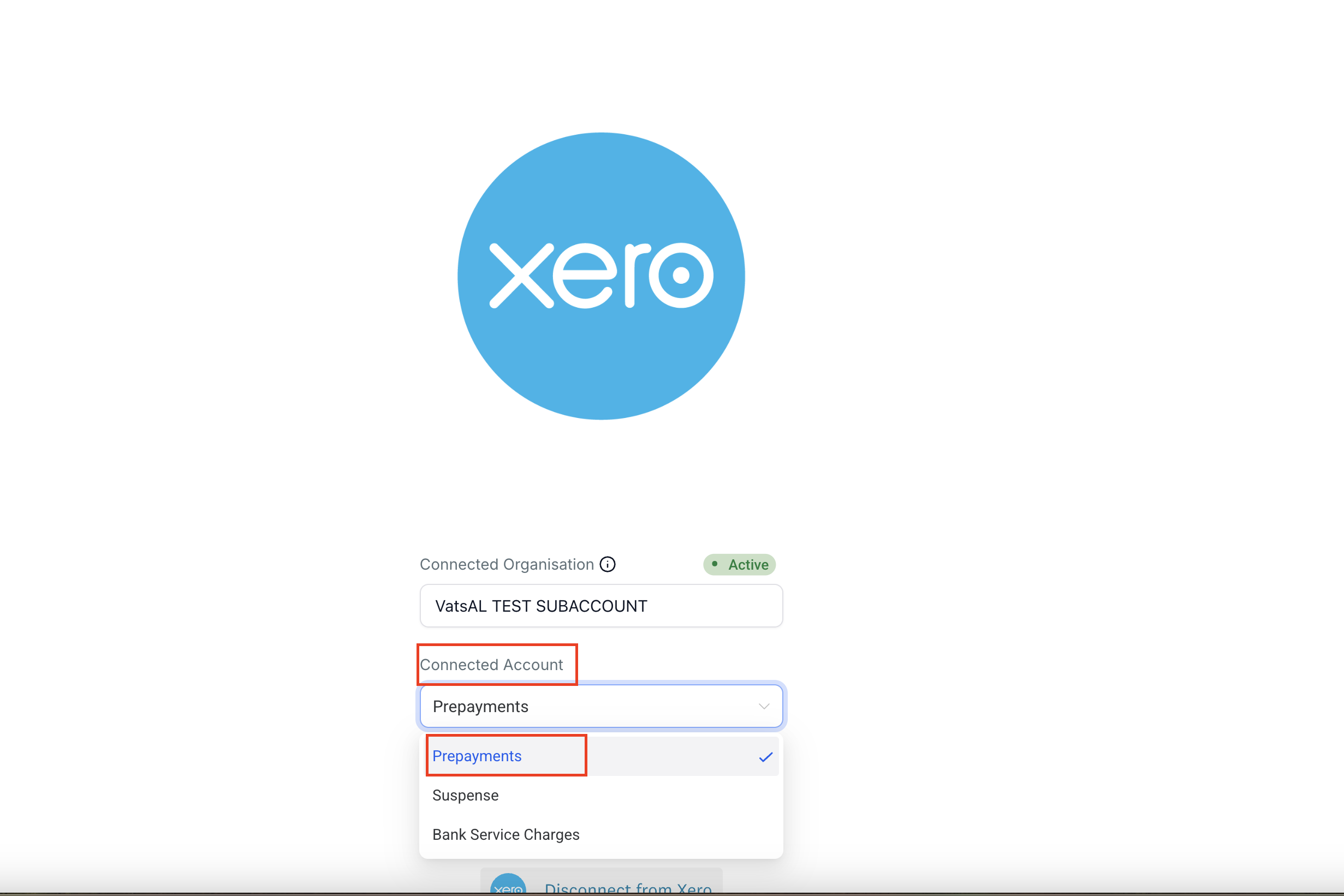
✅ Once done, your Chart of Accounts will now be visible and ready to use in your CRM.