
Workflow Action - AI Intent Detection
The AI Intent Detection action analyzes text to automatically determine sentiment, categorizing it as POSITIVE, NEGATIVE, or NONE. This premium action replaces the legacy intent detection in IF/Else conditions, offering improved accuracy and easier implementation for automating responses based on customer sentiment.
TABLE OF CONTENTS
- What is AI Intent Detection?
- Key Benefits
- How to Set Up AI Intent Detection
- Example Use Cases
- Pricing
- Frequently Asked Questions
What is AI Intent Detection?
The Intent Detection action is an AI-powered workflow tool that automatically analyzes text input to determine the underlying sentiment or intent. It processes any text—whether from customer messages, survey responses, or form submissions—and categorizes it into three distinct branches:
- POSITIVE: Text expressing positive sentiment, satisfaction, or agreement
- NEGATIVE: Text conveying negative sentiment, dissatisfaction, or disagreement
- NONE: Text with neutral sentiment or when the system cannot confidently categorize it
This action creates three workflow branches automatically, allowing you to build different automation paths based on the detected sentiment.
Key Benefits
- Automated Sentiment Analysis: Instantly categorize customer responses without manual review
- Improved Accuracy: More reliable than legacy IF/Else intent detection methods
- Simplified Workflow Design: Three clear branches eliminate complex conditional logic
- Real-Time Response: Trigger appropriate actions immediately based on customer sentiment
- Enhanced Customer Experience: Deliver personalized responses tailored to customer emotions
- Scalable Automation: Process unlimited messages without human intervention
How to Set Up AI Intent Detection
Step 1: Add the AI Intent Detection Action
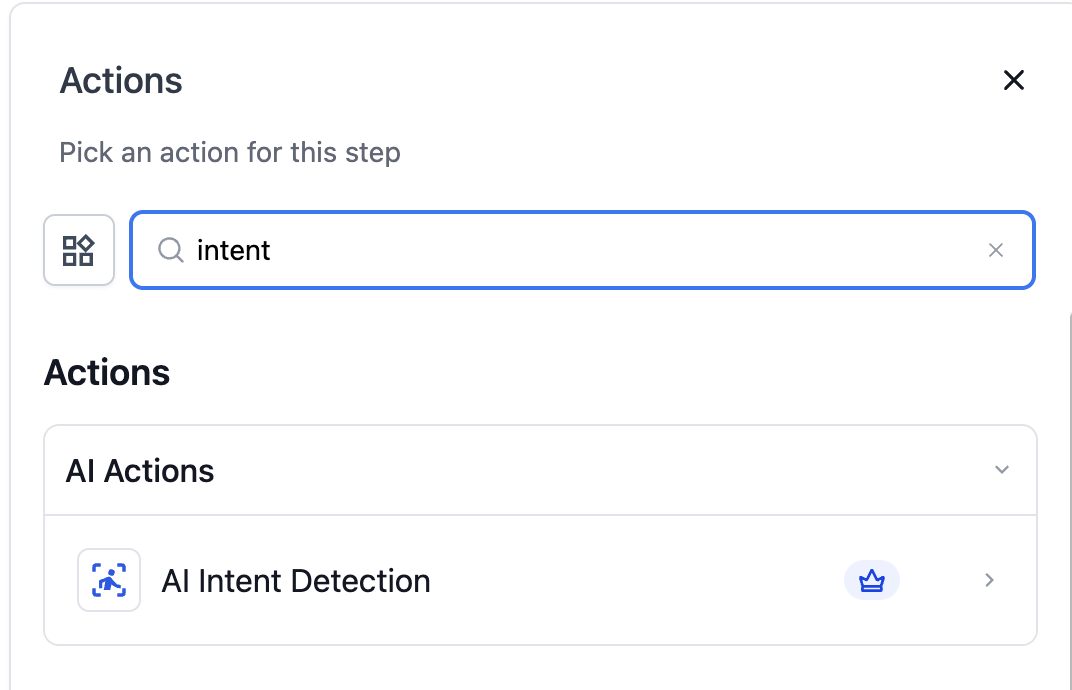
Navigate to your workflow builder and search for "AI Intent Detection" in the actions menu. Add it to your workflow at the point where you want to analyze text sentiment.
Step 2: Configure the Action
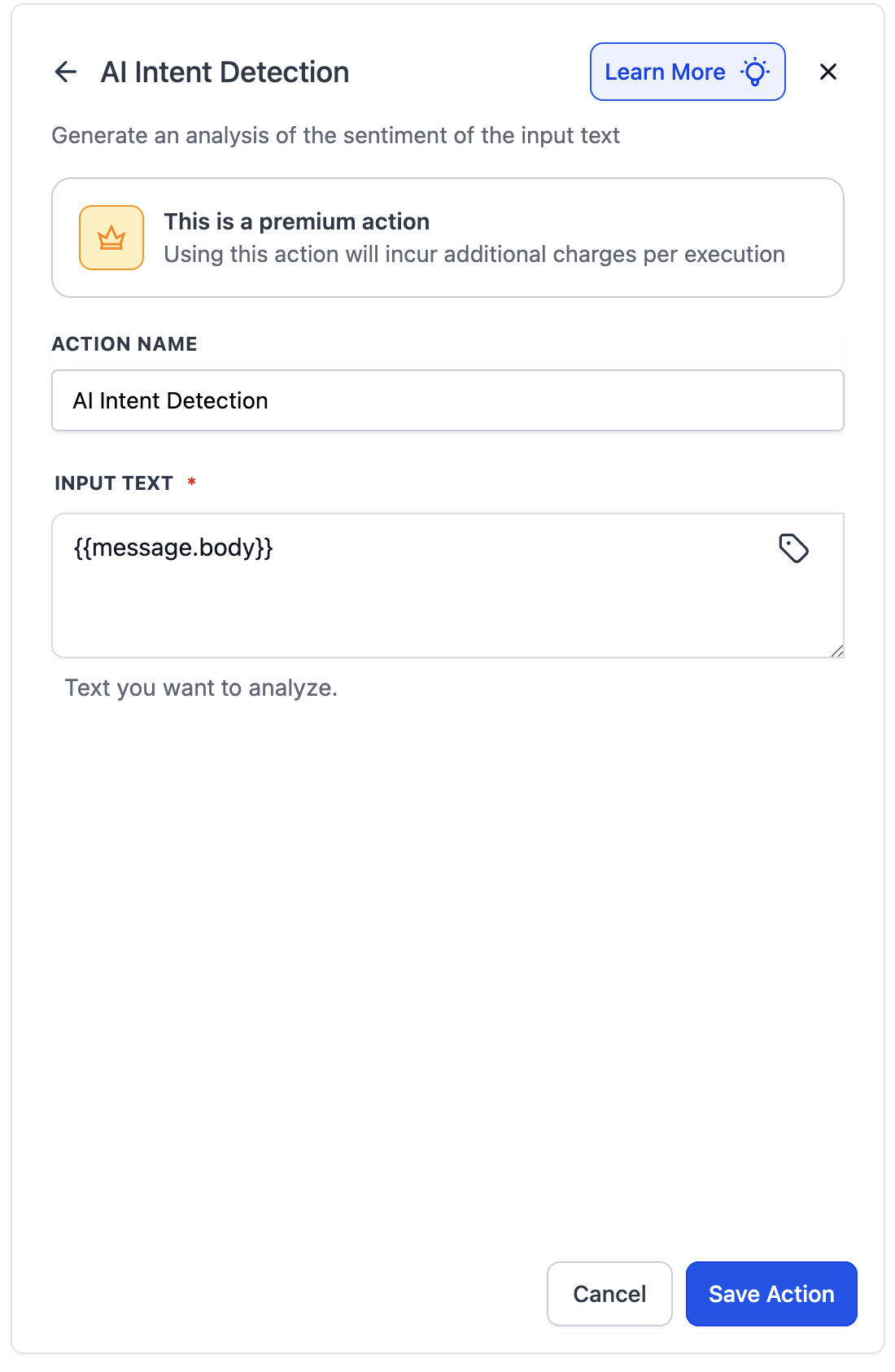
- Action Name: Give your action a descriptive name (e.g., "Analyze Feedback Sentiment")
- Input Text: Specify the text to analyze. You have two options:
- Static Value: Enter fixed text directly
- Dynamic Variable: Use the custom value picker to select variables:
{{message.body}}for incoming messages- Any other variable that stores text to be classified
Step 3: Set Up Branch Actions
After saving, the action automatically creates three branches:
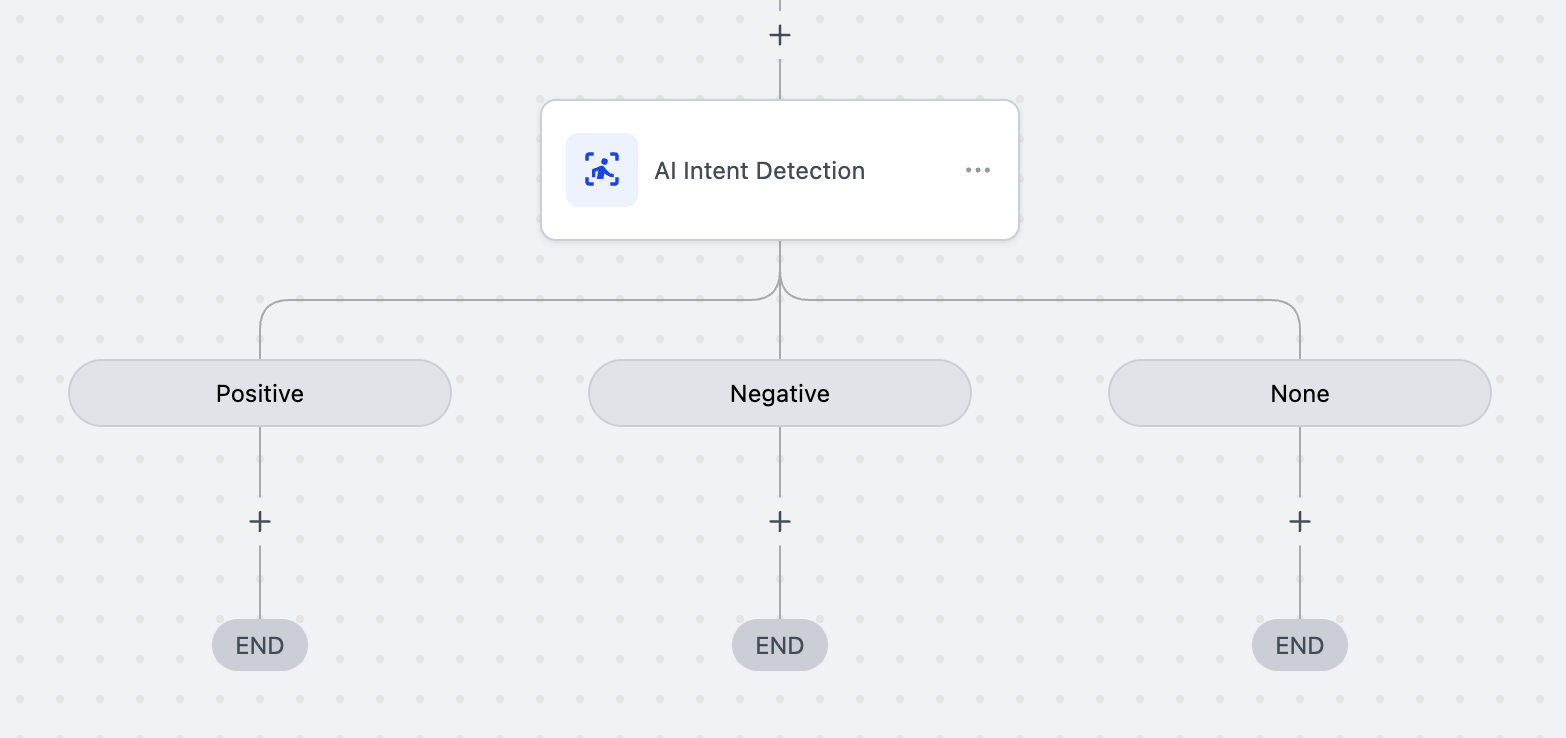
1.POSITIVE Branch: Configure actions for positive responses
- Send thank you messages
- Request app store reviews
- Offer loyalty rewards
- Add "satisfied customer" tags
2.NEGATIVE Branch: Configure actions for negative responses
- Trigger support escalation
- Send discount codes or coupons
- Schedule follow-up calls
- Add "needs attention" tags
3.NONE Branch: Configure actions for neutral/unclear responses
- Send clarification requests
- Route to manual review
- Apply default follow-up sequences
Example Use Cases
1.Customer Feedback Management
Scenario: After collecting feedback through surveys
- POSITIVE Response: "Your service is amazing!"
- Action: Send app store review request link
- NEGATIVE Response: "Very disappointed with the experience"
- Action: Send 20% discount coupon for next purchase
- NONE Response: "Okay" or "N/A"
- Action: Send follow-up questions for more details
2.Post-Purchase Follow-up
Scenario: After delivery confirmation
- POSITIVE: Request product review and testimonial
- NEGATIVE: Trigger return/refund workflow
- NONE: Send product usage tips
Pricing
- Cost: 1 cent ($0.01) per execution
- Part of Premium Actions suite
Frequently Asked Questions
Q: How is this different from the legacy IF/Else intent detection?
A: The Intent Detection action uses advanced AI for more accurate sentiment analysis, provides automatic branching, and eliminates the need for complex conditional logic setup.
Q: Can I use multiple Intent Detection actions in one workflow?
A: Yes, you can chain multiple Intent Detection actions to analyze different text inputs or create multi-level sentiment analysis workflows.
Q: What happens if the text contains mixed sentiments?
A: The system analyzes the overall dominant sentiment. If no clear sentiment is detected, it routes to the NONE branch.
Q: Can I test the intent detection before going live?
A: Yes, use the workflow test mode with sample text inputs to verify the sentiment detection accuracy before activating your workflow.
Q: Can I see why text was categorized a certain way?
A: Currently, the action provides the categorization result only. Detailed reasoning or confidence scores may be added in future updates.
Attachments (1)
