
Content AI: Guided Content Questions in Social Planner
This article explains how to use the new guided content questions powered by Content AI in Social Planner. Create higher-quality, platform-specific posts that match your brand voice and improve engagement — all while saving time.
TABLE OF CONTENTS
- What are Guided Content Questions in Social Planner?
- Key Benefits of Guided Content Questions
- How to Use Guided Content Questions
- Tips for Creating High-Impact AI Content
- Important Notes
- Frequently Asked Questions
What are Guided Content Questions in Social Planner?
Guided content questions are an advanced enhancement to Content AI inside Social Planner that help you create more relevant, targeted content. Instead of relying on generic AI prompts, you’ll now fill out a dynamic, platform-specific form that adapts based on your selected social platform and content type. This ensures your posts are optimized for each channel and perfectly aligned with your brand messaging.
Key Benefits of Guided Content Questions
Guided content questions improve your content creation process by making it faster, smarter, and more personalized.
Adaptive experience that automatically adjusts to different platforms (like Facebook, Instagram, LinkedIn) and content types (Post, Reel, etc.).
More relevant content that matches your chosen goal and message.
Integrated Brand Voice fields to keep your content on-brand and consistent.
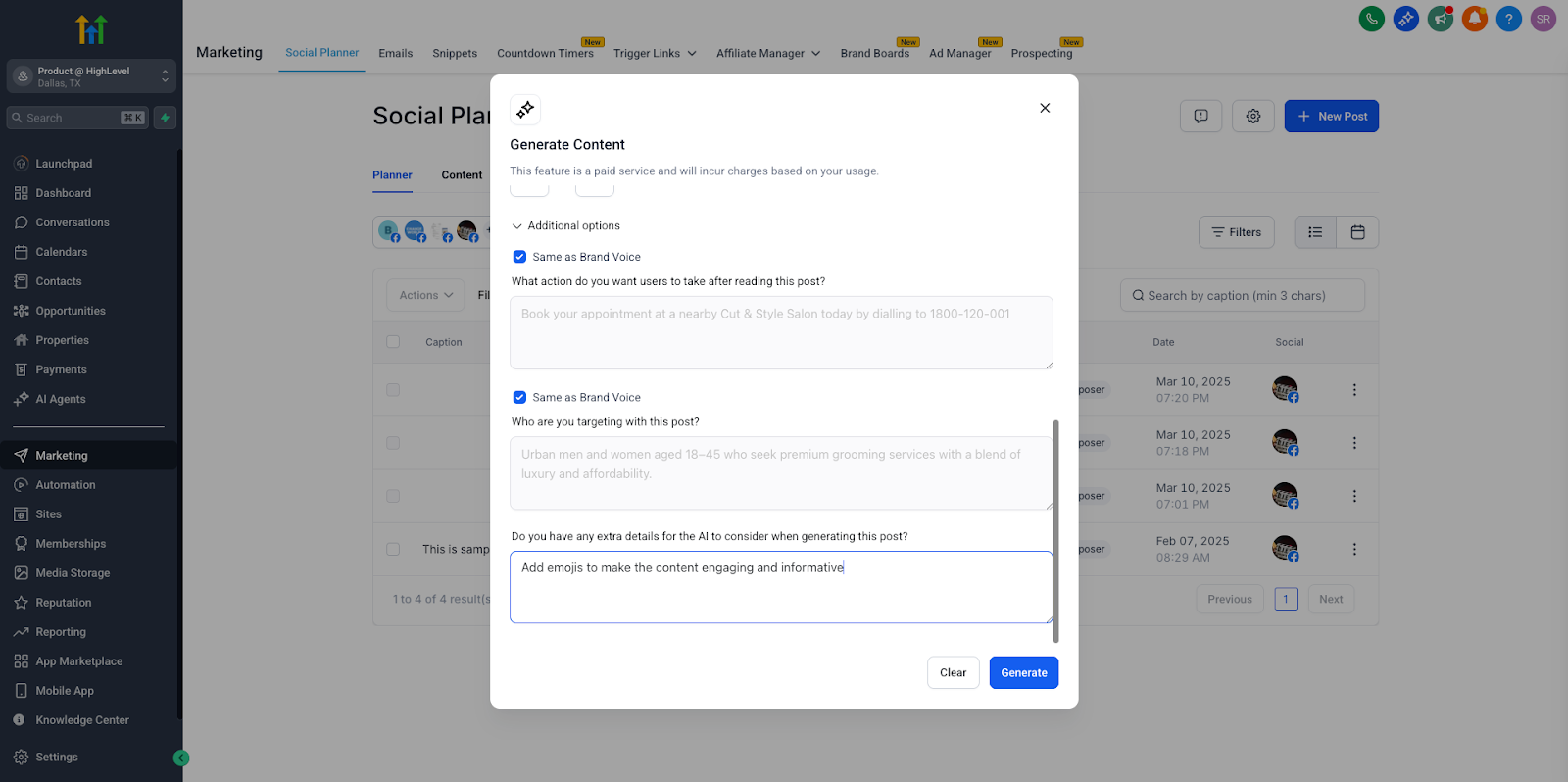
Streamlined workflow, with required fields shown first and optional fields tucked away until needed.
Improved engagement, thanks to clearer, more tailored content designed for each platform.
How to Use Guided Content Questions
Creating content with the new guided experience is simple and intuitive. Here’s how:
Navigate to Marketing → Social Planner in your Chat To Clients CRM account.
Click the "+ New Post" button.
From the dropdown, select "Content AI" to open the guided form.
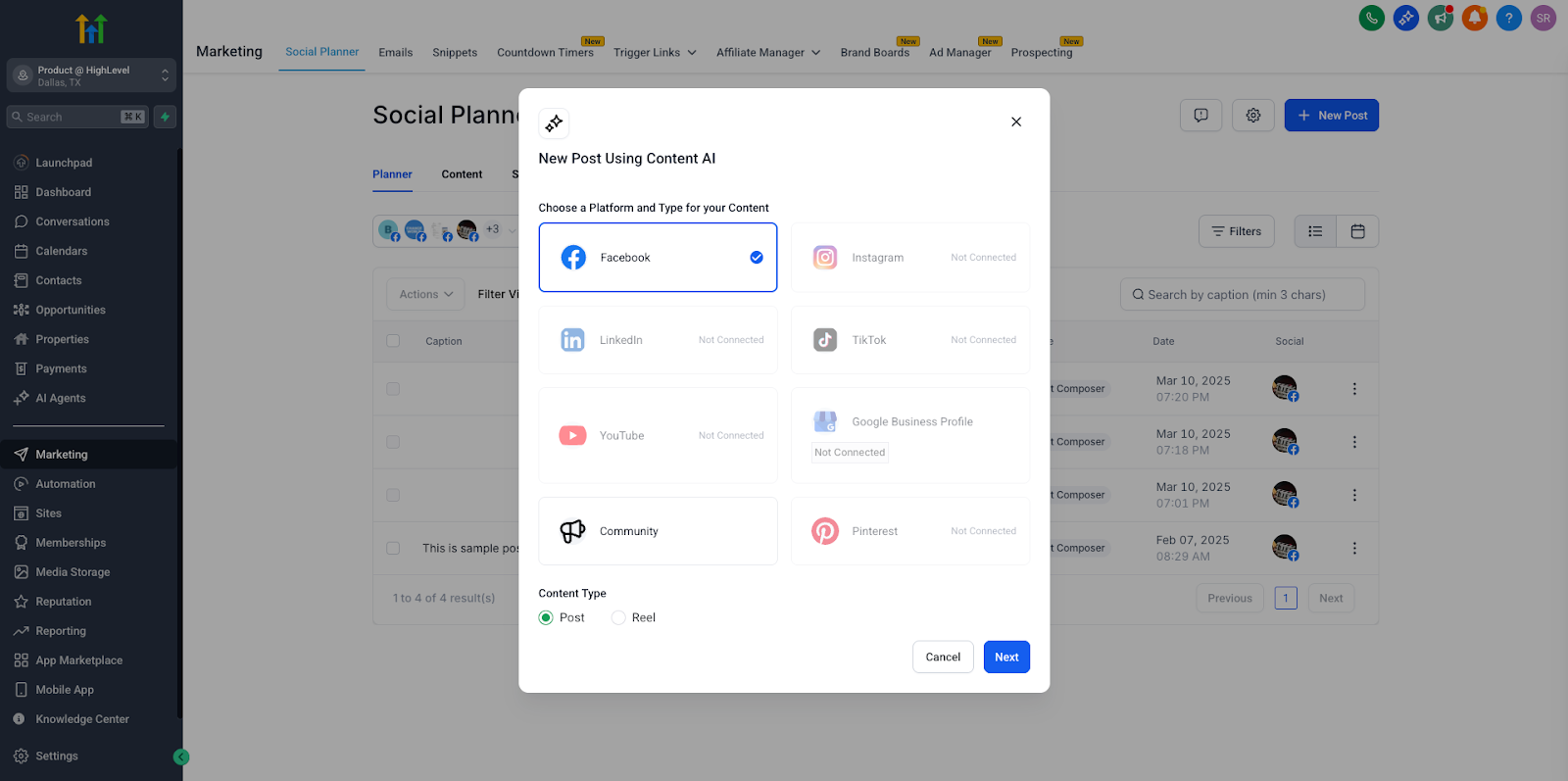
Choose your social platform (e.g., Facebook, Instagram, LinkedIn) and content type (e.g., Post, Reel).
Fill out the mandatory fields, which are always visible. These include key details like your core message, content goal, and call to action.
(Optional) Click to expand additional questions for more advanced customization, such as audience nuances, tone preferences, or hashtags.
Review and adjust the Brand Voice fields, which are auto-filled to ensure on-brand content — but you can edit these anytime.
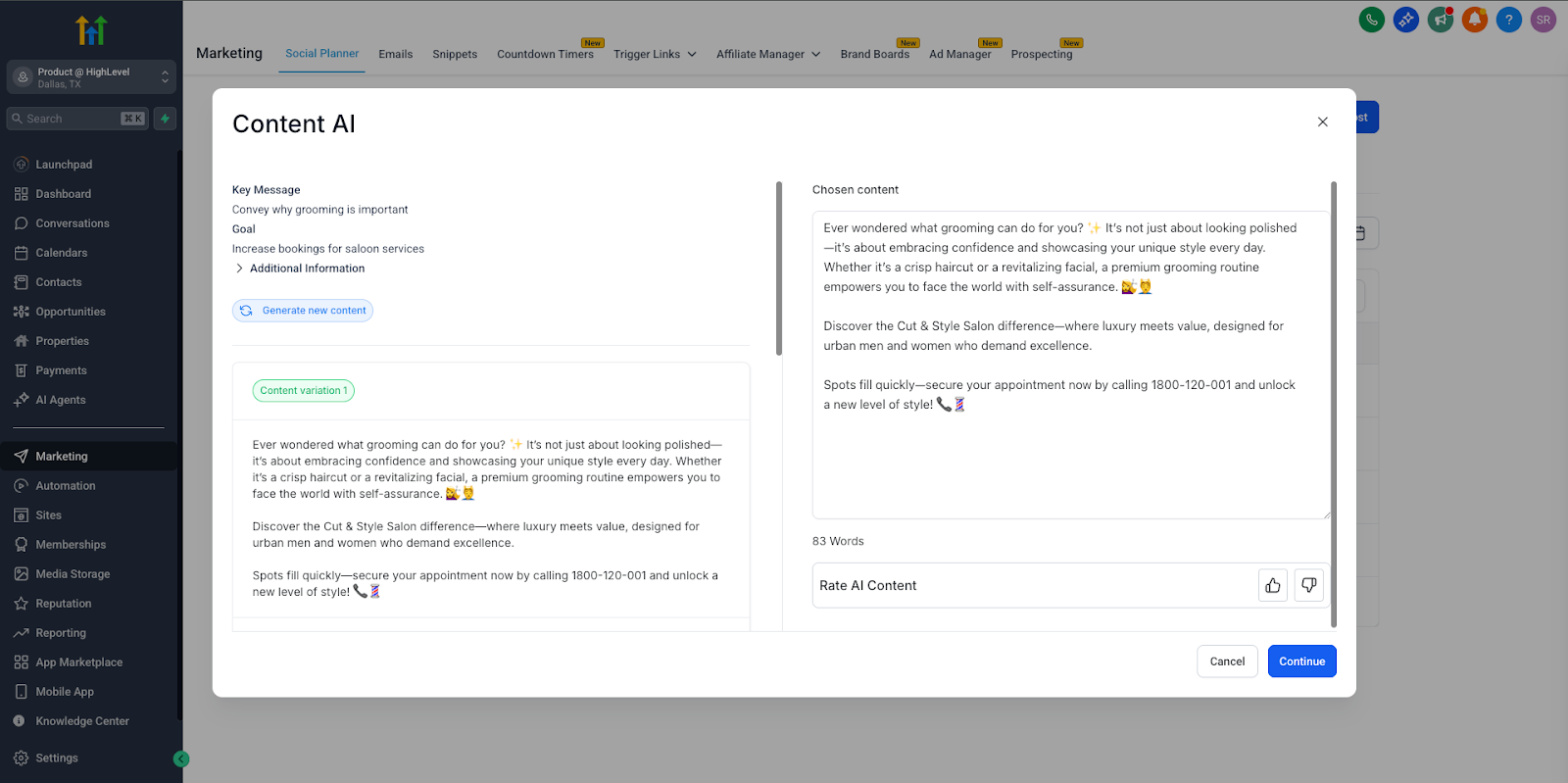
Once ready, click Generate Content to have AI draft a platform-optimized post for you.
Tips for Creating High-Impact AI Content
Get the most out of your AI-generated posts by following these best practices:
Clearly define your key message and goal, so the AI can create a focused and effective post.
Leverage your Brand Voice settings to ensure tone and style are consistent with your business identity.
Use the optional fields to add extra context and fine-tune your content for even higher accuracy and relevance.
Always review the generated content to make final tweaks and ensure it aligns with your campaign strategy.
Important Notes
Currently, guided content questions are available only through the Content AI option in the "+ New Post" dropdown of Social Planner.
Brand Voice fields are auto-filled whenever possible to save time and ensure consistency, but you can fully customize them before generating content.
Frequently Asked Questions
Q: Can I use this feature for every social platform?
Yes. The adaptive form supports Facebook, Instagram, LinkedIn, and all other platforms supported by Social Planner.
Q: Is this guided form available in all posting workflows?
Currently, it’s only available via the Content AI option when creating a new post.
Q: Can I save my draft if I don’t finish?
Yes. You can save your progress as a draft and come back later to complete and publish your content.
Q: Can I edit or override the Brand Voice fields?
Absolutely. While Brand Voice fields auto-fill for convenience, you can modify them at any time.
NEXT STEPS
- Try creating your next social post using the new guided Content AI form to explore its platform-specific options.
Review your Brand Voice settings to make sure they reflect your brand identity before generating content.
Collect feedback and engagement metrics on AI-generated posts to refine your strategy and improve future campaigns.