
Workflow Trigger - Coupon Code Expired
Easily automate actions when a coupon code reaches its expiration date and becomes inactive. This article walks you through everything you need to know, from setup to key benefits, so you can seamlessly trigger workflows the moment a coupon expires. Perfect for promotional wrap-ups, customer follow-ups, and internal alerts.
TABLE OF CONTENTS
- What is the Coupon Code Expired Workflow Trigger
- Key Benefits of Coupon Code Expired Workflow Trigger
- Configuring Coupon Code Expired Workflow Trigger
- Available Filters
- Recommended Workflow Actions for Expired Coupons
- Frequently Asked Questions
- Related Articles
What is the Coupon Code Expired Workflow Trigger
The Coupon Code Expired trigger fires when a coupon code reaches its scheduled expiration date and becomes inactive. It’s a great tool for marketers and sales teams to manage time-bound promotions and follow up with customers who missed out, replace expired coupons, or notify internal teams when offers are no longer active.
Key Benefits of Coupon Code Expired Workflow Trigger
Instant Alerts: Inform sales, support, or marketing when key coupons expire so teams can react right away
Customer Re‑engagement: Send follow‑up offers or extensions to shoppers who missed out, boosting conversion opportunities
Campaign Cleanup: Archive tags, close opportunities, or stop ads automatically when coupon expires to keep data tidy
Consistent Customer Experience: Prevent confusion by confirming that an offer is no longer valid before customers try to use it again
Configuring Coupon Code Expired Workflow Trigger
To set up this trigger, follow these steps inside your workflow builder:
Step 1: Add the Trigger to Your Workflow
- Navigate to Automation > Workflows
- Either create a new workflow or edit an existing one
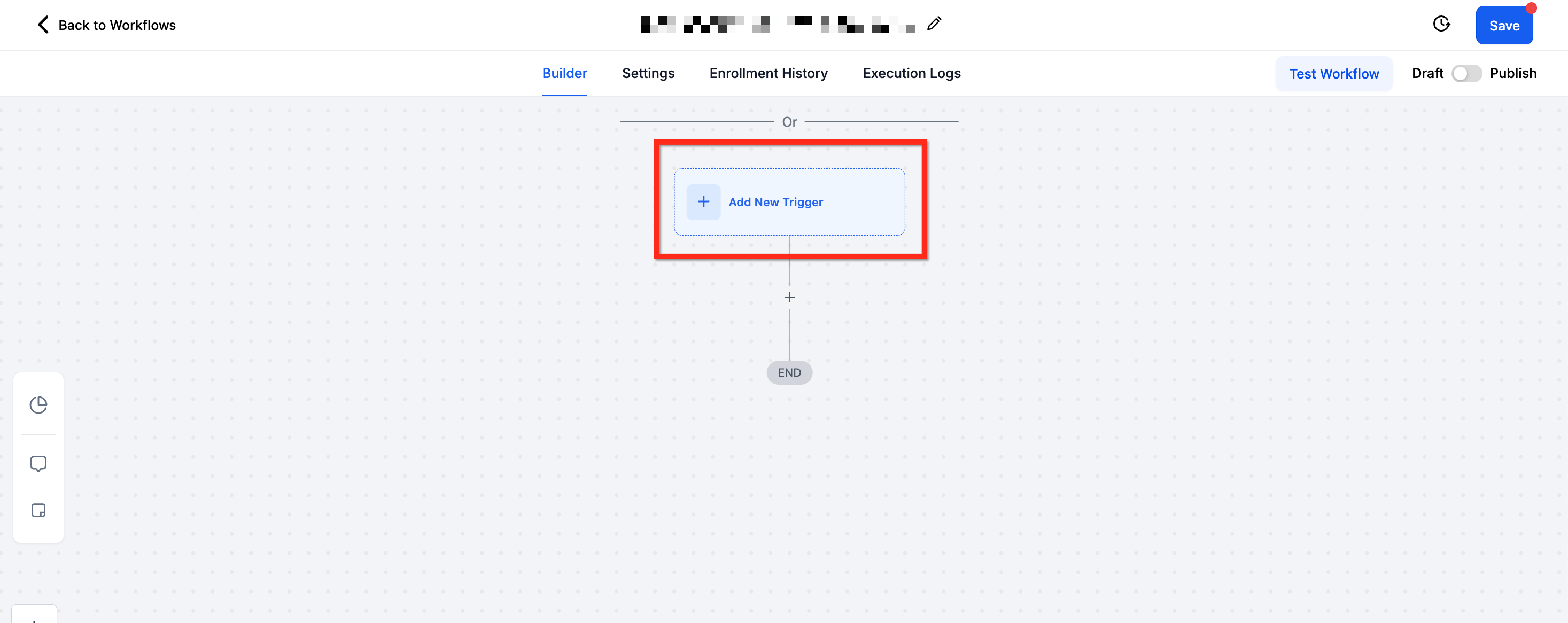
- In the workflow builder, click + Add New Trigger to get started
Step 2: Choose the Trigger Type
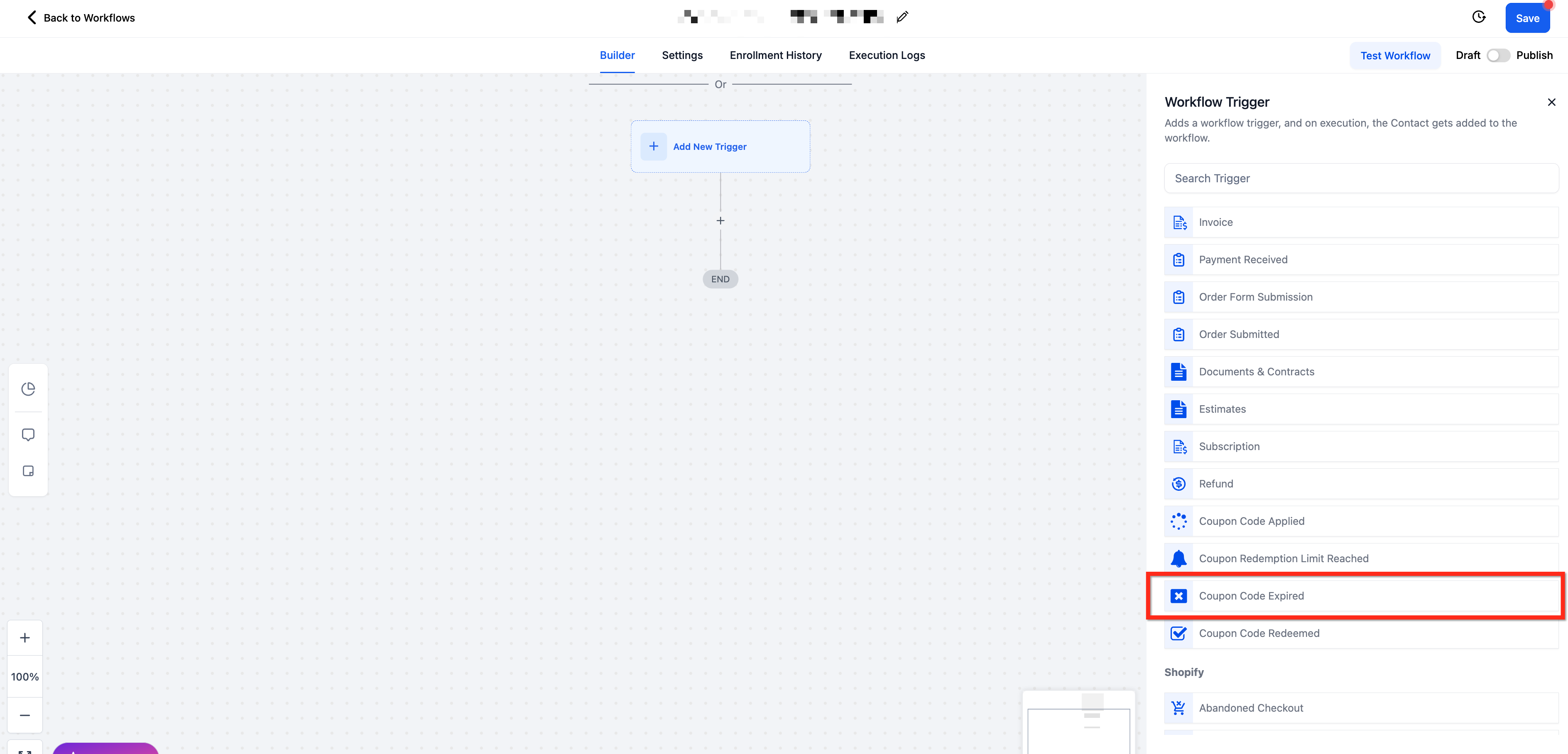
From the list of available triggers, scroll to the Payments section and select Coupon Code Expired
Step 3: Name Your Trigger
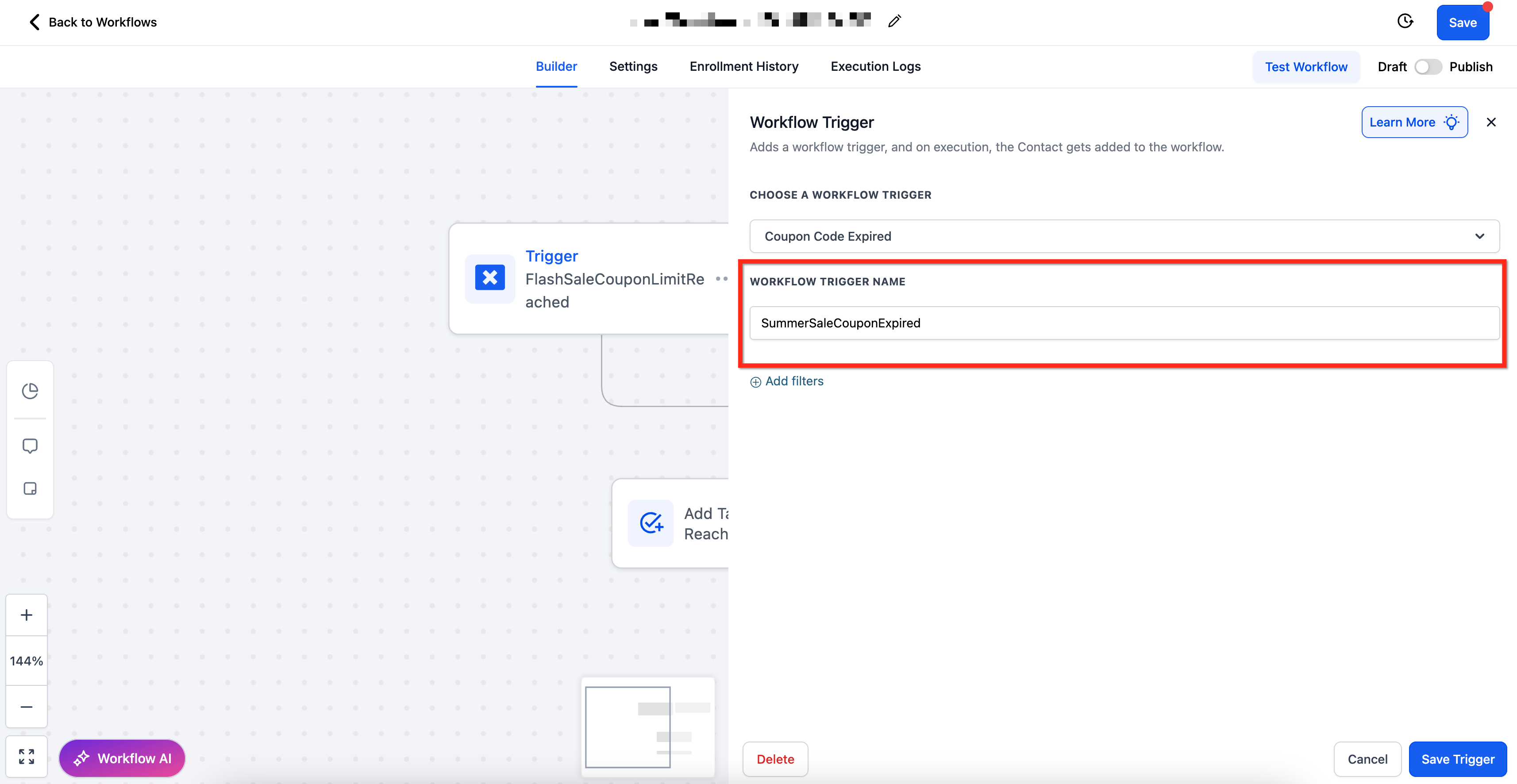
- Provide a descriptive name in the Workflow Trigger Name field to keep your workflow organized
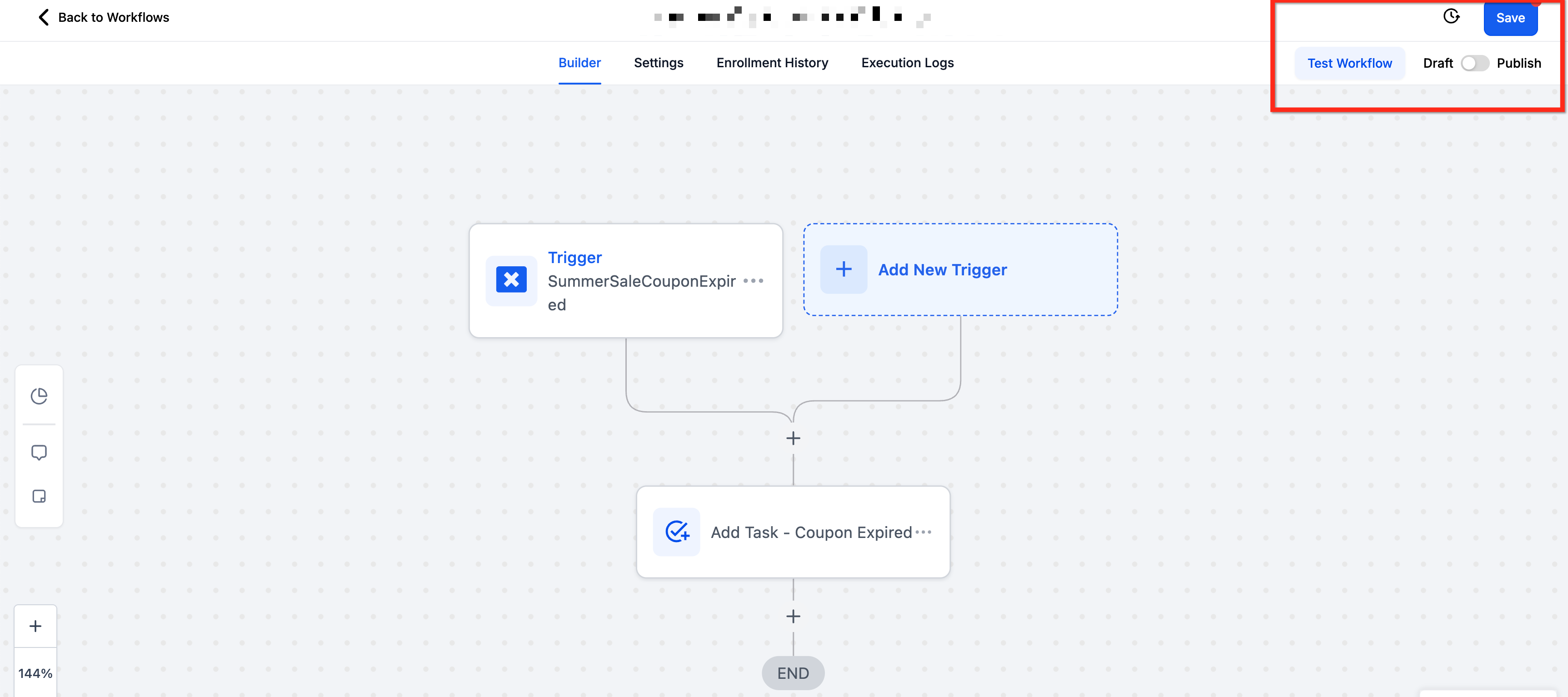
- Example: SummerSaleCouponExpired
Step 4: Apply Filters to Target Specific Scenarios
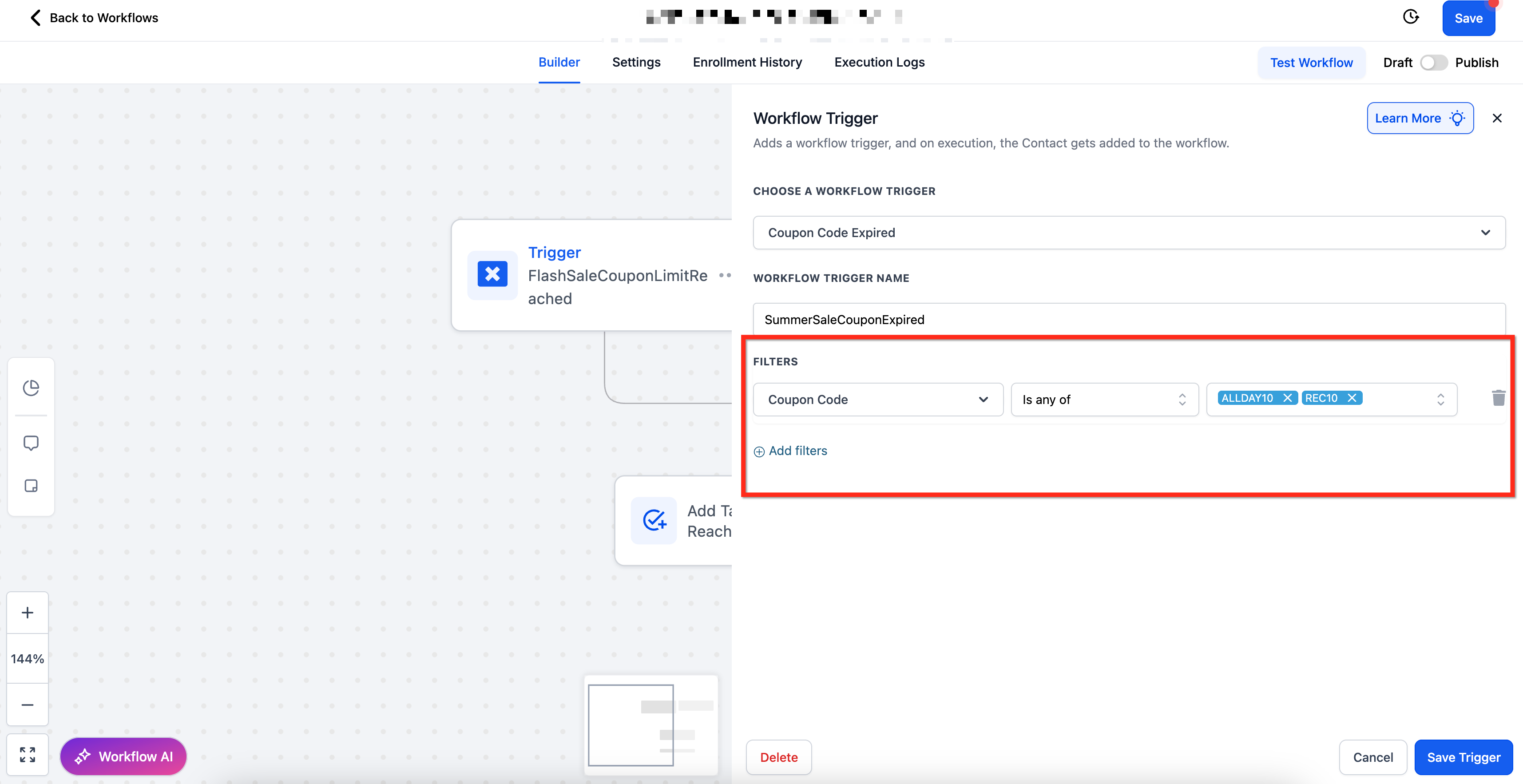
- After naming the trigger, you can apply filters to narrow down exactly when this workflow should fire
- To add filters, click + Add Filters
- Each filter comes with specific operators to precisely target the conditions you care about. Click Here to See List of Available Filters
Step 5: Save and Build the Workflow
- Once your trigger and filters are configured, click Save Trigger and start adding your desired actions to the workflow
- When finished, use Test Workflow to confirm everything’s working as expected, then Publish the workflow to activate it
Available Filters
Filter | Operator(s) | Input Type |
| Coupon Code | Is Any Of / Is Empty / Is None Of / Is Not Empty | Multi-Select Dropdown of Active Coupon Codes |
| Coupon Name | Is Any Of / Is Empty / Is None Of / Is Not Empty | Multi-Select Dropdown of Active Coupon Names |
| Coupon Type | Is / Is Not / Is Empty / Is Not Empty | Single-Select Dropdown (Amount vs Percentage) |
Recommended Workflow Actions for Expired Coupons
Once your Coupon Code Expired trigger is active, consider adding actions like:
Send Email: Notify customers that their coupon expired and offer a new promotion
Internal Notification: Alert your sales or marketing team when key coupons expire
Add Tag: Apply a tag to the contact for follow-ups or segmentation (e.g.,
MissedPromo)Create/Update Opportunity: Route contacts who missed redemptions into a nurture sequence
Send SMS: Deliver a quick follow-up offer or coupon extension for select customers
Frequently Asked Questions
Q: When exactly does this trigger fire?
It fires when a coupon’s scheduled expiration date is reached and the coupon automatically becomes inactive.
Q: Can I target specific types of coupons?
Yes, use the Coupon Type filter to target Percentage or Fixed Amount coupons.
Q: What happens if I don’t apply any filters?
The workflow will trigger for any coupon that expires. To narrow it down, apply filters like Coupon Code Is or Coupon Name Contains.
Q: Can I send different actions for different coupons?
Yes, by setting up separate workflows with different Coupon Code or Coupon Type filters, you can run unique actions for each.
Q: Will this trigger fire if a customer tries to redeem an already‑expired coupon?
No. The trigger only fires when the coupon moves from active to expired status, not on failed redemption attempts.