
Workflow Trigger - Coupon Redemption Limit Reached
Easily automate actions when a coupon code reaches its maximum allowed number of redemptions. This guide walks you through everything you need to know, from setup to key benefits, so you can seamlessly trigger workflows the moment a coupon’s redemption limit is hit. Perfect for campaign management, internal alerts, and promotional control.
TABLE OF CONTENTS
- What is the Coupon Redemption Limit Reached Workflow Trigger
- Key Benefits of Coupon Redemption Limit Reached Workflow Trigger
- Configuring Coupon Redemption Limit Reached Workflow Trigger
- Available Filters
- Recommended Workflow Actions for Coupon Limit Alerts
- Frequently Asked Questions
- Related Articles
What is the Coupon Redemption Limit Reached Workflow Trigger
The Coupon Redemption Limit Reached trigger fires when a coupon code reaches its maximum allowed number of redemptions. This trigger activates after the last transaction using that coupon is successfully completed.
It’s a valuable tool for marketing and operations teams who need to manage limited-time or limited-quantity promotions, automatically pause overused coupons, or notify teams to replace or retire specific offers.
Key Benefits of Coupon Redemption Limit Reached Workflow Trigger
Prevent Overuse of Limited-Quantity Coupons: Get notified immediately when redemption limits are reached
Maintain Operational Control over Live Promotions: Automatically deactivate or replace coupons at the right moment
Trigger Alerts or Follow-ups without Manual Tracking: Stay on top of high-demand campaigns without needing to monitor usage manually
Improve Customer Experience: Replace expired coupons with alternative offers through automated actions
Close promotional loops effectively: Ensure sales and marketing teams are informed when a campaign’s redemption target is hit
Configuring Coupon Redemption Limit Reached Workflow Trigger
To set up this trigger, follow these steps in your workflow builder:
Step 1: Add the Trigger to Your Workflow
- Navigate to Automation > Workflows
- Either create a new workflow or edit an existing one
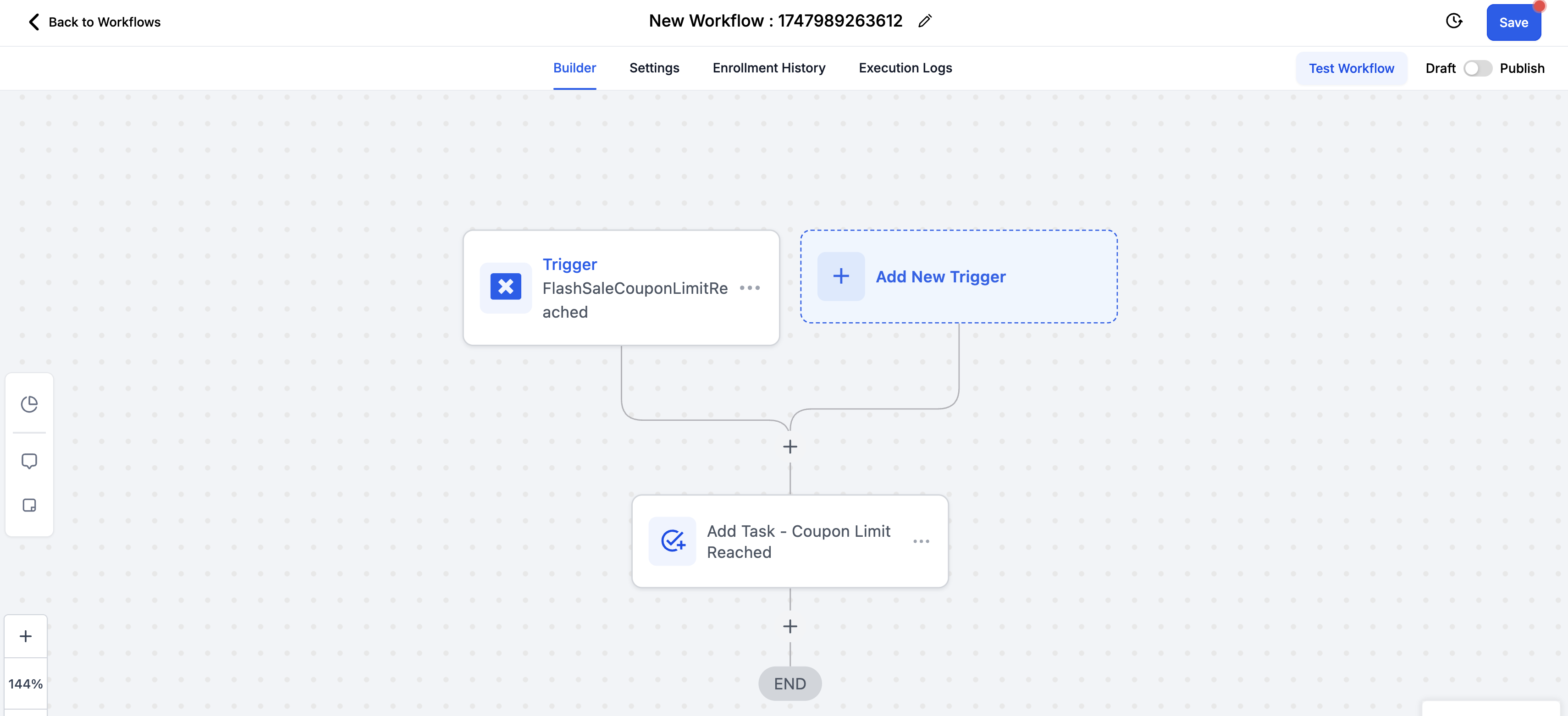
- In the workflow builder, click + Add New Trigger to get started
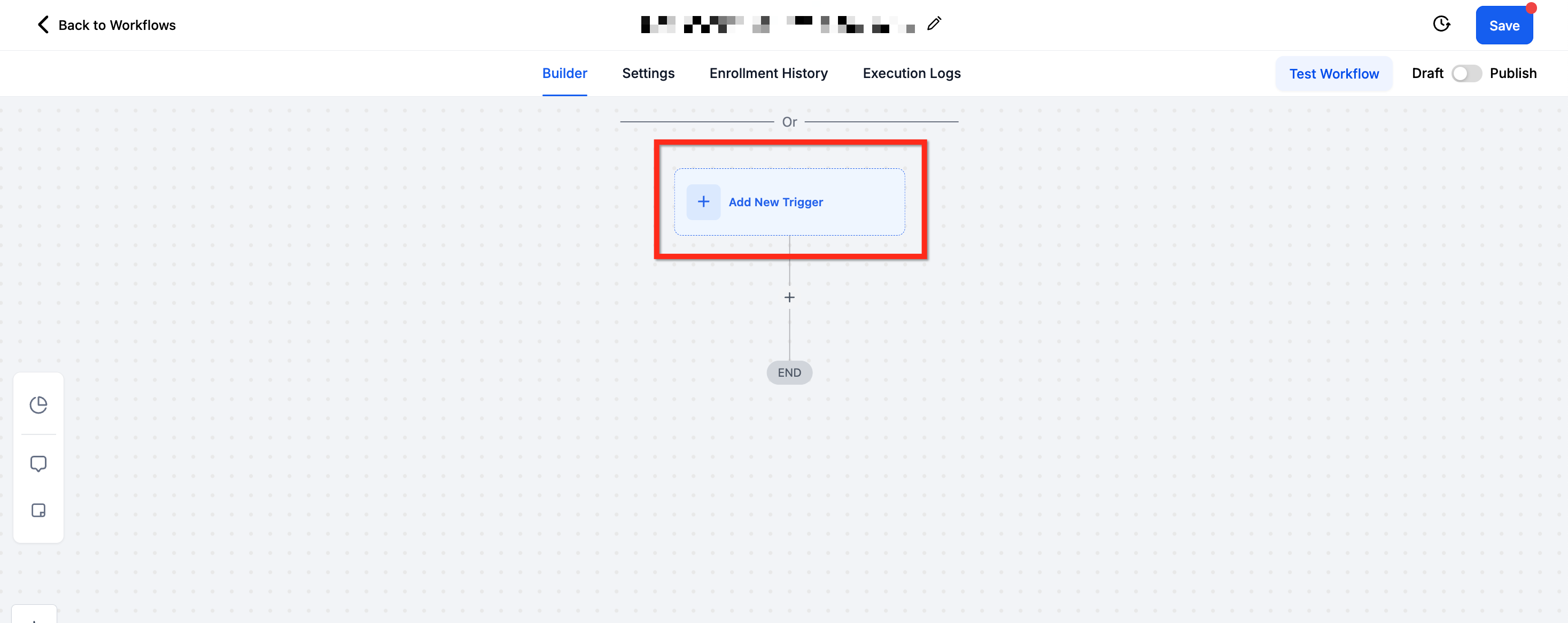
Step 2: Choose the Trigger Type
From the list of available triggers, scroll to the Payments section and select Coupon Redemption Limit Reached
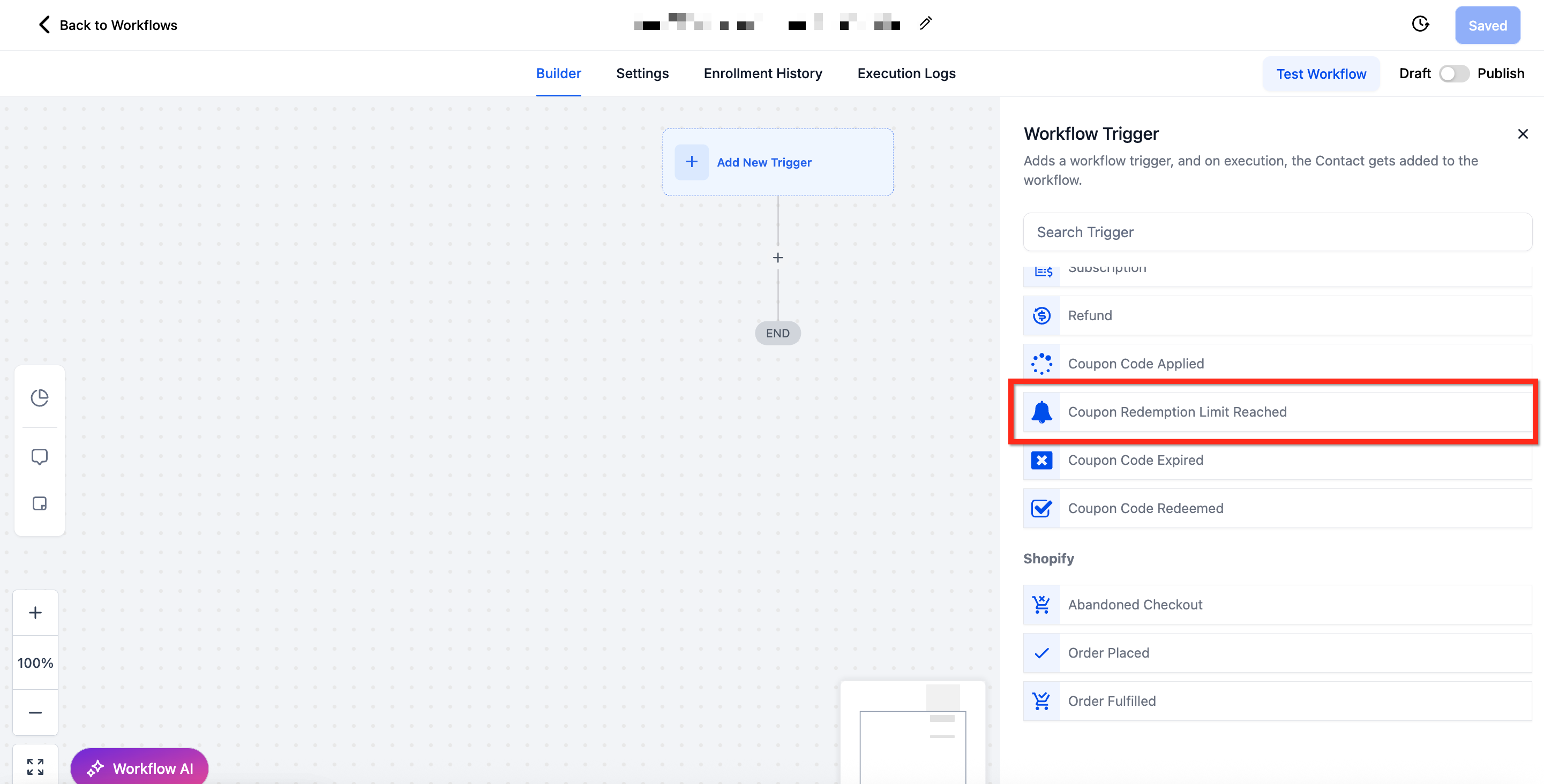
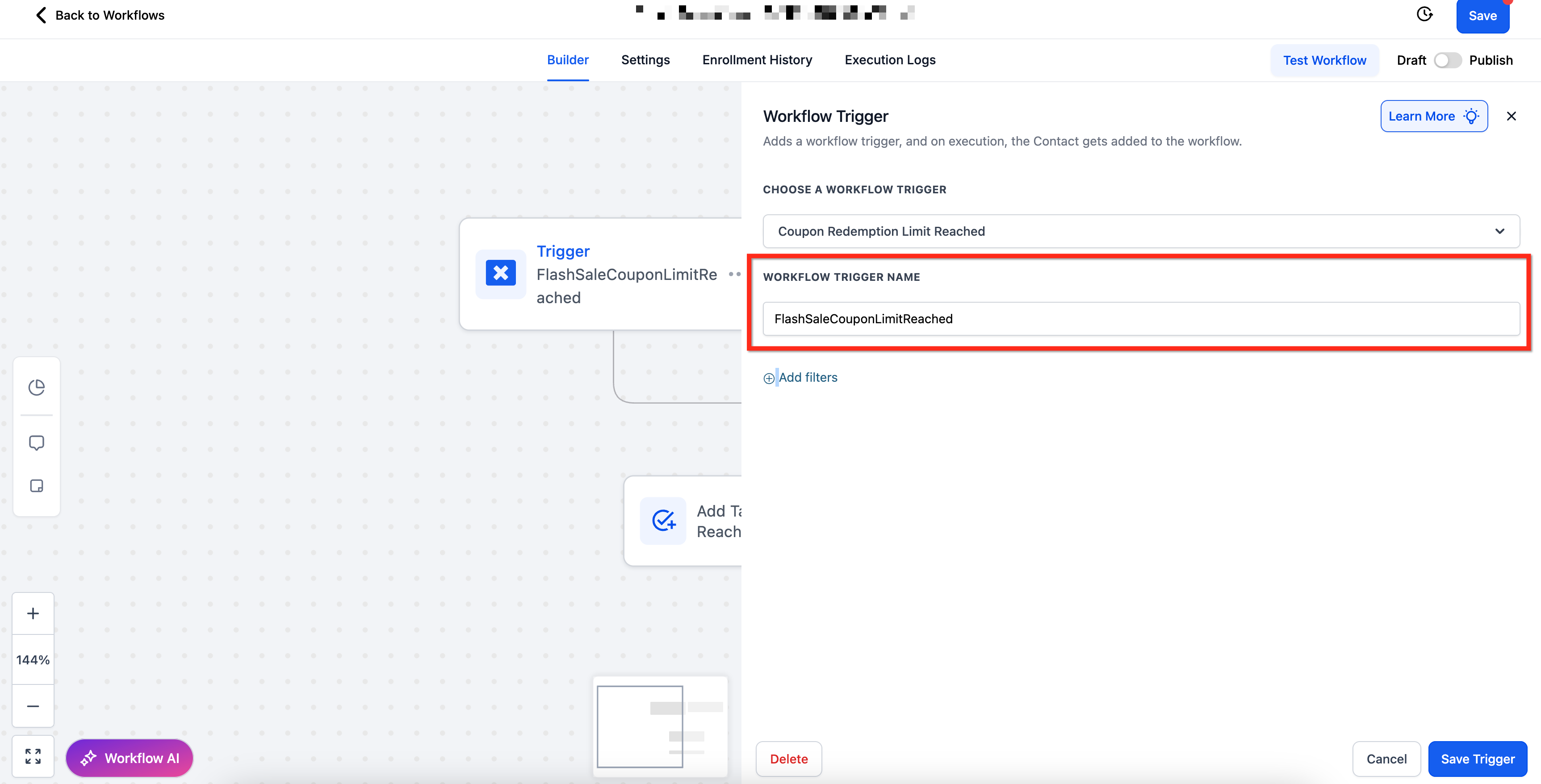
Step 3: Name Your Trigger
- Provide a descriptive name in the Workflow Trigger Name field to keep your workflow organized.
- Example: "FlashSaleCouponLimitreached"
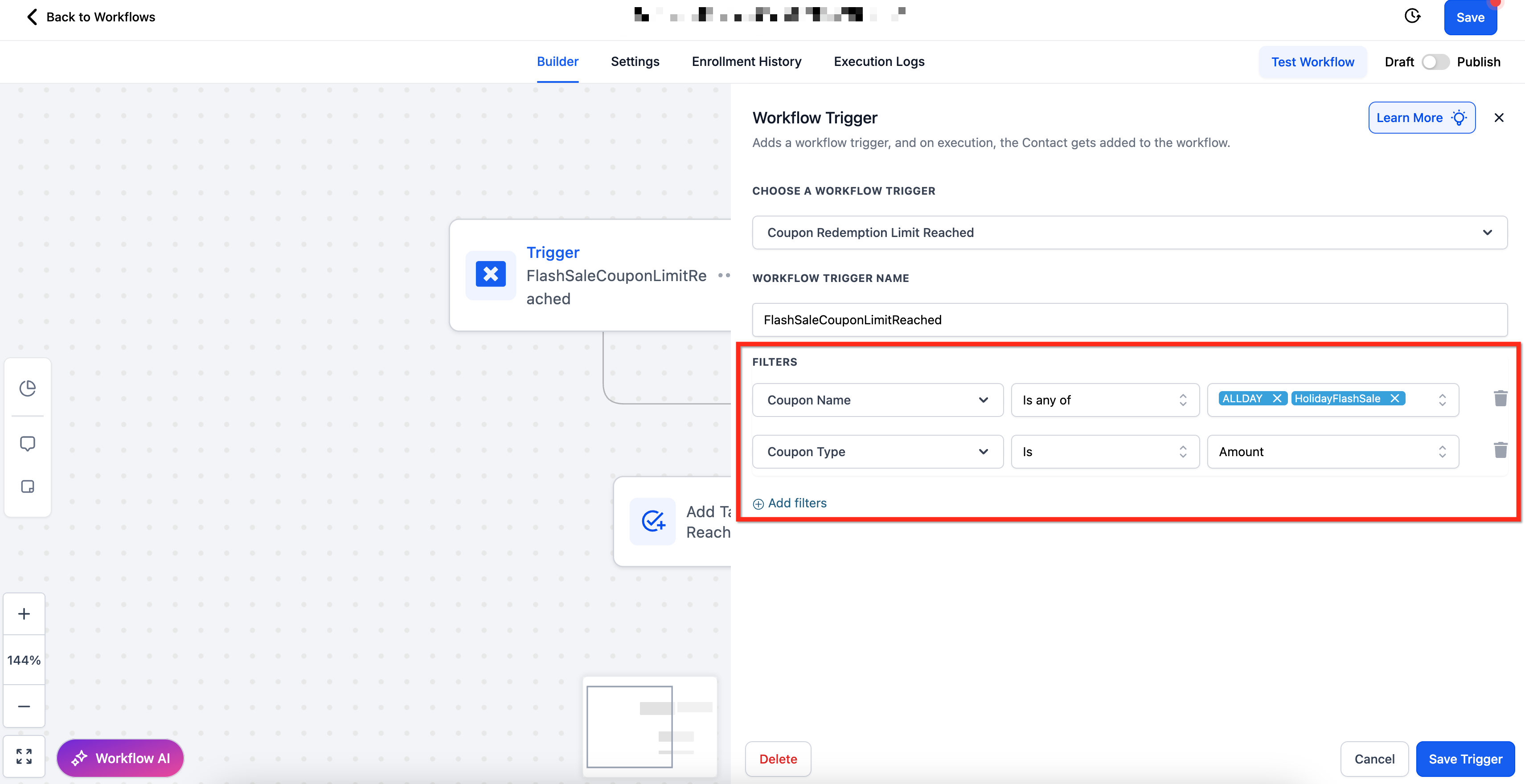
Step 4: Apply Filters to Target Specific Scenarios
- After naming the trigger, you can apply filters to narrow down exactly when this workflow should fire
- To add filters, click + Add Filters
- Each filter comes with specific operators (like Is, Contains, Greater Than, Before/After) to precisely target the conditions you care about. Click Here to See List of Available Filters
Step 5: Save and Build the Workflow
- Once your trigger and filters are configured, click Save Trigger and start adding your desired actions to the workflow
- When finished, use Test Workflow to confirm everything’s working as expected, then Publish the workflow to activate it
Available Filters
Filter | Operator(s) | Input Type |
| Coupon Code | Is Any Of / Is Empty / Is None Of / Is Not Empty | Multi-Select Dropdown of Active Coupon Codes |
| Coupon Name | Is Any Of / Is Empty / Is None Of / Is Not Empty | Multi-Select Dropdown of Active Coupon Names |
| Coupon Type | Is / Is Empty / Is Not / Is Not Empty | Single-Select Dropdown (Amount vs Percentage) |
| Redemption Limit | Equals To / Greater Than / Greater Than or Equal To / Is Empty / Is Not Empty / Is Not Equal To / Less Than / Less Than or Equal To | Numeric Input Box |
Recommended Workflow Actions for Coupon Limit Alerts
Once your Coupon Redemption Limit Reached trigger is active, you can automate actions like:
Internal Notification: Instantly alert your marketing or sales team when a coupon hits its redemption cap
Send Email: Notify the admin or campaign manager so they can take appropriate action
Add Tag: Apply a tag to the coupon or related campaign for reporting and segmentation
Pause or Deactivate Coupon: Automatically disable the coupon via API if connected to coupon management logic
Send SMS: Inform internal staff via text when high-demand coupons expire
Frequently Asked Questions
Q: Does this trigger fire when the redemption limit is close or only when it’s reached?
This trigger fires only when the coupon’s maximum allowed redemptions have been reached after a completed transaction.
Q: Can I track which coupon types are reaching their limits faster?
Yes, use the Coupon Type filter to narrow down activity for Percentage vs. Fixed Amount coupons.
Q: What happens if I don’t apply any filters?
The workflow will trigger for any coupon hitting its redemption limit. To monitor specific campaigns, use filters like Coupon Code Is or Coupon Name Contains.
Q: Can I trigger based on different redemption limits?
Yes, use the Redemption Limit filter with operators like Greater Than or Is to create conditional workflows based on various cap levels.
Related Articles
- Workflow Trigger - Coupon Code Redeemed
- Workflow Trigger - Coupon Code Applied
- Workflow Trigger - Coupon Code Expired
- How to Create Coupons for Products
- Coupon Application on Subscription Products