
Association Limits in Objects
Association Limits let you control how many records can be linked between objects, helping maintain cleaner and more accurate relationship data. This article shows the supported relationship types, how to configure limits, and what users see when an association limit is reached.
TABLE OF CONTENTS
- What Are Association Limits?
- Supported Relationship Types
- How to Set Up Association Limits
- Use Case: Real Estate Management
- How Association Limits Work?
- Related Articles
What Are Association Limits?
Association limits let you control how many records can be linked together between objects. These rules ensure data remains organized, prevent over-association, and are now visually enforced in the UI.
- Avoids over-linking between records.
- Helps keep data structures clean.
- Reduces user confusion when the limits are reached with clear UI feedback.
Supported Relationship Types
Note: Limits are enforced per label and reflected in the user interface..For multi-label associations:
- One-to-One (1:1)
- One-to-N (where N ≤ 1000)
- One-to-Many
- N-to-Many (where N ≤ 1000)
- Many-to-Many
For single-label contact-to-contact associations:
- One-to-One (1:1)
- Many-to-Many
- Custom N-to-N
How to Set Up Association Limits
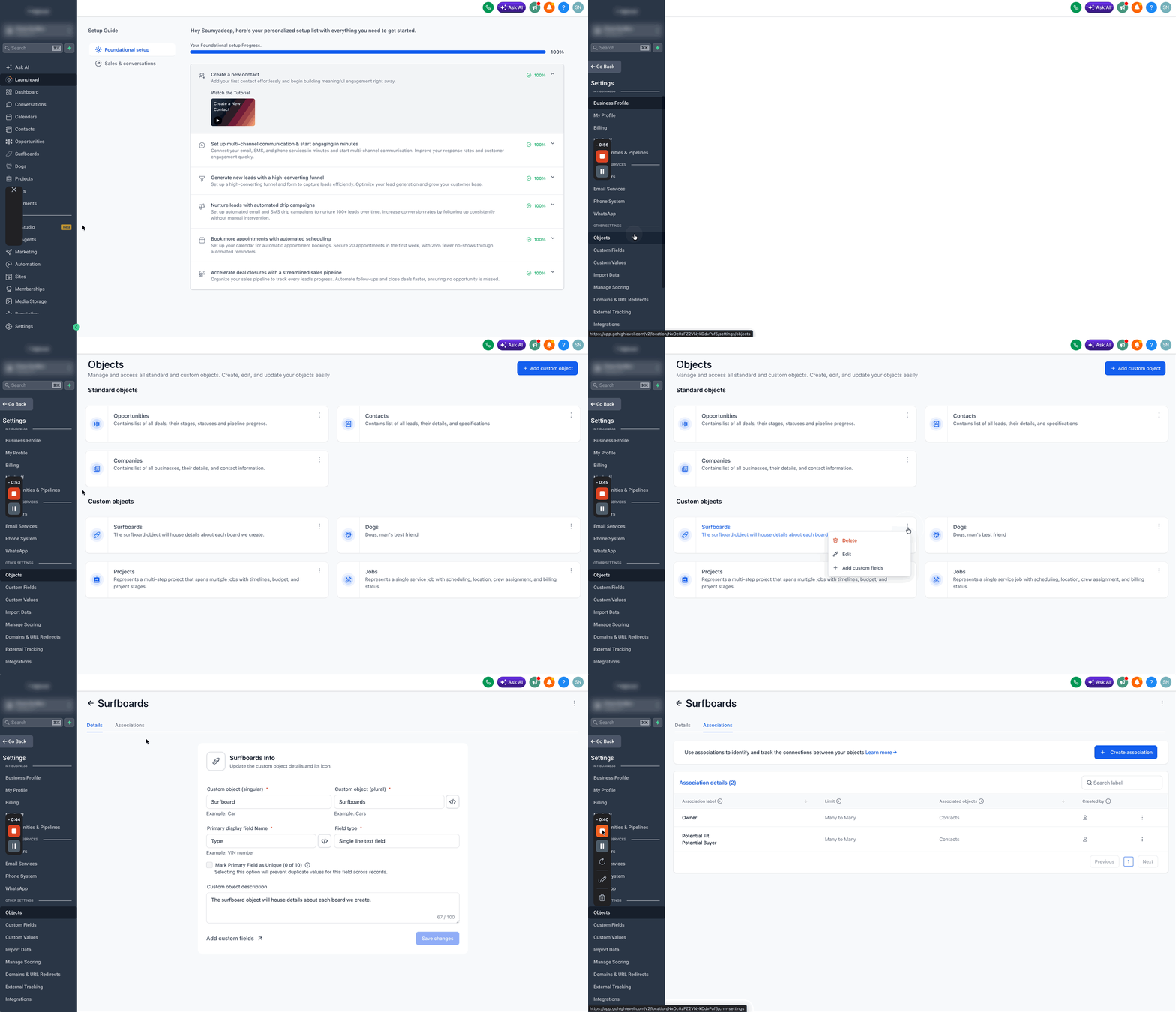
- Go to your sub-account, Navigate to Settings > Objects.
- Select any Custom Object or Contacts and click on the three dots > Edit.
- Go to the Associations tab.
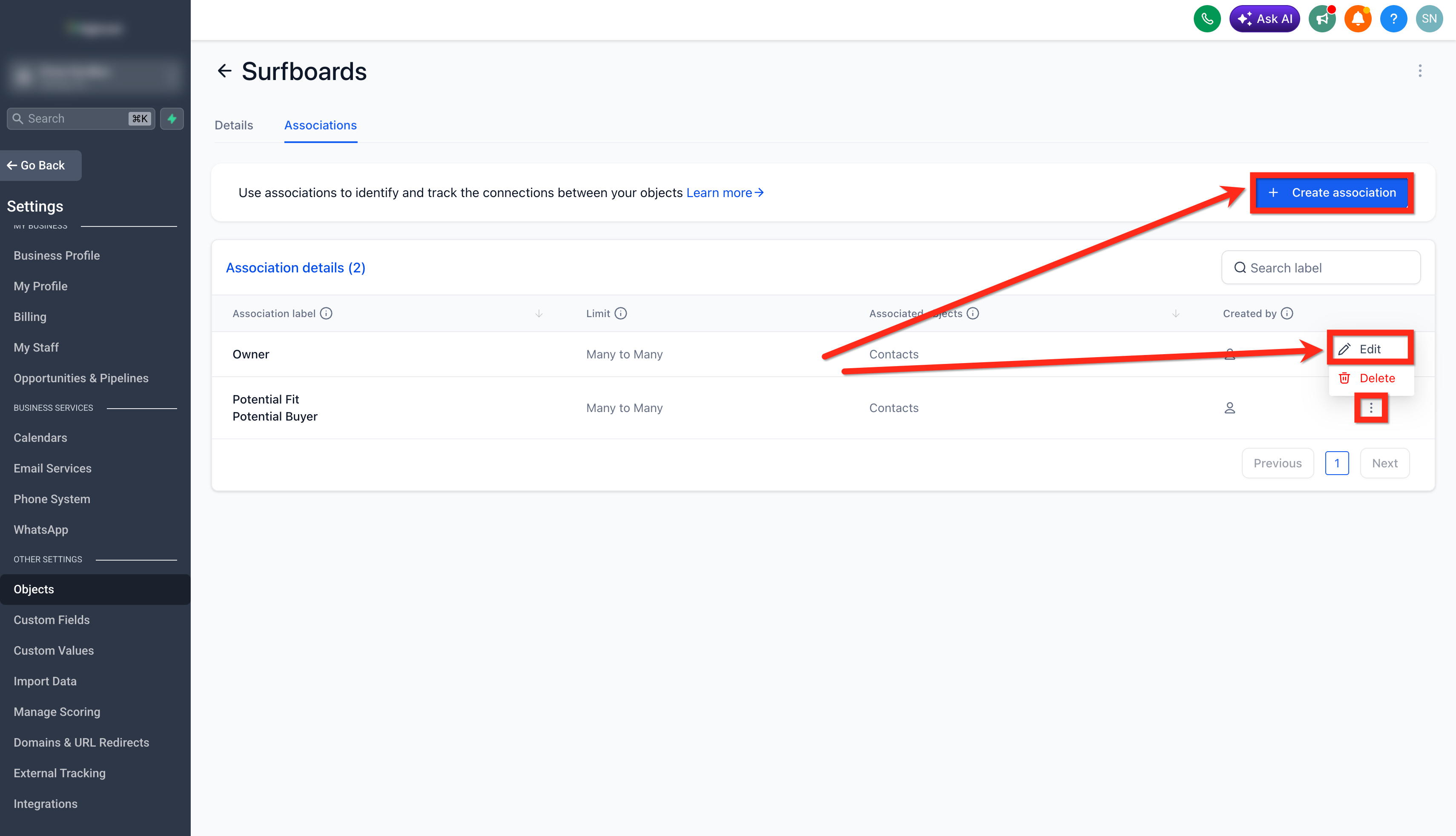
- Click Create Association or edit an existing association.
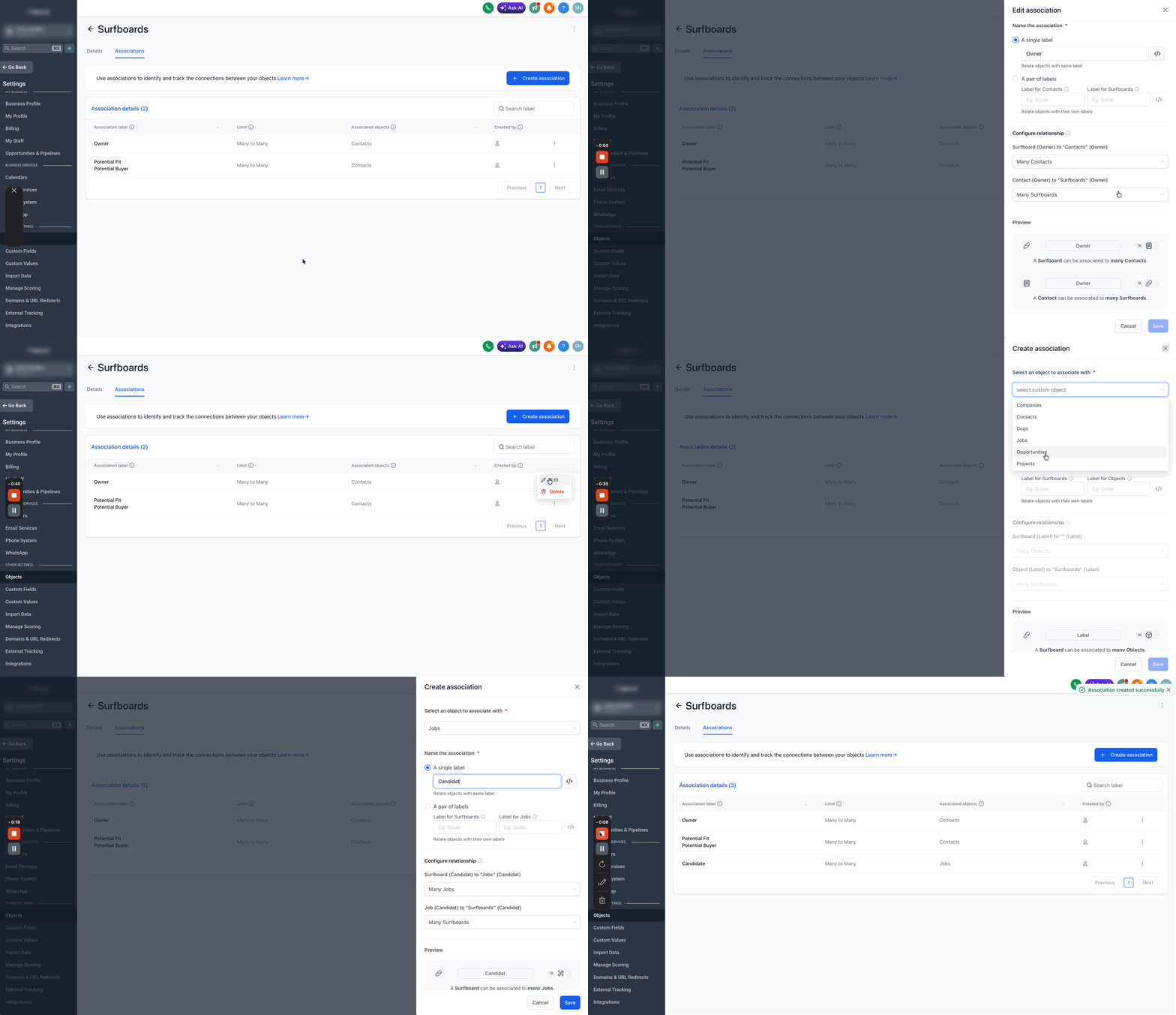
- Choose either a single label or a pair of labels.
- Under Configure Relationship, select the type (e.g. 1:1, 1:N) and define limits if applicable.
- Use the Preview section to confirm constraints before saving.
- The configured associations are also shown in the associations tab.
Use Case: Real Estate Management
A real estate agency wants to ensure that each Agent manages no more than 50 Properties:
- Create a one-to-N relationship from Agent to Property
- Set the limit as N = 50
- When an agent hits this cap, users will see a UI warning and can no longer assign more properties, ensuring balanced workloads.
How Association Limits Work?
If you try to associate beyond the allowed count, an error message will be shown instantly, this helps in clear and efficient management of the data-structures