Number Pool Support in Voice AI Agents
We now support assigning a Number Pool, a collection of multiple phone numbers to your AI Agents. Calls to any number in the pool will route dynamically based on your agent’s configuration.
Important: Ensure you have at least one Number Pool created in order to use this feature.TABLE OF CONTENTS
- Key Benefits of Number Pool Support
- How to Assign a Number Pool to a Voice AI Agent
- Step 1: Access Voice AI Agent Settings
- Step 2: Choose or Create a Voice AI Agent
- Step 3: Open the Phone & Availability Tab
- Step 4: Assign a Number Pool
- Step 5: Save the Configuration
- Related Articles
Key Benefits of Number Pool Support
- Single-Agent Efficiency: Handle calls to multiple numbers with one agent, reducing the need to create and manage separate agents.
- Streamlined Workflow: Centralizes call routing, simplifying operations and minimizing redundancy.
How to Assign a Number Pool to a Voice AI Agent
Step 1: Access Voice AI Agent Settings
Log in to your Chat To Clients CRM account.
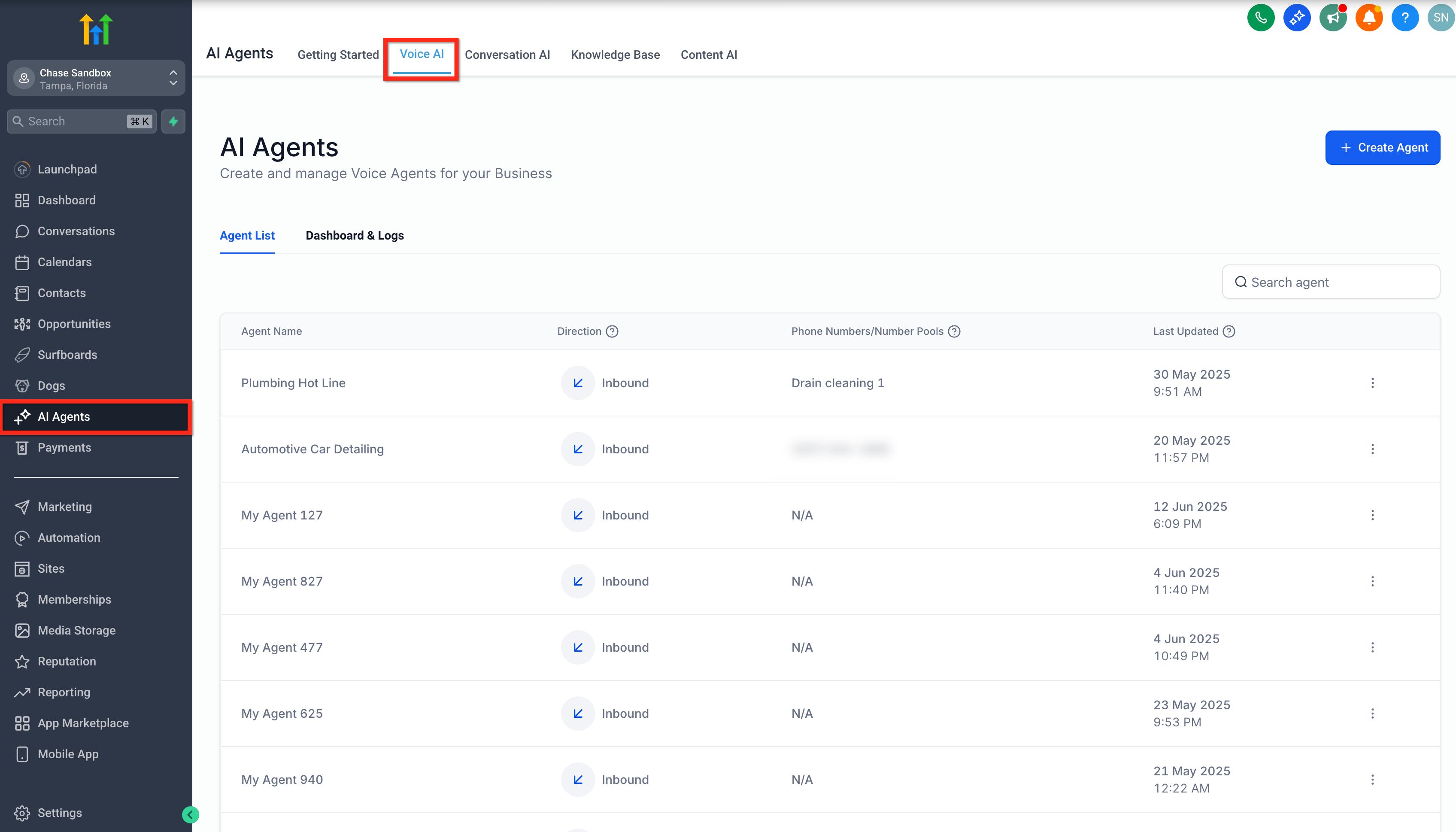
From the left-hand menu, click on AI Agents.
In the top navigation bar, select Voice AI.
Step 2: Choose or Create a Voice AI Agent
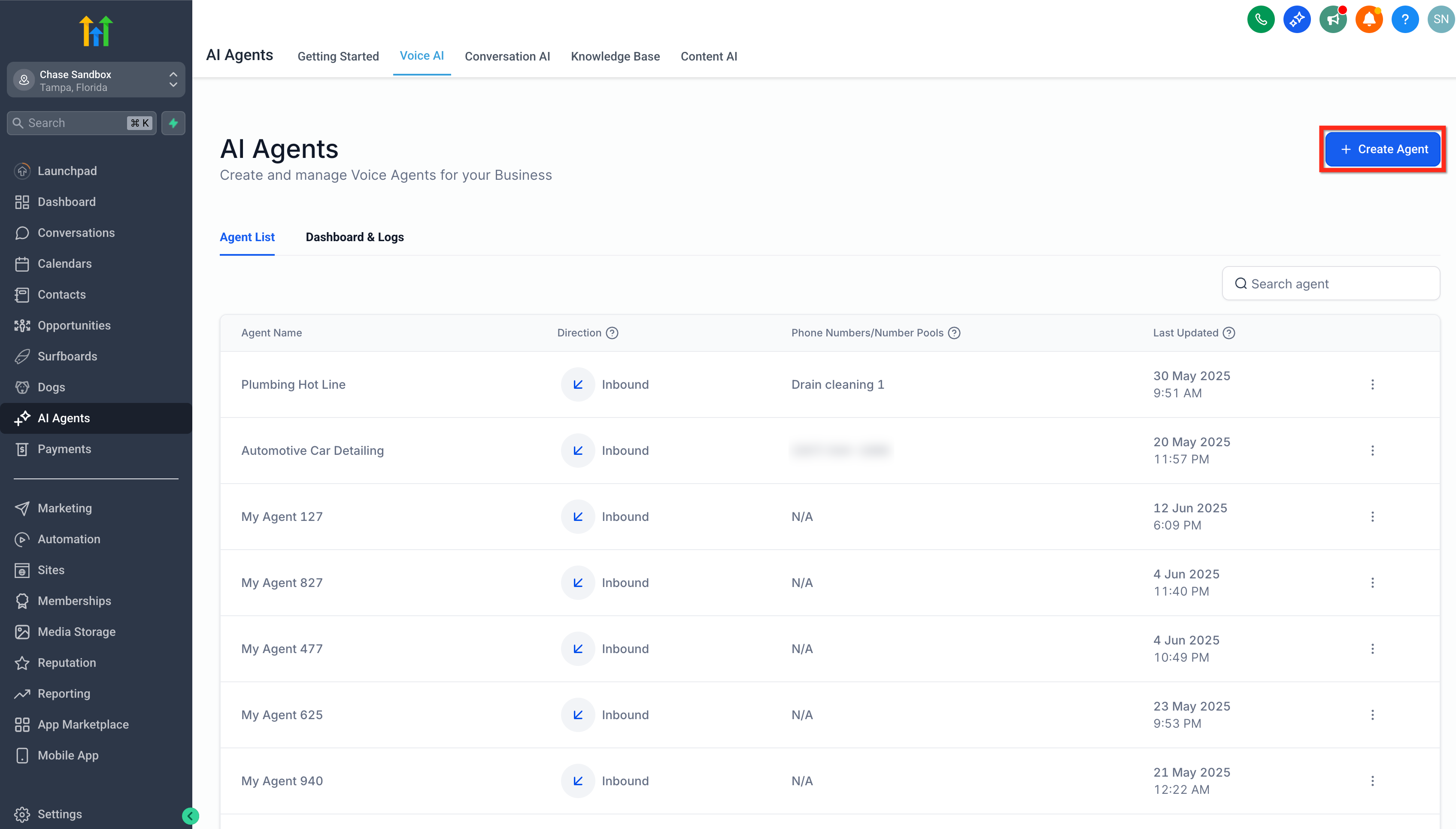
Click on + Create Agent to make a new agent, or
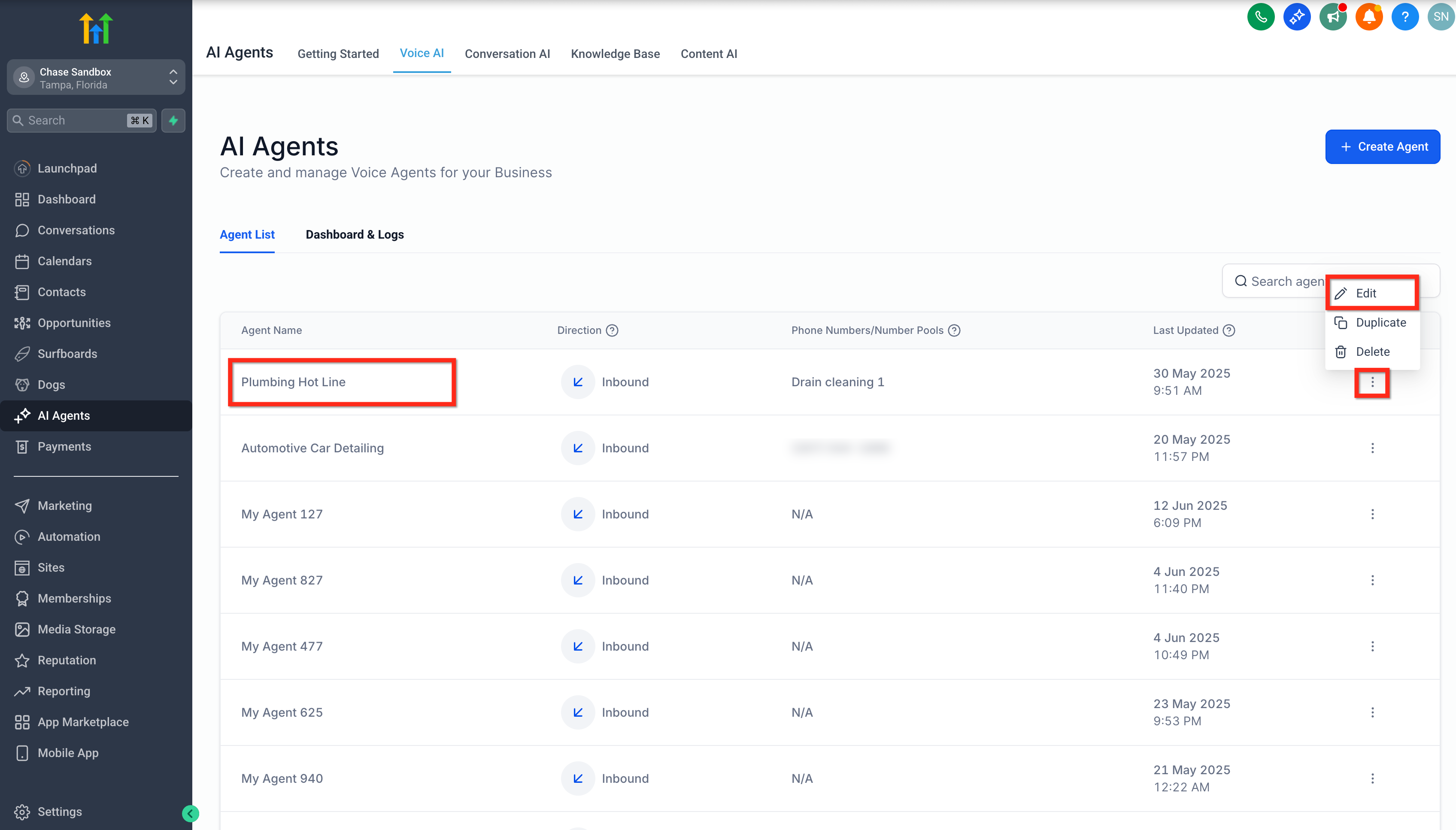
Choose an existing one from your Agent List:
Click directly on the agent's name, or
Click the three-dot menu next to the agent and select Edit.
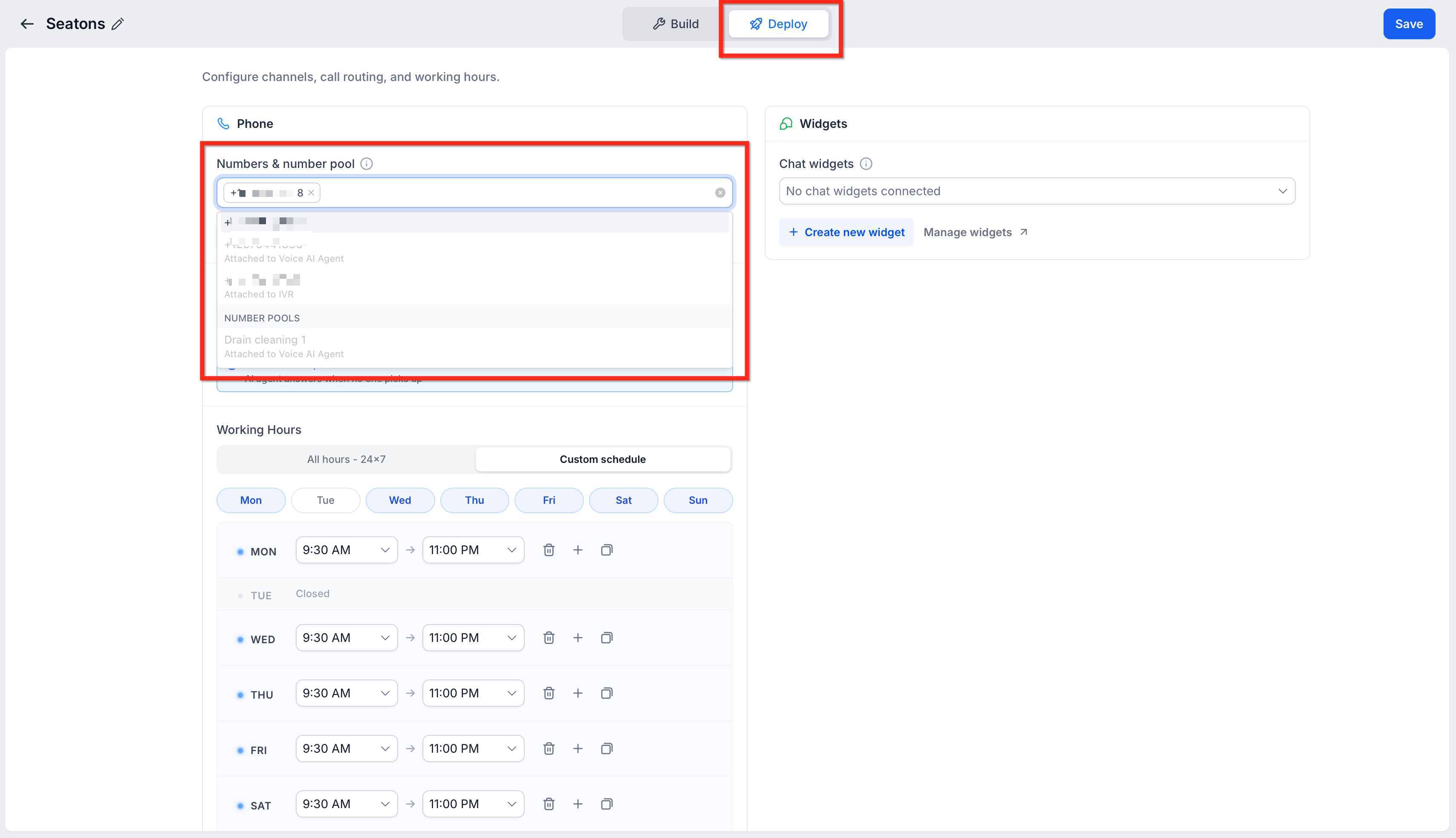
Step 3: Open the Deploy Tab and assign a Number Pool
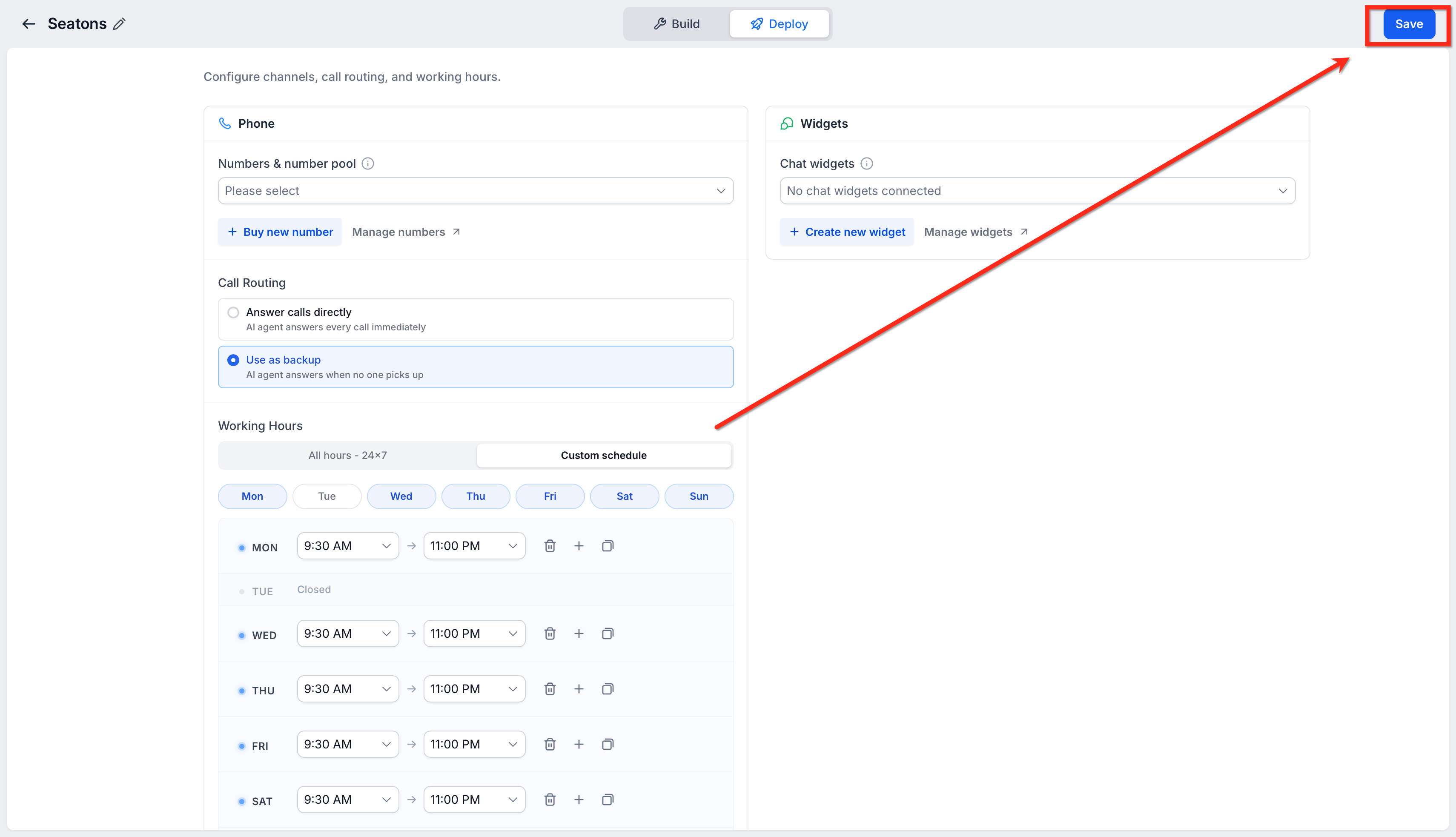
- Inside the Voice AI agent editor, click the Deploy tab.
- In the Phone section, locate Numbers & number pool.
- Click the Numbers & number pool dropdown.
- Select the Number Pool you want to assign to the Voice AI agent.
- Confirm that the correct Number Pool is selected before continuing.
Only existing Number Pools are available for assignment. If you do not have a Number Pool, create one before assigning it to the agent.
Step 4: Save the Configuration
After selecting the desired number pool, click the Save button.
Your selected number pool is now successfully assigned to the agent.