Managing Customers under Affiliates
Effectively managing customers under an affiliate is key to maintaining accurate commission tracking and ensuring your affiliate program runs smoothly. Whether you need to remove inactive customers, reassign them to a different affiliate, or control their commission eligibility, having the right tools makes the process seamless
TABLE OF CONTENTS
- Deleting a Customer from an Affiliate
- Disabling/Enabling a Customer
- Deleting Commissions
- Moving Customers cross Affiliates
Deleting a Customer from an Affiliate
Step 1: Navigate to the Affiliate Profile
- Go to your Affiliate page
- Locate the affiliate whose customer you want to remove.
- Click on the affiliate's name to open their details.
Step 2: Locate the Customer
- In the Customers tab, find the customer you wish to delete.
- You can use the search bar or filters to quickly locate them.
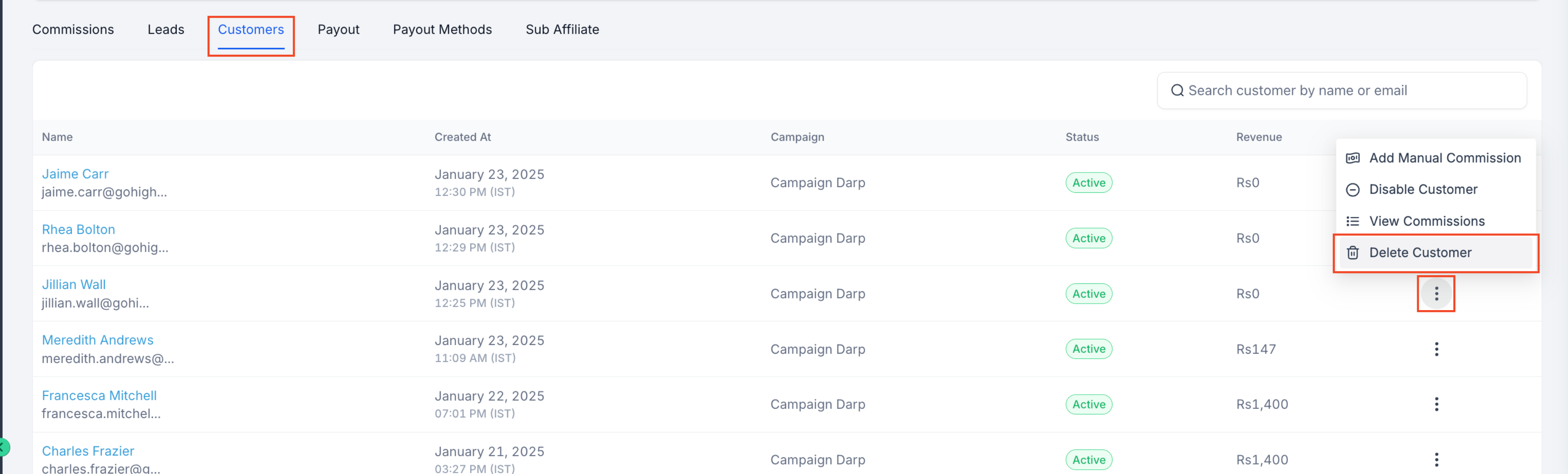
Step 3: Delete the Customer
- Click the Delete button next to the customer’s name.
- Confirm the action when prompted.
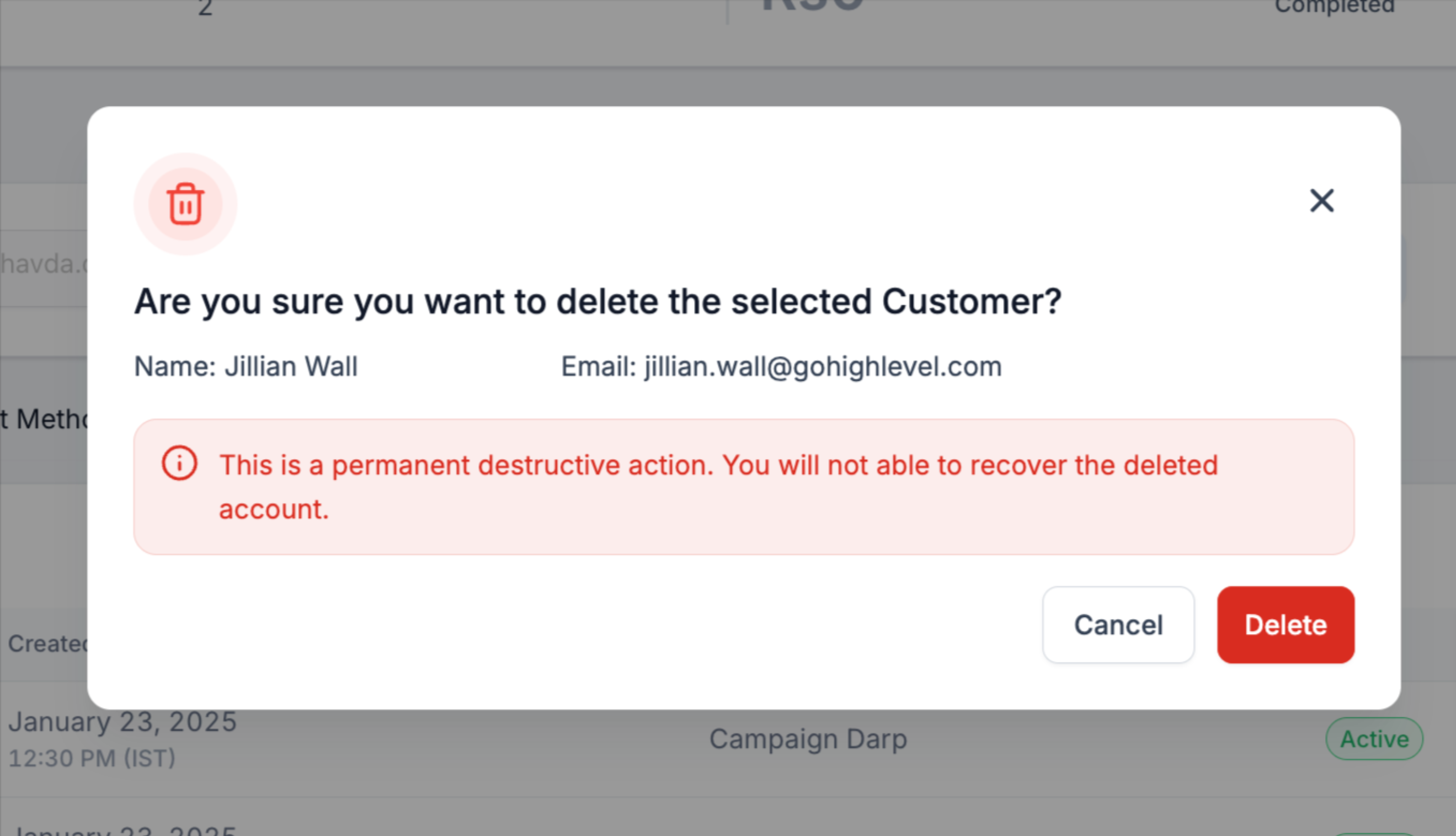
What Happens After Deleting a Customer?
- The customer will no longer be associated with the affiliate.
- Any future commissions from this customer will no longer be generated
Disabling/Enabling a Customer
Step 1: Navigate to the Affiliate Profile
- Go to your Affiliate page
- Locate the affiliate whose customer you want to remove.
- Click on the affiliate's name to open their details.
Step 2: Locate the Customer
- In the Customers tab, find the customer you wish to Disable/Enable.
- You can use the search bar or filters to quickly locate them.
Step 3: Disable the Customer
- Click the 3 dots and click Disable Customer.
- Confirm your action
- You will see the status tag changed to "Disabled"
- To enable, follow the same process and click on Enable Customer. Please note that only disabled customers can be enabled again.
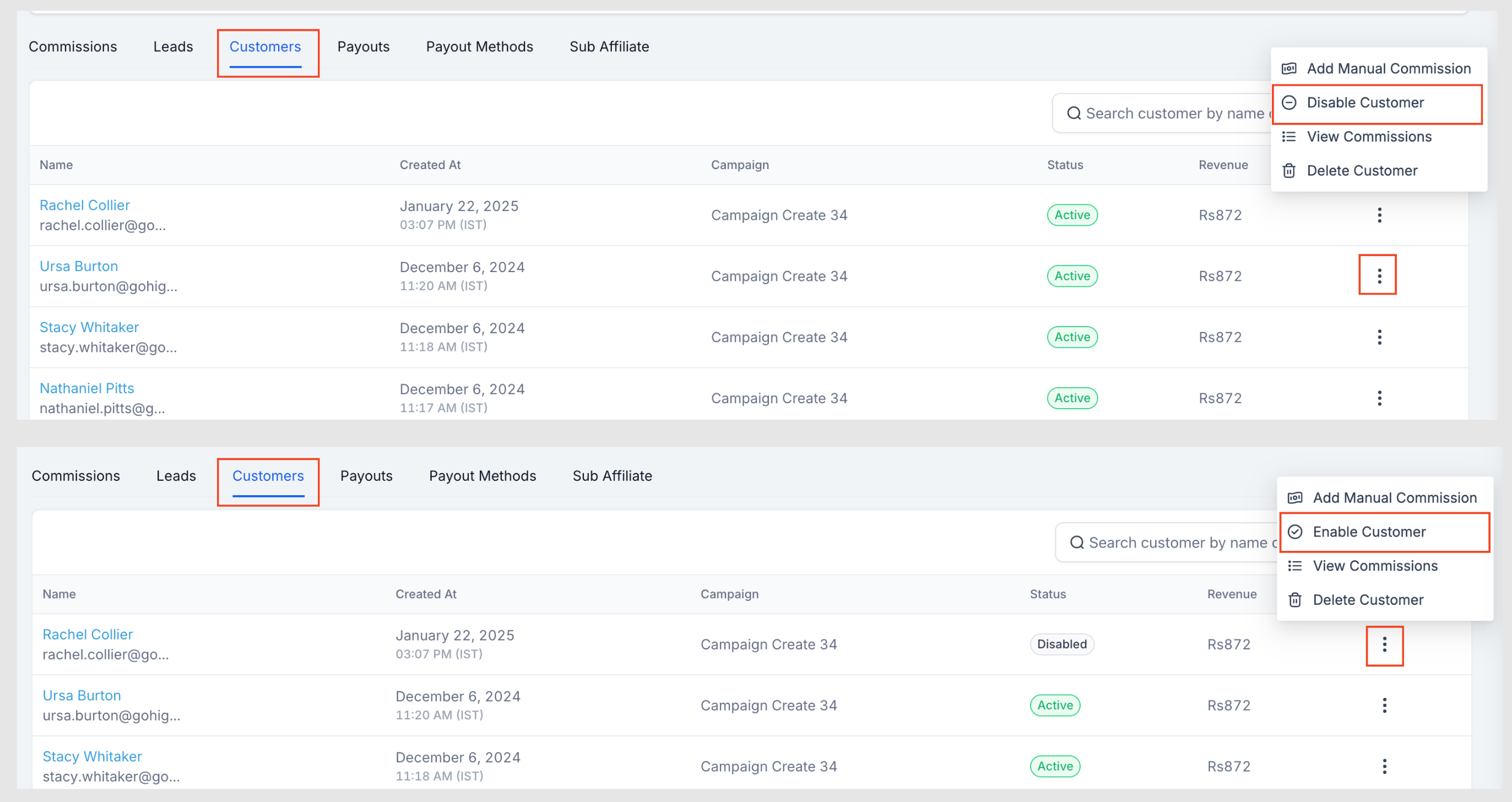
When to disable a customer?
Setting a customer as "Disabled," means no further sales will be tracked, and they will no longer generate commissions. This is helpful for handling fraudulent signups or preventing commission assignments in specific cases.
Deleting Commissions
Step 1: Navigate to the Affiliate Profile
- Go to your Affiliate page
- Locate the affiliate whose commission you want to delete.
- Click on the affiliate's name to open their details.
Step 2: Locate the Commission
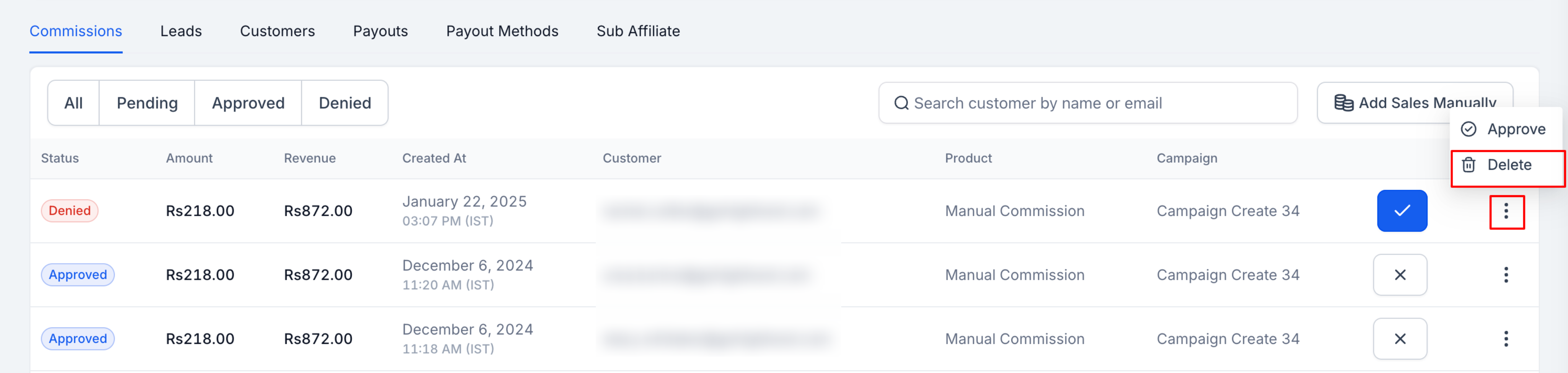
- In the Commissions tab, find the commission you wish to delete.
- Only Denied commissions can be deleted, so deny the commission first if required

Step 3: Delete the commission
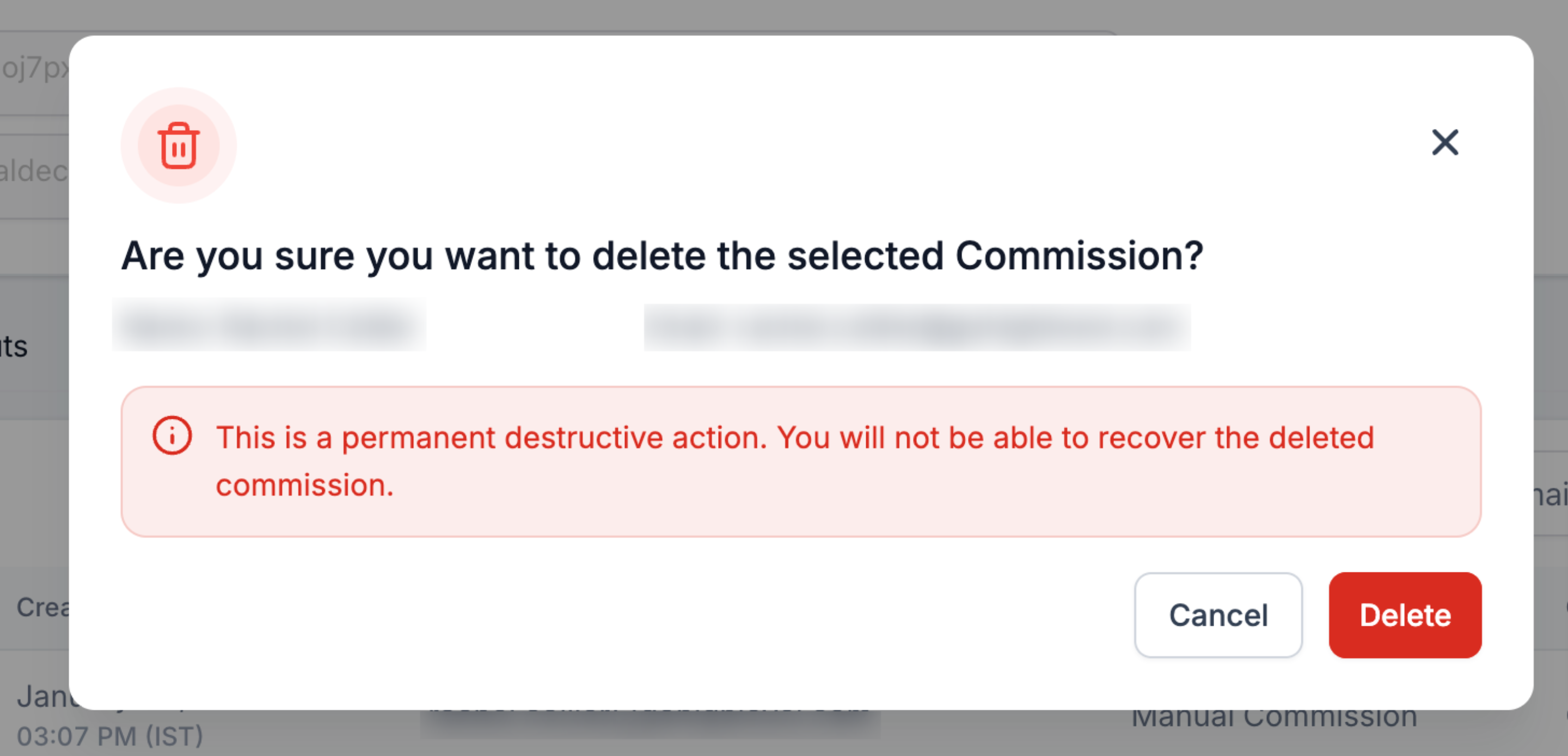
- Once denied, click on the 3 dots again and click on delete.
- Confirm your action
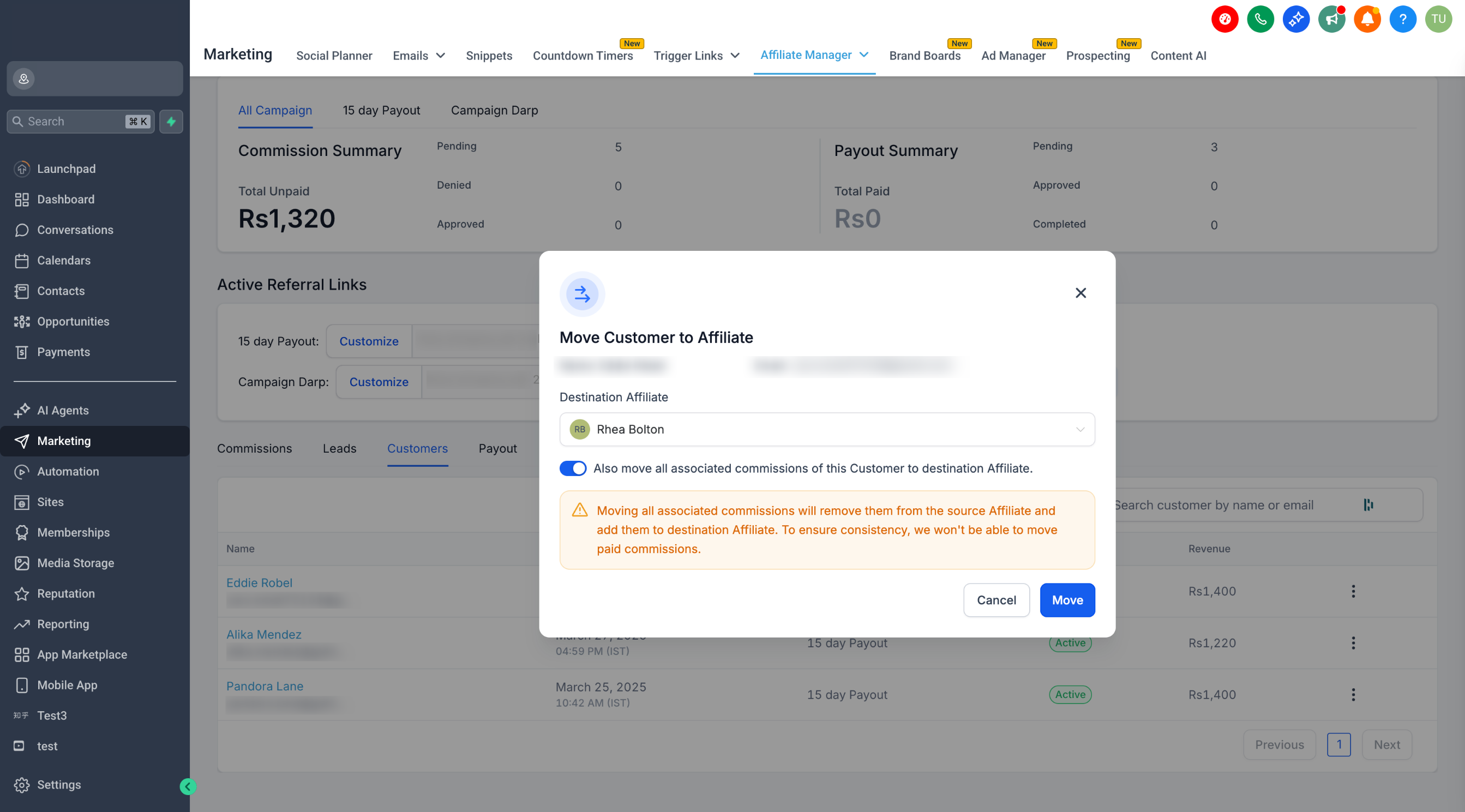
Moving Customers cross Affiliates
Important note :
- You can only move a customer within the same campaign.
- If you choose to move commissions, only unpaid commissions will be transferred. Paid commissions will remain with the original affiliate.
Step 1: Go to the Affiliate Manager
- Head to the Affiliate's profile where the customer is currently assigned.
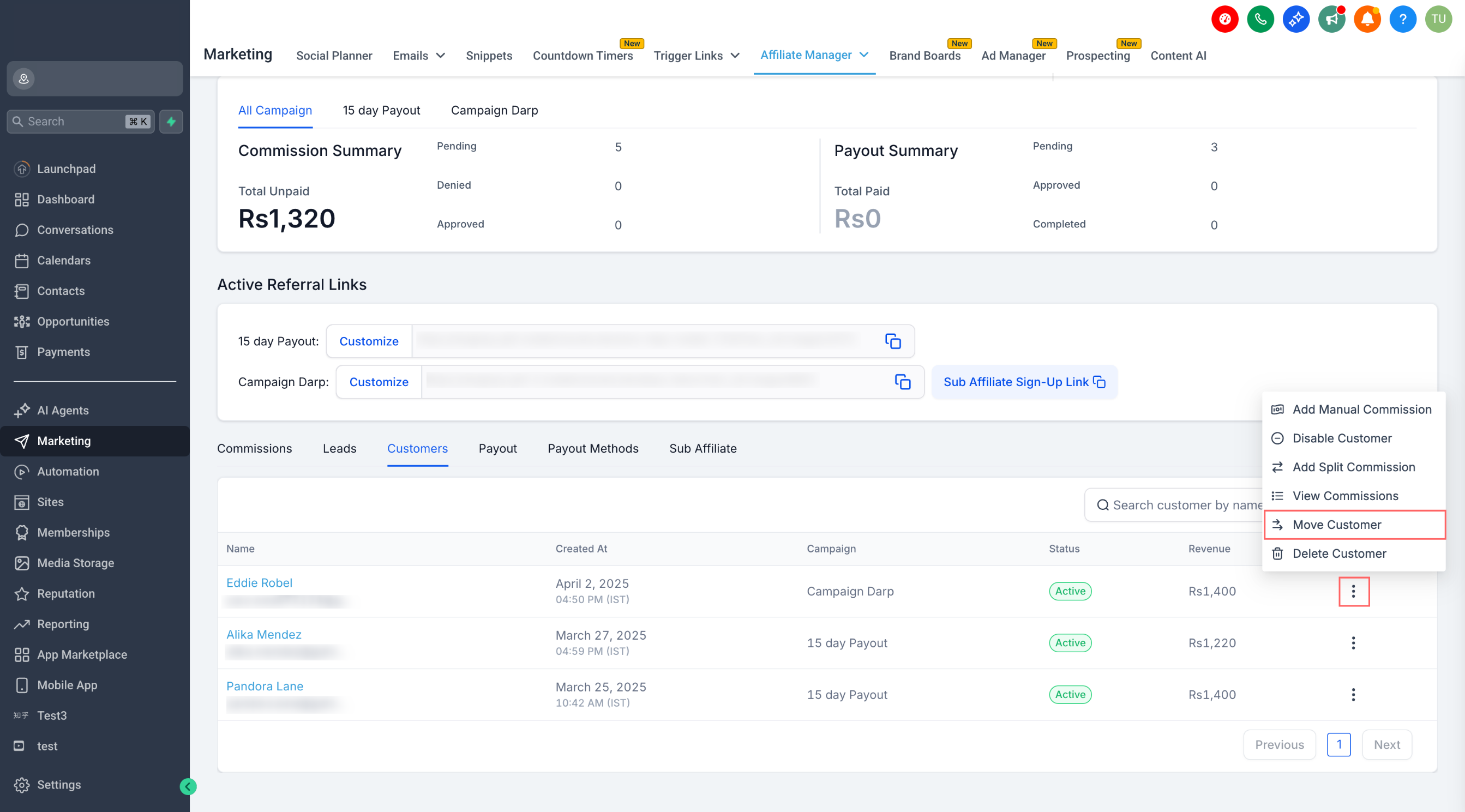
Step 2: Scroll to the "Customers" Tab
- Once you're inside the affiliate's profile, scroll down to find the Customers section.
Step 3: Click the Three-Dot Menu (⋮)
- Next to the customer you want to move, click the three dots to open actions.
Step 4: Choose "Move Customer"
- Select the "Move Customer" option from the dropdown.
Step 5: Select the Destination Affiliate
- In the pop-up, select the affiliate you want to move the customer to.
- Toggle ON the option "Also move all associated commissions of this Customer to destination Affiliate" if you want to transfer unpaid commissions.
- Hit Move to complete the move!